

If you're managing an office move, device refresh, lease return, or server cleanup in Marietta, the hard part usually isn't unplugging the equipment. It's deciding what happens next. Old laptops, retired switches, failed drives, and decommissioned servers often sit in a storage room far longer than they should, holding sensitive data and creating liability.
That backlog isn't just clutter. It's an ITAD problem. For business teams, IT asset disposition means retiring technology through a controlled process that protects data, documents custody, and separates reusable equipment from scrap. Done well, it transfers risk out of your organization and recovers value where it still exists.
Your Guide to Secure ITAD Services in Marietta
Many Marietta organizations start looking for IT equipment disposal after storage space runs out. By then, assets from several refresh cycles are mixed together: working laptops beside failed drives, networking gear beside obsolete peripherals, and no reliable record of what still contains data.
That mix is where mistakes happen. A device that should've been wiped gets sent as scrap. A reusable workstation gets shredded with no review. A pickup happens without item-level records, and later nobody can prove what left the building.
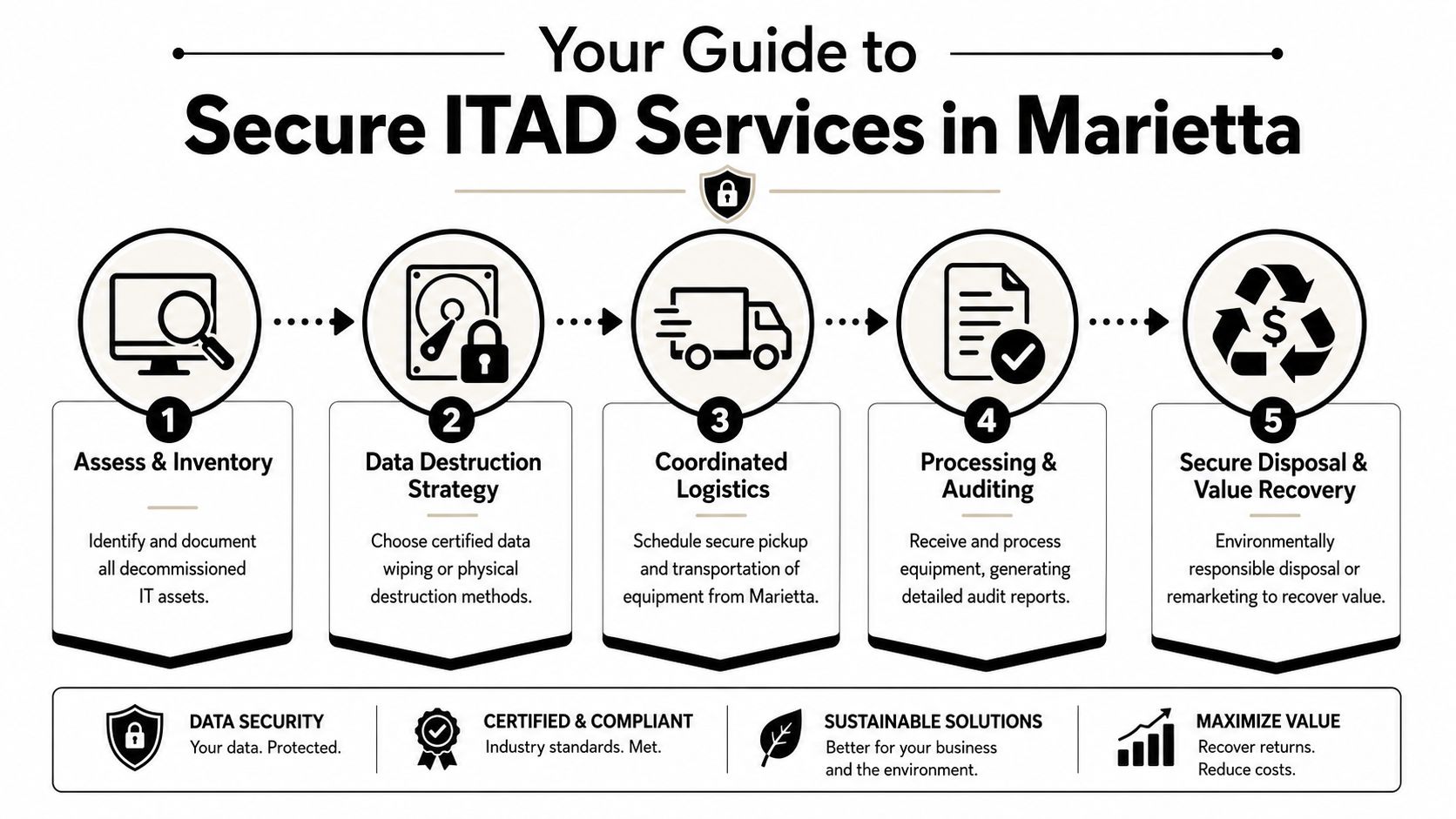
Why ITAD is now an operational priority
The market reflects how important this has become. The global IT asset disposition market was valued at $17.5 billion in 2024 and is projected to reach $29.54 billion by 2030 at a 9.2% CAGR, with data sanitization accounting for about 33% of market share in 2024, according to Strategic Market Research's IT asset disposition market analysis.
Those figures matter because they show what buyers already know from experience. Secure disposal isn't a side task. It's one of the main functions organizations are paying for when equipment reaches end of life.
What a Marietta business should expect
A professional ITAD program should do four things well:
- Identify every asset before it leaves your site
- Match the sanitization method to the media and risk level
- Maintain chain of custody during pickup and processing
- Document final disposition for every data-bearing item
For local teams handling desktops, laptops, storage arrays, or branch-office hardware, that means using a provider that can manage both security and downstream processing. Marietta companies looking for computer recycling services in Marietta should treat disposal as a controlled business process, not a bulk haul-away job.
Proper ITAD starts before the truck arrives. If you can't identify what you're handing off, you can't prove what was protected.
Preparing Your IT Assets for Disposal
The strongest ITAD projects begin inside your own building. Before pickup is scheduled, your team needs a working inventory and a clear separation between assets that may be remarketed, assets that require data destruction, and equipment that only has recycling value.
A documented workflow begins with inventory, then secure collection, then documented sanitization. The practical benchmark isn't whether equipment was merely removed. It's whether each device is tracked with device-level logs and certificates, because that proof is what limits compliance exposure and liability, as explained in this overview of the IT asset management disposal process.
Build the inventory before you touch the pile
Start with a simple rule. Every item gets listed before it gets moved.
Include:
- Asset type such as laptop, server, firewall, switch, tablet, storage shelf, or printer
- Manufacturer and model when visible
- Serial number or service tag for anything data-bearing or high value
- Physical condition such as working, failed, damaged, incomplete, or unknown
- Data status if known, including encrypted, active drive installed, drive removed, or unknown
If your team can't identify every item on day one, mark uncertain devices for review instead of forcing assumptions. Unknown media should never be treated as low risk.
Separate assets by disposition path
Don't stack everything together and hope the recycler sorts it out later. Early triage protects both value and security.
Use three lanes:
- Reuse or resale candidates such as newer laptops, monitors, and enterprise gear in serviceable condition
- Sanitization required for desktops, servers, drives, SSDs, and mobile devices with potential data exposure
- Commodity recycling for broken peripherals, obsolete hardware, and low-value scrap
A lot of value loss comes from skipping this step. Functional equipment gets buried in mixed loads and never evaluated properly.
Package for control, not convenience
Your team doesn't need fancy materials. It does need consistency.
- Keep matched systems together when they belong to the same project
- Label pallets or gaylords by department, floor, or asset class
- Bag loose drives separately and count them
- Set aside exceptions such as damaged batteries or physically broken media for special handling
For practical prep guidance before collection, use a checklist like Beyond Surplus's guide on how to prep electronics for recycling.
Practical rule: If an item leaves your office without an internal record, you've already weakened your chain of custody.
Choosing Your Data Destruction Method
Many disposal plans commonly break down. Teams often ask for "hard drive destruction" as if every device needs the same treatment. It doesn't. The right method depends on the media, the condition of the device, and the level of assurance your organization needs.
NIST SP 800-88 Rev. 1 distinguishes between clearing, purging, and destroying. Those aren't interchangeable labels. They're different sanitization outcomes, and the right choice depends on media type and security needs. Recent ITAD practice is moving toward serialized certificates tied to each asset because that documentation supports auditability and liability transfer, as noted by CDW's IT asset disposition services overview.
When wiping works and when it doesn't
Software wiping can be appropriate when the drive is functional, identifiable, and intended for reuse or resale. It preserves asset value. It also supports sustainability goals when devices still have a second life.
Physical destruction is the better fit when:
- Media is failed or unreadable
- Drives are missing identifiers
- Your policy requires non-recoverability
- The equipment came from highly sensitive workflows
- You don't want reusable media returning to the market
For many Marietta businesses, the decision isn't ideological. It's practical. If you can't verify a successful sanitize result, destruction is usually the cleaner path.
On-site versus off-site trade-offs
Some organizations want destruction witnessed at their own facility. Others prefer consolidated off-site processing with serialized reporting. Both can work if custody controls are tight.
| Factor | On-Site Destruction (at your Marietta location) | Off-Site Destruction (at Beyond Surplus facility) |
|---|---|---|
| Security visibility | Your team can witness media handling and destruction directly | Relies on sealed transport, intake controls, and documented processing |
| Operational disruption | Requires space, coordination, and site access planning | Less disruption to staff and daily operations |
| Best use case | High-sensitivity drives, strict internal policy, executive oversight | Larger mixed loads, office clear-outs, and projects needing centralized sorting |
| Value recovery impact | Drives destroyed immediately, which can limit device remarketing paths | Allows triage before final processing when policy permits |
| Documentation | Should still include serialized logs and certificates | Should include the same device-level records and destruction certificates |
A provider offering secure hard drive destruction services should be able to explain the decision logic, not just list methods.
If a vendor says wiping and shredding are basically the same thing, keep asking questions.
Coordinating Logistics for Pickup in Marietta
Once assets are sorted and the sanitization path is set, the next priority is controlled removal. This stage isn't about deciding what to do with the equipment. It's about moving it without breaking custody.
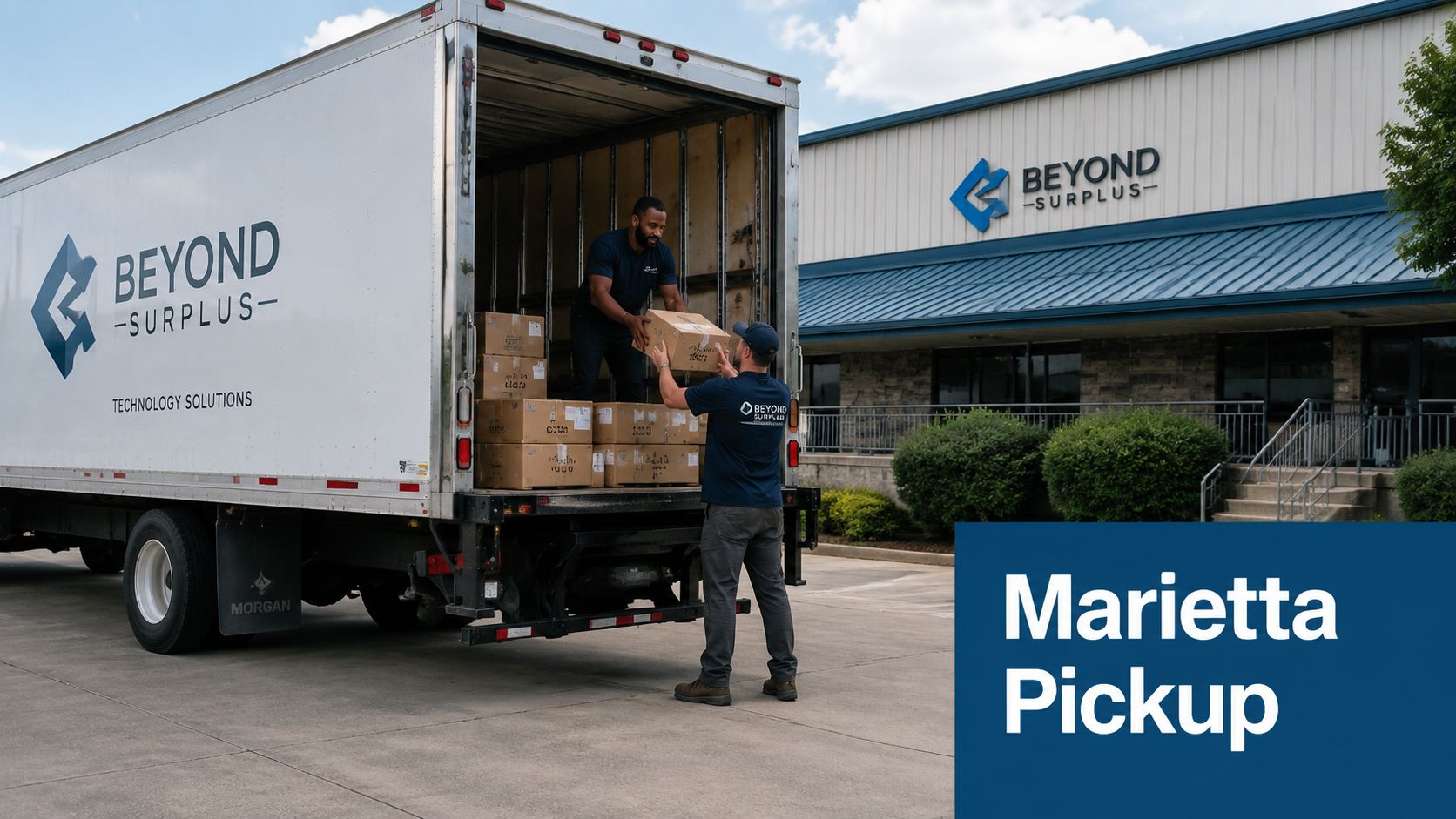
What pickup day should look like
A well-run commercial pickup is simple from your side because the control points are already established. Your team confirms the prepared load, identifies any exceptions, and signs off on release documentation. The carrier team loads by pallet, container, or room sweep, depending on the project.
The important part is consistency:
- Release records are matched to the prepared inventory
- Data-bearing items are identified before loading
- Custody signatures are captured at handoff
- Special handling items are called out rather than buried in the load
Keep transportation tied to documentation
A lot of organizations focus on sanitization and forget the gap between pickup and processing. That's a mistake. Liability doesn't pause while assets are in transit.
For Marietta pickups, use a service that treats transport as part of the ITAD chain, not as generic freight. Teams coordinating IT equipment pickup in Georgia should ask what paperwork is created at pickup, how exceptions are logged, and when intake confirmation is issued after arrival.
Short version: if the movement isn't documented, the custody story is incomplete.
Ensuring Compliance and Recovering Value
The end of the process is where many businesses finally see whether their disposal plan was disciplined or sloppy. If all you receive is a generic recycling receipt, you haven't closed the loop. If you receive asset-level records, destruction documentation, and a clear downstream outcome, you've got a defensible file.
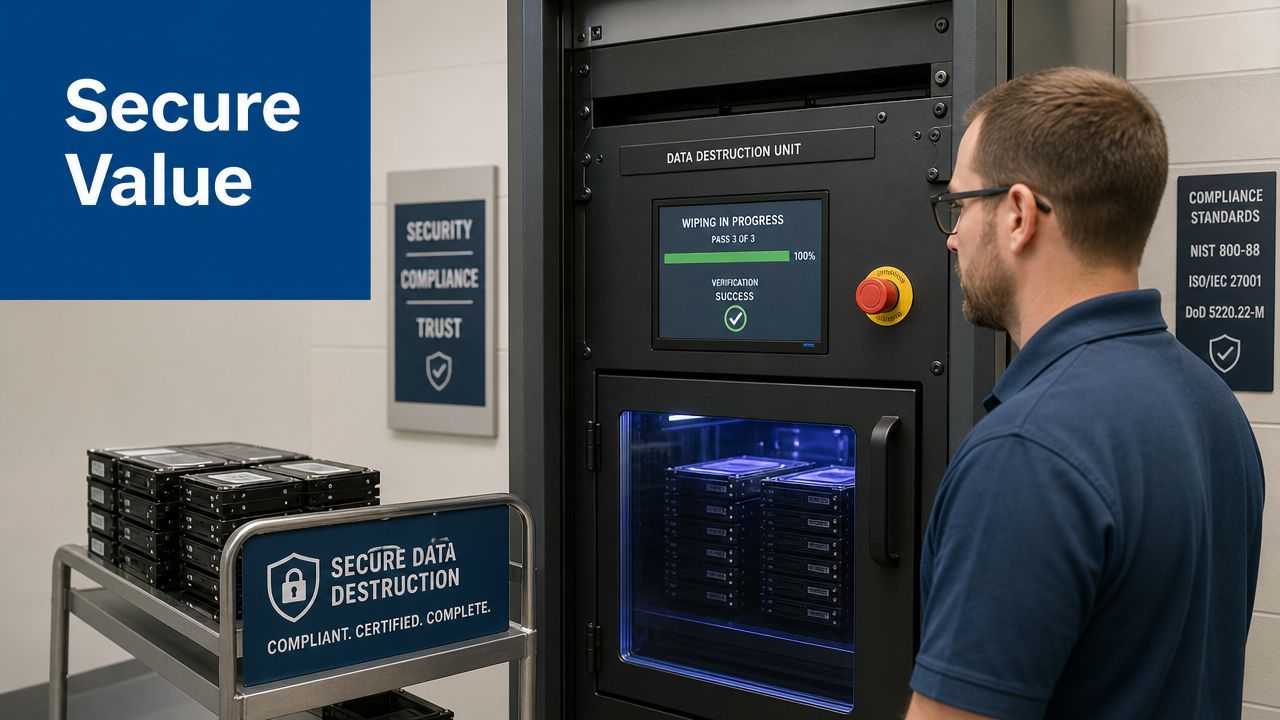
The paperwork matters as much as the processing
For regulated businesses, documentation is what proves the work happened. That usually includes certificates of data destruction, certificates of recycling, intake records, and asset-level logs where applicable.
This is also where ITAD connects to broader risk planning. If your leadership team is reviewing policy gaps, understanding cyber liability insurance helps frame how insurers and risk managers think about documentation, incident response, and defensible controls around data exposure.
Disposal without proof doesn't do much for legal or audit defense.
Value recovery should be decided early, not after destruction
Too many companies destroy everything first and ask about resale later. By that point, the only remaining value is commodity scrap.
A better approach is to identify viable equipment during intake and route those assets through remarketing when policy allows. Typical candidates include newer laptops, desktops, networking gear, and certain enterprise hardware in usable condition. Equipment that's incomplete, heavily damaged, obsolete, or policy-restricted usually goes straight to recycling or destruction.
This is one area where Beyond Surplus can fit into a business disposal workflow. Its asset recovery services in Georgia focus on evaluating retired IT equipment for resale potential while separating assets that require certified destruction or recycling.
The key trade-off is simple. If maximum assurance is your only goal, destruction is straightforward. If your policy allows selective remarketing, early triage can turn part of the project from a pure expense into a recovery opportunity.
Frequently Asked Questions About Marietta ITAD Services
What affects the cost of business IT equipment disposal
Pricing usually depends on the mix of assets and the handling they require. A load of reusable laptops is different from a batch of failed drives, broken monitors, and obsolete peripherals. On-site destruction, de-installation labor, packing needs, and documentation depth can also change the scope. The useful way to budget isn't by asking for a generic recycling price. It's by separating assets with resale potential from assets that only need secure destruction.
Are there items a business recycler may decline
Yes. Some items need special handling or a different downstream channel. Damaged batteries, certain hazardous components, and non-standard equipment may require review before pickup. That's one reason vendor screening matters. Before scheduling service, use a checklist such as this vendor due diligence checklist to confirm what a provider accepts, how they document chain of custody, and what certificates they'll issue.
How quickly can a Marietta pickup usually be arranged
The timeline depends on your asset volume, site access rules, and whether your project needs on-site destruction, packing support, or after-hours work. Small office pickups can move faster than data center decommissioning or multi-location consolidations. The best way to avoid delay is to have your inventory, internal signoff, and loading area ready before you request service.
Contact Beyond Surplus for certified electronics recycling and secure IT asset disposal. If your Marietta business needs documented chain of custody, data destruction, and a practical path to value recovery, start with an asset list and request a commercial pickup plan.


