

For any Atlanta business, removing a hard drive from a laptop is more than a simple technical task—it's a critical step in a comprehensive IT asset disposal strategy. While the physical process requires care, the primary focus for IT managers and business owners across Georgia must be on the secure, compliant management of the sensitive corporate data housed on those drives. This guide outlines the professional best practices for hard drive removal and underscores the necessity of certified data destruction services for Atlanta enterprises.
Pre-Removal Strategy: Safeguarding Corporate Data
Before a single tool is used, a structured preparation phase is essential to prevent data loss and equipment damage. For any Atlanta-based company, the data on a laptop's hard drive is infinitely more valuable than the hardware itself. A successful hard drive removal is defined by the methodical process followed before the physical work begins, ensuring compliance and security from start to finish.
A lack of planning can lead to irreversible data loss, physical damage to the laptop chassis, or motherboard failure due to an electrical short. A professional, systematic approach makes the entire process smooth, secure, and predictable.
Data Security and System Integrity
The first and most critical priority is securing the data. Once a drive is removed from a laptop, accessing its information can become complex, especially if the device sustains damage during the process.
- Comprehensive Data Backup: This is a non-negotiable first step. For a business in Atlanta, this means utilizing enterprise-grade backup solutions, cloning the drive, or transferring all critical files to secure cloud storage or an encrypted external device. A 100% complete and verified backup is mandatory.
- System Recovery Image Generation: If the laptop is scheduled for redeployment with a new drive, creating a full system image is a significant time-saver. This allows for the efficient restoration of the operating system, drivers, and essential business software without rebuilding the machine from scratch.
For businesses in Atlanta managing a fleet of devices, a centralized, IT-managed backup strategy is essential for maintaining data integrity and security. Relying on individual employees for backups introduces unacceptable risks and inconsistencies.
Assembling the Correct Toolkit
Using improper tools is a common cause of damage during IT maintenance. Stripped screws, broken plastic casings, and damaged connectors can often be traced back to improvisation.
- Phillips Head Screwdrivers: Most business laptops use small Phillips head screws. A set of precision screwdrivers, particularly sizes #00 and #0, is essential.
- Plastic Prying Tools (Spudgers): Metal tools should never be used to open a laptop case. Plastic spudgers are specifically designed to safely separate plastic clips and panels without causing cosmetic or structural damage.
- Anti-Static Wrist Strap: Static electricity can cause irreparable damage to motherboards and other sensitive electronic components. An anti-static wrist strap grounds the technician, neutralizing any static buildup and preventing catastrophic electrical discharge.
Implementing Critical Safety Protocols
Working with electronic equipment requires a safety-first approach. Laptop batteries and circuit boards are highly susceptible to damage from improper handling.
First, disconnect all external power sources. Unplug the AC adapter from the wall outlet and the laptop.
Next, the internal battery must be disconnected. While older models may have an external, removable battery, most modern business laptops feature an internal battery. This requires opening the bottom case and carefully unplugging the battery connector from the motherboard before proceeding with any other steps.
After the battery is disconnected, press and hold the power button for approximately 15 seconds. This discharges any residual electricity stored in the capacitors, ensuring the motherboard is fully powered down and safe to handle. For corporate IT departments in Atlanta, a standardized pre-removal checklist ensures these critical safety steps are consistently followed for every asset.
A Practical Guide to Physical Hard Drive Removal
With data backed up and the laptop safely powered down, the physical removal process can begin. While generally straightforward, this task requires precision and an understanding of the different drive types used in modern business laptops. The internal layout can vary significantly between models from manufacturers like Dell, Lenovo, and HP, necessitating a flexible approach.
For instance, an enterprise-grade Dell Latitude may feature a simple access panel for the hard drive, while a slim HP EliteBook might require the removal of the entire bottom cover. Familiarity with these variations is key to efficient and damage-free removal.
Locating and Accessing the Drive
Begin by turning the laptop over to inspect the bottom case. Some models may have a small icon (often resembling a stack of cylinders) indicating the drive bay's location. If no such panel is visible, the entire bottom case will likely need to be removed. This typically involves unscrewing all visible screws, including those potentially hidden under rubber feet.
Once inside, the drive is usually easy to identify. There are three common types, each with a specific removal procedure.
Before proceeding, this flowchart serves as an essential mental checklist, reinforcing the critical steps for protecting both data and hardware.
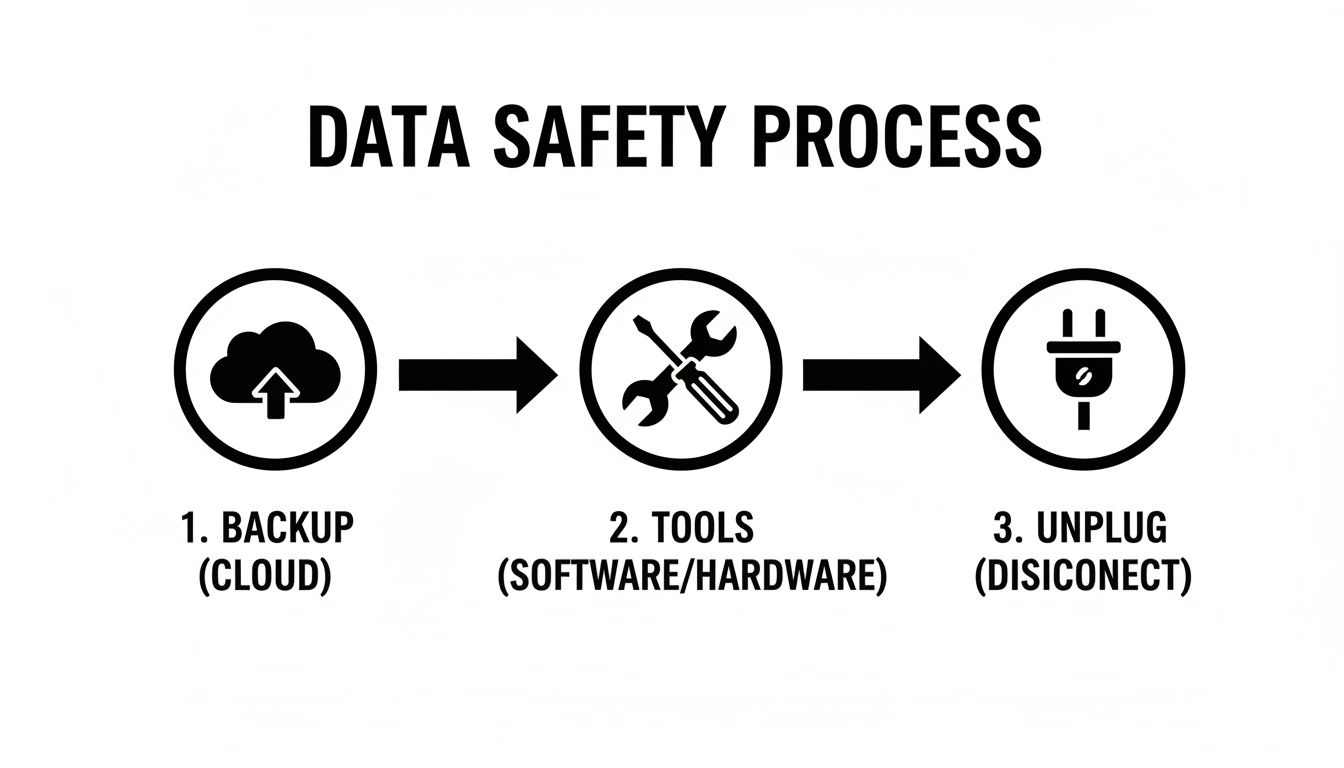
This Backup, Tools, Unplug sequence is the foundation of a safe and professional removal process.
Handling 2.5-Inch SATA Drives (HDD and SSD)
The 2.5-inch SATA drive is a common format, especially in slightly older business laptops. This includes both traditional spinning hard disk drives (HDDs) and solid-state drives (SSDs).
These drives are typically secured in a metal bracket or "caddy" that is screwed into the laptop's frame. The first step is to unscrew this caddy. To disconnect the drive, it must be slid horizontally away from the SATA port before being lifted out. Do not pull it directly upwards. Attempting to force the drive out vertically can easily break the delicate connector on the motherboard, resulting in a costly repair.
Once the assembly is free, four small screws typically hold the drive within the caddy. These should be removed and kept if a new drive is being installed.
Removing mSATA Solid-State Drives
The mSATA (Mini-SATA) SSD is a smaller, bare-circuit-board drive found in many older ultrabooks. It lies flat against the motherboard and is held in place by two small screws.
- Carefully remove the two retention screws.
- The drive will automatically pop up to a 30-degree angle. This is by design.
- Gently pull the drive straight out of its socket at that angle.
Never attempt to pull an mSATA drive straight up while it is flat. The pop-up-and-pull-out motion is essential to prevent damage to the connector pins on both the drive and the motherboard.
Extracting Modern M.2 NVMe and SATA SSDs
The current standard for high-speed storage is the M.2 SSD. These "gumstick" drives connect to a dedicated M.2 slot and can use either the SATA or the much faster NVMe protocol. The physical removal process is the same for both.
The process is similar to that for an mSATA drive but is typically secured by only a single screw.
- Remove the single retention screw at the end of the drive.
- The M.2 drive will pop up at an angle.
- Gently slide the drive out of the M.2 slot.
Note that high-performance M.2 NVMe drives may have a thermal pad or heat sink, which should be set aside carefully if the slot is to be reused.
Laptop Drive Types and Their Removal Quirks
This table provides a quick reference for identifying and safely removing common laptop drive formats.
| Drive Type | Typical Location | Connection Style | Key Removal Tip |
|---|---|---|---|
| 2.5-inch SATA | Dedicated bay, often under an access panel | Horizontal slide-in connector | Slide drive away from the connector before lifting it out. |
| mSATA SSD | Lays flat on the motherboard | Edge connector, pops up when released | Remove two screws and let it pop up to an angle before pulling. |
| M.2 SSD (NVMe/SATA) | Lays flat on the motherboard | Edge connector, pops up when released | Remove a single screw and let it pop up before sliding out. |
By correctly identifying the drive type and adhering to these specific procedures, any IT professional can confidently perform a hard drive removal, preparing the asset for the critical next phase: secure data destruction.
Why Secure Data Destruction Is Not Optional
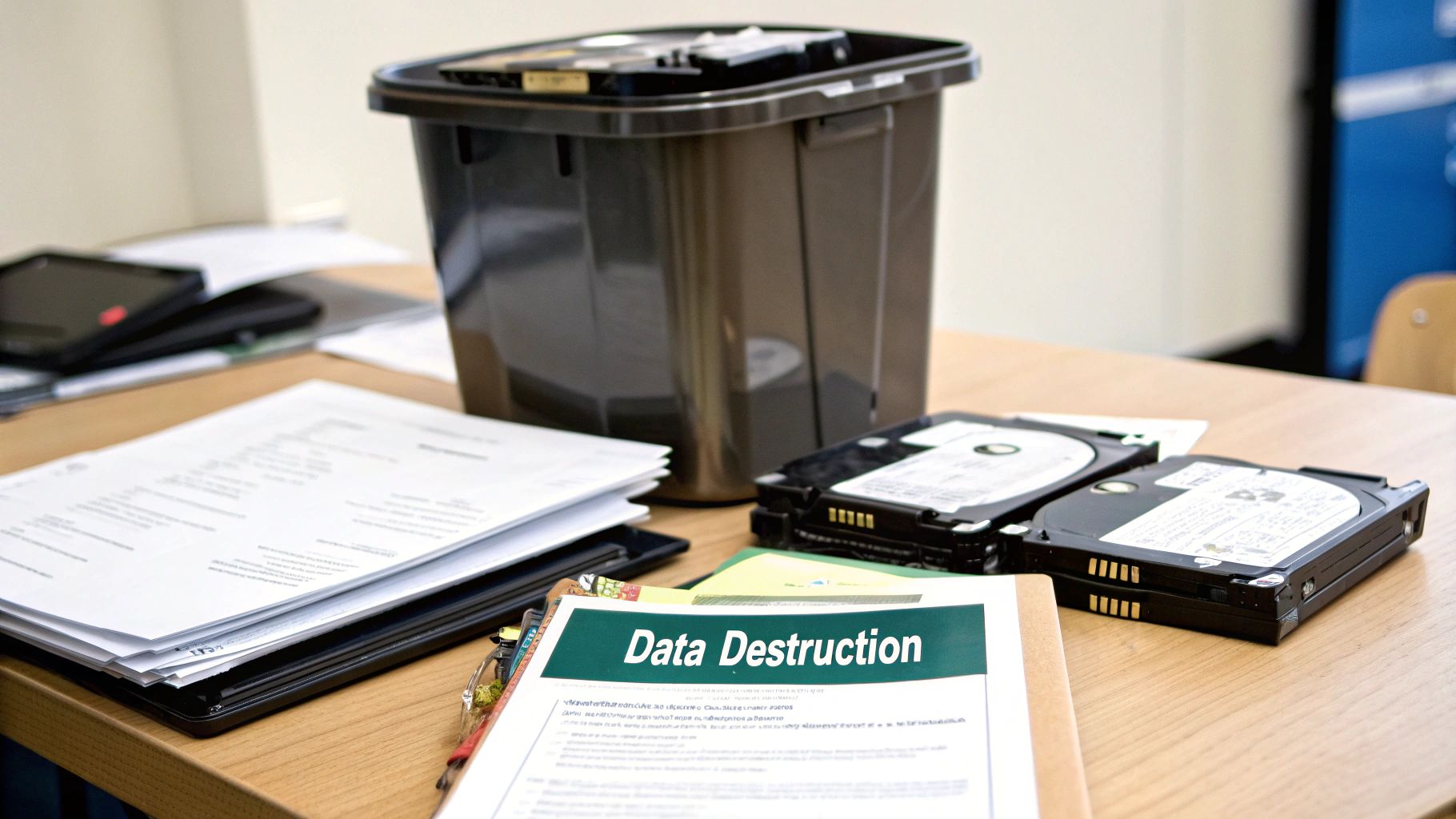
Once the hard drive is physically out of the laptop, the real work begins for any business. The temptation might be to just toss it in a drawer or run a quick format, but that’s a critical misstep. Simply deleting files or using a standard format does almost nothing to protect the sensitive corporate, client, or employee data left behind.
This is where professional IT asset disposal (ITAD) becomes a fundamental part of your risk management strategy. The data remnants on that drive are liabilities just waiting to happen. For any business, ensuring that information is gone for good isn't just a best practice—it's a legal and financial necessity.
Differentiating Data Destruction Methods
Not all data destruction methods are created equal. Understanding the differences is key to choosing the right level of security for your organization's needs and compliance requirements. Each method offers a distinct outcome, moving from software-based solutions to complete physical obliteration.
- Data Wiping (Sanitization): This software-based approach overwrites the entire drive with random data, often in multiple passes. It's an effective way to erase data while leaving the drive physically intact and reusable. We see this used most for devices that will be remarketed or redeployed within the company.
- Degaussing: Primarily for magnetic media like traditional HDDs, degaussing exposes the drive to a powerful magnetic field. This process instantly and permanently scrambles the magnetic domains on the drive's platters, rendering all data completely unreadable.
- Physical Destruction (Shredding): This is the most secure and definitive method. The hard drive is fed into an industrial shredder that grinds it into small, unrecognizable pieces of metal and plastic. There is absolutely no way to recover data after this.
The growing demand for these services reflects the increasing regulatory pressure on businesses. The Global Hard Drive Destruction Service Market, which hit USD 1.65 billion, is projected to soar to USD 5.05 billion by 2035. This growth is largely driven by regulations like HIPAA and CCPA that mandate auditable proof of data sanitization, making professional destruction a core compliance activity.
The Power of Certified Destruction and Chain of Custody
For IT leaders, the process of removing a hard drive from a laptop only truly concludes with proper documentation. A professional ITAD partner provides an auditable trail that proves you handled the data responsibly, which effectively transfers liability away from your organization.
This process is built on two key pillars:
- Secure Chain of Custody: Think of this as the chronological paper trail documenting every touchpoint of your asset, from pickup at your facility to its final destruction. It ensures there are no gaps where a drive could be lost or compromised.
- Certificate of Data Destruction: After the process is complete, you receive a formal certificate. This legal document is your official proof of compliance, detailing the serial numbers of the destroyed drives and the method used.
A Certificate of Data Destruction isn't just a piece of paper; it's your shield in an audit or legal dispute. It's the definitive proof that you upheld your duty to protect sensitive information, satisfying requirements under regulations like the FTC Disposal Rule and FACTA.
This documentation is indispensable for demonstrating due diligence and protecting your business from the severe financial and reputational fallout of a data breach. Understanding what happens to your data-bearing assets is a critical part of the process, and you can learn more about the importance of a secure chain of custody and data destruction practices.
Beyond the physical act, understanding robust data protection and reviewing a company's data privacy practices is essential to ensure sensitive information remains secure. Ultimately, the secure destruction of a retired hard drive is the final, non-negotiable step in safeguarding your company's most valuable asset—its data.
When to Call in a Professional ITAD Service
Pulling a single hard drive from a laptop can feel like a quick win for an in-house IT team. It's a manageable, one-off task. But what happens when that single laptop becomes 50, 200, or even 500 during an office-wide hardware refresh or decommissioning project?
That’s when the scale changes everything.
Suddenly, a simple task explodes into a logistical nightmare fraught with significant risks. The complexity of tracking every device, securing every drive, and documenting every step grows exponentially. This is the precise moment when partnering with a professional IT Asset Disposition (ITAD) service shifts from a convenience to a strategic necessity.

Scenarios Demanding Professional Intervention
Certain business operations inherently create challenges that internal teams just aren't equipped to handle efficiently or securely. Engaging a specialist is the smartest move when facing these high-stakes situations.
- Large-Scale Office Decommissioning: Closing a branch or moving an entire office means dealing with dozens or hundreds of laptops at once. A professional ITAD service manages the entire process, from secure on-site packing to transport and final disposition, making sure no device gets left behind.
- Data Center Hardware Refreshes: While data centers are all about servers, the ecosystem still includes plenty of administrative laptops and other end-user devices. During a refresh, an ITAD partner can handle the secure removal and destruction of all data-bearing assets, not just the servers.
- Managing End-of-Lease Device Returns: Leased equipment often comes back with strict requirements for data removal and device condition. An ITAD expert ensures all data is certifiably destroyed before the assets are returned, protecting your organization from potential penalties and data breaches.
There's a reason the market for these services is growing so fast. The Data Destruction Services market, valued at USD 10.17 billion, is projected to hit USD 26.08 billion by 2032. This surge is driven by enterprises transitioning to SSDs and facing intense regulatory pressure—especially in the US where federal mandates demand certified disposal for data-bearing assets.
The Tangible Benefits of Outsourcing
Partnering with a dedicated ITAD provider like Beyond Surplus delivers concrete advantages that directly impact your bottom line, compliance posture, and operational efficiency. It transforms a logistical burden into a streamlined, secure, and fully documented process.
The core value of a professional ITAD service is risk transference. When you receive a Certificate of Data Destruction and a Certificate of Recycling, the liability for that asset and its data officially moves from your books to theirs. That documentation is your legal shield.
Consider the immense benefits:
- Guaranteed Compliance: Professionals live and breathe regulations like HIPAA, FACTA, and GDPR. They ensure every step of the disposal process is compliant, protecting you from heavy fines.
- Nationwide Logistics: Whether you have one office or twenty across the country, a seasoned ITAD partner has the logistical network to handle secure pickups from any location.
- Secure Chain of Custody: From the moment a device leaves your facility, it's tracked and secured. This unbroken chain of custody is critical for audits and eliminates the risk of assets "disappearing" in transit.
When you're looking for professional help, services like IT Asset Management (ITAM) can cover the entire lifecycle of your hardware, including secure disposal. This broader view helps integrate end-of-life planning into your overall technology strategy right from the start.
Ultimately, calling in an ITAD service is about recognizing when the scale and risk of a project exceed your internal capacity. For a deeper dive into our specific capabilities, you can learn more about our comprehensive IT asset disposal services for businesses nationwide. It's the strategic choice for any organization that values security, compliance, and peace of mind.
Common Questions About Hard Drive Removal and Disposal
Even for experienced IT professionals, the specifics of secure hard drive disposal can present compliance challenges. Addressing these details correctly is essential for protecting your Atlanta-based organization's sensitive data and adhering to federal and Georgia state regulations.
Can I Just Drill Holes in a Hard Drive to Destroy the Data?
While physically damaging, drilling holes in a hard drive is not a compliant or guaranteed method of data destruction. Forensic experts can often recover significant amounts of data from the surviving fragments of a drilled platter. To meet strict compliance standards like HIPAA or GDPR and ensure complete data elimination, certified physical shredding is the required professional standard. This industrial process grinds the entire drive into small, irrecoverable pieces, making data recovery impossible.
What Is a Certificate of Data Destruction and Why Do I Need One?
A Certificate of Data Destruction is a formal, legally binding document provided by a certified ITAD vendor. It serves as a critical audit trail, proving that specific data-bearing devices were destroyed in accordance with industry best practices and regulatory requirements. This certificate lists the unique serial numbers of the destroyed assets and the method used, officially transferring liability from your company to the vendor. For any Atlanta business, this document is essential proof of due diligence and compliance with data privacy laws like HIPAA, GDPR, and FACTA.
What Should I Do With the Laptop After the Hard Drive Is Removed?
An empty laptop shell is classified as electronic waste (e-waste) and must never be discarded in a dumpster. These devices contain hazardous materials like lead, mercury, and cadmium, which are regulated by environmental laws. The only responsible and compliant disposal method is to partner with a certified electronics recycler. They are equipped to safely dismantle the device, recover valuable materials for reuse, and manage toxic components in an environmentally sound manner. For further guidance, our article on what to do with old hard drives provides a detailed overview of responsible disposal practices.
When your Atlanta business requires a guaranteed, documented, and secure process for IT asset disposal, Beyond Surplus provides certified electronics recycling and IT equipment disposal services for businesses across the United States. Contact Beyond Surplus for certified electronics recycling and secure IT asset disposal. https://www.beyondsurplus.com


