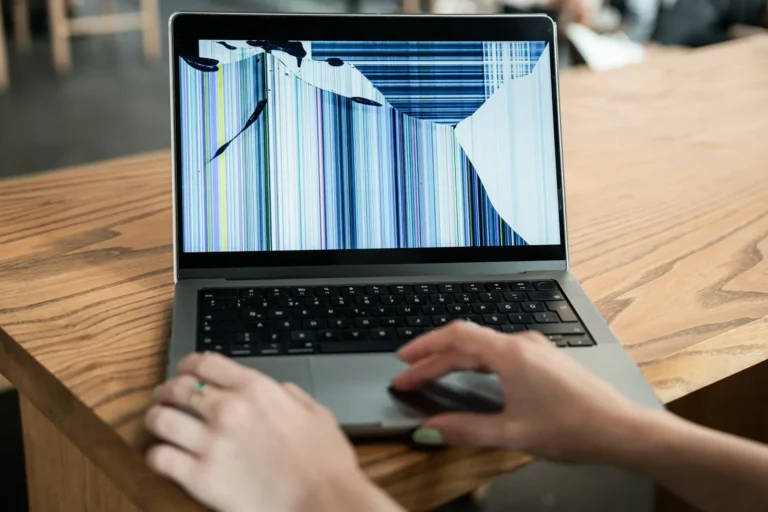
Many small businesses around Columbus find themselves facing the same problem at the start of the year, a growing stack of aging tech sitting in storage rooms or unused on desks. Laptops that don’t hold a charge, cords with no matching devices, monitors gathering dust. It adds up slowly, but by February, that clutter starts to feel like a real obstacle.
Early in the month is a smart time to take stock and deal with old IT equipment before spring gets too busy. Tax season, customer changes, and upcoming renovations can take priority later, so pushing cleanup now could save time and hassle.
We’ve worked with other businesses who waited too long, and it made their next steps harder. Delayed disposal of IT equipment often leads to blocked storage space, longer inventory audits, and more stress. There’s also the risk of problems like data leaks if sensitive gear isn’t handled correctly.
Getting ahead of this issue means that offices and storage areas stay orderly, workspaces remain usable, and devices don’t become safety hazards. When the time comes to tackle spring projects or serve more clients, a clutter-free space helps everyone focus on core business. Not only does proper disposal make life simpler, but it also supports data security and smoother business operations.
What to Know Before You Start
Before loading things into a bin or calling someone to haul equipment off, it helps to understand what you’re dealing with. Most offices, even small ones, have a surprising range of aging tech.
• Laptops and desktops, even if outdated
• External drives and USB devices
• Monitors, keyboards, and mice
• Modems, routers, or old networking units
• Phones and chargers that no longer match current systems
It’s tempting to toss everything into one pile, but it’s better to sort items. Devices that still work might be eligible for reuse or recovery. Broken ones need different processing. Separating working from non-working gear saves time during pickup and inspection.
Creating a staging area can help get organized. Use a corner of a room or storage closet. Make signs like “Working,” “Broken,” and “Needs Review.” Labeling boxes early helps avoid mistakes later.
Some offices have equipment that might need special disposal steps due to internal batteries or sensitive parts. If you run across unknown tech, set it aside for closer look, since unique items may be handled differently during pick up. Knowing what’s sitting on shelves can prevent overlooked pieces from causing trouble later during audits or office moves.
Thinking about what is tangled up together, like chargers in a drawer or phones mixed with batteries, makes separation clearer. If you take a little extra time during sorting, the entire process moves more smoothly.
Data Protection Before Removal
Dealing with physical clutter is only part of the job. Old equipment may still hold old passwords, contact lists, or customer files. Logging out of accounts and wiping devices before disposal should always be part of the plan.
• Make sure laptops and desktops are signed out of user accounts
• Erase browsing history or file systems
• Remove any SIM cards or external drives
• Unpair devices like external keyboards, printers, or cloud accounts
We always flag data-bearing devices to double-check before removal. Hard drives should either be sanitized or removed. Cloud-connected gear like phones or tablets can still access company info if not properly reset. It might take a little extra time but pays off in peace of mind.
When it comes to data, rushing usually means missing critical steps. Sometimes, even seemingly empty devices may hold auto-saved login credentials or fragments of sensitive data. Review recent downloads, backup settings, and folders outside the typical “Documents” path to prevent company details from falling into the wrong hands.
Assign someone on the team to check a master list or inventory document for completeness before any pickup is scheduled. Double-check that devices marked for “Removal” are fully cleared and that backup copies aren’t stored on forgotten USB drives or external disks.
If you have software licenses on older machines, make a note to transfer or decommission them before disposal, ensuring you don’t lose access or leave company software in the wild. Following these routines means data security is maintained, helping business owners keep peace of mind.
Local Timing and Weather Considerations
February in Columbus, Georgia, brings fairly steady temperatures and fewer weather surprises than later spring. That’s what makes this month a great time to get gear out the door. Once we move into March, schedules begin filling up fast with outdoor projects and seasonal maintenance.
Transporting electronics in high heat isn’t ideal. Cold doesn’t help either. Right now, conditions are stable enough to move sensitive gear with less chance of heat damage or sudden storms delaying pickups.
We’ve seen spring get away from business owners quickly. By dealing with old gear now, you avoid stacking this task on top of HVAC servicing, landscaping work, or renovation prep. Clearing space now gives you physical room and mental room when spring starts rolling.
Planned disposals in February often mean less time spent rearranging project schedules or rescheduling appointments around weather. With later months tending to feature more rain or humidity in the South, this window is one of the easiest for smooth logistics. It’s simpler to park close to the building, handle equipment transfers quickly, and avoid muddy or crowded lots. Early action often means more flexible timing with recycling partners, too.
Scheduling a company cleanup as part of winter maintenance helps every team member work more efficiently. Supplies and new devices can be moved in without negotiating around packed corners or outdated equipment, making the transition into a new season seamless.
Partnering With the Right Help
Not every trash or junk pickup service understands technology. That matters when the equipment you’re tossing may store customer info or include recoverable parts. IT-specific disposal means gear is removed, sorted, and handled using methods that suit electronics.
• Professionals can unplug, remove, and move devices without damage
• Sorting is done to separate reusable gear from e-waste
• Items are transported using procedures suitable for tech, not just standard junk
Beyond Surplus specializes in IT equipment disposal for Columbus businesses, offering secure pickups and end-to-end tracking for desktops, laptops, servers, phones, and other electronics. All equipment is processed in accordance with R2 (Responsible Recycling) guidelines. Certificates of data destruction are available for businesses requiring documentation of compliance.
When we handle this step with care, small businesses don’t have to second-guess what happened to their equipment. Proper disposal also gives peace of mind that no sensitive data is lingering somewhere unexpected.
It can feel like standard waste companies are not equipped for tech challenges, especially when parts are hazardous or still valuable. Having experienced partners means all items are dealt with from pickup to final processing, with no guesswork on proper disposal or data safety. By turning to IT experts, businesses avoid compliance errors, environmental issues, and questions about equipment security.
Closing Out Tech Clutter Without the Stress
Clearing out old IT equipment doesn’t need to be overwhelming when approached step-by-step.
1. Figure out what gear you’ve got.
2. Sort it by condition.
3. Handle data and reset logins.
4. Choose a smart time like February when weather and schedules stay calm.
Planning ahead makes the rest of the year easier. Small businesses in Columbus that clean up early tend to have a smoother transition into busy spring seasons with fewer physical and digital distractions. Throwing out old tech may feel like just one more chore, but managing the disposal of IT equipment the right way often removes more than you expected, clutter, risks, and unnecessary delays.
By preparing before spring hits, teams save hours locating equipment and avoid accidental disposal of functioning gear. This organized approach often results in better inventory lists and more efficient budgeting for new upgrades. In addition, careful disposal minimizes workplace hazards, like tripping over tangled cords or storing boxes too high.
At Beyond Surplus, we help small businesses in Columbus stay ahead of spring by responsibly taking care of old electronics before they cause bigger issues. Whether it means clearing out outdated equipment or protecting your sensitive data from falling into the wrong hands, every step counts. Our team manages the entire process, from secure pickup to tracking and proper sorting, so you can focus on your business. When questions come up about the disposal of IT equipment, we’re ready to make things easy. Give us a call and let us schedule the right time to handle your technology the right way.