

Apple iPhones Recycling Disposal For Computers Tablets Phones & iPads. Apple is one of the leading technology companies in the world, and is also a leader in sustainability.
Beyond Surplus has created a recycling program to help reduce e-waste and encourage customers to recycle their old Apple products. The program is free and easy to use, and provides customers with an environmentally friendly option for disposing of their unused electronics.
With new models being released every year, many of us are quick to upgrade to the latest iPhone, leaving our old devices forgotten and collecting dust in a drawer.
For Apple iPhones Recycling & Disposal Service Call (404) 905-8235
iPhones Recycling. We are a local company For Computers, Tablets, Phones, iPads & iPhones Recycling & Disposal in Atlanta Metro Area, Georgia & Beyond. See: How to prepare your computers, tablets, phones, ipads & iphones for recycling in Atlanta

Call Now 404-905-8235 Get Your Questions Answered!
Call (404) 905-8235 To Recycle Your Ipad In Atlanta
Do you have an old iPad that you no longer use? Instead of letting it gather dust and take up space, you can choose to recycle it in Atlanta. Not only will it be disposed of responsibly, but it can also help the environment in the process. Here’s how to recycle your iPad and do your part for Mother Earth.
Recycling your old iPad is a great way to help the environment and save money. It’s important to know the best ways to recycle your iPad and its potential risks. This post will explore the different ways to recycle your iPad, how to prepare it for recycling, and the potential risks associated with recycling.
For Atlanta iPhone Recycling Call (404) 905-8235
Are you looking for a way to get rid of your old iPhone in Atlanta? Here’s a guide on how to recycle your iPhone responsibly and ensure it doesn’t end up in a landfill. With so many of us now owning smartphones, it’s no surprise that the number of electronic waste is on the rise.
Apple iPhones are some of the most popular and well-loved smartphones on the market. But when it’s time to upgrade to a newer model, what do you do with your old iPhone? You can recycle it!
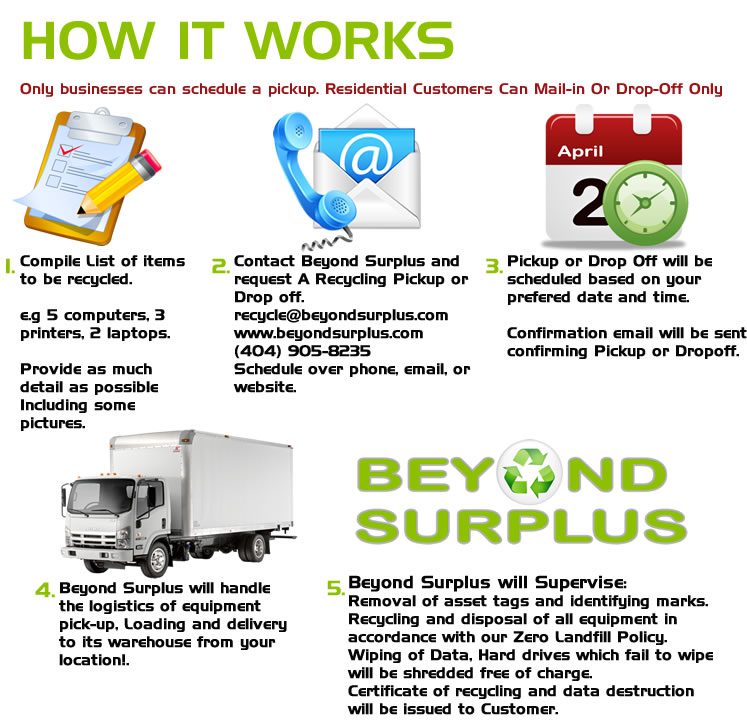
Call (404) 905-8235 To Recycle Your Apple Macbooks In Atlanta, GA
When it comes time to upgrade your Apple Macbook, consider recycling it instead of throwing it away. Recycling old Apple Macbooks has many benefits, including reducing waste and providing a second life for the device. Additionally, recycling can help protect the Atlanta environment and provide valuable resources to create new products.
Apple Macbooks are some of the most popular laptop computers around, but they’re also some of the most resource-intensive products to manufacture and dispose of. That’s why it’s important to understand the benefits of recycling your Apple Macbook, and the environmental impact that it can have.
Searching for Where to Recycle Apple Imacs in Atlanta?
Apple iMacs are a popular choice for home and business computers, but what happens when you’re done with them? Electronic recycling is the answer. This article explains the benefits of recycling Apple iMacs, including reduced environmental impact and cost savings. It also outlines the steps to take when recycling your iMac in Atlanta.
Recycling old Apple iMacs is an environmentally friendly way to keep these computers out of landfills, while also providing a great opportunity for those who are looking for a quality and affordable computer. With the right recycling program, Apple iMacs can be reused and repurposed, preserving resources and reducing waste.
Call (404) 905-8235 For iPhones Recycling Disposal By Mail
You can now recycle select items like Windows Laptops, Apple MacBooks, iPhones, iPads, ChromeBooks by mail for free. Simply request a USPS Or UPS Shipping label by completing the form below. You Will receive a tracking number to track the progress of the recycling of your devices. This service is available to Businesses & Residential Customers. Ship your items to us directly from your Home or Business.

Business Or Commercial Customer?
To better assist you first complete the form below 24/7 we need to know what equipment you have, attach any inventory list or pictures or Call during business hours. We will reach out to you after form completion. Only businesses can schedule a pickup in addition to being able drop off equipment at our facility.
Call now for or schedule a Free Consultation for the Disposal of your computer & IT Equipment.
From communication to entertainment, these sleek devices have revolutionized the way we live and interact. However, with new models launching every year, the question arises: what happens to our old iPhones? This is where iPhone recycling comes into play.
Residential Customer?
First fill out form below 24/7. To better assist you we need to know exactly what you have, you will receive drop off instructions to your nearest Atlanta metro area/Smyrna drop off location and accepted items list. You will receive a drop off number & Information will be emailed to you 1-2 minutes of completing the form. Once you receive your drop off number you can drop off your items anytime during our business hours.

Address: 1835 SOUTH COBB IND. BLVD SE #105, SMYRNA, GA 30082
Call (404) 905-8235 to Recycle Apple Computers, Tablets, Phones, iPads & iPhones in Atlanta
The Beyond Surplus recycling center is open to businesses and the general public for dropping off or pickup computers & other accepted electronic items for [scf-post-field name=”city1″] and surrounding metro Atlanta for secure recycling. You probably ended up here because you are search for how to dispose of your computers, tablets, phones, ipads & iphones. Our mission at Beyond Surplus is to provide a safe, secure, environmentally responsible solution to the dilemma of proper disposal of old computer systems, components and electronic waste (e-waste).

Below is a guide on how to safely recycle or dispose of your Computers, Tablets, Phones, iPads & iPhones
By Default Every Item processed by Beyond Surplus we will thoroughly inspect every item and protect your Data by removing Asset Tags, Stickers and Identifying marks from each unit (Sanitize). During this initial Inspection stage every drive is wiped using a Department of Defense Compliant erasure program free of charge. Any hard drives/devices that cannot be securely wiped will be physically shredded to protect your data.
Your Device doesn’t power on or you cannot access it? You can still drop off your device at Beyond Surplus OR schedule a pickup if you are a business, ask for a drop-off receipt by filling out the form above, its our written guarantee that your device will be recycled responsibly and your device and or data will be protected & destroyed. If you are a business you can request a Certificate of Destruction.
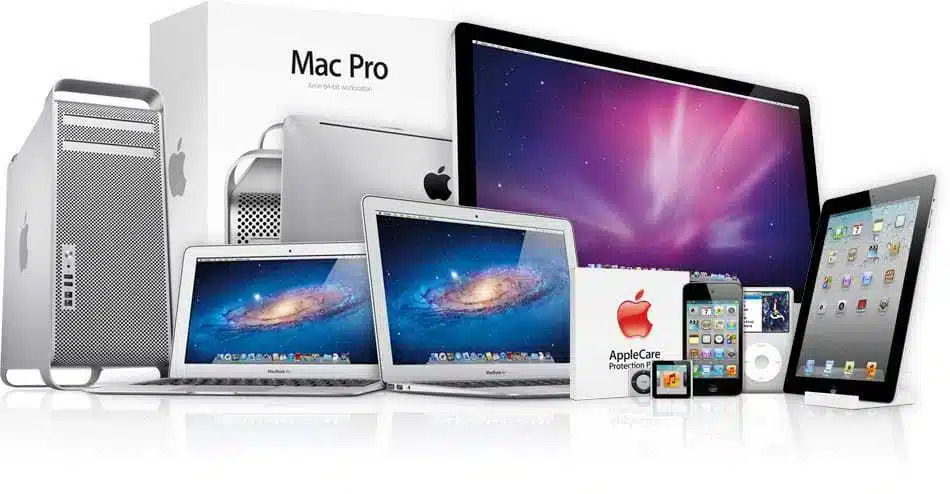
Apple Data Destruction Guarantee
Unlike other ewaste recyclers in Georgia all Data Destruction is handled in-house at a Beyond Surplus facility. We do not subcontract any data destruction or shredding, it is all handled at our smyrna warehouse. Keep your company compliant. Our data destruction methods are compliant with HIPAA, Gramm-Leach-Bliley Act, Sarbanes-Oxley Act, The Patriot Act, Identity Theft and Assumption Deterrence Act, and others.
Our Data destruction methods render all media “unusable and/or inaccessible”. If we cannot secure wipe your device we will shred it For Free! See Atlanta Free Hard Drive Shredding

Why should you safely recycle your Computers, Tablets, Phones, iPads & iPhones?
Computers contain many chemicals and materials that are hazardous to the environment. Recycling your old computers, phones and tablets keeps this toxic waste out of landfills, and it provides numerous benefits to the environment as well as community.
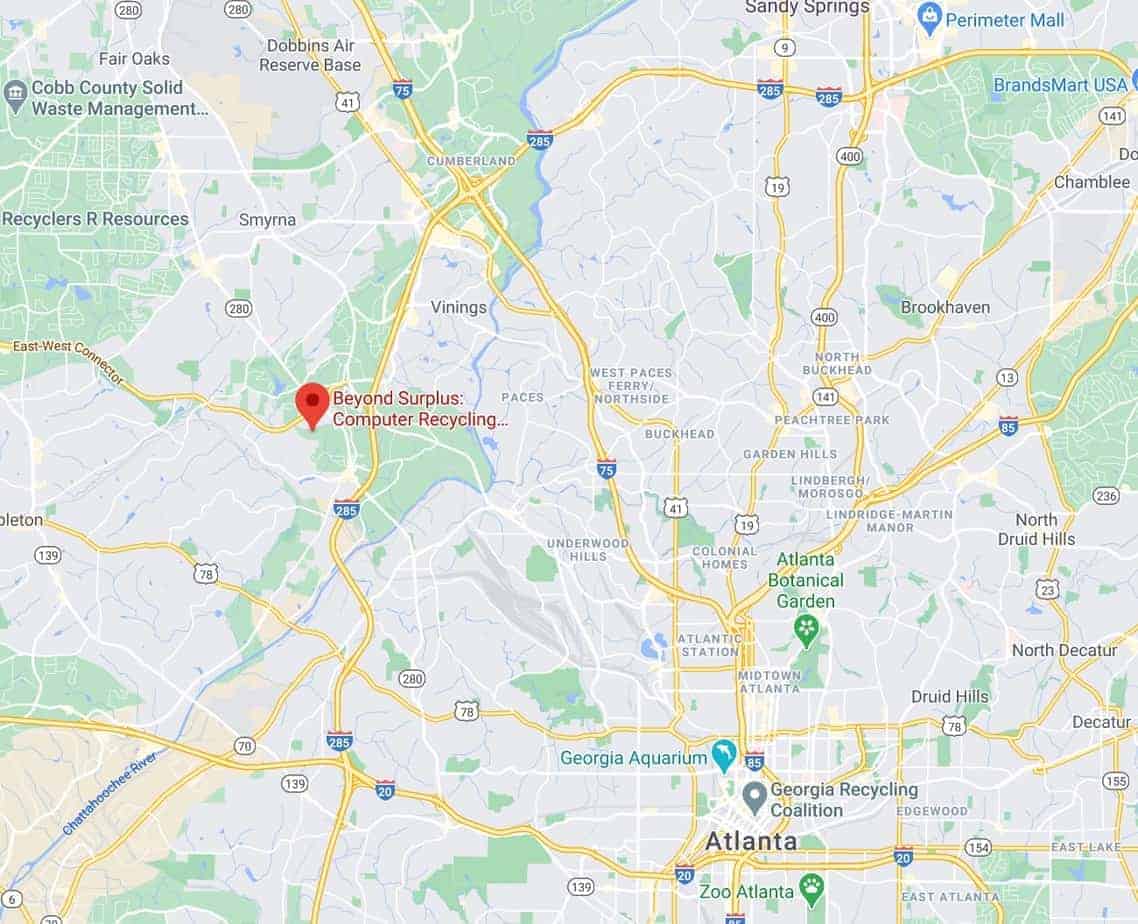
Address: 1835 SOUTH COBB IND. BLVD SE #105, SMYRNA, GA 30082
Free Computers, Tablets, Phones, iPads & iPhones Recycling & Disposal Drop Off Center
In an effort to create a safe environment for both our customers and employees Beyond Surplus is offering a NO-CONTACT Electronics Recycling Drop-Off Service, this service allows our customers to bring in Accepted Recyclable Electronic Equipment and have no direct contact with anyone. Businesses & the general public can drop off accepted equipment at our Atlanta warehouse during our business hours.
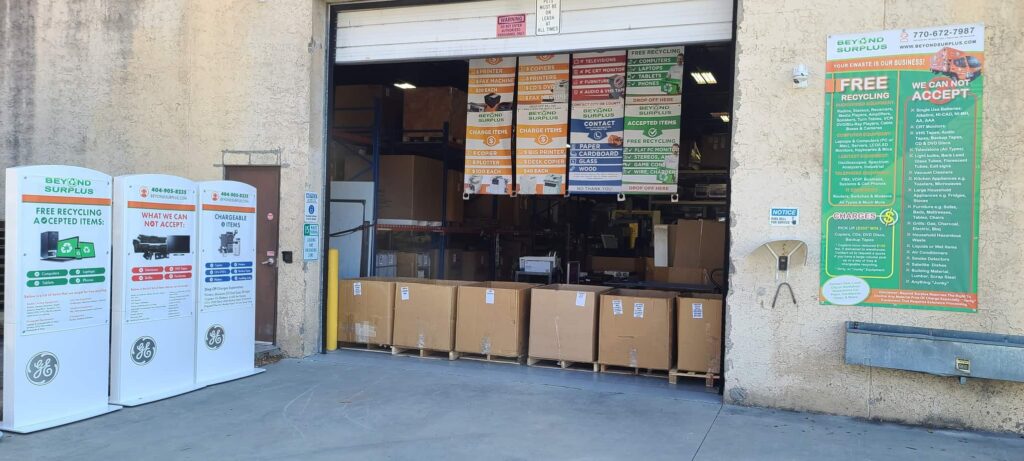

What to do before disposing of your Computers, Tablets, Phones, iPads & iPhones
This applies to computers, laptops and phones that you are looking to recycle. Below is a guide on how to prepare your apple devices for recycling.
Save or backup important files
Go through your computer, Back up your files or transfer them to a new computer. The least consuming way to do this is to invest in an external hard drive or backup to the cloud making it easy to access your files on any internet-connected device. This is important, if you are dropping off your equipment at beyond surplus for disposal there is not recovering any files.
Uninstall Programs
Some programs, such as Adobe Creative Suite and Microsoft Office line of products, may contain personal information such as your name and address or other details. They also require a software key and can only be used on one machines at a time. So be sure to uninstall any programs before disposing of your computer.
Delete Browsing History
Most browsers save information about your browsing history and, depending on your settings, can even store your user names and passwords various sites. Cookies remember the sites you visit and the purchases you make and advertisers (and hackers) can use this information to their advantage. So to improve your privacy, it’s best to delete them regularly.
Factory Reset Wipe Erase Windows 10, Android or Apple IOS Device Before Recycling
How to erase your iPhone, iPad, or iPod touch Before Disposal
Go to Settings and tap General > Reset > Erase All Content and Settings. If you turned on Find My [device], you might need to enter your Apple ID and password.
If asked for your device passcode or Restrictions passcode, enter it. Then tap Erase [device].
If you’re switching to a non-Apple phone, deregister iMessage.
When you erase your iPhone, iPad, or iPod touch, Find My [device] and Activation Lock is turned off.

Turn off Activation Lock on Apple iPhone & iPad Before Recycling
Activation Lock is designed to keep your device and your information safe in case your iPhone, iPad, iPod touch, Apple Watch, or Mac is ever lost or stolen.
Activation Lock is tied to the Find my iPhone (or iPad) app on iOS. If you have your iPhone or iPad in your hands, this is the fast way to turn off Activation Lock
Note: You can also reset your iPhone to erase all content and settings. Do that, and you’ll be asked to remove Find my iPhone — and Activation Lock — as part of the process.
Launch Settings from the Home screen.
Tap your Apple ID banner.
Tap on iCloud.
Tap Find My iPhone.

Switch Find My iPhone to Off.
Enter your Apple ID password to confirm.
Tap Turn Off.

You’ll then need to sign out of iCloud on the iPhone or iPad if you plan on recycling
Learn how to turn off Activation Lock so that you can set up and use your device.
If you are dropping off your device at a Beyond Surplus Facility We will wipe or reset or physically shred your device without accessing your information at no cost as part of our Atlanta Free Hard Drive Shredding Service Or Data Security Guarantee
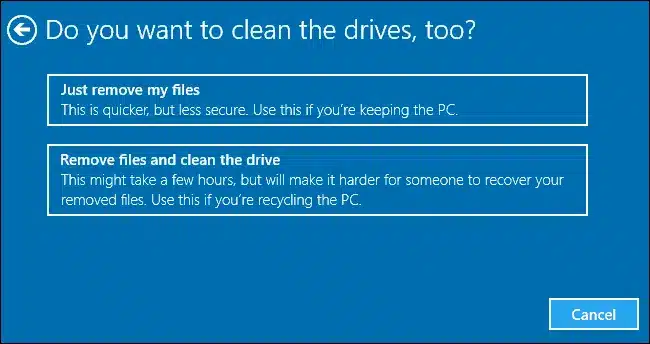
How to Factory reset Windows 10 Computers, Tablets & Devices Before Recycling
There are three options that allow you to reset your PC. If you’ve tried just about everything else and your PC still isn’t running well, resetting it might fix the problem.
-
- Option 1: Select Start > Settings > Update & Security > Recovery. Under Reset this PC, select Get started. Open Recovery settings.
- Option 2: Restart your PC to get to the sign-in screen, then press and hold down the Shift key while you select the Power icon > Restart in the lower-right corner of the screen. After your computer restarts, select Troubleshoot > Reset this PC.
- Option 3: Select Start , then press and hold down the Shift key while you select the Power icon > Restart to restart your computer into Recovery Mode. After your computer restarts, select Troubleshoot > Reset this PC
- Select Remove files and clean drive
How to Wipe Reset your Android device to factory settings Before Recycling
A factory reset is a process that erases the data on a tablet or smartphone and returns it to the original manufacturer settings.

Go to Settings.
Scroll to the Personal section and tap Backup & reset.
Turn on the Back up my data toggle switch.
Plug the device into a power source, and connect the device to Wi-Fi.
Leave the device plugged in overnight. At the very least, let it charge for a few hours.
At the bottom of the screen, press Factory data reset to erase all the data and put the device in a like-new state.
Verify your choice.
When the tablet or phone restarts, a progress screen displays. This screen indicates that the device is erasing the data. When the data has been deleted, the operating system restarts and shows a screen that is similar to the one it had when it was taken out of the box. The whole process takes a few minutes.
If you are dropping off your device at a Beyond Surplus Facility We will wipe or reset or physically shred your device without accessing your information at no cost as part of our Atlanta Free Hard Drive Shredding Service Or Data Security Guarantee.
For older machines (Windows 7 & Older) Wipe Hard Drive or Delete and overwrite sensitive files Before Recycling
Delete Any files, pictures or documents you don’t need.
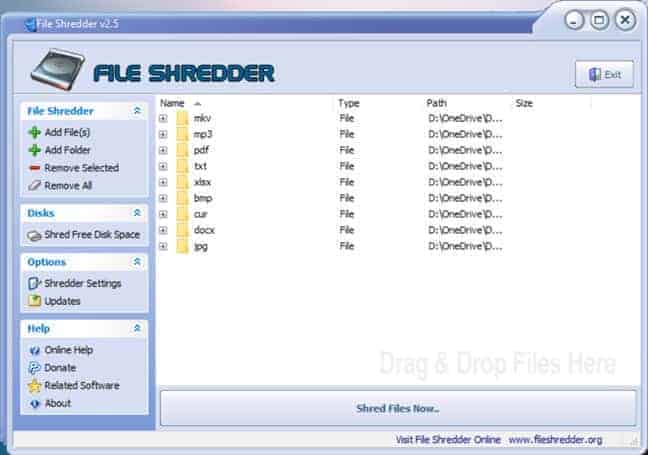
Make sure you delete these files with specialized software designed to meet government standards for secure deletion. There are various “file shredder” software programs available for free On the internet. You don’t have to worry about deleting any files if you are dropping off your equipment at Beyond Surplus all hard drives are wiped and or shredded by default without accessing them and we will email you a written guarantee if requested. Just ask for a drop off receipt.
Now that you are ready to recycle and know How to dispose of a Computer, Beyond Surplus Can Help
By Default Every Item processed by Beyond Surplus we will thoroughly inspect every item and protect your Data by removing Asset Tags, Stickers and Identifying marks from each unit (Sanitize). During this initial Inspection stage every drive is wiped using a Department of Defense Compliant erasure program free of charge.
Device doesn’t power on or you cannot access it?
You can still drop off your device at Beyond surplus, just ask for a drop off receipt, its our written guarantee that your device will be recycled responsibly and your device and or data will be protected & destroyed. If you are a Business as for a Certificate of Destruction.