

As an IT manager, staring at a stack of decommissioned hard drives can feel like holding a ticking time bomb. You know that data is sensitive, but is a quick format enough to defuse the situation? For any business in the United States, from a small office to a large enterprise data center, the answer is a definitive no.
Let’s be blunt: simply erasing or formatting a drive is nowhere near secure enough for commercial applications. Think of it like ripping the table of contents out of a book. The pages are all still there, just harder for a casual reader to find. But for someone with the right tools, it’s child’s play to piece it all back together.
Why Erasing Isn’t True Data Destruction
For any business that handles confidential client files, proprietary R&D, or employee records, the risk from improperly discarded hardware is massive. Standard file deletion or even a full drive format just removes the pointers to the data, leaving the actual ones and zeros perfectly intact on the disk’s platters or flash memory.
With easily accessible recovery software, that “deleted” data can be brought back to life in minutes. This isn’t a theoretical risk; it’s a gaping vulnerability that can lead to catastrophic financial and reputational damage if a single drive from your business falls into the wrong hands.
The Only Foolproof Method
When data absolutely, positively has to be gone forever, physical destruction is the only guaranteed method. This isn’t about hiding the data—it’s about making it physically impossible to recover, which is essential for protecting your organization from breaches and satisfying tough compliance mandates.
The most common methods used by professional hard drive destruction services include:
- Certified Shredding: This is exactly what it sounds like. Industrial-grade shredders grind hard drives into tiny, confetti-like metal fragments, completely destroying the storage platters and memory chips.
- Degaussing: This process uses an incredibly powerful magnetic field to instantly scramble the magnetic structure of traditional hard disk drives (HDDs), wiping them clean and rendering the data totally unreadable.
Relying on anything less than physical destruction is a serious gamble. For regulated industries, it’s a gamble that directly violates compliance obligations and opens the door to crippling penalties.
Compliance and Business Necessity
Regulations like HIPAA in healthcare, GLBA in finance, and GDPR for personal data have non-negotiable rules for data disposal. A slip-up isn’t a minor issue; it can result in fines that climb into the millions. These regulations mandate secure IT equipment disposal for any business handling sensitive information.
These regulations often point to frameworks like the one outlined in our guide to NIST SP 800-88, which details verifiable methods for data sanitization.
The growing awareness of these risks is fueling major market growth. The Global Hard Drive Destruction Service Market is expected to jump from around USD 1.65 billion in 2024 to an estimated USD 5.05 billion by 2035. This isn’t just a trend; it’s a fundamental shift in how businesses view data security at the end of an asset’s life.
Ultimately, professional hard drive destruction isn’t just a best practice; it’s a core part of modern corporate risk management. While we often focus on preserving data through things like Immutable Storage practices, we need to apply that same level of rigor when it’s time to say goodbye to that data for good.
Comparing the Methods of Data Destruction
Picking the right way to destroy old hard drives isn’t a one-size-fits-all deal for your business. The best method really depends on what kind of media you’re dealing with—and what your company’s security policies demand. Getting a handle on the key differences between industrial shredding, degaussing, and other techniques is the first step to making a smart choice for your IT asset disposal needs.
After all, not every destruction method provides the same level of security. Making the wrong call can leave sensitive business data dangerously exposed. For example, a technique that works perfectly for older magnetic hard drives is completely useless against modern solid-state drives (SSDs).
The Gold Standard: Physical Shredding
When you need absolute, verifiable proof that data is gone for good, nothing beats physical shredding. This isn’t your office paper shredder; we’re talking about industrial-grade machinery that grinds, tears, and pulverizes hard drives into tiny, mangled fragments of metal.
Think of it like turning a book into a pile of confetti. There’s simply no way to piece the original sentences back together. This is why shredding is the only universally accepted method for destroying both traditional hard disk drives (HDDs) and the solid-state drives (SSDs) found in most modern business computers and servers.
Reputable vendors providing hard drive destruction services follow strict standards from organizations like the National Association for Information Destruction (NAID), which dictates the maximum size of the shredded particles to guarantee data can never be recovered.
Magnetic Erasure: Degaussing
Degaussing is a powerful but highly specific technique. It uses an incredibly strong magnetic field to instantly and permanently scramble the data stored on magnetic media like HDDs, effectively wiping them clean in seconds.
But degaussing has a huge catch:
- It is completely ineffective on SSDs. Solid-state drives don’t store data magnetically; they rely on flash memory chips. A degausser will do absolutely nothing to the data on an SSD.
- It leaves no visible proof of destruction. The drive looks perfectly fine afterward, which can make audits and verification tricky compared to a pile of shredded metal.
Degaussing is really only a good fit for large batches of old-school HDDs where a visual confirmation of destruction isn’t the top priority. You can dive deeper into these nuances in our detailed guide to secure data destruction methods.
Other Physical Destruction Methods
While shredding is king, you might also hear about other physical methods like crushing and punching. These techniques work by physically damaging or piercing the hard drive platters where data is stored.
- Crushing: A hydraulic press applies thousands of pounds of force, bending the drive and breaking its internal parts.
- Punching: A hardened steel punch is driven straight through the drive, shattering the platters.
These methods are certainly better than just throwing a drive away, but they are widely considered less secure than shredding. Why? Because a determined adversary with forensic tools could potentially recover data from the undamaged pieces of the platters.
For that reason, crushing and punching often don’t meet the strict compliance requirements of regulations like HIPAA or GDPR. The demand for certified solutions reflects this—the global market for commercial hard disk destruction equipment is valued at around USD 450 million, driven largely by compliance mandates that require auditable, foolproof destruction.
To get a clearer picture, let’s break down how these common methods stack up against each other.
Comparison of Hard Drive Destruction Methods
The following table provides a side-by-side look at the most common techniques for hard drive destruction. It’s designed to help you quickly assess which method aligns best with your media types, security needs, and compliance obligations.
| Method | How It Works | Best For | Security Level | Key Consideration |
|---|---|---|---|---|
| Shredding | Industrial machinery grinds media into tiny, irrecoverable fragments. | HDDs, SSDs, Tapes, Optical Media | Maximum | The only method that guarantees destruction for both magnetic and flash-based media. |
| Degaussing | A powerful magnetic field erases data from magnetic storage media. | HDDs, Magnetic Tapes | High (for magnetic media) | Completely ineffective on SSDs. Leaves no visible proof of destruction. |
| Crushing | A hydraulic press applies extreme force to bend and break the drive. | HDDs, Optical Media | Moderate | Leaves platters largely intact, creating a risk of partial data recovery. |
| Punching | A steel punch pierces the drive, shattering the platters inside. | HDDs, Optical Media | Moderate | Can leave recoverable data on undamaged platter fragments. Not ideal for high-security needs. |
As you can see, while several options exist, only shredding provides a universally secure and compliant solution for all types of modern data storage devices.
The infographic below really drives home the cascading risks your organization faces when data-bearing assets aren’t disposed of correctly.
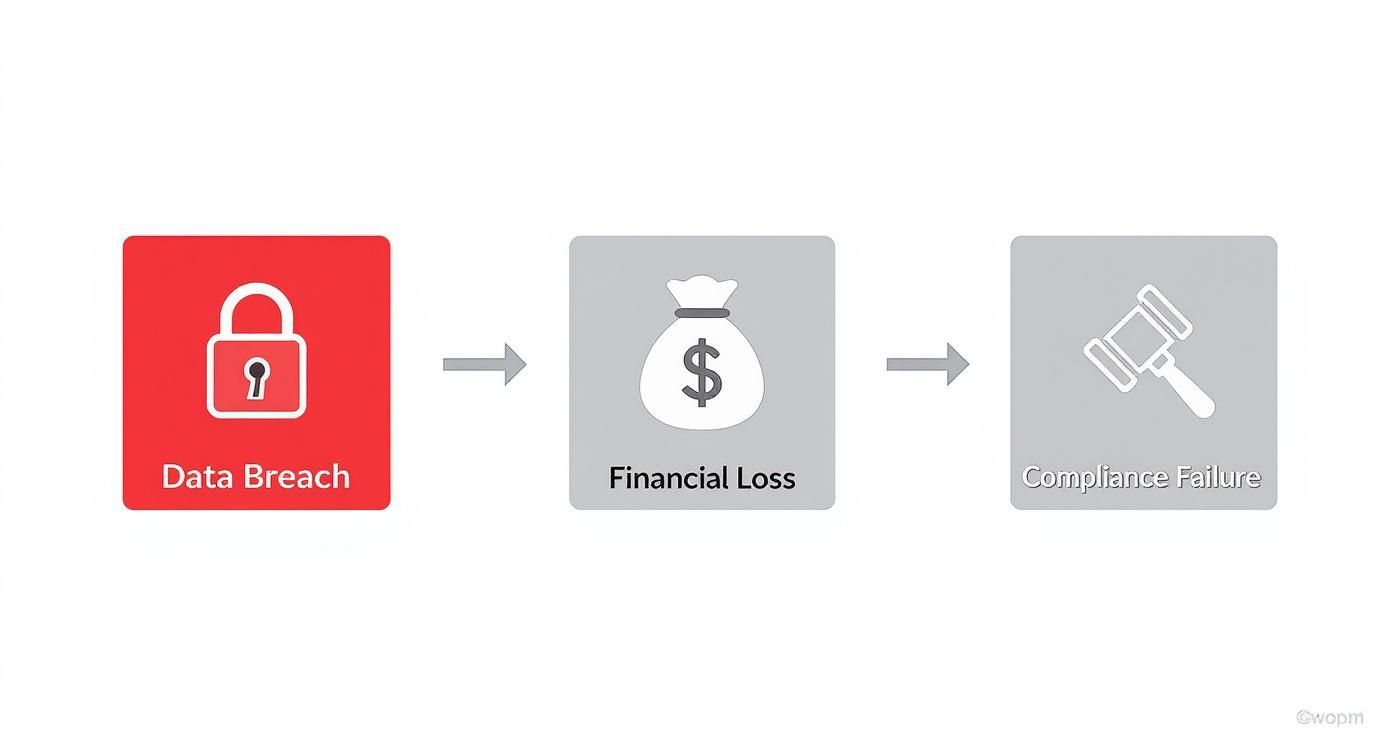
It clearly shows how a single data breach can quickly spiral into major financial losses and, ultimately, a serious compliance failure with long-lasting regulatory consequences. Choosing the right, certified destruction method is your first and best line of defense against this domino effect.
Choosing Between On-Site and Off-Site Destruction
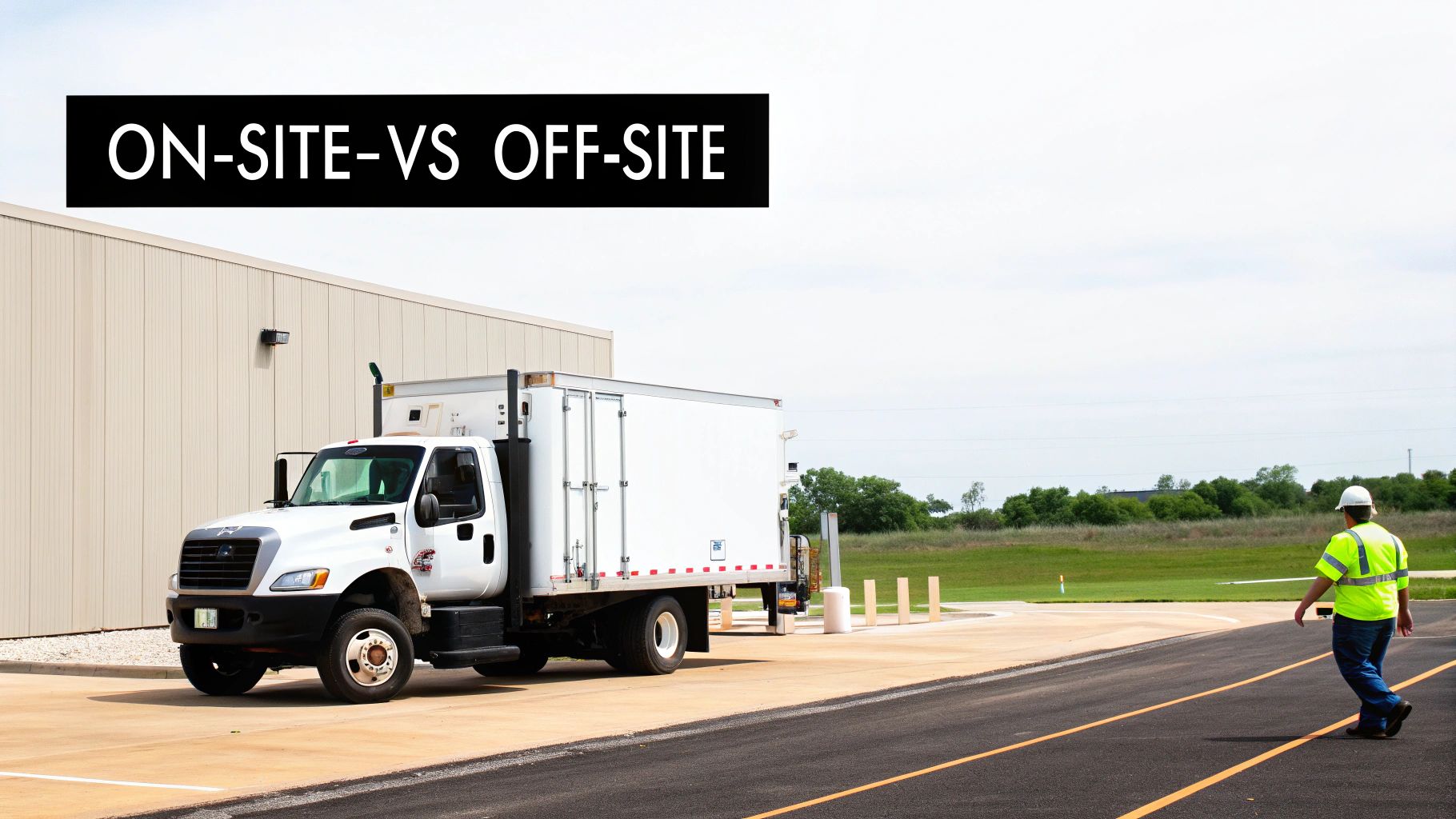
When it comes to hard drive destruction for your business, one of the first big questions you’ll face is this: should the shredding happen right in your parking lot, or is it safe to have the drives hauled away to a secure facility? This choice between on-site and off-site services is a major decision point for any IT or compliance team managing IT asset disposal.
There’s no single right answer. Each approach has its own set of trade-offs, and the best fit really boils down to your company’s risk tolerance, budget, and logistical setup. This isn’t just about convenience—it’s a strategic choice that directly impacts your security posture and your ability to prove compliance.
The Case for On-Site Mobile Destruction
On-site hard drive destruction, often called mobile shredding, is exactly what it sounds like. A specialized truck pulls up to your location with an industrial-grade shredder built right into it. Your team hands over the drives, and you can physically watch as every single one is fed into the machine and turned into tiny metal fragments.
This model gives your business a few undeniable advantages:
- Maximum Transparency: Watching the process from start to finish provides an unbeatable level of security and peace of mind. There’s absolutely no question that your data is gone for good.
- Unbroken Chain of Custody: The chain of custody is as short and simple as it gets—from your data center straight into the shredder. This virtually eliminates the risk of a drive getting lost or stolen in transit.
- Immediate Verification: You get the Certificate of Destruction the moment the job is done. This lets you close the loop on your compliance paperwork right away.
For organizations in tightly regulated fields like healthcare, finance, or government, on-site destruction is often the only way to go. The risk of letting sensitive data leave the premises is just too high. Being able to witness the destruction firsthand gives you a concrete, defensible piece of evidence for auditors.
The Advantages of Off-Site Plant-Based Destruction
With off-site destruction, a certified vendor comes to your facility to securely pack and transport your drives to their specialized, access-controlled plant. Once there, the drives are destroyed in the same type of industrial shredders, and the entire process is meticulously tracked and documented.
While you don’t see it happen in person, this approach is popular for several very practical reasons:
- Cost-Effectiveness: It’s generally the more budget-friendly option. Since the vendor doesn’t have to dispatch a multi-ton shredding truck and crew just for your job, the overhead is lower, especially for smaller batches of drives.
- Scalability for Large Volumes: If you’re managing a data center decommissioning with thousands of drives, an off-site facility is built to handle that kind of volume far more efficiently than a mobile truck.
- Logistical Simplicity: A good vendor takes care of everything—secure packing, locked transport, and final destruction. This frees up your internal team and minimizes disruption to your day-to-day operations.
Making the Right Choice for Your Organization
So, how do you decide? It’s a balancing act between your security needs and operational realities.
Start with your internal policies and any industry regulations you’re subject to. If your compliance framework requires you to physically witness the destruction, your decision is already made.
If you’ve got some wiggle room, think about volume. A handful of drives probably doesn’t justify the cost of rolling a mobile shred truck. On the flip side, for a massive project where an airtight, observable chain of custody is your top priority, the extra cost for on-site shredding services is a smart investment.
Ultimately, the goal is to partner with a certified vendor who can provide a secure, documented, and defensible process, whether it happens at your loading dock or theirs.
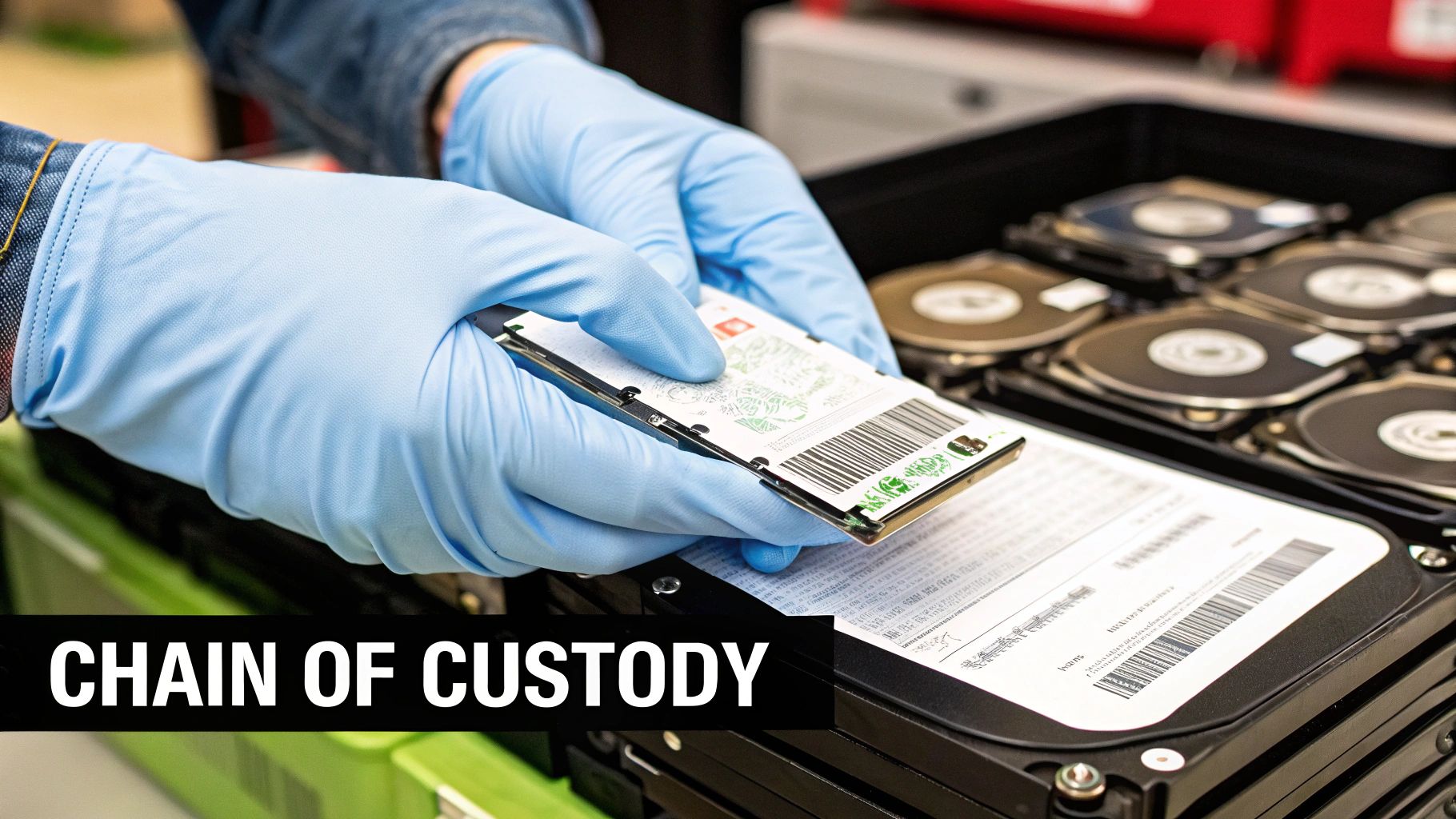
When you hand over a pallet of hard drives for destruction, you’re not just getting rid of old equipment—you’re transferring a massive liability. For auditors and regulators, the physical shredding is only half the battle. The other half, the part that holds up in court, is the chain of custody: an unbroken, meticulously documented trail proving your data was secure from the moment it left your hands to its final destruction.
Think of it as the evidence log in a legal case. Every single touchpoint, every transfer, and every action gets recorded to create an auditable record. This simple process is what turns a basic disposal task into a compliant security procedure, giving you the proof you need to satisfy tough regulations like HIPAA, SOX, and GDPR.
Key Stages of a Secure Chain of Custody
A proper chain of custody isn’t just a piece of paper; it’s a series of controlled steps. Each stage is there to prevent any chance of data exposure and ensure total accountability. Without this rigorous process, you have no real proof that your sensitive information wasn’t compromised somewhere between your facility and the shredder.
Here are the critical checkpoints you should expect from a commercial service provider:
- Initial Asset Inventory: This starts with you. Before the vendor even shows up, create a detailed list capturing the serial number of every single drive. This internal log is your baseline for verification.
- Secure Collection and Transport: A professional vendor will use locked, sealed containers and GPS-tracked vehicles. Their team should be background-checked and uniformed. When they arrive, they will scan each drive, matching their count against your list before you sign off on the transfer.
- Transit and Facility Security: Whether the drives are headed to an off-site plant or a mobile shredding truck parked outside, the environment has to be secure. This means access-controlled facilities with 24/7 surveillance and strict employee protocols. The goal is simple: no unauthorized person ever gets near the assets.
Your chain of custody is your number one defense in a compliance audit. It’s what demonstrates due diligence and proves you took every necessary step to protect sensitive data, even after it was no longer in your possession.
The Final Deliverable: The Certificate of Destruction
The whole chain of custody process builds up to one final, critical document: the Certificate of Destruction. This isn’t just a receipt. It’s your official legal record that formally transfers the liability from your organization to the destruction vendor. It serves as irrefutable proof that your data-bearing assets were properly destroyed according to industry standards.
This is especially important in regions with strong data privacy laws. North America currently leads the global market for these services, largely because of the strict regulatory landscape in the United States. Laws like HIPAA and GLBA don’t just suggest professional destruction—they demand the kind of verifiable proof that only a proper certificate provides. You can find more details on this trend in a recent market analysis.
To be valid for an audit, a Certificate of Destruction must include specific details. Knowing what to look for on this document is essential for ensuring your compliance is locked down, and you can learn more by checking out our guide to the Certificate of Destruction. Without this final document, you’re left exposed, with no way to prove you met your legal and ethical duties to protect confidential data.
How to Select the Right Data Destruction Partner
Your organization’s data security is only as strong as the vendor you trust with your old hard drives. Picking the right partner for this job isn’t something you can rush; it’s a critical decision that directly affects your risk and compliance. The right company acts like an extension of your security team. The wrong one? They can quickly become your biggest liability.
This decision goes way beyond comparing a few price quotes. You need a partner with credentials you can actually verify, processes that are completely transparent, and a serious commitment to both security and the environment. A mistake here can lead to consequences far more painful than any line item on an invoice.
The Non-Negotiable Starting Point: NAID AAA Certification
Before you even glance at a proposal, your first question should always be: “Are you NAID AAA Certified?” This isn’t just some fancy industry badge; it’s the absolute gold standard for secure data destruction.
The National Association for Information Destruction (NAID) conducts rigorous, unannounced audits that cover every single part of a vendor’s operation.
This certification is your proof of critical security protocols, including:
- Employee Screening: All staff with access to your sensitive media have gone through extensive, recurring background checks and drug screenings.
- Secure Facilities: Their plant must have tightly restricted access, 24/7 surveillance, and fully documented security procedures.
- Operational Security: It covers everything from the integrity of their shredding equipment to the security of the trucks they use for transport.
Choosing a NAID AAA Certified partner is the single best step you can take to make sure you’re dealing with a legitimate, high-security operator. It’s third-party proof that they live up to the highest industry standards for protecting confidential data.
Due Diligence Beyond the Certification
While NAID AAA is essential, your homework doesn’t stop there. A truly trustworthy partner will be an open book about their operations and financial health. This is where you need to dig in to protect your organization from any downstream risk.
One of the most important things to check is their insurance coverage. Ask for a copy of their Professional Liability Insurance, which is often called Errors and Omissions (E&O) insurance. This specific policy covers them—and by extension, you—if a data breach happens because of something they did or didn’t do. A vendor who can’t or won’t show you adequate coverage is a massive red flag.
A vendor’s refusal or inability to provide proof of adequate professional liability insurance should be an immediate disqualifier. It tells you they aren’t prepared to stand behind their security promises if the worst-case scenario happens.
Scrutinizing the Chain of Custody and Environmental Policies
A secure chain of custody is the backbone of any compliant hard drive destruction service. You need to really examine their documentation process to make sure it gives you a clear, auditable trail from the moment the drives leave your building to their final shred. This means serialized asset tracking and secure, documented handoffs at every single stage.
And what about after the shredding is done? Responsible vendors are also certified environmental recyclers. After destruction, the e-waste—all those shredded bits of aluminum, steel, and circuit boards—has to be processed in an environmentally compliant way. Ask to see their e-waste recycling credentials, like R2 or e-Stewards certification. This ensures your assets don’t end up in a landfill, putting you in violation of environmental regulations. For businesses looking for compliant disposal, understanding the process of e-waste recycling near you is a crucial part of vendor selection.
When you’re evaluating potential partners, a great way to stay organized and thorough is by using a vendor security questionnaire template. This kind of tool helps you systematically check every part of a vendor’s security posture, from their physical security controls to their data handling procedures, making sure you don’t miss anything important. By asking all the right questions upfront, you can confidently pick a partner who truly meets your organization’s specific security and compliance needs.
To help you stay on track, we’ve put together a checklist of the key criteria to use when evaluating potential data destruction partners.
Vendor Selection Checklist
| Evaluation Criterion | What to Look For | Why It Matters |
|---|---|---|
| Certifications | NAID AAA Certification is non-negotiable. Also look for R2v3 or e-Stewards for recycling. | Provides third-party validation of security, environmental compliance, and operational integrity. |
| Insurance Coverage | Proof of Professional Liability (E&O) Insurance with adequate coverage limits. | Protects your organization financially in the event of a data breach caused by vendor negligence. |
| Chain of Custody | A detailed, documented process with serialized asset tracking from pickup to final destruction. | Ensures an unbroken, auditable trail for every asset, which is critical for compliance and security. |
| Security Protocols | Secure transport vehicles, restricted facility access, background-checked employees, 24/7 surveillance. | These physical and procedural controls are essential to prevent data theft during the process. |
| Service Options | Availability of on-site and off-site services to match your specific security requirements and budget. | Flexibility allows you to choose the service that best aligns with your internal policies and risk tolerance. |
| Documentation | Provides a formal Certificate of Destruction with serialized reporting for every hard drive. | This is your official legal proof that data was destroyed in a compliant manner, crucial for audits. |
| Reputation & Reviews | Check online reviews, ask for client references, and verify their track record in the industry. | A strong reputation and positive feedback from similar organizations indicate reliability and trustworthiness. |
Using a structured checklist like this ensures you’re making a decision based on a comprehensive evaluation of security, compliance, and reliability, not just on the price tag.
Of course. Here is the rewritten section, designed to sound natural and human-written, following the style of the provided examples.
Common Questions About Hard Drive Destruction
Even after you’ve weighed the methods and started looking at vendors, a few practical questions always seem to pop up. Making the right call on hard drive destruction services means getting clear on the details. This is where we tackle the most common questions from IT managers and business owners to help clear up any last-minute confusion.
Think of this as the final checklist before you schedule your service. Our goal is to give you direct, no-nonsense answers so you can move forward with a secure data disposal plan you can trust.
Are SSDs and HDDs Destroyed Differently?
Yes, and this is a huge one. Getting this wrong can completely undermine your data security efforts. Traditional hard disk drives (HDDs) store data on spinning magnetic platters. That means you can wipe them out with a powerful degausser that scrambles the magnetic field, or you can just shred them into pieces.
Solid-state drives (SSDs), on the other hand, use flash memory chips. They have no magnetic parts, so they’re completely immune to degaussing.
Using a degausser on an SSD is the security equivalent of doing nothing at all. The data will remain perfectly intact and recoverable.
For this reason, the only certified method for permanently destroying data on an SSD is physical destruction—specifically, shredding. And not just any shredder will do. The machine has to be powerful enough to pulverize the drive into tiny particles, usually 2mm or less, to guarantee every single memory chip is obliterated. You absolutely have to confirm your vendor uses equipment rated for SSDs.
What Is a Certificate of Destruction?
A Certificate of Destruction is a formal legal document that acts as your official proof that your drives were destroyed securely and in compliance with regulations. It’s the cornerstone of your audit trail, giving you the verifiable evidence you need to satisfy auditors for rules like HIPAA, GLBA, or GDPR.
This document is what formally transfers liability from your company to the destruction vendor. A legitimate certificate should always include:
- A unique serial number for tracking
- Details of the chain of custody transfer
- The date and location of the destruction
- A clear description of the method used (e.g., shredding)
- A serialized list of every single asset that was destroyed
Without this certificate, you have no real proof that you did your due diligence. That leaves your organization dangerously exposed if a regulator comes knocking or you face a legal challenge down the road.
What Factors Influence the Cost?
A few key variables will determine the final price tag for hard drive destruction. Understanding them will help you budget properly and compare quotes from different vendors.
Here are the main cost drivers:
- Quantity of Drives: Most vendors use tiered pricing. The more drives you have, the lower the cost-per-drive. A project with 1,000 drives is going to get a much better per-unit price than one with only 50.
- Service Type: On-site mobile shredding is almost always more expensive than off-site destruction at the vendor’s plant. You’re paying a premium for the convenience and security of having a multi-ton shredding truck, a power source, and a crew come directly to you.
- Type of Media: In some cases, shredding SSDs might cost a bit more than HDDs. They often require a finer shred size to ensure the memory chips are destroyed, which can be a slower, more energy-intensive process for the equipment.
- Logistical Requirements: Any extra services will add to the bill. This could include the labor to pull drives from servers and workstations, travel fees for remote locations, or needing special equipment to handle bulky or unusual assets.
Always ask for a detailed, itemized quote that breaks everything down. You don’t want any surprises when the final invoice arrives.
How Should We Prepare for Pickup?
A little prep work goes a long way toward making the destruction process smooth and efficient. Taking a few simple steps beforehand ensures everything is secure, accountable, and ready to go on service day.
First, create an internal inventory list with the serial numbers of every drive you’re getting rid of. This list is your most important tool for verification. You’ll use it to cross-check the vendor’s count at pickup and to match against the final Certificate of Destruction.
Next, get all the drives together in one secure, easy-to-access spot. This cuts down on confusion and makes the collection process much faster for the vendor’s team.
Finally, confirm with your vendor who is responsible for pulling the drives out of their machines. If they’re still inside computers or servers, find out if the vendor offers removal services or if your team needs to handle it ahead of time. When the day comes, make sure a designated point person from your team is there to oversee the handover and sign the initial chain of custody paperwork.
Contact Beyond Surplus for certified electronics recycling and secure IT asset disposal. Beyond Surplus provides end-to-end IT asset disposal and hard drive destruction services for businesses across the United States. We offer both on-site and off-site shredding to meet your specific security and budget requirements, complete with serialized reporting and a Certificate of Destruction. To learn more or schedule a pickup, visit us at https://www.beyondsurplus.com.


