

Old, retired hard drives in Anchorage aren't just taking up space in a storage closet; they're ticking time bombs of data security risk. Secure HDD disposal is the only way for your Alaska business to be absolutely certain that sensitive business, customer, and employee data is gone for good, ensuring it never ends up in the wrong hands. This guide for Anchorage businesses covers the essential commercial services—from physically shredding and degaussing to overwriting storage media—required for unrecoverable data destruction.
Why Secure HDD Disposal Is Your Last Line of Defense
Every single hard drive you pull from service is a potential liability for your Anchorage enterprise. Think about it: these drives often hold a complete digital history of their use, from financial records and strategic plans to employee PII and private customer information.
Simply dragging files to the trash or formatting a drive is a dangerously false sense of security. Doing so only removes the pointers to the data, leaving the actual information intact and easily recoverable with basic software tools. This is where professional IT Asset Disposition (ITAD) becomes a core part of your risk management, not just an IT cleanup chore. A proper ITAD program treats every retired asset as a data breach waiting to happen.
The Real-World Consequences of Getting It Wrong
Failing to have a formal secure HDD disposal process isn't an abstract risk. It exposes your organization to severe, and often devastating, consequences that can hit your bottom line and your reputation hard.
- Crippling Regulatory Fines: Rules like HIPAA, PCI-DSS, and the FTC Disposal Rule don't just suggest secure destruction—they mandate it. Non-compliance can lead to fines that easily stretch into the millions of dollars.
- Brand-Damaging Data Breaches: A single data breach can shatter the customer trust you've spent years building. The PR nightmare and loss of business can be far more expensive than any regulatory penalty.
- Loss of Intellectual Property: Your old hard drives could be a treasure trove of trade secrets, R&D data, and proprietary information. Improper disposal is like handing your competitive advantage directly to a rival.
It's an Investment, Not an Expense
Looking at secure data destruction as just another expense is a common but costly mistake. It’s far better to see it as an essential investment in your company's security, stability, and future.
A documented, certified disposal process gives you a clear chain of custody, proving your organization did its due diligence to protect sensitive data. You can learn more about how Beyond Surplus’s certified secure hard drive disposal process protects your business from these exact risks.
A formal disposal program transforms a potential liability into a verified, secure, and closed loop. It's the final, and most important, step in the lifecycle of your company's data, ensuring that "end-of-life" for your hardware doesn't become the start of a major security incident. By partnering with a certified ITAD vendor, you effectively transfer the risk and ensure compliance, allowing you to focus on your core business operations with confidence.
The Three Core Methods of Data Destruction Explained
When a hard drive reaches the end of its life, simply deleting the files isn't enough. Choosing the right way to handle secure HDD disposal is a critical security decision for any business, but it doesn't have to be a headache. There are really only three industry-standard ways to make sure the data on a retired drive is gone for good.
Each technique offers a different balance of security, cost, and practicality. Understanding them helps you match your disposal strategy to your specific needs, ensuring every retired piece of hardware is handled the right way.
But first, let's be clear about what's at stake. Mishandling a single drive can spiral into a costly mess of data breaches, regulatory fines, and a serious loss of customer trust.
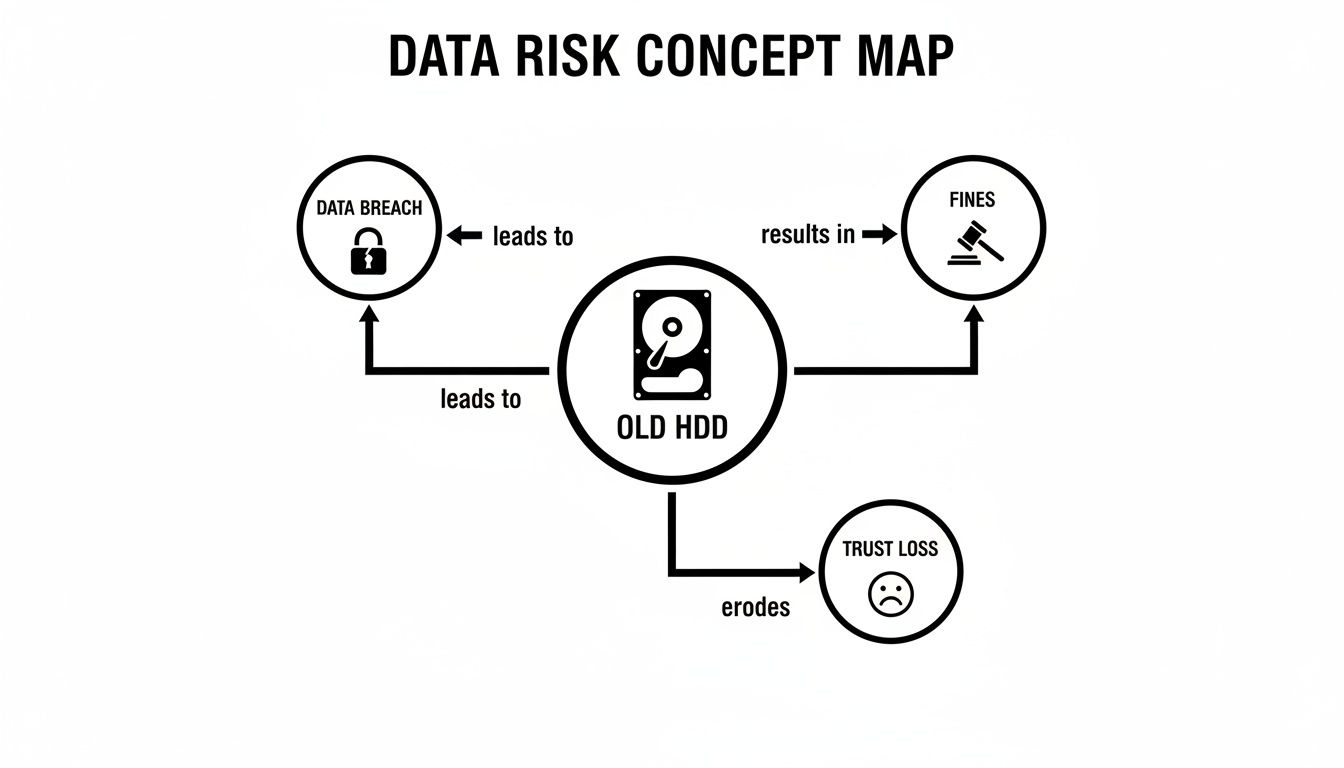
As you can see, the path from a forgotten hard drive to a full-blown crisis is shorter than you'd think. This is why a certified, verifiable disposal process isn't just best practice—it's essential risk management.
Method 1: Physical Shredding
Think of physical shredding as the most straightforward, brute-force solution. It’s the digital equivalent of putting a sensitive document through a powerful cross-cut paper shredder, but for metal and electronics. Massive industrial shredders grind entire hard drives—platters, circuit boards, and all—into tiny, mangled pieces of metal.
There’s no coming back from this. Once a drive is turned into a pile of metallic confetti, the data is physically obliterated. No software or forensic lab on earth can piece those fragments back together.
- Best For: End-of-life drives, damaged media, or any scenario where you need absolute, undeniable proof of destruction.
- Security Level: Total. Data recovery is physically impossible.
- Drive Reusability: Zero. The drive is destroyed, and the leftover materials are sent for responsible recycling.
Method 2: Degaussing
Degaussing is a more elegant, but equally destructive, method for traditional magnetic hard drives (HDDs). Remember how holding a powerful magnet next to an old cassette tape would instantly wipe the music? Degaussing operates on the same principle, just on a much more powerful and precise scale.
A degausser subjects the HDD to an incredibly strong magnetic field, which instantly scrambles and neutralizes the magnetic particles on the drive's platters where your data lives. This process permanently erases everything, making the drive's contents unrecoverable. But here's the catch: degaussing is completely useless on Solid-State Drives (SSDs) because they store data on flash memory chips, not magnetic platters.
To dig deeper into the science behind it, our guide explains what degaussing is and how it works in more detail.
- Best For: Securely wiping large batches of magnetic HDDs quickly and efficiently.
- Security Level: Extremely high for HDDs. The data is forensically gone.
- Drive Reusability: None. The drive might look fine on the outside, but the degaussing process also destroys the essential firmware, rendering it permanently useless.
Method 3: Data Sanitization (Wiping)
Data sanitization, or wiping, is the only method on this list that leaves the hard drive intact and ready for a second life. Instead of destroying the hardware, this process uses specialized software to overwrite every single sector of the drive with random binary data—basically, ones and zeroes.
Think of it like painting over a canvas. You're not tearing up the canvas (shredding) or scrambling its surface (degaussing). You're just methodically applying new layers of "paint" until the original image is completely and irreversibly covered. Professional software follows strict protocols, like those outlined in NIST 800-88, often performing multiple passes to ensure the original data is impossible to recover.
- Best For: Drives you plan to resell, reuse within your organization, or donate. This approach maximizes asset value and is great for sustainability.
- Security Level: High. When done correctly according to certified standards, the data is considered forensically unrecoverable.
- Drive Reusability: Yes. This is its key benefit. The drive is left fully functional once the wipe is complete.
To make the choice clearer, here’s a quick side-by-side comparison.
Comparing Secure HDD Disposal Methods
This table offers a side-by-side look at the primary data destruction techniques, helping you choose the right solution for your security, compliance, and operational needs.
| Method | Process Overview | Best For | Key Advantage | Key Disadvantage |
|---|---|---|---|---|
| Shredding | The hard drive is physically pulverized into small metal fragments by an industrial shredder. | Highest-security needs, damaged drives, or end-of-life media. | Absolute destruction. Data recovery is physically impossible. | Destroys the asset, preventing any possibility of reuse or resale. |
| Degaussing | An intense magnetic field is used to instantly scramble and erase the magnetic data on HDD platters. | Rapid, on-site destruction of large volumes of traditional HDDs. | Extremely fast and effective for erasing magnetic media. | Ineffective on SSDs. Renders the HDD completely inoperable. |
| Data Wiping | Software overwrites every sector of the drive with random data, often in multiple passes. | Reusing, reselling, or donating drives while ensuring data is gone. | Preserves the hardware, allowing for asset value recovery. | Can be time-consuming; requires functional hardware to work. |
Ultimately, the best method depends on your priorities. If your goal is to recover value from old assets, certified data wiping is the way to go. But if your drives are old, damaged, or contain incredibly sensitive information, nothing beats the finality of physical destruction.
The High Stakes of Data Disposal Compliance
When it's time to retire old hard drives, ignoring the legal rules isn’t just sloppy—it’s a massive financial and reputational risk. Compliance isn't a friendly suggestion; it's a mandate, and the penalties for getting it wrong are severe. If you handle sensitive data, understanding these rules is the first step toward building a disposal strategy that won’t land you in hot water.
Simply put, if your old hard drives hold any customer or employee information, you are legally on the hook to make sure that data is gone for good. That responsibility doesn't vanish when the hardware leaves your office. It only ends when you have a paper trail proving it was properly destroyed.
Regulations You Absolutely Can't Ignore
Several federal and industry-specific regulations spell out exactly how data needs to be handled at the end of its life. The legal language can be a bit dense, but the goal is straightforward: protect consumers and hold businesses accountable. Slip up, and you could be looking at fines that climb into the six or even seven figures for a single incident.
Here are the big ones that govern data disposal:
- FTC Disposal Rule: This federal rule is broad, applying to nearly every business. It requires you to take "appropriate measures" to dispose of sensitive information from consumer reports. That means you have to actively destroy the data, not just toss it out.
- HIPAA (Health Insurance Portability and Accountability Act): If you're in the healthcare space, HIPAA is non-negotiable. Its privacy and security rules demand that Protected Health Information (PHI) must be rendered unreadable, indecipherable, and unable to be reconstructed before the IT asset is disposed of.
- PCI-DSS (Payment Card Industry Data Security Standard): Any business that handles credit card payments falls under PCI-DSS. This standard is crystal clear: all stored cardholder data on media that's no longer in use must be destroyed to the point where it's completely unrecoverable.
These regulations are fueling a huge boom in the professional data destruction industry. The global market for hard drive destruction services was valued at around USD 1.65 billion and is expected to hit USD 5.05 billion by 2035, growing at 10.7% annually. This isn't a coincidence—it's a direct result of businesses scrambling to meet these strict compliance mandates with certified destruction methods. You can see the full market analysis on these hard disk destruction equipment market trends for more details.
Your Legal Shield: Chain of Custody and Certificates
Proving you did everything right is just as important as the destruction itself. This is where two key documents come into play, acting as your defense against compliance violations. A weak link here can unravel all your hard work.
A solid chain of custody is your documented trail, tracking an asset from the second it leaves your possession to its final moments. It needs to detail every single step: who handled it, where it went, and how it was secured along the way.
A Certificate of Data Destruction is much more than a receipt. It's a legally binding audit document that officially shifts the liability for that data from your company to your ITAD vendor. It’s your definitive proof that you did your due diligence.
This certificate should meticulously list the serial numbers of every single drive, the destruction method used (like shredding or wiping), the date it was done, and a statement of compliance. Without this paperwork, you have no way to prove you met your legal obligations if an auditor comes knocking or, worse, a breach occurs. To get a better handle on the standards that these certificates are based on, take a look at our guide on the NIST SP 800-88 guidelines for media sanitization.
On-Site vs. Off-Site Shredding: Which Is Right for You?
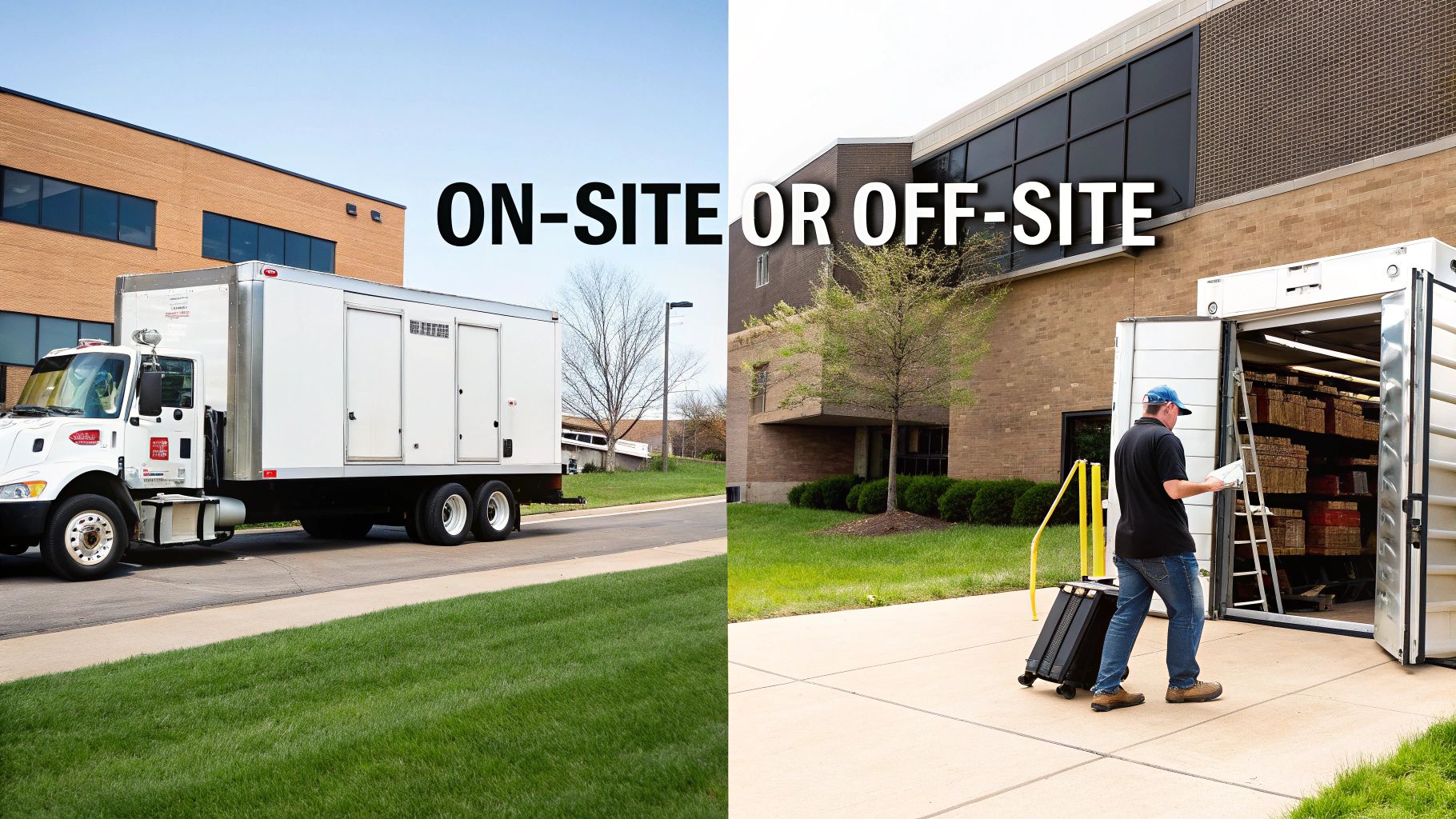
So, you’ve decided physical destruction is the only way to go for your hard drives. Smart move. Now comes the next big question: where does the destruction happen? This choice boils down to two main options: on-site and off-site shredding.
Each has its own distinct advantages, and the best fit really depends on your company's security needs, compliance pressures, and day-to-day logistics. This isn't just a matter of convenience; it’s a strategic decision that directly shapes your risk management and the integrity of your chain of custody. Both paths end with a pile of useless metal, but the journey to get there is quite different.
The Case for On-Site Shredding: Maximum Transparency
On-site shredding brings the entire destruction show right to your doorstep. A specialized, high-security truck rolls up to your facility, equipped with an industrial-grade shredder, and your hard drives are obliterated right before your eyes. It’s the gold standard for anyone who needs absolute transparency and peace of mind.
The biggest win here is the unbroken chain of custody. Your sensitive assets never leave your sight until they are nothing but tiny, unrecoverable fragments. For organizations in tightly regulated industries, this kind of immediate, verifiable destruction is often a non-negotiable requirement.
Here’s why it’s so compelling:
- Witnessed Destruction: You and your team can literally stand there and watch the process from start to finish. This gives you irrefutable proof that every single drive was properly destroyed.
- Zero In-Transit Risk: By shredding on-location, you completely eliminate the risk of drives being lost, stolen, or tampered with on the way to a facility. The data never leaves your property intact.
- Instantaneous Certification: A Certificate of Data Destruction, complete with logged serial numbers, is usually handed over on the spot. This lets you close the loop on your compliance paperwork immediately.
On-site shredding is the go-to solution for organizations with the most stringent compliance mandates—think government, defense, or finance—where the absolute certainty of witnessed destruction is paramount.
The Case for Off-Site Shredding: Secure and Efficient
Off-site shredding offers a secure, reliable, and often more budget-friendly alternative. With this model, your hard drives are collected from your office, placed in locked and sealed containers, and securely transported to a specialized, high-security destruction plant.
While you don't personally witness the shredding, the entire process is governed by strict, documented protocols. A reputable ITAD partner maintains a rock-solid chain of custody from the moment they pick up your assets. This means GPS-tracked vehicles, tamper-evident containers, and tightly controlled access at the destruction facility. To see how this service works in detail, check out Beyond Surplus’s secure hard drive shredding service near you.
Key factors that make off-site a great choice include:
- Cost-Effectiveness: It’s typically more affordable than on-site services, making it a fantastic option for large-scale disposals or for any organization keeping a close eye on the budget.
- Advanced Capabilities: Off-site plants are often equipped with more powerful and specialized shredding machinery, allowing them to process a wider variety of media with greater efficiency.
- Detailed Auditing: The whole process is meticulously documented, from asset collection logs to video surveillance at the facility, providing a comprehensive audit trail for your records.
Ultimately, the choice comes down to your organization's risk tolerance. If your internal policies or regulatory requirements demand that you witness the destruction, on-site is the clear winner. For most businesses, however, a certified off-site process with a proven chain of custody delivers an equally secure—and more economical—solution for secure HDD disposal.
How to Build a Secure IT Asset Disposition Program
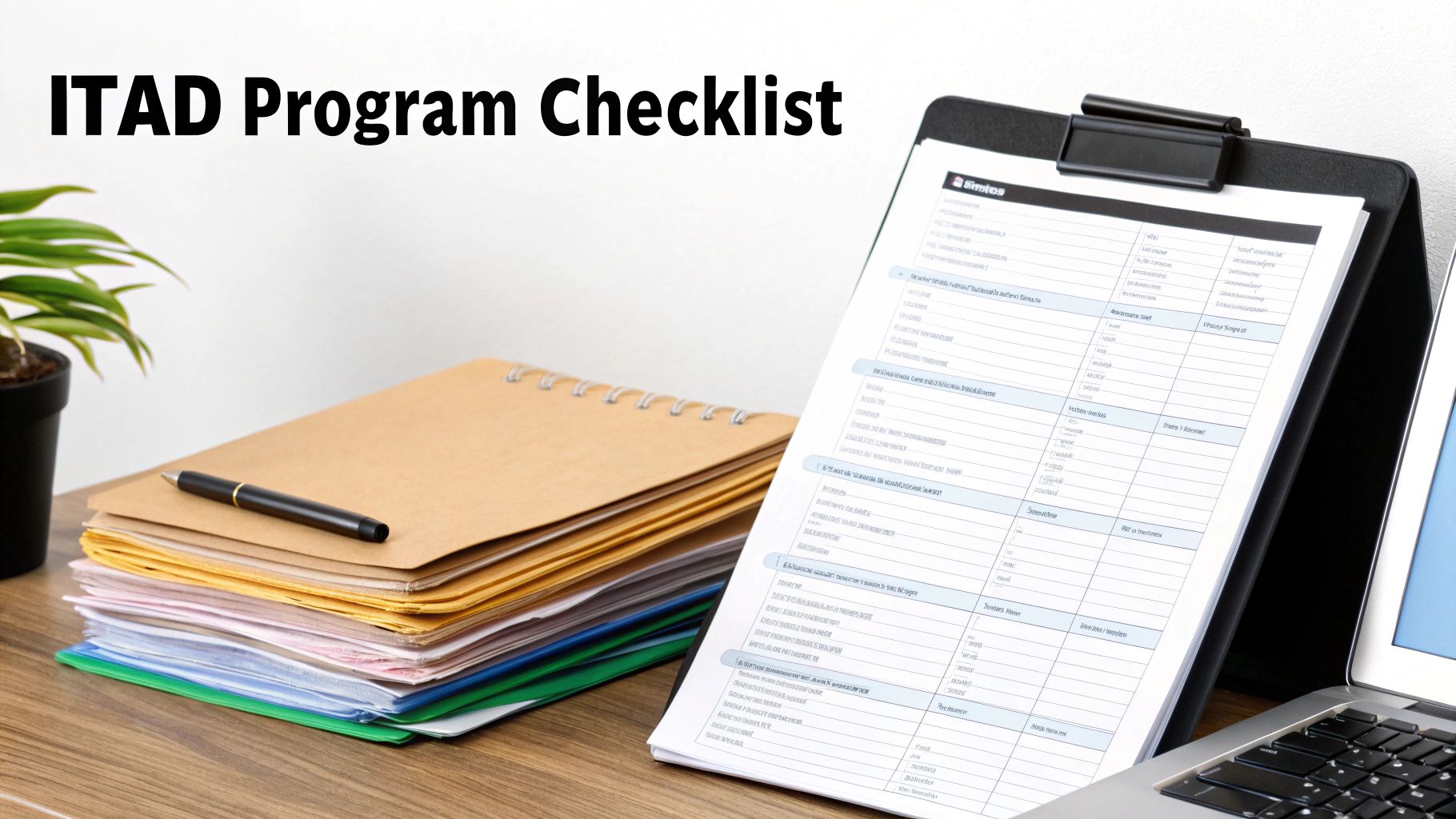
Moving from scrambling to handle one-off disposals to building a structured program is the only way to guarantee you're consistently secure and compliant. A formal IT Asset Disposition (ITAD) program turns secure HDD disposal from a recurring headache into a smooth, defensible business process. Here's a practical roadmap to get a program up and running from scratch.
Step 1: Inventory All Data-Bearing Assets
Let's be blunt: you can't protect what you don't know you have. The first real step is creating—and maintaining—a complete inventory of every single device in your organization that holds data. This goes way beyond just servers and laptops.
Think about all the places data hides: desktops, external hard drives, network-attached storage (NAS) devices, office copiers, and even company mobile phones. Each asset needs to be logged with its serial number, location, and who it's assigned to. This inventory is the bedrock of your entire ITAD program; it defines just how big your job is.
Step 2: Develop a Written Data Destruction Policy
Your ITAD program needs a clear, written rulebook. A formal data destruction policy takes the guesswork out of the equation and makes sure every employee handles retired assets the right way, every time. This document should be the one and only source of truth for your disposal process.
Your policy absolutely must specify:
- Approved Destruction Methods: State clearly whether assets will be shredded, degaussed, or wiped following NIST 800-88 standards. No ambiguity.
- Data Classification Tiers: Define how you handle different types of data (e.g., public, confidential, top secret) and assign specific destruction methods to each level.
- Roles and Responsibilities: Name names. Designate who has the authority to retire an asset, who manages the inventory, and who owns the relationship with your disposal vendor.
This isn't just about internal best practices—it's a critical piece of your compliance puzzle. A written policy is your proof of due diligence when auditors and regulators come knocking.
Step 3: Establish a Secure Chain of Custody Protocol
A secure chain of custody is the documented, unbroken trail that tracks a hard drive from the moment it’s retired to the second it’s destroyed. Any gap in this chain is a security hole waiting to be exploited.
Your protocol needs to demand detailed tracking at every single stage. This includes secure on-site storage for retired gear, locked and sealed transport containers, and a formal handoff process with your ITAD vendor. Every person who touches that asset must be logged to create a verifiable audit trail.
The importance of investing in certified destruction is reflected in market trends. The commercial use segment for hard drive destruction holds the largest market share, valued at approximately USD 450 million. This dominance shows the strategic imperative for businesses to fund advanced, compliant solutions to prevent data breaches. Explore more insights on the hard disk destruction equipment market.
Step 4: Create a Vendor Vetting Process
Your company's security is only as strong as the partner you trust to destroy your data. Don't just pick the cheapest option. Create a standardized process for evaluating every potential ITAD vendor.
Your vetting checklist should require you to verify key certifications like R2v3, e-Stewards, and NAID AAA. Ask them tough questions about their security protocols, who their downstream recycling partners are, and what their insurance coverage looks like. Always ask for a sample Certificate of Data Destruction to make sure it gives you the detail and proof you need.
Step 5: Implement a Documentation Framework
Finally, you need a system to manage all the paperwork. A solid documentation framework is what allows you to quickly pull up evidence of compliance during an audit, saving you a world of stress.
Organize and store all your Certificates of Data Destruction, chain-of-custody logs, and vendor contracts in one central, easy-to-access place. When you link this documentation back to your initial asset inventory, you close the loop, giving you a complete lifecycle record for every device and proving your commitment to secure HDD disposal.
How to Choose a Certified and Trustworthy ITAD Partner
Your organization's data security is only as strong as the IT Asset Disposition (ITAD) partner you bring in to handle your secure HDD disposal. Think about it this way: trusting your old assets to the wrong vendor is no different than leaving your server room door wide open.
A real partner doesn't just haul away old equipment. They become a critical extension of your risk management and compliance strategy. This isn't the place to simply pick the lowest bidder—the potential cost of a data breach or compliance failure will always dwarf any savings you might get from a cut-rate service.
Look for Verifiable Industry Certifications
Industry certifications are the clearest sign of a vendor's commitment to security, environmental responsibility, and doing things the right way. These aren't just logos they can slap on a website; they represent tough, ongoing audits by independent organizations.
Consider these certifications your assurance that a vendor is following established best practices.
- R2v3 (Responsible Recycling): This is one of the premier standards for electronics recycling. It guarantees a vendor sticks to the highest standards for environmental protection, data security, and worker safety. To really dig into this one, check out our guide on what R2 certification means.
- e-Stewards: Another top-tier environmental certification, e-Stewards enforces a strict no-export policy for hazardous e-waste to developing countries. This ensures a truly responsible and ethical recycling process from start to finish.
- NAID AAA: This certification is laser-focused on one thing: data destruction. A NAID AAA certified vendor has passed incredibly stringent audits covering every single aspect of their security, from hiring practices and facility access all the way to the destruction process itself.
Critical Questions to Ask Potential Partners
Once you've shortlisted vendors with the right certifications, it's time to dig a little deeper. How they answer these questions will tell you everything you need to know about the quality of their operation.
- Can you provide a complete, unbroken chain-of-custody document? Don't just take their word for it—ask to see a sample. A proper document tracks every asset by serial number from the moment it leaves your facility to its final destruction, with no gaps.
- What are your downstream recycling policies? A reputable vendor will be completely transparent about where materials go after destruction. They should be able to prove they partner only with other certified recyclers.
- Do you carry professional liability and data breach insurance? This is non-negotiable. This coverage is what protects you in the unlikely event that something goes wrong during the disposal process.
- Can we audit your facility? A confident and secure vendor won't just allow a facility tour; they'll welcome it. This gives you a chance to see their security measures with your own eyes.
Common Red Flags to Watch Out For
Knowing what to look for is only half the battle; you also need to know what to avoid. Be wary of any vendor that shows these warning signs:
- Ambiguous or overly complex pricing: Hidden fees or a confusing pricing structure that isn't based on a clear per-unit or per-pound rate is a major red flag.
- No verifiable certifications: If a vendor claims to be "certified" but can't give you a certificate number or a link to their official listing on the certifying body's website, it's time to walk away.
- Vague answers about their process: A partner you can trust can explain every step of their security and recycling process in detail, without hesitation.
The sheer scale of e-waste makes choosing a certified partner more critical than ever. Globally, a record 136 billion pounds of electronic waste was generated in 2022, but only 22% of it was formally collected and recycled. As this tidal wave of old tech grows, so does the risk, which just highlights the need for certified, secure destruction services. A certified partner ensures your assets become part of the solution, not the problem.
Common Questions About Secure HDD Disposal
Even with the best-laid plans, a few questions always pop up when it's time to actually get rid of old hard drives. Let's tackle some of the most common ones head-on. Getting these answers straight helps everyone on the team feel confident that the process is locked down.
Is Deleting Files or Formatting a Drive Good Enough?
No, absolutely not. This is probably one of the most dangerous misconceptions in the entire world of IT asset management.
When you delete a file or run a standard format, all you're doing is removing the file pointers—think of it as tearing out the table of contents from a book. The actual chapters, the data itself, are still sitting there on the drive, just waiting to be recovered by anyone with widely available software.
Real data security demands a professional approach. You either need to use specialized software to perform a multi-pass wipe, which scribbles over the entire drive with random data, or you go for physical destruction. Shredding a drive into tiny pieces is the only way to make that data completely and permanently unrecoverable.
What Is a Certificate of Data Destruction and Why Does It Matter?
A Certificate of Data Destruction is the formal, legal proof your ITAD vendor provides to show your hard drives were properly destroyed. Don't mistake it for a simple receipt; it’s a crucial audit document.
This certificate meticulously lists the unique serial numbers of every single asset, details the exact destruction method used (like "shredded to 2mm particles"), and records the date it all happened.
Its main job is to prove you did your due diligence and complied with regulations like HIPAA or the FTC Disposal Rule. Most importantly, it officially transfers the liability for that data from your company to your disposal partner. It’s your legal shield if an auditor ever comes knocking.
Are Solid-State Drives Disposed of Differently Than HDDs?
Yes, and this is a critical distinction. The tech inside a Solid-State Drive (SSD) is completely different from a classic Hard Disk Drive (HDD), so the disposal method has to be different, too.
Degaussing, which uses powerful magnets to scramble data on the magnetic platters of an HDD, does absolutely nothing to an SSD. SSDs use non-magnetic flash memory chips, making magnets useless.
While there is software designed to sanitize SSDs, the process can be tricky and isn't always foolproof. That's why the most secure, universally recommended method for getting rid of old SSDs is physical destruction. Shredding the drive into tiny particles ensures every single memory chip is obliterated. When you physically destroy an SSD, there's zero chance of data reconstruction—it's gone forever.
When your business needs undeniable proof of data destruction and a secure, compliant process for IT asset disposal, trust the experts. Beyond Surplus provides certified electronics recycling and secure HDD disposal services for enterprises nationwide, including comprehensive solutions for businesses in Anchorage and across Alaska. To protect your sensitive data and ensure regulatory compliance, contact Beyond Surplus today.


