

Navigating a data center migration is one of the most complex, high-stakes initiatives a corporate IT department can undertake. Whether your business is moving to a colocation facility, the cloud, or a new on-premise environment, the risks of data loss, compliance breaches, and extended downtime are significant. A successful migration isn’t just about moving servers; it’s a strategic transition of critical business operations that demands safeguarding your most valuable asset: data. The difference between a seamless cutover and a costly, disruptive failure often comes down to adopting a structured, battle-tested framework.
This guide moves beyond generic advice to provide a proven blueprint of the 10 essential data center migration best practices that ensure success for enterprise environments. We will explore a comprehensive roadmap that covers everything from the initial discovery and inventory audit to a phased, wave-based migration strategy designed to minimize business risk. Making informed decisions about your future infrastructure is a core part of this process; a strategic evaluation of Hosted VoIP vs PBX offers a useful parallel for how to weigh the trade-offs between on-premise control and cloud scalability.
This checklist will equip your enterprise IT team with actionable steps for every stage, including secure data destruction and final IT asset disposition with certified partners like Beyond Surplus. Following these best practices will help your business not only meet its technical objectives but also strengthen its security and compliance posture for the future. You will learn how to execute a migration that is efficient, secure, and aligned with long-term business goals.
1. Comprehensive Pre-Migration Audit and Inventory Management
A successful data center migration begins long before the first server is unplugged. The foundational step, and one of the most critical data center migration best practices, is conducting a comprehensive pre-migration audit. This process involves creating a meticulous inventory of every corporate IT asset, application, data repository, and their intricate dependencies within the existing environment. It establishes an authoritative baseline, transforming unknown variables into a predictable and manageable scope of work for your business.

This audit is far more than a simple hardware count. It's a deep-dive discovery mission to map the entire digital ecosystem of your enterprise. For example, a healthcare system preparing for a cloud migration must conduct a HIPAA-compliant audit to ensure all systems handling protected health information (PHI) are identified and their data flows mapped. Similarly, a financial institution must meticulously trace critical trading applications and their dependencies to prevent catastrophic downtime during relocation. Without this detailed understanding, businesses risk unexpected outages, security vulnerabilities, and costly project delays.
Actionable Implementation Tips
To execute an effective pre-migration audit, move beyond manual spreadsheets and embrace a systematic, commercial-grade approach:
- Utilize Automated Discovery Tools: Deploy enterprise solutions like ServiceNow, Flexera, or CloudPhysics to automatically scan networks and populate a centralized asset management database. This reduces human error and uncovers "shadow IT" or untracked devices.
- Engage Business Stakeholders: IT cannot operate in a vacuum. Work directly with business unit leaders to validate application ownership, data criticality, and performance requirements. Their input is crucial for accurate risk assessment.
- Identify Decommissioning Candidates Early: The audit will inevitably uncover obsolete, underutilized, or redundant hardware. Flagging these assets for secure retirement early on reduces the migration's complexity, cost, and physical footprint. This proactive step aligns perfectly with strategic IT asset management best practices.
- Plan for Asset Disposition: Create a detailed asset disposition spreadsheet for all equipment slated for retirement. This log should track each asset, its planned retirement date, and the required data destruction method (e.g., wiping, degaussing, or physical shredding) to ensure a secure chain of custody.
2. Phased Migration Approach (Wave-Based Strategy)
Attempting to migrate an entire corporate data center in a single "big bang" event is a high-risk gamble that few businesses can afford. A phased, wave-based strategy is one of the most crucial data center migration best practices for mitigating this risk. This methodical approach involves segmenting the migration into smaller, manageable waves, moving specific systems, applications, and their dependencies in planned phases. It transforms an overwhelming project into a predictable series of controlled events.
This strategy allows IT teams to start with low-risk, non-critical systems to test and refine their processes before touching mission-critical infrastructure. For instance, a large financial institution might migrate internal development and test environments in the first wave, using the lessons learned to orchestrate the complex migration of its core trading platforms over subsequent phases. Similarly, a multi-site enterprise can execute a controlled, office-by-office migration over several months, minimizing disruption to business operations. This iterative model provides invaluable opportunities to learn, adapt, and build confidence before tackling the most complex workloads.
Actionable Implementation Tips
To successfully implement a wave-based migration, focus on meticulous planning and iterative execution:
- Define Clear Success Criteria for Each Wave: Before a wave begins, establish specific, measurable outcomes. This includes performance benchmarks, application availability, and data integrity checks. Do not proceed to the next wave until the current one is fully validated.
- Schedule Waves Around Business Cycles: Plan migration events to avoid peak business periods, such as end-of-quarter financial reporting or high-traffic retail seasons. This minimizes the potential impact of any unexpected downtime on revenue and operations.
- Maintain Detailed Runbooks and Rollback Plans: For every wave, create a comprehensive runbook detailing each step, responsible party, and communication plan. Crucially, have a tested and validated rollback procedure ready to execute if a critical failure occurs.
- Coordinate Asset Decommissioning with Each Phase: As each wave successfully completes, the source hardware becomes redundant. Work with a certified ITAD partner to manage the secure retirement of these assets. A detailed server decommissioning checklist ensures data is securely destroyed and equipment is disposed of in compliance with environmental regulations.
3. Data Security and Compliance-First Design
A migration is not just a logistical move; it's a critical moment for corporate data security and regulatory adherence. A security and compliance-first design is a core data center migration best practice that embeds these considerations into every planning stage, rather than treating them as an afterthought. This proactive approach involves identifying all applicable regulations from the outset, designing data flows to maintain compliance, and ensuring that security controls are an integral part of the new environment's architecture.

This methodology is non-negotiable for regulated industries. For instance, a payment processor migrating to a hybrid cloud environment must ensure that every step maintains PCI-DSS compliance to protect cardholder data. Similarly, an EU-based enterprise must architect its new infrastructure to uphold GDPR principles for data sovereignty and privacy. Failing to integrate these requirements from day one introduces severe risks to the business, including massive fines, data breaches, and reputational damage that can undermine the entire project's value.
Actionable Implementation Tips
To embed security and compliance into your migration strategy, focus on proactive integration and rigorous documentation:
- Engage Experts Early: Bring compliance, legal, and cybersecurity teams into planning sessions from the very beginning. Their expertise is essential for identifying regulatory obligations and validating architectural decisions before they are finalized.
- Implement End-to-End Encryption: Ensure data is encrypted both in transit (during the move) and at rest (on storage media). Utilize managed encryption services like AWS KMS or Azure Key Vault to maintain secure control over cryptographic keys.
- Establish a Secure Chain of Custody: Document every touchpoint for physical assets containing data. This includes who handles the media, how it is transported, and final disposition.
- Plan for Secure Data Destruction: For all decommissioned hardware, implement a data sanitization process that meets or exceeds established standards. Partnering with a certified ITAD provider ensures that all data is irretrievably destroyed, a critical step to prevent data leakage. You can learn more about these guidelines by reviewing the NIST 800-88 standards.
4. Comprehensive Testing and Validation Strategy
A data center migration is not complete until every system, application, and data set has been proven to function correctly in the new environment. One of the most critical data center migration best practices is implementing a comprehensive testing and validation strategy. This systematic process goes beyond a simple "on/off" check, encompassing multiple layers of verification to ensure performance, security, and functionality meet or exceed pre-migration baselines before the final production cutover.
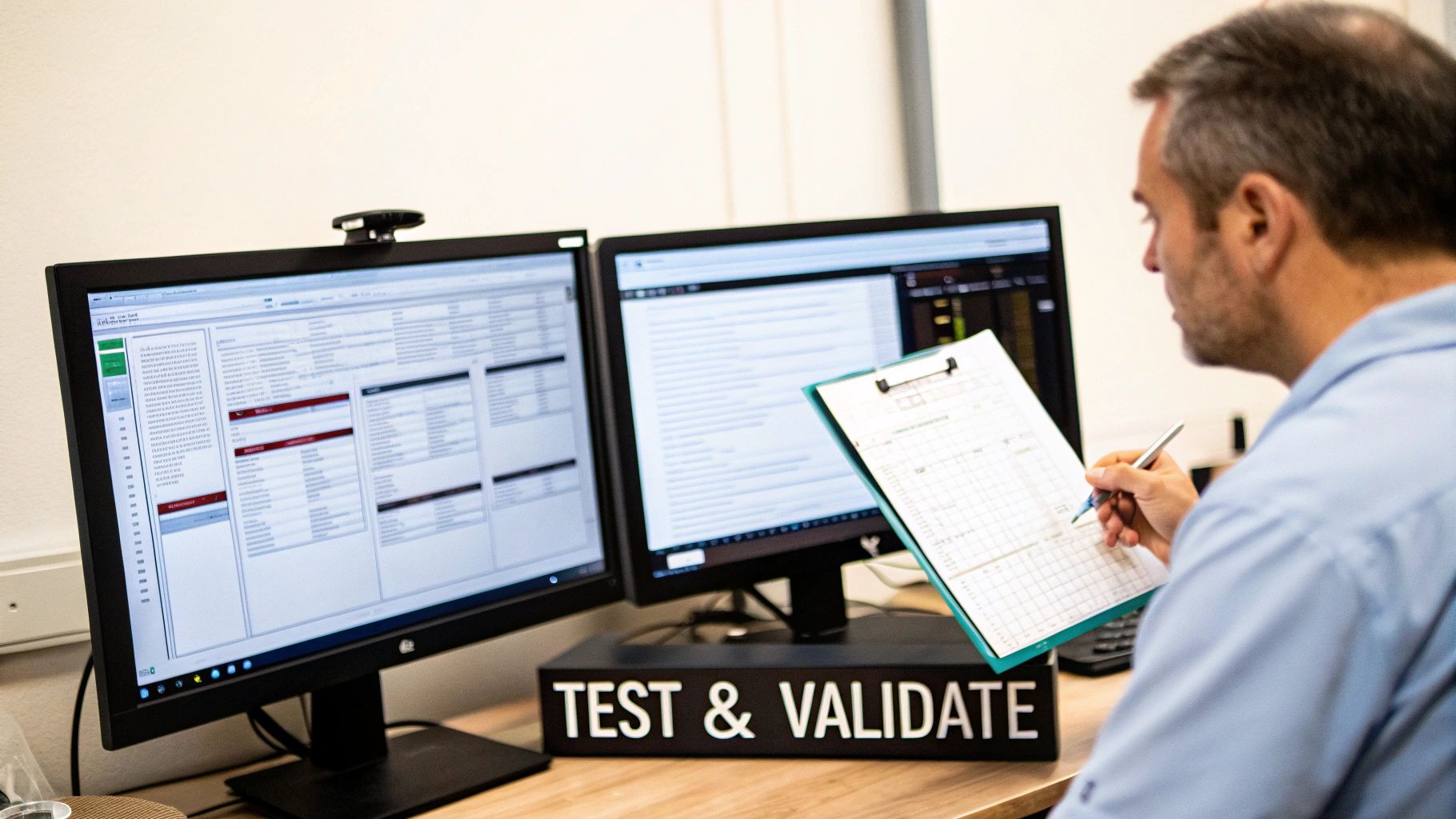
This rigorous approach prevents post-migration performance degradation, data corruption, and unexpected application failures that can severely impact business operations. For example, a banking institution must conduct extensive user acceptance testing (UAT) cycles, often lasting 8-12 weeks, to validate that core transaction systems are flawless. Similarly, an e-commerce platform will execute intense performance and stress testing to guarantee the new infrastructure can handle peak holiday traffic without issue. A robust testing strategy is non-negotiable, and a practical guide to cloud migration testing can offer invaluable insights into verifying the integrity and performance of your migrated systems.
Actionable Implementation Tips
To build a testing strategy that guarantees a smooth transition, businesses should focus on precision, automation, and thorough documentation:
- Create Detailed Test Plans: Develop comprehensive test scripts for all migration phases, including unit, integration, performance, security, and failover testing. These plans must align directly with business requirements and predefined success criteria.
- Utilize Production-Like Data Volumes: Ensure performance and stress tests are conducted using data sets that mirror the scale and complexity of your live production environment. This provides the most accurate prediction of post-migration performance.
- Automate Repetitive Testing: Employ automated testing tools to execute repetitive validation tasks. This increases efficiency, ensures consistency across multiple test runs, and frees up engineering teams to focus on complex issue resolution.
- Document All Results and Sign-Offs: Maintain meticulous records of all test outcomes, including any identified defects and their resolutions. Obtain formal sign-off from business stakeholders at the completion of each testing phase to ensure alignment and provide an audit trail.
5. Stakeholder Communication and Change Management Plan
A data center migration is as much a human-centric project as it is a technical one. One of the most critical, yet often overlooked, data center migration best practices is establishing a robust stakeholder communication and change management plan. This framework addresses the organizational and human dimensions of the transition, ensuring all affected parties—from the C-suite to end-users—are informed, prepared, and supportive of the change. It transforms potential resistance into active participation, minimizing business disruptions and maximizing adoption.
This plan goes beyond simple email updates. It is a strategic initiative to manage expectations, provide necessary training, and create feedback loops. For example, a global retail company migrating to a hybrid cloud model must create tailored communication for its logistics, e-commerce, and in-store operations teams. Each group needs to understand how the migration impacts their specific workflows and what is required of them. Without a formal change management plan, based on frameworks like Prosci's ADKAR model, enterprises risk confusion, reduced productivity, and a surge in support tickets post-migration, negating the project's technical successes.
Actionable Implementation Tips
To effectively manage the human element of your migration, integrate a structured change management process:
- Create a Multi-Tiered Communication Plan: Develop a detailed plan that specifies the message, audience, channel, and frequency for different stakeholder groups. Executives need high-level progress reports, while application teams require granular technical updates.
- Establish a Change Advisory Board (CAB): Form a steering committee with representatives from key business units and IT. This group provides executive sponsorship, resolves cross-departmental conflicts, and ensures the migration aligns with overarching business goals.
- Develop Targeted Training Programs: Don't wait until after cutover to train users. Conduct hands-on workshops and create documentation for any new systems, interfaces, or processes that will be introduced. This proactive education is key to a smooth transition.
- Provide Dedicated Migration Support: Establish a clear support channel, such as a dedicated help desk hotline or ticketing queue, specifically for migration-related issues during and immediately after the cutover. This ensures rapid response and minimizes user frustration.
- Visualize Progress and Celebrate Wins: Use dashboards to provide real-time visibility into the migration's progress. Publicly acknowledge and celebrate the completion of major milestones or waves to maintain team morale and project momentum.
6. Network and Infrastructure Capacity Planning
A data center migration is not just a physical move; it's a massive data transfer event that places extraordinary demands on the corporate network. A critical data center migration best practice is proactive network and infrastructure capacity planning. This involves designing an architecture that can handle the massive data transfer volumes during the migration window and support the new environment's performance requirements and future growth post-migration. It is the blueprint for ensuring data moves efficiently, securely, and without disrupting ongoing business operations.
This planning phase prevents one of the most common migration pitfalls: network bottlenecks that derail timelines and inflate costs. For instance, a large enterprise undertaking a 24/7 migration might discover through analysis that it needs a dedicated 60 Gbps circuit to meet its cutover window. Similarly, a distributed organization must provision additional bandwidth for its geographically dispersed locations to ensure a smooth, synchronized migration. Without this foresight, the project grinds to a halt as data trickles, rather than flows, to its new home, leading to extended downtime and user frustration.
Actionable Implementation Tips
To ensure your network is a migration enabler, not a bottleneck, implement these strategic planning steps:
- Analyze and Baseline Current Traffic: Use network monitoring tools to conduct a thorough traffic analysis of your current environment. This establishes an empirical baseline for peak loads, data transfer volumes, and protocol overhead, providing the data needed for accurate forecasting.
- Calculate Realistic Transfer Rates: Don't just look at link speed. Calculate the actual, achievable data transfer rates, accounting for factors like latency, protocol inefficiencies, and potential packet loss. This helps set a realistic and achievable migration timeline.
- Establish a Dedicated Migration Network: Whenever possible, isolate migration traffic from production traffic by using a dedicated, high-speed network link or a virtual LAN (VLAN). This prevents the migration from impacting the performance of critical business applications for end-users.
- Plan for Infrastructure Decommissioning: As you plan for new network capacity, also create a strategy for the old. If you're replacing infrastructure, partner with a certified vendor to manage the secure and compliant decommissioning of legacy network equipment, ensuring a seamless transition from old to new.
7. Backup, Recovery, and Disaster Recovery Planning
A data center migration inherently introduces risk, making a robust backup and disaster recovery (DR) plan one of the most essential data center migration best practices. This strategy goes beyond simply creating copies of data; it establishes a comprehensive framework for business continuity, ensuring that critical operations can be restored quickly and reliably if an unexpected failure occurs during the complex transition. It defines precise recovery objectives and validates that failover capabilities are functional in both the source and target environments.
This planning is the ultimate safety net for the migration project. For example, a global financial institution executing a multi-week, phased migration must maintain hourly backups and have a tested failover plan to prevent transaction loss or service interruption. Similarly, a healthcare provider with strict regulatory requirements must validate that its RPO of 15 minutes and RTO of 4 hours are achievable throughout the migration process to protect patient data and ensure continuity of care. Neglecting this step exposes the business to catastrophic data loss, extended downtime, and severe reputational damage.
Actionable Implementation Tips
To build a resilient backup and recovery strategy for your migration, integrate these proven tactics into your plan:
- Follow the 3-2-1 Backup Strategy: Adhere to the industry-standard rule: maintain at least three copies of your data, store them on two different types of media, and keep at least one copy in an offsite location. This provides redundancy against multiple failure scenarios.
- Test Recovery Procedures Rigorously: Do not wait until the migration cutover to test your backups. Conduct regular, full-scale recovery drills in a non-production environment to validate data integrity, timing, and procedures. This ensures your team is prepared and your backups are viable.
- Automate and Document Everything: Utilize automated tools for backup and recovery processes to minimize the risk of human error. Meticulously document all backup locations, access credentials, restoration steps, and emergency contact information in a centralized, accessible location.
- Plan for Legacy System Decommissioning: Once the new environment is stable and validated, create a plan for the old backup systems. This includes securely wiping all data from legacy tapes and disk arrays. Partnering with a certified vendor ensures this process meets compliance standards through services like secure hard drive disposal.
8. Performance Monitoring and Optimization During Migration
A data center migration's success is not just about moving data and hardware; it's about ensuring the new environment performs as well as, or better than, the old one. One of the most critical data center migration best practices is to implement continuous performance monitoring and optimization throughout the entire process. This approach establishes a performance baseline before the move, tracks key metrics during the transition, and validates application responsiveness post-migration, preventing a "successful" move that results in a degraded user experience.
This best practice moves beyond simple uptime checks to a deep analysis of application performance, network latency, and infrastructure resource utilization. For instance, an e-commerce company migrating to a hybrid cloud model must monitor transaction times and database query responses. Without this data, they might discover post-migration that increased latency between their on-premises inventory system and their cloud-based storefront is causing unacceptable checkout delays, directly impacting revenue. Monitoring allows teams to identify and resolve these bottlenecks proactively rather than reacting to user complaints.
Actionable Implementation Tips
To effectively integrate performance monitoring into your migration, adopt a proactive and data-driven strategy:
- Establish Pre-Migration Baselines: Before moving anything, use tools like New Relic, Dynatrace, or Azure Monitor to capture detailed performance metrics (CPU, memory, I/O, network throughput, application response time) of your critical systems in their current state. This data is the benchmark against which post-migration performance will be measured.
- Deploy Monitoring in the Target Environment First: Set up your monitoring and alerting tools in the new data center or cloud environment before migrating any workloads. This ensures you have immediate visibility as soon as applications come online, eliminating blind spots during the critical cutover phase.
- Utilize Synthetic Monitoring: Implement synthetic transaction monitoring to simulate user interactions with key applications (e.g., logging in, searching for a product, completing a form). Run these tests before, during, and after migration to get consistent, objective data on user experience and application health.
- Compare Pre- and Post-Migration Metrics: After cutover, conduct a formal comparison of the new performance data against your established baselines. This analysis provides quantifiable proof of success or highlights specific areas that require immediate optimization to meet service-level agreements (SLAs).
9. Documentation, Knowledge Transfer, and Runbook Development
A data center migration's success is not determined solely by the move itself but by the long-term operational stability that follows. This is where meticulous documentation, structured knowledge transfer, and detailed runbook development become indispensable data center migration best practices. This process transforms implicit knowledge held by the migration team into an explicit, accessible asset for the entire IT organization, ensuring the new environment can be managed, scaled, and secured effectively from day one.
This practice is the bridge between the migration project and ongoing operations. For example, a global e-commerce company must create detailed runbooks for its new hybrid cloud environment, outlining procedures for scaling resources during peak shopping seasons and failover protocols for critical payment gateways. Similarly, a healthcare provider must document every configuration change and operational procedure related to its migrated electronic health record (EHR) system to maintain strict HIPAA compliance. Neglecting this crucial step leaves the operations team unprepared, leading to longer incident response times, misconfigurations, and an inability to independently manage the new infrastructure.
Actionable Implementation Tips
To embed documentation and knowledge transfer into your migration workflow, adopt these systematic habits:
- Start Documenting Immediately: Documentation should begin during the planning and design phase, not as an afterthought. Use tools like Confluence, SharePoint, or GitBook to create a living repository that evolves with the project.
- Develop Standardized Templates: Create and enforce the use of templates for architecture diagrams, configuration details, and operational procedures. This ensures consistency and makes information easier to find and understand across different systems.
- Assign Clear Ownership: Every piece of documentation must have a designated owner responsible for its creation, accuracy, and maintenance. This accountability prevents documentation from becoming outdated.
- Create Asset Decommissioning Documentation: For all retired equipment, develop specific documentation outlining the secure data destruction process. This should include verification steps and records to create a defensible audit trail, a core component of compliant IT asset disposition.
- Validate Before Final Handover: Before the migration project is considered complete, have the operations staff who will manage the new environment validate all runbooks and documentation by executing the procedures in a test or staging environment.
10. Post-Migration Validation, Optimization, and Lessons Learned
A data center migration project does not conclude the moment systems go live in the new environment. The final, critical phase is a structured process of validation, optimization, and documentation. This step confirms that the migration met its business and technical objectives, refines the new environment for peak performance and cost-efficiency, and captures invaluable knowledge. It transforms the project from a one-time event into a strategic asset for future corporate initiatives.
Successfully navigating this post-migration phase is a hallmark of mature data center migration best practices. For example, a company moving to the cloud might discover their initial resource allocation results in costs 30% higher than projected. A thorough validation and optimization process allows them to implement right-sizing, reserved instances, or other cost-saving measures to align spending with budgets. Similarly, a healthcare system must perform rigorous data reconciliation to validate 100% data integrity before it can safely decommission legacy patient record systems.
Actionable Implementation Tips
To ensure your migration delivers lasting value, implement a robust post-live strategy:
- Schedule a Formal Validation Window: Plan for a dedicated 30-60 day period after the cutover for intensive monitoring and validation. This allows enough time for real-world usage patterns to emerge and for any latent issues to surface before the project is officially closed.
- Conduct Automated Data Reconciliation: Use automated tools to compare data sets between the source and target environments. This is crucial for verifying data integrity and ensuring no information was lost or corrupted during the transfer, a non-negotiable step for regulated industries.
- Analyze and Optimize Performance and Costs: Closely monitor application performance metrics and infrastructure costs in the new environment. Solicit feedback from end-users on their experience. Use this data to fine-tune configurations, reallocate resources, and implement cost optimization strategies.
- Hold a "Lessons Learned" Retrospective: Convene the entire migration team and key stakeholders for a formal retrospective session. Document what went well, what challenges were encountered, and how processes could be improved. This knowledge base is invaluable for streamlining future projects.
- Delay Final Decommissioning: Do not decommission legacy hardware until all validation checks are complete and the new environment is declared stable and fully functional. Once confirmed, you can proceed with a structured data center decommissioning plan to securely dispose of retired assets.
Data Center Migration: 10 Best-Practice Comparison
| Approach | 🔄 Complexity | ⚡ Resources & Time | ⭐ Expected effectiveness | 📊 Expected outcomes | 💡 Ideal use cases / Tips |
|---|---|---|---|---|---|
| Comprehensive Pre-Migration Audit and Inventory Management | High 🔄 Detailed asset/dependency mapping | High ⚡ Dedicated staff + discovery tools; weeks → months | ⭐⭐⭐⭐⭐ | Complete inventory, accurate costs, compliance baseline | Large enterprises & regulated industries — use automated discovery, engage business units |
| Phased Migration Approach (Wave-Based Strategy) | Medium-High 🔄 Multi-wave planning & coordination | Medium-High ⚡ Parallel environments; extended timeline | ⭐⭐⭐⭐ | Reduced risk, validated processes, gradual cutover | Complex environments — define clear success criteria, schedule buffers between waves |
| Data Security and Compliance-First Design | High 🔄 Rigorous controls and audits | High ⚡ Security expertise, tooling, ongoing monitoring | ⭐⭐⭐⭐⭐ | Minimized breach/fine risk, audit readiness, chain-of-custody | Regulated data (HIPAA/PCI/GDPR) — involve security/compliance early, use encryption & certified ITAD |
| Comprehensive Testing and Validation Strategy | High 🔄 Multi-level test cycles and UAT | High ⚡ Test environments mirroring production; significant effort | ⭐⭐⭐⭐ | Fewer post-cutover incidents, validated performance & integrity | Mission-critical systems — automate tests, use production-like data volumes |
| Stakeholder Communication and Change Management Plan | Medium 🔄 Organizational coordination & training | Medium ⚡ Change managers, training resources, ongoing comms | ⭐⭐⭐⭐ | Improved adoption, reduced disruption, stakeholder alignment | Large rollouts — appoint executive sponsor, provide hands-on training and support desks |
| Network and Infrastructure Capacity Planning | High 🔄 Detailed capacity modelling & redundancy | High ⚡ Network upgrades, bandwidth provisioning, validation | ⭐⭐⭐⭐ | Prevents congestion, ensures performance, predictable migration timing | Data-heavy migrations — baseline traffic, schedule off-peak transfers, use dedicated migration paths |
| Backup, Recovery, and Disaster Recovery Planning | High 🔄 Complex backup topology and failover tests | High ⚡ Backup storage & DR sites; frequent testing | ⭐⭐⭐⭐⭐ | Data protection, rapid recovery, rollback capability | Critical availability needs — follow 3-2-1, test recoveries regularly |
| Performance Monitoring and Optimization During Migration | Medium 🔄 Continuous monitoring and analysis | Medium ⚡ Monitoring tools, APM, skilled analysts | ⭐⭐⭐⭐ | Early detection of bottlenecks, validated SLAs, right-sizing | Any migration — establish baselines before start, enable alerting and synthetic checks |
| Documentation, Knowledge Transfer, and Runbook Development | Medium 🔄 Ongoing documentation & ownership | Medium ⚡ Time to create, owners to maintain docs | ⭐⭐⭐⭐ | Faster ops handover, consistent procedures, improved incident response | Post-migration operations — start docs early, use templates and version control |
| Post-Migration Validation, Optimization, and Lessons Learned | Medium 🔄 Structured validation and retrospectives | Medium ⚡ 30–60 day validation window, analysis resources | ⭐⭐⭐⭐ | Cost optimization, performance tuning, institutional learning | All migrations — schedule validation window, capture lessons, decommission only after confirmation |
Your Next Step: From Migration Planning to Secure Asset Disposition
Executing a successful data center migration is a monumental undertaking, far more complex than simply moving hardware from point A to point B. It is a strategic business initiative that tests a company's planning, execution, and risk management capabilities. As we've detailed, a truly effective migration is not a single event but a meticulously orchestrated process built on a foundation of proven data center migration best practices. From the initial comprehensive asset audit to the final post-migration validation, each step is interdependent. Neglecting one phase, such as stakeholder communication or network capacity planning, can create a domino effect that jeopardizes the entire project's timeline, budget, and ultimate success.
The key takeaway is that proactive, detailed planning is the most powerful tool in your arsenal. The best practices outlined in this guide, including phased wave-based strategies, a security-first design, and robust testing protocols, are not just suggestions; they are essential components of a risk-averse framework. These practices transform a potentially chaotic and high-stakes endeavor into a controlled, predictable, and successful transition. By treating documentation and knowledge transfer as first-class citizens rather than afterthoughts, you ensure the new environment is not only operational but also manageable and sustainable for the long term.
The Final, Critical Phase: Secure Asset Disposition
However, the migration journey doesn't truly end when the last server is successfully cut over. A critical, often overlooked, final phase remains: the secure and compliant disposition of the decommissioned legacy assets. Your old servers, storage arrays, and networking gear still contain sensitive corporate and customer data, and they represent a significant security liability until they are properly sanitized or destroyed. This final step is where your migration's data security posture is ultimately proven.
A successful migration project must account for the complete lifecycle of every asset, extending beyond its operational use. This is where a certified IT Asset Disposition (ITAD) partner becomes an indispensable part of your migration team. Failing to manage this final stage with the same rigor as the migration itself can lead to severe consequences for your business:
- Data Breaches: Improperly sanitized drives can expose sensitive information, leading to catastrophic financial and reputational damage.
- Compliance Violations: Regulations like HIPAA, GDPR, and PCI DSS have strict requirements for data handling, even on retired assets. Non-compliance can result in hefty fines.
- Environmental Penalties: E-waste regulations mandate responsible recycling. Improper disposal can lead to legal penalties and harm your company's corporate social responsibility standing.
Your next actionable step is to integrate a secure ITAD strategy directly into your initial migration plan. Don't wait until the old data center is full of decommissioned hardware. Instead, engage with a certified partner early to establish a clear chain-of-custody, schedule secure logistics, and ensure all data destruction is documented and verifiable according to standards like NIST 800-88. This foresight ensures the final chapter of your data center migration closes securely, compliantly, and responsibly, protecting your business from lingering risks long after the new environment is up and running.
Finalizing your data center migration means ensuring every legacy asset is handled with certified security. Beyond Surplus provides nationwide R2v3 certified IT asset disposition services, specializing in secure data destruction and compliant electronics recycling for corporate and enterprise projects. Contact Beyond Surplus for certified electronics recycling and secure IT asset disposal.


