If you're an IT manager in Roswell, you probably have a closet, lab, or server room holding equipment nobody wants to touch. Old laptops from the last refresh. Retired switches. A few dead monitors. Maybe servers that were pulled from production but never formally processed.
That backlog isn't just clutter. In a business setting, it represents data risk, chain-of-custody exposure, disposal cost, and missed recovery value. IT equipment recycling in Roswell works best when it's treated as an operating process, not a cleanout project.
Why Secure IT Recycling is a Business Imperative in Roswell
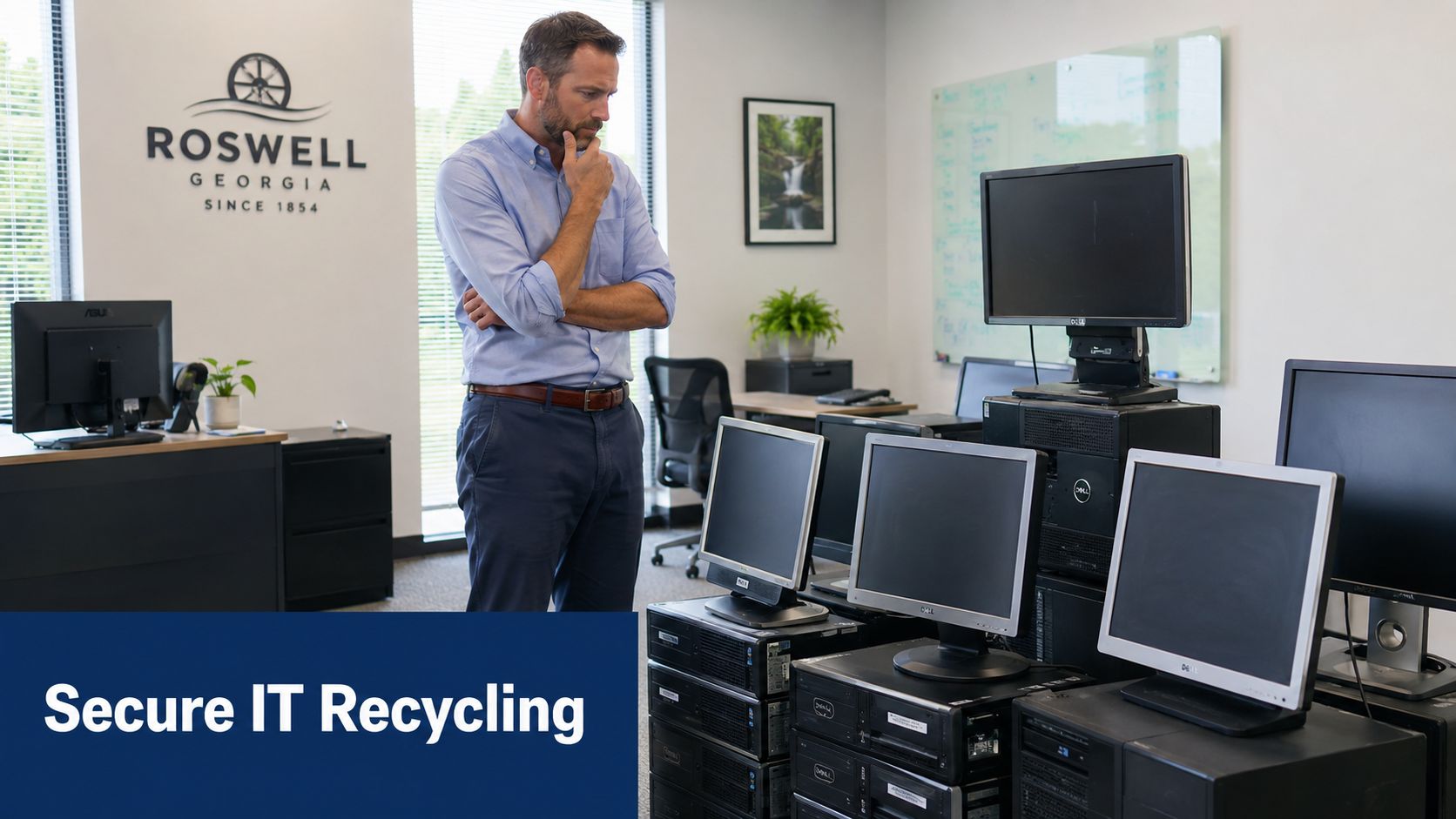
A lot of teams still approach retired hardware as if the main job is getting it out of the building. That's the wrong frame. For Roswell businesses, the essential task is controlling what happens from the moment an asset leaves a desk, rack, or storage shelf.
Local recycling options already show the difference between consumer disposal and commercial ITAD. One Roswell-area provider states that businesses need at least 10 eligible electronic items to qualify for a free pickup, with typical disposal pricing of $0.08 to $0.40 per pound and pickup surcharges of $20 to $45, depending on distance and quantity, according to Roswell electronics recycling service details. That isn't a household model. It's a logistics model.
What business teams get wrong
The common mistake is mixing unlike assets into one pile and calling it recycling. A keyboard, a printer, a laptop with customer records, and a decommissioned firewall don't carry the same risk.
When businesses skip classification, three problems show up fast:
- Sensitive devices get treated like scrap: Laptops, servers, and storage media need a documented destruction path, not casual pickup.
- Cost planning gets fuzzy: Weight-based disposal and pickup charges mean poor sorting can affect the final bill.
- Audit readiness disappears: If nobody can show what left the building and how it was processed, you're relying on trust instead of records.
Practical rule: If a device ever stored credentials, regulated records, or internal business data, don't treat it as general e-waste.
What works in practice
A workable Roswell IT recycling program starts with policy, not hauling. The process should define who approves release, how assets are inventoried, which devices require sanitization, and what documentation must come back from the recycler.
That matters even more when you're scheduling secure hard drive recycling services as part of a wider refresh or office cleanout. Drives and embedded storage change the whole risk profile.
The companies that manage this well don't ask, "How do we get rid of it?" They ask, "How do we move these assets through a controlled end-of-life workflow with minimal exposure and predictable cost?"
The Core Process for Disposing of IT Assets
A professional ITAD workflow is straightforward when it's done correctly. It doesn't rely on one truck, one receipt, and a promise. It relies on staged handling, documented decisions, and final reporting.
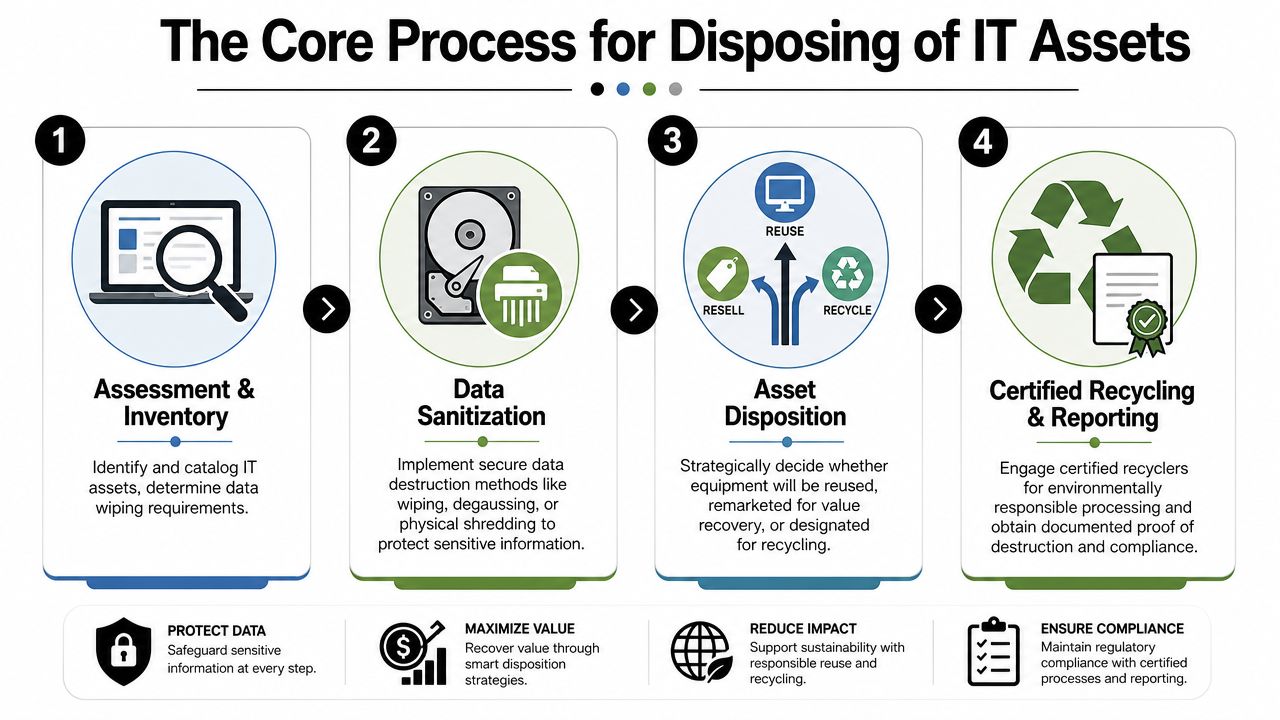
Roswell providers describe a model built around NIST 800-88 aligned wiping, hard-drive shredding with certificates, and asset tracking from pickup through final disposition, as outlined in Roswell IT asset disposition services. That tells you what a proper commercial process should include.
Assessment and inventory
Start with a real inventory. Not "about twenty laptops" or "a mix of network gear." You need asset type, serial number where available, location, and whether the device contains storage.
This stage determines more than count. It separates:
- reuse candidates
- remarketing candidates
- recycling-only assets
- destruction-only media
If your inventory is weak, every downstream record becomes weaker. Missing serials and vague descriptions are exactly what create disputes later.
Data sanitization
The limitations of casual recyclers are often revealed. Deleting files, reimaging machines, or removing users from a directory isn't asset sanitization.
Data-bearing equipment needs a defined method based on risk and device type. A fleet of business laptops may be suitable for certified wiping if they still have resale value. Failed drives, damaged storage, or highly sensitive media may need physical destruction instead.
The right destruction method is the one you can defend in an audit, not the one that feels convenient on pickup day.
Logistics and transport
Pickup isn't just transport. It's custody transfer.
The strongest programs document who released the assets, who received them, when they moved, and how they were packaged. For office cleanouts, this can be simple and still disciplined. For server rooms and healthcare or finance environments, it usually needs tighter control.
A useful way to think about transport is below:
| Stage | What matters most |
|---|---|
| Internal staging | Segregate data-bearing from non-data-bearing assets |
| Loading | Match items to inventory before they leave |
| Transit | Preserve chain of custody |
| Receiving | Reconcile what arrived with what was released |
Final disposition and reporting
The process achieves defensibility when each asset ends in one of a few paths: reuse, resale, dismantling, or certified recycling. The provider's report should make that outcome clear enough for compliance, finance, and internal records.
What doesn't work is vague language such as "miscellaneous electronics recycled." That may be acceptable for a broken surge protector. It isn't acceptable for enterprise hardware.
Ensuring Compliance and Mitigating Risk in Roswell
The biggest misconception in IT equipment recycling is that recycling itself solves the security issue. It doesn't. A device can be properly recycled and still have been improperly handled from a data protection standpoint.
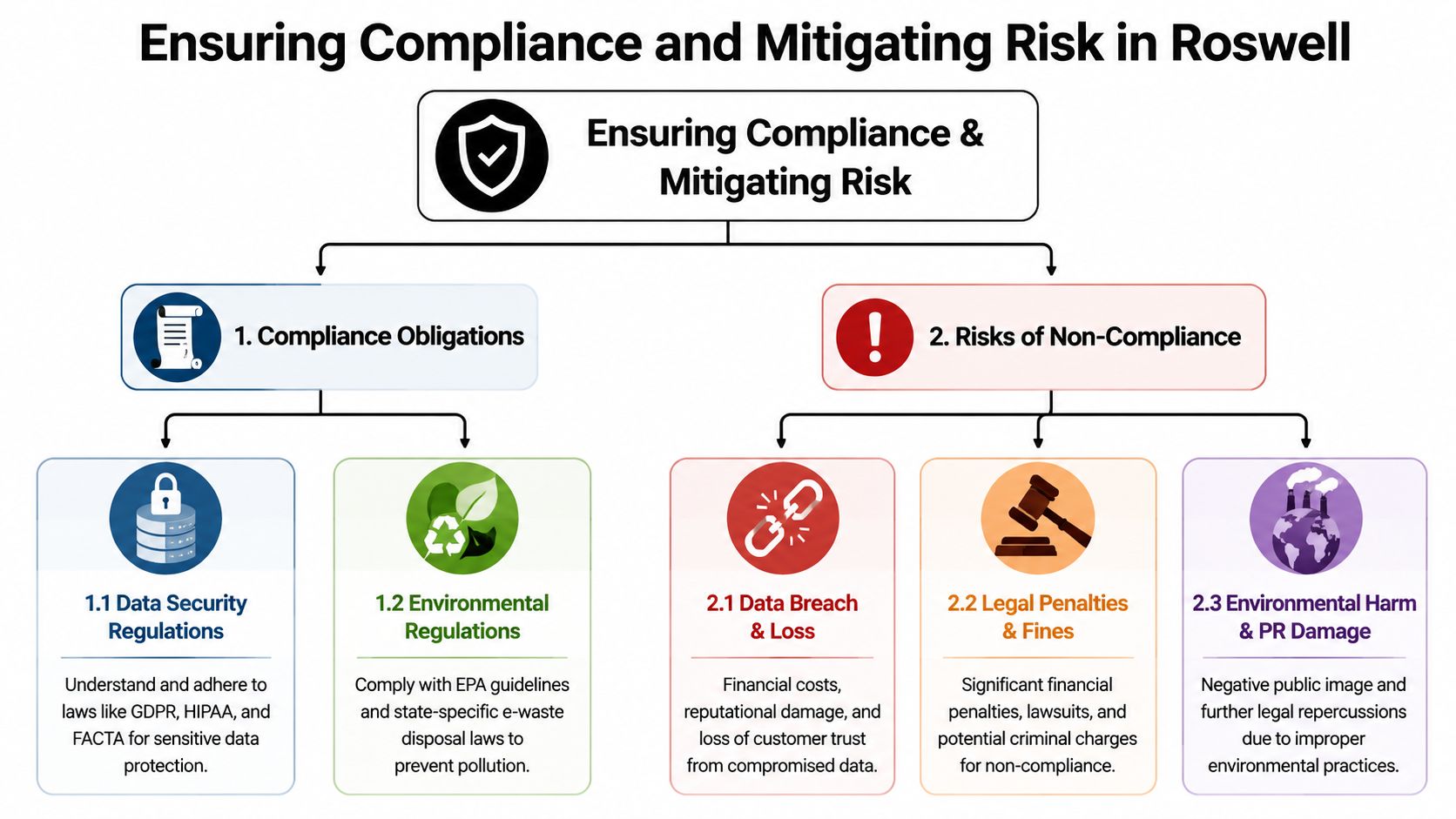
Roswell-area service guidance makes that distinction clearly. Qualified programs use certified wiping, degaussing, crushing, or shredding, with the method selected by device type and required assurance level, according to Roswell computer recycling and data destruction guidance.
Recycling is not destruction
A monitor can usually move straight to recycling. A desktop tower cannot, at least not until you've addressed its storage. The same goes for copiers, multifunction printers, firewalls, VoIP systems, and many medical or lab devices with embedded memory.
That's where businesses create unnecessary exposure. They focus on environmental disposal but forget that a surprising number of devices retain business data, cached documents, credentials, or configurations.
For teams tightening policy, I also recommend reviewing broader guidance on data protection for Sheffield businesses. It's not Roswell-specific, but the operational discipline applies anywhere sensitive devices are leaving organizational control.
What documentation actually matters
The paperwork matters because it proves your process existed beyond internal intent. At minimum, businesses should expect documentation that shows:
- What was collected: asset list or pickup record
- How custody was handled: transfer records from release through processing
- How data was addressed: wiping or destruction documentation where applicable
- How assets were disposed: recycling, remarketing, or destruction outcome
For Georgia organizations building tighter procedures, a practical reference point is this Georgia secure IT disposal guide.
If a vendor can't explain how they choose between wiping, degaussing, crushing, and shredding, they probably don't have a mature process.
Where the highest risk sits
The highest-risk assets are rarely the obvious ones sitting on pallets. They are the devices still mixed into operations. Spare SSDs in drawers. Backup drives from a migration. Network appliances retired during a firewall refresh. Laptops waiting for approval because finance hasn't signed off on disposal.
Those are the assets that fall out of policy. Once that happens, chain of custody becomes guesswork.
Streamlining Logistics and Scheduling Your Pickup
Most pickup problems start before the truck arrives. Not because the recycler failed, but because the business didn't prepare the load in a way that supports security or efficiency.
The cleanest pickup in Roswell starts with consolidation. Bring assets into one controlled staging area. Separate data-bearing devices from accessories. Keep loose drives, SSDs, and backup media in their own clearly labeled containers. If your facility has multiple floors or departments involved, assign one release owner.
How to prepare your load
A simple prep checklist usually prevents delays:
- Group by asset type: Keep laptops, desktops, monitors, printers, and networking gear separated.
- Flag storage devices: Mark anything with internal or removable media so it doesn't get treated like low-risk scrap.
- Remove personal or business labels carefully: Asset tags are useful. Loose sticky notes with passwords are not.
- Confirm access conditions: Dock doors, freight elevators, and after-hours restrictions should be sorted out before scheduling.
What a smooth handoff looks like
The handoff should be boring. That's a good thing. Staff should know what is leaving, who is authorized to release it, and where the paperwork goes once the pickup is complete.
For recurring cleanouts, one reliable way to reduce internal friction is to standardize the request path through a single scheduling page like schedule a pickup or register for drop off. The point isn't the form itself. The point is making pickup part of a routine instead of an exception.
Good logistics reduce mistakes. They also reduce the number of devices that sit forgotten in closets because nobody wants to coordinate the removal.
Maximizing Value from Your Retired IT Equipment
Not every retired asset belongs in the shred stream. Some of it should be remarketed, harvested for parts, or processed in a way that offsets disposal cost.
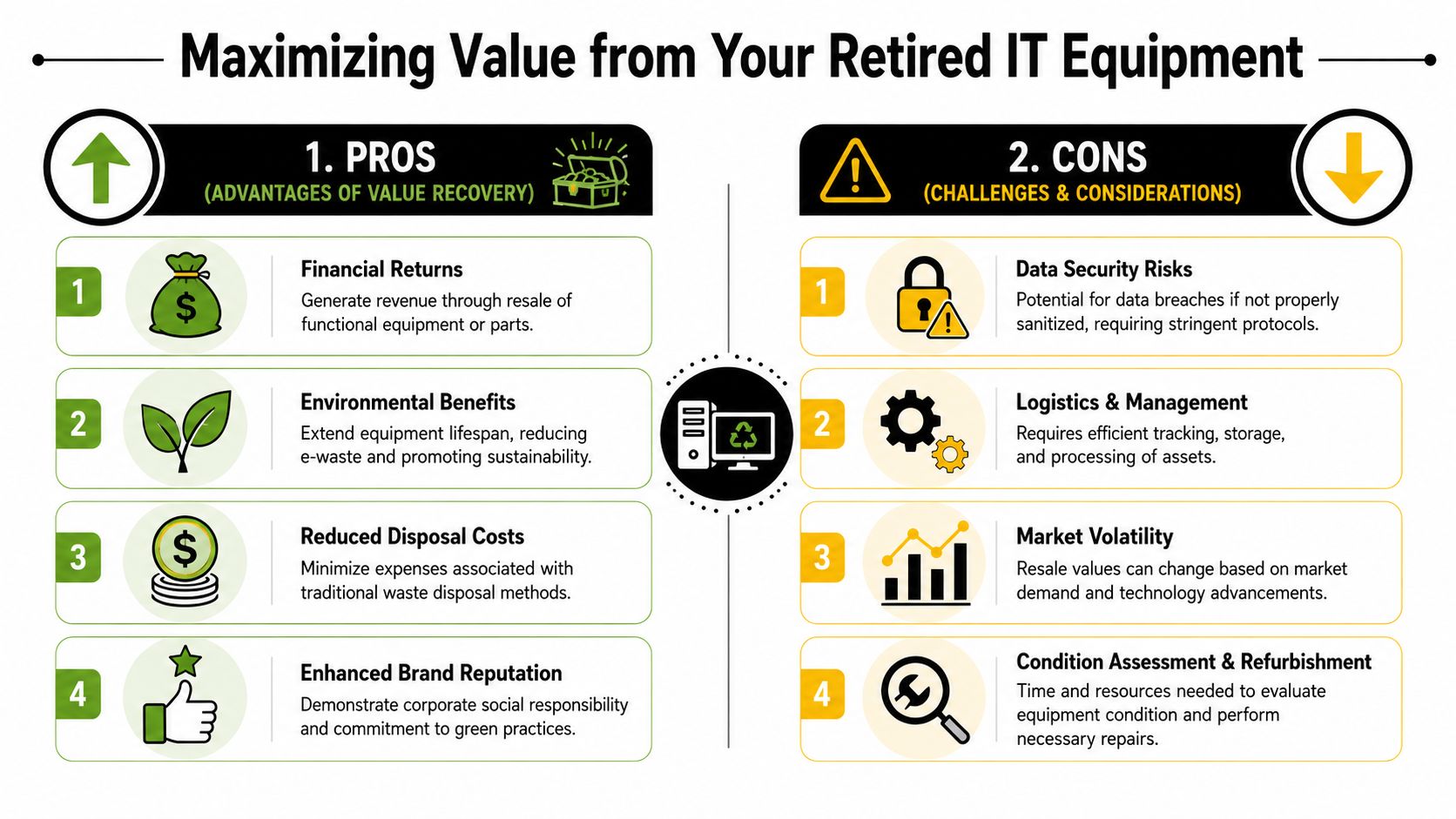
Roswell businesses require a more current view of ITAD. One industry challenge is handling AI-era and data-center equipment beyond basic hard-drive shredding. Current guidance notes the growing importance of reuse, parts harvesting, and secure resale for servers, networking gear, and devices with embedded storage, as discussed in computer recycling and ITAD considerations for cloud and AI infrastructure.
What still has market value
In practical terms, value usually survives longest in:
- recent business laptops
- enterprise servers with useful remaining life
- switches and networking hardware
- mobile devices in deployable condition
- specialized components with secondary-market demand
A damaged screen or missing power supply doesn't always kill value. Missing chain of custody often does. Buyers and remarketing channels need confidence that assets were properly controlled and sanitized.
When destruction costs you money
Some IT teams default to shredding anything that once touched company data. That feels safe, but it can destroy recoverable value unnecessarily.
A better decision model is simpler:
| Asset condition | Data risk | Likely path |
|---|---|---|
| Working and current | Manageable with approved sanitization | Reuse or resale |
| Working but older | Moderate | Parts harvest or selective resale |
| Failed or damaged storage | High | Physical destruction of media, then recycle remainder |
| Obsolete and damaged | Low resale potential | Certified recycling |
If you're evaluating buyback or recovery options, how Georgia businesses can maximize value with ITAD services is a useful operational reference.
Newer hardware needs a smarter disposition plan
Servers, accelerators, storage arrays, and network gear now create more nuanced end-of-life decisions than old desktop fleets did. Embedded storage, firmware, batteries, and specialized components all affect how assets should be processed.
That's why "recycle everything" is often the least optimal answer. In many environments, the better answer is selective destruction paired with controlled reuse.
Partner with Beyond Surplus for Your Roswell ITAD Needs
Roswell businesses usually don't need another vendor that provides only electronics hauling. They need a process that can stand up to internal review from IT, compliance, facilities, and finance at the same time.
That means four things have to work together. Secure data handling. Clear chain of custody. Practical logistics. Credible value recovery. If one of those fails, the whole project becomes harder to defend.
What to look for in a provider
Use this filter before you approve any pickup:
- Process clarity: Can the provider explain intake, sanitization, transport, and final disposition in plain language?
- Documentation discipline: Will you receive records that help your team close out the assets internally?
- Commercial fit: Can they handle business volumes, mixed equipment, and site constraints without improvising?
- Flexible outcomes: Can they support destruction, recycling, and value recovery within one workflow?
For Georgia organizations comparing options, Beyond Surplus in Georgia provides business ITAD, secure data destruction, electronics recycling, buyback support, and logistics coordination.
The practical decision
The right ITAD partner should reduce internal workload, not create more of it. Your team shouldn't have to chase serial numbers after pickup, explain missing drives to compliance, or guess which assets were recycled versus remarketed.
If your Roswell operation is sitting on retired desktops, laptops, servers, storage media, networking gear, or mixed office electronics, treat the project like any other controlled business process. Inventory it. Classify it. Sanitize it. Document it. Then move it out.
Contact Beyond Surplus for certified electronics recycling and secure IT asset disposal in Roswell.