

The email usually lands with almost no warning. Your lease is ending. The new space is approved. Leadership wants a move date. Facilities starts talking about floorplans, furniture, and signage. IT gets a shorter sentence: make sure nothing goes down.
That’s where most office moves go sideways in Atlanta. Desks, chairs, and filing cabinets are visible, so they get attention. The IT infrastructure that runs the business gets treated like cargo. It isn’t. Servers, switches, storage arrays, access points, laptops, and retired devices all carry operational risk, data risk, and compliance risk.
A real office relocation service has to protect continuity first. If users can’t authenticate, phones don’t register, conference rooms fail, or shared drives disappear, the move isn’t successful just because the trucks arrived on time.
Your Office is Moving What About Your IT Infrastructure
The first bad sign in an office move is when someone says, “The movers can handle the tech too.” General crews may be excellent at moving furniture. That doesn’t mean they should de-rack a server, label patch panels, or decide which encrypted laptops should be retired instead of reinstalled.
In Atlanta, that problem shows up in fast-growth moves, downsizing projects, and headquarters consolidations alike. The volume of business moves is real. Between March 2022 and March 2023, 593 U.S. public companies relocated their headquarters, a 29% increase from the prior year and the highest annual total in seven years, according to Clancy Moving’s review of SEC-based relocation statistics.
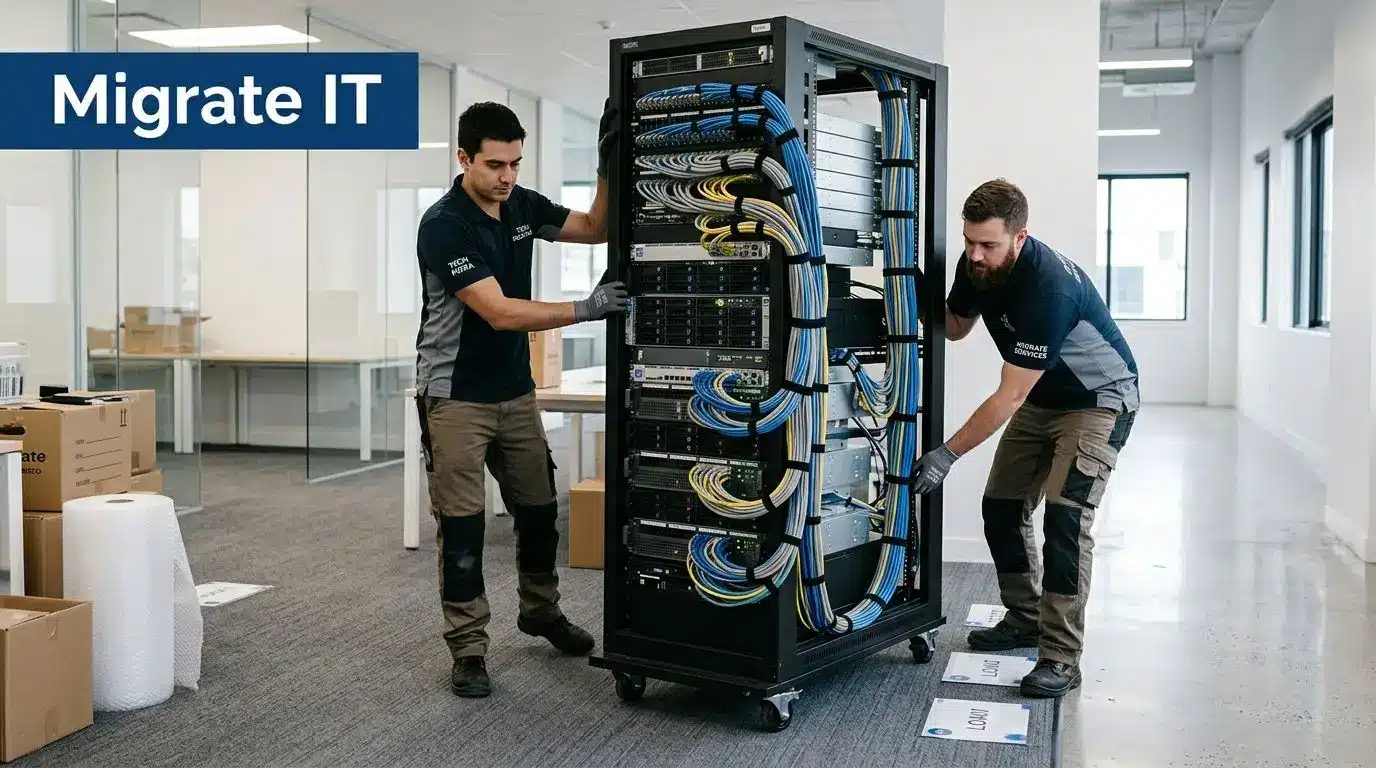
What actually breaks during a move
The risky items usually aren’t the largest ones. They’re the systems with dependencies.
- Core network gear: Switch stacks, firewalls, uplinks, and patching have to come back in the right order.
- Identity and access systems: If authentication is delayed, everyone feels it immediately.
- Phone and conference room tech: Users judge day-one success by whether they can call, meet, print, and connect.
- Retired hardware: Old drives and surplus equipment become a security problem if nobody owns disposal.
Practical rule: If a device stores data, routes traffic, or supports authentication, it should have a documented move method before anyone packs a single box.
A strong office relocation service for business IT environments starts with asset review, site readiness, and cutover planning. Without that, move day turns into live troubleshooting under pressure. That’s expensive, and it’s avoidable.
What works and what doesn’t
What works is separating the move into three lanes early: equipment that relocates, equipment that gets replaced, and equipment that must be securely retired.
What doesn’t work is staging everything together in one room and asking teams to sort it out the night before the trucks arrive.
Defining the Full Scope of Office Relocation Services
Many buyers still define office relocation service too narrowly. They think in terms of packing, transport, unloading, and furniture placement. That’s only one layer of the job.
A modern commercial move includes project management, sequencing, site coordination, labeling standards, vendor scheduling, and occupancy readiness. On straightforward projects, that may be enough. On technology-heavy projects, it isn’t close.
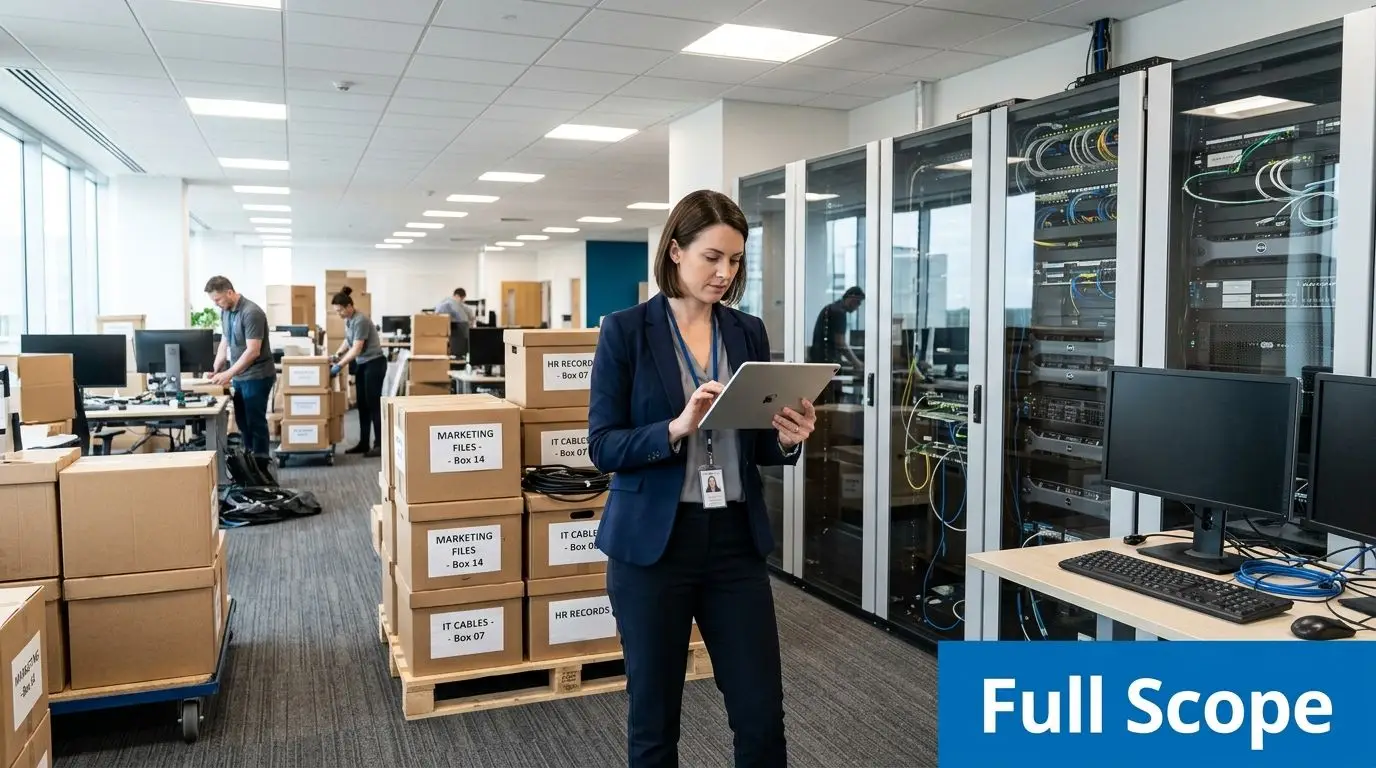
The traditional scope
A standard commercial mover usually handles:
- Move planning: Schedules, room tags, route planning, elevator access, and truck timing.
- Furniture handling: Disassembly, protection, transport, and reassembly.
- Files and common assets: Boxed records, supplies, and non-technical equipment.
- Basic occupancy support: Unpacking and placement by floorplan.
That part matters, especially when flooring, punch-list work, or phased occupancy affects sequencing. If your new Atlanta office needs finish coordination before furniture placement, Flacks Flooring commercial solutions are a useful example of the kind of trade partner facilities teams often need to align with move timing.
The missing scope that causes trouble
The gap is usually technology and end-of-life equipment. As noted in Dependable Movers SF’s analysis of office relocation service gaps, movers focus on logistics but rarely address the secure disposal of obsolete IT equipment, which creates compliance and data security risk under rules such as the FTC Disposal Rule.
That omission matters because not every device should make the move.
Movers can relocate a server. They usually won’t decide whether the server should be retired, wiped, shredded, remarketed, or documented for audit.
What a complete scope should include
A complete office relocation service for an IT-heavy business should account for these workstreams:
Asset inventory and disposition decisions
Identify what stays in production, what gets replaced, and what exits service.Technology deinstallation and reinstallation
Rack equipment, patching, endpoint reconnects, wireless validation, and room technology checks.Data-bearing asset control
Chain of custody for laptops, drives, storage media, and network appliances.ITAD integration
Secure removal of obsolete equipment, with documented destruction or recycling.Compliance records
Certificates, serialized reporting, and proof that retired assets were handled correctly.
The practical difference is simple. A mover gets assets from old address to new address. A complete office relocation service gets your business operational, secure, and audit-ready.
Navigating the Office Move Project Lifecycle Step by Step
Most failed moves don’t fail on move day. They fail weeks earlier when teams skip inventory, delay carrier coordination, or assume the new space is more ready than it is.
The cleanest way to manage an office relocation service is to run it as a four-phase project with named owners, approval points, and handoffs.
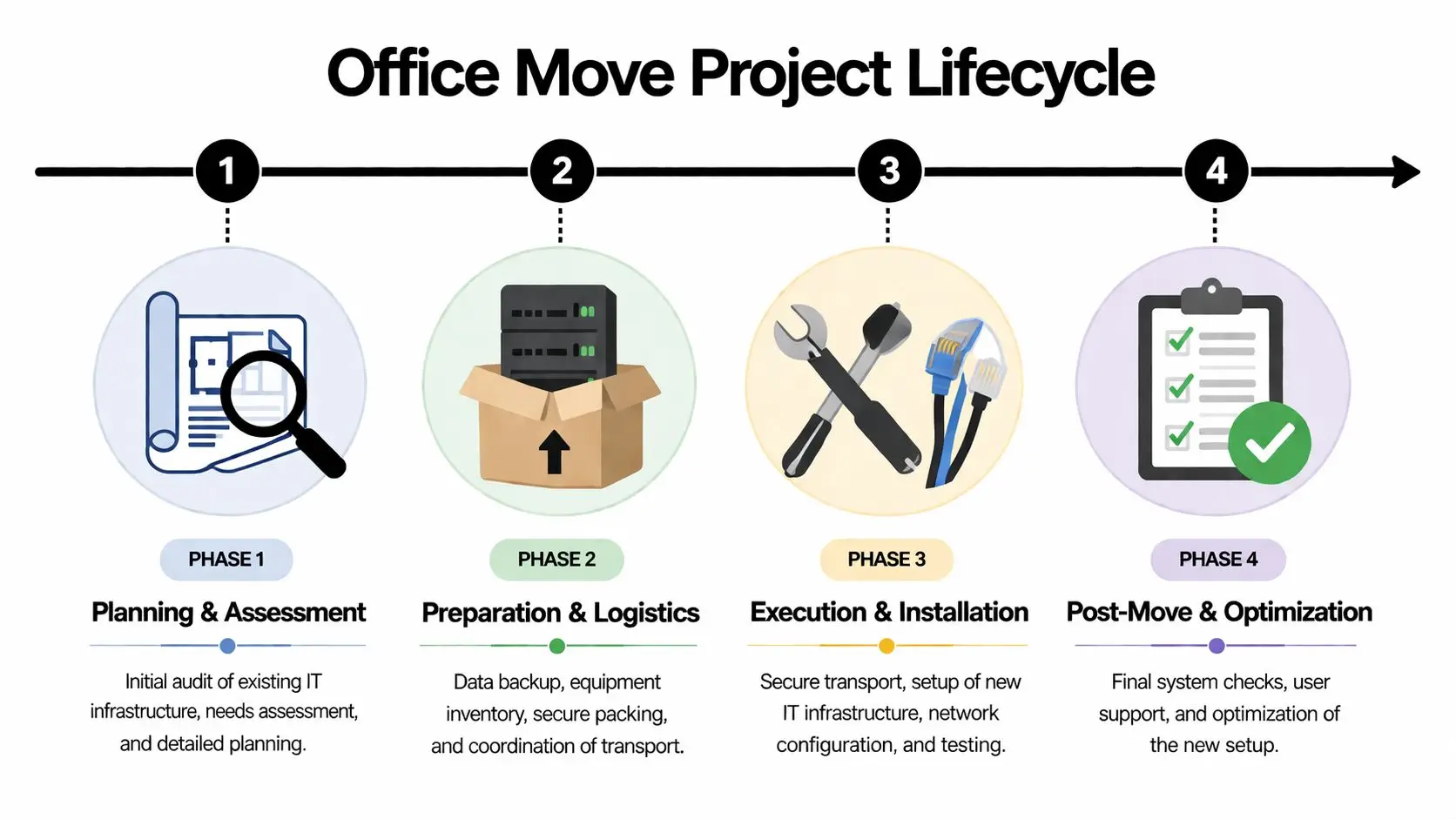
Phase 1 Planning and assessment
Start with discovery, not packing.
Build a current-state inventory that includes user devices, shared equipment, network gear, printers, A/V systems, and anything in closets or server rooms that people forgot existed. Then compare that list to the target-state environment. The question isn’t just “What do we own?” It’s “What belongs in the new office?”
Use this phase to confirm:
- Floorplan alignment: Desk counts, conference rooms, IDF/MDF locations, and support spaces.
- Connectivity readiness: Carrier installs, circuit handoff dates, and wireless coverage planning.
- Power and cooling: Especially for racks, UPS units, and any dense equipment areas.
- Disposition paths: Which assets relocate, which get stored, and which get retired.
Phase 2 Preparation and logistics
At this stage, teams either reduce risk or create it.
Label everything at the device and destination level. Export configurations where appropriate. Confirm backups. Stage replacement hardware before move weekend if you’re refreshing anything. If your team is splitting the project between local crews and broader logistics support, nationwide office relocation coordination can help standardize workflows across sites.
A strong prep phase usually includes:
- Port and patch validation
- Rack elevation review
- Cable labeling standards
- User communication
- Asset segregation for retirement
- Packing methods matched to device type
The easiest equipment to lose during a move isn’t the big equipment. It’s unlabeled accessories, specialty adapters, stack members, and small devices with no assigned owner.
Phase 3 Execution and installation
Move weekend should look boring. That’s a good sign.
The sequence matters. Core infrastructure should be disconnected deliberately, loaded in the right order, and reinstalled based on dependency, not convenience. Bring up WAN, firewall, switching, wireless, and authentication before you worry about desk accessories. Reconnect critical users and business systems first.
What usually works best is a command structure with one move lead, one facilities lead, one IT lead, and a single issue log that tracks every problem to resolution.
Phase 4 Post-move and optimization
Day one isn’t the finish line. It’s validation.
Walk the space. Test conference rooms, printer mapping, guest Wi-Fi, badge readers, dock compatibility, and shared drives. Verify that retired equipment didn’t get mixed back into active inventory. Close the project only after users can work normally and all surplus assets have a documented disposition path.
A mature office relocation service leaves the client with a cleaner environment than before the move. Fewer mystery devices. Better records. Less clutter in closets and server rooms.
Securing IT Assets and Data During a Relocation
The highest-risk item in an office move usually isn’t the truck route. It’s uncontrolled data.
Every relocation creates a temporary period where laptops, servers, backup media, and network appliances are being touched by more people, moved through more locations, and staged in less secure conditions than usual. If custody isn’t documented, you’re relying on trust where you should be relying on process.
Chain of custody has to be physical and documented
For data-bearing assets, I want to know four things immediately: what the device is, who touched it, where it is now, and whether it’s moving or being retired.
That means serialized inventory, controlled staging areas, tamper-evident packing where appropriate, and signed handoffs between teams. It also means separating data-bearing hardware from general office contents. A pallet of old monitors is one thing. A rolling cart of decommissioned laptops is another.
Cabling mistakes become security and uptime problems
Technical details matter more during a move because everything is already under pressure. One overlooked example is cabling length. During office relocations, failure to stay within the 100-meter Ethernet cable limit can cause a 30 to 50 percent reduction in network throughput, and enterprise downtime costs average $5,600 per minute, according to Beyond Surplus guidance on office relocation service and IT handling.
That’s why serious teams do pre-move validation, not just post-move troubleshooting.
- Test network ports before occupancy
- Certify runs when new cabling is involved
- Verify patch panel assignments
- Confirm Wi-Fi coverage and conference room connectivity
- Check uplinks before users arrive
A clean move isn’t the one with the fewest boxes. It’s the one where users sign in Monday morning and the network behaves exactly the way it should.
Retired equipment is where compliance exposure usually hides
Most businesses focus hard on the equipment they’re bringing to the new office. They spend less time on the hardware being left behind. That’s the mistake.
Old laptops in storage, failed drives in a drawer, out-of-service firewalls, replaced switches, and backup devices all carry potential exposure if they’re discarded casually or sent through the wrong channel. Regulated organizations feel this first, but any business with customer, employee, or financial data should care.
Secure sanitization should follow a documented standard. For organizations evaluating wiping and destruction practices, NIST SP 800-88 data sanitization guidance is the right benchmark to review.
What a defensible process looks like
A defensible relocation process usually includes these controls:
- Serialized intake: Record make, model, and asset identifiers before movement or retirement.
- Disposition decisioning: Mark each item as move, redeploy, hold, resale, recycle, or destroy.
- Sanitization method selection: Match the method to media type and compliance requirements.
- Certificates and audit records: Keep proof of destruction and recycling with the move file.
Beyond Surplus is one example of a provider that combines relocation support with secure data destruction, chain-of-custody documentation, and IT buyback for retired assets. That model fits well when a move includes both active equipment and decommissioned hardware.
Specialized Logistics for Sensitive IT Equipment
A general mover and a specialized IT logistics partner can both show up with trucks, dollies, and labor. That doesn’t make them interchangeable.
The difference shows up in handling standards. General crews are built for volume. IT logistics teams are built for fragility, sequence, and recovery.
What general movers usually do well
General commercial movers are often the right fit for furniture systems, boxed records, common area contents, and standardized crate moves. They’re efficient when the main risk is physical damage to non-technical assets.
That matters. You still need disciplined truck loading, building coordination, and labor management.
What sensitive IT equipment requires
Servers, storage arrays, network switches, trading desk setups, lab-adjacent electronics, and executive conference room systems need different treatment. The packing and transport method should reflect the device.
Compare the two approaches:
| Handling area | General mover approach | Specialized IT logistics approach |
|---|---|---|
| Packing | Standard blankets, cartons, bins | Anti-static wrap, custom cushioning, device-specific crating |
| Labeling | Room-based labels | Asset-level labels tied to install sequence |
| Transport | Standard commercial vehicle | Air-ride and tighter environmental control when needed |
| Delivery | Floorplan placement | Dependency-based staging for reinstall |
| Problem response | Damage claim workflow | Technical escalation and revalidation |
A specialized partner also plans for rack weight, accessory containment, cable preservation, and staging order. That’s especially important when moving between Atlanta offices with limited dock access, freight elevator windows, or shared building rules.
White-glove handling earns its keep
For sensitive environments, white glove service for IT equipment logistics is often the safer choice because it adds controlled packing, handling discipline, and more precise delivery sequencing.
What doesn’t work is letting delicate electronics ride with mixed loads, loose peripherals, and unlabeled power supplies. That’s how teams lose time after the move. Not because the equipment is gone, but because no one can rebuild the workstation or rack cleanly.
Budgeting Your Office Move and Identifying Cost Drivers
Office moves are expensive for one reason. Complexity multiplies labor.
The market reflects that. The global office relocation services market was valued at US$ 10.6 billion in 2022 and is projected to reach US$ 14.6 billion by 2032, and although office moves make up less than 15% of move volume, they generate over 35% of industry revenue because the work is high value and operationally complex, according to FactMR’s office relocation services market analysis.
Visible costs are only half the budget
Organizations often budget for trucks, labor, crates, and insurance. They should. Those are real line items.
The bigger planning mistake is ignoring secondary cost drivers that don’t show up clearly in the first quote:
- Lost productivity: If users can’t work, the move cost keeps running.
- Technical rework: Unlabeled devices and poor sequencing create expensive after-hours fixes.
- Compliance exposure: Improper disposal can become a legal and procurement issue.
- Space inefficiency: Moving obsolete assets increases labor and clutters the new site.
Two practical Atlanta scenarios
A small Smyrna office moving locally usually has a simpler decision tree. The budget pressure comes from staff downtime, workstation reconnection, and whether old laptops, printers, and networking gear should be moved at all. In these projects, trimming surplus before the move often saves more than trying to transport everything and sort it later.
A large Atlanta headquarters move has a different profile. The challenge is coordination across executives, IT, facilities, carriers, security, and building management. There may be phased occupancy, conference room dependencies, and large volumes of retired assets. In that environment, the budget rises less because of distance and more because every workstream has to be controlled tightly.
The cheapest bid often assumes your internal team will absorb the mess. The more realistic bid prices the work that prevents the mess.
A better budgeting method
Use three categories instead of one lump-sum estimate:
Relocation costs
Packing, transport, deinstall, reinstall, and building logistics.Readiness costs
Cabling corrections, site prep, carrier work, user support, and testing.Disposition costs and offsets
Data destruction, recycling, remarketing, and any value recovery from reusable assets.
That last category matters more than many teams expect. If you treat all old equipment as trash, you miss the chance to recover value and reduce what you physically move.
Your Vendor Selection Checklist for a Seamless Move
Vendor selection decides whether your office relocation service is controlled or chaotic. Price matters, but if you’re moving business-critical technology, process maturity matters more.
A good mover can still be the wrong IT partner. A good recycler can still be the wrong data-destruction partner. Procurement should test both scope and evidence.
Questions worth asking in the first meeting
Start with direct questions, not marketing language.
- Who owns move-day command?
- How do you document chain of custody?
- What happens to retired devices with storage media?
- Can you provide auditable destruction and recycling records?
- How do you handle exceptions, missing assets, or damaged equipment?
If the answers are vague, the project will be vague too.
IT Relocation and ITAD Partner Vetting Checklist
| Criteria | Why It Matters | Verification Method |
|---|---|---|
| Commercial move experience | Office moves require sequencing, building coordination, and business continuity planning | Ask for examples of comparable business relocations |
| Documented chain of custody | Data-bearing assets need traceable control during staging and transport | Review sample intake, handoff, and tracking documents |
| Data destruction capability | Retired devices shouldn’t leave the project unsecured | Request sample certificates and sanitization workflow |
| Compliance awareness | Regulated industries need records that support audits and policy requirements | Ask how the vendor supports FTC Disposal Rule, HIPAA, or SOX workflows |
| Insurance coverage | Losses during a move can include more than physical damage | Review certificates and ask what scenarios are covered |
| Serialized reporting | Asset-level documentation prevents disputes and supports finance and security teams | Request a sample inventory and disposition report |
| Logistics coordination | IT projects fail when movers, facilities, and tech teams aren’t aligned | Ask who manages scheduling and escalation |
| Downstream recycling transparency | You need to know where equipment goes after pickup | Review process documentation and chain-of-custody controls |
A practical due-diligence tool is this vendor due diligence checklist for IT asset disposition and service review. Use it during procurement, not after the move has already started.
The non-negotiables
For the ITAD side of the project, three items should never be optional:
- Written custody controls
- Auditable destruction and recycling records
- A clear answer on who is responsible for retired hardware on move day
If you don’t get those in writing, you don’t have a complete process.
If your Atlanta office move includes servers, user devices, network hardware, or surplus equipment that shouldn’t follow you to the new site, contact Beyond Surplus for secure IT asset disposition, data destruction, and relocation support built for business environments.


