

When a remote employee leaves, asset recovery stops being a simple handoff and turns into a chain of legal, technical, and logistics decisions. One missed charger is annoying. One missing laptop with regulated data is a security incident waiting to happen. That's why a remote employee equipment return checklist for HR and IT managers has to do more than list tasks. It has to assign ownership, document handoffs, and close the loop from separation notice to final disposition.
The risk is real. Nearly half of companies lose at least 5% of their devices during employee offboarding, according to Retriever's offboarding analysis. In practice, the failures are usually boring, not dramatic: no verified inventory, vague return instructions, no prepaid kit, no chain of custody, and no confirmation that data was destroyed. Those are fixable process problems.
What works is a phase-based workflow shared by HR, IT, and the disposition partner. HR owns timing and communication. IT owns asset verification, access control, and technical inspection. The logistics and ITAD partner handles transport, documented custody, data destruction, refurbishment, and recycling. Treated that way, offboarding becomes auditable instead of chaotic.
1. Equipment Inventory and Asset Tagging Verification
Start with the asset record before the employee touches a shipping label. If HR sends a departure notice and IT doesn't immediately reconcile the assigned equipment list, you've already introduced confusion. The record should show the laptop, monitor, dock, charger, security key, phone, and any specialty gear tied to that employee.
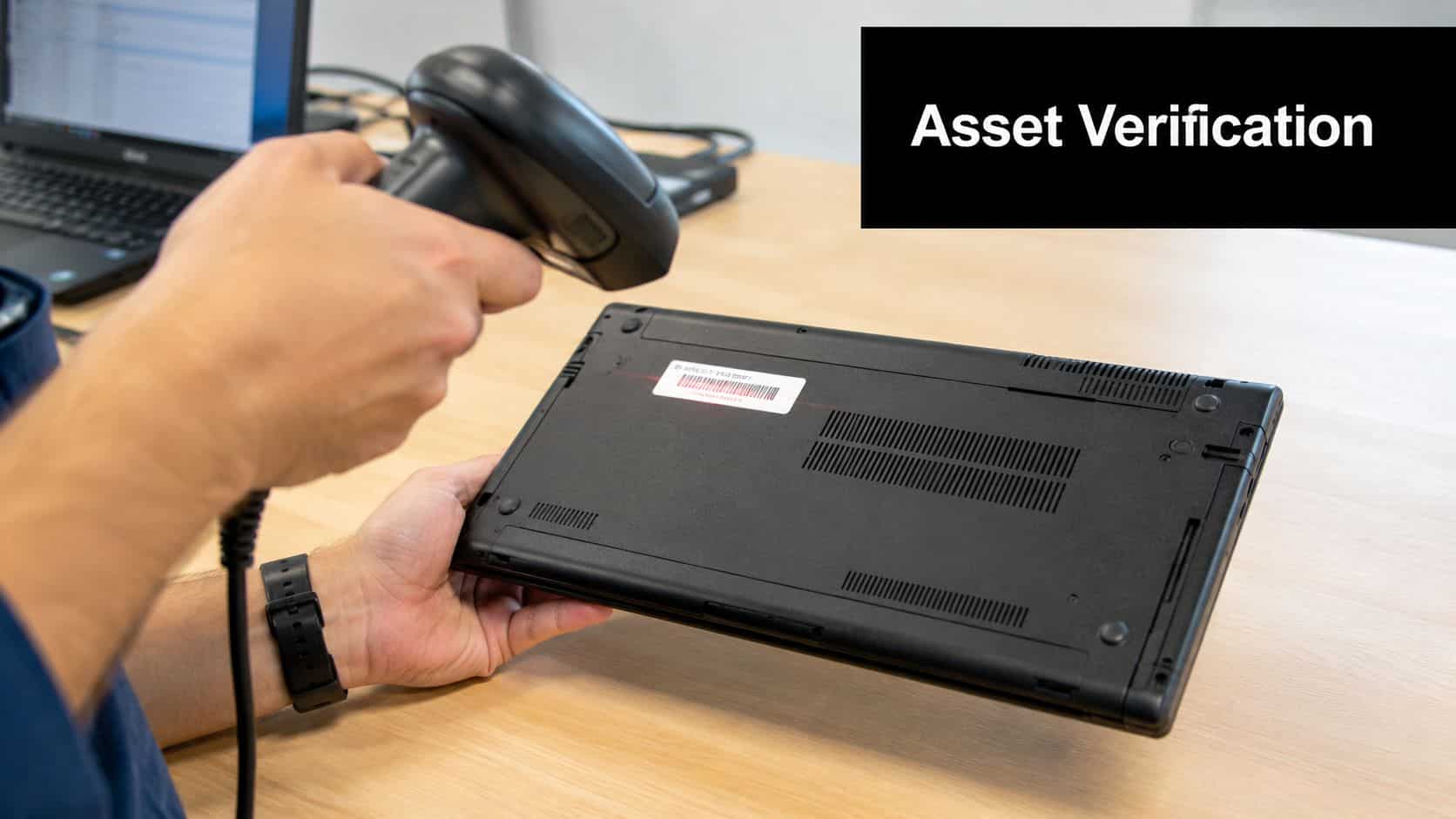
A clean intake starts with exact identifiers. Asset tags matter. Serial numbers matter more. If your team can't match the issued device to the return authorization, disputes become subjective fast.
What HR and IT should verify before pickup
- Match the employee to each device: Confirm serial number, asset tag, assigned accessories, and current user.
- Lock the return scope: Separate company-owned equipment from personally owned gear used for work.
- Record expected condition: Note prior damage, battery issues, cracked screens, or missing parts already on file.
- Assign one intake owner: One IT contact should receive, inspect, and sign off on the return.
A practical example is a healthcare system recovering laptops from remote clinicians. HR may know the person's departure date, but IT needs the exact device identifiers because one wrong assumption can pull the wrong machine into a compliance trail. The same issue shows up in universities at term end, where shared hardware and seasonal staffing can blur ownership.
How to prevent avoidable disputes
Photograph devices before shipment if the employee still has them in hand. Ask for a clear image of the bottom label and the packed box. That gives your intake team something objective to compare on arrival.
Practical rule: If the asset record is incomplete before the box ships, the return process is already off track.
For organizations without a structured process, recovery rates often land between 70% and 85%, while 15% to 30% of issued devices remain unreturned, based on Beyond Surplus guidance on remote equipment return programs. That's why inventory verification can't be treated as clerical work. It's the control that everything else relies on.
2. Data Security and Hard Drive Destruction Authorization
Getting the laptop back isn't the finish line. It's the point where the highest-risk work starts. Returned devices often still contain saved credentials, browser tokens, cached files, local exports, and regulated data. HR can't clear the equipment return as complete until IT documents what happened to the data.

The technical process needs a decision tree. Some devices should be wiped for reuse. Others should have drives physically destroyed because of data sensitivity, contract terms, or internal policy. In finance, healthcare, legal, and government work, that distinction matters.
What authorization should include
- Disposition path: Wipe for reuse, shred for destruction, or hold for legal/compliance review.
- Approved method: Certified software sanitization, degaussing where appropriate, or physical destruction.
- Evidence required: Certificate of data destruction, technician log, and linked asset identifiers.
- Retention rule: Store the evidence where HR, IT, legal, and audit can retrieve it.
North America's ITAD market shows why this step carries so much weight. Data destruction and sanitization services accounted for 38.20% of market share in 2025, according to Mordor Intelligence's ITAD market analysis. That aligns with what teams see operationally. The value isn't just in moving hardware out. It's in proving the data is gone.
If you're building policy language or validating your process, Beyond Surplus outlines why remote employee laptop recovery matters for data security. For internal control, it also helps to improve organizing equipment with software so destruction records map back to the original issue record.
Data destruction shouldn't be implied by return. It should be documented as a separate event.
3. Remote Employee Equipment Collection and Logistics Coordination
An offboarding notice goes out at 10 a.m. By Friday, HR believes the laptop is in transit, IT has no tracking number, and the former employee is still waiting for a box. That gap creates avoidable risk. Equipment sits outside your control, deadlines slip, and each department assumes someone else owns the next step.

Collection works best as a single workflow shared across HR, IT, and logistics. HR triggers the return at offboarding. IT confirms which assets and accessories must come back. A logistics partner sends the right kit, tracks carrier events, and records receipt. If those handoffs are vague, returns stall and disputes start.
Logistics Rules for Improving Compliance
The practical standard is simple. Remove every step the employee would otherwise have to figure out alone. Send a prepaid kit quickly, include the right packaging, provide one checklist, and give the employee one set of instructions. Multiple emails from different teams create conflicting direction and lower return rates.
Beyond Surplus notes in its remote return program benchmarks that many organizations set return windows of 7 to 14 days after termination, with retrieval commonly completed within 2 to 4 weeks. Those timelines are useful because they balance speed, legal process, final payroll coordination, and the reality that carrier delays happen.
Strong coordination usually includes four controls:
- One shipment for one defined asset set: Laptop, charger, dock, badge, and peripherals should be listed in the same instruction set.
- Tracked carrier movement: HR needs status visibility, IT needs chain-of-custody evidence, and finance may need support for chargeback decisions.
- A clear liability transfer point: Define whether custody changes at pickup, first carrier scan, or delivery to your processing site.
- Early escalation: If no scan appears within the expected window, HR follows up and IT documents the exception.
I advise clients to assign ownership by phase, not by department preference. HR owns employee communication and deadline enforcement. IT owns the asset list and special handling requirements. The logistics or ITAD partner owns packaging, shipping execution, and receipt confirmation. That structure closes the common gap where everyone is involved but no one is accountable.
Teams handling distributed returns should also follow best practices for shipping laptops back from remote employees. Some organizations also use centralized staging or commercial storage for efficiency when devices need to be held briefly before intake, testing, or final disposition.
4. Equipment Condition Assessment and Value Documentation
Once the device arrives, inspect it immediately. Don't wait until the end of the week, and don't mix unopened returns with already-reviewed hardware. Delay is how chains of custody blur and condition disputes become unwinnable.
A disciplined intake review answers two questions. Is the device functional, and is it worth redeploying, refurbishing, or recycling? That decision affects budgeting, replacement planning, and your eventual ITAD path.
What a useful condition review looks like
Use a standard rating scale. Good enough isn't a category. The technician should check cosmetic condition, power-on status, display quality, keyboard and trackpad function, ports, battery behavior, and included accessories. For specialized devices, add whatever matters in your environment, such as smart card readers, encrypted drives, or clinical peripherals.
- Capture intake photos: Top, bottom, screen-on, and any visible damage.
- Test core functions: Boot, login state, display, ports, wireless, camera, and audio.
- Separate wear from damage: Scratches are different from cracked hinges or liquid exposure.
- Note missing components: Chargers, docks, adapters, and security keys affect reuse value.
Computers and laptops are projected to account for 33.6% of total ITAD market demand in 2025, according to Future Market Insights on IT asset disposition. That validates what most IT teams already know. The laptop is usually the centerpiece of remote offboarding, so the inspection process for that category needs to be the most mature.
A financial institution closing a remote satellite team may choose to redeploy clean, current laptops internally while sending damaged or obsolete units to a certified recycler. Without documented condition grading, that decision turns into guesswork.
5. Compliance Documentation and Certification Collection
Many otherwise solid programs often fall apart at this stage. The device came back. IT wiped it. Recycling happened. But nobody can produce the certificate, the manifest, or the custody trail when audit asks for it. At that point, the work might as well not have happened.
Compliance records need to be gathered on purpose, not chased later. The documentation package should include the intake record, shipment tracking, inspection notes, disposition outcome, and any certificate of data destruction or recycling tied to the asset.
Documents worth collecting every time
- Chain of custody record: Pickup date, intake date, handler, serial number, and condition notes.
- Destruction evidence: Certificate tied to the device or batch, with identifiable asset details.
- Recycling evidence: Manifest or certificate showing responsible downstream handling.
- Internal approval: Sign-off that HR and IT consider the asset return complete.
The FTC Disposal Rule is one reason this file matters. The process also has to support sector-specific obligations, internal retention schedules, and any contractual disposal requirements you've accepted from customers. If your team needs a policy baseline, Beyond Surplus explains employee laptop return policies every business needs to know.
Audit problems usually start as filing problems. If the certificate can't be found quickly, the process isn't finished.
Large organizations held the largest market revenue share in the global ITAD industry in 2024, according to Technavio's ITAD market report. That makes sense. Complex environments create more hardware, more stakeholders, and more documentation pressure, which is exactly why disciplined certification management matters.
6. IT Asset Recovery and Refurbishment Program Coordination
Not every returned device belongs in the scrap stream. Some should go back into service. Some belong in a buyback channel. Others should move directly to certified recycling because the repair burden, age, or data sensitivity makes recovery impractical.
A good recovery program sits at the intersection of finance, sustainability, and IT operations. It doesn't just ask whether a device still works. It asks whether refurbishment is worth the labor, whether the platform still fits internal standards, and whether resale creates more value than redeployment.
How to make the disposition call
Create a simple decision path after data handling is complete. If the device meets your current support baseline, redeploy it. If it's serviceable but not ideal for internal use, consider refurbishment or buyback. If it's obsolete, damaged, or unsupported, recycle it through a certified downstream process.
The IT asset disposition market in the United States reached USD 6.5 billion in 2025 and is projected to grow to USD 12.9 billion by 2034, with a 7.51% CAGR, according to IMARC Group's U.S. ITAD market analysis. That growth reflects a simple reality. Organizations have more retired technology to process, and they need structured ways to recover value while protecting data.
A practical example is a company bringing on new hires after a restructuring. Instead of buying new laptops for every role, IT may reimage recently returned machines, replace worn batteries, remove old asset labels, and redeploy them. If your team is designing that workflow, Beyond Surplus covers the role of ITAD in remote employee laptop recovery.
7. Employee Communication and Return Process Transparency
Poor communication creates most of the friction people mistakenly blame on offboarding itself. Employees don't return equipment late because they enjoy making life hard for HR. They return it late because instructions were vague, deadlines changed, or nobody explained what was expected.
Clear messaging starts as soon as separation is confirmed. The employee should know what to return, when to return it, how to return it, and who to contact if the equipment is damaged, missing, or mixed with personal items.
What the message should actually say
Use direct language. List each asset. State the deadline. Explain whether a prepaid kit is coming or whether a pickup will be scheduled. Tell the employee how receipt will be confirmed and what happens next.
- State the return window clearly: Avoid open-ended language.
- List every item: Laptop, charger, dock, monitor, badge, token, and accessories.
- Explain the data process: Tell them returned devices will be wiped or destroyed according to policy.
- Offer one support path: A single email alias or portal prevents conflicting guidance.
According to ReturnCenter guidance on HR and IT coordination for safe equipment returns, organizations should confirm receipt of returned assets within 24 hours via automated email notifications, and photo proof of packing and serial numbers before shipping helps prevent disputes. That's practical advice because it reduces uncertainty on both sides. It also gives HR a cleaner record if the employee later claims the package was sent complete.
One more gap deserves attention. Firstbase's discussion of remote equipment return challenges notes that 30% of remote workers use personal devices for work tasks. Many checklists still ignore that reality. Your communication policy should distinguish company-owned returns from personal devices that may require work-data removal without touching private files.
8. Final Reconciliation, Audit, and Disposition Reporting
The return process isn't done when the device arrives, and it isn't done when the wipe completes. It's done when issued inventory, received inventory, data handling, and final disposition all reconcile in one record. Without that final review, outstanding devices and missing certificates linger until someone discovers the gap months later.
Reconciliation should happen after intake, inspection, and disposition records are complete. Match each returned item to the original issue record. If something is missing, flag it while the trail is still fresh. If the condition differs from expectation, document it before the device moves into refurbishment or recycling.
What the final report should show
- Issued vs returned assets: By employee, serial number, and asset tag.
- Disposition status: Reused, refurbished, recycled, or destroyed.
- Compliance package: Certificates and manifests linked to the asset record.
- Exceptions log: Missing gear, damaged returns, unresolved disputes, and write-off approvals.
A clean reconciliation report is what turns offboarding from a task list into an audit-ready control.
This is also the right point to close the loop with finance and security. Update the asset system, release any internal holds, and archive the file in the retention repository. If your team needs final proof for destruction events, Beyond Surplus provides guidance on the role of a certificate of destruction.
Remote Equipment Return: 8-Point Comparison for HR & IT
| Item | 🔄 Implementation Complexity | ⚡ Resource Requirements & Speed | ⭐📊 Expected Outcomes | Ideal Use Cases | 💡 Key Advantages / Tips |
|---|---|---|---|---|---|
| Equipment Inventory and Asset Tagging Verification | Moderate–High; requires cross-team coordination and asset systems | Moderate resources: asset management software, barcode/QR scanners, staff; slower at scale | High asset accountability; reduced loss; audit-ready records ⭐⭐⭐ 📊 | Enterprise remote returns, healthcare, finance, education | Prevents loss and ensures chain-of-custody; tip: use QR/NFC tags and assign a single intake owner |
| Data Security and Hard Drive Destruction Authorization | High; legal/regulatory coordination and vendor oversight | High cost and time: certified ITAD providers, possible employee downtime for wiping | Strongest reduction of data breach risk; certified liability transfer ⭐⭐⭐⭐ 📊 | Environments handling sensitive data: healthcare, finance, government, law firms | Provides certified destruction documentation; tip: require NIST SP 800-88 compliance and certificates |
| Remote Employee Equipment Collection and Logistics Coordination | High; multi-location scheduling and contingency planning | Significant logistics spend: packaging, carriers, insurance; transit adds time | Improved return rates and reduced employee burden; trackable shipments 📊 | Nationwide workforce returns, office consolidations, distributed teams | Centralizes processing and reduces loss in transit; tip: use prepaid labels and regional hubs |
| Equipment Condition Assessment and Value Documentation | Moderate; needs trained technicians and standard criteria | Moderate staff/time for testing, storage and photography; time-consuming per device | Accurate residual value estimates; informs reuse/refurbishment decisions ⭐⭐⭐ 📊 | IT buyback programs, refurbishment pipelines, redeployment initiatives | Maximizes recovery value; tip: use standardized condition rating scales and timestamped photos |
| Compliance Documentation and Certification Collection | Moderate; administrative systems and vendor document verification | Moderate resources: archival systems, staff training; dependent on vendor timeliness | Audit-ready compliance evidence; regulatory protection ⭐⭐⭐ 📊 | Healthcare, financial services, government contractors, public companies | Transfers legal risk via third-party certificates; tip: centralize repository and request R2/e-Stewards proof |
| IT Asset Recovery and Refurbishment Program Coordination | Moderate–High; coordinates repairs, QA, and resale channels | Investment in labor, parts, QA, storage; longer disposition timeline | Revenue generation and lifecycle extension; sustainability impact ⭐⭐⭐ 📊 | Organizations running buyback/resale programs, nonprofits, internal redeploy | Recovers value and reduces e-waste; tip: track refurbishment economics and QA outcomes |
| Employee Communication and Return Process Transparency | Low–Moderate; requires cross-functional messaging workflows | Low to moderate: communications platforms, portal, staff follow-up; generally fast to implement | Faster returns, reduced confusion, higher compliance ⭐⭐ 📊 | All employee separations, high-volume remote workforces | Improves compliance and trust; tip: multi-channel reminders (day 3/7/9) and a scheduling portal |
| Final Reconciliation, Audit, and Disposition Reporting | High; multi-system reconciliation and cross-department coordination | Moderate resources: reporting tools, accounting and IT time; can delay close process | Verified dispositions, financial reconciliation, audit readiness ⭐⭐⭐ 📊 | SOX/financial audits, large-scale returns, ERP-driven orgs | Identifies missing assets and completes close-out; tip: reconcile after all intake verified and archive reports |
From Liability to Asset: Mastering Your Equipment Return Workflow
A remote employee equipment return checklist for HR and IT managers works when it behaves like an operating system, not a loose collection of reminders. The strongest programs tie together three functions that often operate separately: HR communication, IT technical control, and third-party logistics. When those groups share one workflow, offboarding stops generating loose ends.
That integrated model matters because the failure points are connected. A weak inventory record creates shipping confusion. Poor shipping coordination delays intake. Delayed intake pushes back inspection and data handling. Missing destruction records create compliance exposure long after the employee has left. You don't fix that with one better email. You fix it with assigned ownership, documented custody, and a partner that can support the physical and technical parts of the process.
The trade-off is straightforward. A lightweight process may feel faster at the beginning, especially for smaller teams. But it usually creates rework, employee disputes, unresolved asset records, and audit headaches later. A structured process takes more discipline up front, yet it produces cleaner recoveries, better documentation, and more opportunities for value recovery through redeployment, refurbishment, or buyback.
That's why the best checklist isn't just a list. It's a phased workflow:
- verify inventory before the return starts,
- control data handling after receipt,
- coordinate shipping with clear ownership,
- assess condition before disposition,
- collect certificates and manifests,
- route reusable assets back into service,
- communicate clearly with the employee,
- and reconcile everything at the end.
For organizations with distributed teams, regulated data, or recurring offboarding volume, a certified ITAD and electronics recycling partner can remove a lot of friction. Beyond Surplus is one option for companies that need nationwide pickup, secure data destruction, certificates of recycling and destruction, logistics coordination, and support for reuse or end-of-life processing. The right partner should make the process easier to document, not harder.
The practical standard is simple. If you can show where the asset was, who handled it, what happened to the data, how the device was dispositioned, and where the records are stored, your workflow is working. If you can't, the risk hasn't been closed.
Contact Beyond Surplus for certified electronics recycling, secure IT asset disposal, data destruction, and remote employee equipment return support built for business and enterprise teams.


