

Meta description: What to Do When Employees Fail to Return Company Equipment in Atlanta, Georgia. Practical guidance for IT, HR, and operations leaders on lockdowns, legal limits, recovery logistics, and secure IT asset disposition.
When an employee leaves and the laptop, badge, phone, or encrypted drive doesn't come back, many organizations make the same mistake. They treat it like a collection issue first and a risk issue second. That's backwards.
The true problem starts the moment custody breaks. You may have an unreturned asset, but you also may have open system access, locally stored data, active tokens, synced files, and no documented chain of events. Managers usually want a quick answer. Can we just keep the final check, send one angry email, and move on? Usually, that's the wrong path.
What to do when employees fail to return company equipment is less about pressure and more about sequence. IT has to contain access. HR has to document every touchpoint. Legal has to avoid shortcuts that create wage claims. Operations has to make return logistics easy enough that noncompliance is unmistakable.
The First 24 Hours Immediate Triage and Control
The first day is about control, not negotiation. If you wait to see whether the former employee responds, you've already accepted avoidable risk.
Start with access revocation. Disable SSO, VPN, email, messaging, file-sharing, MDM enrollment privileges, expense cards, building access, and any shared admin credentials the person could still know. For an onsite termination, collect physical property before the person leaves if possible. For a remote termination, assume the device won't be back today and secure everything around it.

Lock the account stack first
A clean first-pass checklist looks like this:
- Disable identity access: Cut off Okta, Microsoft 365, Google Workspace, VPN, and privileged accounts.
- Shut physical entry points: Deactivate badges, door codes, parking credentials, and visitor permissions.
- Freeze financial exposure: Cancel company cards and flag open reimbursements for review.
- Preserve logs: Keep sign-in records, file access history, device check-in status, and shipment records.
- Notify a single owner: One person should coordinate HR, IT, security, and legal so instructions don't conflict.
Practical rule: Never ask for the laptop back before you've made it useless for access.
If the device is enrolled in endpoint tools, use them. Recent 2024 to 2025 developments show that asset lifecycle platforms now enable kiosk mode lockdowns and remote data wiping via MDM tools, rendering stolen devices unusable for non-work purposes, though the legal deployment of those measures still needs care when the employee is unreachable, as noted in this analysis of modern recovery tools.
Contain the device without overreaching
Technical teams often swing between two bad extremes. One is doing nothing except sending emails. The other is overcorrecting by taking actions they can't explain later.
Use the least aggressive defensible action first. Lock the device, require re-authentication, revoke keys and sessions, and preserve proof of every action. If company policy and device enrollment support remote wipe, confirm that the wipe command aligns with your legal and policy framework before you push it.
A short internal incident note should capture:
| Item | What to record |
|---|---|
| Asset details | Device type, serial, assigned user |
| Access controls | Accounts disabled, time of revocation |
| Security actions | Lock, wipe, token revocation, card cancellation |
| Evidence | Screenshots, logs, ticket numbers |
| Custody status | Returned, pending shipment, unreachable |
Teams that want a deeper operational view should review the hidden costs of unreturned company laptops because the device itself is often the smallest part of the exposure.
The Communication Cadence Establishing a Clear Paper Trail
Once systems are secured, tone matters. A rushed accusatory message can make a routine return harder than it needs to be. A vague message creates the opposite problem. It gives the former employee room to say they weren't sure what had to be returned or by when.
The better approach is steady, specific, and documented. A standard return window is 5 to 10 business days, and employers should send reminders before and after the deadline, then escalate to a formal failure-to-return letter if needed, according to this guidance on return windows and reminders.
Start neutral and precise
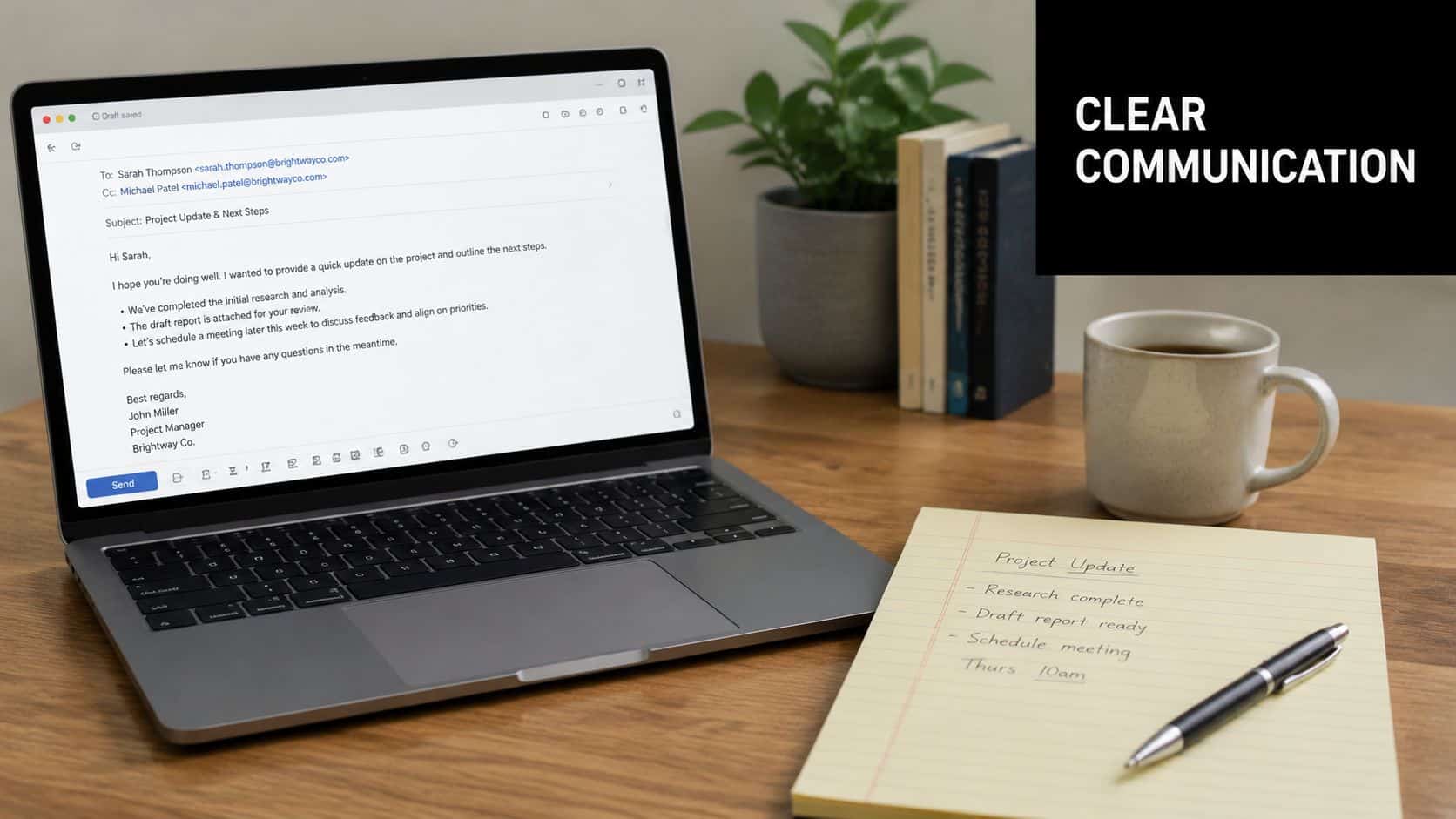
The first message should read like operations, not conflict. Include the itemized list, the return method, the deadline, and the support contact for questions. If shipping is involved, provide the prepaid label, packing instructions, and tracking details up front.
Use language like this in substance:
- List the property clearly: laptop, charger, phone, badge, monitor, peripherals.
- Give one deadline: don't offer multiple dates that create ambiguity.
- Remove friction: include prepaid shipping and simple packing steps.
- Keep the door open: ask the person to confirm receipt and expected ship date.
A calm email with exact instructions does more work than a threatening note with missing details.
Escalate in measured steps
If there's no response, don't improvise. Follow a cadence the company can defend later.
- Initial reminder: confirm the due date and attach the original instructions again.
- Post-deadline notice: note that the deadline passed and restate the item list.
- Formal letter: send a "Failure to Return Company Property Letter" with the original deadline, a detailed inventory, return instructions, and notice that the company may pursue available remedies.
Documentation matters as much as the words. Keep copies of emails, courier notices, tracking records, voicemail logs, and any acknowledgments. If you ever need to show that the company acted reasonably, this file will do the heavy lifting.
For policy language and process design, employee laptop return policies every business needs to know is a useful companion resource.
Navigating Legal Options When Communication Fails
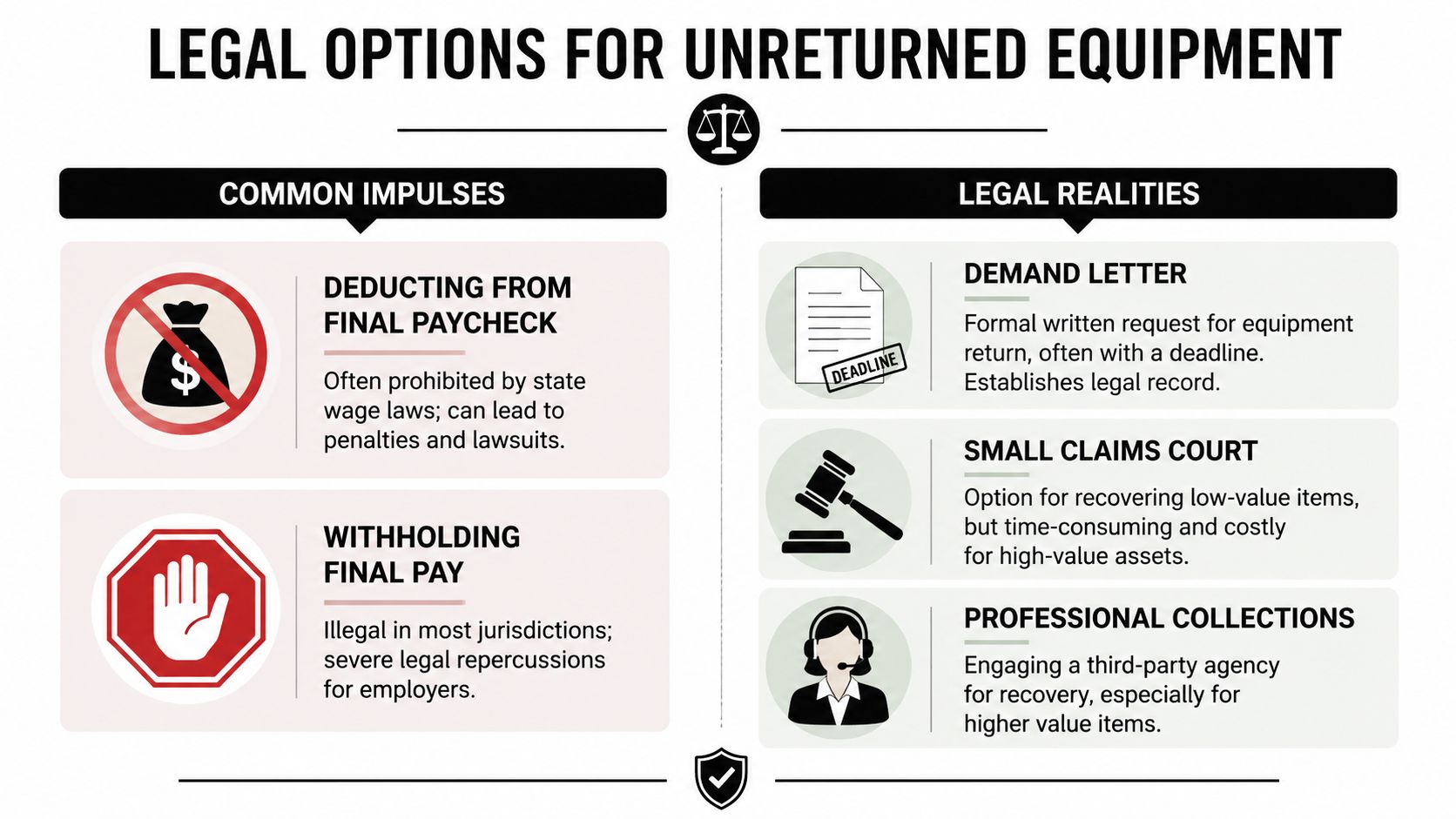
Managers often ask the dangerous question: Can't we just deduct the laptop from the final paycheck?
Usually, that's where avoidable liability starts. In over 30 states, deductions from a final paycheck are unlawful unless the employee agrees in writing at the time of deduction, and a contract return clause by itself usually isn't enough, as explained in this wage-deduction analysis.
The shortcut that usually backfires
A return-of-property clause and a wage-deduction authorization are not the same thing. Companies collapse those concepts all the time. Courts and labor agencies often don't.
That distinction changes the risk calculation:
| Common move | Practical risk |
|---|---|
| Withhold final pay | Can trigger wage claims and penalties |
| Deduct asset value automatically | Often unlawful without separate written authorization |
| Wait and hope | Leaves data, inventory, and evidence issues unresolved |
| Send a formal demand | Creates a record and preserves options |
| File a civil claim | Slower, but usually cleaner legally |
Legal reality: Bad facts around a missing laptop don't justify a bad payroll decision.
Lower-risk escalation paths
If the employee ignores the demand letter, the cleaner route is usually civil recovery. That may mean a letter before action, a small claims filing for the equipment's value, or a broader breach-of-contract claim depending on the circumstances and the asset involved.
Law enforcement is usually not the first call for ordinary offboarding disputes, especially when the company voluntarily gave the employee possession of the property during employment. If facts show intentional withholding and strong documentation supports that conclusion, counsel can assess whether a police report makes sense. Most of the time, the better discipline is to preserve records, keep communications professional, and avoid a wage-law problem that overshadows the original loss.
Vendor controls matter here too. If a third party handles retrieval, shipping, or data services, review them with the same care you'd apply to any regulated supplier. A vendor due diligence checklist helps teams avoid compounding one risk with another.
Logistics of Asset Recovery and Final Disposition
Getting the device back isn't the finish line. It's the point where chain of custody resumes.
When recovered equipment arrives, inspect it immediately. Confirm serial numbers, photograph condition, note missing components, and log who received it. If the packaging was compromised in transit, record that before anyone powers the device on or alters its state.
What happens after the box arrives
Three questions should drive next steps:
- Can the device be safely redeployed?
- Does it need forensic review first?
- Should it move straight into disposition?
Returned assets often contain stale credentials, unsynced files, and local data that never should've left controlled custody. That's why data destruction and sanitization services accounted for 38.20% of the North America IT Asset Disposition market share in 2025, the largest service-type segment, because secure data removal is the primary legal and compliance driver for ITAD, according to North America ITAD market findings.
Close the loop properly
A sound recovery workflow usually includes:
- Condition review: document damage, missing parts, and power-on status.
- Custody record: note who handled the device from receipt through processing.
- Data sanitization: use a defensible wipe or destruction process before reuse, resale, or recycling.
- Disposition decision: redeploy, remarket, destroy, or recycle based on condition and policy.
If your team regularly handles remote departures, how to recover company laptops from remote employees efficiently offers a useful operations lens on return logistics.
Fortifying Your Offboarding Policy to Prevent Recurrence
Reactive recovery is expensive because every department pays for it. HR spends time chasing. IT spends time locking and tracing. Legal spends time unwinding shortcuts. Operations spends time coordinating boxes, labels, and exceptions. Prevention costs less.
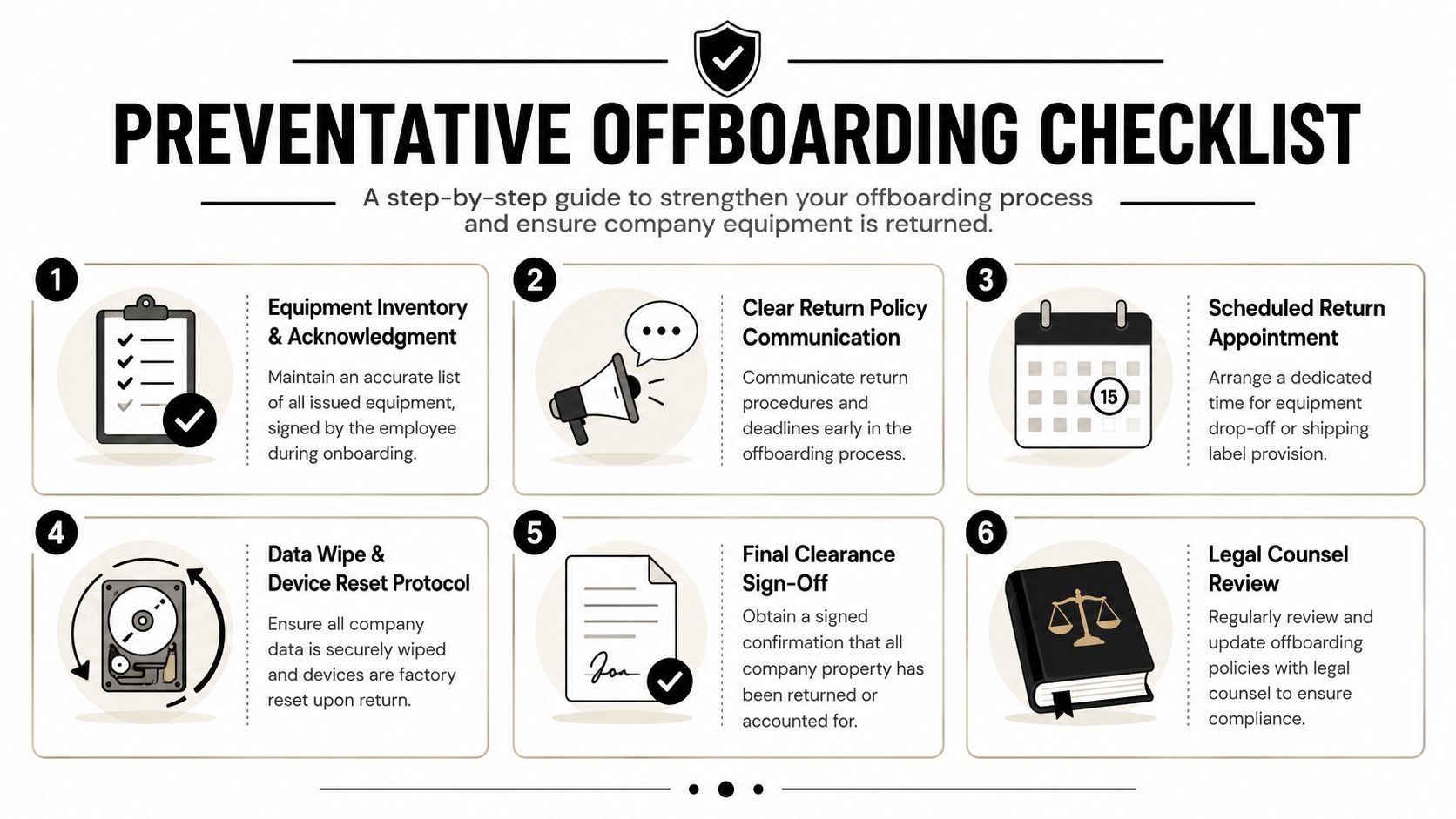
The strongest programs don't rely on memory or goodwill. They rely on acknowledgments, inventory discipline, and a return process that starts before separation day.
Build the policy around proof
Your offboarding documents should answer practical questions, not just legal ones. What was issued, who signed for it, how is return arranged, and who approves final clearance?
A durable policy includes:
- Signed asset acknowledgment: each issued device, accessory, and serial number should tie to one employee record.
- Exit trigger points: HR, IT, facilities, and procurement should each know when a departure notice starts their tasks.
- Standard return method: onsite handoff, prepaid box, courier pickup, or approved drop point.
- Clear ownership: one team should reconcile returned items against the inventory list.
- Exception handling: damaged, lost, or disputed items need a written escalation path.
Automate the reminders, not the judgment
A manual process fails at the exact point people are busiest. Automated follow-ups help because they remove forgetfulness from the equation. A step-by-step recovery protocol that includes automated follow-ups via asset lifecycle platforms can achieve success rates exceeding 85%, with daily reminders improving returns, based on this recovery protocol analysis.
That doesn't mean everything should be automated. Judgment still matters when an employee raises a shipping issue, disputes the inventory, or claims the equipment was lost after separation. The reminders can be automatic. The decisions shouldn't be.
For teams refining broader separation workflows, it's worth reviewing how HR partners understand PEO termination support so equipment recovery sits inside a coherent termination process instead of becoming a last-minute scramble.
A mature remote program also benefits from 10 steps to create a successful remote employee equipment return program, especially when devices, monitors, and peripherals are spread across multiple states.
Frequently Asked Questions on Equipment Recovery
Laptops create the most friction because they're portable, valuable, and data-heavy. That lines up with market reality. The computers and laptops segment held over 43.0% of global IT asset disposition revenue share in 2024, making it the largest asset type category, as detailed in global ITAD segment data.
What if the employee says the laptop was stolen from their car
Document the statement, ask for the date, location, police report details if available, and any insurer information. Don't argue facts by email. Preserve the inventory record, device history, and earlier communications, then evaluate the matter under your loss and negligence policies.
What if the returned device is broken
Treat damage and non-return as separate issues. Log the condition, photograph it on receipt, and determine whether the device needs forensic review, repair assessment, or direct disposition. Avoid emotional exchanges over blame until you have the hardware and the facts.
Should we involve law enforcement for minor accessories
Usually no. A missing mouse, keyboard, or basic cable set rarely justifies escalation outside normal collection and accounting steps. Reserve formal legal escalation for circumstances where the value, intent, or data exposure makes it worth the time and record.
What if the employee won't respond at all
Keep the process disciplined. Confirm all contact methods, send the formal letter, preserve delivery attempts, and move the matter into legal review rather than improvising new threats. Silence is frustrating, but an orderly file is still your best asset.
Do we wipe the device before or after return
If your endpoint stack allows it and policy supports it, securing the device remotely before return can reduce exposure. Once the device is physically back, complete your standard sanitization and disposition process before reuse or recycling.
Contact Beyond Surplus for certified electronics recycling and secure IT asset disposal. For businesses managing unreturned laptops, retired servers, data center gear, or end-of-life IT equipment, Beyond Surplus provides secure data destruction, chain-of-custody documentation, and nationwide pickup support for commercial organizations.


