From Headaches to Handled: Systematizing Your Remote Equipment Returns
Remote work solved one operational problem and created another. When an employee leaves, someone in IT has to recover the laptop, charger, dock, monitor, headset, security keys, and whatever else went out the door months or years ago. If that process lives in email threads and memory, devices disappear, timelines slip, and security exposure grows.
That's why a strong remote equipment return program can't stop at “send them a box.” It has to connect HR triggers, IT controls, shipping logistics, finance rules, and final disposition. Organizations without a structured process often see return rates only in the 70% to 85% range, which means 15% to 30% of issued devices go missing permanently, according to Remo Asset's remote employee laptop return analysis. In practice, that's an avoidable loss problem and a security problem.
The fix is a system. The best programs start fast, remove friction, document every handoff, and make accountability obvious. They also plan for what happens after the box comes back, including data sanitization, condition grading, storage, resale, recycling, or destruction.
This guide lays out 10 steps to create a successful remote employee equipment return program that works at enterprise scale.
1. Establish a Clear Equipment Inventory and Tracking System
If you can't name the device, the user, the serial number, and the current status, you don't have a recovery program. You have a guessing game. Strong return programs begin at issuance, not at offboarding.
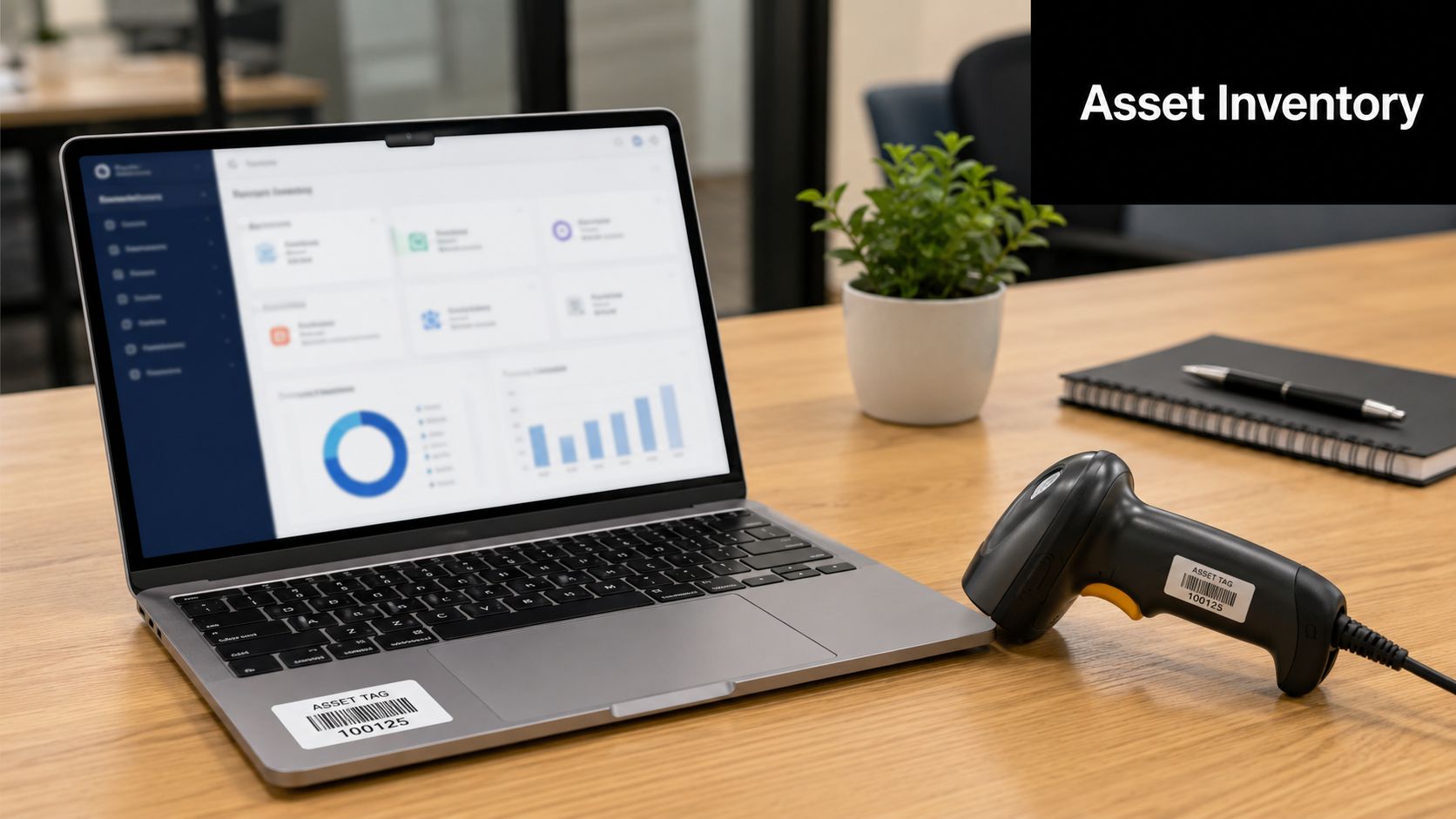
Track each asset by serial number, assigned employee, issue date, condition, accessories, and expected return path. Enterprise teams often manage this in ServiceNow, BMC Helix, or a tightly controlled internal asset portal. The tool matters less than the discipline. Record the same fields every time, and make HR and IT work from the same record.
What a useful inventory record includes
- Device identity: Laptop model, serial number, asset tag, and assigned user.
- Return scope: Charger, dock, monitor, keyboard, phone, adapters, and any specialty peripherals.
- Condition trail: Notes and photos from issue date and return date.
- Workflow status: Issued, return initiated, in transit, received, inspected, sanitized, redeployed, recycled, or destroyed.
A live inventory model also makes escalation possible. ReturnCenter reports that live inventory systems are part of 87% of enterprise HR-IT recovery protocols, and centralized dashboards reduce delayed recoveries by 62% compared with manual logs.
For companies tightening asset control before offboarding, Beyond Surplus's approach to inventory optimization fits well into this first step.
Practical rule: If the serial number wasn't recorded at issuance, recovery gets harder, disputes increase, and chain of custody weakens.
2. Create a Comprehensive Equipment Return Policy Document
Most return problems start with ambiguity. Employees don't know what must come back, managers don't know who owns the process, and HR doesn't know when to trigger it. A policy fixes that.
Write one document that covers resignations, terminations, role changes, relocations, leaves of absence, and lost or damaged assets. Put timelines in plain language. Define what counts as company property. State who sends instructions, who approves exceptions, and what happens if equipment isn't returned.
Policy points that prevent disputes
A useful policy should state:
- Return deadline: The exact window employees must follow.
- Required items: Not just the laptop, but every issued accessory.
- Communication path: Who sends labels, reminders, and receipt confirmation.
- Security expectations: Remote lock, wipe, password handling, and prohibited local data retention.
The strongest policies are attached to onboarding paperwork and acknowledged again during offboarding. Financial firms, healthcare systems, and public sector contractors usually formalize this early because they can't afford policy gaps during separation.
What doesn't work is a one-line handbook clause saying employees must “return company property promptly.” That language creates interpretation problems. Specificity is what gives the process teeth.
3. Implement a Pre-Return Data Wiping and Security Protocol
An employee exits at 10:00 a.m. Their laptop may not be back for a week. That gap is where avoidable risk lives.
Treat security actions and physical recovery as one operating process shared by HR, IT, logistics, and finance. HR confirms the separation event. IT cuts access and decides whether the device should be locked, wiped, or held for evidence. Logistics manages the return path. Finance and asset teams need the record because the device still carries book value until it is received, assessed, and reassigned or disposed of.

Separate immediate access control from final sanitization
These steps serve different purposes, and combining them into one vague instruction causes mistakes.
- At separation: Disable accounts, revoke MFA sessions and tokens, remove SaaS access, and place the endpoint under MDM control if it is still checking in.
- Before return: Decide whether remote wipe is appropriate. For some regulated roles, preservation matters more than immediate erasure if legal hold, investigation, or HR review is in play.
- At receipt: Match the serial number, document chain of custody, inspect the device, and complete the approved wipe, reset, or destruction workflow.
- Before redeployment or resale: Verify sanitization was completed and recorded against the asset record.
That trade-off matters. Remote wipe reduces exposure fast, but it is not always the right first move. A sales laptop with routine business data may justify immediate wipe. A device tied to a harassment complaint, IP dispute, or pending audit may need to be locked and preserved until counsel or compliance signs off.
The FTC guidance on disposing of consumer report information states that businesses must take reasonable measures to protect against unauthorized access to sensitive information during disposal. For IT teams, that means using a documented sanitization method, recording what was done, and making sure the asset is not released for reuse or remarketing until that step is complete.
This is also where retrieval discipline supports security. If you need an operational model that ties laptop recovery to data protection, Beyond Surplus outlines the process in how to recover company laptops from remote employees efficiently and explains the risk side in why remote employee laptop recovery matters for data security.
4. Design a Convenient Equipment Collection and Logistics Process
An employee leaves on Friday, their laptop is still on the kitchen table on Monday, and no one knows whether a box is coming, who is paying for shipping, or what happens to the monitor. That is how simple offboarding turns into asset loss, delayed redeployment, and avoidable tension between HR, IT, and finance.
A workable return process removes decisions from the employee and handoffs from your internal teams. Send the return kit quickly, provide one set of instructions, and give the employee a single path to completion. The easier you make the return, the more likely you are to get the equipment back on time and in usable condition.
Speed matters, but convenience alone is not the goal. Enterprise programs need a logistics model that fits the asset type, employee location, and chain-of-custody requirements. A laptop return for a remote sales rep should not follow the same process as a standing desk, dual monitors, and a dock from a home office closure.
Build return options around the assets and the employee population
Use more than one collection method, but standardize when each one applies.
- Prepaid parcel returns: Best for laptops, phones, tablets, and small accessories that can ship in a standard kit.
- Scheduled carrier pickup: Better for monitor bundles, heavier items, or employees without easy access to a drop-off location.
- Regional office or third-party drop-off: Useful for dense employee populations where local collection reduces shipping cost and transit risk.
- White-glove or coordinated pickup: Appropriate for executive homes, high-value equipment, or bulky furniture that cannot be safely boxed by the employee.
This is an operational decision, not just a shipping decision. HR needs the trigger date. IT needs the assigned asset list. Logistics needs the packaging and label workflow. Finance needs the cost rules for parcel, freight, and exceptions.
Clear packaging standards help just as much as carrier choice. Include the box, cushioning, tamper-evident labeling when needed, printed instructions, and a return identifier tied to the asset record. If employees have to guess how to pack a monitor or which charger belongs in the box, damage rates and dispute rates go up.
For teams building that workflow, Beyond Surplus outlines practical steps in how to recover company laptops from remote employees efficiently.
One more trade-off is worth planning for. Fast shipment gets assets moving, but oversized kits, rushed packaging, and one-size-fits-all carrier rules can increase cost and breakage. The right process is the one employees can follow correctly the first time, while giving IT and operations a traceable return path from home office to intake.
5. Develop Equipment Condition Assessment and Acceptance Criteria
Returned doesn't always mean reusable. Some devices come back in excellent shape and can go straight into redeployment. Others are dented, incomplete, password-locked, or dead on arrival. If you don't use a consistent grading method, every return becomes an argument.
Use a standard condition scale such as good, fair, poor, and non-functional. Pair each grade with photo examples and basic test criteria. Apple-style trade-in logic is useful here. Cosmetic wear is acceptable. Cracked screens, bent frames, liquid indicators, or missing components usually change the disposition path.
Grade the asset, not the employee
That sounds obvious, but it matters. Keep the review factual.
- Visual check: Screen, keyboard, ports, housing, labels, and accessories.
- Functional check: Power-on, battery health, connectivity, webcam, and storage detection.
- Completeness check: Charger, dock, adapters, and any assigned peripherals.
Document the result and tie it back to the original issuance record. That protects the company and the employee if there's a dispute over pre-existing damage. It also helps finance and IT decide whether the asset belongs in refurbish, resale, recycling, or destruction.
6. Create a Secure Temporary Storage and Holding Area
The return isn't finished when the package lands at your office or processing site. There's a vulnerable period between receipt and final disposition, and that's where weak controls create avoidable risk.
Returned devices should go into a locked, access-controlled holding area with barcode intake, shelf locations, and clear separation between data-bearing assets and low-risk peripherals. Healthcare and financial organizations usually do this well because they treat the holding area as part of the compliance chain, not just a spare room.
Don't let holding become a graveyard
The storage area needs rules, not just shelves.
- Access control: Limit entry and log who enters.
- Time control: Set a maximum holding period before sanitization or handoff.
- Segregation: Keep drives and laptops separate from monitors and accessories.
- Auditability: Match what's on the shelf to what's in the system.
Some organizations use modular storage when they need flexibility across sites. For distributed operations, UK modular storage for businesses shows the kind of controlled space planning many facilities teams look for, even if the operating model differs by market.
What fails here is informal storage. Devices stacked in an open IT room, unlabeled carts, and shared access all break chain of custody.
7. Establish Clear Roles, Responsibilities, and Accountability Measures
Cross-functional failure is common in remote recovery. HR thinks IT owns the process. IT thinks managers should chase employees. Finance only hears about missing assets at write-off time.
Write down who does what. A simple RACI model works well. HR triggers offboarding. IT confirms assigned assets and initiates security actions. Logistics sends kits or schedules pickup. Finance handles non-return escalation or write-off review. Legal advises on policy enforcement where needed.
A workable ownership model
In practice, these assignments keep things moving:
- HR: Notify IT immediately when separation is confirmed.
- IT: Validate asset list, disable access, and accept returned equipment.
- Managers: Reinforce deadlines and recover team-issued extras.
- Finance: Review loss treatment, recovery credits, and unresolved exceptions.
This is also where executive sponsorship helps. Programs improve when one senior owner reviews missed returns, policy exceptions, and department-level patterns instead of leaving the process buried in operations.
The cleanest return programs have one accountable owner, even when several teams touch the workflow.
8. Implement Automated Reminders and Compliance Tracking Systems
Manual chasing doesn't scale. Its failures often go unnoticed because no one remembers which employee got which reminder and when escalation should happen.
Automated follow-up works better. ReadyCloud reports that automated email and SMS reminders through asset lifecycle platforms drive 88% higher return compliance than manual tracking. Their guidance also stresses photo proof of packing and serial number verification before shipment, which strengthens the audit trail.
What automation should handle
The system should trigger messages when HR changes the employee's status and update the case when the asset moves.
- Reminder cadence: Initial notice, overdue notice, manager escalation, final demand.
- Status visibility: Awaiting shipment, in transit, delivered, inspected, closed.
- Evidence capture: Packing photos, tracking number, and serial confirmation.
Platforms like Workday and ServiceNow can support this through workflow tickets or integrated offboarding tasks. The point isn't sophistication for its own sake. The point is that nobody should have to remember to send the next message manually.
9. Establish Financial Recovery and Cost Allocation Procedures
Missing equipment becomes a finance issue quickly. If no one decides how to handle replacement, residual value, departmental accountability, or certified disposition credits, losses disappear into overhead and keep repeating.
Set the rule before the first dispute. Define how your company treats unreturned equipment, irreparable damage, and assets that still have resale or reuse value. Then make sure finance can reconcile the asset record to the accounting record.
A practical model separates three outcomes: reusable assets go back into service, marketable assets go to buyback or remarketing, and non-usable assets move to certified recycling or destruction. For Georgia-based organizations looking to offset replacement spending where possible, Beyond Surplus explains the recovery side in how Georgia businesses can maximize value with ITAD services.
Don't ignore peripherals
Laptops get attention. Accessories often don't. ReturnCenter's article on HR and IT coordination notes that non-laptop peripherals account for 15% to 20% of lost asset value when policies and kits don't clearly include them.
That matters because docks, monitors, specialty keyboards, and adapters add up fast across a distributed workforce. Finance should see them in the same recovery framework as primary devices.
10. Create Documentation and Compliance Audit Trail
If a regulator, auditor, customer, or internal investigator asks what happened to a returned device, you should be able to answer without reconstructing the story from email.
Keep a complete file from issuance through final disposition. That includes the original assignment record, return notice, shipping evidence, receipt confirmation, condition photos, sanitization record, chain of custody, and final outcome. If a third party handles destruction or recycling, obtain formal certificates.
The records that matter most
- Issuance records: Who received what, when, and in what condition.
- Transfer records: Labels, tracking, receipt date, and intake confirmation.
- Disposition records: Wipe confirmation, destruction documentation, or recycling certificate.
Receipt timing matters too. Best-practice guidance says companies should confirm receipt within 24 hours of return so delays and discrepancies can be escalated immediately, as noted earlier in industry guidance. Once the asset leaves your hands for final processing, maintain the handoff record through completion.
Beyond Surplus supports that final step with documented reporting and certificates of destruction, which is exactly the kind of evidence compliance teams want on file.
10-Step Remote Equipment Return Comparison
| Item | 🔄 Implementation Complexity | ⚡ Resource Needs & Efficiency | 📊 Expected Outcomes | ⭐ Key Advantages | 💡 Ideal Use Cases |
|---|---|---|---|---|---|
| Establish a Clear Equipment Inventory and Tracking System | Medium–High: software + integrations | Asset management software, CMDB integration, ongoing maintenance; high efficiency once implemented | Real-time visibility; higher recovery & auditability | Eliminates ownership ambiguity; supports buyback | Large distributed orgs; regulated industries; buyback programs |
| Create a Comprehensive Equipment Return Policy Document | Medium: legal & HR review required | Legal counsel, HR time; low tech overhead | Clear expectations; fewer disputes; legal defensibility | Standardizes process; supports compliance | All orgs with remote staff; regulated sectors |
| Implement a Pre-Return Data Wiping and Security Protocol | Medium–High: compliance standards to follow | Wiping tools, IT staff or ITAD partner, training; can be time-consuming | Reduced breach risk; verifiable compliance records | Protects sensitive data; provides destruction certificates | Healthcare, finance, government, high-sensitivity data environments |
| Design a Convenient Equipment Collection and Logistics Process | Medium: logistics coordination | Shipping labels, packaging, pickup partners, portal; variable cost per return | Higher return rates; streamlined logistics | Reduces employee friction; scalable collection | Widely distributed workforces; nationwide operations |
| Develop Equipment Condition Assessment and Acceptance Criteria | Medium: standards + training | Trained assessors, testing tools, photo documentation | Consistent acceptance decisions; accurate residual valuation | Prevents disputes; enables refurbishment/resale | Buyback/refurb programs; leasing companies |
| Create a Secure Temporary Storage and Holding Area | Medium–High: facility & security setup | Secure space, climate control, surveillance, inventory controls; ongoing costs | Controlled chain-of-custody; reduced loss/theft | Protects data & assets during processing | High-volume returns; sensitive-device programs |
| Establish Clear Roles, Responsibilities, and Accountability Measures | Low–Medium: cross-functional alignment | Management time, governance docs, training | Consistent program execution; fewer handoff gaps | Clarifies ownership; enables escalation paths | Cross-functional enterprises; scaling organizations |
| Implement Automated Reminders and Compliance Tracking Systems | Medium: system integrations | Automation software, HR/asset integration, messaging channels | Improved return rates; documented communication trail | Reduces manual work; scalable enforcement | Large headcount; high turnover or remote-first firms |
| Establish Financial Recovery and Cost Allocation Procedures | Medium: finance & legal coordination | Finance systems, valuation models, policy docs | Cost recovery; accurate TCO and budgeting | Incentivizes returns; captures residual value | Organizations with high-value devices; cost-sensitive budgets |
| Create Documentation and Compliance Audit Trail | Medium–High: comprehensive records | Document systems, storage, admin effort; archival costs | Audit readiness; legal and regulatory proof | Demonstrates due diligence; supports audits | Regulated industries (SOX, HIPAA, FedRAMP) and litigation-prone contexts |
Build a Secure, Compliant, and Cost-Effective Return Program
A remote equipment return program works when it removes uncertainty. Employees know what to send back. HR knows when to trigger the process. IT knows which controls to apply first. Logistics knows how the equipment moves. Finance knows how losses, recovery, and disposition are handled. When those pieces connect, the program stops feeling like emergency cleanup and starts operating like a real asset lifecycle system.
That shift matters because the risks are layered. Lost hardware creates replacement pressure. Delayed returns leave devices sitting outside your control. Weak documentation makes audit questions harder to answer. Poorly packaged shipments create damage and chain-of-custody issues. And if peripherals aren't tracked with the same discipline as laptops, value leaks out in small but constant ways.
The best programs share a few habits. They start the return process immediately after separation is known. They use live inventory instead of spreadsheets passed around by email. They send prepaid kits quickly, set a short deadline, and automate reminders instead of relying on individual follow-up. They also treat data sanitization, intake inspection, temporary storage, and final disposition as one continuous process rather than separate tasks owned by disconnected teams.
There are trade-offs, of course. In-house programs can give IT tighter control, but they often struggle with nationwide logistics, storage capacity, and consistent downstream documentation. Partnering with an experienced ITAD provider usually makes more sense when your workforce is distributed, your compliance requirements are strict, or your internal team doesn't have time to coordinate packaging, transport, destruction, and recycling at scale.
For many organizations, that's where Beyond Surplus fits. The company supports business and enterprise clients with secure data destruction, electronics recycling, IT asset disposition, and nationwide pickup coordination. That combination matters because a return program isn't complete when the laptop shows up. It's complete when the chain of custody is documented, the data risk is closed, and the asset has been properly reused, recycled, or destroyed.
If you're building or repairing your process, start with discipline at issuance, speed at offboarding, and documentation at every handoff. Those three decisions change almost everything.
Beyond Surplus helps organizations turn remote equipment returns into a controlled, auditable process with secure data destruction, certified electronics recycling, and nationwide IT asset disposition support. If your team needs a partner for offboarding logistics, chain-of-custody documentation, or final disposition, contact Beyond Surplus.