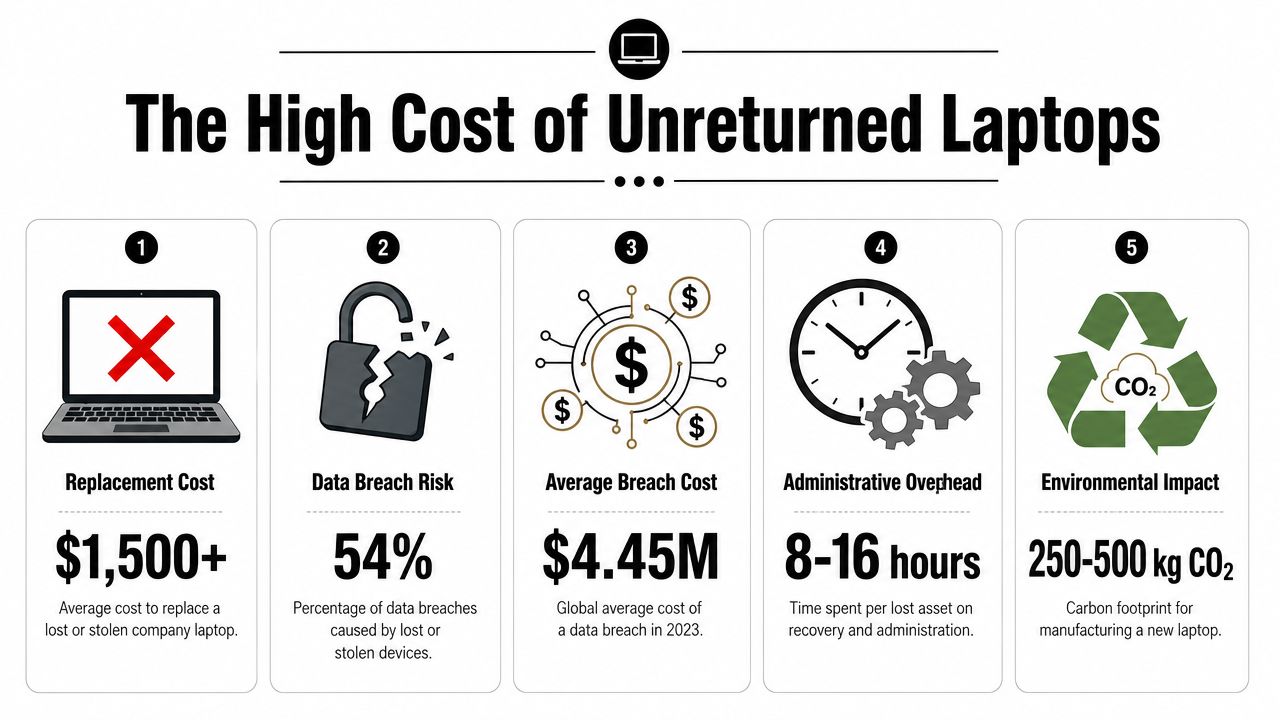
A weak laptop return policy doesn't create a small administrative nuisance. It creates an asset loss problem, a data security problem, and a compliance problem at the same time. Organizations without structured remote return processes see only 70 to 85% return rates, which means 15 to 30% of assigned devices go missing permanently, and each unreturned laptop can represent $1,000 to over $3,000 in direct loss according to remote laptop recovery findings.
That's why employee laptop return policies need to be treated as a risk mitigation framework, not a line item in HR offboarding. The policy has to define obligations early, remove friction at separation, preserve chain of custody, and route each recovered device into the right end-of-life path. If any of those pieces are weak, the business absorbs the cost.
The High Cost of Unreturned Laptops
Companies usually discover an unreturned laptop after control has already broken down. The device is still assigned in the asset system, no one can confirm its location, and the data on it is no longer under verified custody.
The financial hit starts with the hardware, but it rarely ends there. A missing laptop can force an unnecessary replacement purchase, leave software licenses tied up, and remove a usable device from refresh and redeployment plans. If the endpoint still holds customer records, employee data, saved credentials, or regulated information, the loss can also trigger legal review, notification costs, and audit exposure.
Loss doesn't stop at hardware value
From an IT asset management standpoint, the bigger problem is control failure. Once a laptop misses its return window, the business loses certainty on four points at once: who has the device, whether accessories came back, whether local data still exists, and whether the asset record is still accurate enough to support audit or insurance review.
That uncertainty creates operational cost fast. Procurement replaces devices that should have been recovered. IT spends time chasing return status instead of closing tickets, preparing refresh inventory, or certifying recovered machines for reuse. Finance writes off assets that might still be recoverable, but no one can prove it.
I treat delayed recovery as a risk multiplier, not an admin delay.
A disciplined return process also protects documentation quality. Quarterly verification and documented recovery controls help catch assignment errors before separation exposes them, which is one reason why remote employee laptop recovery matters for data security.
Delays create security exposure
Time matters. Every extra day that a company-issued laptop remains outside confirmed custody extends the period in which the organization may still be responsible for the data on it without controlling the device itself.
That is the point many teams miss. Offboarding may be complete in HR, but risk remains open in IT until the laptop is returned, inspected, and either wiped or routed into the correct disposition path. If records are incomplete, the company cannot show who last held the device, what was stored locally, or whether security controls were still active at the time possession was lost.
This is also why policy language has to align with handbook language and enforcement practice. Teams updating return obligations should review the Lerner & Weiss APC handbook guidance so ownership, acknowledgment, and recovery requirements are documented clearly enough to support consistent action.
The cost of an unreturned laptop is not just depreciation. It is unresolved asset status, extended data exposure, and avoidable compliance risk.
Crafting Your Bulletproof Laptop Return Policy
A usable policy is short, specific, and enforceable. Most failures come from ambiguity. If the policy doesn't say who must return what, by when, in what condition, and through which process, people fill in the gaps themselves.
Put the obligation in writing early
The policy should apply to employees, contractors, and anyone else issued company hardware. It should also define covered equipment clearly. Don't just say “laptop.” Name the categories you assign and track, such as laptop, docking station, monitor, keyboard, mouse, charger, security key, headset, and any specialized peripherals.
For the policy language itself, handbook consistency matters. Employment counsel often stresses that enforceable expectations need to be documented clearly and applied consistently. That's why the Lerner & Weiss APC handbook guidance is useful reading for teams aligning HR documents with operational controls.
The clauses that can't be missing
Use a checklist when drafting or revising the document:
- Scope and ownership: State that all issued equipment remains company property, regardless of work location.
- Employee acknowledgment: Require a signed acknowledgment during onboarding. Include serial numbers and issued accessories where possible.
- Trigger events: Define return requirements for termination, resignation, role changes, leave events, and hardware refresh cycles.
- Return condition: Specify that equipment must be returned with all issued accessories and without unauthorized modifications.
- Return method: Identify approved methods such as company-provided shipping kit, scheduled pickup, or designated office handoff.
- Deadline: State the exact return window and when the clock starts.
- Non-compliance consequences: Explain what happens if the employee ignores instructions, delays shipment, or returns incomplete equipment.
- Data handling: Prohibit employees from attempting informal wiping, resetting, or disposing of devices on their own.
Write the policy so operations can use it
A policy isn't helpful if legal likes it but IT can't run it. The strongest versions map directly into workflows and ticketing. If HR changes an employee status, the return process should trigger immediately and pull the assigned asset record into the case.
That's where many organizations improve after their first round of mistakes. They stop writing a generic offboarding paragraph and build a real program around it. This step-by-step guide to create a successful remote employee equipment return program is a useful operational companion to the policy itself.
The best laptop return policy reads like an ownership document, not a suggestion.
Keep consequences realistic and documented
The policy should state that failure to return company property may lead to escalation through payroll, legal, tax, or collections processes where applicable under governing law and company agreements. It should not make threats the business won't enforce.
That's the practical standard. If your policy promises aggressive action but your team never follows through, employees learn quickly that the document has no weight. Clear expectations and consistent enforcement work better than dramatic language.
Designing a Seamless and Secure Return Workflow
Companies that make returns easy recover more devices. According to remote return workflow data, programs with a clear 10-business-day return window and company-paid, pre-labeled shipping outperform workflows that leave ex-employees to sort out cost, packaging, or timing on their own. That gap is not an administrative nuisance. It is direct exposure in the form of replacement spend, delayed redeployment, and laptops that remain outside your chain of control.
What the workflow should look like
A good return workflow removes guesswork. If employees, managers, or IT coordinators have to improvise, recovery rates fall and exception handling gets expensive fast.
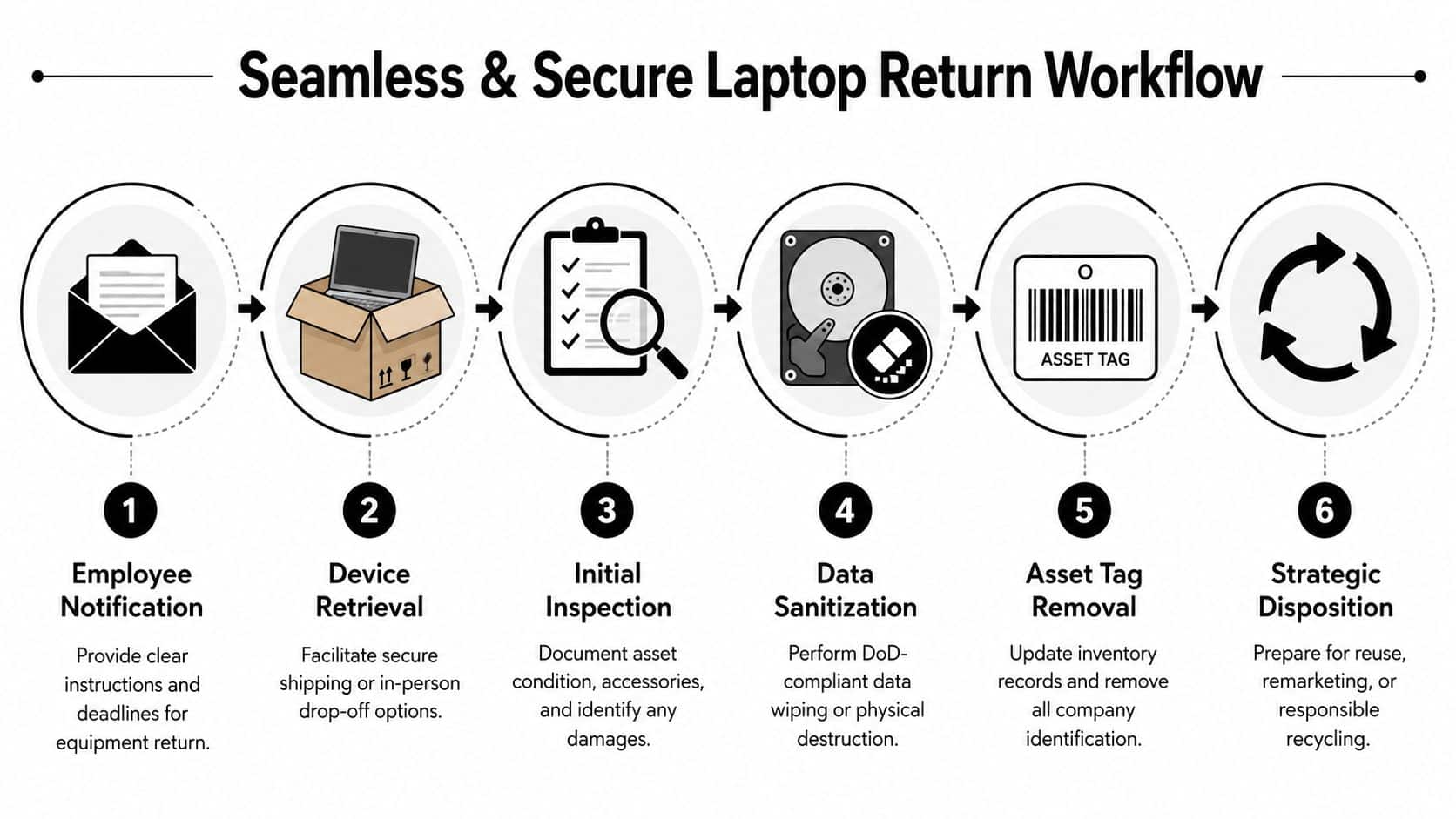
The process should run in a fixed order:
- Open the return case as soon as separation is confirmed. Pull in the assigned asset record, user details, shipping address, and required accessories.
- Send written instructions the same day. State the deadline, approved return method, what must be included, and who to contact for help.
- Issue a return kit. Use pre-labeled, trackable shipping and packaging that protects the device in transit.
- Monitor the shipment proactively. Follow tracking, send reminders before the due date, and escalate when no scan activity appears.
- Inspect the device on receipt. Match the serial number, note physical condition, and record missing items before the asset changes status.
- Move the device into the next approved queue. Intake, storage, sanitization, repair triage, and disposition should each have a defined owner.
Each step closes a specific risk. Immediate case creation prevents lost time and bad addresses. Written instructions reduce disputes about deadlines or missing accessories. Trackable shipping narrows the gap between "sent back" and "received." Intake inspection creates the record you need if the device comes back damaged, incomplete, or swapped.
Company-paid shipping protects the recovery rate
Leaders sometimes treat return shipping as a cost to trim. In practice, it is a control point. If a departing employee has to print labels, find a box, pay a carrier, or front a reimbursable expense, return friction goes up and asset recovery goes down.
Company-paid kits also produce better records. The business chooses the carrier, controls the label, captures tracking data, and standardizes packaging. That makes exceptions easier to manage, especially for remote staff who are traveling, relocating, on leave, or no longer near a company office.
Teams that want to tighten these handoffs can use this guide on how to streamline laptop returns during remote employee offboarding to improve the operating details.
Build controls into the handoff
A return workflow should be easy for the employee and strict for the business. Those are not competing goals. The employee needs a simple set of actions. The company needs documentation strong enough to support finance, security, and compliance if something goes wrong.
A few controls do most of the work:
- Use trackable return kits: This creates timestamped shipment visibility and reduces disputes over whether a laptop was sent.
- Require intake logging: Record receipt date, serial number, condition, accessories, and the name of the person who accepted the device.
- Set deadline escalations in advance: Missed return dates should trigger reminders, manager escalation, and formal follow-up on a defined schedule.
- Separate receipt from downstream processing: The person checking in the asset should confirm what arrived, not make assumptions about repair status or data handling.
- Document exceptions as their own cases: Travel delays, international returns, damaged shipments, and inaccessible addresses need auditable notes, not side conversations.
Many programs falter at this stage. The laptop is returned, but nobody can prove when it arrived, whether it matched the assigned asset, or whether accessories were missing at intake. At that point, a routine offboarding task turns into a preventable loss event.
If the employee has to figure out packaging, printing, or payment, the workflow is already lowering the return rate.
Ensuring Data Security and Chain of Custody
Getting the laptop back is only half the job. The legal exposure sits in the data, not the aluminum.
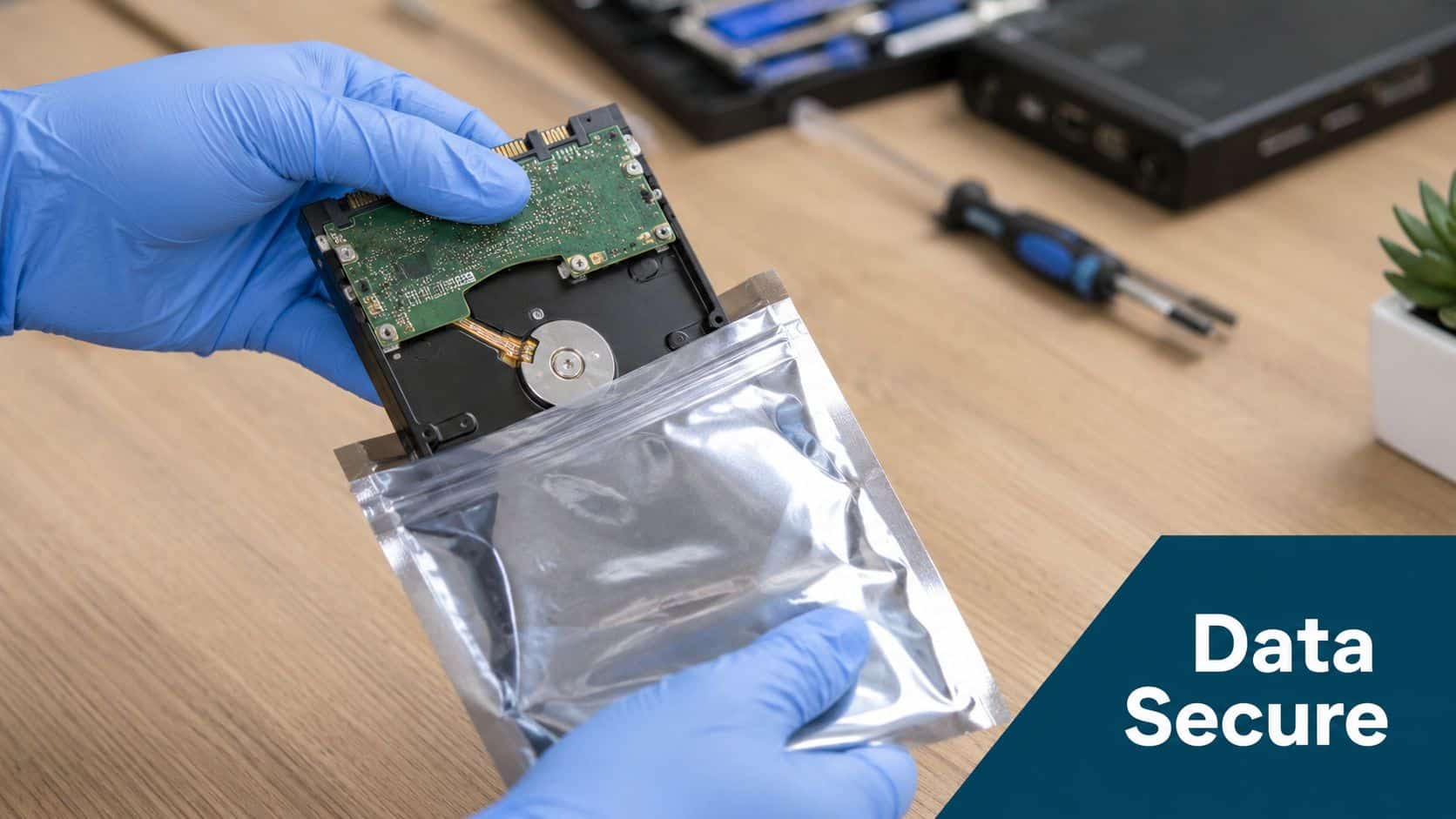
A compliant employee laptop return policy must require data erasure using NIST 800-88 Rev. 1 so sensitive data is removed irreversibly, and failure to follow that standard can violate rules such as the FTC Disposal Rule according to this NIST-based compliance checklist.
Factory reset is not a compliance program
Many businesses still rely on ad hoc wiping. A technician resets the machine, the device boots to a welcome screen, and everyone assumes it's clean. That may be convenient, but it isn't a defensible control framework.
NIST 800-88 Rev. 1 is the standard to anchor the policy around because it defines recognized sanitization methods. It also supports documentation, which is what matters when auditors, counsel, customers, or internal security teams ask for proof.
Chain of custody needs timestamps and names
Chain of custody means the business can show who had the device, when it changed hands, where it was stored, when it was sanitized, and what happened next. If there's a gap in that history, the company can't prove proper handling.
A usable chain-of-custody record should include:
- Asset identification: Serial number, asset tag, model, and assigned user
- Transfer events: Shipment, receipt, internal handoff, and storage location
- Condition notes: Damage, missing components, or evidence of tampering
- Sanitization evidence: Wipe method or destruction method, date, and operator
- Final documentation: Certificate of Data Destruction and disposition record
Auditability is the difference between “we believe it was wiped” and “we can prove how and when it was wiped.”
For organizations operating under strict governance requirements, the process becomes defensible under these conditions. The value of documented custody is covered well in this explanation of ITAD chain of custody in Georgia and why it matters.
Certificates matter because memory doesn't
People leave. Vendors change. Security incidents get investigated months later. If the only evidence of sanitization is an internal comment or a technician's recollection, the company is exposed.
The policy should require verifiable logs and a Certificate of Data Destruction for covered assets. That closes the loop between retrieval and compliance, and it prevents the common mistake of treating wipe status as an informal IT note instead of a legal record.
Choosing the Right End-of-Life Disposition Path
Disposition is where recovered equipment either returns value to the business or creates preventable loss. A weak decision here turns a secured return into wasted spend, audit exposure, or both.
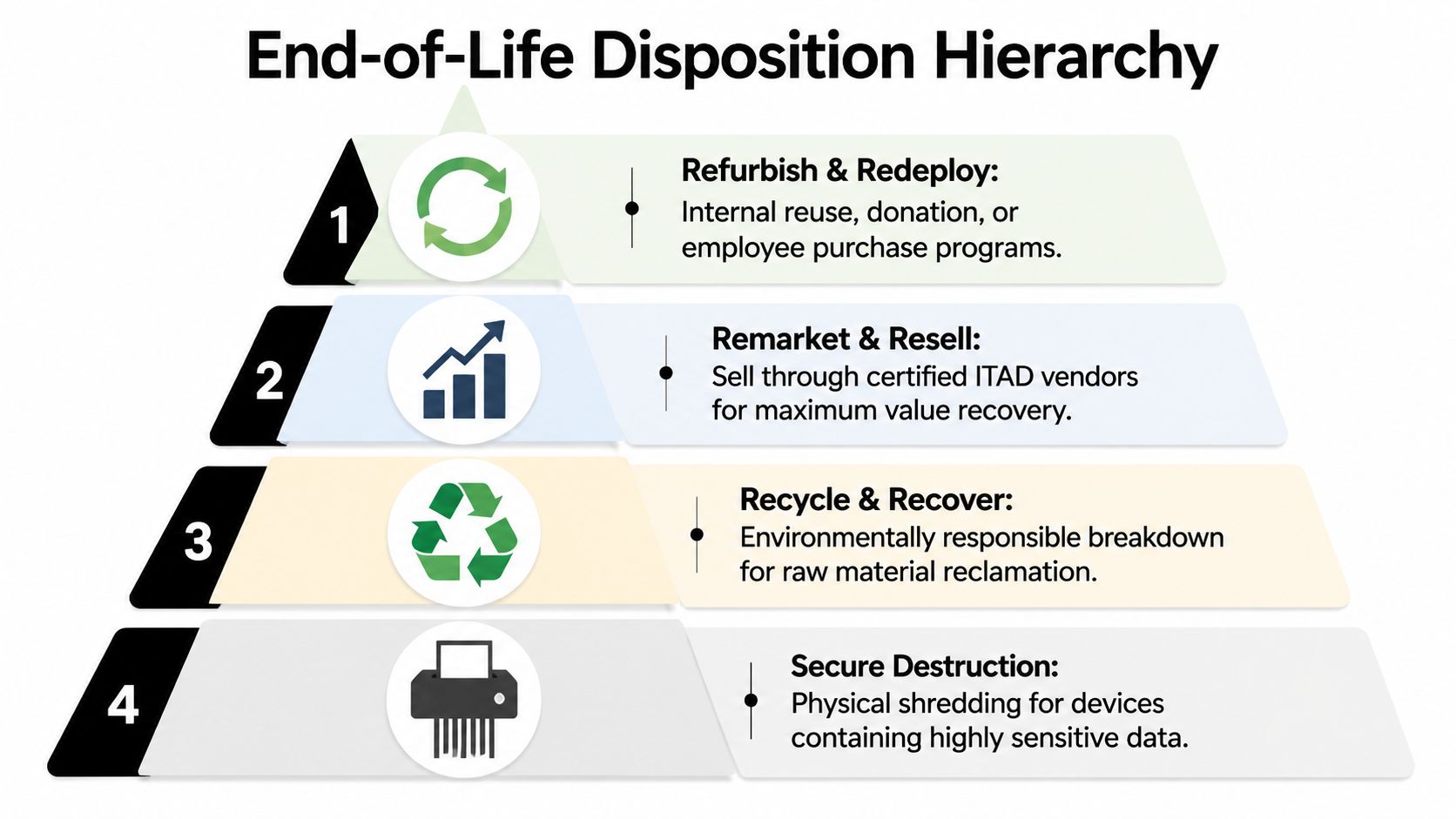
The policy should force one question at this stage: which outcome gives the company the best financial result without creating unacceptable security or compliance risk? That decision should never be informal. It needs criteria, approvals, and a documented path for every asset class.
Use a disposition hierarchy that protects value first
Most organizations should evaluate end-of-life options in this order:
| Path | Best use case | Main advantage | Main caution |
|---|---|---|---|
| Redeploy | Recent device, good condition, current business need | Avoids new hardware spend and shortens provisioning time | Requires standard rebuild, supportability review, and clean asset records |
| Resell | Marketable device with remaining resale demand | Recovers part of the original cost | Needs accurate grading, verified sanitization, and resale controls |
| Recycle | Obsolete or damaged device | Removes dead inventory and supports environmental handling requirements | Must include documented downstream processing |
| Destroy | Highly sensitive asset or failed media | Reduces residual data exposure | Eliminates any remaining resale value |
Redeployment usually delivers the strongest business case. If the laptop still meets your hardware baseline, runs supported software, and can be reissued without exception handling, keeping that asset in service is often cheaper than buying new equipment. In practice, I treat redeploy as the default only if the device can pass rebuild, battery, and lifecycle standards without consuming more labor than it saves.
Resale is the next option when the hardware still has market value but no internal role. Many companies lose margin at this stage through poor documentation. If finance, IT, or security cannot verify model, specs, condition, sanitization status, and release approval, the asset sits in a cage while its resale price drops.
Set clear rules for recycle versus destroy
Recycling should be the planned outcome for obsolete systems, damaged units with low recovery value, or devices that fail cost-of-repair review. The control point is documentation. Environmental handling cannot rely on vendor assurances alone. Your team should be able to trace what was recycled, when it left custody, and how the downstream processor handled it. Strong audit records help ensure compliance and security when regulators, customers, or internal audit ask for proof.
Destruction is justified for failed drives, devices exposed to regulated data sets, or assets assigned to high-risk functions where residual risk outweighs recovery value. That should be a policy decision, not an emotional one. Destroying everything is expensive. Reselling everything is careless.
A good policy removes that guesswork. It defines who can approve each path, what technical checks are required, and which exceptions go to security or compliance review. Teams building those decision rules can use this ITAD vendor due diligence checklist to align disposition choices with downstream processing standards.
The right disposition path should do two things at once. Recover value where controls allow it, and close risk where they do not.
What to Demand from Your IT Asset Disposition Partner
An ITAD vendor sits at the point where recoverable value can turn into write-offs, audit gaps, or a reportable incident. If that partner cannot prove what happened to each laptop after receipt, your company still carries the financial and compliance risk.
The standard is evidence, not promises.
Core requirements for your partner
Ask the vendor to show how they control assets at each handoff and how they document every final outcome. Marketing language does not protect you in an audit. Asset-level records do.
- Verified chain of custody: Intake records, transfer logs, serialized asset tracking, and documented custody changes from pickup through final disposition.
- Defensible data sanitization: NIST-aligned wiping or physical destruction, plus records that tie the sanitization result to the specific device or drive.
- Disposition reporting by outcome: Redeployed, resold, recycled, and destroyed assets should be reported separately so finance, security, and compliance can review the right exceptions.
- Operational support for returns at scale: Pickup coordination, packaging support, mail-back handling, and a defined process for damaged, missing, or mismatched devices.
- Audit-ready certificates and reports: Data destruction and recycling documentation should be specific enough for legal review, customer questionnaires, and internal audit testing.
A weak vendor often looks acceptable until you ask for proof tied to a serial number.
Some can pick up pallets on time but cannot reconcile what was received against what your records show as shipped. Others can erase data but cannot document where the device was between employee return, consolidation, processing, and release. Generic certificates are another common failure point. They create paperwork, but they do not close exposure if a regulator, customer, or insurer asks for asset-level evidence.
Procurement, security, and IT operations should evaluate the same control points. A structured ITAD vendor due diligence checklist helps keep that review focused on chain of custody, reporting quality, downstream processing, and compliance support.
Choose the partner that lowers uncertainty and shortens exception handling. The right provider helps your team recover resale value faster, document destruction cleanly, and defend every disposition decision with records. If your vendor creates blind spots, delays, or vague reporting, they are increasing risk and reducing recovery at the same time.
Contact Beyond Surplus for certified electronics recycling and secure IT asset disposal.