

A technology refresh has just finished. New laptops are deployed, the old desktops have been disconnected, and the retired equipment is now stacked in a storeroom because nobody wants to make the wrong disposal decision. That temporary holding area can become a business risk when devices still contain company data, valuable materials, or regulated components.
Why businesses should recycle old computers is a question about more than clearing floor space. The right process protects information, supports compliance, recovers usable value, and gives operations teams a documented way to close the asset lifecycle. Commercial computer recycling also differs from an informal drop-off because businesses need inventory control, secure transport, verified sanitization, and records that stand up to internal review.
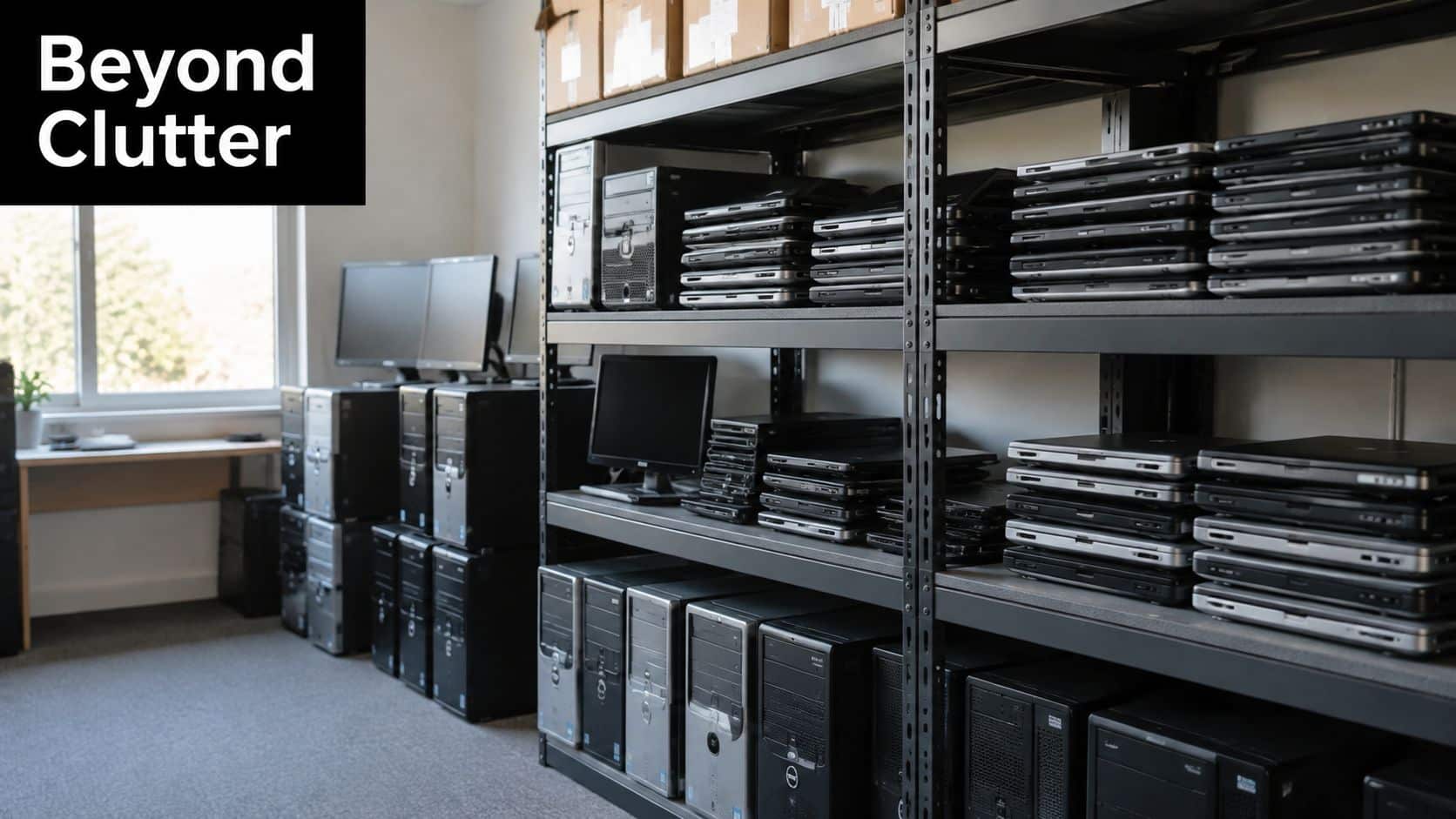
A practical program starts by treating every retired computer as an asset with a condition, a data status, and a final disposition. Some equipment may be suitable for reuse or resale after verified wiping. Other devices should go directly to material recovery or physical destruction. Businesses can also review why electronic recycling matters for data security and environmental responsibility before building a policy that fits their refresh cycles, office moves, and audit requirements.
Table of Contents
- Understanding the Scale of Business E Waste and Why It Matters Now
- Protecting Sensitive Data Through Certified Destruction
- Meeting Compliance Requirements and Transferring Liability
- Unlocking Environmental and Financial Value From Retired Computers
- How to Evaluate an ITAD Provider and Manage Logistics Securely
- Your Next Steps to Recycle Old Computers With Confidence
Understanding the Scale of Business E Waste and Why It Matters Now
Electronic waste has become a supply-chain problem disguised as a disposal problem. A retired laptop may look small, but thousands of devices moving through enterprise refreshes create a steady flow of computers, monitors, servers, drives, cables, and peripherals that require controlled handling.
In 2022, the world generated 62 million tonnes of e-waste, while only 22.3% was formally collected and recycled, according to the Global E-waste Monitor 2024. Roughly 13.8 million tonnes were properly processed, leaving the remainder landfilled, dumped, or otherwise unmanaged. The same source reports that global e-waste is rising by about 2.6 million tonnes per year, with annual volume projected to reach 82 million tonnes by 2030.
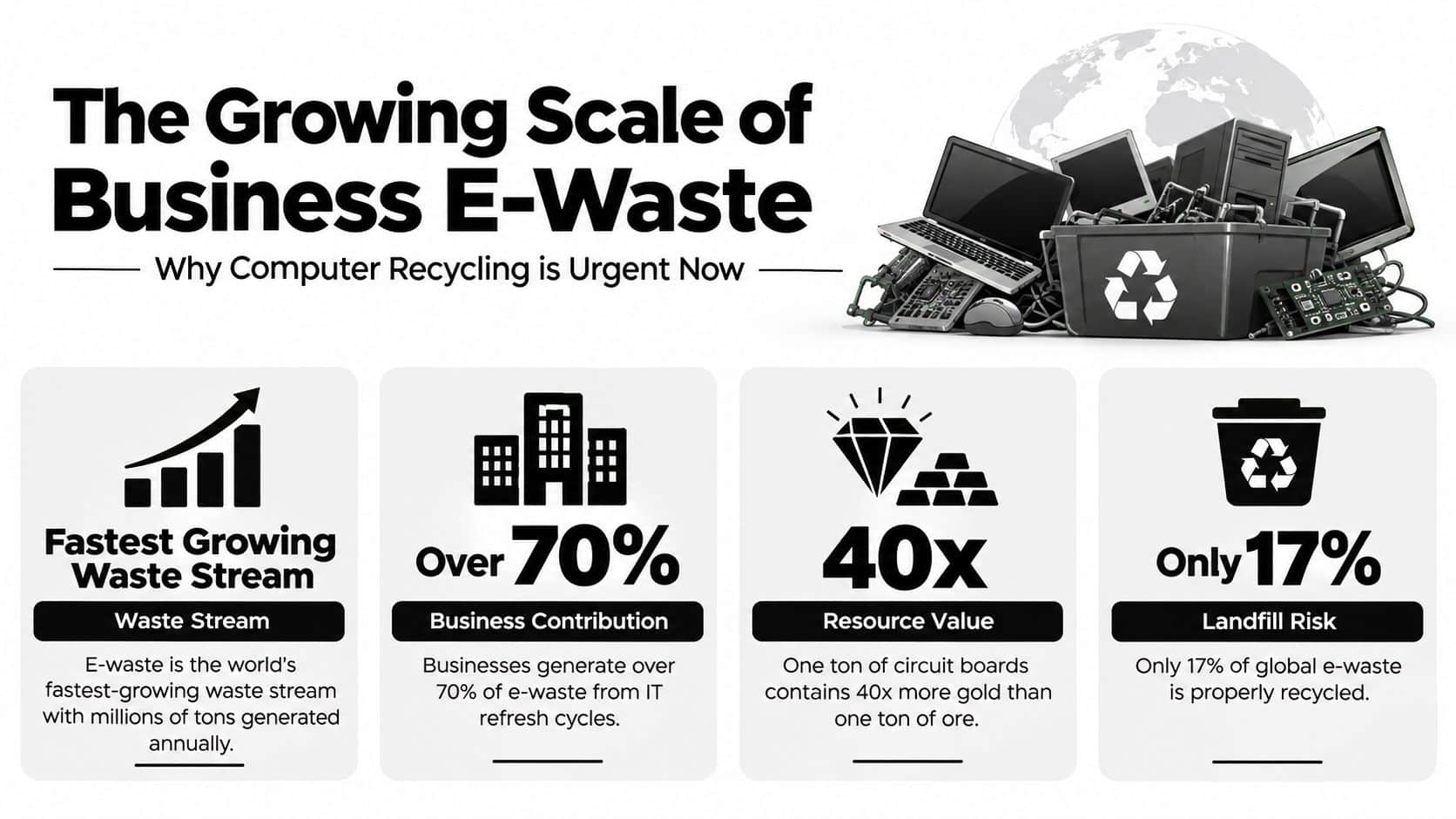
Why corporate hardware belongs in a formal process
Businesses contribute to this flow whenever they replace equipment without a defined end-of-life route. Keeping devices in storage delays the decision, but it doesn't eliminate the data, environmental, or compliance questions attached to those assets. Informal disposal can also obscure what happened after pickup, which makes later reporting difficult.
A formal program creates a repeatable path:
- Inventory control: Record what leaves the facility, including computers, laptops, servers, monitors, and storage media.
- Risk classification: Identify equipment that contains business, customer, patient, financial, or operational information.
- Disposition planning: Separate assets for reuse, resale, secure destruction, or material recovery.
- Documented processing: Retain evidence of data destruction and recycling so procurement, IT, facilities, and compliance teams share the same record.
Businesses don't need to solve the global waste challenge alone. They do need to recognize that every refresh cycle adds to a growing materials stream. Arranging commercial electronics recycling services turns retired computers from unmanaged inventory into a controlled operational workflow.
Protecting Sensitive Data Through Certified Destruction
Deleting a folder is not the same as making its contents inaccessible. Formatting a drive can make a device appear empty while leaving information recoverable with the right tools. For a business, that difference matters because a retired computer may still contain credentials, customer records, employee information, intellectual property, or system configuration data.
The NIST SP 800-88 publication defines media sanitization as a process that makes access to target data infeasible for a given level of effort. It identifies clearing, purging, cryptographic erase, de-identification, and destruction as sanitization techniques. The appropriate method depends on the media, the sensitivity of the information, whether the device will be reused, and the organization's risk tolerance.
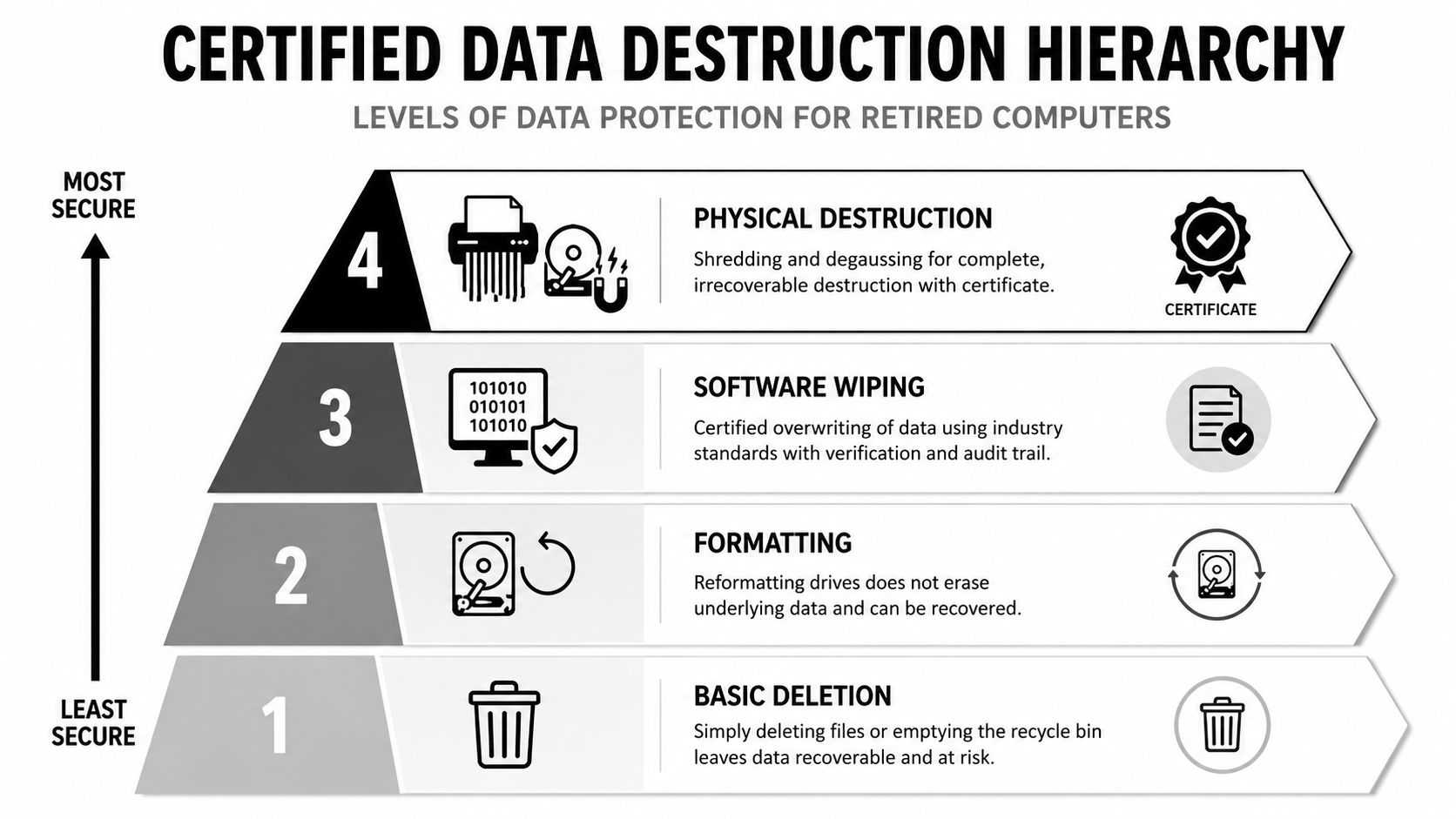
Deletion, wiping, and destruction are different outcomes
Think of a hard drive as a locked filing cabinet. Deleting a file removes the label from the drawer, but it may not remove the papers inside. Certified wiping works to clear the underlying information and verifies the result. Physical destruction removes the cabinet itself, which is often the clearest choice when reuse isn't planned or the data carries exceptional sensitivity.
Common options include:
- Certified software wiping: Overwrites or sanitizes eligible media, with verification and an audit record.
- Cryptographic erase: Removes the encryption key when the device and security design support that method.
- Degaussing: Uses a magnetic process for compatible magnetic media, although it isn't suitable for every modern storage device.
- Physical shredding: Breaks drives into pieces that can't be practically reconstructed, supporting material recovery after destruction.
The method alone doesn't provide complete protection. The provider must also control the handoffs from the employee or facilities team to transport, processing, destruction, and downstream recycling. Recent reporting identifies erasure, shredding, and degaussing as common ITAD methods, while warning that weak chain-of-custody and incomplete sanitization can leave organizations exposed. CNBC's reporting on device erasure and e-waste security describes e-waste as a cybersecurity weak point.
Practical rule: If nobody can show who handled a device, when its media was sanitized, and what happened next, the business doesn't have a complete disposal record.
Businesses can review secure hard-drive destruction services when physical destruction is more appropriate than reuse. The key decision is to choose the method before equipment leaves the controlled area.
Meeting Compliance Requirements and Transferring Liability
Compliance begins with recognizing that not all computer equipment carries the same handling profile. A modern laptop, a server rack, and a legacy CRT monitor may all be called “electronics,” but each can present different environmental and documentation concerns.
The EPA guidance on CRTs notes that many color computer monitors contain high amounts of lead in their CRTs. It reports an average leachate concentration of 22.2 mg/L from colored CRT glass under TCLP testing, above the 5 mg/L hazardous-waste threshold for lead. That makes older displays a compliance issue for commercial generators and a poor fit for ordinary disposal channels.
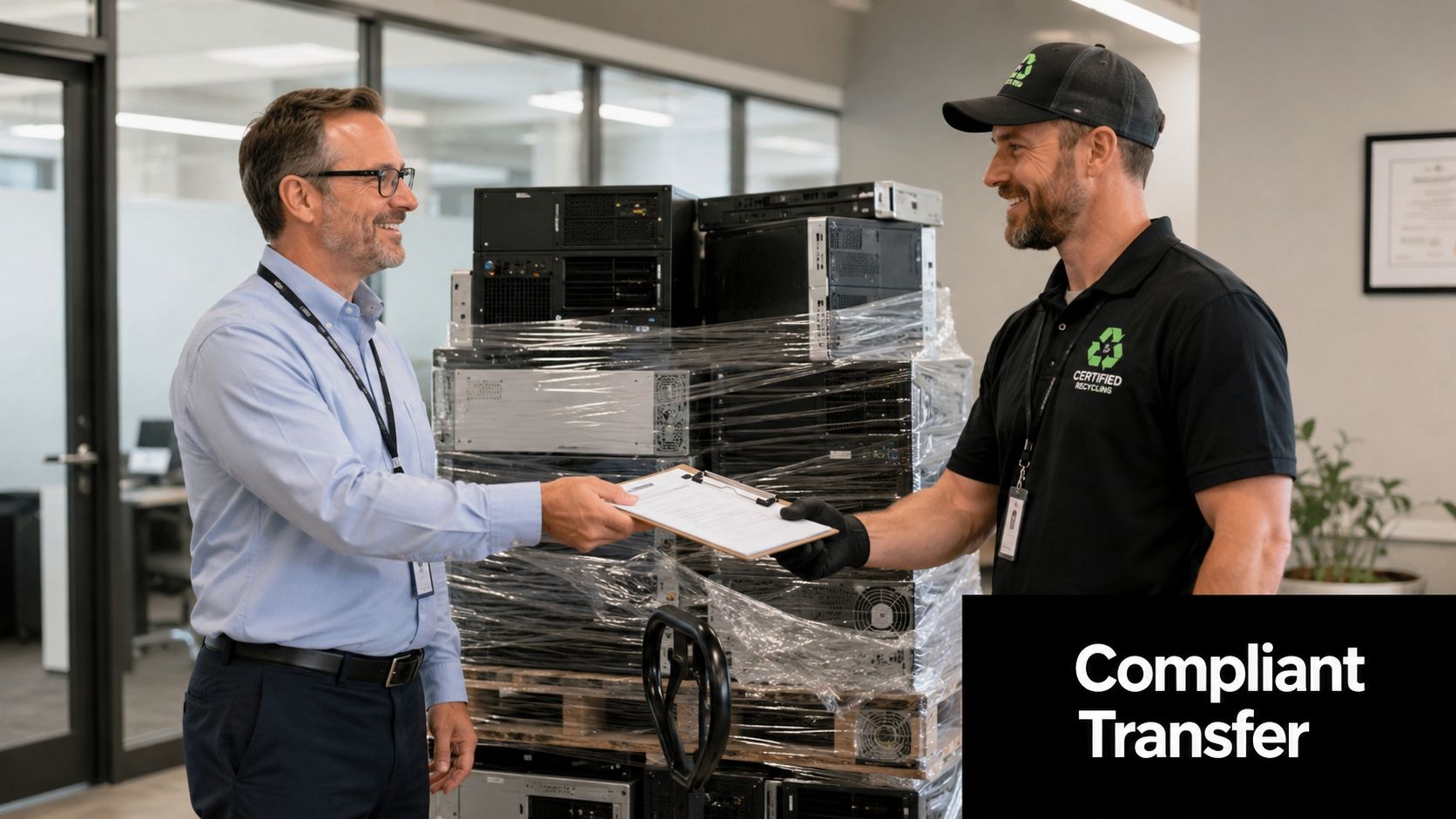
What a defensible disposal record contains
A compliant process should make the asset journey understandable to someone who wasn't present at pickup. That usually means matching the physical equipment to an inventory, recording the transfer, documenting the sanitization method, and confirming the final recycling or destruction outcome.
Look for records that cover:
- Asset identification: Serial numbers, descriptions, quantities, or another reliable inventory reference.
- Chain of custody: Pickup details, responsible parties, transport movement, and processing destination.
- Data destruction evidence: A certificate or report identifying the media and method used.
- Recycling documentation: Confirmation that equipment and materials entered an appropriate recovery stream.
- Exception handling: Notes for damaged devices, missing components, batteries, CRTs, or items that require special treatment.
Certificates don't erase an organization's responsibilities, but they create evidence that the business used a controlled process and transferred equipment to a qualified downstream handler. That documentation can support internal audits, customer assurance, insurer questions, and regulatory reviews. A clear certificate of data destruction should connect the completed work to the specific media that left the business.
Unlocking Environmental and Financial Value From Retired Computers
Recycling and financial recovery aren't competing goals. They often begin with the same decision, namely separating equipment according to condition, data requirements, and material value rather than treating every device as landfill-bound waste.
The ITU's e-waste recycling data reports that documented recycling in 2022 avoided about 900 million tonnes of primary ore extraction and 93 million tonnes of CO2-equivalent emissions. The emissions figure included 52 million tonnes associated with avoided metals mining and 41 million tonnes from recaptured refrigerants. These figures show why recovered electronics can function as a materials feedstock, not merely as discarded equipment.
The EPA describes electronics recycling as a process involving sorting, dismantling, mechanical separation, and recovery of materials such as gold, copper, glass, and aluminum for manufacturing. Its computer-product life-cycle data lists recycling energy for e-waste shredding and copper smelting at 0.91 MJ/kg e-waste, a data point used later in this article's implementation guidance and available in the EPA electronics research guidance.
One workflow, several forms of return
A working laptop may have more value as a reusable asset than as a source of raw material. A damaged server may be more appropriate for component recovery. An obsolete drive with sensitive information may need destruction before its metals enter recycling. Good ITAD programs make these distinctions instead of forcing every item into one endpoint.
| Value Driver | Business Impact | Example Outcome |
|---|---|---|
| Reuse and resale | Extends the useful life of eligible equipment and may return value to the business | Working laptops are evaluated for remarketing after verified sanitization |
| Material recovery | Keeps copper, aluminum, glass, and precious metals in a manufacturing feedstock | Non-reusable computers are dismantled and sorted for commodity recovery |
| Reduced upstream pressure | Supports lower demand for virgin extraction and can inform Scope 3 discussions | Recovered materials replace part of the need for newly extracted inputs |
| Storage reduction | Clears secure space and removes equipment from internal tracking queues | Retired hardware leaves a storeroom through a scheduled commercial pickup |
| Supply-chain resilience | Connects end-of-life management with interest in critical-mineral recovery | Materials from obsolete devices are treated as recoverable resources |
Recent European work has also examined large-scale recovery of rare earths from hard-disk-drive magnets, while the IEA's critical-minerals analysis highlights supply-security concerns. The business implication is straightforward: recycling decisions increasingly intersect with procurement, sustainability reporting, and resource strategy.
How to Evaluate an ITAD Provider and Manage Logistics Securely
A provider's pickup promise is only one part of the evaluation. Procurement and IT leaders should test whether the company can maintain control from the loading dock through final processing, especially when several sites, device types, or data classifications are involved.
A practical provider comparison
| Capability | Strong indication | Warning sign |
|---|---|---|
| Data sanitization | Explains wiping, degaussing, and shredding methods by media type | Uses “secure” language without describing the method |
| Chain of custody | Provides documented handoffs and asset-level tracking | Equipment is collected with limited inventory detail |
| Certificates | Issues data destruction and recycling records tied to the project | Provides only a generic receipt |
| Downstream controls | Explains where materials go and how partners are reviewed | Cannot identify processing controls |
| Logistics | Coordinates loading, transportation, site access, and multi-location scheduling | Expects the client to solve transport and staging |
| Disposition analysis | Separates reuse, resale, destruction, and recycling decisions | Sends every item through the same channel |
A provider should also explain whether destruction occurs on-site or off-site, how technicians handle loose drives, and how the team records exceptions. A company with its own fleet or established transportation partners may simplify coordination, but the decision should rest on documented controls rather than branding.
Beyond Surplus is one example of a commercial ITAD provider that offers electronics recycling, secure data wiping, on- or off-site hard-drive shredding, certificates of recycling and data destruction, IT buyback, product destruction, data center de-installation, and logistics coordination. Organizations comparing vendors can use a vendor due diligence checklist to organize questions before signing a service agreement.
Logistics can make or break the process
Schedule pickup when the business can assign a responsible contact and confirm the equipment list. Secure staging areas, controlled loading, photo or inventory records, and clear acceptance criteria reduce confusion at the handoff. A provider may use excellent sanitization technology, but weak movement controls can still undermine the outcome.
Ask for a written answer to four questions:
- Who accepts the equipment? Identify the people responsible at pickup and processing.
- How is each asset tracked? Confirm that serial numbers or equivalent identifiers remain connected to reports.
- Where does destruction occur? Clarify the facility, timing, and available witness or verification options.
- What will the business receive afterward? Request the exact certificates and inventory reports before scheduling.
Your Next Steps to Recycle Old Computers With Confidence
A secure computer recycling program doesn't need to be complicated. It needs a defined sequence that prevents devices from sitting indefinitely in closets, loading docks, or unsecured staging areas.
Start with an inventory. Record desktops, laptops, servers, hard drives, monitors, and related equipment, then flag devices that may contain sensitive information. Separate equipment by likely condition, but don't let a device's ability to power on determine whether it receives secure treatment. A working laptop can still require verified sanitization before reuse or resale.
A simple implementation roadmap
- Build the asset list: Include locations, responsible departments, device identifiers, and known data sensitivity.
- Choose the disposition path: Mark each item for reuse, resale, wiping, physical destruction, or material recovery.
- Select the service scope: Confirm pickup, loading, transportation, sanitization, recycling, and reporting requirements.
- Control the handoff: Use a designated staging area and have an authorized employee approve the transfer.
- Review the records: Match certificates and final reports against the original inventory, then retain them with the project file.
Schedule this work alongside hardware refreshes, office relocations, data center decommissioning, mergers, and storage cleanouts. Early planning gives facilities and IT teams time to identify CRTs, loose media, damaged equipment, and assets that may qualify for recovery.
The environmental case also supports prompt action. EPA life-cycle data for computer products show recycling energy for e-waste shredding and copper smelting at 0.91 MJ/kg e-waste, as reported in the EPA electronics basic information and research guidance. For infrastructure teams planning a broader technology transition, a resource on fiber-optic network design can help with the upstream planning that often precedes equipment replacement and decommissioning.
Don't wait for a storeroom to become an untracked asset depot. Begin with one inventory, one approved disposition plan, and one provider capable of producing the records your organization needs.
Contact Beyond Surplus for certified electronics recycling, secure data destruction, IT equipment disposal, and commercial pickup coordination. The team supports Atlanta-area businesses and nationwide organizational pickups, helping you move retired computers from storage to documented, responsible final disposition.


