

You have a storage room in Atlanta, Georgia, stacked with retired workstations, a decommissioned imaging PC, loose drives from a refresh, and a cart of infusion pumps nobody wants to sign off on. Facilities wants the space cleared, procurement wants value back, and compliance wants proof that no patient data leaves with the equipment. That tension is exactly where electronics recycling for Atlanta hospitals and healthcare facilities breaks down when you treat it like ordinary e-waste pickup.
Table of Contents
- Why Atlanta Hospitals Need a Different Approach to Electronics Recycling
- Inventory and Quarantine Before Anything Leaves the Building
- Matching NIST Sanitization Methods to Hospital Devices
- On-Site Versus Off-Site Data Destruction and Audit-Ready Certificates
- Connected Medical Devices Require a Different Workflow Than PCs
- Atlanta Pickup Logistics, Hazardous Segregation, and IT Buyback
- Documentation, Reporting, and Choosing an Atlanta ITAD Partner
Why Atlanta Hospitals Need a Different Approach to Electronics Recycling
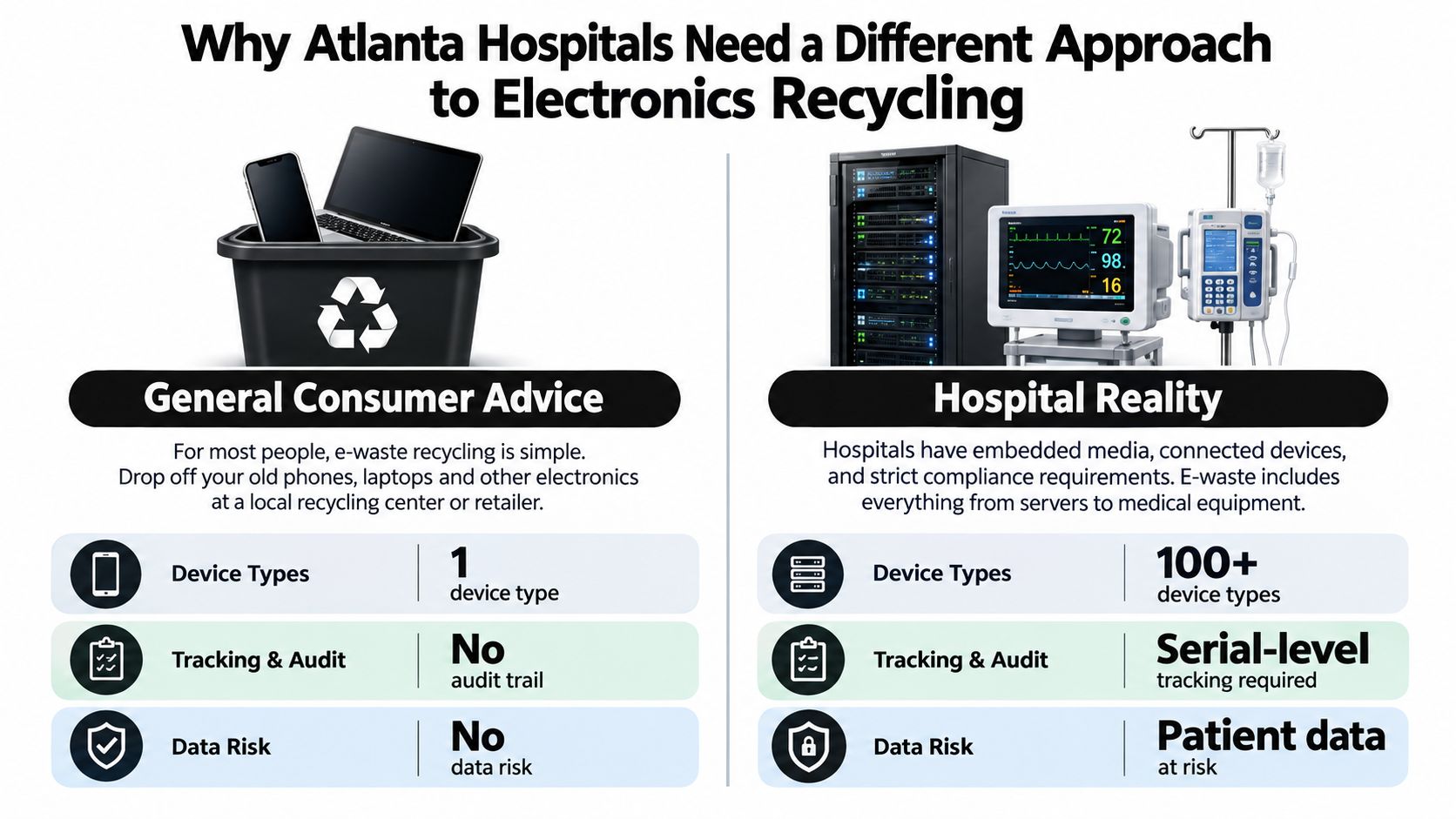
A consumer can drop off a laptop and walk away. A hospital can't. Your retired asset list includes diagnostic electronics, patient-care devices, networking equipment, monitors, and data-storage hardware, often with storage in places a general recycler won't look for. If the vendor only proves downstream material recovery, the data exposure stays in your column.
The scale behind formal recycling matters here. The world generated 62 billion kilograms of e-waste in 2022, equal to 7.8 kilograms per person, and only 22.3% was documented as formally collected and recycled through environmentally sound processes, according to the ITU and UNITAR Global E-waste Monitor 2024. That same assessment projects 82 billion kilograms by 2030, with the formal rate potentially declining to 20% under a business-as-usual scenario.
What Changes Inside a Hospital
Clinical systems complicate retirement in ways office IT doesn't. A workstation linked to a neurology assessment platform, for example, may hold cached data, local logs, or exported files even after users move to a new system. The same pattern shows up in imaging, laboratory, and registration equipment. You can't assume data lived only on the main drive.
Environmental risk is real, but it isn't the whole decision. The World Health Organization reports that recovering secondary raw materials from e-waste avoided approximately 52 billion kilograms of carbon-dioxide-equivalent emissions in 2022, and that 2.9 million to 12.9 million women may be at risk from toxic exposure through informal waste work, according to WHO guidance on e-waste and child health. Sending hospital equipment into an undocumented stream undermines both goals.
A compliant hospital program separates two questions. Was the data made unrecoverable, and where did the materials go next?
If a vendor answers both with one generic certificate, push back. You need serial-level evidence for data disposition and traceable evidence for recycling. Those are different controls, owned by different people, and audited differently.
Inventory and Quarantine Before Anything Leaves the Building
Do the inventory before you call for pickup. If you build the list from vendor paperwork after the truck leaves, you've already lost control of the record.
Start at the asset, not the pallet. For each device, capture serial number, asset ID, device type, location, owner, data classification, and every embedded or removable medium. Include internal drives, removable cards, USB media left in ports, printer storage, and configuration backups where they exist. Photograph asset tags when labels are damaged, and record the exception instead of guessing.

Build a Usable Inventory
You don't need enterprise software to do this well. A barcoded spreadsheet with disciplined fields beats a system nobody updates.
- Tag at removal: Apply a temporary retirement tag when the device leaves service, not days later in storage.
- Identify media separately: List each drive or embedded medium as its own line linked to the parent device.
- Record authorization: Name the person who approved retirement and the reason, such as refresh, failure, or end of support.
- Flag unknowns: Mark devices with unclear storage as unverified and stop them from entering a reuse stream.
Then quarantine everything. Use a locked, controlled area with limited access, clear signage, and a simple in-and-out log. Don't stage retired equipment in hallways, open loading areas, or shared IT closets where cleared and uncleared devices mix.
Quarantine Rules That Prevent Quiet Failures
Separate equipment into three physical zones, awaiting sanitization, sanitized and verified, and exception hold. Color tags help, but only if staff understand that a tag isn't proof. The inventory record is the proof, and the tag points to it.
Set one acceptance benchmark and enforce it. NIST's workflow supports 100% asset accountability, meaning every device has a recorded disposition, method, verification result, and chain-of-custody event before release, as described in NIST SP 800-88 Revision 2. If a serial number can't be reconciled, the device doesn't leave. That's not bureaucracy. It's the moment your program becomes auditable instead of hopeful.
Assign ownership before pickup day. IT owns the inventory, privacy or compliance approves data-bearing exceptions, and clinical engineering confirms medical devices are safe and authorized for removal. When those approvals aren't recorded, vendors fill the gap with assumptions.
Matching NIST Sanitization Methods to Hospital Devices
Stop asking for a wipe as if it's a single thing. NIST SP 800-88 defines three outcomes, Clear, Purge, and Destroy, and the right choice depends on media type, confidentiality, and whether you want reuse, as summarized in NIST SP 800-88 Revision 1.
Clear uses logical techniques aimed at user-accessible storage and protects against simple, non-invasive recovery. Purge uses physical or logical methods intended to make recovery infeasible with state-of-the-art laboratory techniques while potentially preserving the medium. Destroy makes recovery infeasible and prevents the medium from being used again for storage.
Hospital Sanitization Method Decision Guide
| Method | Best For | Reuse Possible? | Verification Required |
|---|---|---|---|
| Clear | Lower-risk media staying under organizational control, standard overwriting where appropriate | Yes | Yes, for each technique |
| Purge | Drives intended for reuse or resale where a supported purge method exists | Potentially | Yes, for each technique |
| Destroy | Failed drives, unverifiable SSDs, removable media, high-risk storage leaving control | No | Document destruction and reconcile serials |
Verification isn't optional paperwork. NIST states verification must be performed for each Clear and Purge technique, except degaussing. If your vendor can't show a verification result tied to the serial number, you don't have evidence, you have a claim.
Where Hospitals Get This Wrong
SSDs and flash media need particular caution. Sanitizing only user-visible storage can leave data in reserved areas, overprovisioned regions, and bad-block remapping. Conventional overwriting may not reach inaccessible physical cells. That's why a failed purge verification on an SSD should escalate to destruction, not a second hopeful overwrite followed by resale.
A factory reset is also not automatically sanitization. It may clear user-visible settings while leaving other locations untouched, and it rarely proves what happened to stored data. For hard copy, neither Clear nor Purge is appropriate, which is a useful reminder that method selection starts with the medium.
My recommendation for Atlanta hospitals is conservative. Use Purge only when the device supports a recognized method, the full medium is addressed, and verification passes. Use Destroy when media failed, storage can't be fully identified, confidentiality is high, or reuse value is small compared with privacy risk. Reserve Clear for controlled internal reuse where your policy allows it.
For a deeper local walkthrough, use this NIST 800-88 guide for Atlanta IT managers alongside your own data classification policy, then lock the decision into the asset record before work begins.
Practical rule: If you cannot verify the result on the exact medium, do not preserve the medium for resale.
On-Site Versus Off-Site Data Destruction and Audit-Ready Certificates
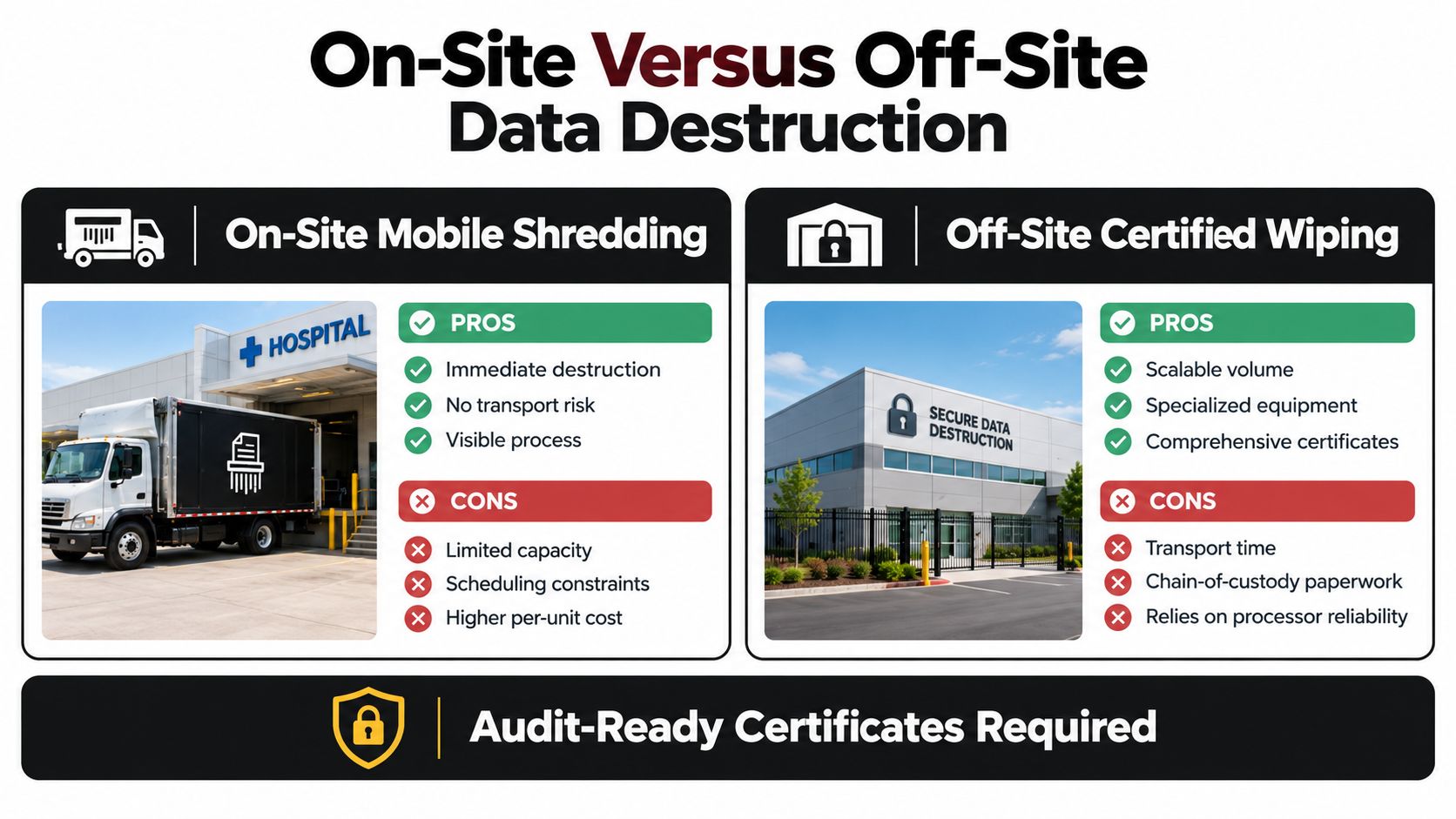
On-site destruction feels safer because you can watch it. Off-site processing can be equally defensible if custody is airtight. Choose based on risk, volume, and your ability to verify, not habit.
On-site mobile shredding works well for high-risk drives, failed media, and projects where leadership wants witnessed destruction at the dock. Off-site certified wiping or shredding works better for large refreshes, mixed media, and equipment that needs testing or segregation first. The trade-off is transport and paperwork, and you can compare the models in this guide to on-site versus off-site ITAD services in Georgia.
What to Require on the Day
For on-site work, require the technician to scan each serial number before destruction, match it to your inventory, and flag mismatches immediately. Your witness should verify counts, observe destruction, and receive a draft record before the crew leaves. Don't accept a promise that details will follow later.
For off-site work, require sealed containers, documented custody transfers, vehicle and facility controls, and a deadline for processing. Every handoff needs a name, date, time, and container or asset identifier. If a container seal breaks, that exception belongs in the record.
What an Audit-Ready Certificate Contains
A useful certificate links back to individual assets. Require these fields at minimum.
- Asset and media serials: Parent device and storage medium identified separately.
- Method used: Clear, Purge, or Destroy, with technique and tool where relevant.
- Verification outcome: Pass, fail, or escalated to destruction, recorded per medium.
- Custody trail: Who released, transported, received, and processed the equipment.
- Final disposition: Reuse, resale, recycling, return, or destruction, with date.
A batch certificate that cannot reconcile to individual serial numbers is a red flag, not a convenience. It may satisfy a filing habit, but it won't prove a specific drive from a billing workstation was handled correctly.
The FTC Disposal Rule reinforces this discipline. For electronic records, the FTC identifies destroying or erasing media so information cannot be read or reconstructed, and it permits hiring a destruction contractor after due diligence, according to FTC guidance on disposing of consumer report information. Due diligence means you checked the process, not just the price.
Connected Medical Devices Require a Different Workflow Than PCs
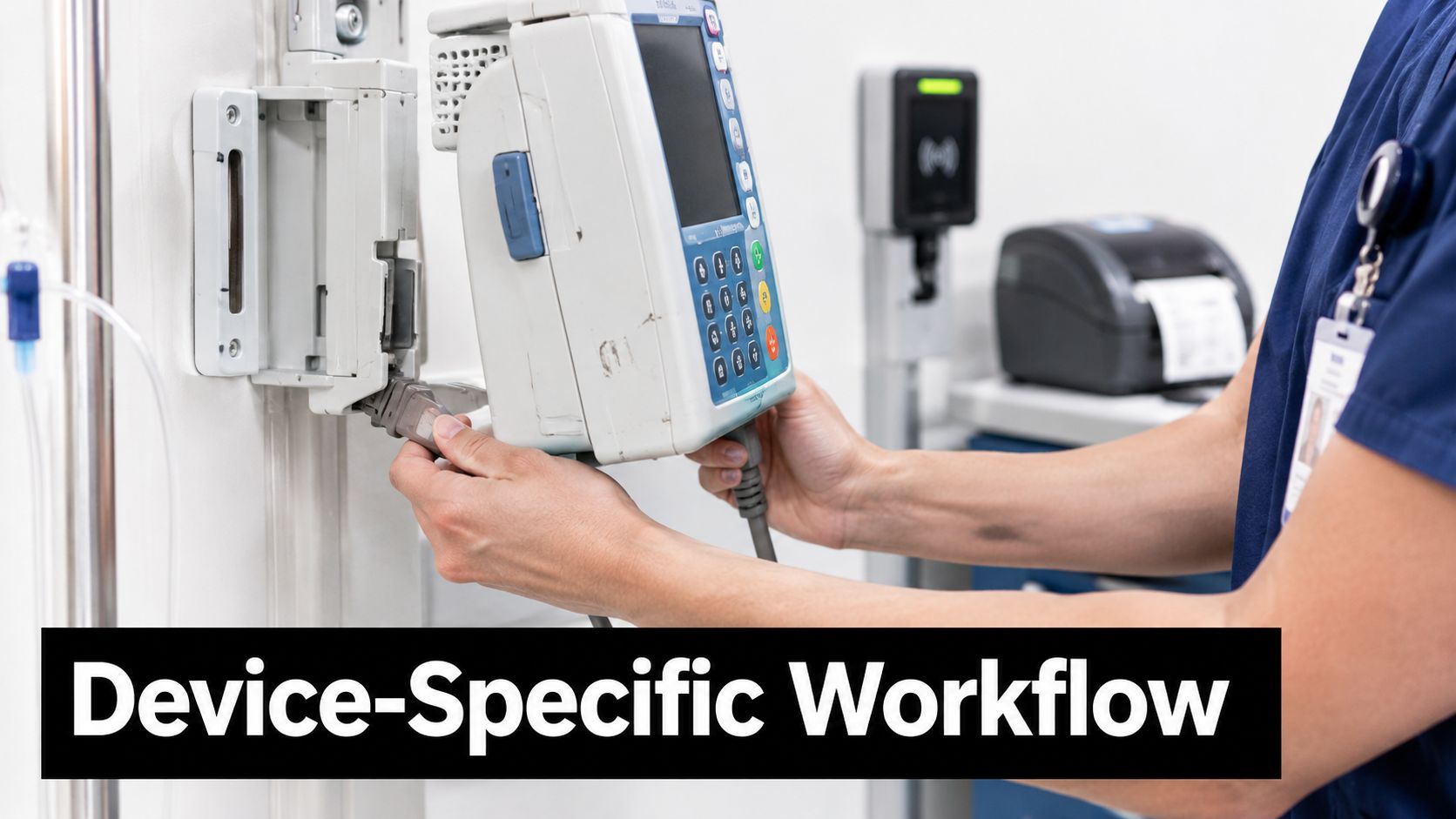
Your recycler cannot reset what the manufacturer controls. That's the uncomfortable fact most hospital disposal plans avoid when they treat an infusion pump, imaging workstation, badge system, copier, or IoT sensor like a desktop PC.
Connected medical devices can store patient-identifiable information in internal storage, removable media, logs, configurations, or connected systems. NHS guidance updated February 19, 2025 says every device storing patient-identifiable data must be forensically erased before leaving the organization, and decommissioning policies should specify the process, according to NHS guidance on decommissioning connected medical devices.
Use a Device-by-Device Decision Path
Start with clinical engineering and privacy, not the loading dock. Confirm the device is out of service, no longer needed for records retention, disconnected from clinical systems, and approved for retirement. Then identify every storage location with the manufacturer manual or service representative.
Next, ask a direct question. Does the manufacturer provide a documented sanitization routine that addresses all storage and produces verifiable evidence? If yes, follow it, record who performed it, and retain the output. If the device is leased or covered by a return program, document return-to-manufacturer terms and confirm who accepts data responsibility.
If the answer is no, escalate. Options include removing and destroying the storage medium, destroying the device, or holding it in quarantine pending manufacturer guidance. Don't let a resale estimate decide for you.
Ownership context matters too, especially when equipment straddles clinical and patient-use categories. When teams review home-use equipment policies, resources explaining types of DME covered by insurance can help clarify what belongs in a durable medical equipment stream versus hospital-owned ITAD, so devices aren't routed by assumption.
Push Back on Resale-First Thinking
Some connected devices should not be remarketed. If storage architecture is opaque, logs can't be cleared, or verification isn't possible, destruction is the responsible choice even when the device looks valuable. Reuse is a goal, not an entitlement for every asset.
Build escalation rules into policy now. Unverifiable storage equals no external reuse. Missing manufacturer procedure equals exception hold. Removable media found after sanitization equals reprocessing of the whole asset record.
For broader safeguards, align this path with guidance on medical equipment disposal and patient privacy and require clinical engineering sign-off before any connected device joins a general pickup.
Atlanta Pickup Logistics, Hazardous Segregation, and IT Buyback
A smooth pickup is planned like a clinical move, not a donation run. Confirm dock access, loading windows, elevator needs, security escort requirements, and who can sign custody documents before the truck arrives.
Ask whether the vendor uses its own fleet or a transportation partner, then document the answer. Either model can work, but you need named accountability, sealed load practices, and a process for exceptions during transit. If equipment will be sorted after pickup, get the receiving location and processing timeline in writing.
Segregate Before Consolidation
Don't commingle problem materials with general e-waste and hope sorting fixes it later. Segregate batteries, lamps, mercury-containing components, refrigerants, and potentially infectious or chemically contaminated equipment before consolidation. Decontamination status should be confirmed by the appropriate hospital team, not assumed by the driver.
WHO reports global e-waste reached an estimated 62 million tonnes in 2022, while only 22.3% was documented as formally collected and recycled, according to WHO's electronic waste fact sheet). That gap is why downstream traceability matters more than a reassuring pickup receipt.
Weigh and barcode material by category at handoff. Route reusable equipment separately from non-reusable commodities, batteries separately from devices, and data-bearing media separately from everything else. Then reconcile weights, asset counts, and final certificates after processing. Strong program metrics include 100% documented downstream destination, zero untracked hazardous components, and asset-count reconciliation above 99%.
Hospitals handling lamps and batteries should also align internal procedures with universal waste regulation basics so staging labels, accumulation dates, and handoffs don't become informal habits.
Treat Buyback as a Risk Decision
IT buyback can offset refresh costs, but the highest quote isn't the best outcome if evidence quality drops. Valuation usually turns on specifications, age, condition, quantity, and whether storage can be purged and verified for reuse. Ask vendors to separate reuse rate from commodity-recycling rate in reporting, so tonnage doesn't conceal poor disposition choices.
Do not sell a device you cannot prove was sanitized just because someone offered to buy it.
Require downstream processor identification and environmental documentation for non-reusable material. If a broker is involved, name the broker and the final destination. Undocumented downstream movement is where a tidy Atlanta pickup turns into an untraceable liability.
Documentation, Reporting, and Choosing an Atlanta ITAD Partner
A certificate of recycling is not enough to prove you managed risk responsibly. It can prove material entered a recycling process. It doesn't automatically prove your inventory was complete, every storage component was identified, the method fit the media, or verification passed.
HHS states HIPAA-covered entities must address final disposition of electronic protected health information and implement procedures for removing it before reuse or disposal, and covered entities may contract with business associates for sanitization or destruction, according to HHS guidance on reusing computers that store protected information. Outsourcing the work doesn't outsource the policy obligation.
Which Record Proves Which Control
Build a documentation packet that an auditor, privacy officer, and sustainability lead can each use without translation.
- Inventory record: Proves what existed, where it came from, and who owned it.
- Retirement authorization: Proves the device was approved to leave service.
- Media identification: Proves you looked for embedded and removable storage.
- Sanitization certificate: Proves method, verification, and outcome per serial number.
- Custody log: Proves who held the asset at each transfer.
- Recycling certificate: Proves final material disposition and downstream destination.
- Exception log: Proves how failures, mismatches, and unverifiable devices were resolved.
The EPA recommends using electronics recyclers accredited to recognized standards such as R2 or e-Stewards. Treat that certification as evidence of responsible recycling controls. Don't treat it as proof your hospital chose the right sanitization method. Those are separate layers of diligence, and conflating them is how check-the-box programs pass procurement and fail audits.
NIST's FAQ also emphasizes certificates of sanitization, defined responsibilities, personnel training, and tool configuration, including calibration, testing, and maintenance, according to the NIST SP 800-88 Revision 2 FAQ. Ask vendors how tools are configured and tested, who is trained to run them, and how failed verifications are handled. Vague answers predict vague evidence.
Choose on Evidence, Not Promises
Use a structured review such as a vendor due diligence checklist and score vendors on serial reconciliation, healthcare experience, downstream disclosure, buyback transparency, and certificate quality. One option in Atlanta is Beyond Surplus, which provides electronics recycling, secure data destruction, pickup logistics, and IT buyback for healthcare organizations. Evaluate it the same way you'd evaluate any provider. Ask for sample certificates, downstream documentation, and a walkthrough of an exception case before you sign.
For ESG reporting, separate reuse, resale, parts recovery, and commodity recycling. Report data-bearing assets by count and verification outcome, not just total weight. That gives leadership a sustainability story that doesn't hide privacy performance.
Contact Beyond Surplus for certified electronics recycling and secure IT asset disposal for your Atlanta hospital, including secure pickup, certified shredding and wiping, certificates of destruction and recycling, and IT buyback tied to serial-level reporting. Visit Beyond Surplus to schedule a pickup or request a documentation review before your next refresh.


