

You moved into atlanta tech village sylvan, unpacked the monitors, got the access badges, and started hiring. A few months later, the first pile of retired gear appears in a corner office. Two laptops from a new-hire swap. A failed firewall appliance. Test phones from a product sprint. A desktop that still boots, but nobody wants to trust.
That’s when many startups make their first avoidable ITAD mistake. They treat old equipment like office clutter instead of regulated, data-bearing business property.
At atlanta tech village sylvan, that mistake can follow you longer than the hardware does. The site opened in January 2025 in a 30,000-square-foot space built for teams from 1 to 50 employees and up to 225 people at full capacity, according to Gensler’s Atlanta Tech Village Sylvan project profile. Fast-moving offices create fast-moving hardware lifecycles. Laptops rotate. Access control devices get replaced. Lab and dev equipment gets retired before finance has finished depreciating it.
Managing Tech Assets at Atlanta Tech Village Sylvan
A new tenant usually starts with a simple assumption. If a device is old, broken, or no longer assigned, it’s ready to leave. In practice, that’s the wrong threshold.
A device is ready for disposition only after you know three things: who used it, what data may still be on it, and whether it should be redeployed, sold, or destroyed. If you skip any of those steps, you create a security problem and a recordkeeping problem at the same time.
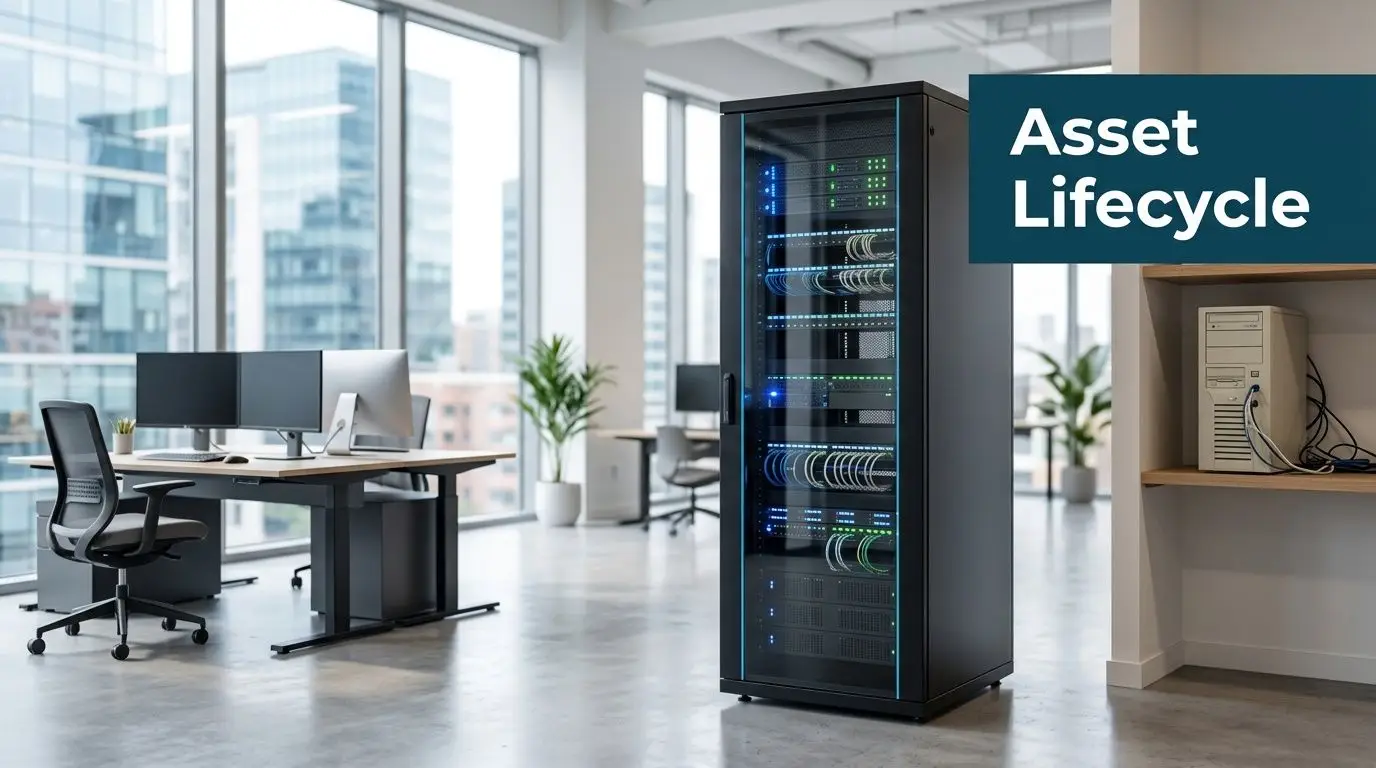
What usually goes wrong first
The most common failure isn’t dramatic. It’s routine.
Someone puts decommissioned laptops in a storage room “for now.” A founder takes an old MacBook home intending to wipe it later. An ops lead assumes monitors and docks can be handled the same way as SSD-equipped workstations. None of that creates a clean chain of custody.
Practical rule: If a device ever authenticated a user, stored files, synced email, or connected to business systems, handle it as a controlled asset until it’s documented and processed.
That matters even more in a hub designed for dense occupancy and fast turnover. Shared spaces are great for collaboration. They’re not a substitute for asset control. If your team is building at Sylvan, your offboarding process should include IT asset review the same way it includes badge return and account disablement.
Build the policy before the pile grows
Don’t wait until your office manager asks where to put obsolete gear. Create a written disposition policy now.
Keep it short and operational:
- Name an owner who approves releases of retired equipment.
- Define asset classes so laptops, servers, phones, monitors, and accessories aren’t treated the same.
- Require documentation before anything leaves your suite.
- Set a pickup cadence so gear doesn’t accumulate in closets.
If your team needs a local starting point for business-focused service context, review the Atlanta Tech Village support page from Beyond Surplus and use it as a checklist reference, not as a substitute for your internal policy.
Auditing Your End-of-Life IT Assets
Most disposal problems start upstream. The company doesn’t know what it has, so it can’t decide what should happen next.
An end-of-life asset audit fixes that. It doesn’t need to be complicated, but it does need to be disciplined.
Start with a room-by-room inventory
Walk the suite and document everything marked for retirement. Don’t rely on memory or purchase records alone. Teams move devices between desks, meeting rooms, home offices, and storage cabinets.
Capture the basics in one sheet:
- Asset type such as laptop, server, switch, tablet, phone, monitor, dock, or printer
- Make and model
- Serial number or internal tag
- Assigned user or department
- Current location
- Condition such as working, damaged, incomplete, or nonfunctional
That list becomes the foundation for quoting, pickup planning, and chain-of-custody records. If you want a Georgia-specific framework for building that process, the end-of-life IT asset management guidance for Georgia organizations is a useful operational reference.
Separate data-bearing from non-data-bearing assets
This is the line that matters most.
Data-bearing equipment includes laptops, desktops, servers, phones, tablets, external drives, SSDs, network appliances with storage, copiers with internal drives, and many medical or lab systems. These devices need a defined sanitization or destruction path.
Non-data-bearing equipment usually includes monitors, keyboards, mice, cables, power supplies, empty racks, and passive accessories. These still need proper recycling, but the risk profile is lower.
Don’t let appearance drive the decision. A tiny firewall appliance may hold more sensitive information than a large monitor cart.
Flag items with resale potential
Not every retired asset belongs in the scrap stream. Recent business laptops, servers, networking gear, and some mobile devices may have reuse value if they’re complete and in serviceable condition.
Look at three things:
-
Age and specification
Newer equipment with current business-grade specs usually has stronger recovery potential. -
Physical condition
Cracked housings, missing drives, or failed boards reduce options quickly. -
Marketability
Standard enterprise models are easier to remarket than unusual configurations.
Preserve the paperwork trail
A good audit doesn’t end when the spreadsheet is complete. Lock the list, date it, and keep version control. If a device is added later, note the addition. If a laptop can’t be located, document that exception before pickup day.
That discipline helps with internal reviews and vendor handoff. It also prevents a very common headache. The equipment count on collection day doesn’t match the count finance expected, and now everyone is reconstructing history from email threads.
Choosing Your Data Destruction Method
Data destruction is where startups either behave like mature operators or create lingering exposure.
At hubs like Sylvan, hardware turns over quickly, and that speed can hide risk. The growth of startup activity in these environments creates more equipment churn, yet many teams still overlook FTC Disposal Rule compliance, which leaves avoidable liability in place, as noted by Atlanta Tech Village’s mission background.
Two valid paths, different outcomes
You generally have two defensible methods for retired data-bearing devices.
Certified data wiping sanitizes storage so the device can be reused or resold. It’s the right choice when the hardware still has market value and your policy allows reuse after verified erasure.
Physical destruction destroys the drive itself. That can mean shredding or another approved destructive process. It’s the right choice when the risk profile is high, the media is damaged, or your organization doesn’t permit reuse.
The right answer depends on what’s on the device, what controls you need, and whether asset recovery matters.
Data Destruction Methods Compared
| Method | Best For | Security Level | Value Recovery |
|---|---|---|---|
| Certified data wiping | Reusable laptops, desktops, servers, and mobile devices | High when verified and documented | Best option when you want resale or redeployment |
| On-site shredding | Highly sensitive media that shouldn’t leave your location intact | Very high | Limited, because media is physically destroyed |
| Off-site shredding | Bulk drive destruction when controlled transport is acceptable | Very high when chain of custody is documented | Limited, because media is physically destroyed |
What works and what doesn’t
Wiping works well when the device is functional, the storage media can be accessed, and the business wants value recovery. It does not work well when the drive is damaged, encrypted under unknown credentials, or tied to a policy that requires destruction.
On-site shredding works when leadership, compliance, or clients need direct visibility. It can be slower to coordinate in a busy office building, but it reduces anxiety because the media never leaves intact.
Off-site shredding works when you have volume and a trusted chain of custody. It’s efficient. It also requires stronger confidence in paperwork, sealed transport, and reconciliation.
If your team manages customer records, payment data, or health information, choose the method based on risk tolerance first and convenience second.
Match the method to the system
Treat these as different categories, not one pile:
- Executive laptops and HR devices often deserve stricter handling because of payroll, legal, and personnel files.
- Engineering workstations may contain source code, credentials, local databases, and test datasets.
- Servers and NAS units usually need drive-level review before anyone decides on reuse.
- Phones and tablets are easy to underestimate because they look small and disposable.
For organizations tightening broader security controls before asset retirement, this overview of critical database security best practices is worth reviewing alongside your device disposal policy. It helps connect infrastructure security to end-of-life handling, which teams often separate when they shouldn’t.
If you need the sanitization standard itself, use the NIST SP 800-88 reference page as your baseline for how media sanitization should be documented and evaluated.
Streamlining Logistics from South Downtown Atlanta
The physical move matters almost as much as the destruction method. A perfect audit can still fail if pickup day is chaotic.
South Downtown offices have their own friction points. Street access, elevator timing, loading coordination, and shared-building operations all affect how smoothly equipment leaves your suite.
Prepare the equipment before anyone arrives
Don’t use collection day to sort a mixed pile. Stage everything in advance.
Group devices into clear categories:
- Data-bearing assets in one secured area
- Non-data-bearing equipment in another
- Loose accessories boxed and labeled
- Items not included kept separate so they aren’t removed by mistake
For pickups originating from this part of the city, the Atlanta e-waste pickup service page gives a practical sense of how commercial collection is usually coordinated.
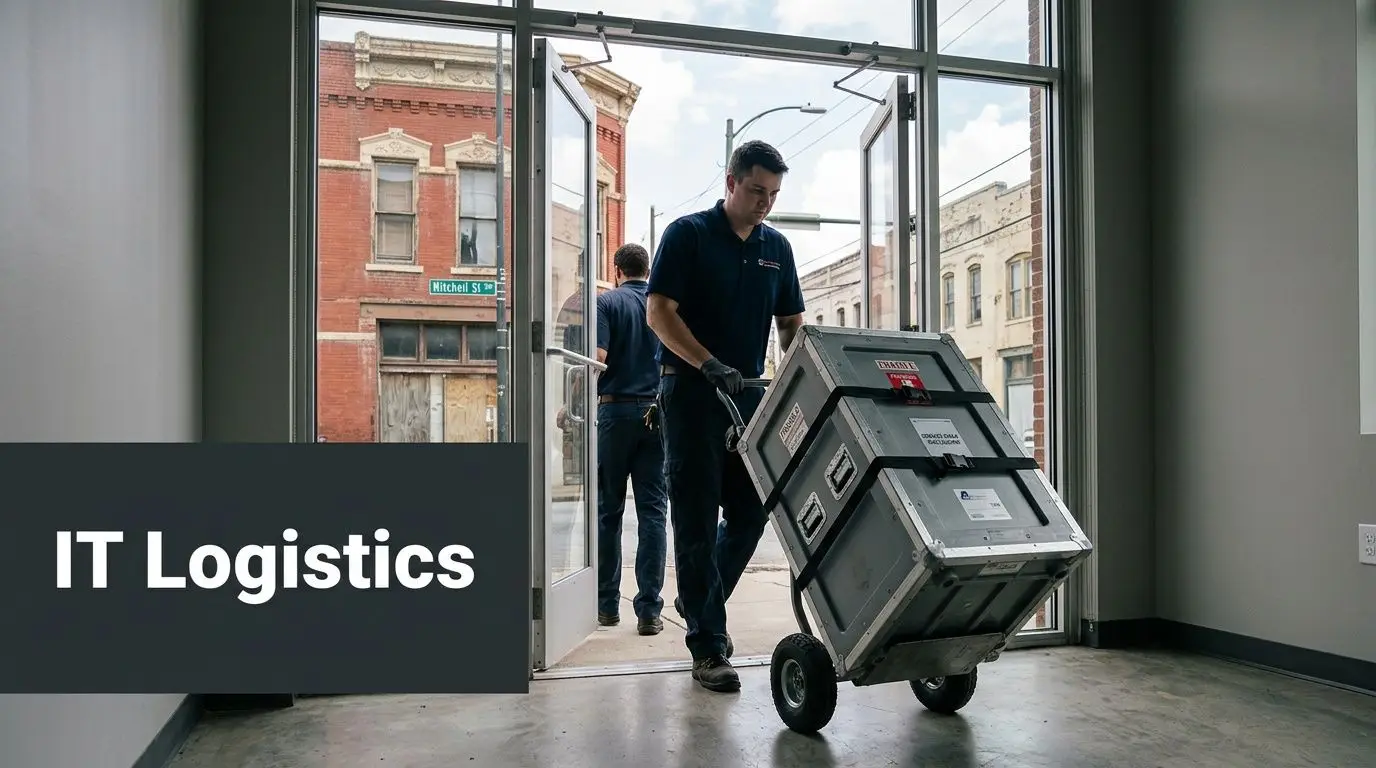
Coordinate with building operations early
Here, tenants lose time.
Confirm freight access, elevator rules, parking instructions, and any building-specific collection procedures before the pickup is booked. If your suite has glass walls, narrow hallways, or limited staging space, say so early. A team moving monitors and server gear needs to know whether carts, bins, or palletization make sense.
A short pre-pickup checklist helps:
- Reserve access windows with property management if required
- Identify a suite contact who can release equipment
- Label exceptions so active equipment isn’t mistaken for retired inventory
- Plan around busy periods to reduce disruption to your team and neighbors
In dense office settings, the fastest pickup is usually the one that required the most preparation the day before.
Pickup versus self-transport
A lot of startups assume dropping equipment off themselves will be simpler. Usually it isn’t.
Self-transport sounds convenient until someone has to move unboxed monitors, track serial numbers in a personal vehicle, and explain where the hardware was between office release and final intake. Professional pickup is cleaner because custody starts at your door, not after an improvised handoff.
That’s especially true for server gear, networking equipment, and any batch of employee laptops. Once those items are staged and counted, you want a straight path out of the building and into controlled transport.
Ensuring Compliance and Maximizing Value Recovery
The biggest mistake companies make after disposition isn’t technical. It’s administrative. They assume the job is finished when the equipment is gone.
It isn’t finished until you have the documentation.
Certificates aren’t optional
For business tenants, the minimum paperwork should include a record of what was collected and what happened to it. If data-bearing equipment was sanitized or destroyed, you should receive a Certificate of Data Destruction or equivalent documentation. If equipment was recycled, you should receive a Certificate of Recycling or similar record.
Those documents matter because they support internal controls and help transfer liability. They’re also what your compliance lead, counsel, or auditor will ask for when a question comes up months later.
Due diligence matters before pickup day
A vendor doesn’t become qualified because they answer the phone. Ask how they track serials, how they handle downstream processing, whether they issue destruction certificates, and how they document chain of custody.
If you want a practical screening framework, use this vendor due diligence checklist before approving any ITAD partner.
Review areas such as:
- Chain of custody from pickup through processing
- Sanitization documentation for wiped media
- Destruction records for shredded media
- Recycling transparency for non-reusable assets
- Insurance and operating procedures for transport and handling
A missing certificate doesn’t just create a paperwork gap. It creates uncertainty about whether the process happened the way you were told it happened.
Recovery value is real, but only if the intake is disciplined
Retired IT can return value when the equipment is still marketable. That usually applies to business-grade laptops, servers, networking equipment, and some mobile fleets. Recovery falls fast when devices are incomplete, physically damaged, or mixed into unsorted bulk.
That’s why the earlier audit work matters. A clean asset list, intact hardware, and a documented release process protect both compliance and resale potential.
It also helps to think in replacement cycles. If your team upgrades phones or test devices often, there’s a secondary market for many models in good condition. Even consumer channels show how durable demand can be for devices like refurbished iPhones, though business sellers still need enterprise-grade custody, erasure, and documentation rather than casual resale practices.
The practical takeaway is simple. Don’t choose between security and recovery if you can structure for both. Wipe what can be safely reused. Destroy what shouldn’t continue in circulation. Document all of it.
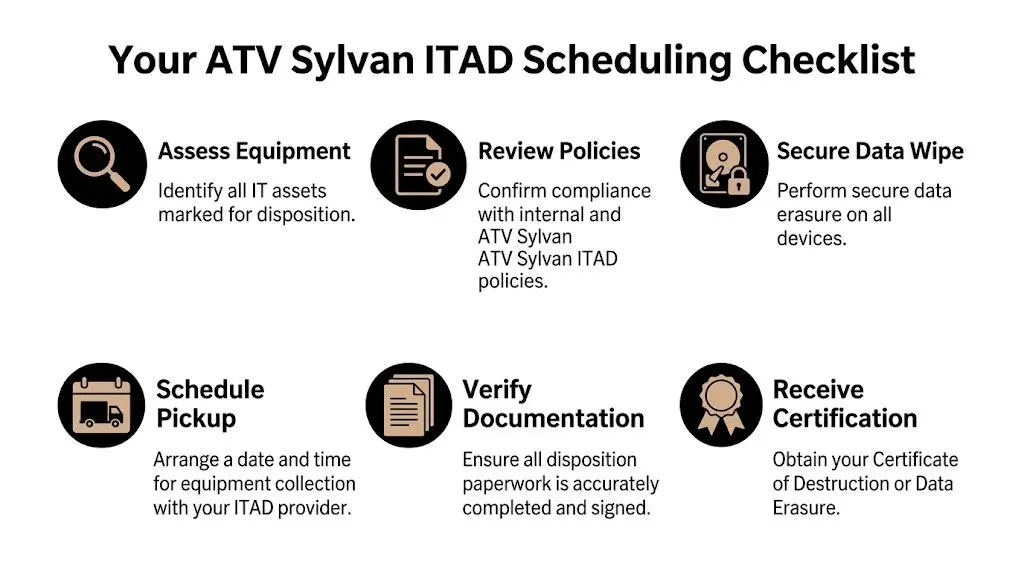
Your ATV Sylvan ITAD Scheduling Checklist
A smooth project starts before the first box is moved. Use this checklist to keep the handoff clean and auditable.
Six steps that prevent last-minute mistakes
-
Assess equipment
Build the inventory first. Include user assignment, serials, condition, and location. -
Review internal policy
Confirm which assets require wiping, which require destruction, and who can authorize release. -
Separate sensitive devices
Pull laptops, drives, phones, servers, and storage appliances away from monitors and accessories. -
Request a formal quote
Use a provider that understands business pickups, chain of custody, and documented data destruction. -
Schedule around building access
Coordinate elevator use, loading instructions, and a tenant contact so pickup doesn’t stall in the lobby. -
Collect final certificates
Don’t close the project until destruction and recycling records are in hand and filed.
What to have ready on pickup day
Keep three things accessible: your approved asset list, your onsite contact, and the area where staged equipment is stored. If anything is excluded from the shipment, label it clearly.
A short internal email also helps. Tell staff what’s being removed, who approved it, and that nobody should add unlisted equipment after the list is finalized.
Partnering for Secure and Sustainable Growth
atlanta tech village sylvan gives startups a strong place to grow. Growth creates hardware turnover, and hardware turnover creates risk if nobody owns the end of the lifecycle.
A solid ITAD program does more than clear space. It protects customer data, supports compliance, preserves records, and keeps reusable equipment in circulation when that makes sense. It also keeps your team from improvising under pressure when the storage room is full and someone wants the old gear gone by Friday.
The best tenants treat IT disposition like procurement in reverse. Controlled, documented, and tied to policy.
If your team at atlanta tech village sylvan needs secure collection, certified data destruction, electronics recycling, or IT asset recovery, contact Beyond Surplus for business-ready ITAD support.


