A 2017 study reported by the National Association for Information Destruction found that 40% of discarded computers, devices, and systems sold into secondary markets still contained personally identifiable information from their original owners. The same sample found accessible PII on 50% of tablets, 44% of hard drives, and 13% of mobile phones. For a CIO retiring 500 laptops, that isn't an environmental footnote. It's a data-security exposure that begins when the device leaves active service and ends only when its storage media is verifiably sanitized or destroyed.
Improper disposal creates risk through forgotten credentials, customer records, employee information, intellectual property, and undocumented custody transfers. The most dangerous period often isn't the final trip to a recycler. It's the storage-limbo window when retired equipment sits in an accessible closet, a loading area, or an off-site warehouse while everyone assumes somebody else is responsible.
Table of Contents
- What Improper Computer Disposal Actually Costs Your Business
- The Five Core Data Security Risks
- Why Deleting Files and Formatting Drives Is Not Enough
- Legal and Compliance Obligations You Cannot Ignore
- The Hidden Risk Window Inside Your Own Building
- Secure Disposal Methods and a Practical Mitigation Playbook
- A Simple Framework for Verifying Every Disposal Decision
What Improper Computer Disposal Actually Costs Your Business
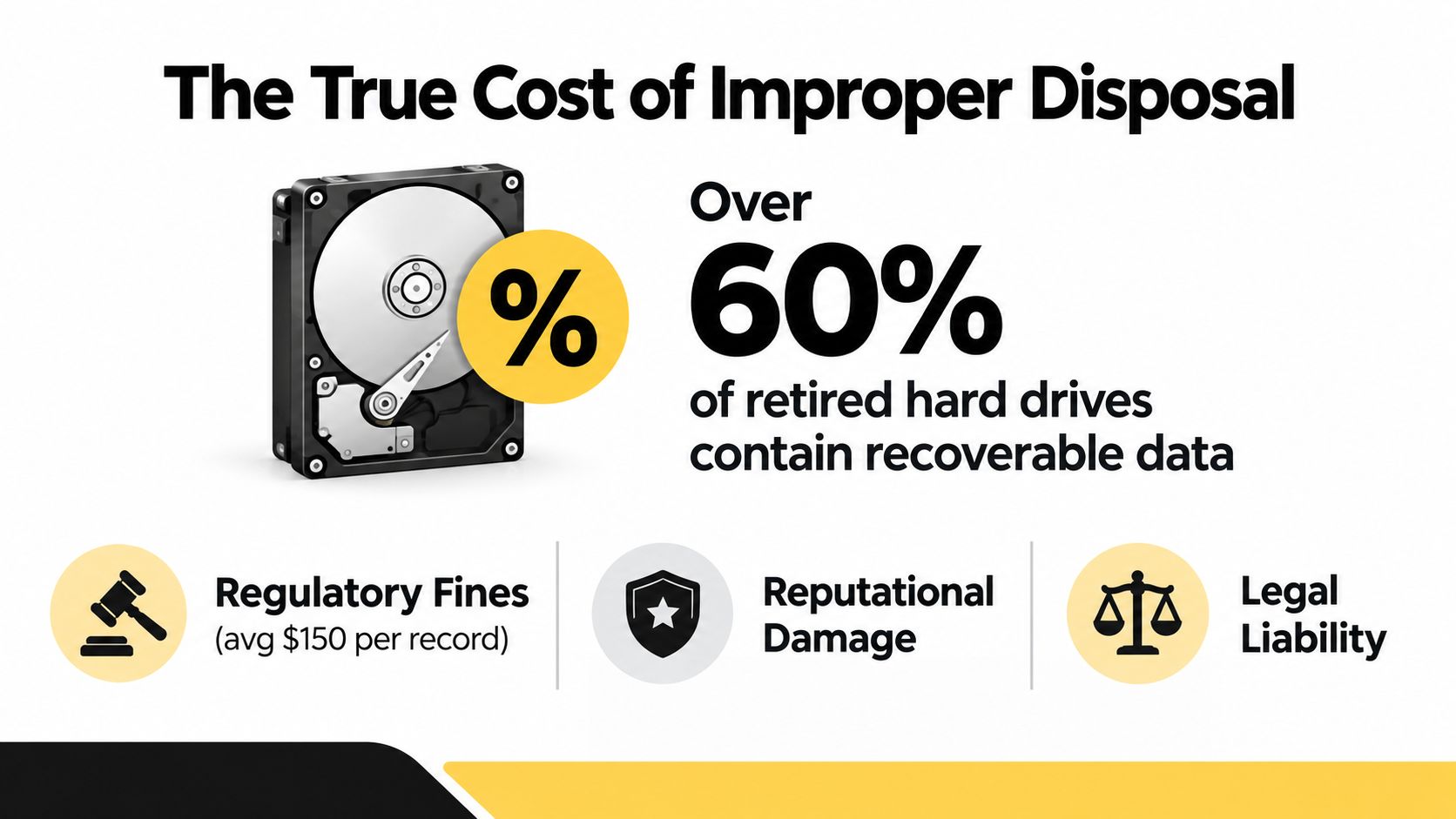
The disposal line item is visible. Pickup, labor, wiping, shredding, transportation, and documentation appear in a purchase order. The liability inside an unprocessed laptop is harder to see, but it can be far more consequential. Independent resale-market research summarized in 2026 found recoverable data on 42% of used hard drives purchased through online marketplaces, while another study found approximately 59% retained recoverable information. A separate finding reported recoverable data on 75% of used SSDs, showing that flash storage doesn't become safe merely because it has no spinning platters. These findings are summarized in research on IT disposal and data-breach risk.
A recovered drive can expose business records without a complex intrusion. An attacker may find customer files, tax documents, internal correspondence, browser artifacts, or authentication material. The organization then faces investigation, containment, legal review, notifications, contractual scrutiny, and executive distraction. IBM's 2025 Cost of a Data Breach Report, as summarized in the same source, placed the global average breach cost at $4.44 million. That figure isn't a disposal-specific invoice, but it shows the scale of the liability created by a preventable security control failure.
The liability starts before recycling
A laptop doesn't need to reach a public marketplace to create exposure. It can be misplaced during an office move, handed to an unvetted transporter, or left accessible to staff who were never authorized to handle retired assets. If the asset register can't identify the device, the organization also can't prove where it went or which sanitization method it received.
The FTC Disposal Rule requires reasonable and appropriate measures for consumer-report information so it can't be read or reconstructed. That standard makes a verbal assurance inadequate when the device contains covered information. A documented process, matched to the data and media, gives the CIO something defensible to show auditors, customers, insurers, and counsel.
The practical comparison is straightforward:
- Visible cost: Secure pickup, processing, destruction, recycling, and certificates.
- Invisible liability: Recoverable data, uncertain custody, missing assets, regulatory response, and loss of trust.
- Executive decision: Fund the control that closes the exposure before equipment leaves organizational control.
For employee departures, the financial and security implications deserve separate review in the analysis of unreturned employee laptops. A retired device should be treated as a controlled information asset until its storage is cleared, purged, or destroyed.
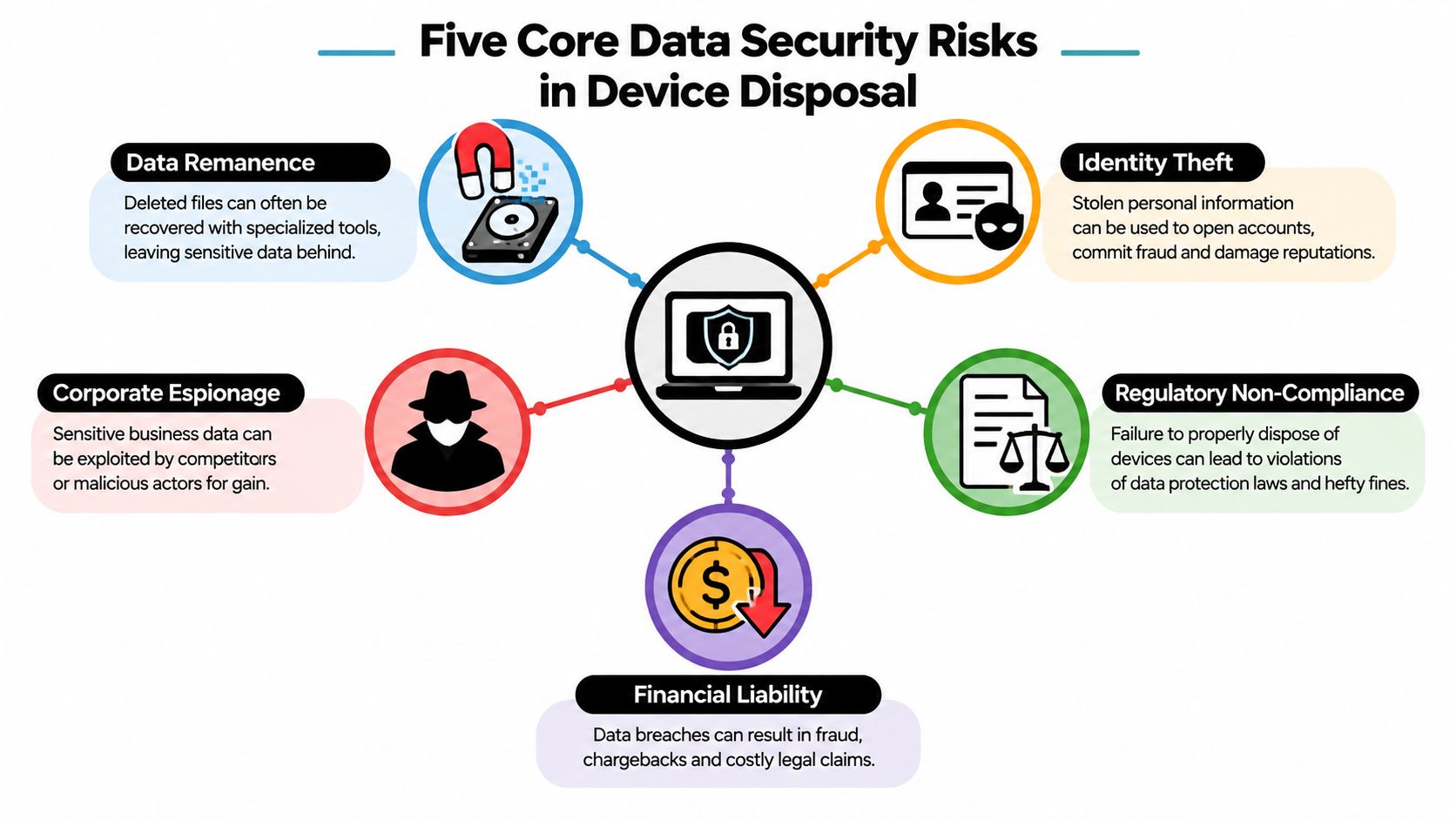
The Five Core Data Security Risks
Consider a retired laptop pulled from an employee desk. Its storage may contain browser sessions, cached documents, authentication tokens, and application data. Review those risks systematically before the device enters storage, transport, resale, or recycling.
Data remanence
Data remanence is residual information left on media after deletion, formatting, or ordinary reuse. NIST defines it as data that remains after an attempt to remove it. Effective sanitization must make recovery infeasible with current laboratory techniques, as described in its definition of media remanence.
Emptying the Recycle Bin does not establish that outcome. File names may disappear from the operating system while storage blocks retain documents, cached attachments, and application data. Record the media type and sanitization result for every device, not merely the action someone says was performed.
Identity theft and account compromise
A retired device may retain employee records, saved browser sessions, password-manager databases, VPN profiles, authentication tokens, and recovery material. An attacker who obtains a sales laptop may need only one cached session or credential to reach cloud applications.
Prioritize devices assigned to executives, finance staff, administrators, and remote workers. Verify their storage disposition before releasing lower-risk equipment, because those systems often combine valuable identity data with broad access.
Regulatory exposure
Regulatory duties depend on the information stored and the controls applied during disposal. A laptop containing protected health information, consumer-report information, financial records, or Federal Tax Information can create obligations beyond routine asset management.
For each device, record the data class, selected sanitization method, responsible person, completion date, and supporting evidence. Missing answers indicate a control gap that auditors, counsel, insurers, or customers may challenge.
Intellectual-property leakage
Engineering laptops may contain source code, product designs, laboratory results, customer lists, pricing models, or proprietary research. A product manager's device can expose roadmaps and supplier terms even without regulated personal information.
The same exposure exists in printers, multifunction devices, servers, network appliances, backup media, and laboratory equipment. Include internal storage in the retirement checklist for every equipment category, then confirm that the assigned method matches the media.
Supply-chain abuse
A downstream vendor may remarket an asset, transfer it to another processor, or combine it with refurbished equipment. The storage-limbo window between decommissioning and destruction is the primary attack surface. Track custody, location, processor, and sanitization status until the final disposition is verified.
Practical rule: Treat every data-bearing asset as compromised until your records prove the opposite.
Why Deleting Files and Formatting Drives Is Not Enough
Deleting a file usually removes its reference from the file system. Formatting can recreate file-system structures without reliably overwriting every underlying block. That's why “we formatted it” describes an operating-system action, not a defensible sanitization outcome.
An independent recovery study of six used computers purchased online recovered 5,875 user-generated documents, including passports and forms containing personally identifiable information. The findings are documented in the forensic analysis of used PCs. The lesson is operational: retired machines can remain rich sources of information after casual cleanup.
Modern media requires a matching method
Hard disk drives, SSDs, NVMe drives, and self-encrypting devices don't behave identically. SSD controllers use wear-leveling, which can move data across physical flash cells. NVMe devices may implement manufacturer-specific commands and controller behavior. Encryption can help, but only when the device's keys, recovery process, and cryptographic-erase function are properly understood and verified.
Apple devices with integrated security architectures also require device-specific handling. A generic operating-system reinstall shouldn't be treated as proof that every storage state and paired security component has been addressed.
| Storage Type | Quick Format | OS Reinstall | ATA Secure Erase | NIST Purge/Cryptographic Erase | Physical Destruction |
|---|---|---|---|---|---|
| HDD | Not sufficient | Not sufficient | May be appropriate when verified | Appropriate when validated | Strongest final control |
| SSD | Not sufficient | Not sufficient | Device support varies | Prefer manufacturer-supported purge or cryptographic erase | Appropriate for sensitive data |
| NVMe | Not sufficient | Not sufficient | ATA command may not apply | Use validated NVMe or cryptographic method | Appropriate when verification is uncertain |
| Self-encrypting drive | Not sufficient | Not sufficient | Depends on implementation | Cryptographic erase may be appropriate when verified | Use when key handling can't be proven |
| Unknown or damaged media | Not sufficient | Not sufficient | Unreliable | Don't assume success | Destroy the storage device |
NIST identifies Clear, Purge, and Destroy as distinct sanitization actions in SP 800-88 Rev. 1. The correct decision depends on media type, data sensitivity, reuse plans, and whether the result can be independently documented. For practical process guidance, review how to erase a hard drive completely, then require a certificate tied to the asset or drive serial number.
Legal and Compliance Obligations You Cannot Ignore
Disposal obligations attach to the data, not the age or resale value of the computer. A five-year-old laptop can carry the same confidentiality responsibility as a new one if it contains protected records.
Match the method to the information
The FTC Disposal Rule applies when consumer-report information is present. Businesses must use reasonable measures to prevent that information from being read or reconstructed, including destruction or erasure of electronic media or careful selection and oversight of a destruction contractor.
Healthcare organizations must address disposal safeguards for electronic protected health information under the HIPAA Security Rule. The IRS media sanitization guidance is more explicit for Federal Tax Information. Disposal alone isn't acceptable. The guidance permits clearing, purging, or destroying the media.
Financial institutions also need disposal controls that fit their information-security and customer-protection obligations. State breach-notification laws can add another layer when lost or discarded equipment contains covered personal information.
| Regulation | Scope | Disposal Requirement | Required Documentation | Typical Penalty |
|---|---|---|---|---|
| FTC Disposal Rule | Consumer-report information | Prevent reading or reconstruction | Contractor due diligence, destruction or erasure records | Depends on enforcement and facts |
| HIPAA | Protected health information | Apply safeguards through disposal | Sanitization records, policies, workforce controls | Depends on violation category and circumstances |
| IRS Publication 1075 | Federal Tax Information | Clear, purge, or destroy | Media records and sanitization evidence | Depends on program and incident facts |
| GLBA Safeguards Rule | Financial institutions and customer information | Maintain appropriate information-security controls | Policies, risk evidence, vendor oversight | Depends on enforcement and facts |
| State breach-notification statutes | Covered personal information | Protect data and respond when exposure occurs | Incident records, investigation, notifications | Varies by jurisdiction |
Auditors typically want a serialized inventory, a documented chain of custody, a sanitization or destruction result, and evidence that the downstream processor was vetted. A statement such as “the vendor shredded everything” doesn't identify which devices were processed or demonstrate that the method matched the media.
Keep the evidence organized in a central repository. Compliance documentation for IT asset disposal should connect the asset tag, serial number, processing date, method, operator or vendor, and final disposition.
The Hidden Risk Window Inside Your Own Building
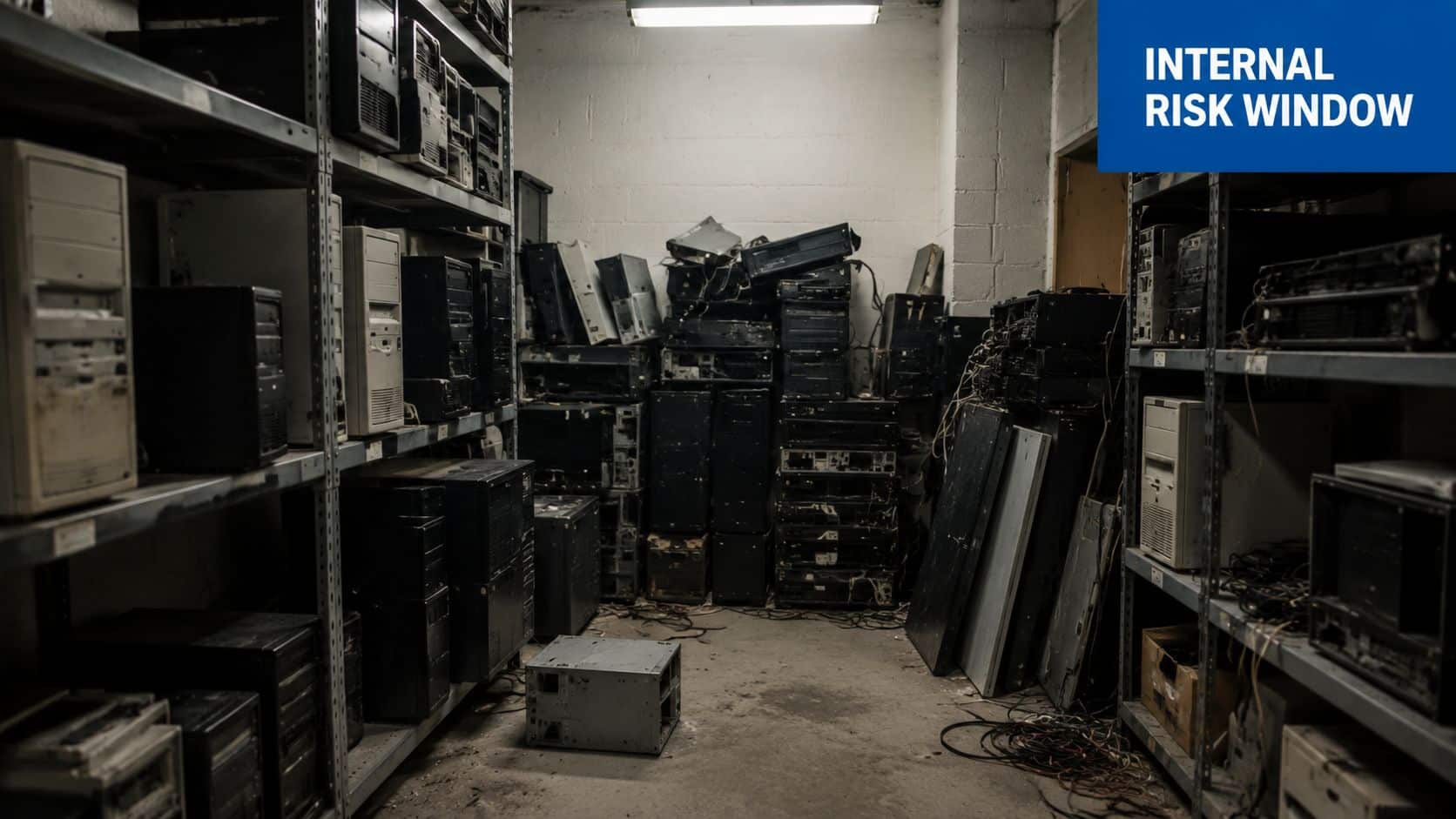
The most overlooked attack surface is the period after decommissioning and before destruction. Recent reporting found that 39% of organizations had a formal storage room for retired IT equipment that held assets for more than 12 months, while 62% couldn't produce a complete inventory of what was stored. The same evidence stream reported that 41% had experienced at least one incident involving missing data-bearing equipment from storage. These figures are presented in reporting on the cybersecurity risk of e-waste storage rooms.
A typical laptop moves through several custody points. IT removes it from endpoint management, facilities places it in a room, a coordinator stages it near a loading dock, a carrier collects it, and a processor receives it. Each handoff creates an opportunity for loss, substitution, unauthorized access, or incomplete documentation.
Why internal storage is deceptively dangerous
The device may still contain browser credentials, cached files, VPN configuration, authentication artifacts, and recovery keys. The corporate firewall doesn't protect a laptop sitting in a closet. At that point, endpoint monitoring may have stopped, ownership may be unclear, and staff may move equipment without recording the transfer.
A missing laptop isn't just an inventory discrepancy. It's an unresolved data incident until the organization can establish what was stored on it and whether the media was sanitized.
Shorten the window with an intake schedule, a locked staging area, same-day inventory, and a defined maximum hold period. Use serialized containers or tamper-evident seals, and require a signed transfer at every handoff. The chain of custody for IT asset disposal should begin before the truck arrives, not after the recycler receives the shipment.
Secure Disposal Methods and a Practical Mitigation Playbook
A defensible program makes four decisions in order: identify the asset, classify the data, select a method, and preserve proof. Don't let resale value determine the security standard. Let the data and the media determine it.
Build the processing workflow
Inventory every asset: Record manufacturer, model, asset tag, drive serial number, location, assigned user, and data classification. Include laptops, desktops, servers, printers, network equipment, backup media, and devices used in laboratories or clinical settings.
Choose Clear, Purge, or Destroy: Use Clear when the risk and reuse context permit a logical method. Use Purge when recovery must be infeasible through stronger media-specific treatment. Use Destroy when the device is damaged, the method can't be verified, the data is highly sensitive, or the organization doesn't need the storage media reused.
Use validated tools: DBAN may suit certain magnetic-drive scenarios, while Blancco and comparable enterprise tools can generate process records. SSDs and NVMe drives should use supported manufacturer secure-erase or cryptographic-erase functions, with verification. If the controller, firmware, or encryption state is uncertain, destroy the storage media.
Control transportation: On-site mobile shredding is appropriate when regulated data, high sensitivity, or tight custody requirements make witnessed destruction preferable. A vetted off-site plant can handle routine volume when intake is serialized, containers are secured, and downstream accountability is documented.
Require evidence, not assurances
Every job should produce an asset-level record. Require:
- Serialized intake: Match each device and storage component to the inventory.
- Tamper-evident control: Seal containers and record seal changes.
- Signed transfer: Use a Bill of Lading or equivalent custody document.
- Destruction evidence: Issue a certificate listing processed drive serial numbers.
- Downstream record: Maintain a materials manifest showing final recycling or disposition.
Vendor due diligence should cover R2v3 or e-Stewards certification, NAID AAA certification where applicable, audited financials, insurance, security controls, and documented downstream partners. Ask to see sample certificates before awarding the work. Beyond Surplus offers certified data wiping, on-site or off-site hard-drive shredding, and certificates of recycling and data destruction as part of its commercial ITAD services.
A Simple Framework for Verifying Every Disposal Decision
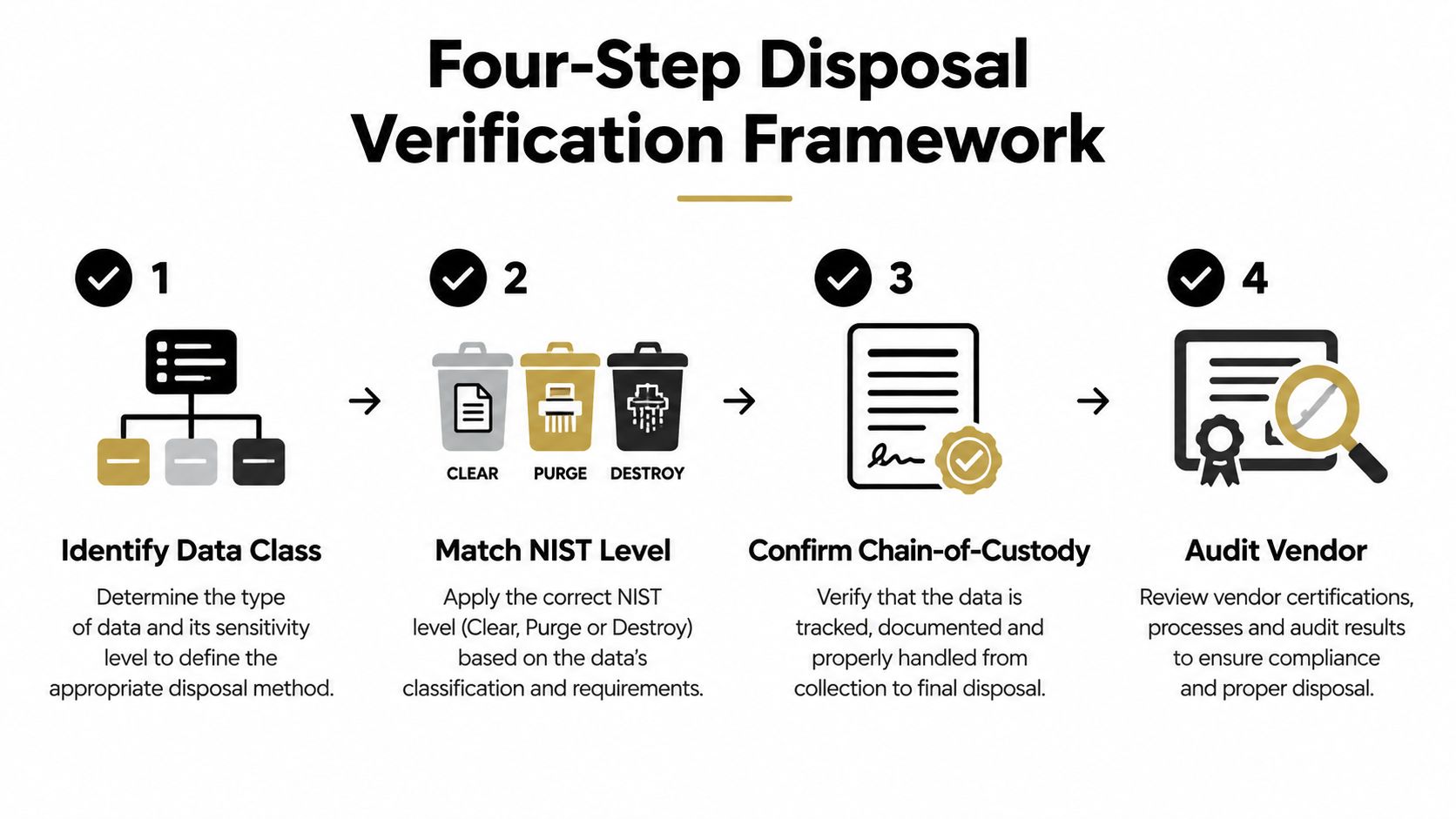
Use a four-step loop for every device:
- Identify data class: Determine whether the asset held general business information, PII, PHI, financial data, tax information, credentials, or sensitive intellectual property.
- Match the NIST level: Select Clear, Purge, or Destroy according to the media, sensitivity, and reuse decision.
- Confirm chain of custody: Tie the asset tag and drive serial number to intake, transport, processing, and final documentation.
- Audit the vendor: Verify certifications, downstream controls, financial stability, and the evidence produced for the specific job.
This loop neutralizes the five risks directly. Certified Purge addresses remanence. Serialized destruction and access control reduce identity-theft exposure. NIST records mapped to the applicable rule support regulatory obligations. Witnessed shredding protects high-value intellectual property when reuse isn't appropriate. R2v3 or e-Stewards vetting reduces supply-chain uncertainty.
The end state is verifiable, not merely assumed. A certified ITAD process closes the storage-limbo window by connecting the device you retired to the method used, the people who handled it, and the evidence proving completion. Use this vendor due diligence checklist before approving your next disposal partner.
For a 500-laptop retirement, Beyond Surplus can coordinate commercial pickup, secure data wiping, physical hard-drive shredding, electronics recycling, and serialized certificates of destruction. Visit Beyond Surplus to request an ITAD plan that closes the custody gap and gives your team auditable proof for every asset.