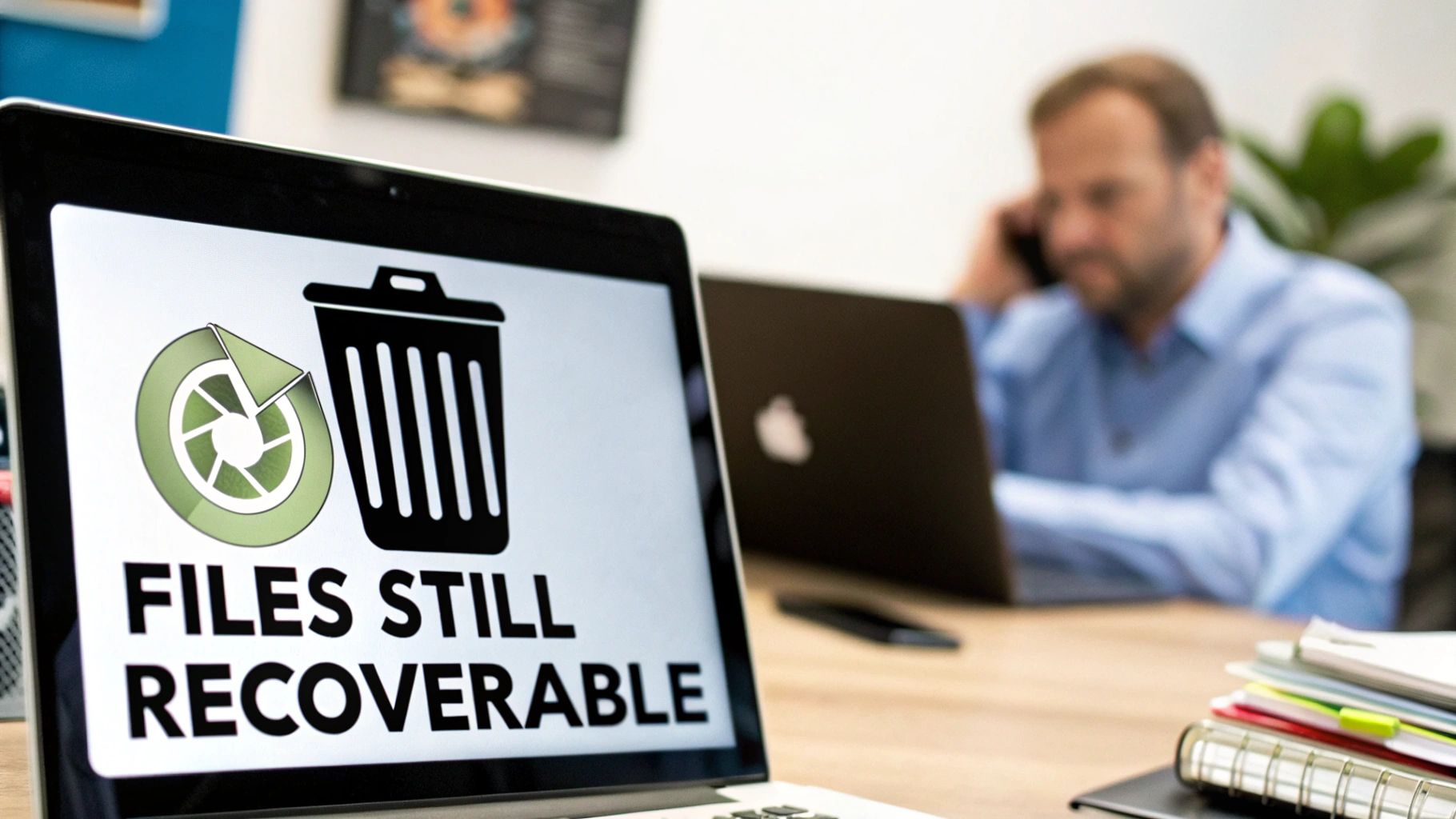
Dragging files to your computer's trash bin feels final, but for a business, it provides a dangerously false sense of security. When you "delete" a file, the operating system doesn't actually erase the data. It simply marks the space it occupies as available for future use. The actual data remains on the drive, easily recoverable with widely available software until it's overwritten. This is not a risk any business can afford to take with sensitive corporate information.
The Illusion of Deletion and Critical Business Risks
Emptying the recycle bin doesn’t scrub data; it just removes the pointer that tells your system where the file is. Think of it like removing a card from a library's card catalog. The book is still on the shelf, ready for someone to find, even though the official record says the space is free.
For any business, this creates a massive vulnerability. Your corporate data isn't just a collection of files—it's your intellectual property, client information, financial records, and employee details. Failing to properly sanitize this data before IT asset disposal can lead to catastrophic consequences, including compliance violations and severe reputational damage.
A Cautionary Tale of Data Negligence
Consider a real-world scenario IT professionals see far too often. A mid-sized marketing firm upgraded its office computers and sold the old fleet to a local refurbisher. The IT staff performed a standard "quick format" on each hard drive, assuming this was sufficient data protection. They saw empty drives and considered the job done.
Months later, the firm faced a nightmare. A competitor had purchased one of their old machines and, using a simple, free data recovery tool, restored thousands of "deleted" files from the drive. This breach exposed sensitive client lists, marketing strategies, and confidential financial projections. The fallout was brutal: lost clients, legal battles, and irreparable damage to their corporate reputation.
This common mistake highlights a critical distinction: simple deletion is not data sanitization. True sanitization is an irreversible process that renders data forensically unrecoverable, an essential step for business compliance and security.
Understanding the Difference
To fully grasp why you must erase a hard drive completely, it's crucial to know the difference between basic file removal and professional data destruction.
- Standard Deletion: This method merely removes file system pointers. The underlying binary data is left completely intact, a prime target for recovery software.
- Formatting: A "quick format" is essentially the same as standard deletion. A "full format" is a step up, writing zeroes over the drive, but it can still be vulnerable and may not address every sector.
- Secure Erasure (Sanitization): This is the professional standard. It involves using specialized software to overwrite the entire drive with patterns of random data, often in multiple passes, adhering to strict standards like those from the Department of Defense (DoD) or the National Institute of Standards and Technology (NIST).
For any business, the stakes are too high to rely on superficial methods. Protecting trade secrets, customer privacy, and your company's reputation demands a thorough and verifiable approach to data destruction. This is precisely why understanding how to erase a hard drive completely is a non-negotiable part of the IT asset lifecycle.
Your Pre-Erasure Checklist for Flawless Data Wiping
Attempting to wipe a hard drive without a clear, documented plan is a recipe for disaster in a business environment. You might think the process is complete, but costly mistakes are easy to make. Before running any software or executing a single command, your IT team needs a checklist to protect corporate assets and ensure the job is done right—and can be proven.
Rushing this stage is where critical errors occur, often leading to the loss of essential data you meant to keep or, worse, the failure to erase sensitive data you intended to destroy.
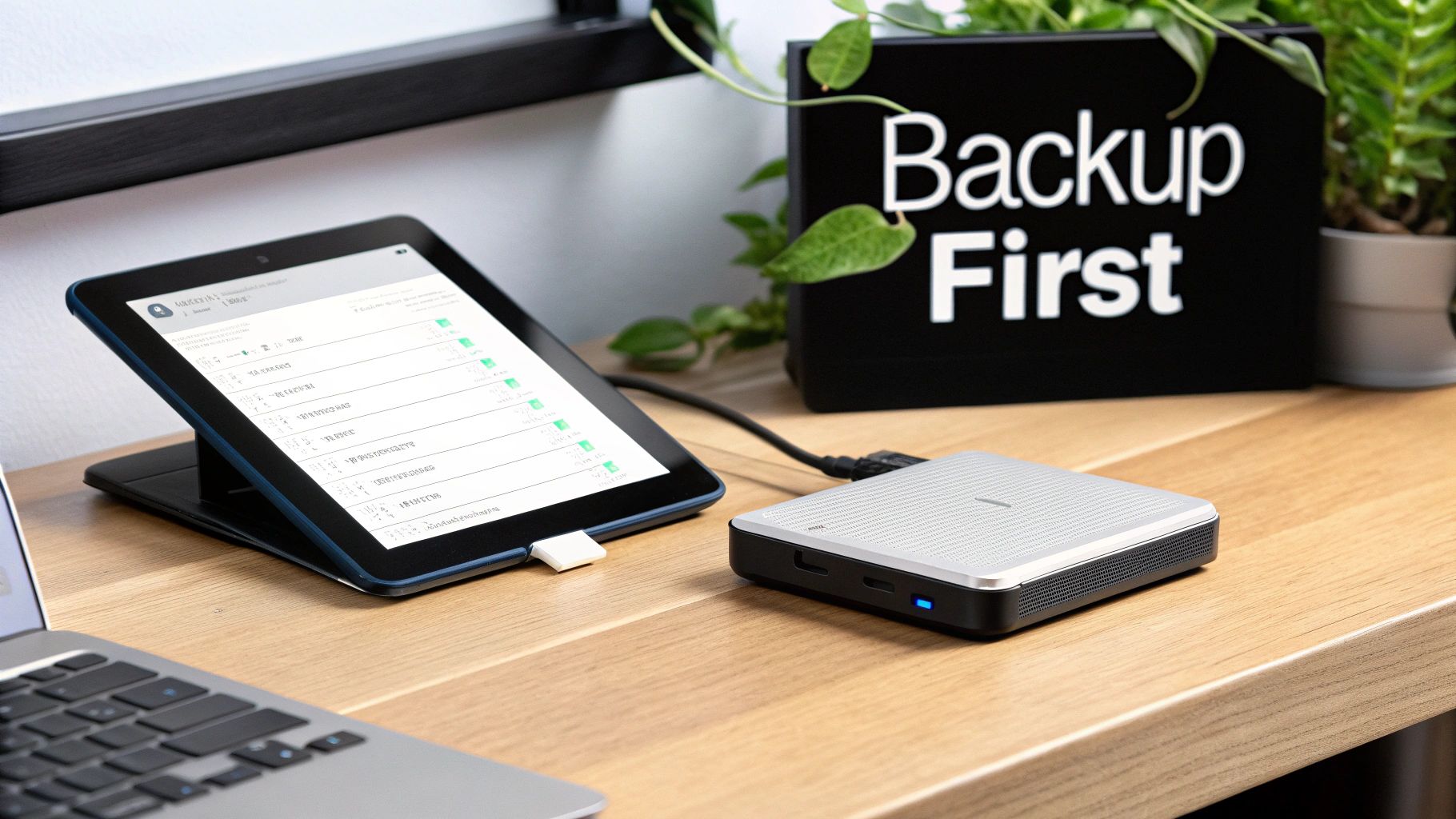
The absolute first step is backups. This means confirming you have a complete, functional, and recently tested backup of all necessary data. Imagine the consequences of realizing a critical client folder is gone forever after the drive has been wiped. There is no recovery from that mistake.
Handling Encrypted Drives Correctly
Encryption is an excellent security tool until it interferes with a proper data wipe. Tools like BitLocker on Windows or FileVault on macOS lock down data at the disk level. If you attempt to wipe a drive while it remains encrypted, the erasure software often cannot access the actual data sectors. The result is a failed or, more dangerously, an incomplete wipe.
The only correct procedure is to fully decrypt the drive first. This step is mandatory. It provides the wiping software with direct, unhindered access to every block on the drive, which is necessary for a thorough overwrite. Skipping decryption is a common and critical mistake that can leave sensitive data intact, merely hidden behind an encryption layer you thought you were destroying.
For a deeper dive, review our detailed guide on how to prepare your computers for donation or disposal.
The Importance of Detailed Inventory Logs
Let's be clear: for a business, documentation isn't just paperwork. It is a core component of your data security and asset management strategy. For every drive you plan to erase, you must maintain a detailed inventory log. This log is your proof of due diligence and is absolutely essential for any compliance audit.
Your log should track these key details for each asset:
- Serial Number: The drive's unique identifier.
- Asset Tag: Your company’s internal tracking number for the device.
- Date of Erasure: The exact date the wipe was performed.
- Method Used: The specific software and standard (e.g., NIST 800-88 Purge).
- Verification Result: A simple pass/fail confirmation that the wipe was successful.
This chain-of-custody documentation is non-negotiable. It transfers liability and proves to auditors, stakeholders, and regulators that you have a rigorous, defensible data destruction process. Without it, you have zero verifiable proof the data was properly destroyed.
The growing emphasis on secure processes is fueling major industry growth. In 2024, the global hard drive eraser market reached a value of around USD 150 million. It's projected to nearly double to almost USD 300 million by 2033. This surge demonstrates a rising global awareness of data security and the absolute necessity of compliant data destruction methods.
Following this checklist elevates the process from a simple IT task to a controlled, secure, and fully compliant business procedure.
Choosing the Right Software Wiping Method for HDDs
When it comes to traditional spinning hard disk drives (HDDs), software wiping is the gold standard for ensuring data is permanently gone. The concept is straightforward: the software overwrites every sector on the drive’s magnetic platters with random data. This process effectively buries the original information so deep that even advanced forensic tools cannot recover it.
However, not all wiping methods are created equal. Selecting the right one is critical, especially when compliance regulations are a factor for your business.
The market for data erasure solutions is booming, which indicates its importance. It was an estimated USD 0.31 billion market in 2025 and is expected to grow to USD 0.75 billion by 2035. Software-based methods, our focus here, comprised about 37% of all deployments in 2024, proving they are a go-to choice for a reason.
Understanding Data Erasure Standards
Data erasure standards are protocols that define how data is overwritten. They differ mainly in their complexity, specifically the number of "passes"—the number of times the software writes new data over the old. A simple, single-pass wipe might write a pattern of all zeros. A more intensive, multi-pass standard could perform several rounds of zeros, ones, and random characters.
You will likely encounter a few common standards:
- DoD 5220.22-M: This was once the benchmark for the U.S. Department of Defense. It involves three distinct overwrite passes. While still very secure for most business applications and widely recognized, it has largely been superseded by more efficient, modern standards.
- NIST SP 800-88: This is the current best practice and the standard for the U.S. government. Instead of focusing on a specific number of passes, NIST guidelines emphasize verification—proving the data is actually gone. The NIST 800-88 Purge method, for example, is designed to ensure data is unrecoverable even with state-of-the-art laboratory techniques. You can get a deeper look at what this involves in our breakdown of NIST SP 800-88 compliance.
- Gutmann Method: This is the heavyweight of wiping methods, using 35 passes with various data patterns. It was originally designed for very old hard drive technologies. On modern HDDs, it is complete overkill and offers no practical security advantage over a single, verified pass. It just takes an incredibly long time to complete.
Here’s a look at how these standards compare.
Comparison of Common Data Erasure Standards
This table breaks down some of the most widely recognized data wiping standards, their methods, and their best applications for businesses needing to secure their data.
| Standard | Method | Number of Passes | Best For |
|---|---|---|---|
| DoD 5220.22-M | Writes a character, its complement, then random characters. | 3 Passes | Organizations needing a well-documented, legacy standard for general data security. |
| NIST SP 800-88 Purge | Overwrites with a single pass and requires verification. | 1 Pass (Verified) | Modern enterprises, government agencies, and any business needing to meet current compliance standards. |
| Gutmann Method | Uses complex patterns based on magnetic field theory. | 35 Passes | Considered obsolete for modern drives; offers no extra security over NIST 800-88. |
| Single-Pass Zeros | Writes a single pass of all zeros across the drive. | 1 Pass | Non-sensitive data where basic wiping is sufficient and speed is a priority. |
Choosing the right standard often comes down to balancing security requirements with operational efficiency. For most modern business applications, a verified single-pass method like NIST 800-88 Purge is more than sufficient.
The key takeaway for modern HDDs is that a single, verified overwrite pass, as recommended by NIST 800-88, is sufficient to render data unrecoverable. Multi-pass methods like the DoD standard are still effective but often represent unnecessary time and energy expenditure.
Built-In Tools vs. Dedicated Software
Most operating systems include command-line tools that can perform a basic drive wipe. They are free and readily available, but for any professional or business use, they come with serious risks.
Windows diskpart (Clean All Command)
In Windows, the diskpart utility has a clean all command. This performs a basic single-pass, zero-fill wipe on the selected disk.
- How it works: It writes zeros to every sector, erasing all data.
- The risk: It provides zero verification or certification. You have absolutely no auditable proof that the wipe was successful, which is a massive red flag for compliance. Worse, a minor typo could cause you to wipe your primary operating system drive with no confirmation prompt.
Linux dd Command
The dd command in Linux is a powerful, low-level tool that copies data block by block. It can be used to overwrite a drive with data from /dev/zero (all zeros) or /dev/urandom (random data).
- How it works: A command like
dd if=/dev/urandom of=/dev/sdatells the system to overwrite the drive/dev/sdawith random data. - The risk: Like
diskpart,ddis notoriously unforgiving. It's often nicknamed "disk destroyer" for good reason. One wrong character in theof=parameter could accidentally wipe a production server instead of the intended retired drive. It also lacks built-in reporting for creating a corporate audit trail.
When to Use Dedicated Erasure Tools
For any professional business environment, dedicated erasure software is the only safe and compliant choice. A great example is DBAN (Darik's Boot and Nuke). While DBAN itself is a free, older tool, its commercial successors are packed with features essential for enterprise-level data destruction.
Here’s why dedicated tools are always the superior choice for businesses:
| Feature | Built-in Tools (diskpart, dd) |
Dedicated Software (e.g., DBAN) |
|---|---|---|
| Verification | No built-in verification process. | Includes routines to verify the overwrite was successful across the entire drive. |
| Certification | No certificate of erasure is generated. | Creates a detailed, auditable report for compliance and record-keeping. |
| User Interface | Command-line only, high risk of user error. | Often has a guided, menu-driven interface to reduce mistakes. |
| Standard Support | Basic zero-fill or random data only. | Supports multiple industry standards like DoD 5220.22-M and others. |
While running a quick clean all command might seem like an easy fix for a single, non-critical drive, it completely fails to meet the security and compliance needs of any professional organization. Using a dedicated tool ensures the job is done correctly, verifiably, and safely—every time.
The Unique Challenge of Wiping Solid-State Drives
Attempting to wipe a Solid-State Drive (SSD) using the same method as a traditional Hard Disk Drive (HDD) is a recipe for data security failure. The underlying technology is fundamentally different, rendering old-school overwriting methods not just ineffective but potentially damaging to the drive itself.
HDDs store data on magnetic platters, allowing software to reliably overwrite every sector. SSDs, however, use flash memory and a process called wear-leveling. This feature is designed to distribute data writes across all memory cells to prevent any single area from wearing out prematurely.
While wear-leveling is excellent for drive longevity, it is a nightmare for secure data erasure. When you instruct software to overwrite a specific block on an SSD, the drive's controller might intercept that command. It then writes the new data to a different, less-used block, leaving the original data untouched to spare the cell from extra wear. This means your sensitive, original data can remain completely recoverable, even after a supposed multi-pass wipe.
The Right Way: Firmware-Level Commands
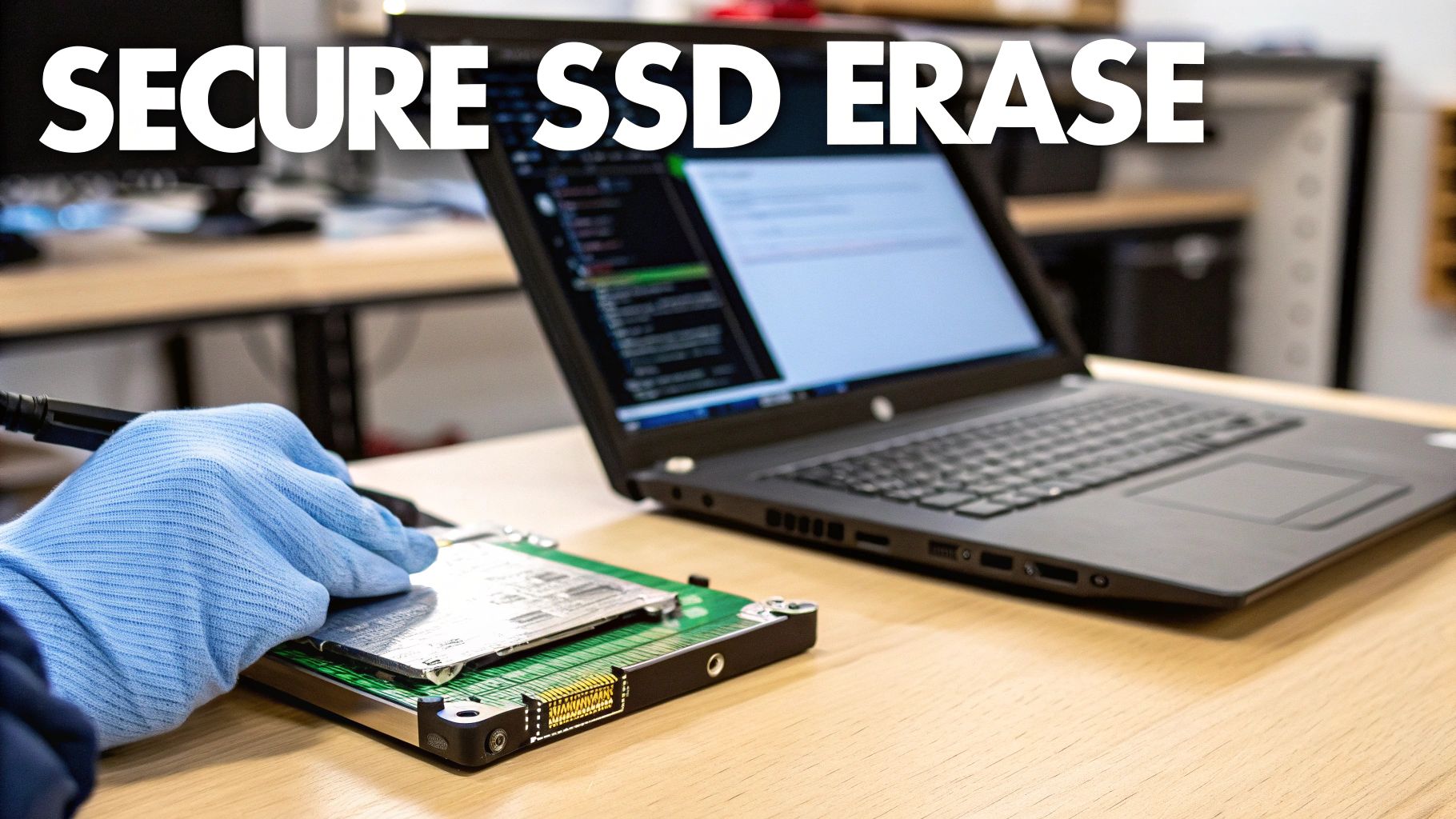
So, how do you completely and securely erase an SSD? You let the drive erase itself. Modern SSDs come with built-in, firmware-level commands designed specifically for total data sanitization. These commands communicate directly with the drive's controller, instructing it to reset every single flash memory cell to its original, empty state.
This is not an overwrite; it's a complete factory reset at the hardware level. The process is incredibly fast—often taking just seconds—and is far more effective than any software-based tool on an SSD.
There are two main commands businesses need to know:
- ATA Secure Erase: This is the standard for SATA-based SSDs. It triggers the drive's internal security protocol to reset all stored electrons, essentially returning the drive to a "like new" state from a data perspective.
- NVMe Format: This is the equivalent for newer NVMe (Non-Volatile Memory Express) drives that connect via the PCIe interface. It performs a similar low-level format and secure erase function specific to the NVMe protocol.
Using these built-in commands bypasses the wear-leveling algorithm entirely. You are not asking the drive to write over old data; you are commanding its internal controller to perform a complete electronic reset of all its memory cells at once.
How to Execute a Secure Erase
Executing these commands isn't as simple as typing a line into a command prompt. The drive must be in a specific state, and you will almost always need specialized software to send the command correctly.
Most major SSD manufacturers provide their own free utility software to handle this. These tools offer a user-friendly interface to manage the drive, and initiating a secure erase is typically a core feature.
Here are a few manufacturer-specific tools to look for:
- Samsung: Samsung Magician
- Crucial: Crucial Storage Executive
- Western Digital: Western Digital Dashboard
If you are working with drives from multiple manufacturers or prefer a universal solution, third-party utilities like Parted Magic are an excellent choice. Parted Magic is a powerful disk management tool that can issue ATA Secure Erase and NVMe Format commands to a wide range of drives.
Regardless of the tool, the process generally involves creating a bootable USB drive with the utility. You then boot the computer from that USB, loading the software outside of the main operating system. This provides the tool with full, direct access to the target SSD to perform the erase properly. This method is a critical part of any complete data sanitization strategy for modern IT assets.
When Software Fails: The Necessity of Physical Destruction
Software-based data wiping is effective on functional hard drives, but in a corporate environment, it's often not an option. You will encounter situations where a drive is physically damaged, too old to support modern tools, or held data so sensitive that you cannot afford even a 0.01% chance of recovery.
In these cases, physical destruction is the only guaranteed method to ensure that data is permanently gone. These methods don't require the drive to power on. They focus on the complete, irreversible annihilation of the physical media where the data resides. For these critical scenarios, professional ITAD services like Beyond Surplus are the go-to for definitive, end-of-life data destruction.
Degaussing: The Magnetic Wipeout
For traditional spinning hard disk drives (HDDs), degaussing is an incredibly powerful and effective destruction method. It involves exposing the drive to an intense magnetic field from a specialized machine called a degausser. This magnetic pulse is so strong that it completely scrambles the magnetic domains on the drive's platters—the very foundation of how it stores data.
Imagine the platters are a perfectly organized library of magnetic bits. Degaussing is like hitting that library with a magnetic hurricane, instantly turning every piece of data into an unreadable mess.
The result is a drive that is not only data-free but also completely inoperable. The magnetic field is so fierce it also destroys the firmware controlling the drive's read/write heads, rendering it useless forever.
Shredding: The Final Step
Shredding is exactly what it sounds like, but on an industrial scale. The entire hard drive or SSD is fed into a massive machine that grinds it into small, mangled fragments of metal and plastic. These are not office paper shredders; these are powerful machines that can tear through solid steel without issue.
This method is the ultimate fail-safe for several key business scenarios:
- Damaged Drives: Any drive that will not power on or has suffered physical damage cannot be wiped with software. Shredding is the only viable solution.
- Solid-State Drives (SSDs): Since SSDs do not store data magnetically, degaussing is ineffective. Shredding is the industry-preferred method for destroying them.
- Highest Security Needs: For government, financial, or healthcare organizations, shredding provides undeniable visual proof that the data has been destroyed, satisfying the most stringent compliance requirements.
The demand for these verifiable destruction methods is exploding. The global market for hard drive destruction services was valued at USD 1.65 billion in 2024 and is projected to skyrocket to USD 5.05 billion by 2035. This massive growth is driven by tightening data security regulations and the corporate need for a defensible, auditable disposal process.
The Critical Role of a Certificate of Destruction
Regardless of the method used, the final and most crucial step in any professional destruction process is receiving a Certificate of Destruction. This is not a simple receipt; it is a legally binding document that creates an official audit trail.
This certificate formally transfers liability from your organization to the ITAD provider. It meticulously details what was destroyed, the method used (shredding, degaussing), the date, and the serial numbers of the assets, proving you fulfilled your compliance duties. Without it, you have zero verifiable proof that you took the necessary steps to protect your sensitive corporate data. You can learn more about the complete lifecycle of asset disposal in our guide on what to do with old hard drives.
Deciding Between DIY Erasure and Professional ITAD Services
Wiping a single hard drive from a home PC is a manageable task. For a small business retiring only a few machines, using built-in OS tools or free software might seem cost-effective. It appears simple, direct, and sufficient.
But this DIY approach quickly becomes inadequate. What happens when your business is facing an office-wide tech refresh, a data center decommissioning, or the strict compliance demands of industries like healthcare or finance? Suddenly, the risk of a single mistake becomes enormous. Improper data destruction can lead to staggering legal penalties and irreversible damage to your company’s reputation.
This is where a professional IT Asset Disposition (ITAD) provider transitions from a vendor to a critical partner in your risk management strategy. Making the switch from DIY to a professional service isn't about convenience; it's about necessity, driven by needs that demand absolute security and a fully verifiable process.
Key Indicators to Call in the Experts
If any of these situations sound familiar, it's a clear sign that your business has outgrown the DIY approach and needs professional services:
- Compliance and Certification: You operate in a regulated field like healthcare (HIPAA), finance (GLBA), or handle government contracts. You must be able to prove compliance with data destruction standards like NIST 800-88. A professional ITAD vendor is your only source for the official Certificates of Data Destruction required for a clean audit trail.
- Scale and Volume: Your IT team is already stretched thin. Tasking them with wiping dozens, or even hundreds, of drives is a colossal waste of their time and your company's money. Professionals have the specialized equipment and workflows to process large volumes of drives securely and efficiently.
- Asset Value Recovery: Do not assume old equipment is worthless. Many of your used assets may still hold significant residual value. A qualified ITAD partner can test, refurbish, and resell that equipment, often sharing the profits back with your company.
- Environmental Responsibility: E-waste is not just trash; it's a legal and ethical minefield of hazardous materials. Certified recyclers ensure your old equipment is handled correctly, keeping toxic substances out of landfills and ensuring you meet your corporate social responsibility goals.
This decision tree provides a quick visual on how to approach the initial steps, based on the drive's condition and the sensitivity of the data it holds.
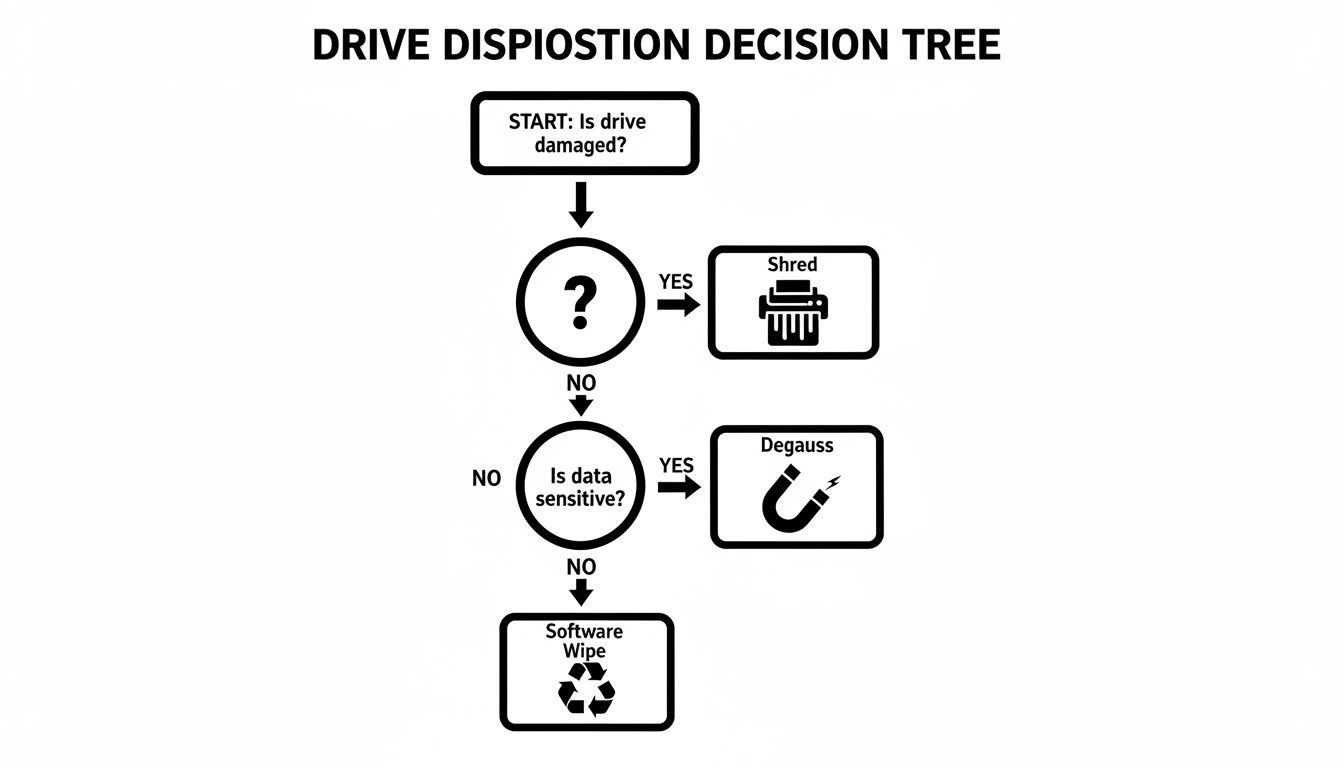
As you can see, a drive’s physical condition is the first checkpoint. If it's non-functional, it goes directly to the shredder. If it works but held highly sensitive data, it requires a more robust sanitization method like degaussing.
DIY Erasure vs Professional ITAD Services
To put it in perspective, let's break down the real-world differences between handling IT asset disposal yourself and partnering with a certified provider.
| Feature | DIY Methods | Professional ITAD Service (e.g., Beyond Surplus) |
|---|---|---|
| Security & Verification | Relies on user skill; often lacks auditable proof. High risk of human error. | Certified, verifiable processes (NIST 800-88). Issues Certificates of Data Destruction for audit trails. |
| Compliance & Legal Risk | You bear 100% of the liability. No formal documentation to prove compliance with HIPAA, GLBA, etc. | Transfers liability to the vendor. Provides documented proof of compliance, essential for regulated industries. |
| Time & Resources | Extremely time-consuming for IT staff. Pulls skilled employees away from core business functions. | Highly efficient. Handles large volumes quickly with specialized equipment and dedicated personnel. |
| Asset Value Recovery | Minimal to none. Selling used equipment yourself is a security risk and logistical headache. | Maximizes ROI by securely refurbishing and reselling viable assets, often returning a portion of the profits. |
| Environmental Compliance | Difficult to ensure proper e-waste recycling. Risk of assets ending up in landfills, violating regulations. | Certified to R2 or e-Stewards standards, guaranteeing environmentally responsible and legal disposal. |
| Chain of Custody | Informal and hard to track. Assets can be misplaced or mishandled easily. | Secure, documented chain of custody from pickup to final disposition, with serialized asset tracking. |
Ultimately, the choice comes down to accountability. A DIY wipe might feel "good enough," but it offers zero certified proof and leaves your company holding all the risk.
For true security and bulletproof compliance, exploring professional hard drive destruction services isn't just a good idea—it's an essential step in protecting your company's data and reputation. It ensures a defensible, compliant, and secure end-of-life process for all your IT equipment.
Frequently Asked Questions About Erasing Hard Drives
When it comes to disposing of old IT assets, data destruction is where the most critical questions arise for IT managers and business owners. Ensuring you have clear, accurate answers is not just good practice—it's essential for maintaining security and compliance. Let's address some of the most common questions we encounter.
A frequent misunderstanding we see is about what "formatting" a drive actually accomplishes. It's a classic mistake, but one that can leave a company wide open to a data breach.
Does a Quick Format Completely Erase My Hard Drive?
Not even close. A quick format is like ripping the table of contents out of a book. All the pages are still there; you’ve just made them slightly harder to find. It only removes the file system's address table, which means the actual data is still on the drive, easily recoverable with basic software.
To truly wipe a hard drive, you must use a secure overwriting method for traditional hard drives (HDDs) or the ATA Secure Erase command for solid-state drives (SSDs). Anything less is an unacceptable business risk.
Can I Reuse a Hard Drive After a Secure Wipe?
Absolutely. This is one of the primary reasons businesses choose secure wiping over physical destruction.
When a drive is properly sanitized using a certified standard like NIST 800-88 Purge, the data is permanently unrecoverable, even with forensic tools. The drive is then perfectly safe to be redeployed internally, donated, or resold to recover residual value. It’s a smart strategy for maximizing your IT budget without compromising data security.
Finally, let's discuss the paper trail. It might seem like a formality, but documentation is the backbone of any corporate data destruction program, especially when facing an audit.
A Certificate of Destruction is your official proof. It's a formal document from your ITAD partner that serves as your audit trail, confirming that your devices were destroyed according to specific, recognized standards. It should list serial numbers and the methods used, giving you concrete evidence of compliance with laws like HIPAA and GDPR.
When your business requires certified data destruction and compliant IT asset disposition that provides complete protection, you need an expert partner you can trust. Beyond Surplus ensures your sensitive data is handled securely and responsibly from start to finish.
Learn more about our secure services today and partner with a leader in secure IT asset disposal.