Before your business considers wiping a computer hard drive, establishing a definitive protocol is crucial. The primary objective is the permanent eradication of all data, but proceeding without a structured approach can lead to catastrophic loss of critical information or failure to meet stringent compliance standards. For any commercial enterprise, executing this process flawlessly is non-negotiable.
Initial Steps Before Wiping a Hard Drive for Business
Consider this your pre-execution checklist for IT asset disposition. Rushing these initial steps is a common source of irreversible errors. Diligent preparation prevents significant downstream complications, from irretrievable data loss to unaddressed security vulnerabilities.
The single most critical preliminary action is to create a complete, verified backup of all essential data. This goes beyond simple file transfers to an external drive. Your business must ensure the backup is successful, uncorrupted, and—most importantly—readable and restorable on another system. Before any data is destroyed, it is imperative to explore essential data backup solutions to ensure corporate assets are fully protected.
Create a Detailed Asset Inventory
In a professional environment, a detailed asset inventory is not just advisable; it is a mandatory component of responsible IT management. This log serves as your official chain of custody, tracking every drive designated for data sanitization and providing concrete proof of due diligence.
At a minimum, your asset log must include:
- Device Serial Number: To identify the specific computer or server.
- Hard Drive Serial Number: To pinpoint the exact storage device.
- Corporate Asset Tag: Your organization's internal tracking identifier.
- Date of Sanitization: To create a permanent record of when data destruction occurred.
This documentation is precisely what auditors require to verify compliance with data protection regulations.
Identify Drive Type: HDD vs. SSD
The tools and methodologies used for wiping a drive differ fundamentally based on its underlying technology. Applying an incorrect method is a significant operational failure that can either leave sensitive data recoverable or cause unnecessary wear on hardware assets.
- Hard Disk Drives (HDDs): These traditional drives use spinning magnetic platters. Wiping them involves using specialized software to overwrite the entire drive with random data, often in multiple passes.
- Solid-State Drives (SSDs): These modern drives use flash memory. Standard overwriting software is not only ineffective but can damage the drive and reduce its operational lifespan. SSDs require a specific firmware command, such as ATA Secure Erase, which instructs the drive to reset its own memory cells.
Mistaking the drive type is not a minor oversight. Improper data disposal carries substantial financial risk, as the global average cost of a data breach has reached $4.88 million. Furthermore, studies reveal that nearly 40% of second-hand hard drives contain recoverable, sensitive data because the previous owners used improper wiping techniques.
Selecting the Right Data Destruction Tools for Your Enterprise
Once corporate data is securely backed up and inventoried, the next step is selecting the appropriate tool for data destruction. This decision is critical, as the methodology must align with the drive type—whether it is a traditional Hard Disk Drive (HDD) or a modern Solid-State Drive (SSD).
Using an HDD overwriting tool on an SSD, for example, is ineffective and can leave sensitive corporate data exposed while causing undue wear on the drive. The global market for data wipe software, valued at $1.4 billion, is projected to reach $3.5 billion by 2032, reflecting the growing importance of compliant data sanitization driven by regulations like GDPR.
Tools for Traditional Hard Disk Drives (HDDs)
For conventional HDDs, the objective is to overwrite the magnetic platters where data is stored. This process, known as data sanitization, uses software to bury old information under layers of random data until it becomes irrecoverable.
A trusted, industry-standard tool for this purpose is DBAN (Darik's Boot and Nuke). This free, bootable utility allows IT professionals to erase every sector of an HDD.
DBAN employs proven overwriting standards, including:
- DoD 5220.22-M: The U.S. Department of Defense standard that uses specific patterns to overwrite data across multiple passes.
- NIST 800-88: Modern guidelines from the National Institute of Standards and Technology for media sanitization.
Here is DBAN's famously functional, text-based interface.
While effective, free tools like DBAN typically lack certified reporting capabilities, which are essential for business compliance. For auditable proof of erasure, commercial software that generates a verifiable certificate is the recommended solution. For a deeper understanding of the technical principles, review our detailed guide on the principles of data sanitization.
Comparing Data Wiping Methods for Your Business
Choosing the right data sanitization method depends on the drive type and your organization's compliance requirements. This table breaks down common software-based approaches.
| Method or Tool | Ideal For | Drive Compatibility | Key Feature |
|---|---|---|---|
| DBAN | Wiping individual HDDs for reuse or disposal without strict audit requirements. | HDD Only | Free, powerful, and uses multiple overwriting standards. |
| Blancco/KillDisk | Businesses needing certified, auditable data erasure for compliance (e.g., GDPR, HIPAA). | HDD & SSD | Provides detailed, tamper-proof reports and certificates. |
| ATA Secure Erase | Quickly and completely wiping SSDs by resetting them to factory state. | SSD Only | Built-in firmware command; extremely fast and effective. |
| Built-in OS Tools | Basic, non-certified wiping for non-sensitive corporate data. | HDD & SSD | Convenient but lacks the robust verification of specialized tools. |
For a single legacy HDD, DBAN is sufficient. For a large-scale refresh involving hundreds of corporate SSDs, a certified tool or the ATA Secure Erase command is the only compliant option.
Why SSDs Require a Different Approach
Never use an overwriting tool like DBan on an SSD. SSDs employ "wear-leveling" to distribute write operations across all memory cells, extending their lifespan. This same feature renders traditional overwriting useless, as the SSD controller may write new data to a different block, leaving the original, sensitive data intact. This not only fails to erase the data but also causes significant, unnecessary wear on the drive.
For SSDs, traditional overwriting is ineffective and damaging. The correct approach is to use built-in commands that instruct the drive to reset its own memory cells, a process that is both faster and safer for the hardware.
Secure Erase and TRIM Commands for SSDs
Instead of overwriting, you must work with the SSD's firmware. Manufacturers include built-in commands designed specifically for secure erasure that instruct the drive's controller to reset all storage blocks to an empty state.
-
ATA Secure Erase: This is the industry standard for SSDs. This firmware-level command triggers an internal process that erases all data, including over-provisioned areas inaccessible to the OS. The most reliable method is to use the manufacturer’s proprietary software, such as Samsung Magician or Crucial Storage Executive.
-
TRIM Command: While not a wiping tool, TRIM is a related OS command that informs the SSD which data blocks are no longer in use. The SSD can then clear these blocks during idle time. TRIM helps maintain performance but is not a substitute for ATA Secure Erase when immediate, guaranteed data sanitization is required.
Selecting the correct tool is the difference between maintaining compliance and facing a potential data breach. Always verify the drive type and use the method engineered for its technology.
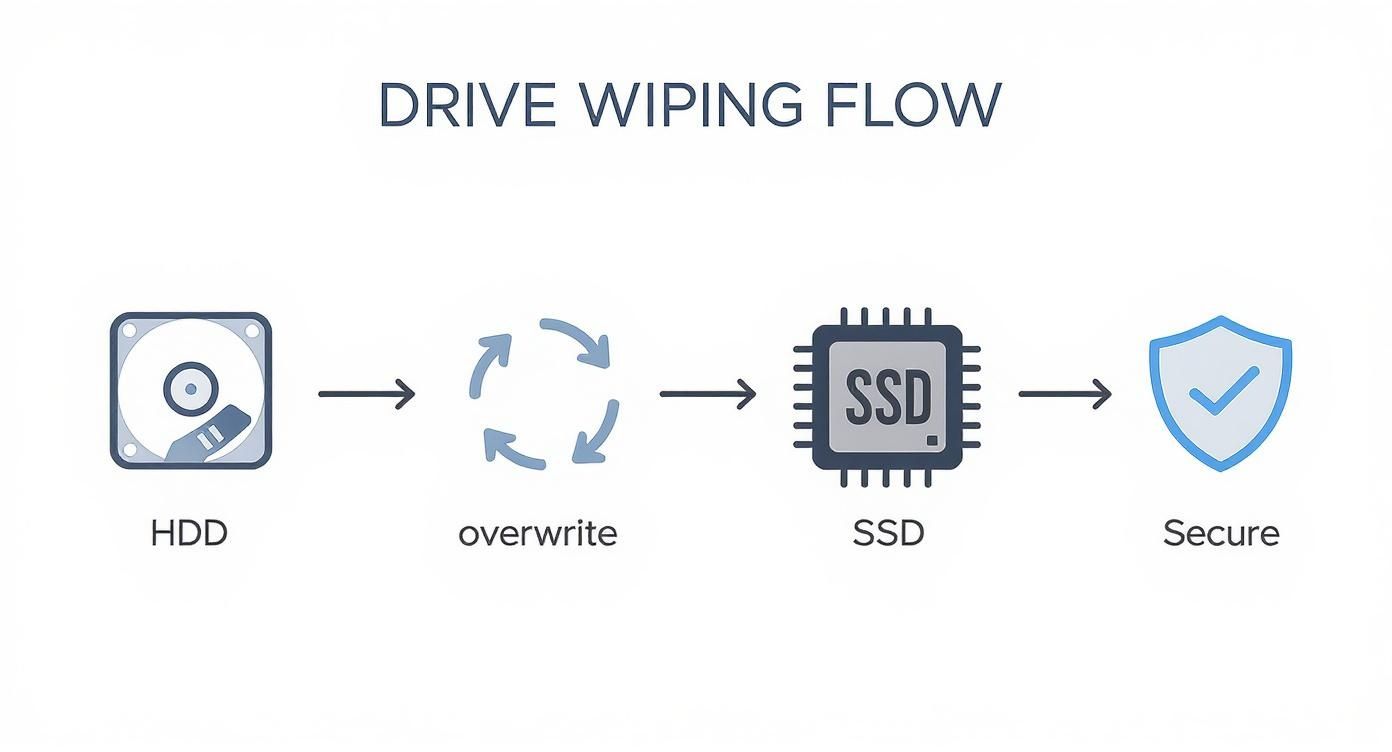
The central principle for any IT professional is clear: match the wiping technique to the hardware to guarantee complete data destruction.
Using a Bootable Tool like DBAN for HDDs
For legacy systems with traditional HDDs, a dedicated bootable utility like DBAN (Darik's Boot and Nuke) remains a reliable choice. It performs a multi-pass overwrite that renders original information practically irrecoverable.
First, create a bootable USB drive by downloading the DBAN ISO file and using a tool like Rufus or balenaEtcher to burn the image onto a USB stick.
Next, plug the bootable USB into the target computer and restart it. Enter the BIOS/UEFI settings (typically by pressing F2, F12, or Del during startup) and configure the boot order to prioritize the USB drive. This forces the computer to load DBAN instead of its native operating system.
Once DBAN boots, follow these steps in its text-based interface:
- Launch Interactive Mode: Press Enter to enter interactive mode for greater control over the process.
- Select the Target Drive: Use the arrow keys to navigate the list of detected drives. Exercise extreme caution to avoid wiping the wrong drive. Highlight the correct drive and press the Spacebar to select it.
- Choose a Wiping Method: Press M to view available algorithms. For most business applications, the DoD Short (3 passes) or DoD 5220.22-M (7 passes) methods are sufficient.
- Start the Wipe: After verifying your selections, press F10 to begin the erasure. The process can take several hours to over a day, depending on the drive's size and the chosen method.
This method is highly effective for HDDs but is entirely inappropriate for SSDs.
Using Native Tools in Windows for Corporate Assets
Modern versions of Windows include a "Reset This PC" function that can securely wipe a drive. This is suitable for preparing a computer for internal redeployment or lease return.
Navigate to Settings > Update & Security > Recovery. Under "Reset This PC," click Get started.
You must select Remove everything. On the next screen, choose the Remove files and clean the drive option. This action performs a data overwrite, making data recovery significantly more difficult than a simple format.
When using the Windows 'Reset This PC' feature for data sanitization, always select the 'Remove everything' followed by the 'Clean the drive' option. This ensures the operating system performs a data overwrite, which is a far more secure method than a simple file deletion.
While convenient, this method does not produce a verifiable certificate of erasure, making it unsuitable for assets that require strict compliance documentation.
Securely Erasing a Drive on macOS for Business Use
Apple's built-in Disk Utility provides a straightforward and secure method for erasing drives on a Mac, handling SSDs correctly by default.
First, boot into macOS Recovery:
- For Intel-based Macs, restart while holding Command + R.
- For Macs with Apple silicon, press and hold the power button until the startup options appear, then select Options > Continue.
Once in the Recovery environment, open Disk Utility.
- From the menu bar, select View > Show All Devices. This is a critical step to ensure you erase the entire physical drive, not just a partition.
- In the sidebar, select the top-level drive you intend to wipe (e.g., "Apple SSD").
- Click the Erase button in the toolbar.
- Name the drive (e.g., "Macintosh HD"), select APFS for the format on modern Macs, and ensure the scheme is set to GUID Partition Map.
- On older Macs with HDDs, a "Security Options" button may be available to select the number of overwrite passes. This option is absent on Macs with SSDs, as Disk Utility automatically uses a secure erase command appropriate for flash storage.
- Click Erase to complete the process.
This native macOS method is secure, efficient, and properly handles the underlying SSD technology without causing unnecessary wear.
Verifying the Wipe for Audits and Compliance
Executing a data wipe is only the first part of the process. For any business, the task is incomplete until the data's permanent removal is verified. This verification step is what distinguishes a casual approach from a professional, compliant IT asset disposition (ITAD) strategy.
This confirmation is a non-negotiable requirement for organizations subject to regulations like HIPAA, GDPR, or CCPA. Failure to provide proof of a successful wipe can result in the same severe penalties as failing to wipe the drive at all, as the burden of proof rests with your organization.
Using Recovery Software as a Testing Tool
A definitive method for confirming a successful wipe is to attempt data recovery. By running recovery software on a newly sanitized drive, you can actively search for residual file structures or data fragments. The objective is to prove that nothing is recoverable.
A scan of a properly wiped drive should yield only unallocated space, with no file names, folder structures, or recoverable data. This provides the first layer of assurance that the sanitization was successful.
The Importance of Documentation and Logging
In a business compliance context, undocumented actions are considered non-existent. A detailed data destruction log is the foundation of your audit trail, providing a clear history of every sanitized asset.
Your data destruction log must include:
- Asset Details: The device's make, model, and serial number.
- Drive Details: The specific serial number, capacity, and type (HDD or SSD).
- Wipe Information: The date, software used, and sanitization method (e.g., DoD 5220.22-M, NIST 800-88 Clear).
- Technician's Name: The individual who performed the wipe, establishing accountability.
This log is an essential internal control for tracking asset lifecycles and demonstrating a consistent, defensible protocol to auditors.
Generating a Certificate of Erasure
While an internal log is vital, a Certificate of Erasure is the official, gold-standard proof required to satisfy external compliance demands. This is a primary differentiator between free utilities and professional data wiping software, which automatically generates a certificate upon successful completion.
A Certificate of Erasure is a formal, tamper-proof document that includes:
- Verifiable drive details, including the serial number.
- Confirmation of the specific erasure standard applied.
- A cryptographic signature to ensure authenticity.
- A clear statement confirming 100% successful data erasure.
This certificate is your legally defensible proof that the organization did its due diligence to protect sensitive information. It effectively transfers liability and provides critical evidence for any compliance audit.
Many organizations adhere to government or industry guidelines, such as those in NIST SP 800-88. To better understand these requirements, you can review our breakdown of the NIST SP 800-88 standards. Proper verification and certification are central tenets of this framework.
When to Choose Physical Destruction and ITAD Services
Although software-based wiping is effective, it is not always the most appropriate solution. For businesses retiring a high volume of IT assets, managing damaged drives, or handling data of extreme sensitivity, the only acceptable level of risk is zero. This requires moving beyond software to physical destruction.
Physical destruction is the ultimate, irreversible method of data sanitization. This is not an ad-hoc process but a precise industrial procedure. Professional hard drive shredding machines grind drives into minute, unsalvageable fragments, guaranteeing that no data can ever be recovered. This method provides absolute peace of mind when compliance and corporate reputation are at stake.
On-Site vs. Off-Site Shredding
Physical destruction services are typically offered in two secure models:
- On-Site Shredding: A mobile shredding vehicle comes to your business facility. Your team can witness the physical destruction of the hard drives, ensuring an unbroken chain of custody and providing the highest level of security assurance. This is the preferred method for healthcare, finance, and government sectors.
- Off-Site Shredding: Drives are placed in secure, locked containers and transported to a specialized destruction facility. This option is often more cost-effective for large quantities and includes a detailed, auditable process with full documentation.
The optimal choice depends on your organization's security protocols and budget.
The Role of an ITAD Partner
Managing the end-of-life logistics for a large inventory of corporate devices is a significant operational burden. A professional IT Asset Disposition (ITAD) vendor like Beyond Surplus is an essential partner in this process. ITAD services extend far beyond simple destruction.
An ITAD vendor provides a complete, compliant, and auditable solution for the entire asset retirement lifecycle. This includes secure logistics, detailed inventory reporting, certified data destruction, and environmentally responsible recycling.
Engaging an ITAD partner transfers the operational burden and liability from your internal teams to a certified expert who guarantees compliant execution. The market for these services is expanding rapidly; the global hard drive shredding services market, valued at $0.72 billion, is projected to reach $1.2 billion by 2033. You can explore full market research on hard drive shredding services for more details.
The Certificate of Destruction: Your Gold Standard
Upon completion of the shredding process, a reputable ITAD vendor provides the most critical document: the Certificate of Destruction (CoD). This is a legally binding document that formally transfers liability away from your organization.
A proper CoD includes essential details for your audit trail:
- A unique serial number for the certificate.
- The date and location of destruction.
- An itemized list of the serial numbers of all destroyed drives.
- A statement confirming the destruction method and compliance with standards like NIST 800-88.
This certificate is your definitive proof of compliance with all legal and regulatory data disposal requirements. For any IT manager or business owner, the CoD offers the ultimate assurance that sensitive corporate and customer data has been permanently eliminated. Learn more in our guide on how to dispose of hard drives securely.
Common Questions About Wiping Hard Drives
Even with a defined process, questions frequently arise regarding hard drive wiping in a business context, where compliance and scale are key considerations. Here are answers to the most common inquiries from our corporate clients.
Does a Quick Format Permanently Erase Business Data?
Absolutely not. A quick format is a dangerous shortcut that does not remove any data. It merely deletes the file system's index, making the files invisible to the operating system. The underlying data remains fully intact and is easily recoverable with basic software tools. For secure data removal that meets business standards, you must use certified overwriting software or physical destruction.
Can I Wipe an SSD the Same Way as an HDD?
No. Attempting to use traditional overwriting software (like DBAN) designed for HDDs on an SSD is ineffective and physically damaging. SSDs use wear-leveling technology that prevents overwriting tools from guaranteeing complete data erasure. The only correct method for wiping an SSD is to use the manufacturer's utility to perform a Secure Erase, a built-in firmware command that resets all memory cells without degrading the drive's lifespan.
What Is a Certificate of Destruction and Why Do I Need One?
A Certificate of Destruction (CoD) is an official document from a certified ITAD vendor, like Beyond Surplus, that serves as legal proof that your hard drives were physically destroyed. This document is the cornerstone of your compliance and audit trail, confirming that you have met data disposal requirements under laws like HIPAA, GDPR, and FACTA. It formally transfers liability away from your organization. To clarify common misconceptions, review these common hard drive destruction myths.
Is Windows Reset This PC Secure Enough for Business Use?
The "Reset This PC" feature in Windows, with its "Clean the drive" option, is sufficient for non-sensitive, personal use but falls short of enterprise compliance standards. Its primary deficiency is the lack of a verifiable, auditable certificate of erasure. For any corporate device that has stored sensitive customer, financial, or proprietary data, certified data erasure software or professional physical destruction are the only recommended methods. These approaches provide the guaranteed security and auditable proof required by corporate governance. Understanding broader data security and privacy principles is vital for any organization.
When software-based data wiping is insufficient and your business requires guaranteed, compliant data destruction, Beyond Surplus offers certified IT asset disposal services, including on-site and off-site hard drive shredding. Contact us for certified electronics recycling and secure IT asset disposal.