

Completely wiping a corporate hard drive isn’t just about deleting files. It involves using specialized software to methodically overwrite every single sector, using powerful magnets to degauss the drive, or physically shredding it into tiny pieces. Simply dragging files to the trash is not enough—that data is shockingly easy to recover, posing a significant risk to any business until you take one of these definitive steps.
The Illusion of Deletion for Corporate Assets
That little puff of digital smoke when you empty the recycling bin? It’s dangerously misleading. For any business, this false sense of security can lead to truly catastrophic consequences.
When your company finally decommissions IT assets—whether you’re selling old servers, donating outdated laptops, or recycling employee workstations—the data left behind is a massive liability just waiting to be exposed.
See, deleting files or even formatting a drive doesn’t actually erase anything. All it does is remove the digital signposts that tell the operating system where the files are. The underlying binary data, the ones and zeros that make up your most sensitive corporate information, remains perfectly intact on the drive’s platters or flash memory.
With readily available and often free data recovery software, anyone with a bit of determination can piece those “deleted” files back together. This leaves your organization exposed to incredible risk. Just think about the kind of information sitting on company devices:
- Financial Records: Invoices, payroll details, bank statements, and tax documents.
- Customer Information: Personally identifiable information (PII), contact lists, and private purchase histories.
- Intellectual Property: Trade secrets, proprietary formulas, product designs, and confidential strategic plans.
- Employee Data: Social Security numbers, performance reviews, and personal contact details.
The Real-World Consequences of Improper IT Asset Disposal
The fallout from a data breach caused by poorly handled hardware can be devastating. This isn’t some hypothetical scenario; it happens all the time to businesses of all sizes.
Frighteningly, studies show that up to 40% of used hard drives sold on secondary markets still contain recoverable data. These oversights can lead to breaches that, according to IBM’s 2023 Cost of a Data Breach Report, cost businesses an average of $4.45 million per incident.
The financial hit goes far beyond the initial cleanup. You’re looking at regulatory fines, steep legal fees, the cost of notifying customers, and providing credit monitoring services. The damage to your reputation can be even more permanent, eroding customer trust and poisoning your brand for years. To truly secure your sensitive information and comprehensively erase your digital footprint and reclaim your privacy, you have to move beyond simple deletion.
For any business, treating data destruction as an afterthought is a critical error. The potential cost of a single breach far outweighs the investment in a secure and certified disposal process.
Why Professional Data Destruction is Essential for Businesses
This is exactly why professional data sanitization and destruction services are non-negotiable for commercial and enterprise clients. Think of a professional IT Asset Disposition (ITAD) partner not as an expense, but as an essential insurance policy against data breaches. You can dive deeper into the specifics of what data sanitization is in our detailed guide.
A certified process guarantees that when a piece of hardware leaves your possession, the data on it is gone for good—period. It also provides a clear, auditable trail, including a Certificate of Destruction, which formally transfers liability away from you and proves your company performed its due diligence. This documentation isn’t just a piece of paper; it’s your shield against compliance violations and legal challenges.
Choosing the Right Data Destruction Method for Your Business
Deciding how to wipe a hard drive isn’t a simple, one-size-fits-all choice. The right path depends entirely on what you plan to do with the hardware next. Are you just prepping laptops for another department, or are you decommissioning servers packed with sensitive data that absolutely cannot fall into the wrong hands?
The decision really comes down to three core methods: software overwriting, degaussing, and physical destruction. Each has its place, and as an IT manager, knowing the difference is critical for keeping your company’s data secure.
Software Overwriting Data Erasure
When people talk about “wiping” a drive, they’re usually thinking of software overwriting. This process uses specialized programs to write new data—patterns of ones and zeros or just random characters—over every single sector of a hard drive. It effectively buries the original information under layers of digital noise, making it nearly impossible to recover with standard tools.
This is the go-to method when you want to reuse or resell the hardware. Since the drive is left physically intact and fully functional, it’s a smart, cost-effective way to sanitize assets for redeployment or to capture some resale value.
But here’s the catch: its effectiveness really depends on the type of drive you’re dealing with.
- Hard Disk Drives (HDDs): Software wiping works great on traditional magnetic HDDs. The software can systematically access and overwrite the spinning platters where all the data lives.
- Solid-State Drives (SSDs): This is where things get tricky. SSDs have features like wear-leveling and over-provisioning that can squirrel away data in areas that standard overwrite commands can’t reach. Because of this, software wiping is not considered a foolproof method for SSDs in a business context.
This flowchart helps put the security difference between simply “deleting” a file and truly wiping it into perspective.
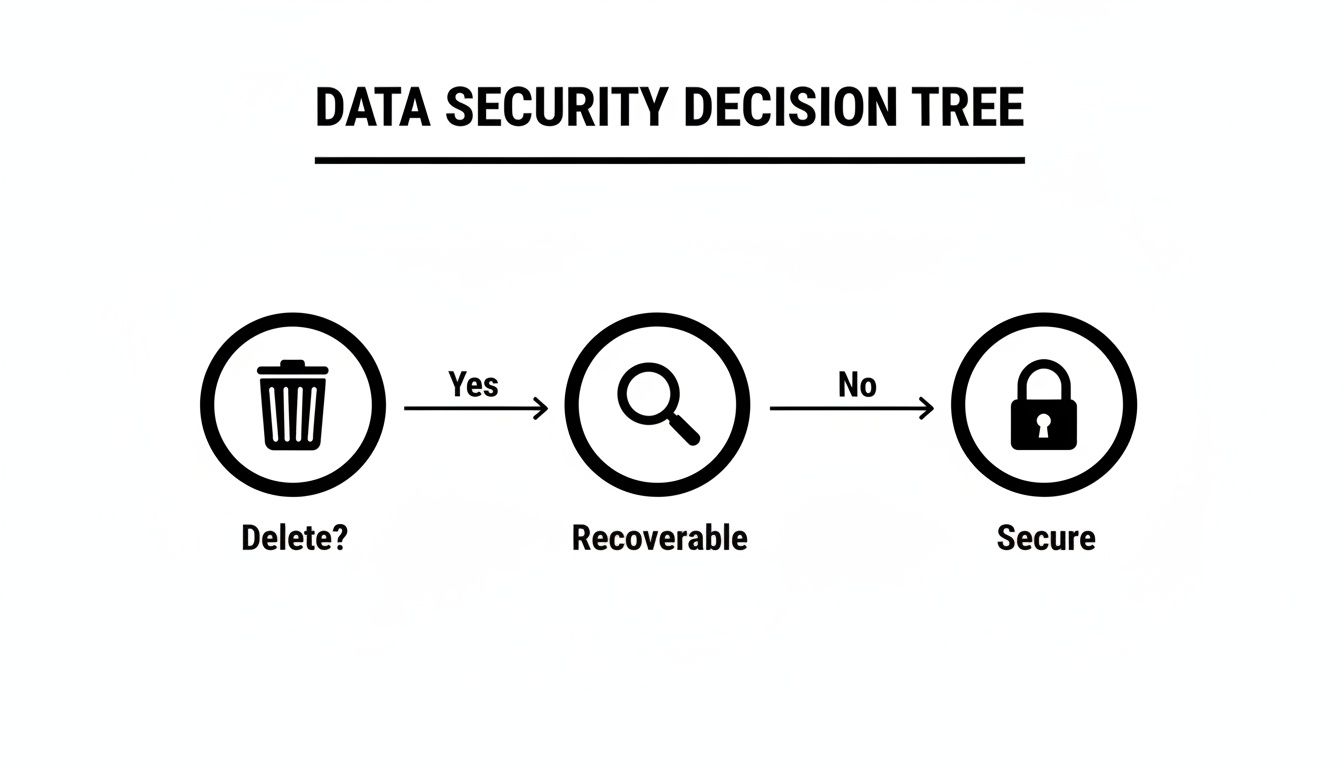
Hitting the delete key just tells the operating system that the space is available to be used later. The data is still there and often easily recoverable until you take a much more deliberate step to sanitize the drive.
Degaussing: The Magnetic Reset
Degaussing is a much more aggressive approach. It involves blasting a drive with an incredibly powerful magnetic field from a machine called a degausser. This pulse instantly scrambles the magnetic alignment on an HDD’s platters, essentially erasing every bit of data in a matter of seconds.
The main advantages here are speed and completeness—for the right kind of media, anyway. It renders the data on an HDD gone for good.
Crucial Limitation: Degaussing is only effective on magnetic media like HDDs and tapes. It does absolutely nothing to flash-based storage like SSDs, since they don’t store data magnetically. Trying to degauss an SSD is a complete waste of time and creates a dangerous false sense of security.
It’s also worth noting that the magnetic pulse fries the drive’s electronics along with the data, making it totally unusable. Degaussing is strictly for end-of-life hardware.
Physical Destruction: The Ultimate Guarantee for Enterprise Data
When data security is non-negotiable and you need 100% certainty, physical destruction is the only answer. This process uses industrial shredders, crushers, or pulverizers to grind hard drives into small, mangled pieces of metal and plastic.
Physical destruction is the gold standard for a few key reasons:
- Universal Effectiveness: It works on everything. HDDs, SSDs, hybrid drives—it doesn’t matter. It completely bypasses the technical challenges of wiping modern flash storage.
- Absolute Certainty: There is zero chance of data recovery. Once a drive is a pile of shredded fragments, the data is permanently gone.
- Compliance Peace of Mind: For businesses under strict regulations like HIPAA or FACTA, physical destruction offers the highest level of assurance. It provides an ironclad audit trail, usually backed by a formal Certificate of Destruction.
This is the required method for getting rid of drives that held proprietary secrets, classified information, or sensitive customer data. If you’re tasked with managing old IT assets, it’s vital to know your options. You can dive deeper by exploring what to do with old hard drives in our comprehensive article.
To help clarify which method suits different needs, this table breaks down the key factors.
Comparison of Hard Drive Wiping Methods
| Method | Best For | Effectiveness (HDD) | Effectiveness (SSD) | Compliance Level | Verification | Allows Reuse? |
|---|---|---|---|---|---|---|
| Software Overwrite | Reusing or reselling hardware, low-sensitivity data on HDDs. | High | Low/Unreliable | Moderate | Software-based logs | Yes |
| Degaussing | End-of-life HDDs and tapes with sensitive data. | Absolute | None | High (for magnetic media) | Visual/Functional check | No |
| Physical Destruction | End-of-life HDDs & SSDs with highly sensitive data. | Absolute | Absolute | Highest | Certificate of Destruction | No |
Ultimately, your choice hinges on a clear-eyed risk assessment. If you need to reuse an HDD, certified software erasure is a solid choice. But for any end-of-life drive holding sensitive data—especially an SSD—physical destruction by a certified ITAD partner like Beyond Surplus is the only way to truly eliminate all risk.
Understanding Data Wiping Software and Standards
To really get a handle on how to completely wipe a hard drive, you have to look past the software and dig into the standards that make it all work. These standards are basically the recipes that data erasure tools follow, spelling out the exact methods used to overwrite your data. They create a framework for making sure sensitive information is gone for good, which is a massive deal for business compliance and security.
Without understanding these core principles, an IT manager could easily pick a tool or method that provides a false sense of security. This is especially true when you’re dealing with different kinds of storage, like old-school HDDs versus modern SSDs.
The Debate Between DoD 5220.22-M and NIST 800-88
For years, the DoD 5220.22-M standard was the undisputed king of data wiping. This method, cooked up by the U.S. Department of Defense, usually involves a three-pass overwrite: first with zeros, then with ones, and finally with a random character, verifying after each pass. For a long time, this was considered the only way to be absolutely positive the data was gone from magnetic hard drives.
But technology moves on. Today, the NIST SP 800-88 guidelines from the National Institute of Standards and Technology are the gold standard. These guidelines are far more modern, flexible, and specific to the type of media you’re wiping.
The biggest takeaway from NIST is that for today’s HDDs, a single, verified overwrite pass is all you need to sanitize a drive. This makes the old multi-pass DoD method pretty much obsolete and a waste of time.
NIST breaks down data sanitization into a few tiers:
- Clear: This is a basic overwrite using standard read/write commands. It’s fine for low-risk situations where the drive is staying within the company.
- Purge: This method uses more advanced techniques, like cryptographic erasure or degaussing, to protect data against recovery attempts in a lab setting.
- Destroy: This is exactly what it sounds like—the physical destruction of the drive itself. It offers the highest possible level of security.
Getting familiar with the NIST SP 800-88 guidelines is crucial for modern IT asset disposal because it gives you a practical, risk-based way to approach data destruction.
The Critical Limitations of Software on SSDs
The industry’s shift from spinning hard drives (HDDs) to Solid-State Drives (SSDs) has completely changed the data wiping game. While software overwrites work great on the predictable platters of an HDD, they are notoriously unreliable on SSDs. This all comes down to the internal tech that SSDs use to prolong their life and boost performance.
Two key features make software wipes a bad bet for SSDs:
- Wear-Leveling: SSDs are smart. They spread write operations evenly across all memory cells to keep any single cell from wearing out too fast. The problem is, your wiping software might tell the drive to overwrite a specific block, but the SSD’s controller could redirect that command to a different physical spot, leaving your original data perfectly intact.
- Over-Provisioning: Every SSD has extra, hidden memory blocks that you and your operating system can’t see or access. The drive’s controller uses this space for maintenance and to replace cells that have failed. Your sensitive data could be sitting in these hidden areas, completely invisible to standard data-wiping software.
Even though professional tools like Blancco are certified for tons of erasure standards and use more advanced firmware-based commands (like ATA Secure Erase), the fundamental architecture of an SSD means there’s always a risk that data fragments get left behind.
The unreliability of simple wipes is clear. While common consumer tools perform a single-pass zeros overwrite, NIST tests show a 42% recovery rate on HDDs because of magnetic remnants. SSDs are even worse, with a 65% recovery rate thanks to features like TRIM and over-provisioning that hide data. That’s why enterprises demand DoE Class 6 standards—seven magnetic passes plus verification—met by professional tools certified for over 34 standards.
Because of all these limitations, the bottom line is simple: for any SSD that has held sensitive corporate data, physical destruction is the only 100% foolproof method. Relying on software alone for end-of-life SSDs introduces a level of risk no business should ever be willing to take.
The Final Word: Physical Hard Drive Destruction
Sometimes, software just doesn’t cut it. When the data is so sensitive that even a minuscule risk of recovery is unacceptable, you have to turn to physical destruction. This isn’t about probabilities anymore; it’s about making data recovery an absolute impossibility.
For businesses handling proprietary secrets, regulated personal information, or even just end-of-life SSDs that are notoriously difficult to wipe, this isn’t overkill. It’s the only responsible choice.
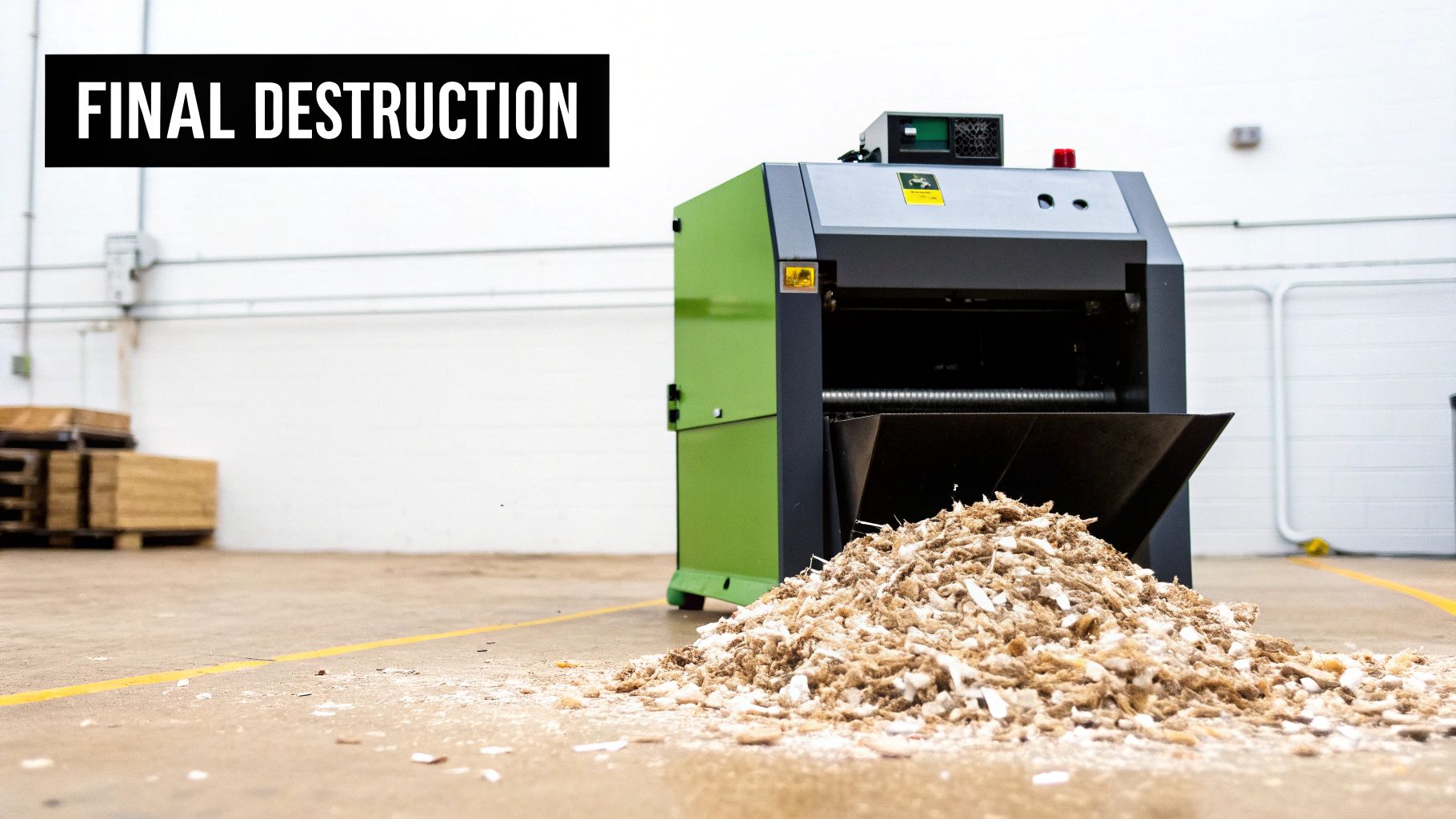
This is the ultimate end to the data lifecycle, ensuring that not a single fragment of information can come back to haunt you with financial losses or a damaged reputation. The two industry-standard ways to get this done are degaussing and shredding. Each has its place, and knowing the difference is critical.
Degaussing: The Magnetic Kill Switch
Degaussing is the go-to for traditional magnetic media like old-school Hard Disk Drives (HDDs) and backup tapes. It’s a brutally effective process. The drive is blasted with an incredibly powerful magnetic field, one that’s far stronger than anything used to write the data in the first place.
This intense magnetic pulse, often hitting over 5,000 Oersteds, instantly scrambles the magnetic alignment on the drive’s platters. Think of it as turning every last bit of your data into complete, undecipherable noise. The whole thing takes just seconds, and it permanently destroys everything—the data, the firmware, even the servo tracks that guide the read/write heads. The drive is now a paperweight.
But its greatest strength is also its biggest weakness.
Degaussing is completely useless on Solid-State Drives (SSDs). Because SSDs store data electronically in flash memory cells, not magnetically, they are immune. You can hit an SSD with the most powerful degausser on the planet, and the data will remain perfectly intact. This is a crucial distinction that, if misunderstood, creates a dangerous false sense of security.
Shredding: The Irreversible Standard
When you need a one-size-fits-all solution that works on everything, industrial shredding is the undisputed gold standard. It’s exactly what you picture: hard drives are fed into a machine built to grind them into tiny, confetti-like pieces.
Professional ITAD partners like Beyond Surplus use specialized shredders that chew through HDDs, SSDs, backup tapes, and any other media, reducing them to fragments that meet strict government standards. For instance, NSA requirements often call for shred particles no larger than 1mm x 5mm. At that size, no amount of forensic wizardry could ever reassemble the data.
Shredding sidesteps all the technical nuances of different storage types. It doesn’t care if an HDD has bad sectors or if an SSD has hidden over-provisioned cells. The outcome is always the same: total physical annihilation. It’s the most secure method to completely wipe a hard drive, period.
The Importance of a Certificate of Destruction
Destroying the drive is only half the battle. You have to be able to prove you did it. That’s where a Certificate of Destruction comes in. This isn’t just a receipt; it’s a critical legal document from your ITAD partner that serves as your official record of compliant data sanitization. It’s your proof in an audit and formally transfers the liability for those assets away from your company.
A legitimate certificate must include:
- A unique serial number for tracking.
- The date and location of destruction.
- The specific method used (e.g., shredding, pulverizing).
- A detailed inventory of every asset destroyed, including individual serial numbers.
- A statement of compliance with relevant regulations like HIPAA, FACTA, or GDPR.
Simply formatting a drive is woefully inadequate; it leaves a shocking 70-90% of the original data easily recoverable with basic software. True data sanitization follows strict protocols like the NIST 800-88 guidelines, which ultimately point to methods like shredding for the highest level of security. This vital documentation, as highlighted by market analysis from sources like ResearchAndMarkets.com, provides the verifiable evidence that your organization has met its legal and ethical obligations.
Meeting Your Compliance Obligations
Knowing how to properly wipe a hard drive is far more than just a tech skill—it’s a critical legal requirement for any business. Getting data disposal wrong isn’t just a security slip-up; it’s a direct violation of state and federal regulations that can lead to staggering financial penalties and a public relations nightmare.
Many industries, from healthcare to finance, operate under strict data protection laws. Each one has its own specific rules for securely destroying sensitive information. A casual approach to wiping old hardware can quickly put your organization on the wrong side of these mandates.
Navigating the Regulatory Landscape
Several key regulations really drive the conversation on how businesses must handle end-of-life data. While this isn’t a complete list, these are the heavy hitters that every IT manager needs to have on their radar:
- HIPAA (Health Insurance Portability and Accountability Act): This is non-negotiable for any organization handling protected health information (PHI). It demands that you have policies to render PHI completely unusable and unreadable before any media is disposed of.
- GDPR (General Data Protection Regulation): If you process data for any EU citizen, GDPR applies to you. Its “right to be forgotten” provision requires the complete erasure of personal data on request, making secure data destruction absolutely essential.
- FACTA (Fair and Accurate Credit Transactions Act): This act’s Disposal Rule is pretty clear. It requires businesses to take reasonable measures to destroy consumer report information so it can’t possibly be reconstructed.
- FTC Disposal Rule: Much like FACTA, this rule mandates that businesses properly get rid of sensitive information from consumer reports to guard against identity theft and fraud.
Making sure your destruction methods are up to snuff with these legal requirements is crucial. For complex regulations like GDPR, resources such as a practical AI GDPR compliance guide can be incredibly helpful for sorting through your obligations. The penalties for getting it wrong are severe, with fines that can easily run into the millions of dollars for a single incident.
From Technical Task to Legal Defense
This is the point where data destruction stops being a simple IT task and becomes a core part of your company’s legal defense strategy. To prove you’re compliant, you need more than an employee saying, “Yep, I wiped it.” You need a verifiable, auditable trail documenting every single step.
A legally defensible data destruction process is built on documentation. Without a clear paper trail, you have no way to prove you met your compliance obligations in the event of an audit or data breach investigation.
This need for documentation is precisely why working with a certified IT Asset Disposition (ITAD) provider isn’t a cost—it’s an essential risk mitigation strategy. A professional partner provides the official paperwork to transfer liability and show you’ve done your due diligence.
The cornerstone of this whole process is the Certificate of Destruction. This isn’t just a receipt; it’s a formal document serving as your official proof that assets were destroyed according to all applicable laws. A proper certificate includes unique serial numbers for each device, the specific destruction method used (like shredding to NSA standards), the date, and a complete chain-of-custody record. You can learn more about the critical role of a hard drive Certificate of Destruction on our services page.
Ultimately, bringing in a certified ITAD service transforms data destruction from a potential liability into a documented, compliant, and secure business process.
Your Hard Drive Wiping Questions, Answered
Even when you know the methods, putting a secure, defensible disposal strategy into practice can bring up some tricky questions. We see it all the time—businesses understand the how but get stuck on the specific what ifs when it’s time to retire old hardware.
Getting these details right is what separates a compliant data destruction plan from a potential liability nightmare. Let’s walk through some of the most common questions IT managers and business owners ask.
Is It Safe to Wipe and Resell Old Company Hard Drives?
Technically, yes, you can sanitize drives with certified software for resale. But honestly, it’s a path loaded with risk. We’ve seen software wipes fail on older HDDs because of bad sectors that just can’t be overwritten, leaving fragments of sensitive data behind.
And that’s not even the biggest problem. Modern SSDs, with their complex architecture, make software-based erasure fundamentally unreliable.
The tiny bit of cash you might get from reselling a used hard drive just isn’t worth the catastrophic risk of a data breach. Think about it: the financial fallout and reputational hit from one leaked file will always cost more than any asset recovery check.
When it comes down to it, the only 100% certain method to protect your data and eliminate liability is physical destruction. For any drive that has ever touched sensitive information, partnering with a certified ITAD vendor for professional shredding is the smartest, safest, and most legally sound move you can make.
What Is a Certificate of Destruction and Why Is It So Important?
A Certificate of Destruction is your official, legal audit trail from a certified ITAD vendor. It’s the definitive proof that your company’s data was destroyed securely and in line with regulations like HIPAA, FACTA, or GDPR.
This document is much more than a simple receipt. It contains critical details that are absolutely vital for proving compliance and, importantly, transferring liability. A proper certificate will always include:
- Serialized Inventory: A complete list of the unique serial numbers for every single drive that was destroyed.
- Chain of Custody: A documented trail showing who handled the assets and when, from the moment they left your facility to their final destruction.
- Method and Date: The specific destruction method used (like shredding to a 9mm particle size) and the exact date it happened.
During a compliance audit, this certificate is your first line of defense. It proves your organization did its due diligence and effectively shifts the liability for that data from your company to your certified vendor.
How Is Wiping an SSD Different from an HDD?
Wiping a traditional Hard Disk Drive (HDD) is pretty straightforward—you’re just overwriting its magnetic platters with new data. Solid-State Drives (SSDs), on the other hand, are a completely different beast, which makes them incredibly difficult to sanitize securely with software alone.
It all comes down to the SSD’s internal technology:
- Wear-Leveling: To keep memory cells from wearing out too quickly, an SSD controller constantly moves data around. This means a software “wipe” command might get redirected, leaving the original, sensitive data perfectly intact somewhere else on the drive.
- Over-Provisioning: All SSDs have hidden, inaccessible storage blocks that are invisible to the operating system and standard software. Your data could be sitting in one of these areas, making it impossible for a typical erasure program to even find it, let alone overwrite it.
Because of these core architectural differences, both NIST and the vast majority of cybersecurity experts have come to the same conclusion: physical destruction (shredding) is the only truly reliable and verifiable way to sanitize an SSD at the end of its life.
Contact Beyond Surplus for certified electronics recycling and secure IT asset disposal. Learn more about our enterprise-level services at https://www.beyondsurplus.com.


