A printer fleet refresh often starts with a simple facilities request: clear the storage room, remove the retired multifunction devices, and make space for new equipment. The complication appears when someone asks whether the printers contain stored scan records, whether toner can go in the same stream, and what documentation will prove that the assets were handled correctly. A printer isn't just bulky office furniture. It can be a data-bearing IT asset, a mixed-material electronic device, and a source of regulated consumables.
This Printer Disposal and Recycling Guide gives business, IT, facilities, and procurement teams a practical decision flow. You'll learn how to identify storage, protect information, separate toner, select a compliant recycling pathway, preserve chain-of-custody records, and coordinate pickup or processing through a commercial ITAD program. For broader electronics recycling and IT equipment disposal, review Beyond Surplus e-waste recycling services.
Table of Contents
- Introduction to Secure Printer Disposal and Recycling
- What Makes Printers Different From Other Electronics
- Protecting Data Before You Recycle Your Printer
- How to Choose the Right Recycling Pathway for Printers and Toner
- Staying Compliant and Documenting Every Step
- Scheduling Logistics and Recovering Value With Beyond Surplus
- Your Next Steps for Secure and Sustainable Printer Recycling
Introduction to Secure Printer Disposal and Recycling
A retired printer can sit in a loading area for months, but its end-of-life risks remain active. A multifunction device may retain print jobs, scan histories, address books, authentication details, or network settings. Its toner cartridges and internal assemblies also need a different handling decision from the outer chassis.
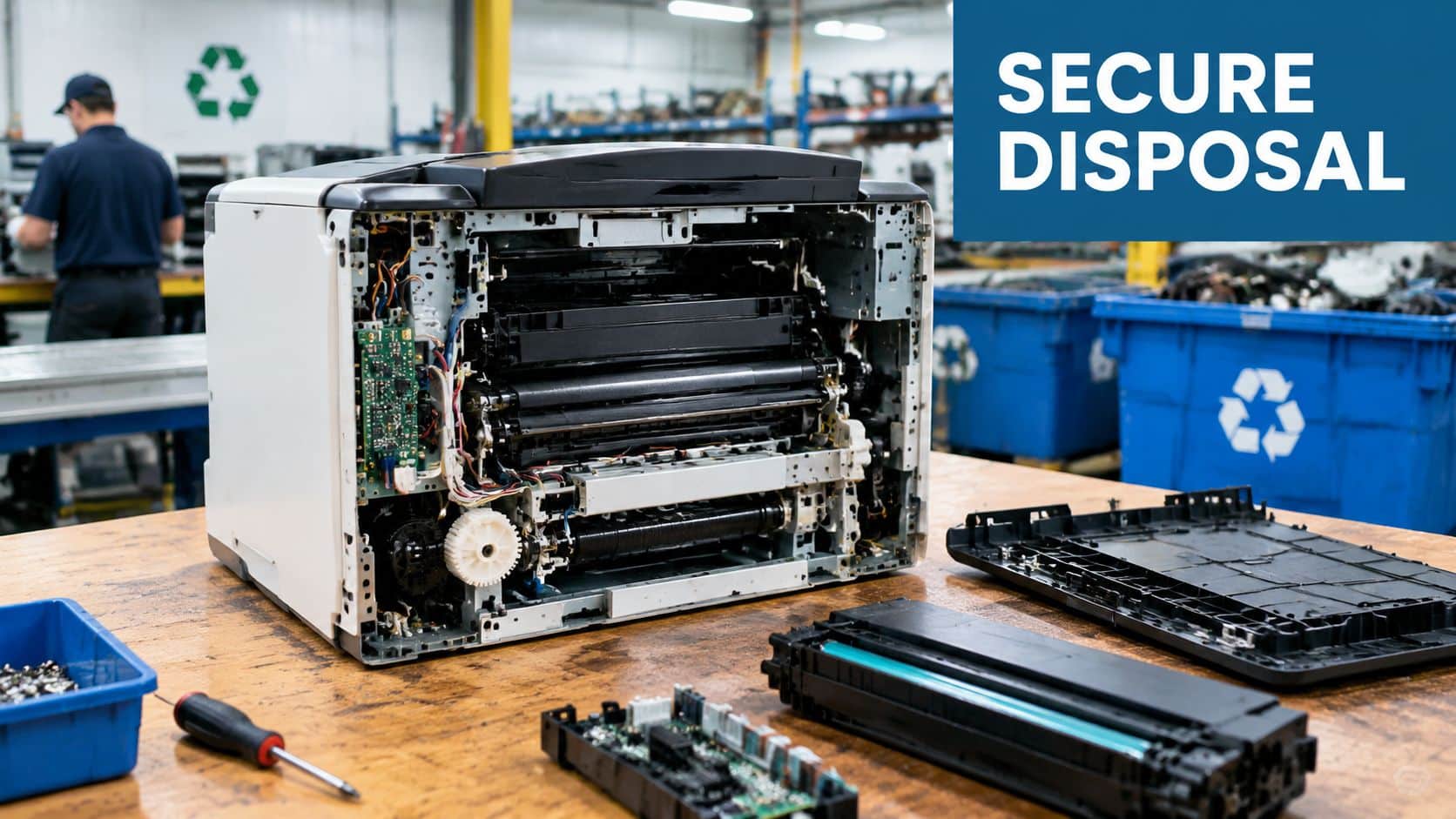
That makes printer disposal closer to laptop disposal or server decommissioning than ordinary furniture removal. The responsible sequence is straightforward: identify the asset, check for storage, secure or destroy data, remove consumables, route materials to qualified processors, and retain evidence of final treatment.
Why the waste stream matters
Printers belong to the broader hard copy peripherals category. The global e-waste stream reached an estimated 62 million tonnes in 2022, while only 22.3% was formally collected and recycled, according to the World Health Organization's electronic waste fact sheet). That gap shows why documented recovery matters. Plastics, metals, circuit boards, motors, and toner components can be lost when equipment moves into landfill or informal disposal routes.
Historical United States data reinforces the scale of the challenge. The EPA reported that consumers and businesses discarded 2.37 million tons of televisions, computers, cell phones, and hard copy peripherals in 2009, with about 25% collected for recycling, as described in the EPA's electronic waste materials. Printers are therefore common assets in enterprise refreshes, not unusual exceptions.
Practical rule: Treat every commercial printer as an IT asset until storage, consumables, ownership, and disposition records have been checked.
A coordinated provider can combine secure data handling, material recovery, logistics, and certificates in one workflow. That reduces the chance that a printer is recycled correctly while its data-bearing component or toner cartridge is overlooked.
What Makes Printers Different From Other Electronics
A standard electronic device may have one primary disposal concern, but a commercial printer often has two. Think of it as a filing cabinet with a chemical supply inside. The filing cabinet is the internal storage, and the chemical supply is the toner or waste-toner system.
Many laser printers and multifunction devices contain hard drives or non-volatile memory. These components may preserve print jobs, scan records, user details, network settings, and other operational information after the device is unplugged. Printer disposal guidance from Recycle4Charity highlights the need to check for internal storage and to use secure wiping, extraction, or certified destruction where appropriate.

Two decisions before the device leaves your control
First, identify storage. Check the service manual, manufacturer specifications, device configuration, and removable-media compartments. A desktop inkjet may have limited storage, while a networked copier or multifunction printer may include a hard drive, flash storage, or memory used for queuing and scanning.
Second, separate consumables. Toner cartridges are not smaller parts of the printer. They're consumables that may follow a cartridge return or specialist recycling route. The Beyond Surplus printer and cartridge recycling resource explains why separating the cartridge from the device supports safer and more responsible processing.
Toner classification changes the handling route
Jurisdiction matters. California guidance states that non-empty toner cartridges removed from electronic printer devices may be hazardous waste, while empty cartridges may qualify for different management under applicable rules. The California DTSC dismantling and classification FAQ shows why staff should classify cartridges before shredding, dismantling, packaging, or consolidation.
A mixed printer pallet can therefore contain several distinct streams:
- Data storage media, requiring wiping, extraction, or destruction.
- Toner cartridges, requiring dedicated handling.
- Circuit boards and motors, routed through electronics processing.
- Plastics and metals, separated for material recovery.
- Batteries or specialty components, managed according to local requirements.
The device's physical size doesn't tell you its compliance profile. A small printer can still require the same careful intake questions as larger IT equipment.
Protecting Data Before You Recycle Your Printer
Data protection starts before a carrier arrives. If a printer leaves the site without an identified storage plan, the organization may lose control of information that was never visible from the outside. A factory reset can help, but it shouldn't automatically be treated as proof that every stored record has been securely removed.
Identify the storage configuration
Assign someone from IT or information security to review each model. Look for internal hard drives, solid-state or flash storage, removable media, and memory used by print, copy, scan, or fax functions. Networked multifunction devices deserve particular attention because their configuration may include credentials, address books, and routing information.
Record the manufacturer, model, serial number, site, department, and storage type. This serialized inventory gives the disposition team a clear instruction for each asset instead of forcing technicians to guess from appearance.
Data security checkpoint: If the team can't verify what storage exists, the device isn't ready for ordinary recycling.
Choose wiping, extraction, or destruction
A wipe may be appropriate when the storage media remains functional and the organization needs a documented sanitization result. Physical destruction or extraction may be preferable when the device is damaged, the storage can't be reliably accessed, or policy requires destruction rather than reuse.
The NIST SP 800-88 resource from Beyond Surplus provides a useful framework for selecting and documenting media sanitization methods. The selected process should match the storage technology and the sensitivity of the information, not just the printer's brand.
A sound pre-shipment checklist includes:
- Capture asset details: Record serial numbers and ownership information.
- Review device storage: Confirm whether the model contains a drive, flash memory, or other non-volatile storage.
- Clear business settings: Remove network credentials, address books, user profiles, and configuration data.
- Apply the approved sanitization method: Wipe, extract, or destroy the storage media.
- Preserve evidence: Match the completed action to the serialized asset record.
Maintain custody from collection to final treatment
Chain-of-custody documentation should identify who released the printer, who collected it, where it traveled, and what happened at processing. A certificate of data destruction should identify the relevant asset or media, while a certificate of recycling should document the downstream disposition of the equipment and materials.
This matters especially for healthcare, financial, government, education, and other organizations with formal information governance. The objective isn't paperwork for its own sake. The record shows that the organization made a defined decision and can demonstrate the result during an internal review or external audit.
How to Choose the Right Recycling Pathway for Printers and Toner
The right route depends on the printer's condition, storage, toner status, volume, and location. A working multifunction printer may have reuse or parts value, while a broken unit may be more suitable for controlled dismantling. Printer recovery economics are usually weaker than those of many other small IT devices because the material mix contains substantial mixed plastics and smaller quantities of metals, boards, motors, and toner assemblies.
One industry-academic analysis places printer end-of-life recovery value at about 40% to 50% of the recovered-value benchmark seen in many other small devices, as discussed in this MIT end-of-life materials recovery study. That makes pre-sorting important. Removing cartridges and identifying reusable modules before whole-unit processing can improve material control and reduce avoidable contamination.
Compare the main pathways
| Pathway | Best For | Key Handling Requirement |
|---|---|---|
| Whole-unit electronics recycling | Damaged or obsolete printers with no reuse value | Confirm data handling first, remove consumables, and use a qualified electronics processor |
| Disassembly and component sorting | Fleet refreshes, mixed models, and units with recoverable modules | Separate toner, boards, metals, plastics, motors, and storage media |
| Dedicated cartridge return | Toner cartridges removed from printers | Package cartridges to prevent leakage and route them through a cartridge program |
| Reuse or parts recovery | Functional equipment or valuable modules | Sanitize storage, verify condition, and document transfer or resale |
| Product destruction | Devices requiring controlled destruction | Define the destruction scope and retain certificates tied to asset records |
Handle toner as its own stream
Never place toner cartridges in a standard mixed recycling bin. UK guidance distinguishes cartridges from the printer itself and recommends dedicated return or specialist recycling, as explained by Recycle Your Electricals. A university procedure also separates used printing media from toner-containing waste.
Before transport, seal a cartridge in a bag or tape it securely to prevent leakage. If toner spills, don't use a standard household vacuum because its filter may allow fine particles to return to the air, according to this toner handling guidance. Use the site's approved cleanup procedure and keep contaminated packaging out of ordinary recycling.
For organized business collection, packaging should be consistent. One university procedure directs staff to place the used cartridge in the replacement-cartridge bag, return it to the replacement box, seal both ends, and mark the box “Waste Cartridges” before collection or mail-back recycling, as shown in this printer cartridge disposal procedure.
Staying Compliant and Documenting Every Step
Compliance begins with scope. A business should know whether the printer contains protected information, whether a cartridge is empty or non-empty, which state rules apply, and what evidence the vendor will return. The exact obligations vary by organization and jurisdiction, so legal, privacy, environmental health, and safety teams should review requirements where appropriate.
Use a practical compliance checklist
The FTC Disposal Rule is relevant to organizations that maintain consumer information and dispose of records or devices containing it. HIPAA may apply when a covered entity or business associate handles protected health information. State requirements can also affect the processor itself. Texas, for example, notes that facilities accepting electronics from households, offices, and schools for recycling may need to file a Notice of Intent, as described by the Texas Commission on Environmental Quality.
A business-ready file should include:
- Asset inventory: Manufacturer, model, serial number, location, owner, and condition.
- Storage decision: The identified media and approved sanitization or destruction method.
- Toner classification: Empty, non-empty, damaged, leaking, or otherwise requiring special handling.
- Transport record: Release date, pickup details, carrier or technician, and receiving location.
- Final certificates: Certificates of data destruction, recycling, reuse, or product destruction.
- Exception log: Missing serials, damaged devices, unknown storage, spills, or rejected materials.

Match certificates to the assets
A certificate is most useful when it connects to the inventory record. Ask whether the report lists serial numbers, asset IDs, media identifiers, processing dates, method used, and the responsible facility or provider. A generic statement that equipment was recycled is less useful than a serialized report showing which printer received which treatment.
The Beyond Surplus compliance documentation resource describes the role of recycling and data destruction certificates in supporting audits and helping transfer documented responsibility. Keep these records with the refresh project, not in an unrelated facilities folder.
Audit-ready standard: Another manager should be able to trace a printer from its original inventory record to its final certificate without relying on personal memory.
Scheduling Logistics and Recovering Value With Beyond Surplus
A good printer recycling plan accounts for people, space, timing, and transport. Start by grouping assets by building, floor, model, condition, storage status, and toner condition. This lets the provider prepare the right equipment and prevents a cleared office from becoming a last-minute sorting station.
For organizations with multiple locations, nationwide pickup can consolidate business assets into a coordinated ITAD project. Businesses can also arrange processing through the Smyrna and Atlanta facility, while select items may qualify for mail-in options. Confirm acceptance criteria and scheduling details before shipping or staging equipment.
Prepare the load before pickup
Use a simple staging sequence:
- Disconnect safely: Remove power and network cables, then label accessories that must stay with the asset.
- Secure the device: Close trays, protect moving parts, and keep loose components together.
- Remove toner: Bag and seal cartridges separately, following the approved packaging process.
- Build the inventory: Match each serial number to the pickup list.
- Create a release record: Have an authorized employee sign the handoff.
Beyond Surplus coordinates its own fleet and transportation partners for business pickups, bulk projects, and data center de-installations. Its Georgia computer recycling and ITAD service is one example of how printer disposal can be bundled with broader computer recycling, laptop disposal, network equipment recovery, and electronics recycling.
Recover value without slowing the project
Whole printers often generate limited commodity value. Separating toner, storage media, reusable modules, boards, motors, metals, and plastics gives the processor clearer streams and helps the client understand what happened to each category. Functional equipment may also be evaluated for reuse or IT buyback after data security requirements are satisfied.
Bundle printers with a larger refresh when practical. A single work order can include computers, monitors, servers, telecommunications hardware, laboratory equipment, medical equipment, or data center assets, provided the provider confirms the scope and handling requirements. That approach reduces coordination overhead and produces a more complete chain-of-custody file.
Your Next Steps for Secure and Sustainable Printer Recycling
Printer disposal becomes manageable when the decision flow is consistent. Before a commercial printer leaves your site, verify its storage, secure or destroy the media, remove and classify toner, select a qualified recycling or recovery pathway, and prepare serialized documentation.
Use this short readiness check:
- Storage verified: The model's hard drive, flash memory, or other non-volatile storage has been identified.
- Data secured: The approved wipe, extraction, or destruction method has been completed and recorded.
- Consumables separated: Toner cartridges are packaged independently from the printer chassis.
- Processor selected: The route matches the equipment condition, volume, location, and applicable rules.
- Records prepared: Inventory, chain-of-custody, recycling, and destruction documents are ready.
- Pickup scheduled: The staging area, authorized contact, and release process are clear.
Responsible recycling protects more than the environment. It limits data exposure, reduces handling uncertainty, supports audits, and helps recover usable materials from an otherwise low-value mixed stream.
Contact Beyond Surplus for commercial printer recycling, secure data destruction, serialized chain-of-custody documentation, and broader IT asset disposition support. Visit Beyond Surplus to plan a secure pickup or processing workflow for your organization's next printer refresh.