Nearly 50% of companies lose at least 5% of their IT devices during offboarding, according to HelloRetriever's device retrieval statistics. That number changes how IT and HR teams should think about remote employee laptop return. This isn't a shipping task. It's an asset recovery, data security, and compliance process that breaks when ownership is split and nobody controls the handoff from policy to execution.
The companies that recover laptops consistently usually do one thing well. They treat laptop return as a joint workflow. HR sets the obligation, timeline, and consequences. IT secures the data, tracks the asset, and closes the chain of custody. If either side works alone, devices drift into limbo.
The High Cost of Failed Laptop Returns
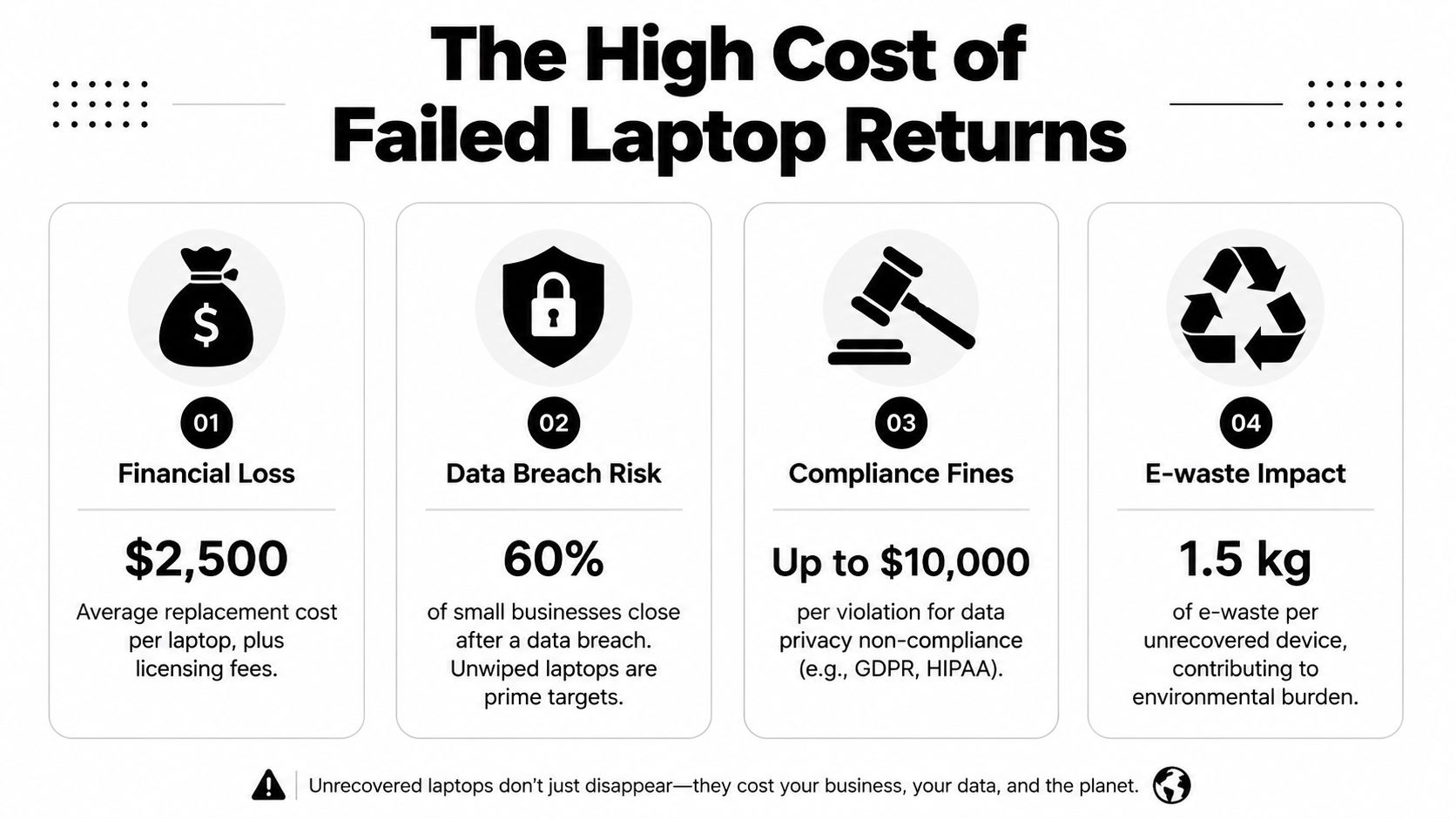
A failed return has three costs at once. You lose hardware. You lose control of the data on it. You also create a documentation gap that becomes painful during audits, disputes, or breach response.
Why loss during offboarding is more than a hardware problem
When a laptop doesn't come back, finance sees replacement spend. Security sees an unmanaged endpoint that may still hold corporate credentials, cached files, and local data. Legal sees uncertainty about who had custody and when.
That's why a casual offboarding email rarely works. The standard market benchmark is poor. Industry analysis cited by Multiply Technology and referenced by Gartner found that only about 30% of devices are returned on time, with some high-turnover environments dropping as low as 5% to 30%. That tells you the weakness isn't one employee. It's the process.
Practical rule: If your return program depends on reminders from a manager's inbox, you don't have a system. You have hope.
A strong return program also reduces the downstream risk of improper disposition. If a device disappears before wipe, redeployment, or destruction, you lose the ability to prove what happened to the data. That's the same gap that turns routine exits into security incidents. Beyond Surplus has a useful overview of data breaches from improper equipment disposal that aligns with what many IT asset managers see in practice.
Where teams usually fail
The pattern is familiar:
- HR sends notice late and the employee never gets a clear return deadline.
- IT revokes access but doesn't trigger retrieval logistics at the same time.
- Shipping is improvised so the employee has to find a box, padding, and a printer.
- No one records custody transfer once the device leaves the employee's home.
Loss prevention disciplines matter here, especially when offboarding overlaps with fraud risk, missing accessories, or intentional retention. Teams looking at the broader side of combating loss prevention issues often find that the same control principles apply to laptop recovery: clear ownership, documented handoffs, and fewer manual gaps.
Building Your Ironclad Return Policy
A remote return process usually succeeds or fails before the box ships. Policy is where you remove ambiguity. If the employee handbook and offboarding documents are vague, operations will be vague too.
What the policy must say
HR should define return obligations in the original employment paperwork and restate them at exit. That matters because a proactive offboarding policy with clear financial and legal consequences for non-compliance can increase return rates by 35% when included in employee contracts, as noted in Forbes Human Resources Council guidance.
At minimum, the agreement should specify:
- Which assets must be returned. Name laptops, docks, chargers, phones, security keys, and peripherals.
- When notice goes out. Return obligations should be communicated within 24 to 48 hours of termination notification.
- The return deadline. A firm 5 to 7 day window keeps the asset from drifting outside controlled recovery.
- Condition expectations. Employees should return equipment intact and packed according to company instructions.
- Escalation path. Spell out who contacts the employee if the deadline passes.
What good policy sounds like in practice
The strongest policies avoid legal theater and focus on operational clarity. They tell the employee exactly what happens next.
A workable clause reads more like a checklist than a warning. The employee receives the kit, packs only listed items, uses the provided label, and retains pickup or drop-off confirmation. HR owns acknowledgement. IT owns asset validation. Legal steps in only if the process breaks.
Policies should remove excuses. They shouldn't create arguments.
The clauses most teams forget
Three omissions cause repeat trouble.
First, many teams never define responsibility during the time between departure notice and physical handoff to the courier. Second, they don't require confirmation that the employee received return instructions. Third, they ignore cross-border and remote geography issues until a shipment stalls.
A practical policy framework includes:
Acknowledgement before final day
The employee confirms receipt of return instructions and understands the deadline.Documented shipping responsibility
The company provides the shipping materials and routing method. The employee follows that exact method.Escalation language
If the laptop isn't shipped by the deadline, HR triggers reminder and legal notice steps in a defined order.
If your organization operates internationally or in hard-to-serve regions, policy should also permit alternate return methods such as scheduled pickup partners or approved drop-point networks. Without that flexibility, “non-compliance” often turns out to be a logistics design failure.
The IT Team's Secure Return Workflow
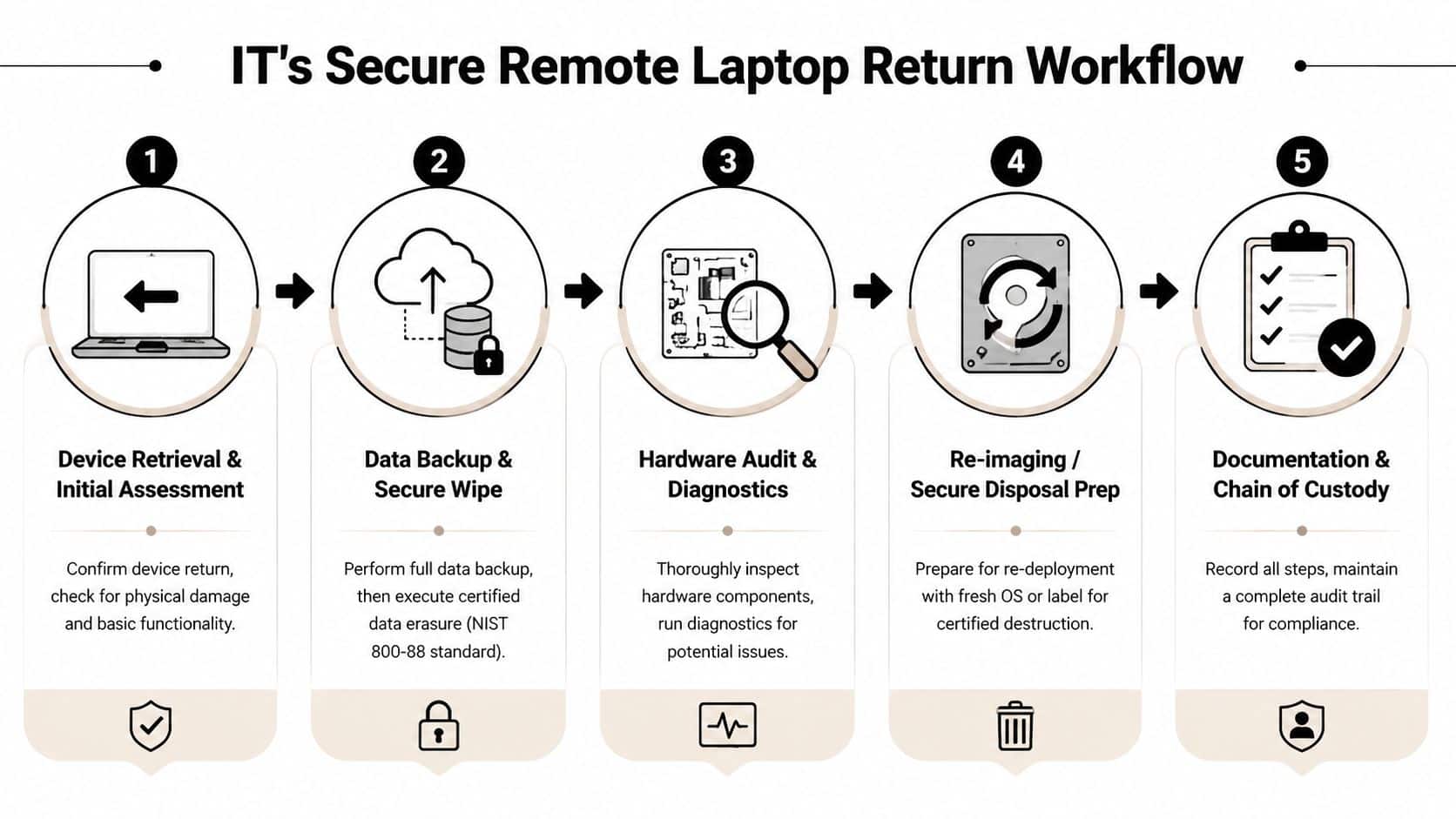
Once HR triggers offboarding, IT should move immediately. The priority isn't getting the laptop back first. The priority is making sure the device is no longer a live security risk.
Secure the endpoint before transit
Using MDM to enforce remote wiping before physical return reduces security breach risks by over 95% compared to post-return wiping, based on Gartner's MDM reference. That's the control point that matters most when a device may be delayed, mishandled, or never recovered.
In a mature workflow, IT does four things in quick sequence:
- Disable access to email, VPN, SSO, and corporate apps.
- Issue remote lock or wipe actions through the MDM platform.
- Generate the retrieval record in the asset system with serial number, assigned user, and return status.
- Release shipping instructions only after the asset record is tied to the return event.
What a closed-loop process looks like
I've seen teams create unnecessary risk by splitting these actions across separate tools with no owner. The better approach is one queue, one status model, and one intake checklist.
A practical loop looks like this:
| Stage | IT action | Control point |
|---|---|---|
| Offboarding trigger | Open return record | Assigned asset verified |
| Access removal | Disable accounts and tokens | User can't access company systems |
| Device security | Lock or wipe through MDM | Data exposure reduced before shipment |
| Receipt at facility | Match serial and condition | Wrong-device returns get flagged |
| Final disposition | Reimage, redeploy, or destroy | Inventory and compliance records updated |
Don't wait for physical receipt to decide whether the device is secure. Transit is part of the risk window.
After the laptop arrives
Receipt isn't the finish line. Intake should confirm serial number, inspect visible damage, note missing accessories, and update the status in the IT asset register. Then the device moves to one of three paths: redeployment preparation, repair evaluation, or end-of-life disposition.
For teams refining the policy side of this process, even outside the U.S., this guidance for UK HR policy development is useful because it emphasizes explicit ownership and documented procedures. The same discipline helps IT and HR align.
If the device is being sanitized for reuse or retirement, it helps to standardize the data handling step against NIST SP 800-88 practices for data sanitization. That gives IT a repeatable wiping and verification standard instead of ad hoc factory resets.
Mastering Remote Return Logistics
A remote employee in a major metro can usually print a label, find a carrier counter, and ship the laptop back the same day. A remote employee in a rural area may not have that option. That difference matters more than many offboarding plans admit.
The rural return problem
The World Bank's Logistics Performance Index shows that 35% of remote workers globally face delays or lost shipments due to poor last-mile connectivity, which leads to a 22% increase in recovery timelines for non-urban employees. That's why “we sent a label” isn't a logistics strategy.
A common example is the employee who lives outside a carrier's normal pickup zone. HR expects shipment within the policy window. IT marks the asset pending. The employee is willing to comply but can't get a courier to the property or reach a reliable drop-off point during work hours.
That's not employee resistance. It's an execution gap.
What actually reduces friction
The teams with fewer failed returns remove every avoidable burden from the employee. They don't ask the employee to source packing supplies, compare carrier options, or guess what to include.
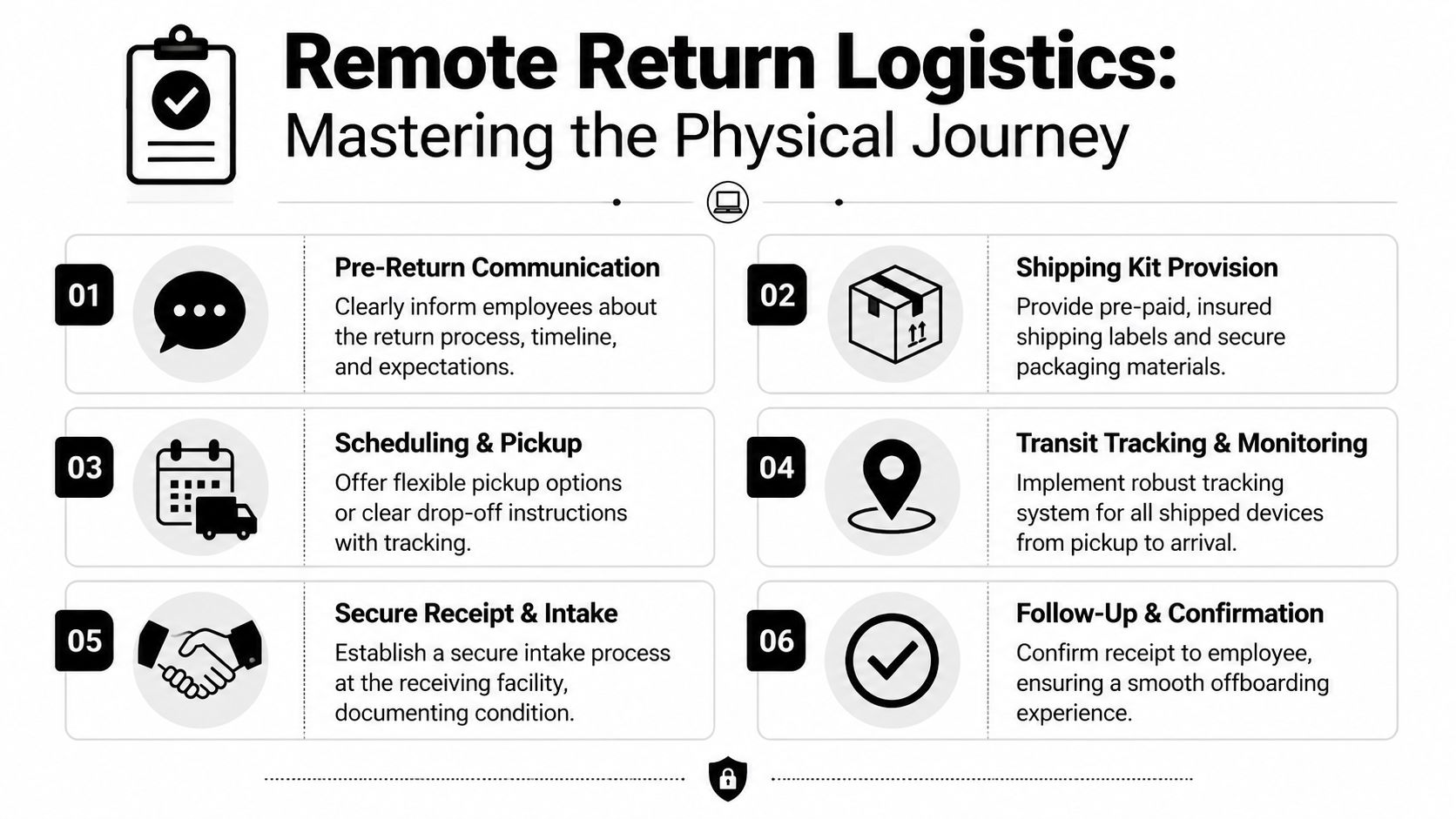
That means sending a complete return kit with:
- A fitted box sized for the assigned device
- Protective materials such as padded inserts or bubble wrap
- A prepaid tracked label
- Simple printed instructions
- A defined pickup or drop-off method
When companies provide prepaid shipping kits with packaging materials, compliance rates exceed 90%, while requiring employees to buy supplies reduces compliance by nearly 40%. The lesson is practical. If you create effort, you create delay.
Build fallback paths before you need them
Good logistics plans assume the first option may fail. They include an alternate carrier, a pickup request path, and a manual exception route for remote geographies, making centralized retrieval coordination matter more than generic parcel shipping.
For organizations tightening their process, this guide on how to recover company laptops from remote employees efficiently is useful because it focuses on operational details that are easy to overlook, especially packaging, tracking, and escalation.
A return label is a tool. A return plan is a system with backups.
Ensuring Compliance and Chain of Custody
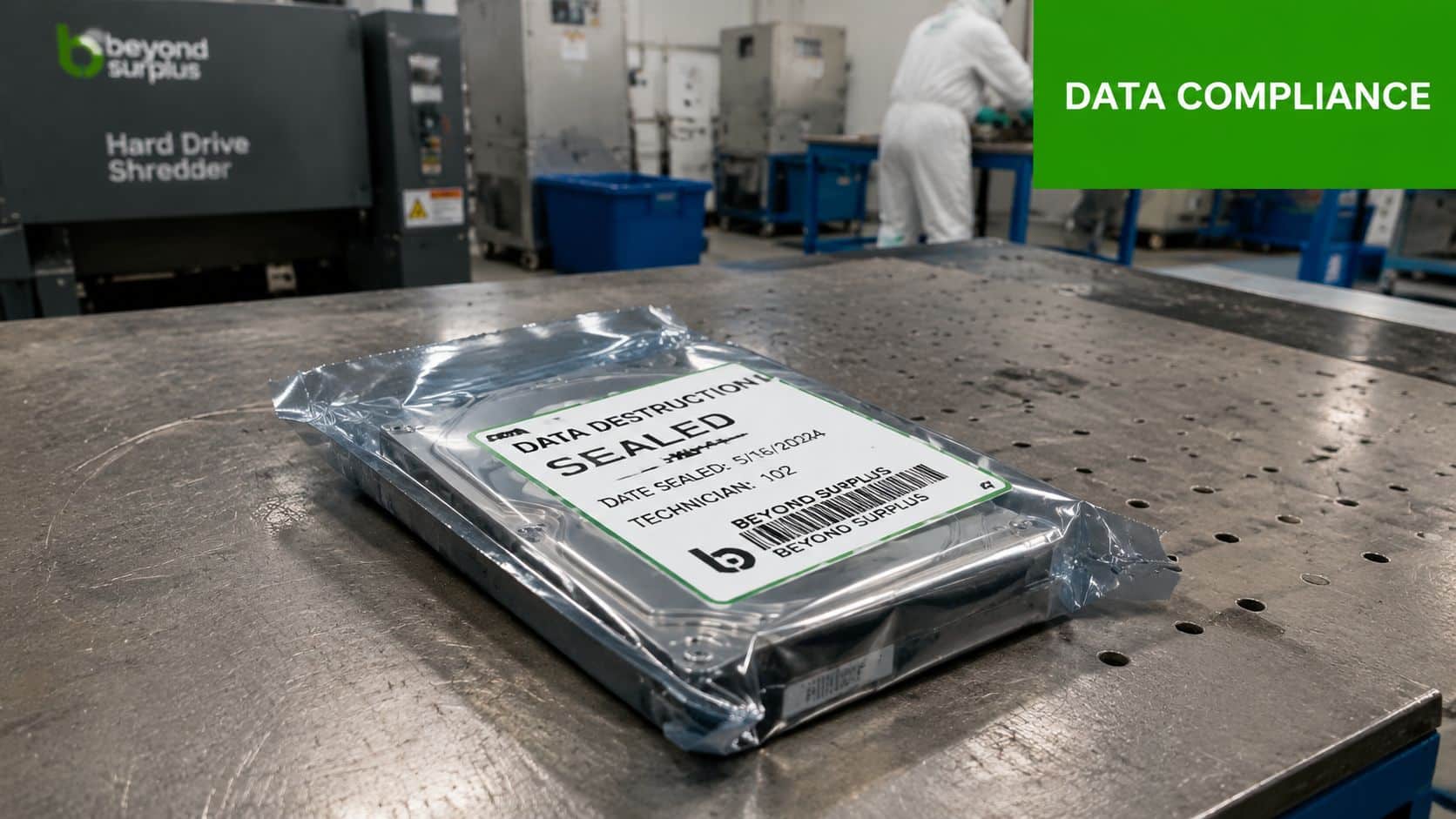
A wiped laptop can still create legal exposure if your documentation fails. Security controls protect the data. Chain of custody protects the organization.
Why wiping alone isn't enough
A 2025 NIST study found that 40% of companies face FTC Disposal Rule violations because their equipment return policies lack a formal chain-of-custody clause, according to NIST cybersecurity guidance. That's the overlooked risk in many remote return programs.
Teams often assume that if IT can remote wipe a laptop, the compliance problem is solved. It isn't. You still need proof of who possessed the device, when custody changed, and what happened after intake. If the laptop is stolen in transit or goes missing after pickup, that record becomes the difference between a contained incident and a disputed liability event.
The documents that matter
At minimum, your file for each returned laptop should include:
- Employee return acknowledgement
- Tracking or pickup confirmation
- Signed receipt of transfer at handoff
- Receiving record with serial verification
- Final sanitization or destruction documentation
The signed transfer point is especially important. Liability shouldn't remain fuzzy once the package leaves the employee's possession. If your carrier or logistics partner can't support that handoff record, the process is weaker than it looks.
What to ask your ITAD vendor
Most companies won't manage every compliance step internally, especially at scale. A qualified ITAD partner should be able to show its chain-of-custody controls, intake procedures, destruction workflow, and reporting format before you send a single device.
A useful reference point is this explainer on why ITAD chain of custody matters in Georgia. The legal principles carry well beyond one state because the operational question is the same everywhere: can you prove control from employee handoff through final disposition?
Auditors don't accept “we believe it was wiped.” They want records.
Partnering for Secure and Auditable Asset Disposition
Once you add up policy drafting, employee communication, MDM actions, retrieval logistics, receiving, wipe verification, and final documentation, remote laptop return becomes a cross-functional program. Most internal teams can run pieces of it well. Fewer can run the whole thing consistently across distributed staff.
That's where an ITAD partner changes the workload. Instead of asking HR to chase boxes and IT to manage shipping exceptions, you move the physical recovery, intake controls, and end-of-life documentation into a repeatable service model. A provider can coordinate packaging, pickups, serial verification, certified data destruction, and recycling records while your internal teams focus on access control and employee separation.
This model also improves vendor oversight. If you're evaluating providers, start with a due diligence process that reviews chain of custody, data destruction methods, insurance, downstream processing, and audit documentation. Beyond Surplus, for example, offers ITAD, logistics coordination, certified wiping, hard drive shredding, and documentation support as part of business-focused asset disposition services. A practical place to benchmark your review criteria is this vendor due diligence checklist.
The main advantage isn't convenience alone. It's consistency. The same standardized process can be applied whether the employee is local, rural, multi-state, or part of a larger hardware refresh. That reduces the chance that a laptop return falls apart because one manager handled it differently than another.
Remote employee laptop return works when HR and IT share one goal: zero ambiguity, zero unmanaged transit, and zero undocumented disposition.
Contact Beyond Surplus for certified electronics recycling and secure IT asset disposal.