

Your Atlanta office build-out is moving. The furniture plan is approved, the ISP rep says service is available, and leadership wants a live date. Then the actual work starts. Pathways don't match the floor plan, the riser room has access restrictions, one carrier needs different handoff details than the other, and your team has to decide whether to keep extending copper or move the backbone to fiber.
That's why telecom network installation in Atlanta needs more than a cabling quote. It needs a project plan that ties business use, building conditions, carrier coordination, testing, and end-of-life cleanup into one sequence. In Atlanta, those decisions matter more because the market gives you unusual connectivity depth. The city's Central Business District has 14 metro service providers that own, operate, and deploy metro fiber networks, plus 50+ additional providers that can serve the market using underlying fiber assets, according to the Atlanta Connectivity Report. That same report calls Atlanta the Southeast's nexus point for internet, voice, and data traffic.
Planning Your Atlanta Telecom Network Installation
Most projects start with a simple request. Add circuits, upgrade the LAN room, extend Wi-Fi, or prepare for a move. The mistake is treating those as separate tasks. In practice, they're one system. Carrier entry, MDF and IDF layout, backbone media, patching standards, and old equipment removal all affect each other.
Start with business requirements, not cable types
Before anyone picks Cat6A or fiber, define what the network has to support on day one and what it has to support after the first growth cycle. That means asking direct questions:
- Application mix: Are you supporting heavy cloud access, voice, video, security systems, and dense wireless?
- Operational model: Will the site host internal servers, edge compute, or only user access?
- Growth pattern: Are you adding headcount, floors, or remote closets soon after cutover?
- Resilience needs: Do you want diverse carriers, separate entrances, or backup connectivity?
A good scope document turns vague goals into install decisions. If a site expects higher-bandwidth workloads, long backbone runs, and multiple carrier handoffs, you plan pathways and rack space differently than you would for a basic office refresh.
Use Atlanta's carrier density to your advantage
Atlanta gives enterprise buyers real choice, but choice creates coordination work. Teams often assume “serviceable” means “ready.” It rarely does. Building rules, demarc extensions, and riser permissions can slow down an otherwise straightforward job.
That's why early planning should include both network topology and provider strategy. If you're evaluating interconnection or last-mile readiness, it can help to compare how other connection projects are staged. A practical example outside the U.S. residential context is this guide to NBN connection new house, which shows how much project success depends on access, timing, and clear handoff assumptions.
Practical rule: If the carrier conversation starts after cabling has begun, the schedule is already at risk.
Define the install package before procurement
A workable telecom installation package usually includes floor plans, closet elevations, pathway assumptions, carrier demarc expectations, labeling rules, and acceptance criteria. Without that package, pricing comes back inconsistent and every vendor interprets the job differently.
For Atlanta businesses that need help aligning carrier access, structured cabling, and project sequencing, enterprise telecom solutions in Atlanta can serve as a reference point for the types of scope elements that should be documented before work starts.
Site Surveys and Strategic Network Design Choices
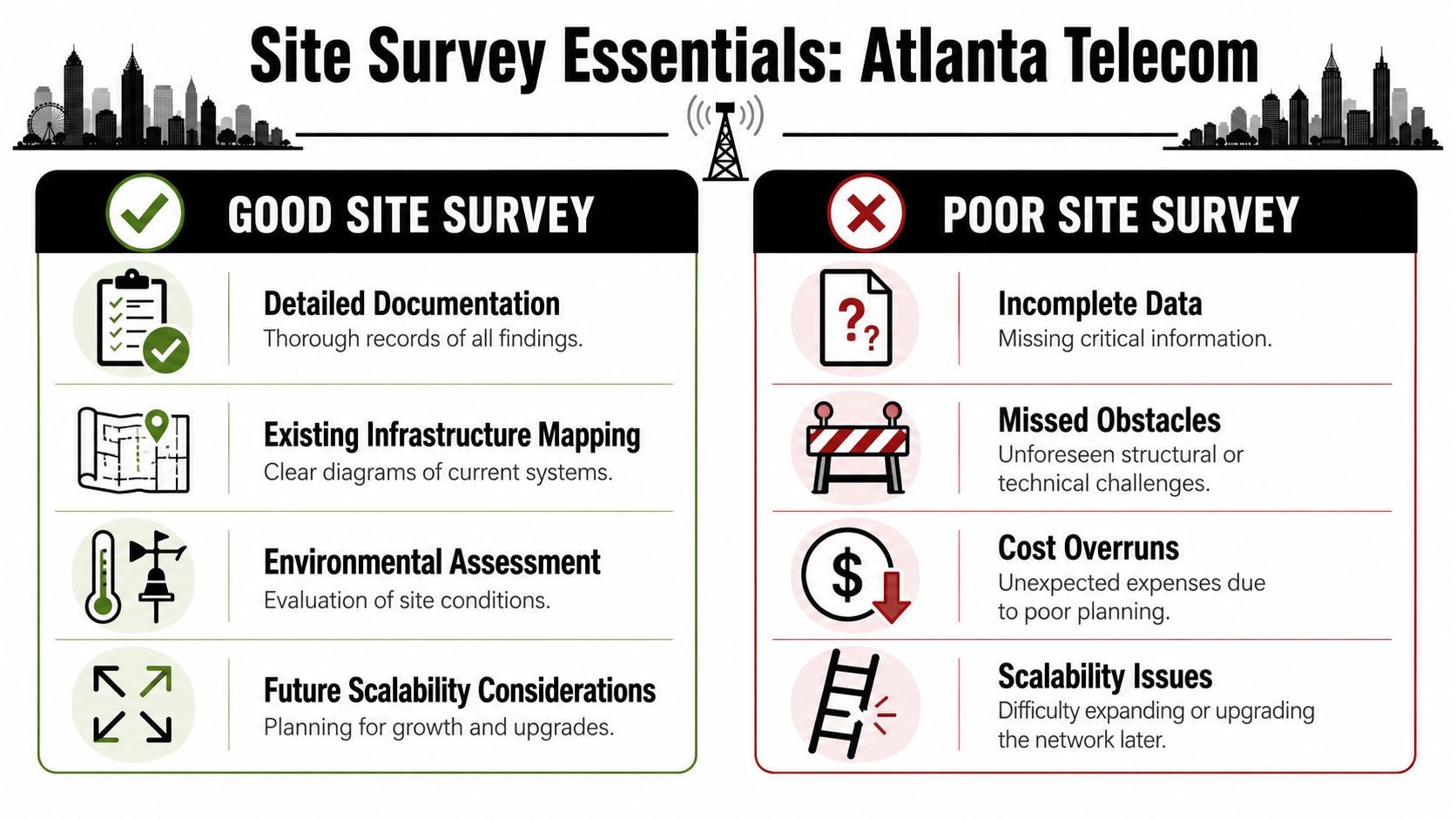
The site survey is where most hidden cost shows up. Not in the invoice yet, but later. You find blocked sleeves, crowded risers, hot IDFs, unknown copper runs, or an electrical pathway too close to planned data routes. Every one of those problems is cheaper to discover before design is finalized.
What a real site survey captures
A serious survey documents the physical environment and the operational constraints. The field team should record existing cable pathways, rack capacity, power availability, grounding conditions, entry points, telecom room dimensions, obstructions, and any likely source of electromagnetic interference.
It should also capture what the business will ask for next. Expansion space, spare pathways, and usable rack elevation matter because retrofit work is where clean designs become messy and expensive.
The design choice that matters most
Atlanta buyers usually see providers offering copper and fiber together, but that doesn't answer the planning question that drives budget and lifespan. A key gap in local content is what businesses should expect from fiber backbones versus copper cabling during AI, cloud, and Wi-Fi 7 upgrades, including when fiber becomes the better economic choice and what ceiling copper imposes, as noted by Cabling Atlanta.
That decision should be tied to distance, density, heat, port planning, and expected refresh cycles. If your team is building for higher-throughput wireless, heavier east-west traffic, or long runs between closets, the cheapest material today may create the earliest redesign.
Fiber and copper side by side
| Factor | Copper Cabling (Cat6A) | Fiber Optic Cabling (OM4/OS2) | Recommendation |
|---|---|---|---|
| Access layer use | Fits common endpoint and edge-device connections well | Usually reserved for uplinks and backbone roles | Use copper where endpoint power and standard workstation connectivity matter |
| Backbone distance | Distance limits become a planning constraint faster | Better suited when closets and handoff points are farther apart | Prefer fiber for inter-closet and building backbone paths |
| AI and cloud growth | Can become the limiting factor as bandwidth demands rise | Better aligned with future higher-bandwidth backbone needs | Choose fiber when growth is expected, not just hoped for |
| Wi-Fi upgrades | Supports many edge deployments, but uplink strategy still matters | Helps avoid bottlenecks upstream from high-density wireless | Keep copper at the edge if needed, but move the backbone to fiber |
| Rack and cooling impact | Can increase bulk in dense pathways and patch fields | Often supports cleaner high-capacity backbone design | Favor fiber in dense IDF and MDF environments |
| Lifecycle flexibility | Often works well for current needs but may force earlier redesign | Usually provides a longer runway for backbone expansion | Spend more upfront on fiber if recabling later would disrupt operations |
| Economics | Lower apparent initial material cost in many cases | Higher initial investment but often better for long-term backbone planning | Compare total disruption and replacement cost, not just install price |
A practical rule for Atlanta projects
For many offices, the smartest design isn't all fiber or all copper. It's fiber in the backbone and copper at the edge. That preserves flexibility for switches, access points, phones, and other endpoint devices while avoiding a backbone that has to be revisited too soon.
Teams usually regret overbuilding edge copper far less than they regret underbuilding the backbone.
If you need an Atlanta installer or project partner, compare firms based on survey discipline, as-built quality, and backbone design judgment, not just per-drop pricing. A useful starting point is reviewing telecom solutions for businesses near me and then testing whether the provider can explain your copper-versus-fiber trade-off in plain language.
Navigating Permits and Carrier Coordination in Atlanta

A clean design can still miss its launch date if permits and carrier access aren't lined up early. In Atlanta, that risk shows up most often in multi-tenant buildings, medical offices, industrial sites, and any space where building management controls riser access tightly.
Permits go faster when the package is complete
Low-voltage work often needs a clear scope, floor plans, pathway details, and contractor information before approval moves smoothly. Delays usually come from mismatched drawings, unclear room naming, or a scope that changes after submission.
What works is simple. Freeze the initial design enough to submit a coherent permit set, then manage changes through revision control instead of field improvisation.
- Confirm jurisdiction early: City and county processes can differ, so verify who has authority before submittal.
- Match room names and plans: If the permit set says MDF-A and the field team says Server Room 1, confusion follows.
- Coordinate after-hours access in writing: Verbal approvals disappear when security shifts change.
Carrier coordination is its own workstream
Carrier delivery has separate dependencies from cabling. The provider may need site surveys of its own, LOAs, demarc confirmations, riser permissions, and building contact approvals. If your internal team treats circuit delivery as a background task, cutover day gets uncomfortable fast.
The safest approach is to manage each provider against a milestone list. Entrance facility confirmation, handoff type, equipment power, cross-connect requirements, and testing contacts should all be assigned to named people.
Don't schedule the final cut until the carrier, building engineer, and cabling team all agree on the same demarc location.
What usually causes delay
A few patterns repeat on Atlanta telecom jobs:
- Building access issues: Engineers arrive and can't get into the riser, roof, or locked telecom room.
- Demarc confusion: The carrier stops at the MPOE, while your team assumed an extension into the suite.
- Lead-time mismatch: Cabling finishes before service is ready, leaving the room staged but unusable.
- Change orders from missed pathway limits: Existing conduits look available on paper but are blocked in practice.
The fix isn't heroic project management at the end. It's disciplined coordination at the start.
Best Practices for Cabling Installation and Management
Anyone can pull cable. The difference between a clean installation and a problem site shows up months later during moves, troubleshooting, or the first outage under load. That's why structured-cabling discipline isn't administrative overhead. It's reliability work.
A practical installation methodology starts with a site survey and growth forecast, then maps the topology, labels every cable, port, and panel, separates data paths from power and EMI sources, and finishes with certification testing against TIA/EIA and ISO/IEC structured-cabling rules. Those controls are specifically called out as reducing rework, intermittent faults, and troubleshooting time in this guidance on network installation best practices.
What good crews do differently
Good installers don't make the field figure it out. They arrive with labeling conventions, closet layouts, pathway intent, and test expectations already defined. That keeps the work consistent across floors and prevents each technician from solving the same problem a different way.
The field basics still matter:
- Cable handling: Respect bend radius and pull tension, especially on fiber and in crowded trays.
- Path separation: Keep data cabling away from electrical sources and known EMI risks.
- Patch field discipline: Terminate cleanly, keep service loops controlled, and avoid creating future maintenance clutter.
Labeling is not optional
Unlabeled or poorly labeled infrastructure turns every MAC into detective work. A live site with weak labeling also raises the chance of disconnecting the wrong link during changes.
For teams comparing installation standards and workmanship expectations, this overview of business data cabling installation is useful because it reinforces the connection between clean install practice and long-term supportability.
Field lesson: If the rack looks neat but the labels don't tell a story, the job isn't finished.
Why cutting corners costs more later
Cheap installs often look acceptable at handoff. The trouble starts when links become intermittent, power interference shows up, or no one can identify the port path during an outage. Rework then happens in occupied space, under time pressure, and with business disruption.
If a project includes retiring legacy bundles or removing abandoned cabling during the upgrade, data center cable mining and wire removal service is one example of a specialized service category to evaluate so obsolete infrastructure doesn't stay overhead and complicate future work.
Testing, Timelines, and Project Risk Mitigation
Installation isn't complete when the link light turns on. It's complete when the system is documented, certified, and accepted against the original scope. That distinction protects the client because “working now” and “installed correctly” are not the same thing.
What to demand before sign-off
A continuity check is not enough for a business-critical installation. You want certification results that confirm the installed cabling meets the intended standard and that the handoff package can support future troubleshooting.
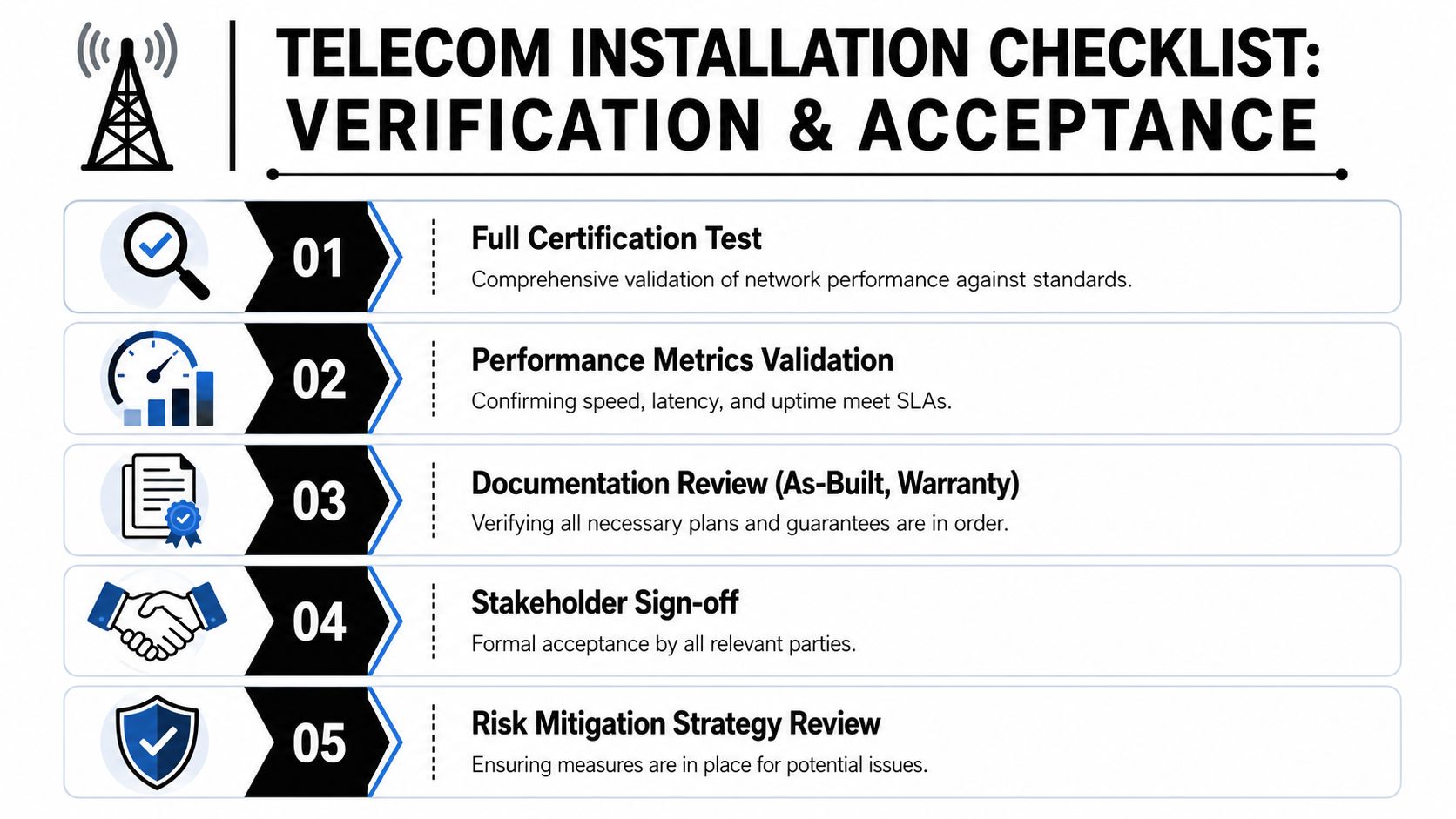
Ask for these deliverables:
- Certification records: Copper and fiber results should validate performance, not just connectivity.
- As-built documentation: Final pathways, port maps, panel schedules, and room references should reflect what was installed.
- Warranty package: Keep manufacturer and installer warranty information in the turnover file.
- Open-issues log: Anything deferred should be listed, owned, and dated.
Build the schedule around real dependencies
Most network timelines fail because they ignore approval gates and access constraints. The physical work might take only part of the project window, but permits, building coordination, carrier readiness, shipping delays, and cutover approvals can control the actual finish date.
A workable schedule has contingency built into milestones, not just the end date. If a carrier misses delivery or a room isn't available, your plan should show what work can continue and what must stop.
Use a simple risk matrix
You don't need a giant PMO artifact. A basic risk table works if it names the issue, owner, trigger, and backup plan.
Examples worth tracking:
- Carrier delay: Trigger is missed delivery confirmation. Backup is staged cutover or temporary service path.
- Restricted building access: Trigger is unconfirmed after-hours approval. Backup is daytime work sequencing or revised room order.
- Material mismatch: Trigger is field conflict between design and existing conditions. Backup is approved substitute list and escalation path.
For procurement and implementation oversight, a vendor due diligence checklist helps teams verify who owns testing, documentation, access coordination, and change management before the project starts.
The best risk plan doesn't predict everything. It prevents one surprise from stopping the whole project.
Handoff and Decommissioning Your Old Network Assets
The formal handoff should leave your team with more than a working circuit. You should have test reports, as-built drawings, labeling schedules, warranty details, and a punch-list status that's properly closed. If those documents aren't assembled at turnover, they usually won't get better later.
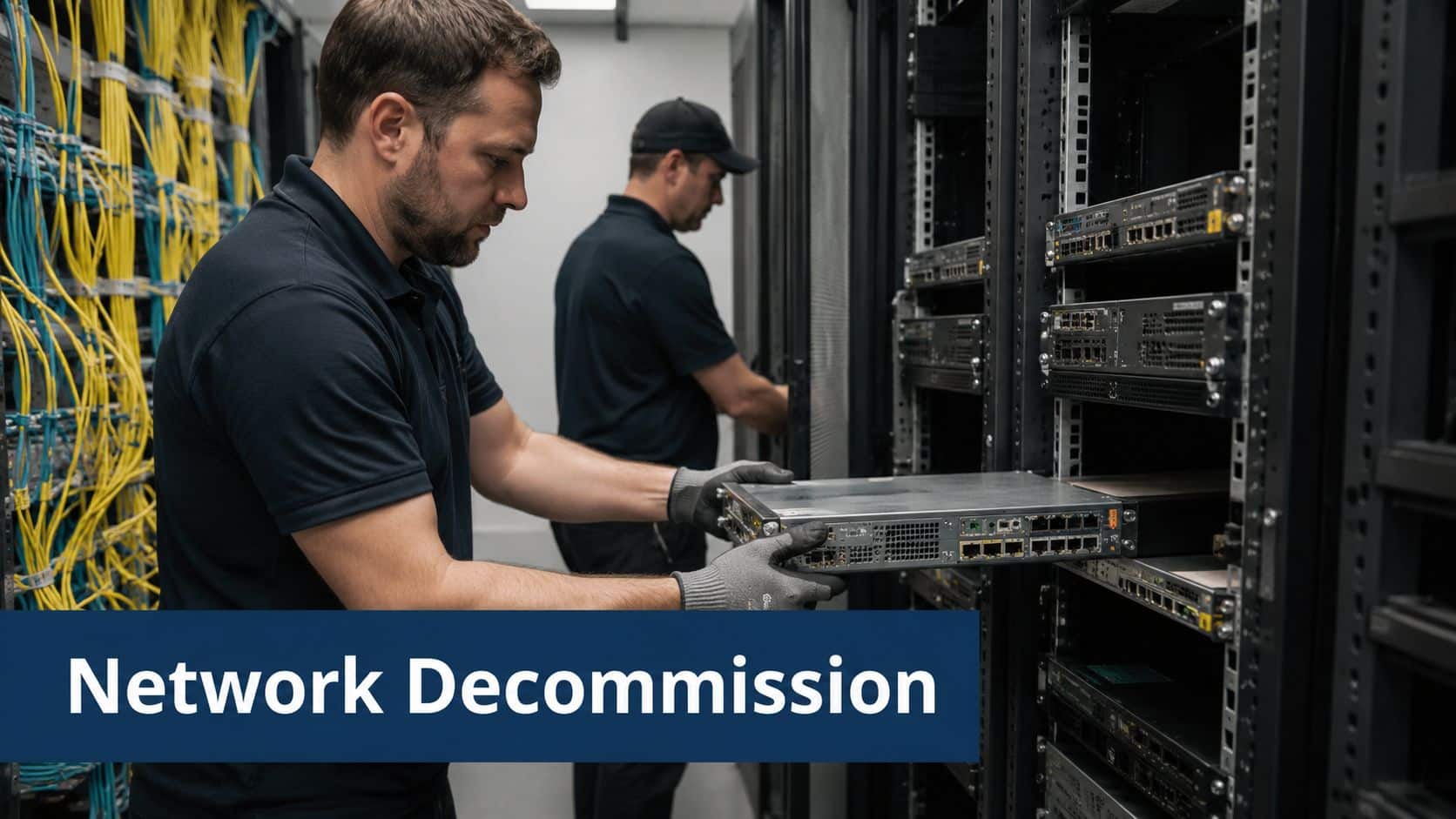
That's also the point where another issue appears. The new network is live, but the old one is still sitting in racks, closets, and storage areas. Retired switches, routers, firewalls, PBX gear, optics, UPS accessories, patch panels, and cable bundles can become a security and facilities problem.
Treat decommissioning as part of the project closeout
Old hardware shouldn't be left for “later.” Once cutover is complete, assign ownership for device removal, inventory reconciliation, data-bearing media handling, and chain of custody. This is especially important in healthcare, finance, legal, and multi-site enterprise environments where abandoned hardware creates unnecessary compliance exposure.
A proper closeout process usually includes:
- Asset identification: Match removed gear to inventory or rack elevation records.
- Data handling decision: Determine whether devices need wiping, shredding, or physical destruction of media.
- Logistics plan: Schedule removal so retired equipment doesn't clog telecom rooms or receiving docks.
- Disposition records: Keep certificates and transport records with the project file.
Don't mix live cutover work with unmanaged disposal
I've seen teams handle the new install carefully and then treat removal like junk hauling. That's where mistakes happen. Devices get stacked without logs, optics and accessories disappear, and no one can prove what left the site.
One factual option in Atlanta is telecom decommissioning services, which covers removal of retired telecom hardware as part of an IT asset disposition workflow. When a project includes data-bearing equipment, the right decommissioning process should also preserve chain of custody and produce the documentation your compliance team will ask for later.
What a clean handoff looks like
A disciplined closeout has a short final checklist:
- Operations receives the documentation set
- Facilities knows what equipment is staying and what is leaving
- Security signs off on media handling
- Procurement closes open vendor items
- Finance can distinguish reusable assets from scrap or recycling streams
That closeout discipline matters because telecom projects don't really end at cutover. They end when the new environment is supportable and the old environment is gone.
If your Atlanta project includes retired switches, routers, PBX hardware, servers, or mixed IT assets after cutover, contact Beyond Surplus for certified electronics recycling and secure IT asset disposal.


