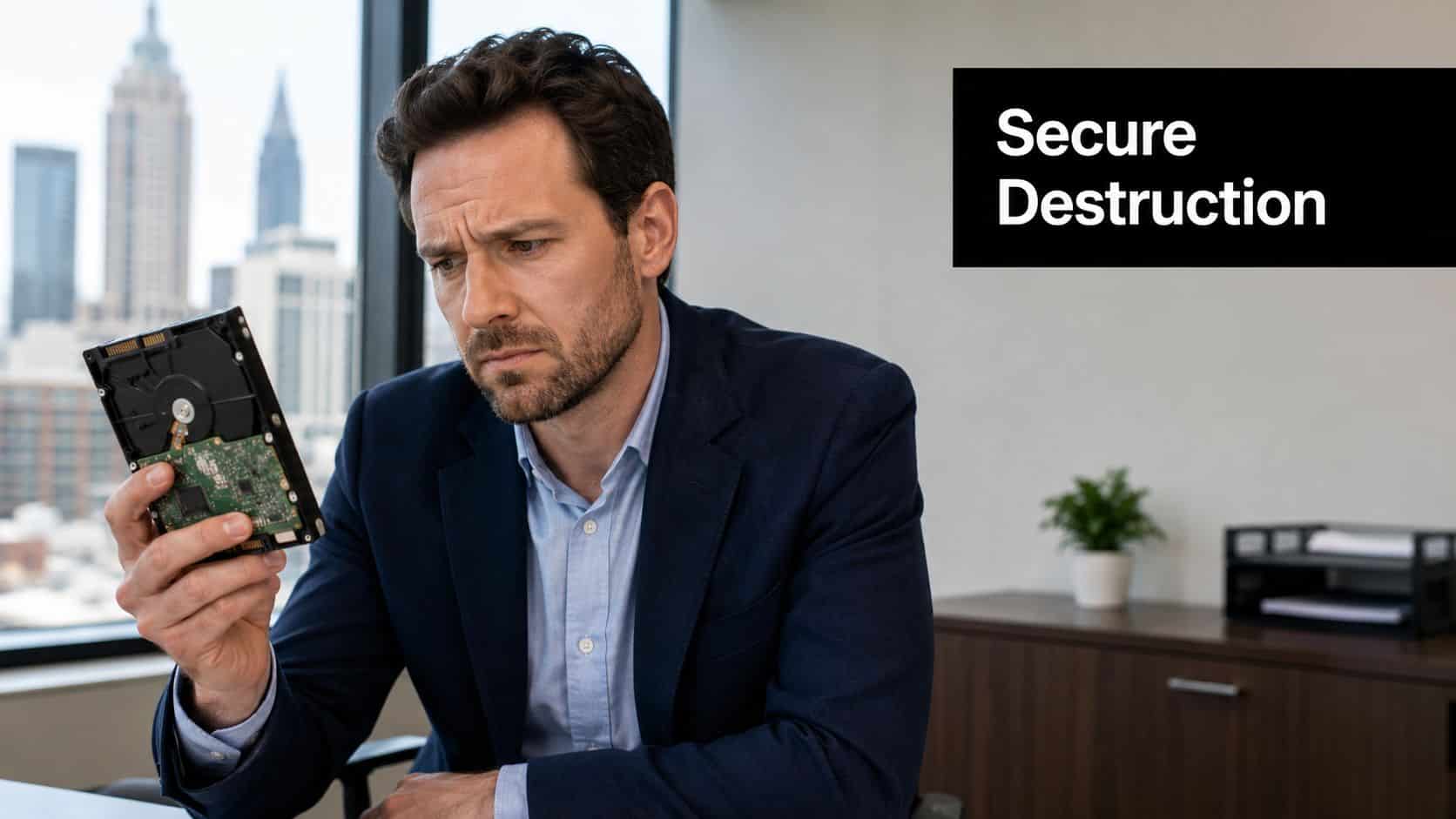
Your IT team is staring at a shelf of retired drives again. Some came out of old laptops, some from a file server refresh, and one or two are probably damaged enough that no one wants to trust a wipe job. In an Atlanta business, that pile is not dead hardware, it's a compliance problem until you prove those drives were handled the right way.
How Atlanta Businesses Can Securely Destroy Hard Drives is really a question of control. Secure disposal is not just deleting files, it's following a formal media sanitization process under NIST SP 800-88, then documenting what happened so the liability doesn't stay with your team. Atlanta guidance also treats clear, purge, and destroy as different outcomes, and physical destruction is the one that makes the media itself unreadable. For businesses in healthcare, finance, and legal services, that distinction matters because a clean removal from the office is not the same thing as a defensible end-of-life record. Atlanta secure data destruction guidance makes that point plainly, and it's the right mindset.
A lot of teams still act like deletion or a quick format is enough. It isn't. If you want the disposal decision to hold up later, you need a method that matches the drive type, the data sensitivity, and whether the asset still has reuse value.
Why Secure Hard Drive Destruction Matters for Atlanta Businesses
If you run IT in Atlanta, you already know the risk isn't the old hardware, it's what's still sitting on it. Retired drives can still hold client records, payroll files, contracts, scanned IDs, and internal emails. If one of those drives leaves your control without proper sanitization, you're not just dealing with cleanup, you're dealing with exposure, audit questions, and the kind of breach story nobody wants attached to the company name.
Deletion Is Not Disposal
Shortcuts get expensive. Simple deletion, formatting, and even a factory reset do not fully erase data, because recovery tools can still pull information back unless the drive is securely wiped or destroyed. Professional disposal guidance recommends backing up needed files, using dedicated erasure software, and then moving to physical destruction when maximum security is required. Safe IT equipment disposal guidance says exactly that, and it aligns with what I see in the field.
Practical rule: if a drive is going to leave your control, assume the contents are still recoverable until you have a certificate and a documented chain of custody.
The other mistake is treating disposal as a one-time event instead of a control environment. NIST SP 800-88 treats media sanitization as a formal process, not a casual cleanup task. Atlanta and Georgia guidance also makes the certificate part of due diligence, because you need proof that the device was handled correctly, not just proof that it disappeared from the office. Emory's Atlanta security guidance shows this is not a new idea, either, it has been part of institutional practice for years, including documented Data Destruction Day events on October 2 and 4, 2012. Emory data disposal guidance
Liability Doesn't End at Pickup
The goal is liability transfer. A Certificate of Destruction is not paperwork for the drawer, it's the document that shows who handled the drives, when they were sanitized, and how the work was done. Atlanta business guidance now expects vendors to specify whether they used clear, purge, or destroy workflows, then issue serial-numbered certificates that support audits and legal review. That's what separates a control from a handoff with wishful thinking. Atlanta e-waste best practices covers the local compliance angle well.
Choosing the Right Destruction Method for Each Drive
The wrong instinct is to shred everything by default. That wastes reusable hardware and skips the fundamental question, which is what the drive is, what condition it's in, and what the organization plans to do with it next. NIST SP 800-88 Rev. 2 recognizes that Destroy is only one of the valid outcomes, alongside Clear and Purge, and the method should fit the media and the disposition plan. Hard drive disposal guidance lays out that control logic clearly.
Match the Method to the Media
Here's the clean way to think about it. HDDs can often be wiped or degaussed when policy allows, while SSDs and other flash media need different handling because they don't store data magnetically. Degaussing works on magnetic media, but it does nothing to SSDs. What a degausser does explains that distinction plainly, and it matters more than many organizations realize.
| Matching Destruction Method to Drive Type and Risk | Reusable Drive | Failed or End-of-Life Drive | Highly Sensitive Data |
|---|---|---|---|
| HDD | Certified wipe or purge if redeployment is planned | Physical destroy if wiping is not reliable | Destroy or degauss, then destroy if policy requires it |
| SSD or flash media | Certified wipe if the device is functional and policy allows reuse | Destroy, especially if damaged or legacy | Destroy |
| Legacy or damaged media | Usually not the right fit for reuse unless the vendor can verify sanitization | Destroy | Destroy |
That table is the decision tree. If the drive still has resale or redeployment value, a certified wipe protects both the data and the asset. If the drive is old, damaged, or contains highly sensitive data, destruction wins because it closes the recovery path entirely.
A vendor may still talk about DoD 5220.22-M as a 3-pass overwrite method, but don't let anyone oversell that as a universal answer. The standard is software-based sanitization for reusable media, while physical destruction is the fallback when the risk, condition, or media type makes wiping the wrong call. Beyond Surplus also offers certified wiping and physical destruction, which is the right kind of split service for organizations that need both reuse and disposal options. What is a degausser is the better technical reference when you're deciding whether magnetic media can be sanitized without destroying it.
On-Site Versus Off-Site Destruction Workflows
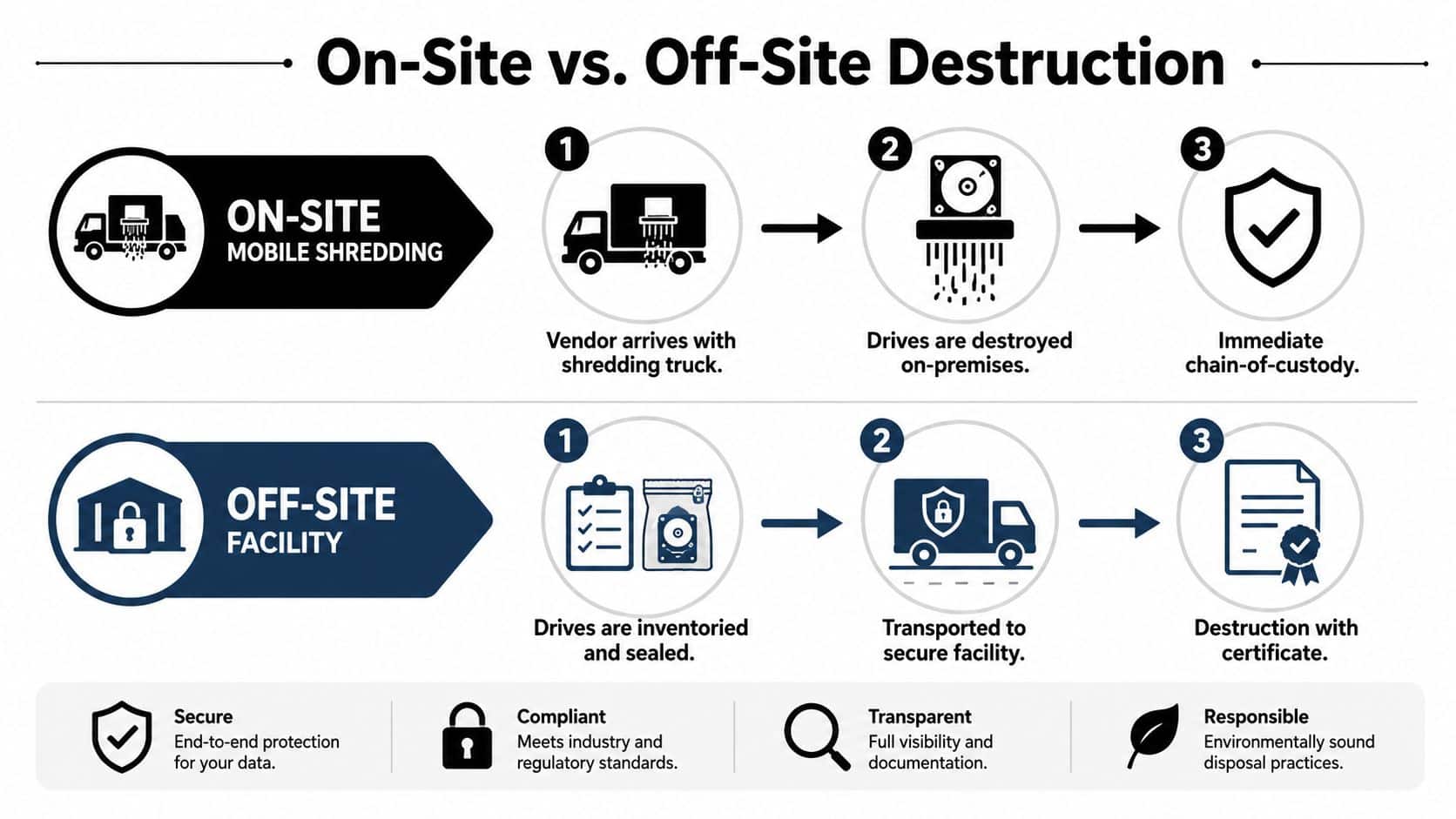
Logistics determine whether a destruction event is defensible. The choice between on-site and off-site is not about convenience alone, it's about who can witness the process, how the chain of custody is documented, and whether your vendor can prove every drive stayed controlled from pickup to final destruction.
On-Site Works When Witnessing Matters
On-site mobile shredding is the cleaner choice when the data is sensitive enough that your team wants to see the destruction happen at the loading dock. Healthcare, finance, and legal teams usually like that because the witness step removes arguments later. A mobile shred truck arrives, the drives are scanned or logged, and destruction happens in front of your staff. That gives you immediate chain-of-custody closure.
Off-Site Works When Volume and Control Matter More
Off-site destruction fits large refreshes and multi-site projects better. Drives are inventoried, sealed, transported to a secure facility, and then destroyed inside a controlled workflow with serialized intake. The important part is not the building, it's the controls. If the vendor can't show sealed containers, signed transfer points, and per-drive logging, the off-site model gets weak fast.
The moment that matters is the handoff. If the drive isn't tracked by serial number from pickup to destruction, your certificate is just a summary, not evidence.
For a small office refresh in Smyrna, on-site can be the simpler answer. For a broader enterprise decommissioning project, off-site often makes more sense, but only if the vendor can document every transfer point and issue the certificate after final destruction. On-site vs off-site ITAD services in Georgia is a useful comparison when your team is choosing between those two models.
Building Chain-of-Custody and Certificates That Hold Up
Documentation is what turns a pickup into a defensible control. If your team can't prove who owned the drive, where it sat, and when it changed hands, you don't have secure destruction, you have a story that's waiting for an auditor to pick apart.
Inventory First, Always
Start with a complete inventory. That means serial number, asset tag, owner, and data sensitivity for each retired drive. Lock the drives in an access-controlled staging area before handoff, and never let them drift into general storage or mixed trash streams. Atlanta ITAD guidance warns that failing to separate remarketing items from destruction items causes expensive mistakes, and it's right. Atlanta data destruction workflow backs up that operational discipline.
What the Paper Trail Should Show
A real Certificate of Destruction should include the vendor name, method used, date, serial-numbered asset list, and an authorized signature. If recycling is part of the workflow, a Certificate of Recycling should also identify downstream handling. The point is to create a file that proves due diligence, not a receipt that just says something happened.
Keep the records. Retain certificates, wiping logs, and audit trails for 7 to 10 years so you can answer regulatory questions later. That retention window matters because audits don't care how confident you felt at pickup time, they care about what you can produce on demand.
For any vendor relationship that includes certification references, ask for the exact documents up front, including NAID AAA or R2v3 references if they claim them. If you're also managing internal procurement or public-sector workflows, government contracting software reviews is a useful place to compare how documentation-heavy vendors are evaluated in practice. Use that same standard here.
Vetting Atlanta ITAD Vendors With a Practical Checklist
A good vendor is easy to recognize. They answer direct questions, they document serial numbers, and they don't get weird when you ask who touches the drives. A weak vendor hides behind broad claims and generic recycling language.
Ask the Questions That Expose Weak Controls
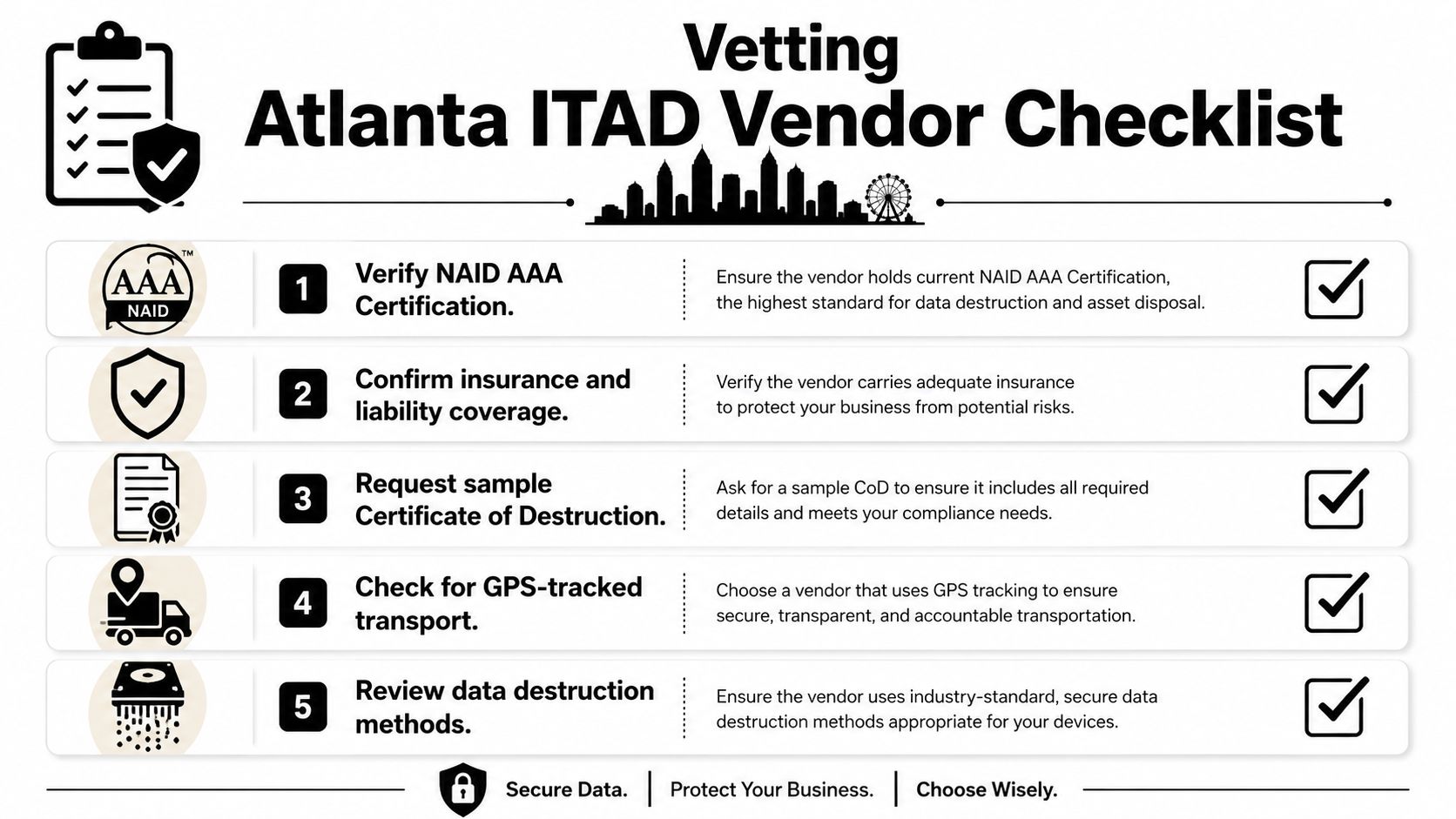
Use this checklist and don't soften the wording.
- Certification proof: Ask for current NAID AAA documentation for media destruction, plus R2v3 or e-Stewards if downstream recycling is part of the engagement.
- Security operations: Confirm whether technicians are background-checked and whether transport is GPS-tracked.
- Destruction evidence: Request a sample Certificate of Destruction before you sign anything.
- Subcontractor policy: Ask whether shredding, transport, or downstream recycling is outsourced, and if so, who owns the liability at each step.
- Method fit: Make them explain when they use wiping, degaussing, or physical destruction, and why.
The reason I push this so hard is simple. Vendors who outsource shredding to a third party without disclosure create gaps in the chain of custody. Vendors who can't produce per-drive serial logs on demand are telling you, in essence, that they don't run the process the way they market it.
Use the Contract to Remove Ambiguity
Put the requirements in writing before the first pickup. The service agreement should spell out witnessed destruction options, serialized documentation, and what happens if a drive arrives damaged or unlabelled. That's how you stop a convenience vendor from turning into an audit problem.
If you want a step-by-step vendor screen, how to choose an ITAD vendor in Georgia is the right internal reference point. Use it as a procurement filter, not a sales brochure.
A Reusable SOP Template for Atlanta IT Teams
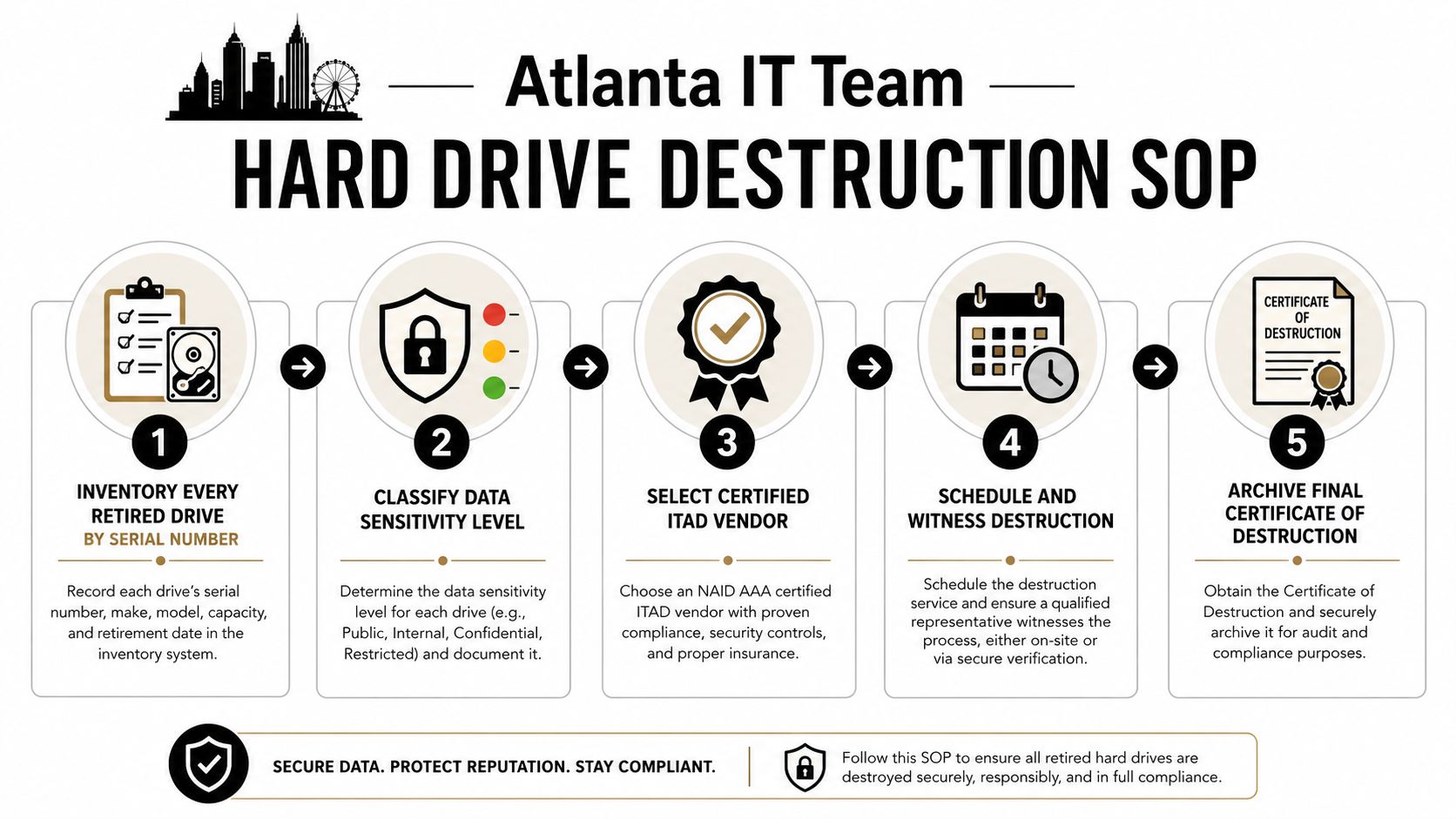
If you want this process to survive staff turnover, it needs to live as an SOP, not in someone's inbox. The controls are simple, but they have to be followed in the same order every time.
The Workflow
- Inventory every retired drive by serial number. Capture the asset tag, owner, and data sensitivity while the device is still under your control.
- Classify the disposition. Separate drives marked for remarketing from drives marked for destruction.
- Select the sanitization path. Use Clear, Purge, or Destroy based on media type and reuse intent.
- Execute through a certified vendor. Use wiping when reuse is realistic, and physical destruction when the risk or condition demands it.
- Archive the proof. File the certificate, wipe logs, and chain-of-custody record in a central compliance folder.
Teams usually slip. They mix retired media with general trash, leave drives in open office areas, skip the final destruction certificate, or wipe the wrong disk by accident. That last mistake is permanent, so the person doing the wipe needs a verified target before the tool starts.
Operational rule: if the drive is old, damaged, or impossible to trust for reuse, stop pretending a software tool will solve the problem. Destroy it.
A clean SOP also gives you room to review the process annually. Media types change, vendors change, and storage architectures change. The process shouldn't depend on tribal knowledge from one engineer who remembers “how we did it last year.”
Atlanta Hard Drive Destruction Questions Answered
On-site mobile shredding usually costs more than off-site processing because you're paying for witness-ready logistics and a truck on your property. Large enterprise refreshes are easier to schedule when you give the vendor lead time, especially if multiple sites are involved. The workflow can support HIPAA, GLBA, PCI-DSS, the FTC Disposal Rule, and NIST SP 800-88 when the vendor follows the controls, not just the marketing language.
Reusable drives can be redeployed or resold after certified wiping if the hardware still passes testing and the policy allows reuse. A factory reset is not enough, and consumer-grade deletion tools are not a compliance strategy. If you're trying to reduce risk without throwing away functional hardware, choose a vendor that can prove which drives were wiped, which were destroyed, and why.
Beyond Surplus handles certified hard drive shredding, data wiping, and IT asset disposition for Atlanta businesses that need real documentation, not loose promises. If you're retiring drives and want a defensible chain of custody, visit Beyond Surplus and schedule a pickup that matches your compliance and reuse requirements.