In 2022, roughly 3.9 billion kilograms of small IT and telecommunications equipment, including discarded laptops, wasn't recorded as entering formal recycling systems worldwide. Enterprise programs should close that gap with documented recovery, certified data destruction, and controlled material-processing workflows.
An IT manager usually meets the problem at the least convenient moment. A refresh is complete, storage rooms are full, and a facilities team needs dozens or hundreds of laptops removed before the next deployment. A general waste contractor may offer a quick solution, but a truck receipt alone doesn't prove that data was erased, batteries were handled safely, or valuable components reached an approved processor.
Commercial laptop recycling is therefore an IT asset disposition decision, not a disposal shortcut. The right process protects information, preserves resale and reuse potential, and produces evidence that procurement, auditors, regulators, and security teams can review.
Table of Contents
- Why Laptop Recycling Demands a Different Approach for Businesses
- Preparing Your Devices for Secure Recycling
- Certified Data Destruction Options Explained
- Pickup, Drop-Off, and Mail-In Logistics for Enterprises
- Compliance Documentation and Certificates That Transfer Liability
- Value Recovery Versus Donation and Pure Recycling Decisions
- Starting Your Enterprise Laptop Recycling Program
Why Laptop Recycling Demands a Different Approach for Businesses
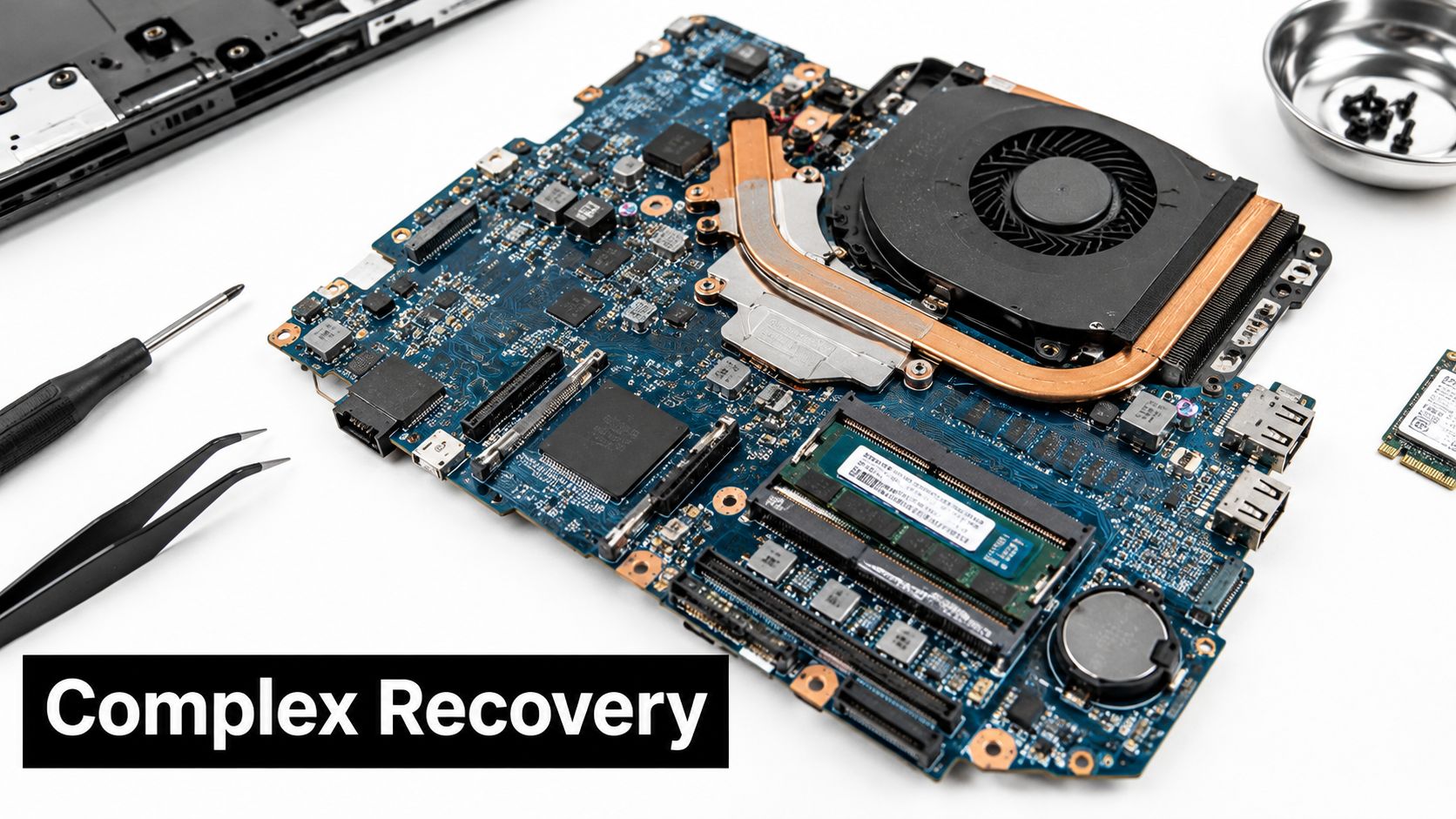
A laptop can look like obsolete office equipment while still containing active credentials, customer records, proprietary files, and recoverable components. The physical device also includes circuit boards, batteries, plastics, aluminum, copper, and precious-metal-bearing parts. Treating every unit as ordinary waste creates two separate exposures: uncontrolled information and unverified material handling.
The global scale makes the operational gap clear. The small IT and telecommunications equipment category accounted for approximately 5 billion kilograms of e-waste in 2022, yet only 22% was documented as formally collected and recycled. Roughly 3.9 billion kilograms therefore wasn't recorded as entering formal recycling systems, according to the Global E-waste Monitor 2024. Laptops are part of that category alongside mobile phones, GPS devices, and routers.
The hidden failure in informal disposal
Consider a fleet retirement handled through a basic office cleanout. Employees place laptops on pallets, a carrier signs for the load, and the organization files a generic recycling receipt. That receipt may show that equipment left the building, but it doesn't establish who controlled the devices during transport, whether storage media was sanitized, or how downstream processors handled batteries and circuit boards.
The risk increases when a provider reports only total weight. A high mass-recovery figure can conceal poor recovery of copper, precious metals, batteries, or mixed plastics. Research on European laptop treatment found that aluminum and copper represented 99% of target elements recycled, while copper's recycling rate was only 28% in 2017, showing why aggregate figures can obscure weak performance in individual material streams. The findings are documented in research on laptop and tablet recycling processes.
Practical rule: A certificate should describe what happened to the assets, storage media, batteries, and material fractions. “Recycled” by itself is not an audit trail.
Formal processing also creates measurable environmental value. A Belgian assessment found that recycling laptops consumed 87% fewer natural resources than landfilling. That result supports recovery, but it doesn't justify skipping reuse triage or accepting undocumented downstream handling. An enterprise program must manage the complete chain, from asset pickup to final disposition.
Preparing Your Devices for Secure Recycling
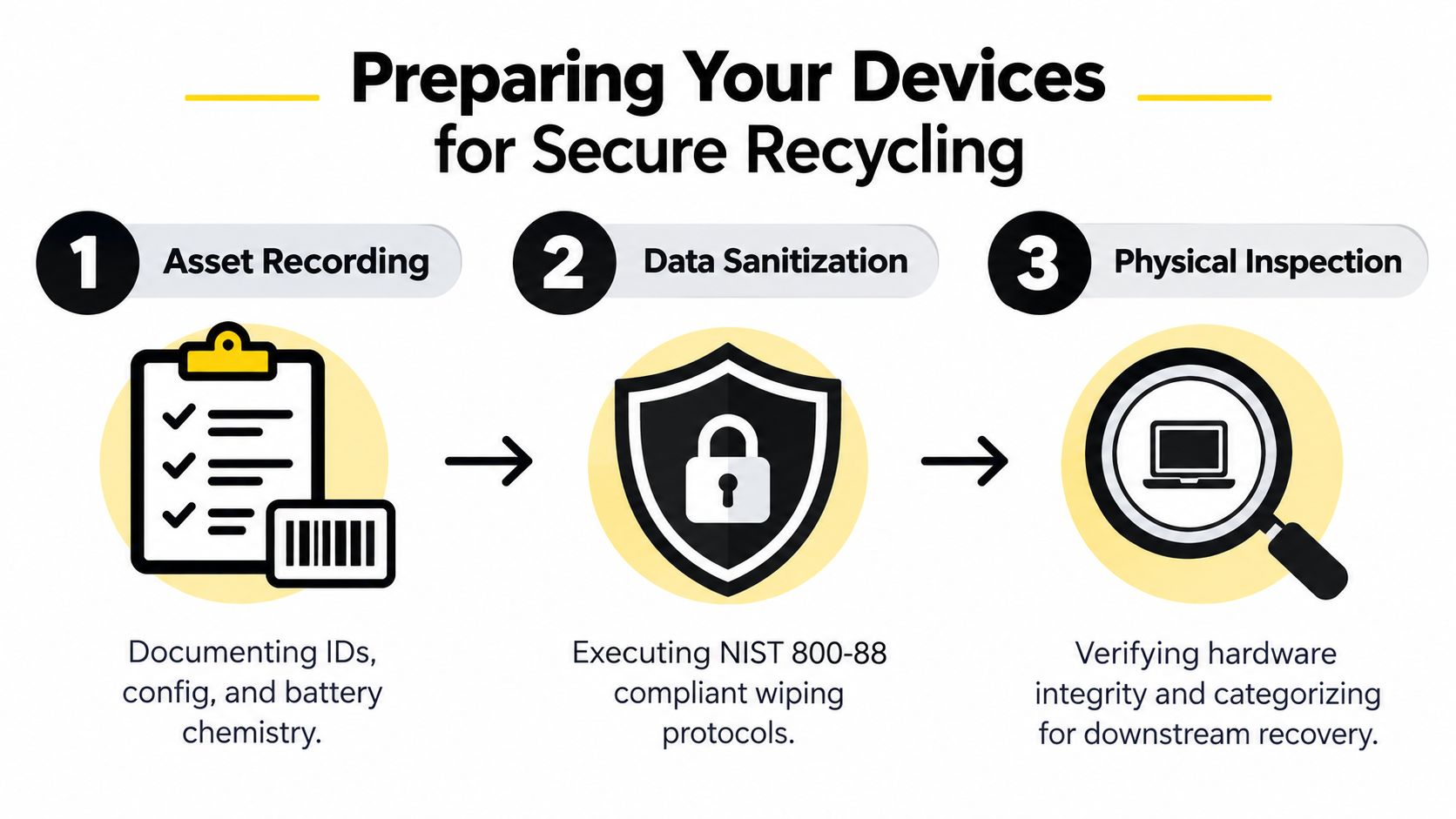
Preparation starts before a carrier arrives. The receiving processor needs enough information to identify each asset, select the right data-sanitization path, and decide whether the device belongs in redeployment, refurbishment, parts harvesting, or material recovery.
Build an asset record
Record the asset tag, serial number, manufacturer, model, configuration, operating-system status, battery chemistry, and visible condition. Note whether the unit powers on, whether the storage drive is accessible, and whether the device is encrypted. This information supports disposition decisions and helps reconcile the final certificate against the original shipment.
A useful intake record answers four questions:
- What is the device? Match the serial number and asset identifier to the organization's inventory.
- What does it contain? Record storage type, configuration, battery information, and any removable media.
- Can it be reused? Identify working units, repair candidates, and devices that only have recoverable parts.
- What evidence is required? Assign the sanitization method and reporting requirements before release.
Organizations can use a documented computer recycling preparation process to standardize handoff between IT, facilities, security, and the processor.
Triage before committing equipment to recycling
A working laptop shouldn't automatically become scrap. Evaluate operating-system support, performance, battery health, repair cost, security requirements, and business demand. Redeploy units that remain suitable for internal use. Refurbish devices when repair costs and security controls make sense. Harvest usable memory, displays, or other components when repair is uneconomic.
For units that must enter material recovery, remove batteries when the process and equipment allow it. Lithium-ion batteries require separate handling, and intact batteries should not be sent into shredding equipment without an appropriate control process. Display panels should also be removed before size reduction where manual dismantling is used.
Measure material outputs
Require the processor to weigh and report major streams, including ferrous metal, aluminum, copper, printed circuit boards, plastics, batteries, and residuals. Then verify that each downstream processor accepts the fraction and documents its pathway. A total device weight doesn't tell you whether circuit boards were recovered, batteries were isolated, or mixed plastics were handled responsibly.
Certified Data Destruction Options Explained
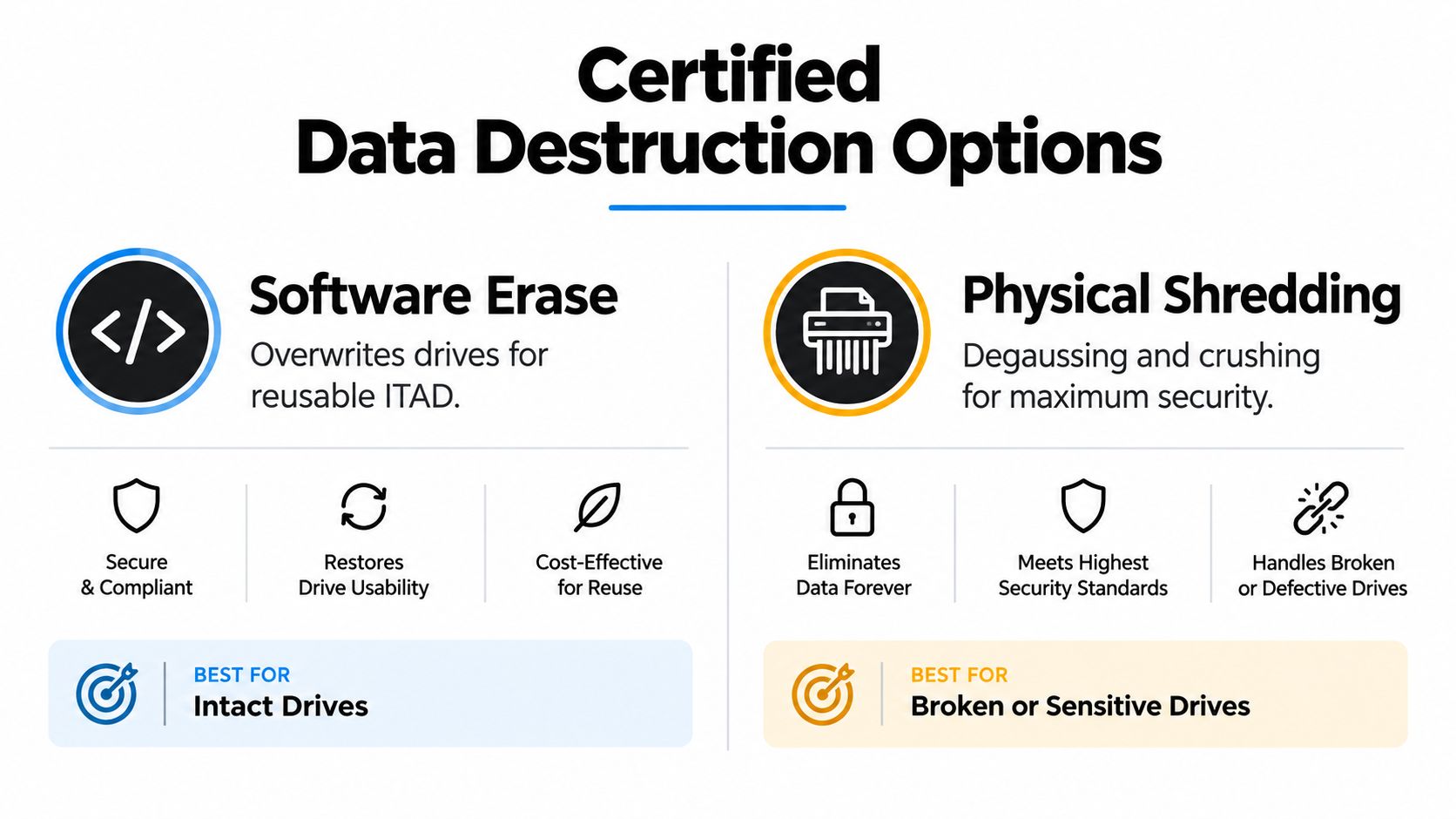
A laptop can leave an enterprise site with its data exposed even after a factory reset. The destruction method should match the information stored, the device condition, and whether the equipment may return to service. NIST Special Publication 800-88 defines three methods, clear, purge, and destroy. Using these terms gives ITAD and security teams a precise record instead of relying on “wiped” or “factory reset.”
Clear for lower-risk reuse scenarios
Clear applies logical techniques to user-addressable storage locations. Depending on the device, it may use supported commands, rewriting, or an approved factory-reset function. NIST describes clear as protection against simple, non-invasive recovery attempts. Deleting desktop files or asking an employee to confirm a reset does not provide the same control.
Clear can suit a controlled, lower-risk reuse route when the media is accessible, policy permits the method, and verification is available. The processor should capture the device identifier, technique used, result, and verification status. If those fields are missing, the organization may have no defensible evidence that the recorded action occurred.
Purge when reuse and stronger assurance must coexist
Purge uses physical or logical techniques intended to prevent recovery with state-of-the-art laboratory techniques while preserving the media for possible reuse. It may fit intact drives containing sensitive business information when resale or redeployment remains part of the disposition plan.
The NIST media sanitization guidance distinguishes purge from ordinary deletion. The newer NIST revision on media sanitization also addresses method selection according to information sensitivity, reuse plans, and the assurance required.
Destroy when the drive cannot safely return to service
Destroy makes recovery infeasible with state-of-the-art laboratory techniques and leaves the media unusable for storage. It suits damaged, inaccessible, unencrypted, or exceptionally sensitive drives when preserving the storage device is not required.
A 2025 survey found that 25% of laptops and desktops were refurbished without certified erasure, while up to 47% of devices destroyed for data-security reasons were still functional, according to Blancco's device data-loss research. Destroying every drive can discard recoverable value, while informal wiping can leave security and evidence gaps. A documented data destruction services workflow records the method, verification, and outcome for each device, supporting a risk-based disposition decision.
Pickup, Drop-Off, and Mail-In Logistics for Enterprises
The transport method should reflect volume, geography, battery condition, and the sensitivity of the equipment. For a concentrated enterprise refresh, scheduled pickup usually provides better control because the organization can stage assets, verify counts, and release them directly to a documented carrier.
A secure pickup workflow should include:
- Pre-transport reconciliation. Match cartons, pallets, serial records, and asset counts before loading.
- Controlled release. Record the time, carrier, vehicle or shipment reference, and receiving party.
- Proof of receipt. Obtain signed confirmation that identifies the shipment and its condition.
- Processing status. Request the scheduled processing date and escalation path for exceptions.
- Final reporting. Reconcile sanitized, reused, destroyed, and recycled units to the original inventory.
A business electronics recycling pickup can be suitable when equipment is concentrated at one facility or when internal staff shouldn't manage repeated small shipments.
Drop-off works for smaller commercial quantities when the business can transport equipment securely and keep the chain of custody intact. Mail-in programs can support distributed offices, but packaging and battery rules require close attention. Devices with installed lithium-ion batteries may fall under dangerous-goods requirements, so confirm applicable U.S. Department of Transportation and IATA procedures with the carrier and processor before shipping.
Regardless of the channel, require tracking references, proof of receipt, status updates, and audit-ready disposition reports. A carrier's delivery confirmation proves arrival. It doesn't prove sanitization or material recovery.
Compliance Documentation and Certificates That Transfer Liability
Documentation is the control system that turns a disposal event into a defensible business process. The FTC Disposal Rule applies to businesses and individuals that use consumer reports for a business purpose, including organizations maintaining consumer-report information for covered businesses. It requires reasonable measures to prevent unauthorized access to or use of that information.
For electronic equipment, acceptable practices include erasing or destroying files and media so information cannot be read or reconstructed. The FTC's disposal guidance also identifies due diligence when hiring a destruction contractor as an appropriate compliance measure.
What a usable certificate should show
A certificate of data destruction should identify the assets or batch, sanitization method, completion status, date, and responsible processor. A certificate of recycling should describe quantities, material pathways, and any exclusions or residuals. For regulated environments, connect both certificates to the original inventory and chain-of-custody record.
The FTC treats disposal broadly. Selling, donating, or transferring computer equipment that stores consumer information can still fall within the rule, so a change in ownership doesn't eliminate the organization's obligation to protect the data. The FTC's explanation of sales, donations, and transfers addresses that point directly.
Audit test: If a certificate doesn't let you trace a device from inventory to final pathway, it documents a transaction, not control.
Vendor review should cover subcontractors, facility controls, employee access, insurance, processing methods, and downstream reporting. Teams that manage transportation-heavy operations may also benefit from reviewing practical recordkeeping rules for 20 to 200 trucks when designing broader retention controls.
Keep processor-specific yield data for circuit boards, batteries, precious-metal-bearing components, plastics, and residuals. A documented certificate helps establish responsibility, but an organization still needs enough underlying evidence to demonstrate that its vendor performed the contracted work. A certificate of data destruction explained should make the distinction between a formal certificate and a generic recycling receipt clear.
Value Recovery Versus Donation and Pure Recycling Decisions
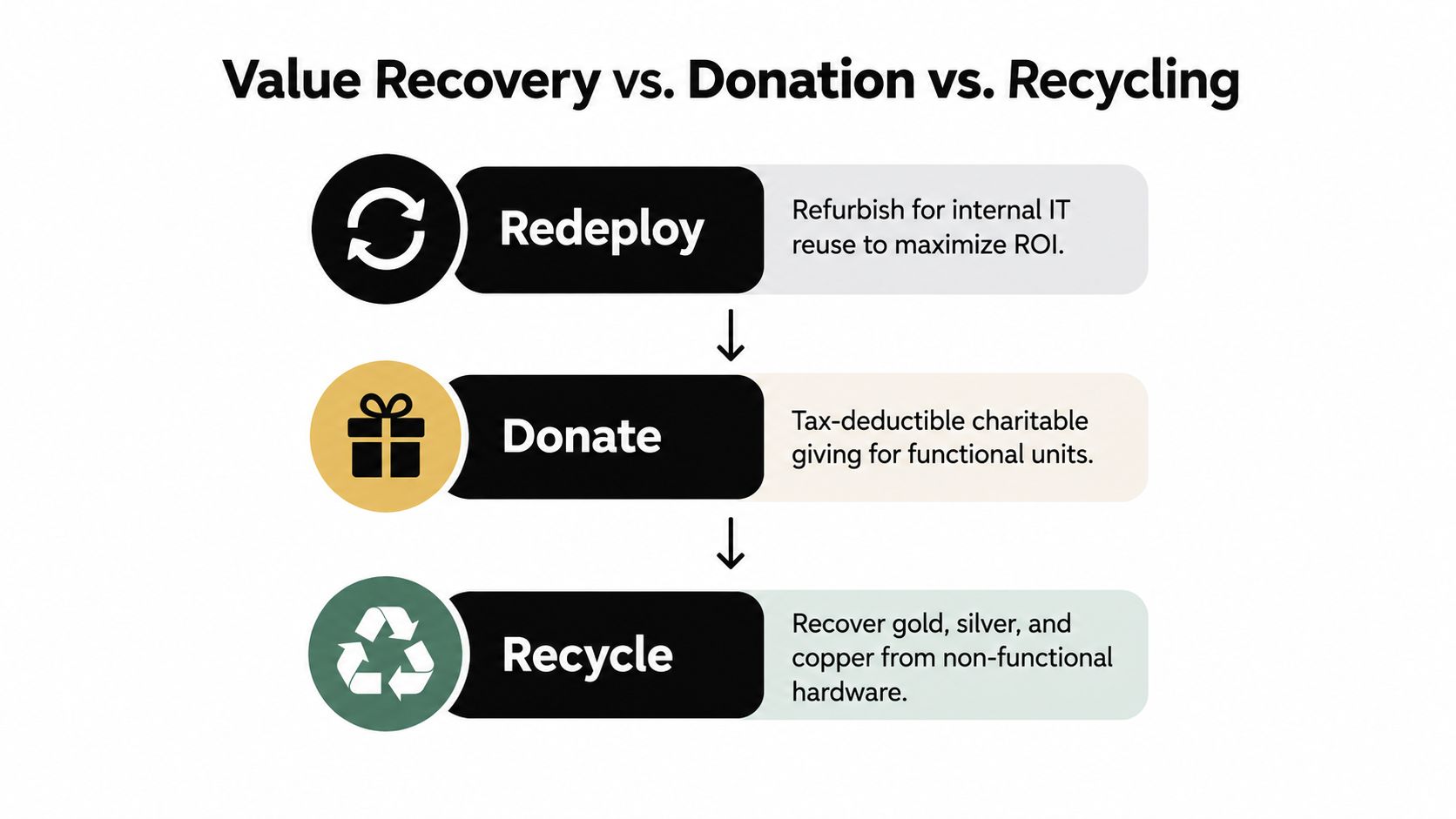
The most sustainable outcome isn't always material recycling. A laptop that can safely support another user retains its embedded manufacturing inputs and may create more value through redeployment or refurbishment than through commodity recovery.
Use a decision sequence that starts with function and risk:
- Redeploy when capability is adequate. Keep the device in the organization if operating-system support, performance, battery condition, and security controls meet current requirements.
- Refurbish when the repair case works. Replace a battery, keyboard, storage device, or display when the cost and turnaround justify continued use.
- Donate when the unit is functional but no longer fits internal demand. Confirm certified erasure, recipient controls, transfer documentation, and any applicable tax treatment with finance and legal teams.
- Harvest parts when repair is uneconomic. Recover usable memory, displays, adapters, and other components through controlled dismantling.
- Recycle when reuse is impractical or unsafe. Damaged equipment and high-risk batteries need specialized handling rather than ordinary shipment.
Battery condition can change the answer
A swollen or damaged battery is a safety exception. Don't place it into routine resale inventory, standard mail-in packaging, or a general recycling stream. Isolate it according to site safety procedures and route it to a processor equipped for battery assessment and handling. The EPA guidance on lithium-ion battery recycling recognizes that some battery packs may be evaluated for repair, reuse, or repurposing before recycling, while damaged units require greater care.
Donation also needs the same data controls as resale. The computer buyback versus recycling comparison can help procurement teams evaluate financial recovery against processing and compliance requirements. If an organization communicates its sustainability work publicly, it should also consider how its digital presence reflects those choices, including a practical green web design approach.
The right decision isn't the one with the most attractive label. It's the one that preserves value without compromising security, safety, or evidence.
Starting Your Enterprise Laptop Recycling Program
Start with an inventory of end-of-life laptops and assign each unit a condition, data-sensitivity level, battery status, and likely disposition. That first classification prevents working devices from entering a shredder and prevents damaged equipment from entering a resale channel.
Create a written policy that defines:
- Sanitization decisions. Specify when clear, purge, or destroy applies.
- Battery controls. Identify damaged or swollen batteries before transport.
- Chain of custody. Require release records, receipt confirmation, and status tracking.
- Processor evidence. Request certificates tied to asset identifiers and material pathways.
- Reporting cadence. Review recovery, reuse, destruction, and exception data on a regular schedule.
Train IT, facilities, and procurement staff together. They each control a different point in the workflow, and a gap between departments can break the chain of custody even when the processor has strong controls. Schedule pickups around refresh cycles so retired equipment doesn't accumulate in unsecured storage.
A commercial ITAD provider such as Beyond Surplus can coordinate electronics recycling, certified data wiping, physical destruction, pickup logistics, IT equipment disposal, and value recovery with certificates for recycling and data destruction. Evaluate any provider against your required standards, downstream transparency, security classification, and reporting needs.
Contact Beyond Surplus to coordinate certified laptop recycling, secure data destruction, pickup logistics, and documented IT asset disposition for your business. Share your device inventory, locations, battery concerns, and compliance requirements so the disposition path can be matched to each asset.