Thinking you can just drag a folder to the trash or format a drive to protect your Montgomery, Alabama, business's data is one of the most dangerous assumptions in IT. This common mistake creates a massive security hole, and it all comes down to how hard drives actually work. When you "delete" a file, you're not really erasing it. You're just telling the operating system that the space it takes up is now free to be used. The actual data sits on the disk platters until something new is written over it, leaving your discarded assets as a potential goldmine for data thieves.
For companies in Montgomery, Alabama, that means client lists, financial records, and proprietary information can be easily recovered with off-the-shelf software. This isn't just a theory; it's a well-documented vulnerability that has led to catastrophic breaches for businesses that cut corners on data disposal during IT asset disposition.
The Hidden Dangers of Data Remnants
Improperly wiped drives are a primary source of corporate data leaks. This leftover information, known as data remnants, can expose everything from employee PII to confidential business strategies. For a Montgomery-based business, the fallout goes way beyond embarrassment.
A single compromised drive can trigger severe financial penalties, regulatory fines, and a complete collapse of customer trust. The sheer amount of recoverable data on improperly discarded drives is staggering.
Audits consistently show that a shocking 60% of corporate data on discarded drives is still intact after a simple delete. This directly fuels risks like identity theft and corporate espionage, which is why so many organizations now require audited erasure certificates to prove compliance and limit their liability.
Compliance and the Cost of Inaction
Regulations like HIPAA, GDPR, and the FTC Disposal Rule don't just suggest secure data destruction—they mandate it. Non-compliance isn't a minor paperwork issue; it comes with crushing fines and serious legal consequences.
In healthcare, for example, HIPAA compliance requires the complete, verifiable destruction of 100% of retired hard drives to prevent data leaks. The stakes have never been higher, with recent breaches exposing the sensitive records of millions. For a deeper dive into the standards governing this process, you can check out our detailed guide on what is data sanitization.
The bottom line is that failing to completely wipe a hard drive isn't just bad practice—it's a direct threat to your company's security and legal standing. You can discover more insights about data destruction trends on researchnester.com to see just how critical these services have become.
Choosing the Right Data Destruction Method
Picking the right way to wipe a hard drive is a critical decision for any IT manager or business owner. It requires balancing security needs, compliance rules, and the actual value of the hardware. It's not a one-size-fits-all situation; the best choice hinges on the data's sensitivity, the drive's next destination, and your company's risk tolerance.
Moving past simple file deletion requires a deliberate strategy. We'll break down the three main pillars of data destruction: software overwriting, degaussing, and physical destruction. Each has its place, and understanding the pros and cons will help you build a disposal policy that's both secure and budget-conscious.
This decision tree gives you a great visual starting point for figuring out what to do with an old drive.
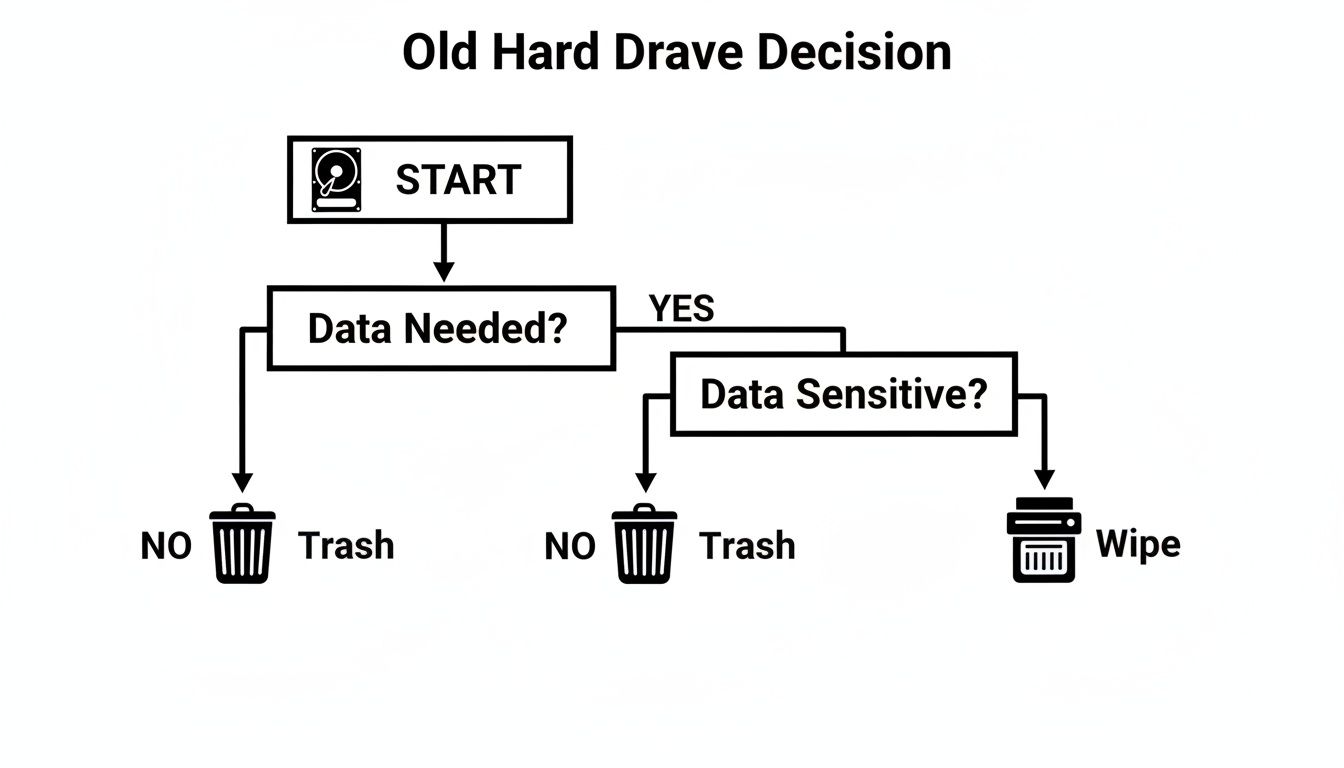
It boils down to a simple choice: if the drive is toast or held top-secret info, destruction is your safest bet. If not, wiping it might be the way to go.
Software-Based Overwriting
Software-based wiping, often called data sanitization, uses specialized programs to write patterns of ones and zeros over every sector of a drive. This effectively buries the original data under layers of gibberish. This is the go-to method for assets you plan to resell, reuse internally, or donate because it leaves the hard drive perfectly functional.
The primary advantages of software wiping are:
- Asset Value Preservation: The drive remains functional, allowing you to maximize your initial investment.
- Compliance Adherence: Professional software performs wipes that meet standards like DoD 5220.22-M and NIST 800-88.
- Detailed Reporting: Professional tools generate verifiable reports and certificates of sanitization, which are crucial for your audit trails.
However, the process can be slow, sometimes taking days to complete a multi-pass wipe on a single large drive. It's also not the ideal solution for Solid-State Drives (SSDs). Technologies like wear-leveling in SSDs can leave data fragments behind in blocks the software can't reach. For a deeper dive, you can learn more about NIST 800-88 guidelines in our article.
Degaussing Magnetic Media
For traditional Hard Disk Drives (HDDs) and magnetic tapes, degaussing is a powerful solution. A degausser blasts the media with a potent magnetic field, instantly scrambling the magnetic coating on the drive's platters where data is stored. The data becomes gone and completely unreadable.
This method is brutally effective on HDDs because it doesn't just wipe user data—it destroys the low-level formatting and servo tracks the drive needs to even function. A degaussed hard drive is nothing more than a paperweight.
It's a fantastic, fast solution for processing a large volume of old HDDs. The major catch? It does absolutely nothing to flash-based storage like SSDs, which do not store data magnetically.
Physical Destruction: The Ultimate Guarantee
When there is absolutely zero room for error and data security is paramount, physical destruction is the only way to be 100% sure. This means shredding, crushing, or disintegrating the hard drive into tiny pieces, making it physically impossible to recover anything. This is the gold standard for disposing of devices that held classified information, financial records, or protected health information (PHI).
The market for this service is expanding rapidly. The Data Destruction Services market shot up from USD 10.50 billion in 2024 to USD 12.13 billion in 2025 and is expected to hit USD 24.28 billion by 2030. This shows how critical secure disposal has become. While a simple format might leave 75% of data recoverable, certified destruction eliminates that risk entirely.
The benefits are straightforward:
- Absolute Security: The data is gone forever. Period.
- Speed and Efficiency: Industrial shredders can process hundreds of drives an hour.
- Compliance Certainty: This provides the highest level of assurance for meeting strict regulatory requirements.
The obvious tradeoff is that the asset is completely destroyed, eliminating any chance for resale or reuse. But for any organization prioritizing data security, physical destruction—backed by a Certificate of Destruction from a certified ITAD vendor like Beyond Surplus—delivers total peace of mind.
Comparison of Hard Drive Wiping Methods
| Method | Effectiveness | Drive Reusable? | Best For | Compliance Level |
|---|---|---|---|---|
| Software Overwriting | High (for HDDs) | Yes | Redeploying or reselling functional drives with low- to mid-sensitivity data. | Good (Meets NIST 800-88, DoD 5220.22-M) |
| Degaussing | Absolute (for HDDs) | No | Rapidly sanitizing large volumes of magnetic media (HDDs, tapes). | High (For magnetic media) |
| Physical Shredding | Absolute | No | End-of-life drives, damaged media, and highest-sensitivity data (PHI, financial). | Absolute (Highest level of assurance) |
This table shows a clear path for every scenario. Whether you're aiming to recover value or guarantee total data annihilation, the right tool is available. Your job is to match the tool to the task based on your specific security and operational needs.
Executing a Software-Based Data Wipe
When your business needs to repurpose IT equipment or conduct a first pass on data sanitization before engaging professional services, a software-based wipe is the first line of defense. However, this is about more than just clicking "erase"—proper execution requires careful preparation. Let's walk through the practical steps to ensure the job is done right.
The principle behind a software wipe is data overwriting. Specialized tools write new, random patterns of data over every bit of the hard drive, burying the original information under layers of digital noise and making it virtually impossible to recover.
Preparing for the Wipe
Before launching any wiping software, a few preparation steps are critical. Accidentally wiping the wrong drive is a common and costly mistake. A few minutes of prep can prevent a disaster.
Essential Pre-Wipe Checklist:
- Physically Isolate the Target Drive: The most foolproof method to avoid an accident is to physically disconnect all other storage devices. Unplug the SATA or power cables from any other HDDs and SSDs in the machine.
- Create Bootable Media: Most heavy-duty wiping tools, like the reliable DBAN (Darik's Boot and Nuke), run from outside the main operating system. This requires creating a bootable USB flash drive or CD with the software.
- Backup Critical Data (If Any): Double- and triple-check that any necessary data is backed up elsewhere. Once the wipe begins, there is no undo button.
Choosing and Using a Wiping Tool
For any business, selecting a tool that provides verification is a must. While free options exist, they rarely offer the certified reports needed for internal audits or compliance checks. DBAN has long been a favorite for personal or non-commercial use due to its effectiveness.
This is a view of the classic DBAN interface, a tool known for its no-frills, powerful approach to data erasure.
The screenshot shows a simple, text-based menu where users can select different wiping methods, verify the process, and choose the target drives, emphasizing its function-over-form design.
Once you boot from your USB or CD, a menu will appear. From here, you’ll select the drive to wipe and the specific erasure standard to use.
A Note on Time Investment: Be prepared to wait. A single-pass wipe on a 1TB drive can easily take several hours. A more secure, multi-pass method like the DoD 5220.22-M standard, which performs three passes, can take over 24 hours. Plan accordingly, as the machine will be out of commission during this time.
Selecting the Right Erasure Standard
Different tools offer a menu of overwriting standards, each with its own balance of security and time commitment. Knowing the difference is key to meeting your organization's security policies.
- Single Pass (Write Zero): This is the fastest method, overwriting the entire drive with zeros. It is generally sufficient for low-risk data.
- DoD 5220.22-M (3-Pass): A common standard once used by the U.S. Department of Defense, it writes patterns, their complements, and then random characters.
- NIST 800-88 Clear: This is the current standard from the National Institute of Standards and Technology, using specific techniques to stop software-based data recovery.
- Gutmann Method (35-Pass): This is generally considered overkill for modern hard drives, performing 35 different overwrite passes and taking an extremely long time.
For most corporate situations where a drive will be reused internally, a DoD 3-pass or a similar multi-pass method provides a good balance between security and efficiency.
Once the process finishes, the software should provide a confirmation or a log file. For a deeper look at how these methods fit into a comprehensive data security plan, check out The Ultimate Guide to Data Destruction and Why You Need It. Remember, a software wipe is a valuable tool, but it's just one piece of a secure IT asset disposition strategy.
Physical Destruction: The Gold Standard for Data Security
Sometimes, there's no room for error. When the data on a hard drive is so sensitive that even a 1% chance of recovery is unacceptable, software wipes and degaussing are insufficient. This is where physical destruction becomes the absolute, final answer to wiping a hard drive, leaving zero ambiguity and zero chance of data survival.
For true enterprise-level security, physical destruction is a precise, industrial process. It's the required method for government agencies, financial institutions, and healthcare providers for a simple reason: it offers undeniable proof that the data is gone for good. By physically obliterating the storage media, you permanently neutralize the threat.
How Industrial Shredding Works
The core of professional physical destruction is the industrial shredder. These powerful machines are built to pulverize hard drives into tiny, unrecognizable fragments of metal and plastic. Their hardened steel cutting heads tear through the toughest components of any HDD or SSD with ease.
The process is designed to turn a drive's platters—where an HDD stores its data—into minuscule shards. For SSDs, it grinds the NAND flash memory chips into dust. The goal is to destroy the physical medium so completely that no forensic technology could ever reassemble it.
- Particle Size Matters: Certified destruction services shred media down to specific, compliance-driven particle sizes, often as small as 2mm.
- Irreversible Damage: The process destroys the drive's entire structure, including platters, read/write heads, and controller boards.
- Media Agnostic: Shredding works equally well on HDDs, SSDs, magnetic tapes, and other optical media, making it a universal solution for end-of-life assets.
Demand for this level of security is climbing. In 2024, the global Hard Drive Destruction Service market was valued at USD 1.65 billion and is projected to hit USD 5.05 billion by 2035. This growth is fueled by the irreversible guarantee that shredding provides.
The Importance of Chain of Custody
How your drives get to the shredder is just as critical as the shredding itself. A secure chain of custody is the documented trail that tracks your assets from the moment they leave your control to their final destruction. This is a non-negotiable part of any compliant data disposal plan.
A trustworthy ITAD partner like Beyond Surplus provides a locked, sealed, and tracked process from start to finish. This ensures your drives are never left unattended or exposed to potential breaches during transit. Every step is documented, creating an auditable record that protects your organization from liability.
Without a documented chain of custody, you have a critical gap in your security protocol. It’s not enough to know the drives were destroyed; you must be able to prove they were handled securely every step of the way.
The Certificate of Destruction: Your Legal Shield
Once the shredding is complete, a certified ITAD vendor issues a Certificate of Destruction (CoD). This is much more than a receipt—it's a formal legal document that serves as your official proof of compliance.
A proper CoD will always include:
- Unique Serial Numbers: A detailed list of every single asset that was destroyed.
- Method of Destruction: A clear description of the process used (e.g., shredding to a specific particle size).
- Date and Location: Records of when and where the destruction took place.
- Transfer of Liability: A statement formally transferring ownership and liability of the assets to the vendor.
This document is your ultimate defense in an audit or legal challenge. It proves you performed your due diligence and followed established protocols to protect sensitive information. For any business serious about data security, professional hard drive destruction services that provide this level of documentation are an essential part of a strong risk management strategy.
Verifying and Documenting Your Data Destruction
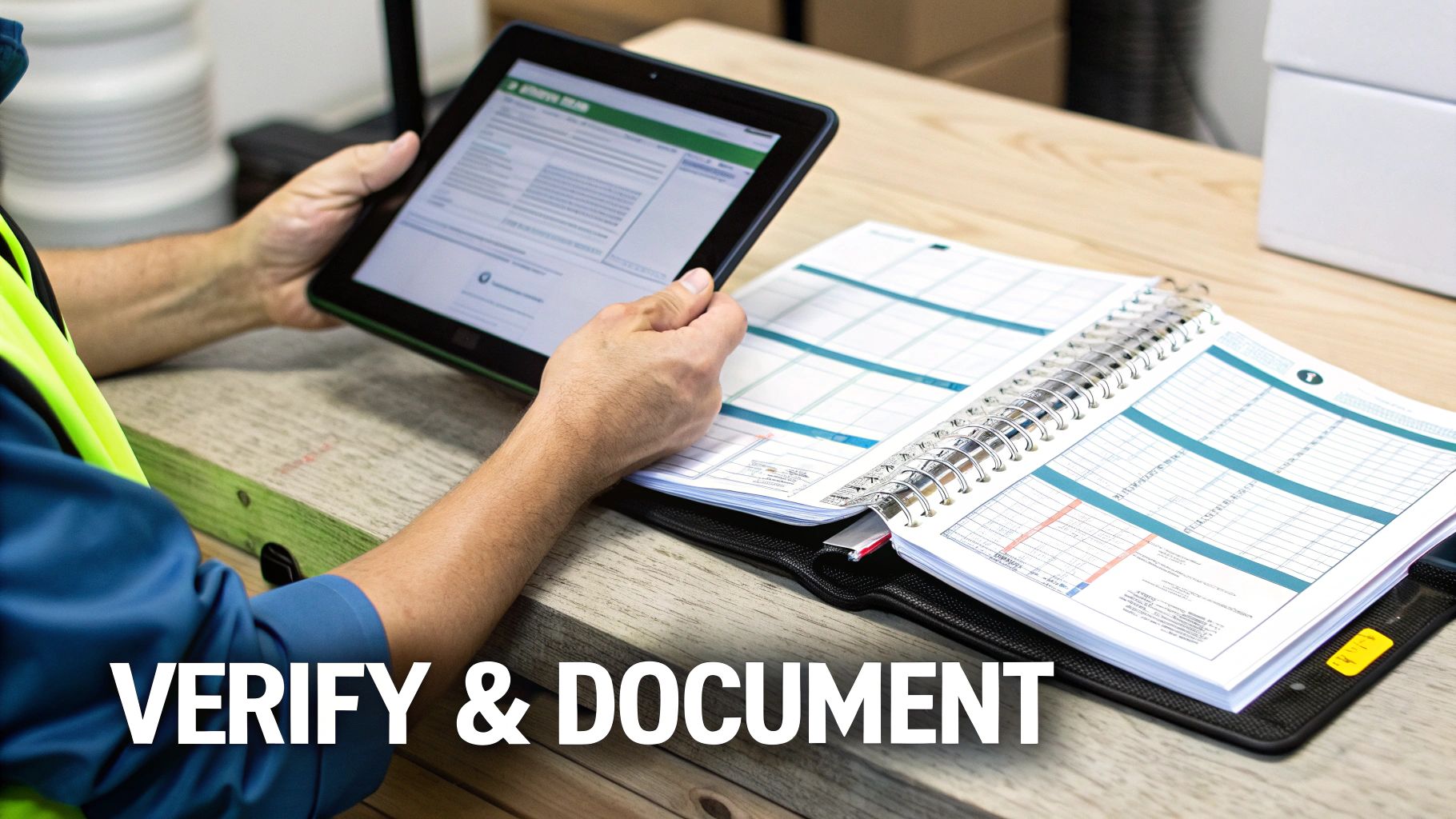
Wiping or shredding a drive is only half the battle. For any business subject to data privacy regulations, the final step—verification and documentation—is as important as the destruction itself. Without a paper trail, you have no way to prove compliance, leaving you dangerously exposed during an audit or legal challenge.
If you can't prove you wiped the drive, then for all legal purposes, you didn't. This phase turns the physical act of destruction into a defensible, auditable business record, closing the loop on your IT asset disposition (ITAD) process.
Confirming a Successful Software Wipe
If you’ve used software to sanitize drives for reuse or internal redeployment, verification is not optional. It’s a basic quality control step. A power flicker, a software bug, or a failing drive sector could easily compromise the entire wipe.
To confirm it worked, you must attempt to recover data from the "clean" drive. Running a basic file recovery tool is a practical way to test the erasure. If the tool finds no recognizable file structures or data fragments, you can be confident the wipe was successful. Professional-grade erasure software often includes built-in verification passes and creates detailed logs that serve as your first piece of proof.
The Non-Negotiable Need for Corporate Documentation
For end-of-life assets, especially those containing sensitive information, internal logs are just the start. Formal documentation is an absolute must to meet corporate governance standards and comply with regulations like HIPAA, GDPR, FACTA, and CCPA. A simple spreadsheet won't suffice.
Your documentation must create an unbroken chain of custody, meticulously tracking every asset from decommissioning to final destruction.
Your internal asset log must include these key details:
- Asset Tag Number: Your company's internal ID for the equipment.
- Device Serial Number: The manufacturer's unique serial number on the hard drive itself.
- Date of Decommissioning: When the asset was officially retired.
- Method of Destruction: A clear note on how it was handled—wiped (note the standard used), degaussed, or physically shredded.
- Date of Destruction: The exact date the sanitization or destruction occurred.
This detailed log is your first line of defense, but the ultimate proof comes from a certified third-party vendor.
For any serious business, a Certificate of Destruction from a professional ITAD partner is the definitive legal document. It officially transfers liability and serves as irrefutable evidence that you have fulfilled your data security obligations.
Your Shield in an Audit: The Certificate of Destruction
When you work with a certified ITAD partner like Beyond Surplus for physical destruction, you receive a Certificate of Destruction (CoD). This document is your legal shield, designed to withstand the scrutiny of auditors and regulators. It formalizes the process and provides third-party validation that internal efforts cannot offer.
A proper CoD is an auditable, legally binding record confirming the complete and compliant disposal of your IT assets. By understanding what goes into this document, you can ensure your company is fully protected. To see what this vital paperwork involves, take a look at a detailed destruction certificate format and see why it's a cornerstone of modern data security. This certificate is the final, critical piece of evidence showing you know how to completely wipe out a hard drive—and can prove it.
Common Questions About Wiping Hard Drives
Even with a solid plan, specific questions often arise when it's time to retire old hard drives. Getting these details right is what separates a good data destruction policy from a great one, ensuring every asset is handled correctly.
Here are some of the most common questions from IT professionals and business leaders.
Does a 'Quick Format' Actually Wipe a Hard Drive?
Let's be crystal clear: absolutely not. Relying on a quick format for data security is one of the most common—and dangerous—mistakes a business can make.
A quick format only deletes the drive's index, which is like tearing the table of contents out of a book. The actual data remains on the disk platters, perfectly intact.
The operating system no longer sees the files, but anyone with basic data recovery software can restore them in minutes. A quick format offers a completely false sense of security and should never be considered a valid data destruction method.
Are SSDs Wiped the Same Way as HDDs?
No, they are entirely different technologies. Traditional Hard Disk Drives (HDDs) use magnetic platters to store data, which is why methods like overwriting or degaussing are effective.
Solid-State Drives (SSDs), however, use flash memory. They have complex internal systems like wear-leveling and over-provisioning to spread out data writes and extend the drive's lifespan.
These features, while great for performance, create challenges for data wiping. Standard overwriting software can easily miss data stored in hidden or inaccessible blocks. The most reliable software approach for an SSD is using its built-in ATA Secure Erase command, which instructs the drive's controller to reset every memory cell.
But even that isn't foolproof. Given the high stakes of corporate data and the complexities of modern SSDs, physical shredding remains the only 100% guaranteed way to destroy the data, leaving zero chance of forensic recovery.
What Is a Certificate of Destruction and Why Does My Business Need One?
A Certificate of Destruction (CoD) is a formal, legally defensible document from a certified ITAD partner that serves as your official record of secure data disposal. It is your proof of compliance.
This certificate creates an unbroken audit trail, detailing critical information such as:
- The unique serial number of every asset destroyed.
- The exact method of destruction used (e.g., shredding to 2mm particles).
- The date and location where the destruction took place.
- A formal statement transferring liability from your company to the vendor.
If your business handles sensitive information or is governed by regulations like HIPAA, GDPR, or the FTC Disposal Rule, a CoD is non-negotiable. It protects your organization from liability and provides the concrete evidence needed to prove you took every responsible step to safeguard data.
Contact Beyond Surplus for certified electronics recycling and secure IT asset disposal in Montgomery, Alabama. Our services for businesses across the United States provide complete peace of mind and an auditable paper trail for your data destruction needs. Contact us today to schedule a secure pickup.