

Disposing of old business computers in the United States requires more than a simple two-step process of securing data and then dealing with the hardware. For commercial and enterprise clients, it begins much earlier, with a full inventory of your IT assets and a solid data backup plan. Only then can you move on to certified data destruction—like NIST 800-88 compliant wiping or physical shredding—before the physical equipment is professionally recycled, resold, or disposed of. Beyond Surplus offers specialized electronics recycling and IT asset disposal services for business audiences across the United States.
Your Pre-Disposal Security Checklist for Commercial IT Assets
Before a single computer leaves your facility, you need a rock-solid security process in place. This isn't just about unplugging old gear; it's a fundamental process to protect your organization's most valuable asset—its data. Skipping these initial steps is a common and costly mistake, leaving businesses in the United States wide open to data breaches and compliance failures.
The entire process kicks off with a meticulous IT asset inventory. Think of this as the foundation for a defensible, auditable, and transparent chain of custody.
Establish a Detailed Asset Inventory
Every single device your business plans to dispose of needs to be documented. A simple headcount is insufficient for enterprise needs. You need a detailed log that tracks:
- Asset Tag/Serial Number: The unique identifier for each machine.
- Device Type: Desktop, laptop, server, networking switch, or other IT equipment.
- Assigned User/Department: This helps track who used the asset and what type of sensitive data it likely held.
- Current Condition: Note if it’s functional, non-working, or has missing components.
This inventory becomes your master list, ensuring no asset falls through the cracks. Picture a compliance auditor asking for proof that you properly disposed of a specific laptop that held sensitive client financials. Without a serial-number-tracked inventory, proving it becomes a nightmare, putting your business in a precarious legal position.
Execute and Verify Corporate Data Backups
Next, your business must back up any data you need to retain. This is more than just dragging files to a new folder; it’s a structured process to ensure nothing is lost and the backups are fully functional.
First, identify what critical corporate data resides on the old machines. This could be anything from client records and financial reports to intellectual property or employee files. Once identified, migrate that information to its new destination, whether that's a new device, a central server, or secure cloud storage.
The final, and most critical, part of this is verification. A backup is completely useless if it's corrupted or incomplete. You must test your backups to confirm the data is accessible and intact in its new location. A failed backup isn't just an inconvenience—it could mean losing essential business records permanently.
Many businesses underestimate the complexity of the IT disposal process. Managing retired enterprise electronics is a massive global challenge. In 2022 alone, the world generated a record 62 million tonnes of e-waste. That's a staggering 82% increase from 2010, yet only 22.3% of it was properly collected and recycled, leaving huge amounts of corporate hardware—and the data on it—unaccounted for.
Once your data is safely backed up and verified, the focus shifts to ensuring the original copies are permanently wiped from the old hard drives. For a detailed guide on this crucial step, review our article on how to properly wipe a computer hard drive. This data sanitization process is absolutely non-negotiable for any business—it's the only way to guarantee sensitive information doesn't leave your premises.
Choosing The Right Data Destruction Method for Your Business
Once you've backed up every last file, the next step is critical—making absolutely sure that data can never be recovered from those old corporate hard drives. This isn't just a technical task; it's the core of secure computer disposal and a critical decision that shields your business from massive liability. For any organization, this goes way beyond just hitting "delete." You need a certified, irreversible method of data sanitization.
Broadly speaking, you have two paths: software-based wiping or physical destruction. The right choice for your business will hinge on your company's security policies, specific industry compliance requirements, and what you plan to do with the hardware afterward.
This flowchart helps map out those first few decisions, from checking if a computer even works to the crucial first steps of backing up data or logging the asset.
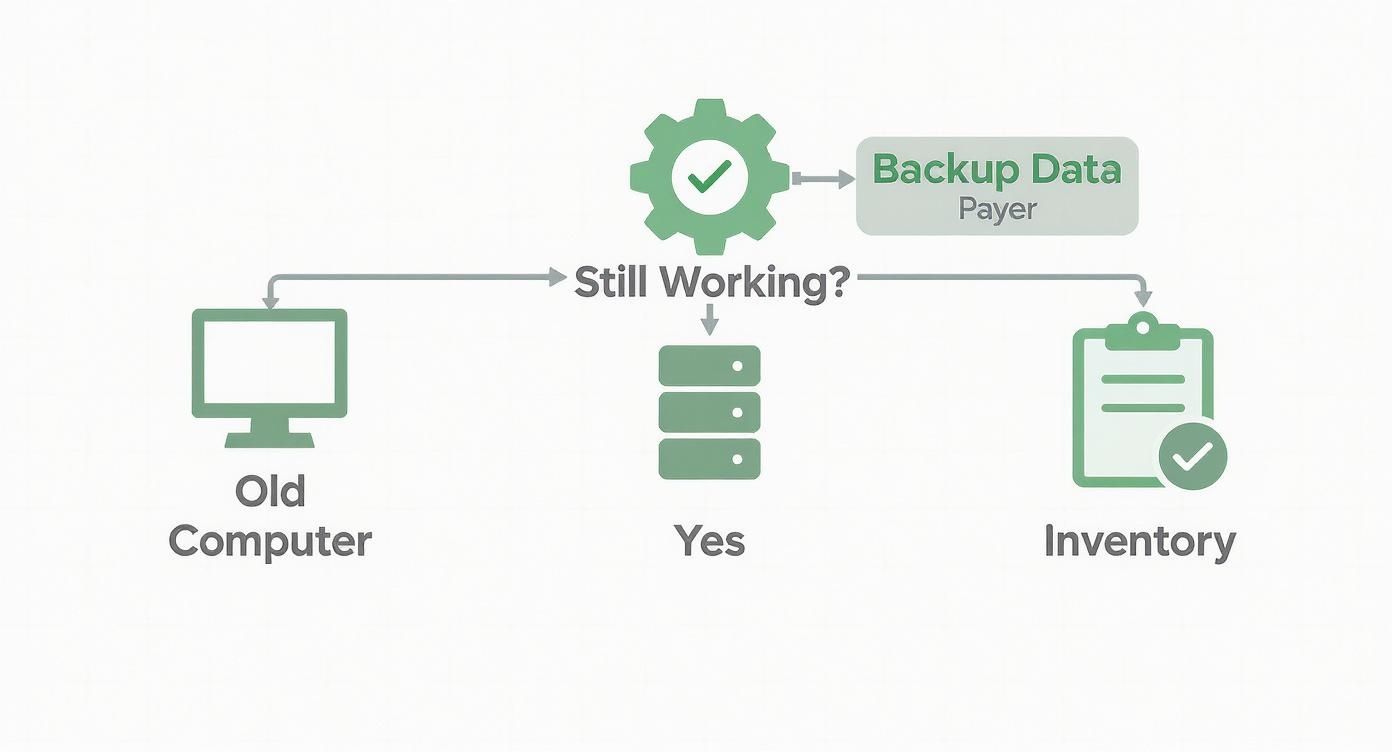
As you can see, it doesn't matter if the machine powers on or not. A systematic process is essential to secure your corporate data and track the equipment before it goes anywhere.
Software-Based Data Wiping
Software-based wiping (also called sanitization or erasure) is a digital deep clean. Specialized programs overwrite every single sector of the hard drive with random data, effectively scrambling the original information into oblivion. This process does not damage the drive, making it perfect for enterprise computers you plan to resell, redeploy, or remarket.
The key here is using a method that meets official industry standards. The gold standard is NIST 800-88, a set of guidelines from the National Institute of Standards and Technology for media sanitization. Adherence to this standard is your guarantee that the data is forensically unrecoverable.
- Best For: Equipment you want to reuse, resell, or remarket.
- Key Advantage: It preserves the hardware's value for IT asset recovery.
- Must-Have: A verifiable report and a certificate of sanitization for every single drive wiped.
If you want to understand the technical details, our guide on the NIST SP 800-88 guidelines for media sanitization is an excellent resource for any IT manager. It will help you understand the compliance framework that keeps your business safe.
Physical Destruction Methods
Sometimes, a piece of equipment has no resale value, or your corporate security policy demands absolute certainty. When you need the highest level of assurance, physical destruction is the only way to go. This approach makes data recovery physically impossible because the media itself ceases to exist in a usable form.
Your main options here are degaussing and shredding.
- Degaussing: This technique uses an incredibly powerful magnetic field to instantly scramble the data on traditional hard disk drives (HDDs). It's fast and effective, but it is completely useless on solid-state drives (SSDs), which do not use magnetic storage.
- Shredding: This is the most final solution. The hard drive is fed into an industrial shredder that grinds it into small metal fragments. This method works on both HDDs and SSDs, leaving zero chance for data reconstruction.
For organizations in sensitive industries like healthcare, finance, or government contracting, hard drive shredding is often the only acceptable choice for end-of-life media. It provides undeniable, visual proof of destruction, which is priceless during a compliance audit.
Comparing Data Destruction Methods for Businesses
Choosing between wiping and physical destruction involves balancing the need for absolute security with the potential to recover value from old assets. This table breaks down the key factors to help your business decide which method aligns with its specific needs, from security protocols to budget constraints.
| Method | Description | Security Level | Best For | Key Consideration |
|---|---|---|---|---|
| Software Wiping | Overwrites drive sectors with random data, making original data unrecoverable. | High | Devices being resold, donated, or redeployed within the enterprise. | Must use NIST 800-88 compliant software; preserves hardware value. |
| Degaussing | Uses a powerful magnet to erase data on magnetic media like HDDs and tapes. | Very High | Destroying data on HDDs while keeping the drive physically intact (but unusable). | Ineffective on SSDs; destroys the drive's ability to function. |
| On-Site Shredding | A mobile shred truck destroys drives at your business location while you witness it. | Highest | Maximum-security needs; organizations requiring an unbroken chain of custody. | Higher cost; requires scheduling and physical space for the truck. |
| Off-Site Shredding | Drives are securely transported to a certified facility for destruction. | Highest | Cost-effective destruction for large volumes of IT equipment; simpler logistics. | Relies on the vendor's chain of custody and facility security protocols. |
Ultimately, the goal of each method is the same: to ensure your sensitive corporate data is permanently and verifiably destroyed. Your choice simply reflects your organization's risk tolerance and asset management strategy.
On-Site vs. Off-Site Shredding
If your business has landed on shredding, there's one last decision to make: where it happens. This choice is all about balancing hands-on security oversight with logistical efficiency.
On-Site Shredding
With on-site shredding, a mobile destruction truck comes directly to your office, data center, or warehouse. You can physically witness your hard drives get dropped into the shredder, giving you an unbroken chain of custody and total peace of mind. This is the top choice for companies with the most stringent security requirements.
- Pros: The ultimate in security and oversight; you get instant verification of destruction.
- Cons: Tends to be more expensive and requires scheduling and physical space for the truck.
Off-Site Shredding
For off-site shredding, your hard drives are packed into locked, secure containers and transported to a certified destruction facility. Any reputable vendor will maintain a strict chain-of-custody log, tracking your assets from the moment they leave your facility to the final shred report.
- Pros: Generally more cost-effective and logistically simpler, especially for a large number of devices.
- Cons: You're placing trust in the vendor's security protocols during transit and at their facility.
Picking the right data destruction method is more than a procedural task—it's a fundamental part of your corporate risk management strategy. Whether you choose NIST-compliant wiping to recover asset value or on-site shredding for absolute certainty, the end goal is always the same: making sure your company's sensitive data is gone for good.
Finding the Best Disposal Path for Your Corporate Assets
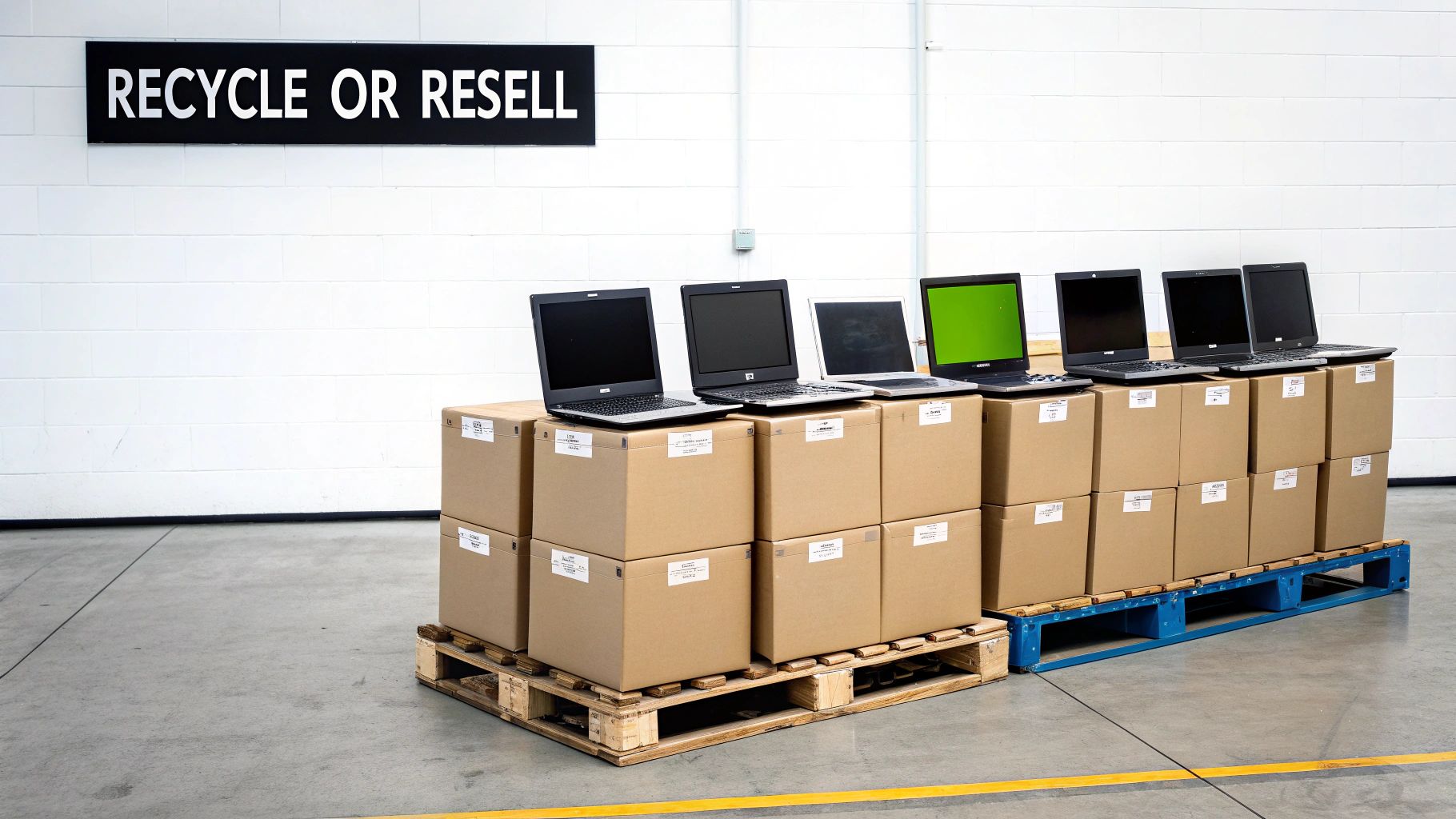
Once your corporate data is securely wiped and you have the documentation to prove it, the next question is what to do with the physical hardware. This isn’t just a cleanup task; it's a business decision that balances financial return, environmental stewardship, and brand protection.
For most businesses, there are three main routes: value recovery, certified recycling, and outright destruction.
The right path depends entirely on the age, condition, and type of equipment you have. A stack of three-year-old enterprise laptops requires a completely different plan than a pallet of decade-old servers or a box of proprietary prototypes. Getting this choice right maximizes your return and minimizes your risk.
IT Asset Disposition (ITAD) and Value Recovery
Don't assume "old" means worthless. If your equipment is still functional and relatively current after the data wipe, an IT Asset Disposition (ITAD) strategy is your best bet. This process is all about refurbishing and reselling your corporate assets on the secondary market to recoup some of your initial investment.
This is the perfect route for:
- Laptops and desktops that are just a few years old.
- Servers and networking gear with plenty of operational life left.
- Specialized enterprise hardware, medical equipment, or laboratory equipment that still holds value.
A good ITAD partner handles everything—cosmetic fixes, functional testing, and finding buyers. They then provide a return for a portion of the proceeds, turning a disposal cost into a revenue stream. It's a win-win for your bottom line and the environment.
Certified Electronics Recycling
When your business equipment is too old, broken, or obsolete to be resold, certified electronics recycling is non-negotiable. This is a formal, documented, and compliant process for businesses. Getting it wrong can lead to hefty environmental fines and a PR nightmare.
The key is to work only with commercial recyclers holding top-tier certifications like R2 (Responsible Recycling) or e-Stewards. These aren't just badges; they are your guarantee that the vendor meets strict standards for:
- Environmental Safety: Preventing hazardous materials like lead and mercury from contaminating the environment.
- Data Security: Maintaining secure facilities to prevent data-bearing devices from going missing.
- Global Responsibility: Banning the illegal export of toxic e-waste to developing nations.
Your recycling partner must provide a Certificate of Recycling for every batch of equipment. This document formally transfers liability from you to them and proves you performed your due diligence.
In 2022, the world's e-waste contained an estimated $62.5 billion in recoverable precious metals. Yet, a tiny fraction is recovered. For instance, only 1% of the global demand for rare earth elements is met by recycling old electronics. These numbers show how critical it is to choose a certified recycler who can safely extract these materials while properly managing hazardous components.
Secure Product Destruction
The final path, secure product destruction, is for assets that absolutely cannot be allowed to re-enter the market. This is the ultimate security blanket when protecting your intellectual property or brand is the top priority.
You'll need this option for:
- Branded or proprietary equipment that could tarnish your company’s reputation if it appeared on a gray market.
- Product prototypes or R&D devices containing trade secrets.
- Defective or recalled products that are a major liability risk.
Unlike recycling, where some parts might be salvaged, secure destruction means total annihilation. The equipment is typically shredded into unrecognizable pieces. You then receive a Certificate of Destruction, giving you auditable proof that those assets are gone for good. It's the only way to guarantee a piece of hardware—and the technology inside it—will never see the light of day again.
Understanding Corporate Compliance and Documentation
For any business in the United States, disposing of old computers correctly isn't just a smart security move—it’s a legal requirement. Failure to navigate the compliance landscape correctly can result in steep fines, reputational damage, and potential legal action. This is a fundamental part of corporate governance and risk management.
Different industries have their own data protection laws that cover everything, right down to how you dispose of old hardware. Healthcare organizations, for example, must follow HIPAA rules, while financial institutions are bound by the Gramm-Leach-Bliley Act (GLBA).
Forgetting to properly sanitize data on old computers before they leave your building can lead to violations of these and other regulations, like Sarbanes-Oxley (SOX) or GDPR.
As data breaches become more common, understanding frameworks like what SOC 2 compliance entails is more important than ever. It shows why you need to work with vendors who take security as seriously as you do, with their own audited controls to prove it.
The Non-Negotiable Paper Trail for Business
Proof of proper disposal is just as crucial as the disposal process itself. Without a detailed and unbroken paper trail, your organization has no defense if an audit or data breach investigation occurs. You need legally sound documents that transfer liability and confirm you’ve met your obligations.
Think of this documentation as your legal shield. It’s the undeniable evidence that you performed due diligence and took every necessary step to protect sensitive data and handle old hardware responsibly.
Here are the essential documents your ITAD partner absolutely must provide:
- Chain-of-Custody Reports: A detailed log that tracks your assets from the second they leave your control. It must document every touchpoint—pickup dates, vehicle info, processing locations, and serialized records for each device.
- Certificate of Data Destruction: This document is your official proof that the data on your hard drives was permanently and irreversibly destroyed. It must specify the method used (like NIST 800-88 compliant wiping or physical shredding) and list the serial numbers of the sanitized drives.
- Certificate of Recycling: For any equipment that gets recycled, this certificate confirms it was handled in an environmentally sound manner, following all federal, state, and local laws. It officially transfers the liability for the physical e-waste from you to the vendor.
A major mistake businesses make is treating all certificates as equal. A generic, one-page "recycling receipt" offers almost no legal protection. Your documentation must be detailed, specific to each asset, and legally binding to hold up under scrutiny.
Why Certificates Are Your Legal Defense
These documents are far more than just paperwork—they are your official record of compliance. From the moment an IT asset leaves your facility, the liability for what happens to it stays with your company until it's formally transferred.
A detailed Certificate of Destruction is the legal instrument that makes this transfer official. It indemnifies your organization against any future claims related to data on those specific assets.
Imagine this scenario: a hard drive from your company turns up in a landfill months after you disposed of it. Without a certificate listing that drive's exact serial number, you would have a very tough time proving you weren't negligent. But with the right documentation, you can instantly show that the drive was securely destroyed by a certified partner, which effectively ends your liability right there. This paper trail is the bedrock of any responsible and legally sound corporate computer disposal strategy.
Partnering With a Certified ITAD Vendor for Commercial Services
Once you’ve handled the internal security checks, wiped the hard drives, and prepared your compliance paperwork, it's time for the final, critical step: getting those old computers securely out of your building. This is where a professional IT Asset Disposition (ITAD) vendor becomes your most important partner. Their job is to manage the complex logistics of pickup, transport, and final processing for commercial clients, ensuring your assets are protected every step of the way.
Choosing the right commercial ITAD partner is not like hiring a standard courier service. You're entrusting them with hardware that, until physically destroyed, still represents a massive data security risk. You need a vendor that operates with precision, security, and transparency. To understand the full scope of what these partners do, it's worth understanding the core principles of what IT Asset Disposition is and why this relationship is so vital for your business.
Evaluating Commercial ITAD Service Models
Professional ITAD vendors offer flexible logistics models designed to fit different business needs across the United States.
Scheduled Pickups
This is the go-to model for businesses on a regular hardware refresh cycle. You can set up a recurring pickup—monthly, quarterly, or annually—to collect retired assets. This proactive approach keeps old gear from piling up in a storage closet, which is both a security liability and an inventory management challenge.
On-Demand Services
For larger, one-off projects, on-demand services are essential. Think of a major office move, a data center decommissioning, a laboratory cleanout, or a massive company-wide laptop upgrade. For these scenarios, the vendor coordinates a large-scale cleanout, bringing the right-sized team and vehicles to handle a high volume of equipment all at once.
The biggest mistake businesses make is choosing a vendor based solely on the lowest price. A partner's ability to provide GPS-tracked trucks, vetted drivers, and a documented chain of custody from your door to their facility is worth far more than saving a few dollars on a pickup fee.
Preparing Your Assets for a Seamless Pickup
A little preparation on your end can make the pickup process incredibly smooth and secure. Proper staging minimizes delays and reduces the chance for error.
Before the vendor arrives, make sure to:
- Consolidate and Stage: Get all the assets into one secure, easily accessible area, such as a loading dock or designated storage room.
- Reference Your Inventory: Keep your final asset list handy. You'll want to cross-reference it with the vendor’s pickup manifest to ensure every single item is accounted for.
- Secure Loose Items: Place smaller items like keyboards, mice, and cables into sealed, labeled boxes. Laptops and desktops should be stacked neatly on pallets and shrink-wrapped if possible.
- Confirm the Point of Contact: Designate one person from your team to be in charge. They will oversee the pickup, sign the initial chain-of-custody paperwork, and be the vendor's on-site contact.
A Checklist of Questions for Potential Commercial Vendors
Not all ITAD partners are created equal. You need to vet them thoroughly to ensure they can meet your security and compliance standards before signing any agreement.
Here are the critical questions you should be asking:
- Certifications: Are you R2 or e-Stewards certified? This is non-negotiable for any business and is the baseline for responsible electronics recycling and data security.
- Security Protocols: What security measures do you use during transport? Ask about sealed and locked trucks, GPS tracking, and background-checked, uniformed drivers.
- Chain of Custody: Can you provide a detailed, serialized chain-of-custody report from pickup to final disposition?
- Reporting Capabilities: What kind of documentation will our business receive? You're looking for a Certificate of Destruction, a Certificate of Recycling, and detailed asset audit reports.
- Insurance: What are your liability insurance limits in case there's a data breach or loss while the equipment is in your possession?
Choosing the right ITAD partner transforms the disposal process from a logistical headache to a secure, compliant, and streamlined part of your business operations.
Frequently Asked Questions About Commercial Computer Disposal
Even with a solid plan, IT managers and business owners in the United States often have questions when it’s time to retire old computers. Here are the answers to the most common questions from our commercial clients.
Can’t Our Business Just Erase Files or Reformat the Hard Drive Internally?
No. Simply hitting "delete" or reformatting a hard drive only removes the pointers to your data, leaving the information itself easily recoverable with widely available software. This is not a secure method for any business.
For true corporate data security, you must use certified data destruction methods. That means either using software that meets NIST 800-88 standards for data wiping or physically destroying the drive by shredding it. Anything less is a gamble with your company's sensitive information.
What’s the Difference Between R2 and E-Stewards Certifications for a Business?
R2 and e-Stewards are the two gold standards in electronics recycling. Both are excellent, but they have slightly different philosophies.
- R2 (Responsible Recycling): This is the most common certification. It provides a solid framework covering environmental and safety practices, data security, and downstream material management.
- e-Stewards: Developed by the environmental group Basel Action Network, this certification is known for being stricter. Its biggest differentiator is an absolute ban on exporting hazardous e-waste to developing countries.
Both are signs of a reputable partner. The key takeaway for any business is to ensure your vendor holds at least one of them. It is your proof that a third party has audited their processes for security and environmental responsibility.
How Much Does Commercial Computer Disposal Cost?
The cost to dispose of old business computers is not a simple, flat fee. It depends on your specific security and logistical requirements.
The main factors that affect the price are:
- Volume and Weight: The total amount of equipment to be processed.
- Data Destruction Method: On-site shredding is typically more expensive than off-site shredding or software wiping.
- Logistical Complexity: A simple pickup from a loading dock is less costly than a project requiring a team to decommission servers from a data center.
- Asset Value: If your retired equipment has resale value, we can often sell it and share the revenue with you. This can significantly offset—or even completely cover—the disposal costs.
Proper IT asset disposal is an investment in risk mitigation. The cost of a professional, certified service is minuscule compared to the potential fines and reputational damage from a data breach, which can easily run into millions of dollars.
Can Our Business Get Paid for Old Computers and IT Equipment?
Absolutely. It is very possible to turn your retired IT assets into revenue. Through a process called IT Asset Disposition (ITAD) or an equipment buyback program, functional equipment can be refurbished and resold. This is common for recent-model laptops, desktops, servers, and networking gear.
A certified ITAD vendor will assess your inventory and determine its fair market value. After completely sanitizing all data, they will use their remarketing channels to sell the equipment and provide your business with a share of the profits. It’s the best way to turn a disposal liability into a financial return.
When you need a partner that understands the complexities of business IT asset disposal—from ironclad data destruction to maximizing value recovery—trust Beyond Surplus. We deliver certified, compliant, and fully documented solutions to protect your data, brand, and reputation across the United States. Schedule a pickup with Beyond Surplus today.


