

An office move, hardware refresh, or data center closure often leaves the same problem behind: towers stacked in a storage room, each one tagged with an old employee name, asset number, or department label. The equipment may look obsolete, but its drives can still contain business records, credentials, customer information, and recoverable files. Deciding how to dispose of old desktop computers securely is therefore a business risk and value decision, not a janitorial task.
For commercial teams, the right process connects inventory control, data destruction, documented transport, reuse evaluation, and compliant electronics recycling. The approach below is designed for IT managers, facilities teams, procurement leaders, and organizations handling sensitive equipment across the United States.
Table of Contents
- Why Old Desktop Computers Need Secure Disposal Now
- How to Prepare Old Desktops Before Disposal
- Choosing Secure Data Destruction for Desktop Hard Drives
- Managing Inventory Chain of Custody and Compliant Transport
- Recycling Reuse and Value Recovery Options for Businesses
- Final Checklist and Next Steps for Compliant Disposal
Why Old Desktop Computers Need Secure Disposal Now
A retired desktop creates risk in two places at once. The physical tower can enter an uncontrolled waste stream, while its storage media can remain readable long after the computer leaves active service. Keeping equipment indefinitely in a closet doesn't solve either problem. It delays the decision, weakens accountability, and makes it harder to prove what happened to each asset.
The scale of the waste stream puts that decision in context. The world generated a record 62 million tonnes of e-waste in 2022, but only 22.3% was formally collected and recycled in an environmentally sound manner, according to the Global E-waste Monitor 2024. The same source says e-waste generation is rising by about 2.6 million tonnes per year and projects 82 million tonnes by 2030, so desktop disposal is part of a rapidly expanding environmental and compliance challenge.

The commercial risks behind a simple cleanup
A business usually faces three connected questions:
- Can the data be recovered? A desktop that won't boot can still contain an accessible HDD or SSD.
- Can the organization prove its actions? A verbal assurance from a pickup driver isn't the same as serialized records, destruction evidence, and recycling documentation.
- Is the equipment still worth recovering? Functional systems, memory, processors, boards, and other components may have reuse or resale value.
European regulation helped formalize this responsibility. The WEEE Directive, formally Directive 2002/96/EC, was adopted on 27 January 2003, entered into force on 13 February 2003, and established deadlines for member-state transposition by 13 August 2004. Its framework made collection, treatment, recovery, and recycling of electrical and electronic equipment a regulated end-of-life process rather than ordinary municipal waste handling. The official EU directive record documents that milestone.
For a business, secure IT asset disposition means the equipment remains identifiable from the moment it is retired until its final outcome is recorded. That outcome may be redeployment, resale, component recovery, or material recycling. If a desktop contains regulated or confidential data, the destruction method and evidence must match the sensitivity of the information and whether the device leaves the organization's control.
Operational rule: Don't treat a desktop retirement as complete until the data decision, asset record, custody trail, and final disposition are all closed.
For a practical risk review, see this guide to data security risks of improper computer disposal. It helps frame storage-room equipment as an accountable IT asset rather than abandoned office property.
How to Prepare Old Desktops Before Disposal
Preparation prevents two expensive mistakes: losing track of equipment and destroying data or licensing information that the business still needs. Start before the pickup is scheduled. The team responsible for the refresh should identify every desktop, confirm whether it still has business value, and decide which information must be retained or transferred.
Build an auditable asset list
Record the desktop's manufacturer, model, serial number, asset tag, condition, location, and assigned user or department. Note whether the unit contains a hard disk drive, solid-state drive, or NVMe storage, because the media type affects the sanitization method. Photographing the asset tag and chassis can help resolve discrepancies when equipment moves through several rooms or buildings.
Use a simple status system that people can understand:
- Retain data: Files or records still require approved backup or migration.
- Sanitize for reuse: The system may be redeployed, remarketed, or donated through an approved channel.
- Destroy media: The data sensitivity or custody plan calls for physical destruction.
- Recycle equipment: The chassis or components have no practical reuse path.
Back up required records through the organization's approved process before sanitization. Don't rely on a user saying that files are already in the cloud. Confirm that business data, licensing records, recovery keys, and configuration details have been handled by the appropriate system owner.
Separate accessories and document condition
Remove keyboards, mice, cables, docking accessories, and other peripherals unless the receiving partner wants them included. Grouping loose accessories with serialized towers makes counting harder and can create avoidable discrepancies. Keep monitors and small-scale servers identified separately when they follow different handling or recycling routes.
Before collection day, confirm:
- The count matches the inventory.
- Every desktop has a readable asset identifier.
- Serial numbers and drive types are recorded.
- Required data is backed up or migrated.
- Licenses, accounts, and device-management enrollment are addressed.
- The pickup area is restricted and clearly staged.
The computer preparation guide can support a more detailed staging process. The important control is consistency. If one desktop bypasses the list, the organization may be unable to connect the eventual destruction certificate or recycling record to the original asset.
Choosing Secure Data Destruction for Desktop Hard Drives
The correct destruction method depends on media type, data sensitivity, and custody. NIST SP 800-88 Rev. 2 treats sanitization as a process that makes target data infeasible to recover. It separates HDD handling from SSD and flash-media handling because the same procedure doesn't provide the same assurance across storage technologies.
For spinning HDDs, overwrite-based Clear methods may fit lower-risk situations where the organization retains control or has a verified process for reuse. Purge provides a more secure option when the data requires stronger assurance, while Destroy physically renders the media unusable. For SSD and NVMe devices, firmware secure erase, cryptographic erase, or supported sanitize commands are the relevant technical controls. Overwrite-only approaches aren't reliable on flash storage because of wear leveling and controller behavior. The NIST SP 800-88 Rev. 2 publication also treats verification as part of the process, not an optional extra.
Compare the available methods
| Method | Best For | Assurance Level |
|---|---|---|
| Clear | HDDs approved for lower-risk reuse under controlled procedures | Basic sanitization with documented verification |
| Purge | HDDs containing more sensitive information or leaving tighter operational control | Stronger logical or technical sanitization |
| Destroy | Regulated, highly sensitive, failed, or untrustworthy media | Physical destruction that prevents practical recovery |
A consumer utility can be useful in limited circumstances, but it doesn't automatically create an enterprise-grade record. The team still needs to know what media was processed, which method was used, whether verification succeeded, and where the drive went afterward.
Match the method to the exposure
Healthcare, finance, government, and other regulated environments should involve their security, privacy, or compliance owners before choosing a method. A drive that cannot complete a reliable sanitization command shouldn't be passed forward as though the process succeeded. Physical destruction may be appropriate when the device is damaged, the data sensitivity is high, or the organization needs a clear liability boundary.
The complete hard-drive erasure guide provides additional operational context. The key decision is not whether a drive was “wiped.” It's whether the selected method was appropriate, completed successfully, and produced evidence tied to the specific asset.
Managing Inventory Chain of Custody and Compliant Transport
Data destruction protects the information. Chain of custody protects the process. A business should be able to show who controlled each desktop from internal staging through pickup, transport, processing, and final reporting.
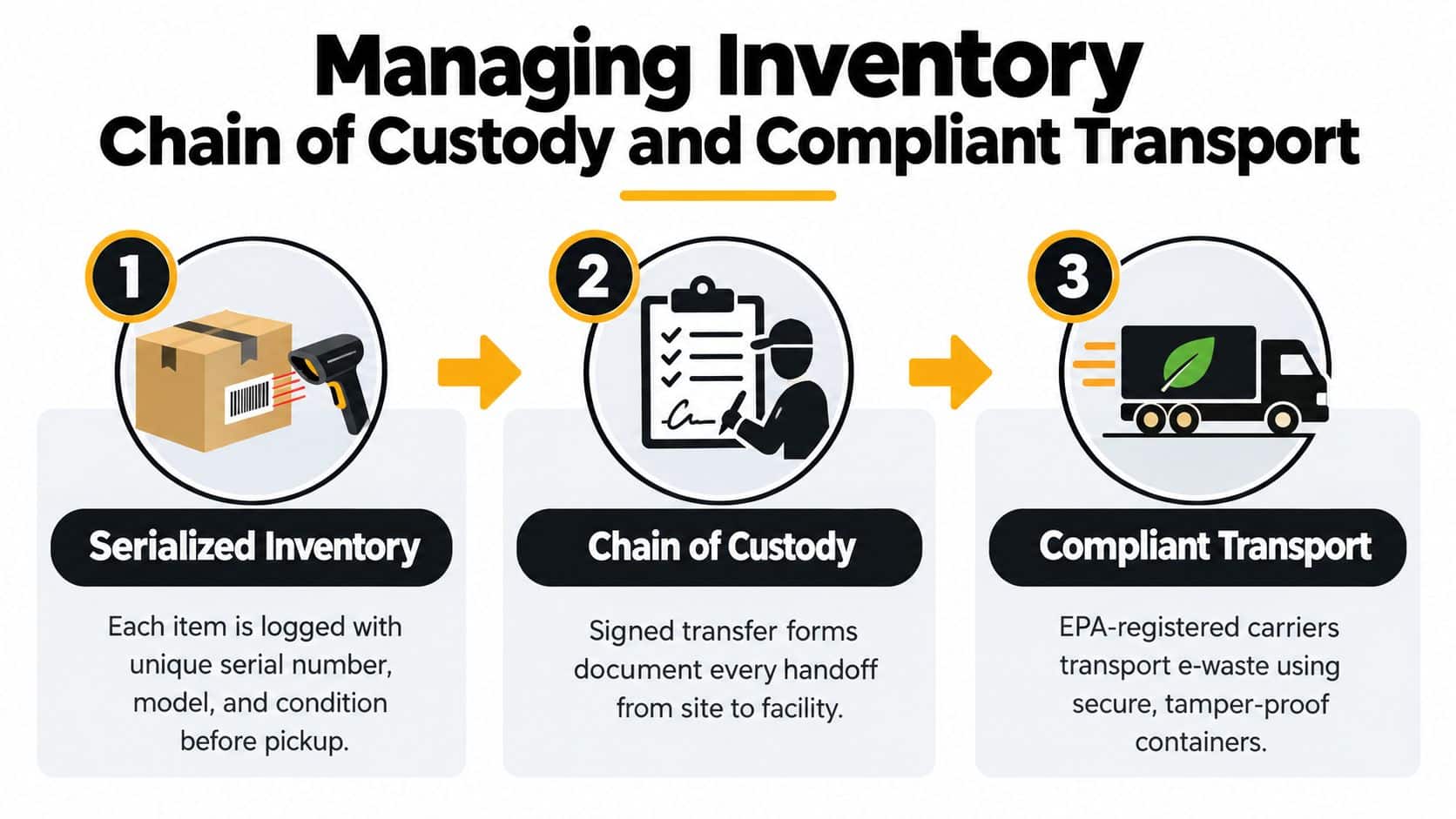
Start with a serialized manifest. It should identify each tower and drive by asset tag or serial number, include the condition and media type, and record the date and location of transfer. The receiving party should verify the count and sign the handoff. If a shipment is split between facilities, each movement needs its own record rather than a single entry at the beginning and end.
Control each handoff
A defensible workflow generally includes:
- Internal release: The IT or facilities lead confirms the manifest before equipment leaves the secured staging area.
- Pickup verification: The carrier or service team confirms the asset count and visible identifiers.
- Facility receipt: The processor reconciles the shipment against the manifest and flags exceptions.
- Processing record: The organization receives data destruction and recycling documentation tied to the assets.
- Exception closure: Missing, damaged, or mismatched items receive a documented investigation.
The IT asset disposal chain-of-custody process explains why each handoff matters. For an audit, “the recycler took it” is too vague. The record should identify the responsible party, the date, the equipment, and the next controlled destination.
Choose transport around risk and volume
Scheduled business pickup works well when a site has multiple towers, restricted access, or equipment that shouldn't be mixed with ordinary freight. A dedicated or managed logistics route can preserve the manifest and reduce unnecessary handling. Facility drop-off can suit smaller commercial loads when the receiving site, acceptance criteria, and receipt process are clear. Mail-in shipping may work for compact, lower-volume items, but organizations should confirm packaging, tracking, insurance, and the treatment of storage media before using it.
Local rules can change the acceptable route. California's Department of Toxic Substances Control says electronic waste can't be placed in household trash and must go to an authorized e-waste handler. It also states that unauthorized persons can't smash or destroy e-waste, which matters when a business considers on-site processing. The California electronics disposal guidance is useful background for planning authorized handling.
Recycling Reuse and Value Recovery Options for Businesses
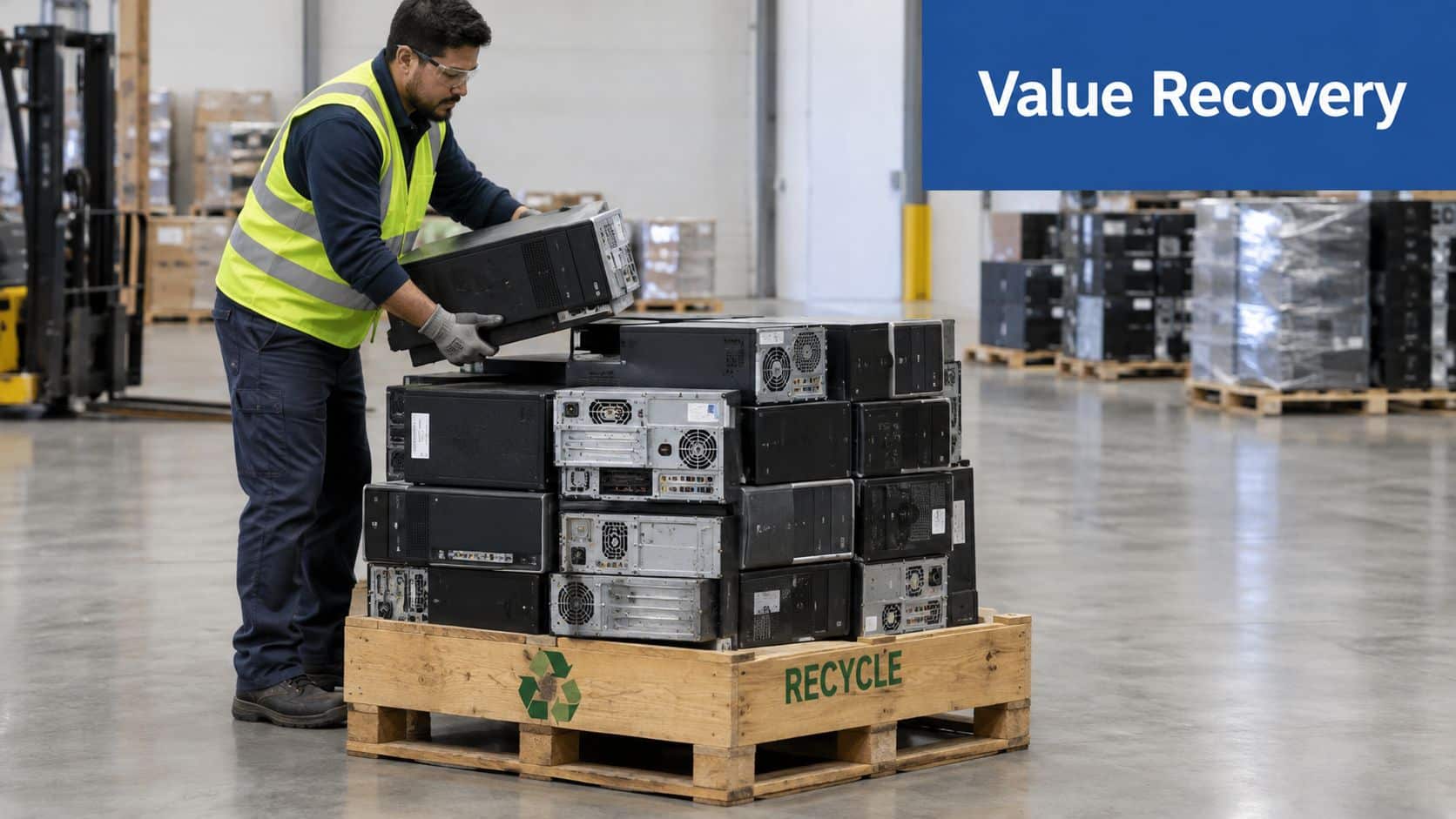
Secure disposal doesn't mean every desktop should go straight to a shredder. The best commercial outcome usually comes from separating reuse, resale, component recovery, and material recycling rather than applying one route to every unit.
A working desktop with a sound chassis and usable components may support redeployment or remarketing after approved sanitization. A damaged or obsolete tower may have more value as a source of boards, metals, and parts. A device with highly sensitive data may require destruction even if its hardware could otherwise be sold. Security determines which value paths remain available.
Why downstream processing matters
Sending whole desktops into a mixed e-waste stream may simplify logistics, but it can obscure what materials were recovered. Research cited in an academic thesis reports recycling rates of around 98% for silver and 99% for gold recovered from printed circuit boards, while only about 5% of lead was recycled because lower-value heavy metals are often less economical to recover. Those figures appear in the desktop material recovery research.
The same source reports that one cited study found about 49% of desktop materials became secondary raw materials. That distinction matters. Collection is not the same as recovery, and a headline recycling rate can conceal losses during dismantling, separation, and downstream processing.
Make the disposition decision deliberately
Ask the processor to explain:
- Reuse criteria: Which desktops qualify for testing, repair, resale, or redeployment?
- Data controls: How are drives sanitized or destroyed before any reuse route?
- Material separation: Are boards and valuable components dismantled before downstream recycling?
- Reporting: Will the final report distinguish reused assets, recovered components, and recycled material?
- Residual handling: How are hazardous or low-value materials routed?
The refurbish-or-recycle decision guide can help teams compare those paths. IT buyback may recover value from viable equipment, while product destruction may be more appropriate for branded, defective, recalled, or confidential assets. In each case, the result should be documented at the asset level.
Final Checklist and Next Steps for Compliant Disposal
A good desktop disposition plan produces four outcomes: the right data method, a complete asset record, controlled transport, and a documented final result. If one of those is missing, the business may still have an unresolved security, compliance, or accounting problem.
Use this final review before authorizing pickup:
- Confirm the media: Identify every HDD, SSD, and NVMe drive before selecting sanitization.
- Classify the information: Ask the data owner whether the device held confidential, regulated, or recoverable information.
- Select the assurance level: Use verified sanitization for approved reuse when appropriate, or physical destruction when risk and policy require it.
- Reconcile the inventory: Match asset tags, serial numbers, condition, and drive details to the pickup manifest.
- Control the handoff: Require signed transfer records and a defined receiving facility.
- Request final evidence: Obtain certificates of data destruction and recycling, plus exception reporting for anything that doesn't reconcile.
- Review the value route: Separate redeployment, resale, component recovery, and recycling decisions.
- Check local requirements: Confirm that the selected handler and transport route comply with applicable state and municipal rules.
Avoid the shortcuts that create the most exposure. Don't place business desktops in ordinary trash, don't assume a failed computer has no recoverable data, and don't use one wiping technique for every type of drive. Don't let equipment sit unassigned in storage until the inventory is forgotten.
Businesses also need to account for the behavioral side of disposal. Eurostat reports that in the EU in 2024, only 15% of old desktop computers were recycled, while 19% were kept at home, 9% were given or sold away, and 2% were thrown out without recycling. The Eurostat data on old desktop computer treatment shows why convenience, local policy, and clear ownership affect whether equipment reaches a formal recovery stream.
For organizations, the practical answer is to schedule disposition as part of the refresh or decommissioning project. Define the data method before collection, assign an owner for the manifest, and make final documentation a project deliverable rather than an afterthought.
Beyond Surplus provides commercial electronics recycling, IT equipment disposal, secure data wiping, hard-drive shredding, product destruction, and documented chain-of-custody services for business desktop decommissions. Visit Beyond Surplus to arrange a secure pickup and build a disposal plan that protects data, supports compliance, and recovers value where possible.


