

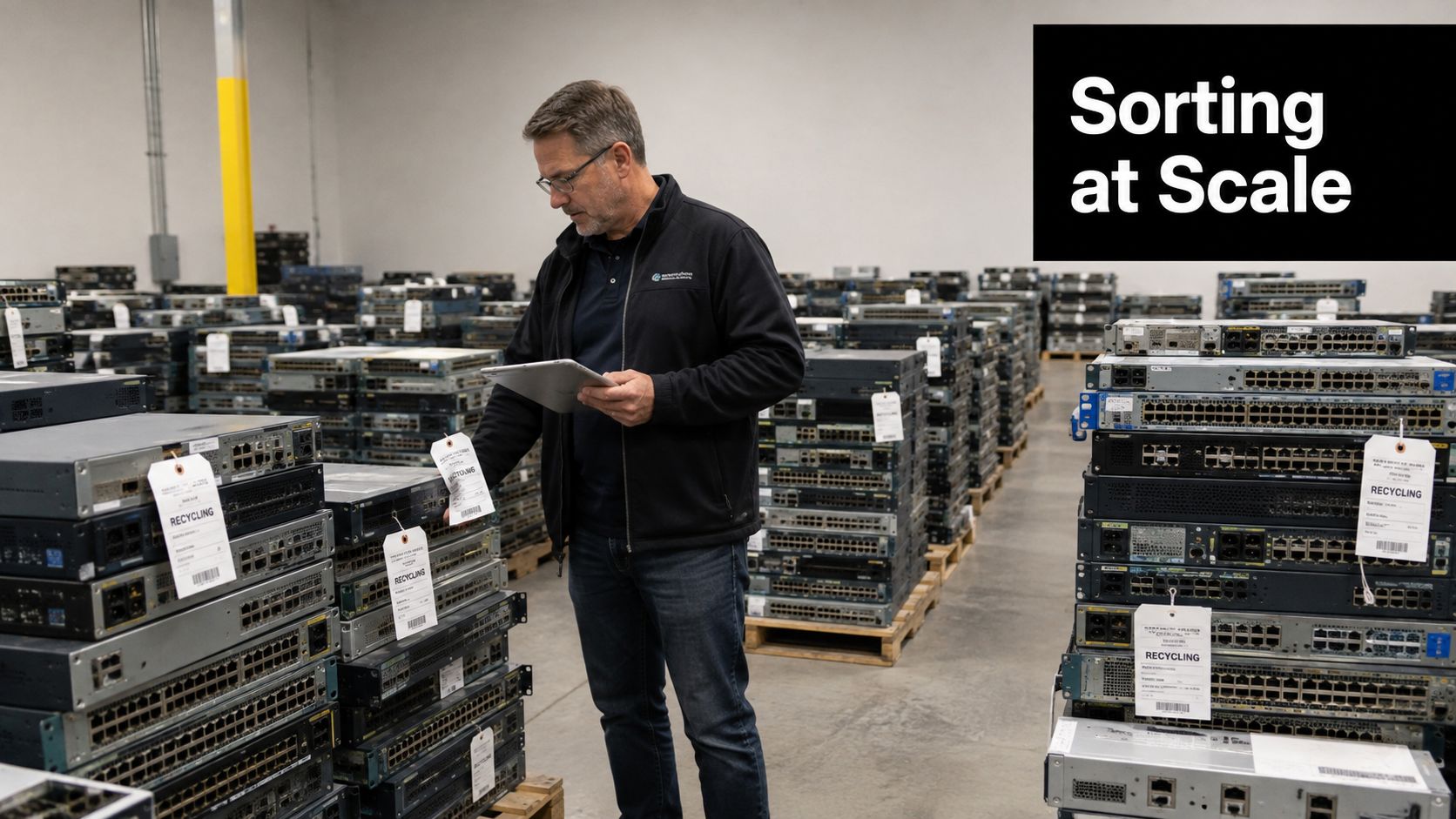
An IT manager stands in a warehouse beside pallets of decommissioned Cisco Catalyst switches, Juniper routers, and firewall appliances. The equipment came out of a data center consolidation, and every unit is tagged for disposal. The question isn’t how to move it off-site. It’s how to identify recoverable value, protect configuration data, document custody, and send the remaining hardware to a compliant electronics recycler.
A one-size-fits-all approach fails because a working enterprise switch, a failed chassis, and a router containing removable storage don’t belong in the same processing stream. This practical guide to how to recycle network switches and routers uses a decision tree built around reuse, refurbishment, secure sanitization, and certified recycling.
Table of Contents
- Why Network Hardware Recycling Deserves a Real Workflow
- Inventory and Assess Every Device Before Anything Leaves the Building
- Reuse, Refurbish, or Recycle, Choosing the Right Path for Each Switch and Router
- Sanitizing Data and Handling Physical Destruction the Right Way
- Chain of Custody, Compliance, and the Paperwork That Closes the Loop
- What to Look for in a Recycling and ITAD Partner
- Putting It All Together, A Practical Plan and Next Steps
Why Network Hardware Recycling Deserves a Real Workflow
A pallet of retired switches can contain resale value, hazardous materials, and access data in the same shipment. Managed switches and routers may retain configuration credentials, routing information, access-control lists, VPN material, and customer telemetry. A general scrap hauler can weigh the pallet, but that does not establish serialized destruction records or show where each device went.
The broader e-waste problem raises the stakes for controlled handling. The world generated 62 billion kilograms of e-waste in 2022, about 7.8 kilograms per person. Only 22.3% was formally collected and recycled in an environmentally sound manner, according to the Global E-waste Monitor 2024. Retired network switches and routers move through this same waste stream when organizations replace infrastructure.
A workable process uses a decision tree rather than sending every unit to shredding:
- Asset identification: Capture the model, serial number, location, condition, and ownership status.
- Value recovery: Decide whether the unit should be redeployed, refurbished, sold, or recycled.
- Data protection: Match sanitization or destruction to the device and its storage architecture.
- Material processing: Send end-of-life equipment through controlled downstream handling, not landfill or informal channels.
Practical rule: Do not load the pallets until each asset has a disposition path and the required closing evidence is defined.
The same monitor reports that e-waste generation is rising by 2.6 million tonnes per year and projects 82 million tonnes by 2030, 33% above the 2022 level. For an ITAD project, that trend reinforces the need to sort equipment before transport, preserve chain-of-custody records, and document the final disposition.
Inventory and Assess Every Device Before Anything Leaves the Building
The first operational step is a complete inventory. Don’t box equipment before you know what it is, whether it belongs to your organization, and whether another team still needs its configuration or hardware.
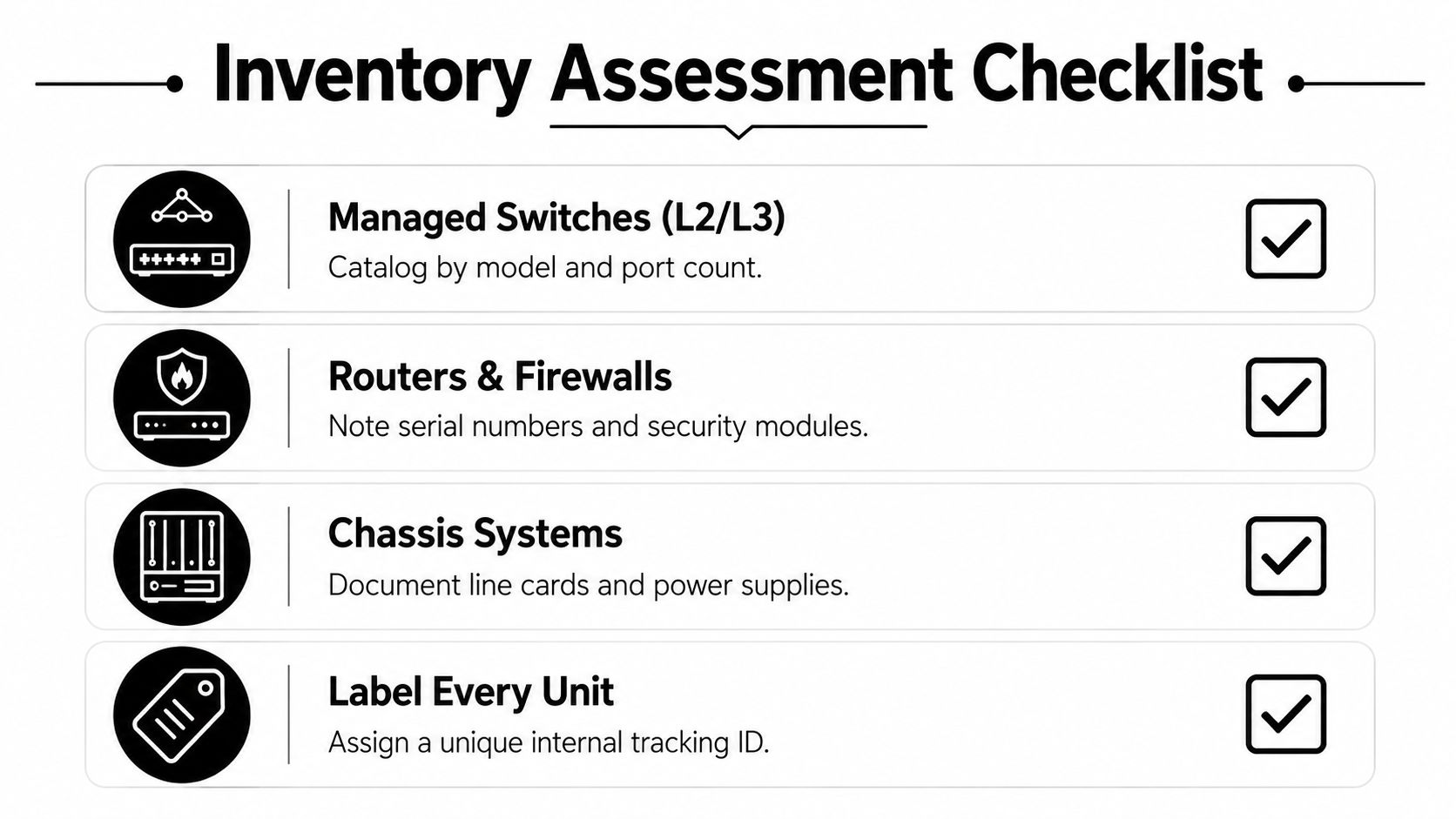
Create an asset register that captures the manufacturer, model, serial number, asset tag, site, rack position, accessories, ownership status, and visible condition. Record chassis components separately. A modular chassis with supervisor engines, line cards, power supplies, and fan trays has different recovery and transport requirements from a fixed-port access switch.
Build the register by device class
Use the equipment category to guide inspection:
- Managed switches, Layer 2 and Layer 3: Catalog the model, port count, uplink modules, power supplies, and license status.
- Edge and core routers: Record processor modules, interface cards, storage slots, and installed security features.
- Wireless controllers: Check internal storage, removable media, licensing, and whether the device retains site-specific credentials.
- Modular firewalls: Note security modules, storage devices, expansion cards, and any contractual restrictions.
- Chassis systems: Document every supervisor, line card, power supply, and fan assembly rather than treating the chassis as one undifferentiated asset.
Apply a simple condition grade. Grade A means working with clean configurations. Grade B means functional with cosmetic wear. Grade C means powered but untested. Grade D means failed, incomplete, or tampered with. The grade doesn’t replace testing, but it creates a consistent triage language for security, finance, and the ITAD provider.
Ask the questions that prevent rework
Before anyone resets, dismantles, or moves a unit, confirm whether it remains under lease or service contract. Check whether it has an SD card, USB module, SSD, or another removable storage component. Verify that the organization has retained golden-image configurations elsewhere and that the network team has approved removal of production credentials.
The Beyond Surplus equipment condition assessment service can serve as a reference point for structuring this evaluation. The critical control is ownership of the register. If the serial number isn’t recorded before pickup, recovering it later from a mixed pallet is difficult and may be impossible.
Reuse, Refurbish, or Recycle, Choosing the Right Path for Each Switch and Router
Recycling shouldn’t be the automatic destination for every decommissioned unit. A working switch can have more value as tested equipment than as a source of recovered metals, while a failed legacy router may cost more to evaluate than it can return.
Reuse generally fits A- and B-grade equipment that remains commercially useful and has a clean configuration state. Enterprise hardware from Cisco, Juniper, Arista, and HPE Aruba may be suitable for redeployment, resale, or parts recovery when the model, licensing, support status, and test results align with buyer requirements.
Refurbishment fills the middle ground. A device may need a firmware reload, fan kit, replacement power supply, or cleaning before it can be tested and sold. The provider should document the repair, functional test, final condition, and sanitization result. A working Catalyst 9300 can justify that effort, while a 2010-era router with a failed supervisor is usually a recycling candidate from the start.
| Path | Best For | Typical Value Outcome | Required Documentation |
|---|---|---|---|
| Reuse | Tested A- or B-grade equipment with current demand | Redeployment, resale, or internal transfer | Asset record, configuration clearance, test result, transfer or sales record |
| Refurbish | Functional equipment needing limited repair or reconditioning | Improved recovery value after documented work | Repair log, parts record, test report, sanitization record |
| Recycle | Failed, obsolete, incomplete, or commercially unwanted equipment | Controlled recovery of circuit boards, metals, and components | Chain-of-custody record, recycling certificate, downstream documentation |
The technical recovery value usually sits in the printed circuit boards and components rather than the enclosure. Circuit boards can contain lead and other heavy metals, and older networking units may contain lithium batteries and brominated plastics, so end-of-life equipment needs controlled downstream processing. Beyond Surplus’s used router and switch recovery service illustrates why a per-device decision is more useful than a fleet-wide shred instruction.
Vodafone reported that 100% of its non-hazardous network e-waste was reused or sent to authorized recycling partners, while Telefónica reported that 75% of collected devices were reused and 25% were recycled, including more than 780,000 reused network-equipment units, as described by Sustainability Magazine. The same source reports that refurbished network equipment delivered 4,575 tonnes of CO₂e savings in a 2026 circular-economy report. These examples reinforce the decision rule: evaluate reuse first, then refurbishment, and recycle only when the higher-value paths don’t fit.
Sanitizing Data and Handling Physical Destruction the Right Way
A factory reset isn’t automatically a complete sanitization process. Managed switches may store configurations, ACLs, credentials, and logs in flash memory, while routers can retain VPN keys, RADIUS shared secrets, certificates, and removable storage. The processing team needs the model-specific storage map before selecting a method.
Match the method to the device
Secure wiping is appropriate when the device supports a verified erase process. The operator should follow an approved process aligned with NIST SP 800-88 Clear or Purge concepts, record the method and tool, and verify completion. This option preserves the hardware for reuse when the device passes testing.
Degaussing can be used for magnetic media that lacks a reliable secure-erase function. It isn’t a universal answer for solid-state storage or every flash-based component, so the provider must confirm media compatibility before relying on it.
Physical destruction is the clearest option when the unit is failed, highly sensitive, or impossible to sanitize with confidence. Shredding or disassembly eliminates the prospect of reuse, but it provides a straightforward endpoint for devices that shouldn’t re-enter circulation. For data-bearing devices, recognized methods include secure wiping, degaussing, and physical shredding. One enterprise server recycling reference notes that shredding can reduce drives to fragments smaller than 2 millimeters, making recovery physically impossible.
| Method | Best For | Data Sanitization Standard | Audit Documentation |
|---|---|---|---|
| Secure wipe | Reusable devices with supported storage controls | NIST SP 800-88 Clear or Purge process | Serial-numbered wipe report and verification result |
| Degaussing | Compatible magnetic media | Approved degaussing procedure for the media type | Device or media log, operator record, degauss confirmation |
| Physical destruction | Failed, sensitive, or unsanitizable assets | Destruction procedure matched to the media and asset | Serial list, destruction report, weight ticket or photographic evidence |
On-site sanitization makes sense when security policy prohibits unverified transport of data-bearing hardware. Off-site processing can be more efficient when the provider has controlled receiving, restricted access, and standardized testing stations. Define the location, approval authority, and evidence package before the pickup.
Use the Beyond Surplus NIST SP 800-88 resource when comparing sanitization requirements with your internal security policy. The practical test is simple: can your team match every destroyed or wiped device to a serial number and a documented result?
Chain of Custody, Compliance, and the Paperwork That Closes the Loop
The audit binder should tell the same story as the loading dock. It should show which assets were collected, how they were secured, where they traveled, who received them, and what happened at final processing.
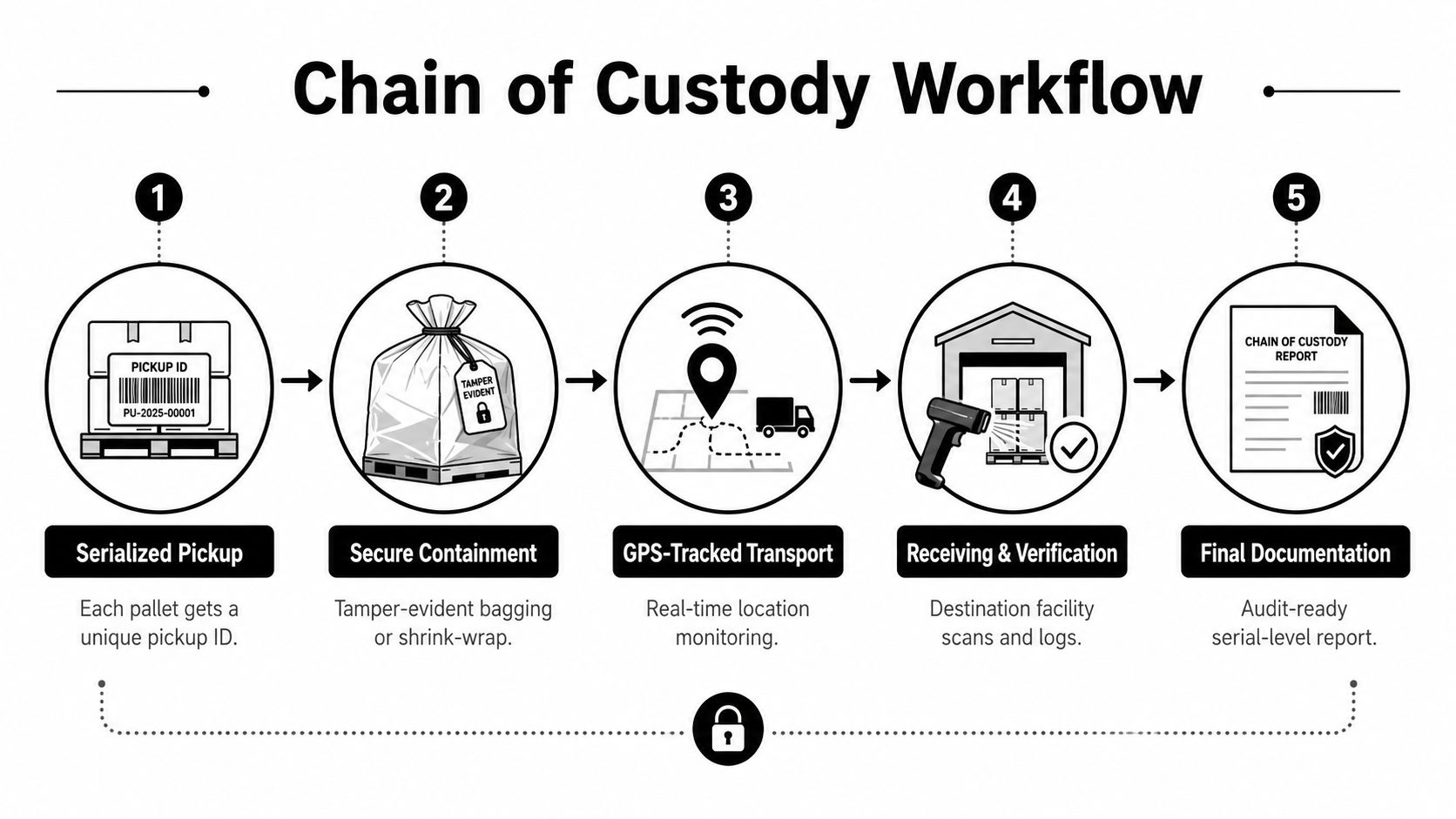
A secure chain of custody begins with a serialized pickup manifest. Pallets receive unique identifiers, equipment is placed in tamper-evident bags or secured with documented shrink-wrap, and the transport record identifies the carrier and destination. The receiving facility scans the shipment and reconciles it against the manifest before processing begins.
Build evidence at each handoff
A useful record set includes:
- Pickup evidence: Serialized asset list, pallet identifiers, signatures, date, location, and condition notes.
- Transport evidence: Carrier details, tracking records, and any required destination verification.
- Receiving evidence: Facility receipt, scan reconciliation, exception report, and custody transfer.
- Processing evidence: Wipe reports, destruction records, resale or reuse decisions, and downstream documentation.
- Closure evidence: Certificate of Data Destruction and Certificate of Recycling keyed to the asset list.
Compliance requirements depend on the data and jurisdiction. Healthcare organizations must address HIPAA obligations, payment environments may fall under PCI DSS, public companies may have SOX controls, and organizations handling personal data may need to consider GDPR and applicable state privacy laws. HIPAA doesn’t prescribe one disposal method, but protected health information must be rendered unusable and/or inaccessible before disposal, as explained by Sadoff Electronics Recycling’s HIPAA disposal guidance.
International shipments require extra care. Under Basel Convention amendments effective January 1, 2025, international e-waste shipments for recovery or disposal require prior written consent from importing and transit countries, according to the U.S. Environmental Protection Agency’s international requirements. Destination verification and documented custody therefore belong in the project plan, not as an afterthought.
The Beyond Surplus chain-of-custody guidance provides a useful benchmark for the level of asset-specific reporting enterprises should request. A generic hauler’s lump-sum weight ticket can’t substitute for serial-level disposition evidence.
What to Look for in a Recycling and ITAD Partner
A recycling vendor and an ITAD partner aren’t interchangeable. A scrap hauler may focus on weight and transport. An ITAD provider must manage identification, data risk, recovery decisions, logistics, and proof of final disposition.
Put these questions into the RFP:
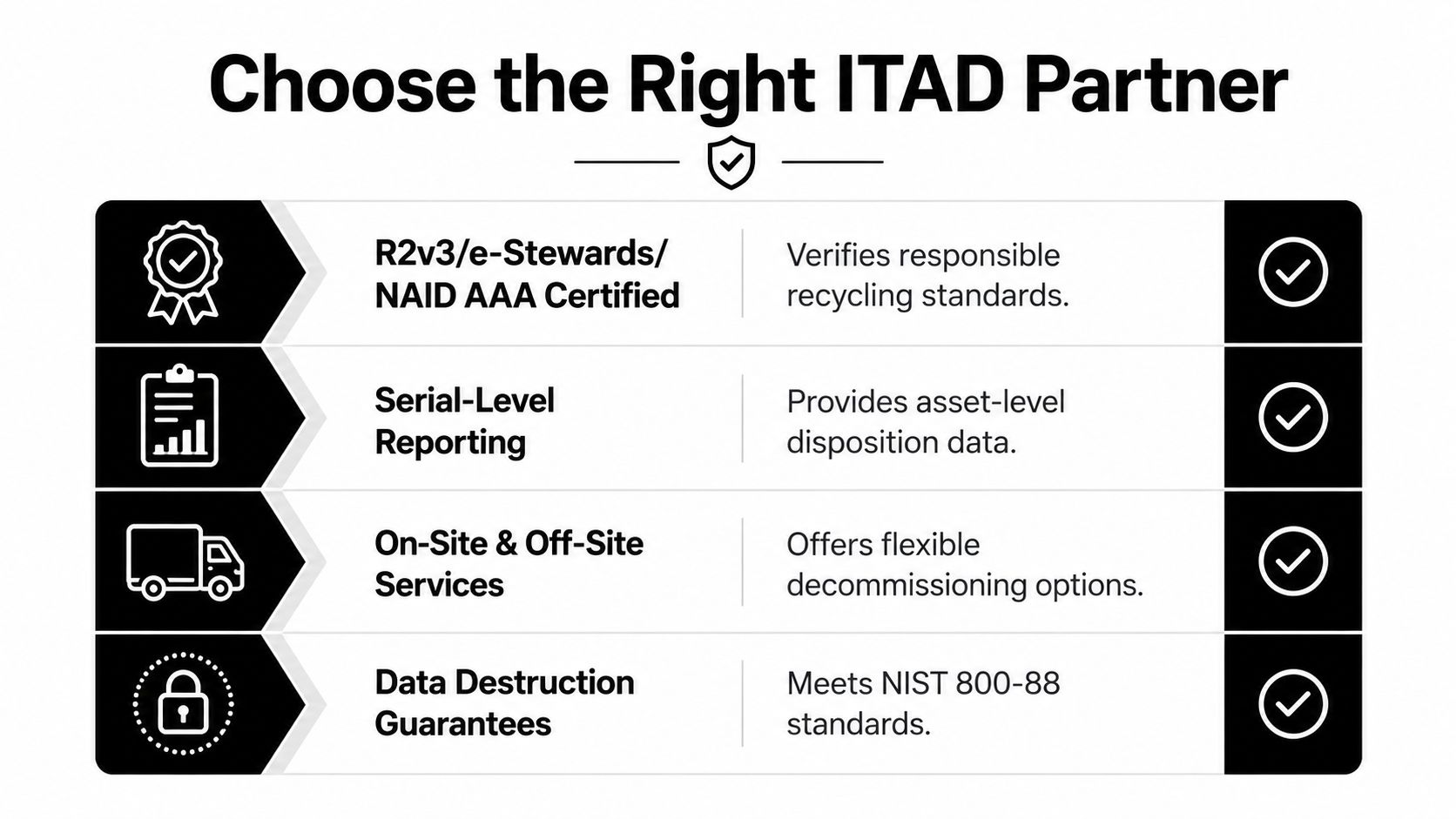
- Which certifications apply to the processing operation? Ask for current R2v3, e-Stewards, or NAID AAA credentials where relevant, and verify the scope rather than accepting a logo on a proposal.
- Can the provider report at serial level? The answer should include asset manifests, exception handling, wipe or destruction records, and certificates tied to individual equipment.
- Are on-site and off-site options available? Your security team may require on-site processing for selected assets, while other equipment can move to a controlled facility.
- How are downstream vendors audited? Request an explanation of material destinations, subcontractor controls, and escalation procedures for exceptions.
- What happens to working equipment? Ask whether the provider can test, refurbish, resell, redeploy, or offer a buyback or revenue-share structure.
- How are pickups insured and tracked? Confirm loading procedures, transport partners, custody signatures, and shipment reconciliation.
Use the service model as the test
Beyond Surplus handles business IT equipment disposal and electronics recycling, including network hardware such as switches and routers, with secure data destruction, pickup coordination, asset recovery, and certificates of recycling and data destruction. Its service model is an example of the capabilities to compare, not a reason to skip due diligence.
Ask for a sample certificate package before signing. Review whether the documents contain asset tags, serial numbers, processing dates, sanitization methods, exceptions, and final disposition. The Beyond Surplus vendor due diligence checklist can help structure that review.
A partner earns trust through repeatable evidence. If the vendor can’t explain how a serialized pallet becomes a reconciled certificate set, the recycling price is not the central issue. The missing control is.
Putting It All Together, A Practical Plan and Next Steps
Treat the project as a controlled decommissioning rather than a disposal pickup. Assign one project lead, define the sites and device classes, and name the people who can approve sanitization, resale, recycling, and exceptions.
Execute the work in a clear cadence
Week 1, inventory and triage: Capture asset tags, serial numbers, locations, device classes, ownership status, removable media, condition grades, and intended disposition. Have security, network operations, facilities, finance, and compliance review the register.
Week 2, sanitization and pickup scheduling: Select wipe, degauss, or destruction by device class. Pilot the process on one class, verify the evidence package, then schedule the remaining pickup with a serialized manifest and defined containment method.
Week 3, certificates and ledger closure: Reconcile the receiving report to the pickup manifest, review wipe and destruction records, confirm reuse or resale outcomes, and file the Certificates of Data Destruction and Recycling with the final asset ledger.
This cadence may compress or expand based on site access and equipment volume, but the control sequence should remain intact. Don’t schedule a full-site removal until the pilot proves that the inventory, custody, sanitization, and reporting steps work together.
Copy and assign this checklist
- Capture asset identity: Assign an owner to record every model, serial number, asset tag, and component.
- Select the disposition path: Have the network and finance leads approve reuse, refurbishment, resale, or recycling for each class.
- Choose sanitization: Require security approval for the wipe, degauss, or destruction method.
- Verify the vendor: Confirm applicable R2v3, e-Stewards, or NAID AAA credentials and downstream controls.
- Prepare the pickup manifest: Match every pallet and asset to a custody identifier before loading.
- Collect certificates: Require destruction and recycling certificates keyed to the asset list.
- Reconcile the ledger: Close every exception and retain the final disposition record with the project file.
Beyond Surplus provides business-focused electronics recycling, IT asset disposal, secure data destruction, equipment recovery, and coordinated pickups for network switches and routers. Visit Beyond Surplus to request a documented disposition plan that separates reuse, refurbishment, sanitization, and certified recycling for your next infrastructure decommissioning.


