A remote employee gives notice on Friday. HR disables access, payroll closes the file, and then IT starts chasing a laptop that may be sitting on a kitchen table three states away. That's where most return programs break down. The company treats recovery as a shipping task when it's really a chain of custody problem that starts before offboarding and ends only after certified data destruction.
Remote employee laptop return challenges and how to solve them come down to one thing. You need a single workflow that covers policy, logistics, security, and final disposition. If any one piece is loose, devices disappear, arrive damaged, or sit in limbo with unresolved data risk.
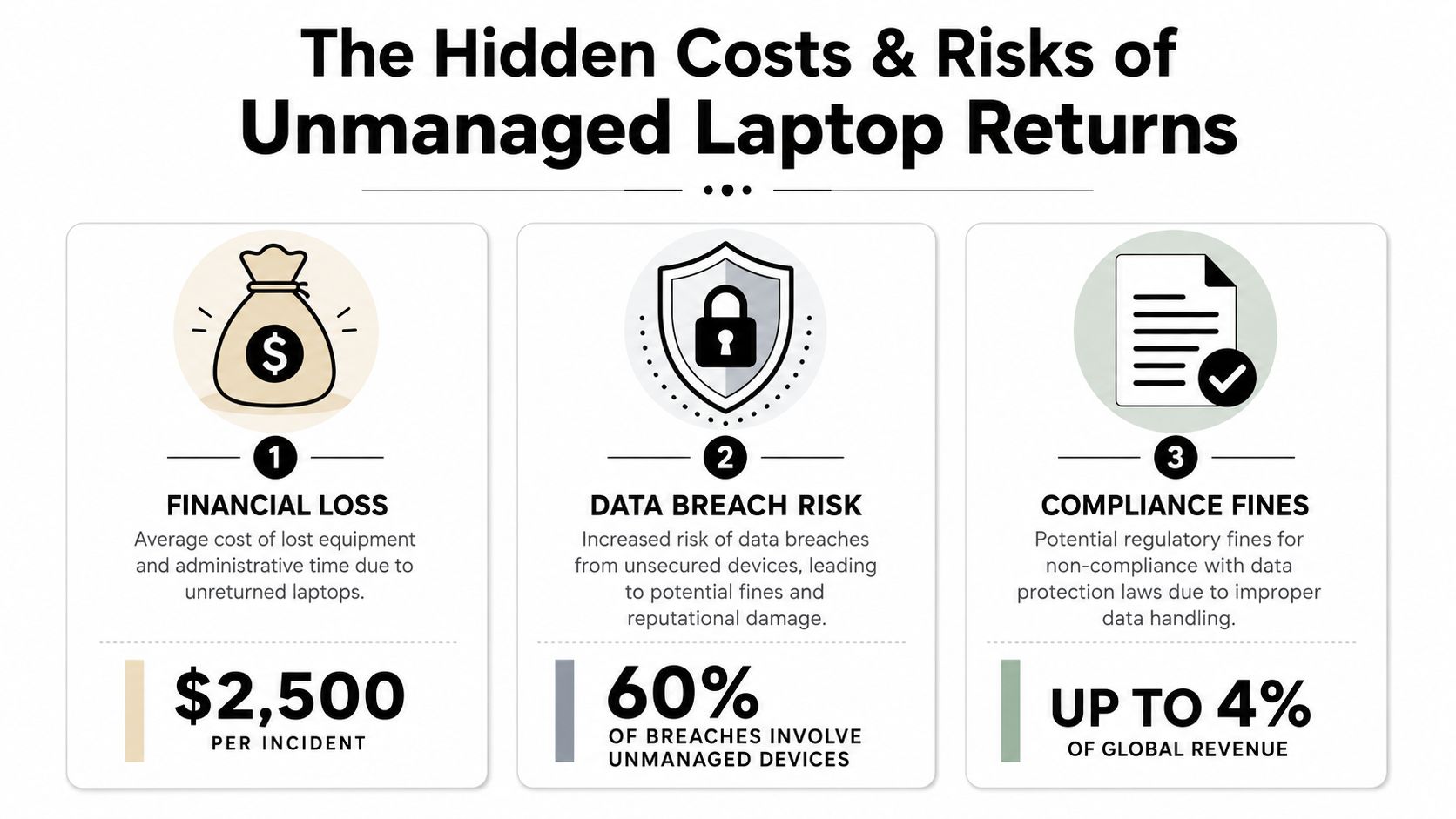
The Hidden Costs and Risks of Unmanaged Laptop Returns
When companies don't run a structured return process, they usually discover the problem too late. The employee has already lost access to email, the manager assumes IT is handling it, and no one owns the return from notice date through final receipt.
Organizations without structured remote laptop return processes experience return rates between 70% and 85%, which means 15% to 30% of company devices permanently go missing, according to this breakdown of remote employee laptop recovery risk. That's not just missing hardware. It's unreconciled inventory, delayed redeployment, and open questions about what data still lives on the device.
What the loss actually looks like
A missing laptop creates three separate headaches at once:
- Asset loss: Finance writes off hardware that should have been recovered, reused, or remarketed.
- Security exposure: The device may still hold local files, saved credentials, cached email, or synced business data.
- Compliance friction: If no documented chain of custody exists, proving proper handling gets much harder.
That last point matters more than many teams expect. A company can lock an account and still have a liability problem if the endpoint itself remains unreturned and undocumented. Why remote employee laptop recovery matters for data security is that offboarding isn't complete until the physical asset and the data on it are both accounted for.
Why ad hoc follow-up fails
Email reminders sent from a spreadsheet don't hold up well once someone has mentally moved on from the job. Neither does asking former employees to find their own box, print a label, and figure it out. Every extra task reduces follow-through.
Practical rule: If the employee has to source packaging, guess which accessories to include, or ask where to ship the device, your process is already too loose.
High-turnover environments feel this first. The same source notes that Gartner reports only about 30% of devices are returned on time, with some sectors seeing return rates as low as 50%. When returns slip, so does inventory accuracy. Then IT spends time investigating devices that should have been logged back in days earlier.
Creating Your Ironclad Remote Laptop Return Policy
A workable policy does two jobs. It removes ambiguity for the employee, and it gives HR, legal, and IT the same playbook. If any department improvises, returns slow down.
In March 2026, the U.S. Bureau of Labor Statistics reported that nearly 36 million workers, or 22.6% of the U.S. workforce, telework either fully or in a hybrid arrangement. In that environment, best practices include firm deadlines such as 5 to 7 days post-resignation and asset lifecycle platforms that send auto-reminders, as noted in this remote work and employer management analysis.
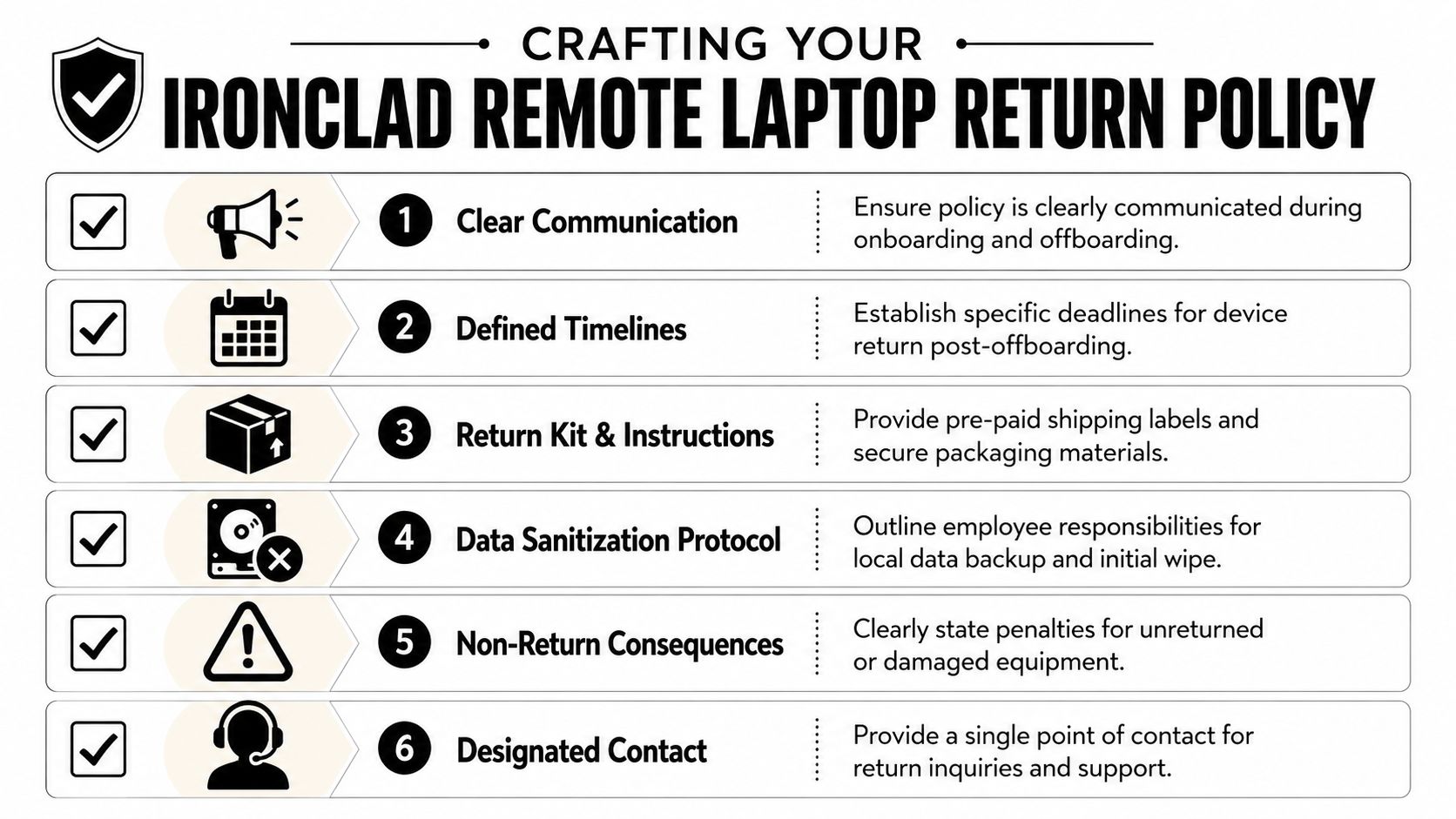
Clauses every policy needs
A strong policy should include:
- A defined deadline: State the return window clearly. Don't say “promptly.” Say the device must be shipped or made available within the stated post-separation window.
- Named equipment list: Identify laptop, charger, dock, peripherals, access badges, and any specialty hardware assigned to the employee.
- Packaging instructions: Spell out that the company provides materials and that the device must be packed using those materials only.
- Condition expectations: Require reasonable care and disclosure of known damage before shipment.
- Escalation path: Identify one contact in IT or operations for questions.
- Non-return language: Explain what the company may do if the asset isn't returned, subject to applicable law and company policy.
What the policy should connect to
The best policy isn't a PDF that appears during termination. It should connect to onboarding acknowledgments, asset issuance records, and internal controls. If your organization maps controls using a recognized framework, COSO principles for accountability and documentation are useful for aligning offboarding responsibilities across departments.
A laptop return policy should read like an operations document, not an employee handbook footnote.
That means HR triggers the event, IT verifies assigned assets, and operations or the asset team sends the return kit without waiting for manual back-and-forth. If your policy doesn't assign ownership at each handoff, no one really owns the process.
What doesn't work
Policies fail when they rely on broad language such as “return company property immediately” or “ship equipment to headquarters.” That forces former employees to make decisions your process should already have made for them.
A better policy answers the practical questions in advance:
| Policy area | Weak language | Stronger approach |
|---|---|---|
| Timing | Return ASAP | Return within the stated post-offboarding deadline |
| Packaging | Pack securely | Use the provided kit and instructions only |
| Communication | Contact us with questions | Contact the named return coordinator |
| Verification | Return all company items | Verify serial number and included accessories before shipment |
Streamlining Offboarding Logistics from Start to Finish
Policy creates the rules. Logistics decides whether anyone follows them.
The biggest operational mistake is telling people to “send the laptop back” and leaving the rest unstated. A remote return should feel almost impossible to do wrong. That means the company controls the box, the label, the instructions, the tracking, and the receipt workflow.
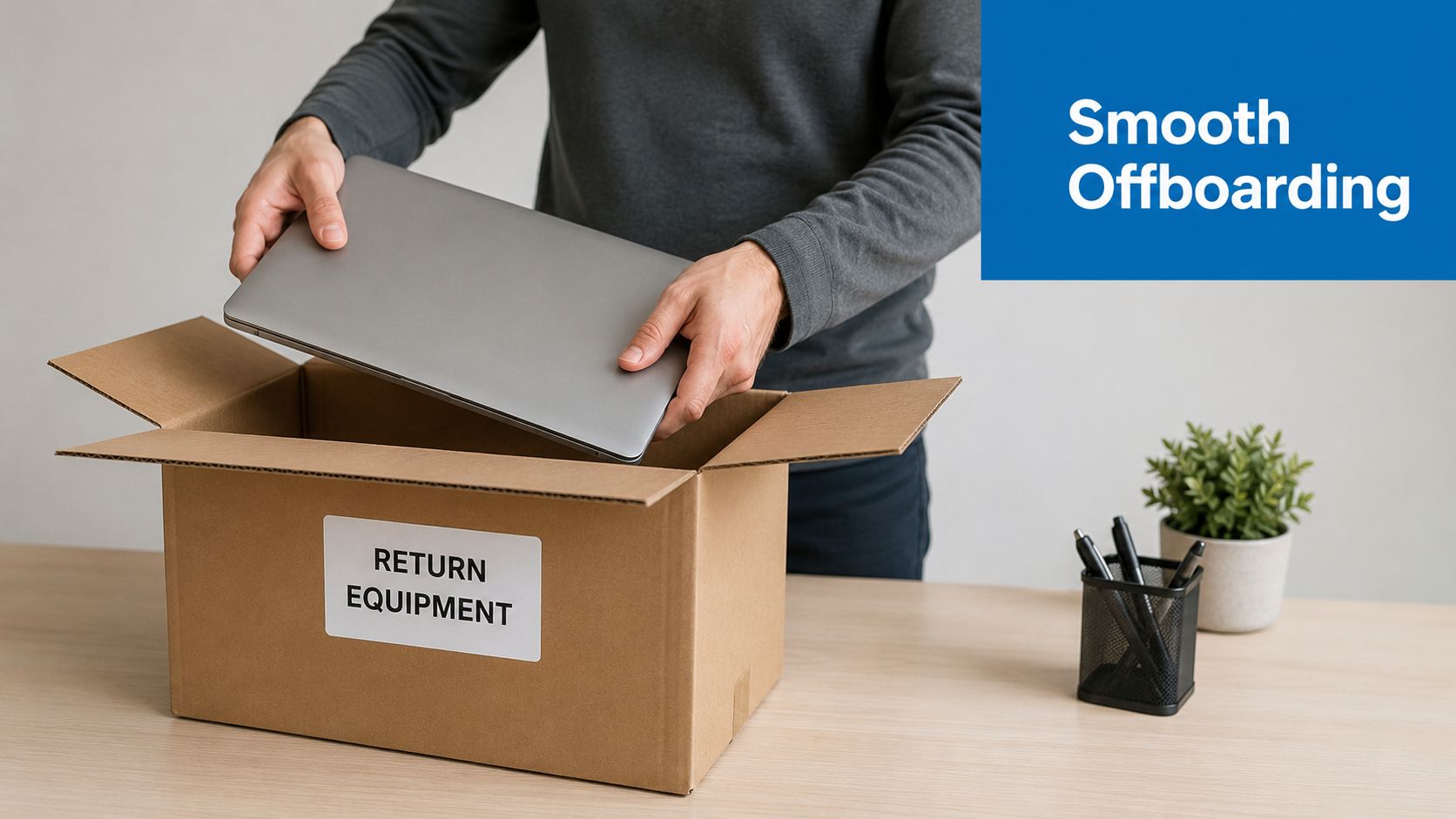
A critical challenge is shipping damage. 34% of returned laptops sustain visible damage when employees don't receive standardized shipping kits, and the average repair or replacement cost is $180 per unit, according to this review of remote equipment return practices.
Build a return kit that removes guesswork
A reliable kit includes the basics and nothing ambiguous:
- Prepaid shipping label: The employee shouldn't spend money or choose a carrier.
- Protective packaging: Bubble wrap or equivalent cushioning should already be in the box.
- Clear printed instructions: Keep them short. Include what to pack, what not to pack, and where to place accessories.
- Seal materials: If tape is required, include it.
- Visible identifiers: Return reference, asset tag prompt, or serial check instructions.
The source above also recommends mailing prepaid, bubble-wrapped boxes with “fragile” stickers 5 to 7 days before the return deadline, requiring photo proof of packing and serial number verification, and documenting included accessories before shipment.
Use an operations sequence, not one-off tasks
A repeatable flow looks like this:
- HR confirms separation date and whether the employee is resigning, being terminated, or converting roles.
- IT checks the assigned asset record.
- The return kit goes out immediately.
- The employee receives one communication channel for questions.
- Tracking starts as soon as the label is created.
- Receiving logs the unit on arrival and reconciles accessories.
Efficient recovery workflows for remote company laptops work because they reduce choices. The employee doesn't need to decide how to return the laptop. They only need to follow one path.
If a former employee has to visit an office supply store before returning your device, the process was designed for your convenience, not theirs.
Small details that prevent big delays
Keep the outgoing email plain and specific. Avoid long legal text in the message body. Put the essentials first: what's coming, what to return, when it's due, and who to contact.
Also decide in advance which peripherals are worth recovering. For low-value accessories, shipping can create more friction than value. For high-value or security-relevant items, include them in the return checklist and in the photo verification step.
Ensuring Secure Data Destruction and Chain of Custody
A remote wipe is useful. It is not the finish line.
The serious gap in many laptop return programs shows up after the device is shipped. Teams know they should wipe data remotely through MDM, but they don't always define who owns sanitization after physical receipt, who certifies destruction, or how chain-of-custody records are stored.
To close that gap, 60% to 70% of organizations now integrate remote wipes with NIST-aligned sanitization post-receipt, ensuring a certified chain of custody that assigns data-destruction responsibility to the disposition partner, as outlined in this guide to remote employee laptop return in 2026.
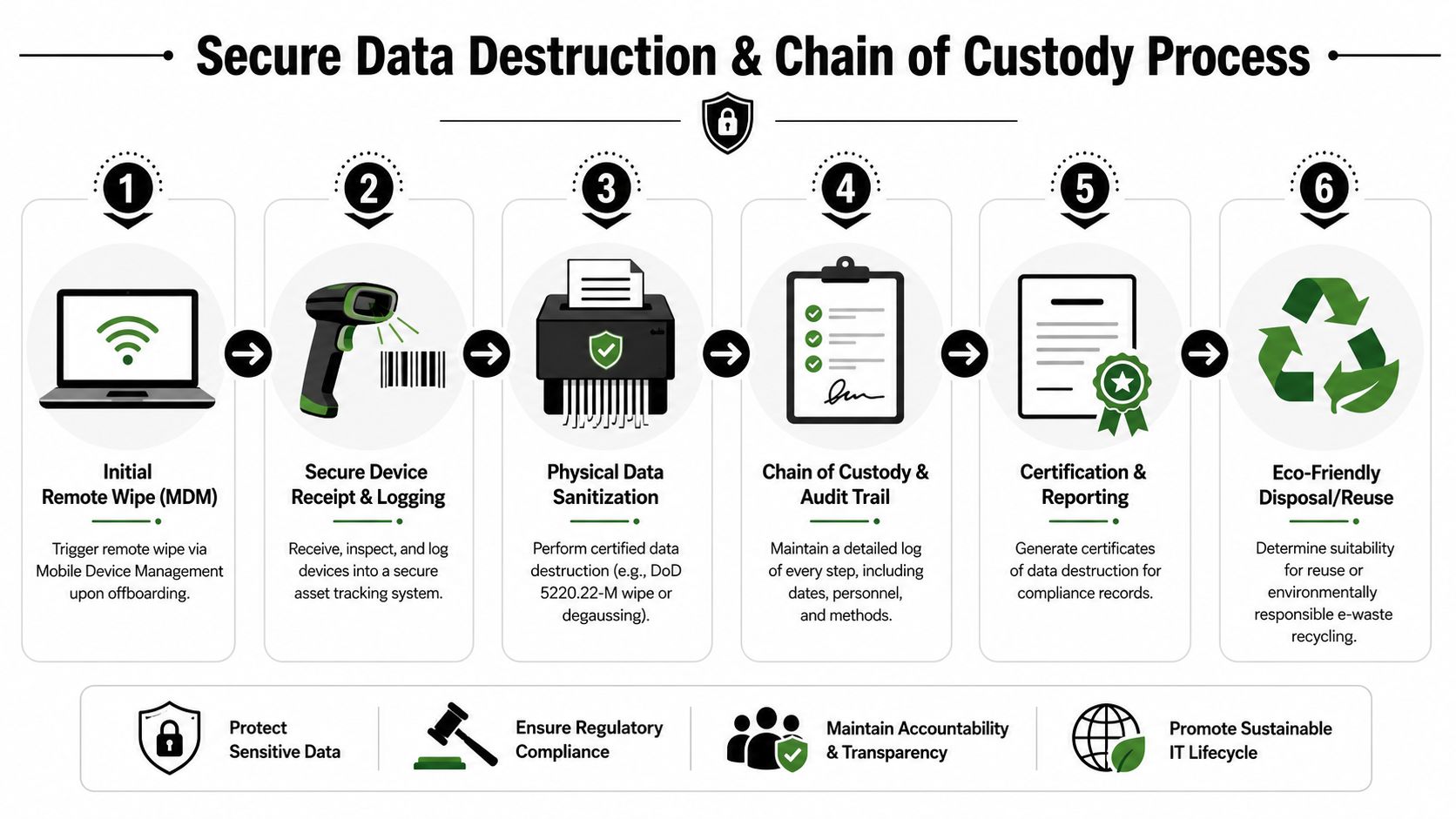
Remote wipe versus certified sanitization
These are related, but they are not interchangeable.
| Control | What it does | What it doesn't do |
|---|---|---|
| Remote wipe through MDM | Removes accessible data before or during offboarding | Doesn't replace documented post-receipt sanitization |
| Logged receipt and inspection | Confirms the device arrived and matches records | Doesn't prove the media was sanitized |
| Certified sanitization | Creates documented evidence of proper data destruction | Doesn't fix a missing intake record |
A mature process uses all three. Teams often skip the middle step and go straight from shipping confirmation to “assume wiped.” That's where audit issues start.
The liability question most teams miss
If the device is lost in transit, received damaged, or handled by multiple parties before disposition, someone needs to show exactly when responsibility changed hands. That's why chain-of-custody documentation matters as much as the wipe method.
The same source notes that many remote returns stall between offboarding and final disposition when responsibility for destruction isn't clearly assigned. That's a management problem, not a technical one. If your process can't produce receipt records, sanitization records, and a final certificate, the organization may struggle to show it met its obligations under the FTC Disposal Rule.
For teams evaluating sanitization standards, NIST SP 800-88 guidance for media sanitization is the right benchmark to understand what defensible disposal documentation should align with.
Certified destruction isn't just about erasing data. It's about proving who handled the asset, when they handled it, and what happened next.
What complete documentation should include
At minimum, keep records for:
- Receipt logging: Device identifier, date received, and condition.
- Custody transitions: Every handoff between intake, storage, processing, and disposition.
- Sanitization method: The method applied under the organization's standard.
- Final certificate: A record that closes the loop for audit, legal, and security teams.
Selecting a Certified ITAD Partner for Remote Asset Recovery
At some point, most internal teams hit the same limit. They can manage some returns themselves, but nationwide offboarding, secure transport, processing, remarketing, recycling, and documentation require infrastructure that many companies don't want to build in-house.
That's when vendor selection stops being a procurement exercise and becomes a risk decision.
Under the federal Resource Conservation and Recovery Act, businesses must properly handle hazardous materials in electronics, and partnering with certified recyclers that follow R2 or E-Steward standards is critical to demonstrate compliance and reduce liability, according to this overview of e-waste regulations and compliance.
Non-negotiable criteria
Use a simple pass-fail screen when evaluating an ITAD provider:
- Recognized certifications: R2 or e-Stewards should be table stakes.
- Documented chain of custody: Ask how they log intake, movement, processing, and final disposition.
- Nationwide logistics capability: Remote recovery falls apart if coverage is patchy.
- Data destruction reporting: They should issue certificates and detailed disposition records.
- Business-focused service model: You want a provider built for enterprise controls, not occasional drop-offs.
- Downstream transparency: Ask what happens to devices that are reused, recycled, or destroyed.
Questions worth asking in the first meeting
Don't settle for “yes, we do that.” Ask for the workflow.
How do they manage return kits? Who handles exception cases? What documentation do they produce when a serial number arrives with physical damage? How do they separate assets for reuse versus destruction? What does the audit trail look like if legal asks for proof six months later?
This vendor due diligence checklist for ITAD evaluation is a useful screening tool because it keeps the conversation focused on evidence, not marketing claims.
The right partner reduces operational workload. The wrong partner adds another handoff, another portal, and another gap in accountability.
A certified ITAD partner should make your process tighter, not more complicated.
Your Next Steps for a Secure Return Process
The strongest remote recovery programs don't treat laptop returns as a final shipping chore. They treat them as a controlled lifecycle. The policy sets expectations early. The logistics process makes compliance easy. The security workflow closes the loop with documented sanitization and final disposition.
That integrated model matters because remote work changed the scale of the problem. Devices move through homes, shipping networks, receiving docks, and processing centers. Every transition needs an owner. Every owner needs a record.
If your current process still depends on manual reminders, improvised packaging, or a vague assumption that “the laptop was probably wiped,” fix that first. Start with your offboarding trigger, map each handoff, and identify where proof disappears. In most organizations, that gap shows up between shipment and certified destruction.
The goal isn't a perfect memo. It's a return system that holds up when turnover rises, when a device arrives damaged, or when audit and legal ask for evidence months later.
If your organization needs a business-ready process for remote asset recovery, certified electronics recycling, and secure IT asset disposal, contact Beyond Surplus. They help companies recover devices, document chain of custody, and complete certified data destruction with the reporting needed to reduce operational and compliance risk.