

A VoIP migration usually ends with a clean cutover on paper and a mess in practice. The new cloud or IP system is live, users are happy, and the telecom closet now holds retired PBX shelves, interface cards, switches, gateways, conference phones, and cartons of handsets nobody wants to own. That pile is where value recovery and liability meet.
If you're dealing with telecom hardware buyers switches PBX VoIP decisions after an upgrade, don't treat the leftover gear as scrap by default. Some of it still has resale value. Some of it has only recycling value. Much of it still carries data risk. The hard part is knowing which is which before it leaves your building.
The Aftermath of an Upgrade Your VoIP Rollout and the Hardware Left Behind
The common scenario is simple. A company moves away from a hardware-heavy PBX environment because traditional PBX relied on on-site equipment and landline infrastructure, while VoIP reduced upfront and operating costs and scaled more easily through software, mobile access, and multi-site support, as outlined in this PBX and VoIP migration overview. The phone project closes. The asset disposition project never formally starts.
That gap causes problems. Most buying guidance focuses on what to install next, not what to do with the old estate you just displaced. Yet those retired servers, gateways, switches, and handsets can still hold call logs, contacts, voicemail, and configuration data, which creates compliance and security risk if the equipment isn't handled through a certified ITAD process, as noted in this discussion of end-of-life telecom hardware risk.
I've seen this stall for months in perfectly competent IT departments. The migration team moves on, facilities wants the room back, finance asks whether anything can be sold, and nobody wants to sign off on disposal without documentation.
Practical rule: If the equipment touched voice traffic, user directories, or system configuration, assume it needs both valuation review and data handling before release.
That is why the retirement plan should be attached to the upgrade plan. If you need a practical starting point for resale planning, this guide on how to sell surplus telecom hardware is a useful reference.
Creating Your Sales Inventory From Chaos to Catalog
The fastest way to lose time and money is to ask for a quote with a vague description like "old phone system and some switches." Buyers need a manifest they can price. Without it, you'll get broad assumptions, conservative offers, or no offer at all.
The inventory stage matters even more in telecom because the equipment mix is usually inconsistent by design. Legacy PBX systems were built around on-site hardware tied to traditional phone lines, while newer VoIP environments include IP-enabled switches and handsets. That leaves many organizations with a mixed lot of PBX boxes, cards, gateways, and newer edge gear, all with different resale and data-destruction requirements.
Start with the categories that matter
Break the lot into functional groups before you touch individual part numbers.
- PBX core hardware. Chassis, cabinets, control processors, media gateways, expansion shelves.
- Line cards and modules. PRI cards, analog station cards, voicemail modules, DSP resources, daughter cards.
- Network layer equipment. PoE switches, voice VLAN capable switches, routers, SBC-adjacent gear.
- Endpoints. IP desk phones, digital phones, conference phones, cordless units, attendant consoles.
- Supporting equipment. Power supplies, rack rails, patch panels specific to the system, licensed accessories if transferable.
Then tag what is clearly reusable, what is likely recyclable, and what you need tested.
Build a manifest buyers can actually use
A good manifest doesn't need to be fancy. It needs to be complete enough that a buyer can evaluate the lot without guessing.
Include these fields:
Manufacturer and family
Cisco, Avaya, Nortel, ShoreTel, Panasonic, Polycom, Yealink, Mitel, and so on.Exact model number
The family name is not enough. A buyer prices the exact unit, not the product line.Part number or assembly number
This matters most for cards, modules, power supplies, and switch variants.Quantity
Count by model, not by rough stack estimate.Condition note
Pulled working, powers on, untested, damaged, missing faceplate, cracked handset, rack wear.Included components
Power adapters, handsets, cords, rack ears, licenses if transferable, removable media.Location and packaging status
Still in rack, boxed, on shelf, palletized, multiple sites, ready for pickup.
A buyer can work around cosmetic wear. A buyer cannot price what they cannot identify.
What to record for switches and voice infrastructure
Switches deserve more detail because telecom-aware buyers look beyond model name. Technical features affect usability and value. A capable buyer should understand whether a switch supports VLANs for voice segmentation and PoE for IP phones. Those features are part of serious technical assessment and are worth asking about when you're screening buyers, based on the implementation guidance in CDW's VoIP network readiness whitepaper.
For switch listings, add:
- Port count and uplinks
- PoE capability
- Stacking modules if present
- Licensing or feature set if known
- Fan or PSU configuration on modular units
If your inventory includes network gear, this page on selling used routers and switches shows the kind of detail buyers typically want.
Use photos to remove ambiguity
You don't need studio photography. You need proof.
Take:
- Front and rear shots
- Close-ups of asset tags and model labels
- Card cage photos for PBX shelves
- Pallet or room-level overview shots
Photos reduce disputes about completeness and save everyone from email chains asking whether a unit includes power supplies or faceplates.
Know what drives demand
Even if you aren't a reseller, it helps to think like one. Some buyers watch model movement, regional supply, and cross-border demand. If you want a better sense of how professionals study market flow, resources on using customs and trade data are helpful for understanding why one category of telecom gear gets stronger attention than another.
Separate value from effort
Not every item deserves the same handling. A stack of tested IP phones can be worth proper sorting. A damaged legacy cabinet with incomplete cards may belong in the recycling lane. Mixing both together usually hurts the entire offer.
A simple triage table helps:
| Category | Best path |
|---|---|
| Complete, identifiable, in-demand gear | Resale quote |
| Unidentified but intact hardware | Test and evaluate |
| Damaged or obsolete equipment | Certified recycling |
| Data-bearing equipment | Hold for sanitization first |
Secure Data Destruction The Required Compliance Step
A VoIP upgrade can close cleanly on paper and still leave a real security problem in the rack room. The new platform is live, users are happy, and the retired PBX, gateways, switches, and handsets are sitting in a staging area with configs, call records, credentials, and voicemail data still intact.
That gap matters because retirement is part of the project, not a cleanup task after the project. I have seen teams run a disciplined migration, then hand old gear to a buyer or mover without a documented sanitization step. That is where avoidable risk shows up later, especially if a device changes hands before anyone can prove what was stored on it and how it was cleared.
Treat telecom gear as data-bearing until verified otherwise
Telecom hardware is easy to underestimate because it does not always look like traditional IT equipment. That assumption causes problems.
- PBX servers and voicemail systems can retain recordings, user details, extensions, and logs.
- Gateways, SBCs, and call processors may hold credentials, dial plans, SIP settings, and routing data.
- Switches and routers often store startup configs, VLAN structure, management IPs, and admin accounts.
- IP phones and conference units can keep local directories, recent calls, and provisioning details.
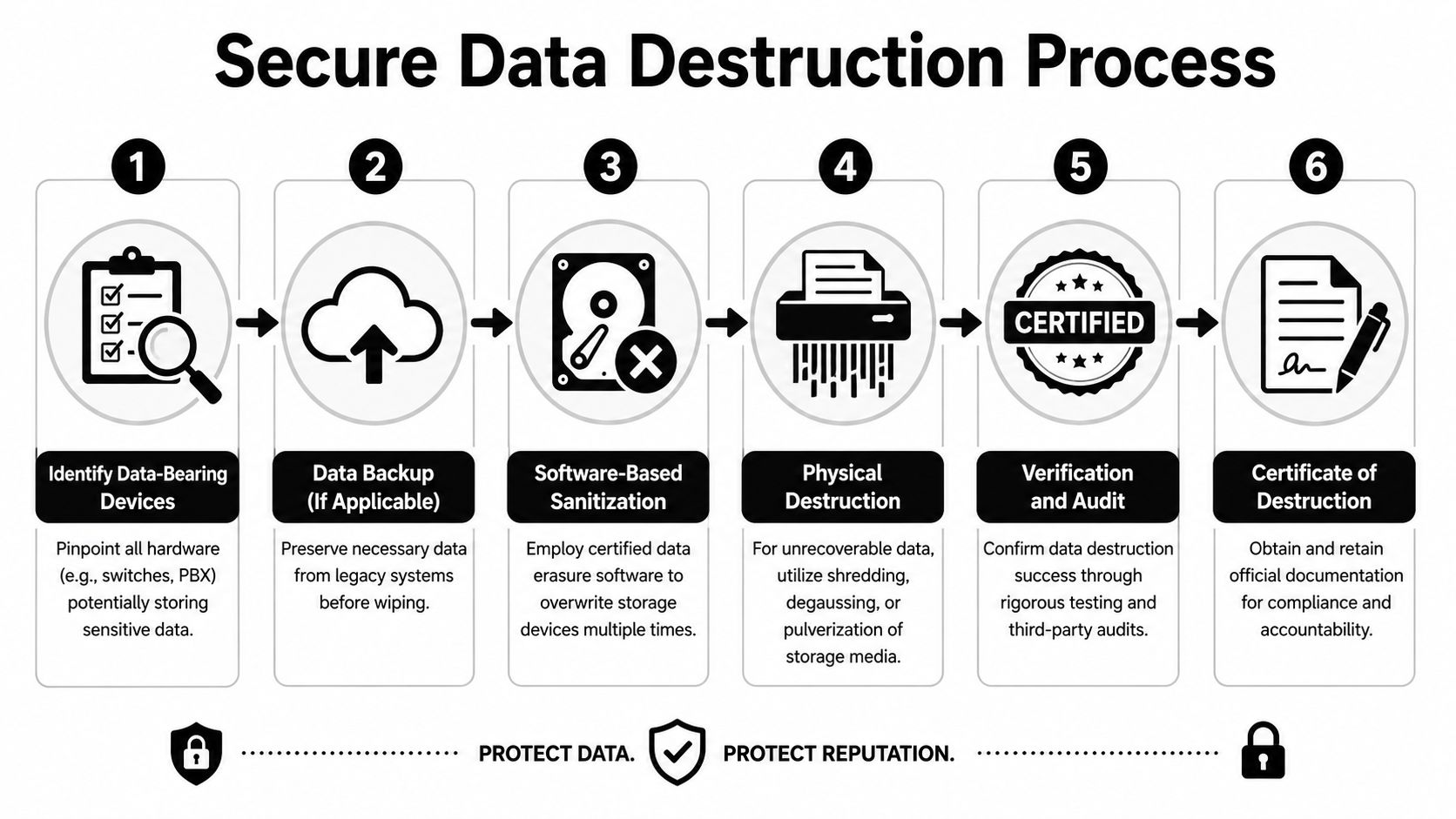
The practical rule is simple. If a device had a role in voice or network traffic, verify whether it stores data before it leaves your custody.
Use the right sanitization method for the device
Factory reset is operational cleanup. It is not the same as documented data sanitization.
For some assets, software wiping is appropriate if the storage media can be reliably addressed and the process is recorded by serial number. For others, especially failed drives, unsupported systems, or embedded storage that cannot be validated, physical destruction is the safer path. The trade-off is resale value. A wiped call processor may still have market value. A shredded drive does not. The right decision depends on what the device stores, what proof your compliance team requires, and whether the asset has enough residual value to justify the extra handling.
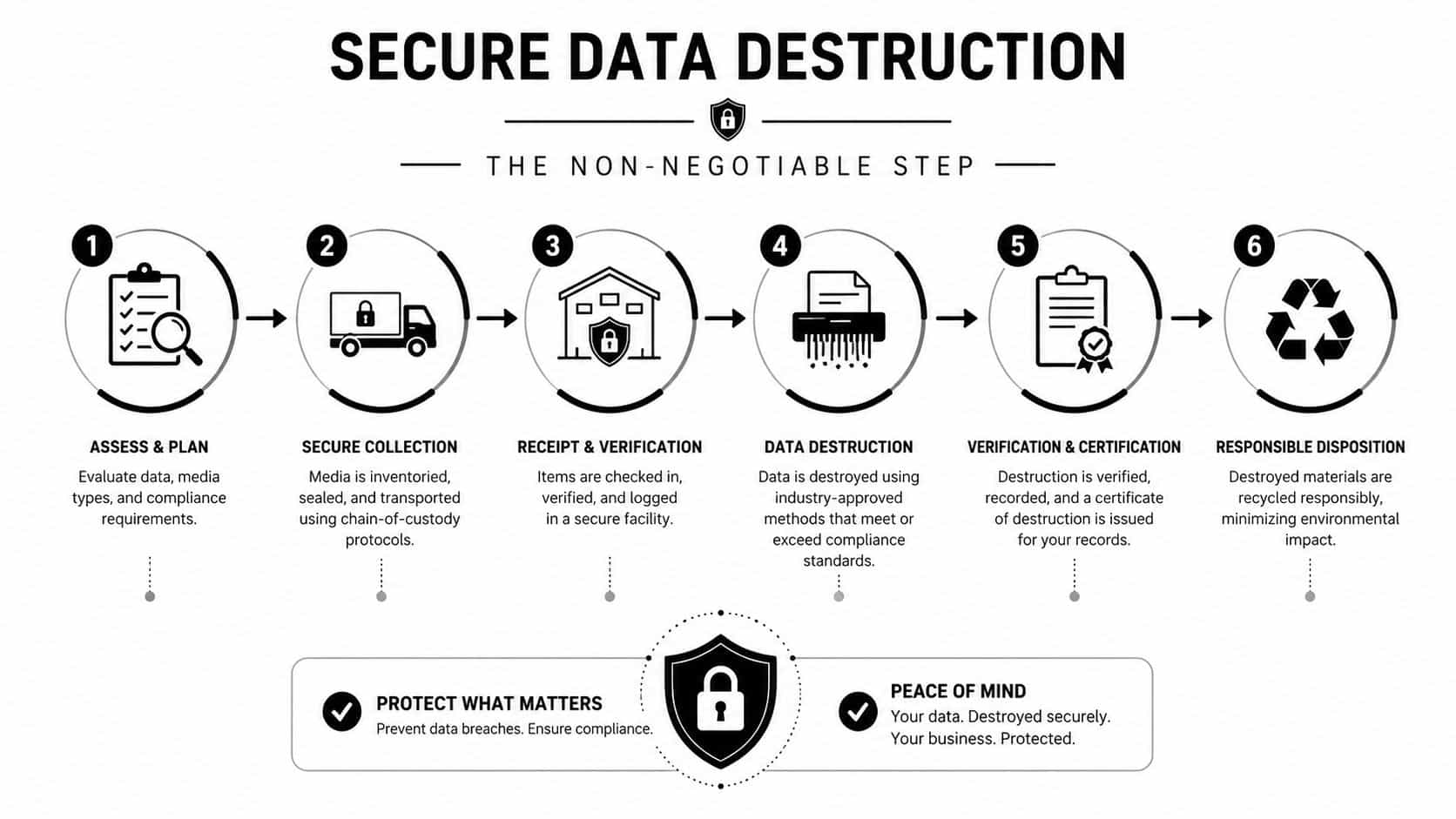
What holds up in an audit:
- chain of custody from removal through final processing
- serial-number or asset-tag tracking
- documented wipe or destruction method
- separation of sanitized and unsanitized equipment
- certificates stored with the disposition file
What creates exposure:
- factory reset with no record
- loose handoff to a buyer at pickup
- mixed pallets of cleared and uncleared gear
- assuming low resale value means low data risk
If you cannot show what happened to the data, the liability usually stays with your organization.
For mixed loads that include resale candidates and scrap, a provider offering certified e-waste telecom recycling can help keep the process documented instead of pieced together across multiple vendors.
Put the paperwork in scope before pickup
Certificates of destruction should be agreed before the first device leaves the site. Do not chase them after settlement. If a buyer is vague about chain of custody, subcontractors, or how certificates map back to your manifest, pause the transaction.
Use a short release checklist:
- Match every device to the inventory record so nothing disappears between de-install and processing.
- State the sanitization method in writing for each asset class.
- Confirm who controls custody at every handoff, including third-party freight or warehouse stops.
- Store certificates, bills of lading, and settlement records together in the project file.
This matters even more during site moves, mergers, and office closures, where telecom removal gets bundled into broader relocation work. If facilities is coordinating transport, make sure the mover understands the difference between standard freight and controlled disposition. General movers can support timing and access, and some teams use streamlined office relocation solutions during a larger move, but data-bearing hardware still needs a separate, documented destruction path.
Logistics and Preparation Packaging for Pickup
Once the inventory is solid and the data path is defined, the job turns physical. During this physical process, value is often damaged by rushed de-racking, poor labeling, or freight prep that treats telecom equipment like office cleanout material.
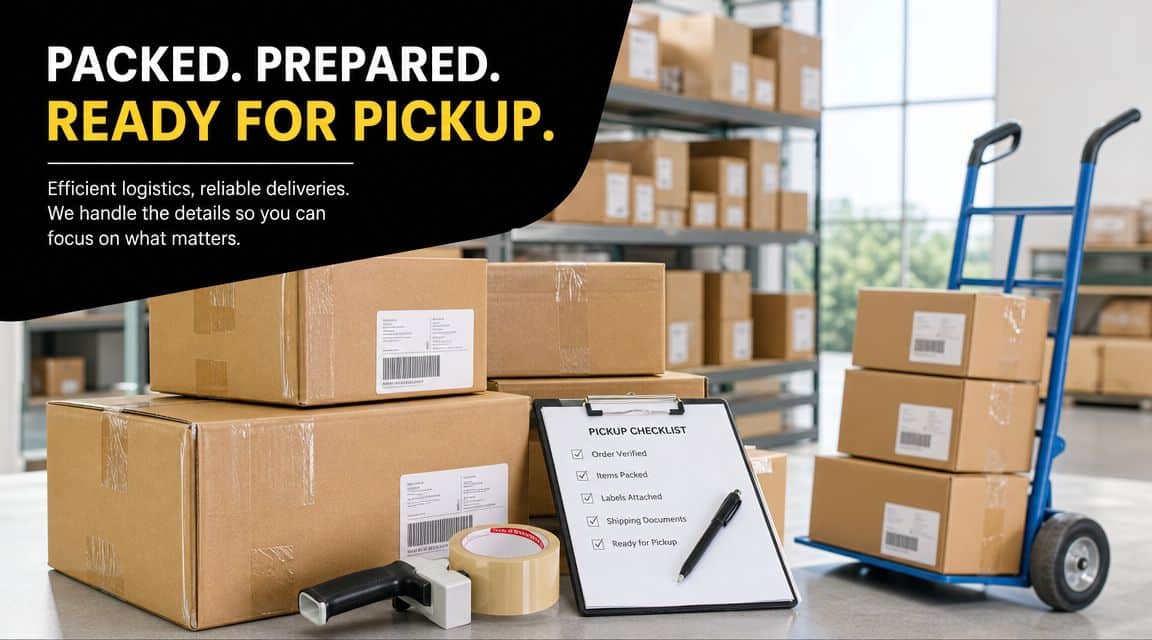
A clean pickup starts before the truck arrives. Separate equipment by destination. Resale items should stay complete and organized. Recycling items should be clearly marked so they don't get blended into resale pallets and trigger count disputes later.
De-install without creating new problems
The mistake I see most is pulling a system apart too aggressively. Cards get separated from shelves. Faceplates disappear. Power supplies end up in a random tote. That turns complete equipment into mismatched parts.
Use a disciplined sequence:
- Label before removal. Match the rack position or room ID to your manifest.
- Keep assemblies together. If a chassis has its rails, blank panels, and PSUs, keep them with it.
- Bag smaller components. Screws, handset cords, mounting brackets, and adapters disappear fast.
- Photograph each completed pallet or cart before stretch wrap goes on.
Package for verification, not just transport
Packaging should help the receiving team verify the lot quickly.
A few practical standards:
- Anti-static protection for cards and sensitive modules.
- Layered boxing for phones and handsets so screens and plastics don't crack.
- Palletize heavier switch and PBX hardware with stable weight distribution.
- Use exterior labels that tie pallet contents back to manifest groups.
Better packaging doesn't just prevent freight damage. It shortens the receiving dispute cycle.
Treat multi-site projects like moves, not pickups
Telecom retirement often overlaps with office closures, floor consolidations, or data room refreshes. In those cases, coordination matters as much as packing. If you're managing a broader move at the same time, examples of streamlined office relocation solutions are useful for thinking through sequencing, access windows, and handoff discipline.
For larger lots, large-scale telecom equipment liquidation is the service category to compare against. What matters is whether the provider can handle de-install, manifest matching, palletization, freight coordination, and exception handling without improvising on site.
Final pickup checklist
| Checkpoint | Why it matters |
|---|---|
| Manifest printed or shared live | Speeds count verification |
| Resale and recycle streams separated | Protects asset value |
| Data-bearing devices flagged | Prevents chain-of-custody mistakes |
| Pallets labeled by lot | Simplifies receiving |
| Sign-off contact assigned | Avoids pickup delays |
How to Vet Telecom Hardware Buyers and ITAD Partners
Two companies can look similar at quote stage and behave very differently once the equipment leaves your dock. One runs a documented ITAD process. The other is effectively a scrap collector with a truck and a payment app. If you're comparing telecom hardware buyers switches PBX VoIP options, this is the point where the gap becomes obvious.
A professional buyer understands telecom equipment as equipment, not bulk weight. That includes technical factors that influence value. CDW's implementation guidance points to features like VLAN support and PoE as meaningful technical distinctions in voice environments, and a buyer who understands those details is usually better positioned to assess value fairly.
Compare the operating models
| Buyer type | What you usually get | Where the risk sits |
|---|---|---|
| Professional ITAD partner | Asset tracking, sanitization options, certificates, resale and recycling paths | Lower if documentation is complete |
| Generic scrap dealer | Fast pickup, simple weight-based settlement | Higher for data, compliance, and downstream handling |
| Niche telecom reseller | Strong pricing on specific models, technical understanding | Coverage may be limited for non-value gear |
Questions worth asking
Don't ask only, "What's your offer?" Ask how they work.
- How do you assess telecom gear? A real buyer should ask about model detail, completeness, and technical features.
- What is your chain of custody? If they can't describe it clearly, don't hand over data-bearing assets.
- How do you process no-value equipment? You need to know the recycling path, not just the resale path.
- What documentation do you issue? Settlement paperwork alone is not enough.
- Do you separate tested resale from end-of-life recycling? Blended handling usually hides weak controls.
One useful benchmark is whether the buyer can discuss actual telecom product lines without bluffing. If you mention Cisco Catalyst switches, Avaya shelves, ShoreTel appliances, or Polycom phones, they should know what typically affects marketability.
For Cisco-heavy environments, used Cisco telecom equipment buyers is the kind of specialist page that reflects what a technically aware buyer should already understand during the first call.
The buyer's questions tell you as much as their quote. If they never ask about part numbers, completeness, or data handling, they are not evaluating your lot carefully.
Watch for the wrong signals
Low-friction isn't always good. Be cautious when a buyer:
- offers a number before seeing a manifest
- shows no interest in sanitization records
- talks only about scrap weight
- avoids written terms on payment, pickup, or certificates
Those shortcuts usually shift work and risk back onto your team.
Finalizing the Sale Negotiating and Maximizing Your Financial Return
The sale usually gets decided before the first quote hits your inbox. If your VoIP rollout is complete and the old PBX, switches, gateways, and handsets are sitting in a storage room, the money you recover now depends on how tightly you defined the lot before it left your site.
Buyers tend to price telecom gear in two ways. A lot price gives one number for everything. A per-item offer assigns value by model, quantity, and sometimes condition tier. A lot price can work well when the shipment includes mixed-value gear and you want speed. Per-item pricing usually gives you better control when you have accurate counts, known part numbers, and enough detail to challenge low assumptions.
Read the offer like a settlement document, not a sales email.
A usable offer should spell out:
- which assets are being purchased for resale
- which assets are being accepted only for recycling
- whether the final payout changes after testing or recounting
- who covers freight, palletization, and accessorial charges
- what closeout documents you will receive, and when
A lot of teams lose margin. The top-line number looks acceptable, but the fine print shifts cost back to the seller. A buyer may pay fair market value on the obvious resale items, then reduce the final settlement with vague deductions, missing-accessory claims, or processing charges for low-value equipment that was never clearly excluded.
Push on every adjustment. If a switch was listed with the correct power supplies, optics, or uplink modules, ask the buyer to identify exactly what was missing or failed. If a batch of desk phones was represented as complete, require exceptions by model and quantity. "Damaged lot" is not a useful reconciliation category.
The broader business case for replacing legacy PBX with VoIP is already well established, as noted earlier. Lower operating costs are one side of the decision. The other side is what happens to the retired hardware. If you treat disposition as an afterthought, part of the savings from the upgrade gets absorbed by avoidable losses, weak settlement terms, or poor downstream handling of equipment that may still carry compliance exposure.
A clean close matters. Get payment timing, title transfer, reconciliation rules, freight responsibility, and any certificate delivery requirements in writing before pickup. Once the truck leaves, your bargaining position weakens rapidly.
Partner with Beyond Surplus for Secure Telecom Asset Disposition
Retired telecom equipment creates two jobs at once. One is value recovery. The other is risk control. Treating the lot as just another cleanup project usually weakens both outcomes.
A disciplined process works better. Inventory the equipment at part-number level. Isolate what may still hold data. Package it so the receiving team can verify it without confusion. Then hand it to a buyer or ITAD partner that can document chain of custody, separate resale from recycling, and close out the project with proper records.
Beyond Surplus is one example of a provider that handles telecom equipment buyback, certified data destruction, recycling documentation, and nationwide logistics for business clients. That kind of full-lifecycle model is what matters when the VoIP upgrade is done but the hardware retirement work is still sitting in your storage room.
If you're ready to turn retired PBX systems, switches, gateways, and VoIP hardware into a controlled disposition project, contact Beyond Surplus for certified electronics recycling and secure IT asset disposal.


