

Remote offboarding breaks down when companies treat laptop recovery as an afterthought. Only 70 to 85% of company laptops are recovered from remote employees when organizations lack structured return processes. In high-turnover industries, return rates can drop to 50%, and Gartner reports that just 30% of devices come back on schedule according to this remote laptop return analysis. That's not a minor operations gap. It's a control failure that affects security, audit readiness, and hardware spend.
If you need to recover laptops from remote employees, the smartest approach isn't a one-off email from IT. It's a repeatable system with policy, timing, logistics, and compliant disposition built in from the start. The companies that do this well don't just get more devices back. They reduce exposure, shorten offboarding chaos, and create a cleaner chain of custody from assignment through final disposition.
The High Cost of Unrecovered Remote Assets
Unreturned laptops create three problems at once. Finance loses a recoverable asset. Security loses control of a managed endpoint. Compliance teams lose documentation they may need later.
Manual recovery methods are usually the reason. An HR ticket gets filed, IT sends an email, the manager assumes the employee will cooperate, and nobody owns the next step. Days pass. Shipping never gets arranged. The device stays in someone's home office with old credentials, cached files, local downloads, and unknown physical handling.
Why ad hoc recovery fails
A remote asset return process needs the same discipline as deployment. Assigned owner, documented workflow, tracked handoff, and a clear escalation path. If any one of those is missing, recovery slows down.
For teams tightening inventory controls, it helps to look at adjacent fleet disciplines like Fleetalyse's approach to asset tracking, which reinforces the same principle. Assets are easier to recover when ownership, location, and status are continuously documented instead of reconstructed at the end.
Practical rule: If your team starts figuring out the return process after termination is approved, you're already late.
A structured recovery system also changes the conversation internally. This stops being “an IT problem” and becomes a business function tied to risk management and loss prevention. A useful example is Beyond Surplus's overview of the hidden costs of unreturned company laptops, which aligns the issue with security exposure and asset control rather than simple device replacement.
Build a Bulletproof Remote Asset Return Policy
Prevention starts in HR documents, not in the shipping room. Companies that implement clear return policies, including written agreements embedded in employment contracts and prepaid insured shipping, see markedly improved compliance. This is critical as 28% of U.S. workers are fully remote and 72% are hybrid based on this 2025 remote employee laptop return guide.
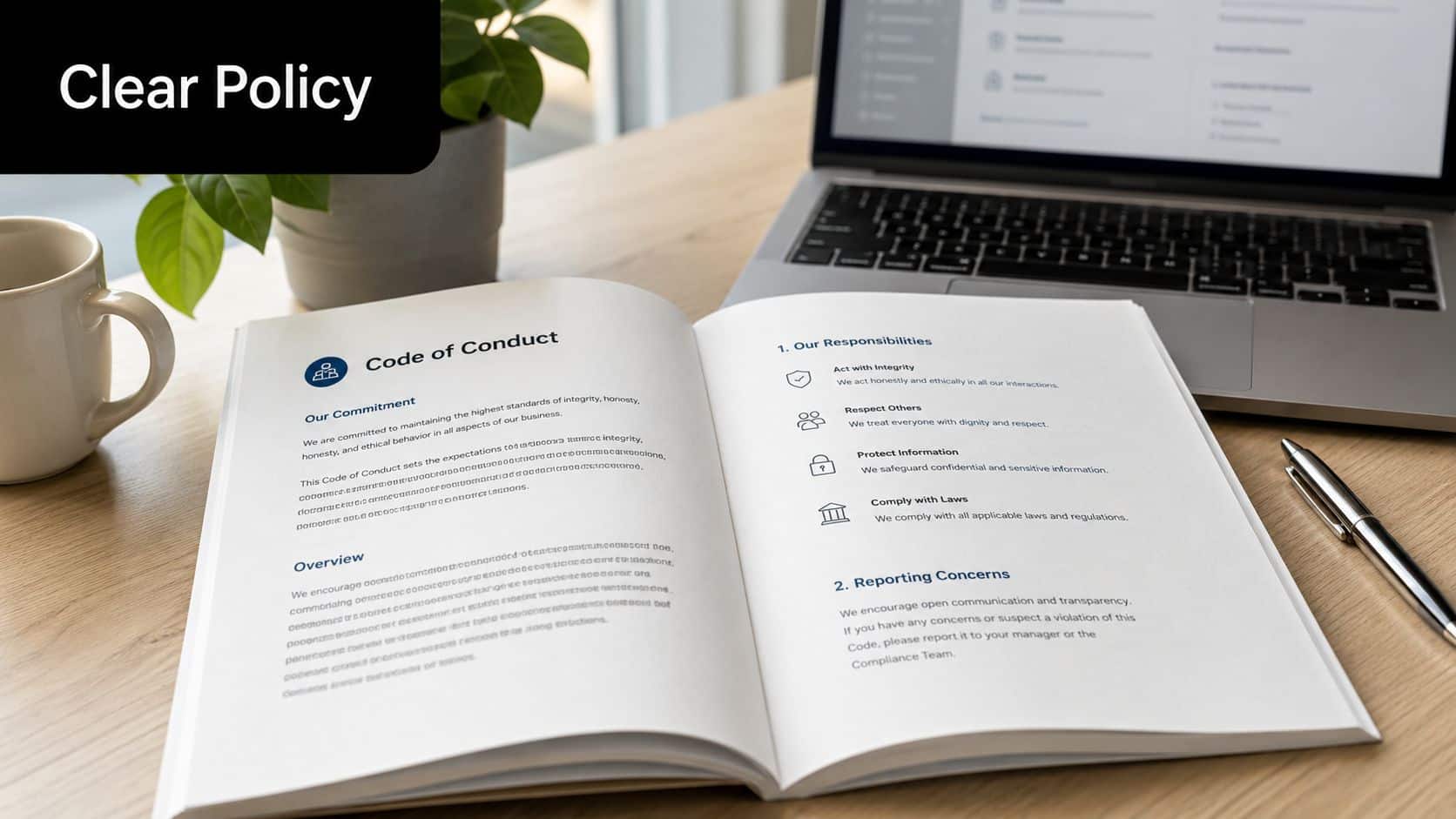
A policy works when it removes ambiguity. Employees shouldn't have to guess what belongs to the company, when it must be returned, or how the process works.
Clauses that actually matter
Include these elements in the written agreement:
- Company ownership language. State that laptops, chargers, docks, security keys, and issued peripherals remain company property.
- Trigger events. Cover resignation, termination, role change, extended leave, and hardware refresh.
- Return deadline. Set a defined timeline after separation or notice.
- Approved return methods. Spell out whether the employee will receive a prepaid insured label, a recovery kit, or a scheduled pickup.
- Condition expectations. Require reasonable care and return of all issued accessories.
- Non-return consequences. Reference legal remedies and any payroll deduction provisions only where local law and prior agreement allow them.
Where the policy should live
A good policy belongs in more than one place:
- Offer and employment documents so acknowledgment exists from day one
- Onboarding checklists so issuance and return are linked operationally
- HRIS and offboarding workflows so the process starts automatically
- Manager training materials so supervisors know their role during separation
A policy buried in the handbook but disconnected from onboarding and offboarding won't hold up under pressure.
For teams building or revising this process, Beyond Surplus has a practical reference on how to build an effective employee equipment return policy.
Execute the Critical First 48 Hours of Offboarding
Speed matters more than generally realized. The asset retrieval process must initiate within 24 to 48 hours of a termination notification. Delaying beyond this window significantly increases the risk of data breaches and asset loss, making immediate access revocation and MDM lockdown critical first steps as outlined in this remote laptop recovery process guide.
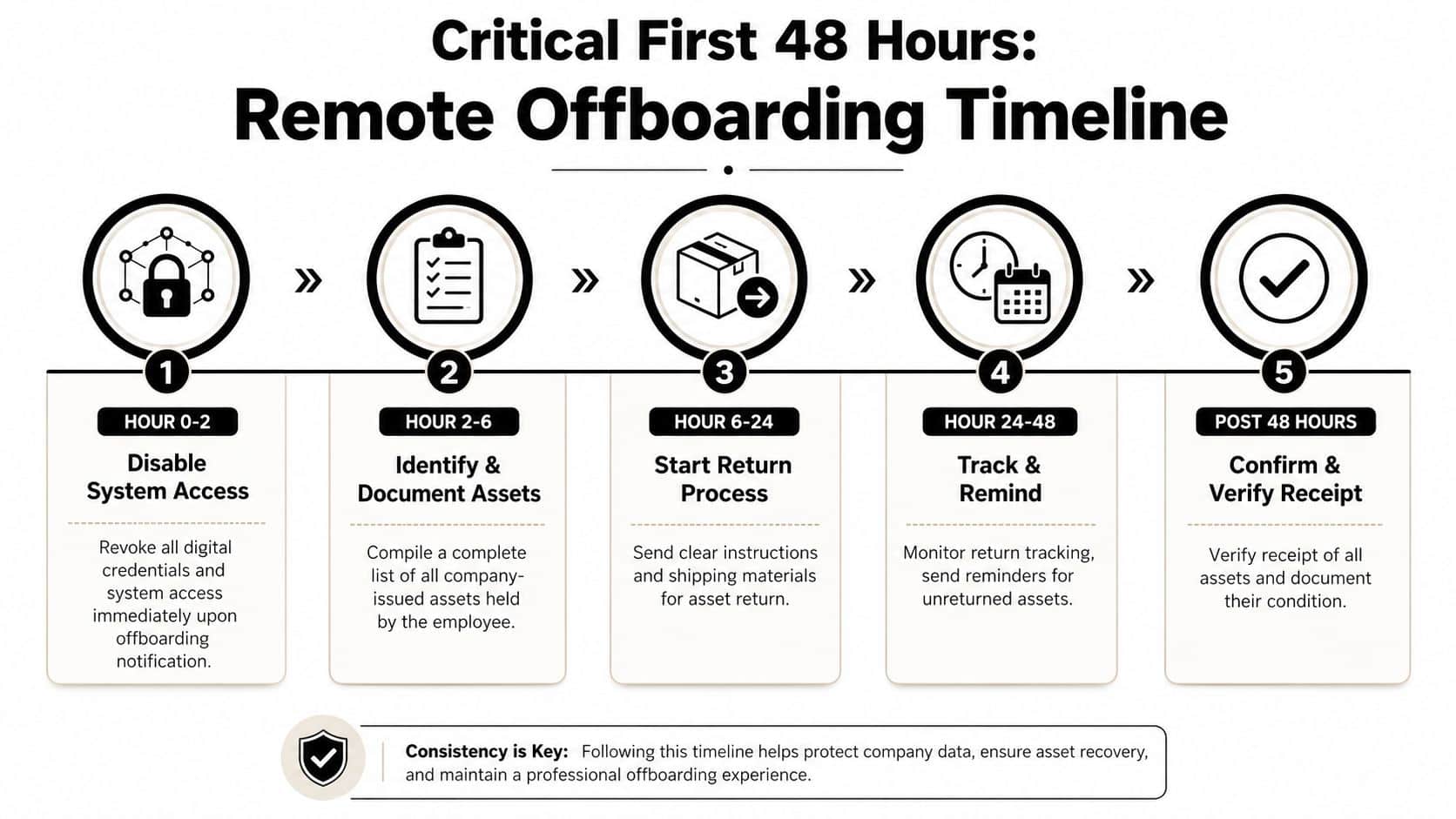
Hour zero to six
The first moves are security actions, not shipping actions.
- Disable access immediately. Revoke email, VPN, SSO, and cloud storage access.
- Apply MDM controls. Lock down the device while preserving command capability.
- Confirm assigned assets. Pull the laptop record, serial number, accessories, and last known user assignment.
That sequence matters. If you start by asking for the laptop back before securing access, you leave room for account misuse and data movement.
Hour six to forty eight
After access is under control, start the retrieval workflow.
- Send the first notice to personal contact channels with plain return instructions.
- Explain the process clearly including packaging, label use, and deadline.
- Create the shipping or pickup order immediately so there's no waiting period.
- Document every contact attempt inside the ticket or asset record.
The strongest offboarding programs don't rely on memory. They rely on triggers, templates, and timestamps.
If HR and IT need a common operating checklist, use a shared workflow such as this remote employee equipment return checklist for HR and IT managers. It helps keep timing, accountability, and documentation aligned when departures happen quickly.
Streamline Logistics for Secure and Timely Returns
Physical retrieval is where many otherwise solid processes stall. The right method depends on device value, employee responsiveness, and how much chain-of-custody control your organization needs.
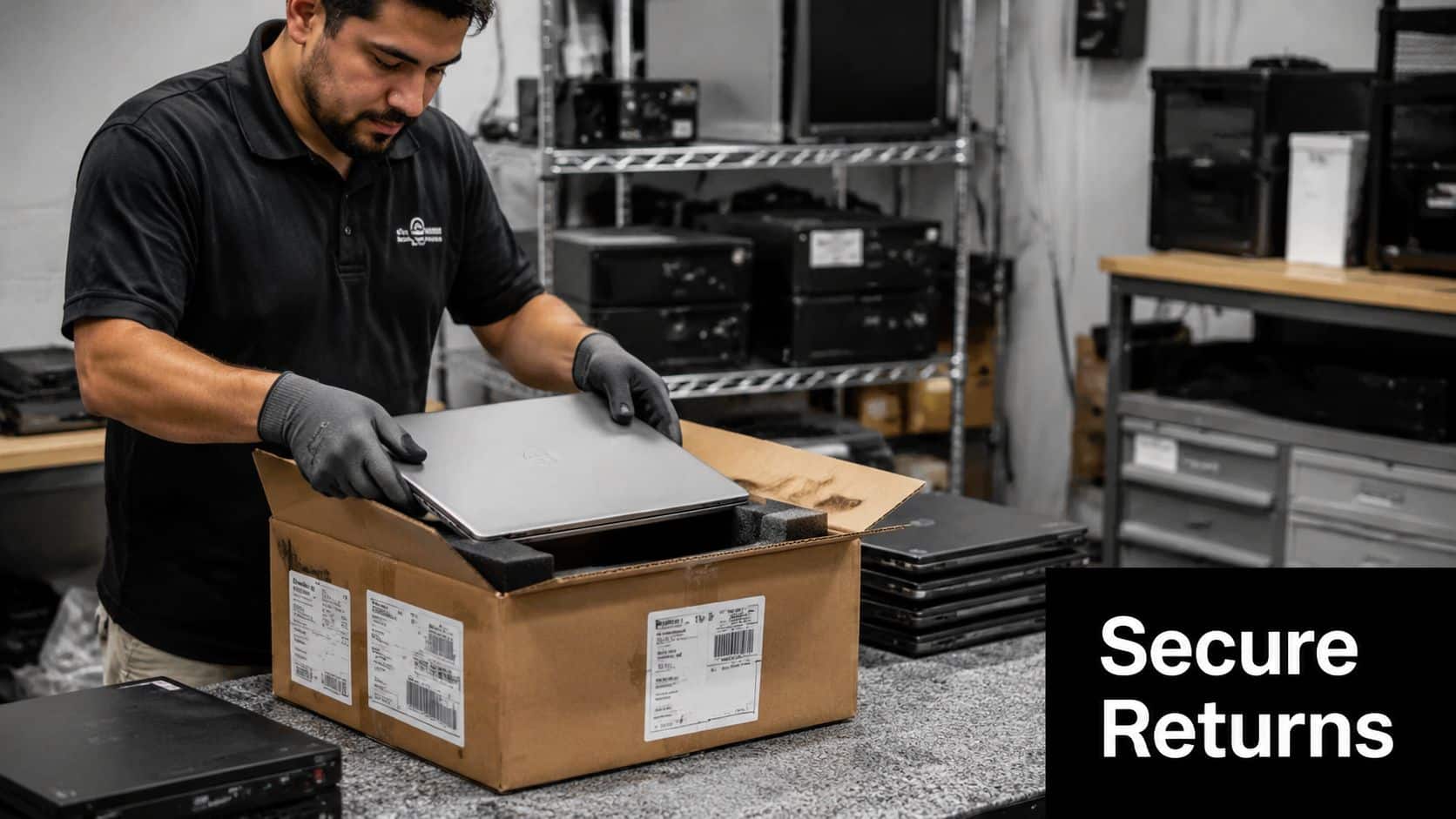
Option one with prepaid return kits
Self-service return kits are usually the most practical option for standard remote offboarding. They work well when the employee is cooperative and the device profile is routine.
A secure kit should include:
- Protective packaging that reduces transit damage
- Prepaid insured shipping label so the employee doesn't improvise
- Clear printed instructions for what to include in the box
- Tracking tied to the asset record so IT can monitor movement
- Return checklist for charger, dock, or other assigned items
This method is efficient, but it has trade-offs. Employees can pack devices poorly, omit accessories, or miss the shipment deadline. Your team also depends on carrier tracking rather than direct custody.
Option two with coordinated pickup
Pickup is often the better choice when the laptop is high value, the employee is unresponsive, or multiple assets need to be collected at once. It also fits executive offboarding, regulated environments, and situations where the company needs tighter documentation.
Here's a simple comparison:
| Method | Best fit | Main advantage | Main drawback |
|---|---|---|---|
| Prepaid shipping kit | Cooperative employee, standard laptop | Lower operational friction | Less control over handoff |
| Coordinated pickup | Sensitive assets, complex exits, multiple devices | Stronger chain of custody | More scheduling effort |
One option some organizations use is a professional recovery partner. Beyond Surplus offers automated logistics for remote employee laptop returns, including shipment coordination and documented intake, which can help when internal teams don't want logistics work spread across HR, IT, and facilities.
If the employee has already missed the first deadline, don't keep using the lowest-control method. Increase control with the next contact.
Ensure Secure Data Destruction and Asset Disposition
Getting a laptop back isn't the finish line. The larger risk starts if the returned device sits in a pile, gets casually reset, or leaves your control without documented processing.
The average cost of a data breach in the U.S. was $4.45 million in 2023, with improper IT asset disposal being a top vector for breaches. This highlights the necessity for professional hard drive shredding to ensure compliance and transfer liability according to this IT asset disposal and breach risk reference.
Factory reset is not a disposition strategy
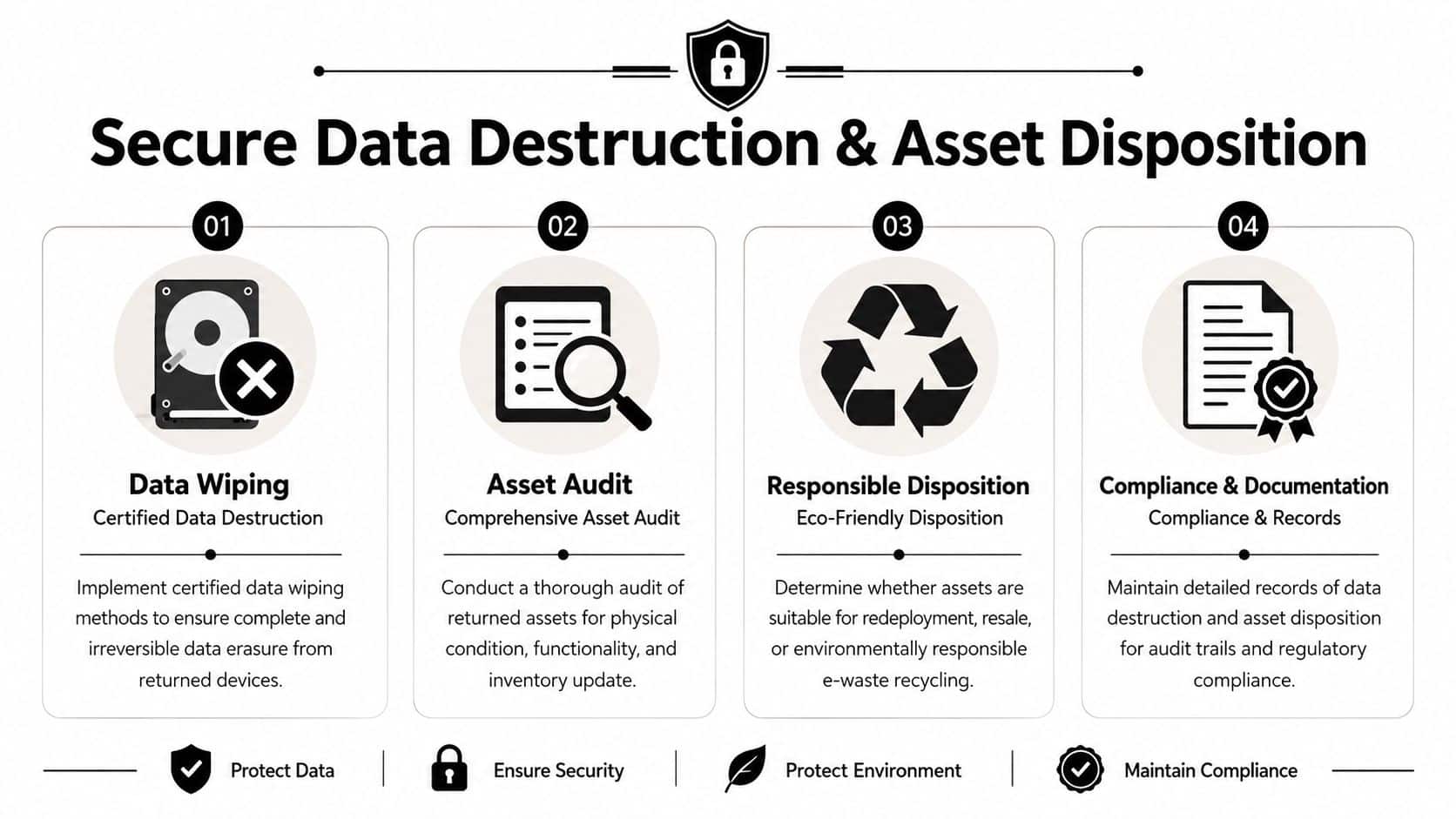
A basic reformat or factory reset might prepare a device for a quick internal redeployment workflow, but it doesn't create the documentation most organizations need for audit, compliance, or liability transfer. Returned devices should move through a controlled post-recovery process:
- Intake verification against the asset record
- Condition assessment for reuse, repair, resale, or retirement
- Certified data destruction based on intended next use
- Disposition documentation stored with the asset history
Wiping versus shredding
Use certified wiping when the laptop will be reused and the media is suitable for sanitization under your internal standard. Use physical destruction when the drive is damaged, the asset is at end of life, or the risk profile requires it.
The compliance side matters just as much as the security side. The FTC Disposal Rule requires businesses to take reasonable measures to protect consumer information during disposal of records containing personally identifiable information. That's why certified wiping records and destruction certificates matter. They show what was processed, how it was processed, and when custody changed.
Returned hardware without documented data destruction is still an unresolved security event.
For teams handling offboarded laptops at scale, Beyond Surplus explains the custody and documentation issues well in protecting sensitive data during remote laptop returns.
Manage Non-Compliance and Maximize Value Recovery
Some employees won't respond on time. A mature recovery program assumes that and plans for it.
The answer isn't repeated informal nudges from different people. It's a defined escalation ladder. Start with automated reminders. Move to manager follow-up. Then issue a formal HR notice. If there's still no response, decide whether the next step is remote lock, remote wipe, legal review, or third-party recovery support based on your policy and jurisdiction.
A practical escalation model
Use a sequence your teams can repeat:
- First outreach by email and SMS with return instructions
- Manager contact to reinforce that return is mandatory
- HR notice with documented deadline and policy reference
- Final disposition decision covering lock, wipe, legal recovery, or write-off with documented rationale
This structure does more than improve return rates. It also gives finance and procurement cleaner records for loss management and reserve decisions.
Don't stop at recovery
Recovered laptops still have financial value if they're processed correctly. Functional systems may be redeployed or sold through an ITAD buyback workflow. Non-working equipment still needs compliant downstream handling.
That matters environmentally as well as operationally. The EPA estimates that approximately 75% of electronics sold in the U.S. between 1990 and 2007 were never recycled. Professional IT equipment disposal ensures that end-of-life assets are managed responsibly rather than ending up in landfills according to this electronics recycling reference.
A disciplined recovery program turns laptop retrieval into a closed-loop business process. Assets come back faster. Data risk is reduced. Reusable equipment is captured. End-of-life hardware gets documented recycling instead of informal disposal. That's why many IT leaders treat recovery and disposition as one workflow, not two. A good example of that mindset appears in the business benefits of professional laptop recovery services.
If your team needs a repeatable way to recover laptops, secure data, and document final disposition, contact Beyond Surplus for certified electronics recycling and secure IT asset disposal.


