

An office move is often when retired laptops stop being invisible. Boxes come out of storage, asset tags no longer match current records, and someone asks whether the devices were wiped, whether the drives are encrypted, and who will sign for them at pickup. If nobody can answer, the company has an IT asset disposal problem, not merely a recycling task.
Secure laptop retirement requires more than deleting files or choosing a recycler. You need to identify each asset, assess its data, select a method suited to its storage technology, and preserve evidence through final disposition. This guide explains how to dispose of old laptops securely for business use, with practical attention to SSDs, NVMe drives, BitLocker, FileVault, certified data destruction, electronics recycling, and chain-of-custody control.
Table of Contents
- The Hidden Risk of Storing Old Laptops
- Assessing Your Laptop Inventory and Data Sensitivity
- Choosing Between Wiping and Physical Destruction
- SSDs, Encryption, and Why Factory Resets Are Not Enough
- Scheduling Pickup and Securing Chain-of-Custody Documentation
- Meeting Compliance Requirements and Recovering Asset Value
The Hidden Risk of Storing Old Laptops
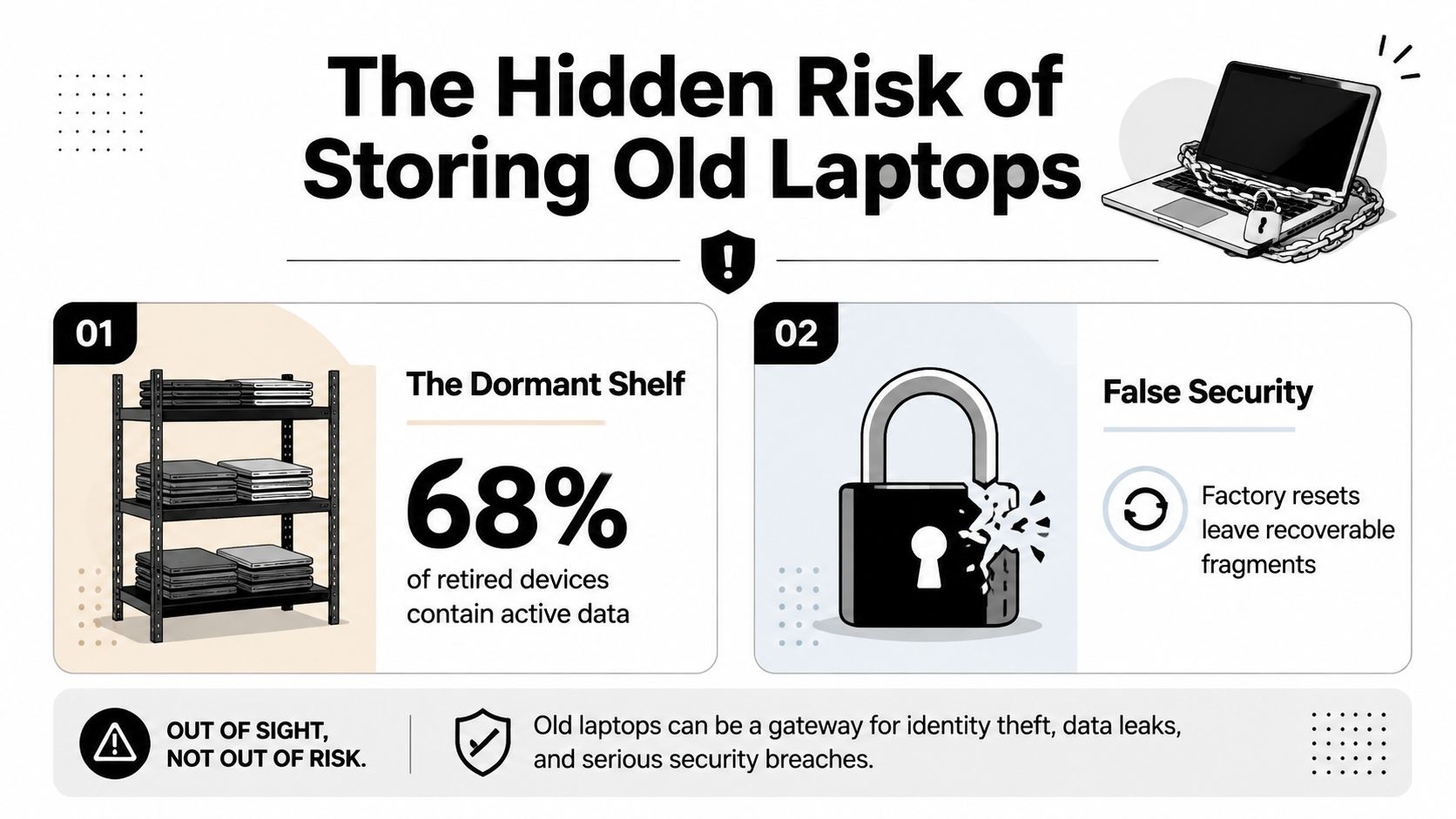
A retired laptop on a warehouse shelf looks inactive. Its battery may be depleted, its operating system may be outdated, and its lid may be closed. The storage device can still contain email caches, downloaded reports, credentials, customer records, or regulated information from the last person who used it.
That risk grows during an office consolidation or technology refresh. Staff move equipment between rooms, temporary contractors handle boxes, and an asset can leave organizational control before anyone confirms its data status. A missing serial number or undocumented handoff makes it difficult to prove what happened later.
Why storage creates business exposure
The environmental obligation is just as real. The Global E-waste Monitor 2024 reported that the world generated a record 62 million tonnes of e-waste in 2022, equal to 7.8 kilograms per person. Only 22.3% was formally collected and recycled in an environmentally sound manner. The same report projects 82 million tonnes by 2030, which reinforces the need to move obsolete laptops into documented recycling streams rather than informal disposal or indefinite storage.
For an IT manager, the consequences fall into several connected areas:
- Data exposure: A laptop can retain recoverable information after ordinary file deletion.
- Compliance weakness: An organization may be unable to demonstrate reasonable disposal controls.
- Asset confusion: Untracked devices can bypass approved reuse, resale, or destruction decisions.
- Environmental liability: Improper electronics handling can send equipment into channels that don't document responsible processing.
Practical rule: A laptop isn't retired when someone stops using it. It's retired when the organization has recorded its condition, secured its data, and documented its final disposition.
Secure disposal should therefore begin before the recycler arrives. Treat the storage shelf as a controlled inventory location, restrict access, and assign ownership for every device. The longer a laptop remains unclassified, the more likely it is to be moved, forgotten, or released without proof of sanitization.
Assessing Your Laptop Inventory and Data Sensitivity
The first operational step is an inventory that someone else can audit. Don't start by choosing a wipe tool. Start by establishing what the organization owns and what each device may contain.
Record the asset tag, manufacturer, model, serial number, storage type, physical condition, assigned department, and current location. If the laptop came from a specific employee, application team, or facility, capture that context too. A serial-numbered record connects the physical device to the sanitization result and later certificate.
Build a usable retirement record
A practical inventory should answer five questions for every laptop:
- What is it? Record the manufacturer, model, serial number, asset tag, and drive type.
- Where did it operate? Identify the user, department, facility, or system owner.
- What condition is it in? Note whether it works, is damaged, is missing components, or has a failed drive.
- What will happen next? Mark the preliminary route as internal reuse, resale, donation through an approved business program, parts recovery, or destruction.
- Who approved the route? Record the responsible manager or data owner.
A condition review can separate functional equipment from damaged or uneconomical assets. For a structured starting point, use Beyond Surplus's equipment condition assessment service when your team needs help sorting a mixed fleet before disposition.
Classify the information, not just the hardware
A laptop used by a general administrative team may require a different treatment from one used in finance, healthcare, legal, engineering, or executive operations. Review the device's role, local storage, connected systems, and likely data categories. Ask whether it handled customer information, financial records, protected health information, credentials, intellectual property, or other restricted material.
Encryption status matters, but it shouldn't replace classification. Confirm whether Windows devices used BitLocker, whether Apple devices used FileVault, and whether recovery keys or management records remain available. Also check removable media, attached docking equipment, and any separate internal drives.
Separate disposition groups
Create controlled groups only after the review:
- Internal reassignment: The device remains under organizational control and is suitable for another approved user.
- External transfer: The laptop will be sold, donated, leased back, or sent to another organization.
- End-of-life processing: The device is broken, obsolete, uneconomical to repair, or unsuitable for reuse.
- Exception review: The drive is inaccessible, encryption status is unknown, or the data owner requires a higher-control method.
This classification gives the disposal provider an actionable work order. It also prevents a common failure, treating every laptop as interchangeable when the media, sensitivity, and destination call for different controls.
Choosing Between Wiping and Physical Destruction
NIST SP 800-88 provides the decision language most enterprise teams use for media sanitization. The guideline distinguishes Clear, Purge, and Destroy, and defines sanitization as making target data infeasible to recover for a given level of effort. The correct outcome depends on both the information sensitivity and the storage technology, not solely on whether the laptop powers on.
NIST sanitization methods compared
| Method | Best For | Data Recovery Risk | Certificate Provided |
|---|---|---|---|
| Clear | Reassignment within the organization when the device remains under organizational control | Reduced through an approved logical process, but the method must suit the media and sensitivity | Request a serial-numbered record showing the method, tool, result, and operator |
| Purge | Resale, transfer, or reuse outside the organization while preserving the device | Designed to make recovery infeasible using an appropriate media-specific technique | Request a certificate of sanitization tied to each asset |
| Destroy | Media that can't be reliably sanitized, contains highly sensitive data, or has reached end of life | Physical destruction prevents practical recovery from the destroyed storage media | Request a certificate of destruction and a recycling record |
The NIST SP 800-88 Rev. 1 guidance is commonly used as the federal media-sanitization reference for this framework. Its central operational point is that the method must match the media type and sensitivity.
Match the method to the destination
Choose Clear when the laptop will remain inside the organization and the residual risk is acceptable under your policy. That doesn't mean clicking “delete everything” and moving on. Your process should use approved tooling, record the result, and validate that the intended data is no longer accessible.
Choose Purge when the laptop will leave your control but remain functional. This is the usual decision for resale or transfer, provided the storage technology supports a validated purge method. The provider should identify the method used and connect the result to the device serial number.
Choose Destroy when the drive can't be reliably sanitized, the sensitivity demands the strongest control, or the laptop is headed for material recovery rather than reuse. Destruction may reduce resale value, but preserving a small amount of residual value isn't worth creating an unacceptable data exposure.
A simple format or file deletion isn't a NIST outcome by itself. The explanation of NIST 800-88 data destruction standards can help teams align their internal policy language with the actual Clear, Purge, and Destroy choices.
Decision test: If you can't explain why the selected method is appropriate for the media, sensitivity, and final destination, the disposition decision isn't complete.
The best enterprise programs don't force every laptop into one route. They use a documented decision matrix, approve exceptions, and retain evidence for each asset.
SSDs, Encryption, and Why Factory Resets Are Not Enough
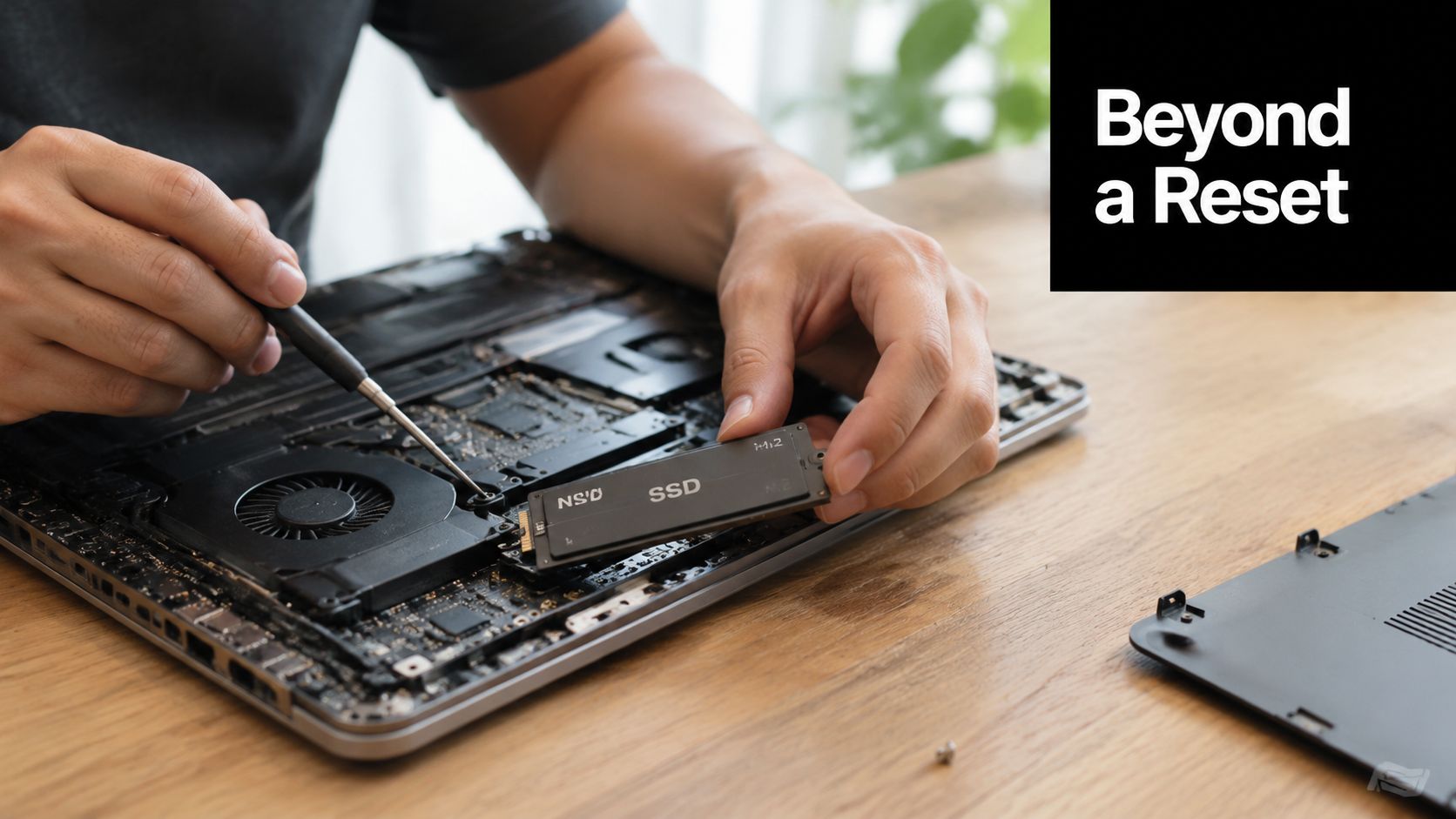
Generic wipe instructions do not work reliably on modern laptops because SSDs and NVMe drives use flash translation layers, wear-leveling behavior, and remapped blocks. File deletion, a quick format, or a generic overwrite may leave data in locations the operating system cannot directly address.
NIST guidance and SSD erase research support device-specific sanitize or secure-erase functions, followed by validation and documentation. One overwrite pass can be effective on newer magnetic drives, while SSD behavior requires a different control. Residual data may remain in remapped flash blocks unless the drive's built-in sanitize capability is used or the storage media is physically destroyed.
Encryption helps, but it does not erase the asset
BitLocker and FileVault can reduce exposure when encryption was enabled correctly and keys are managed. For an encrypted SSD, cryptographic erase can provide an appropriate purge strategy because removing the encryption key makes the encrypted data infeasible to recover, provided the implementation and key handling are validated.
The IT team must confirm that the device was encrypted, determine whether recovery keys or other copies remain accessible, and record the cryptographic erase result. If encryption status is unknown, the drive is damaged, or the data is exceptionally sensitive, physical destruction may be easier to defend during an audit.
A factory reset alone may not produce the evidence an enterprise audit requires. Reset behavior varies by operating system, drive architecture, manufacturer, and configuration, so the reset result should not substitute for a documented sanitization method.
Use a method-matched workflow
For each SSD or NVMe laptop:
- Identify the drive: Record the model, serial number where available, interface, and storage technology.
- Confirm encryption: Verify BitLocker, FileVault, or another approved full-disk encryption state through management records.
- Select the command: Use the drive's supported sanitize, secure-erase, or cryptographic-erase function rather than assuming generic overwriting is sufficient.
- Validate the result: Confirm that sanitization completed successfully and that the tool's result corresponds to the intended asset.
- Document the outcome: Retain the method, date, operator or service provider, serial number, validation result, and final disposition.
The disposal phase remains an attack surface. A 2025 CNBC report on device data erasure cited findings about cyber incursions during old-device disposal and reported that many IT leaders lack confidence in their organizations' ability to wipe data to recognized standards. The practical response is clear: use a tested method and preserve proof.
Teams assessing resale economics can consult guidance on the best price for old laptop, but price should follow sanitization rather than determine it. For the full breakdown of NIST 800-88 data destruction standards, see the earlier discussion above and apply the approved workflow consistently.
Scheduling Pickup and Securing Chain-of-Custody Documentation
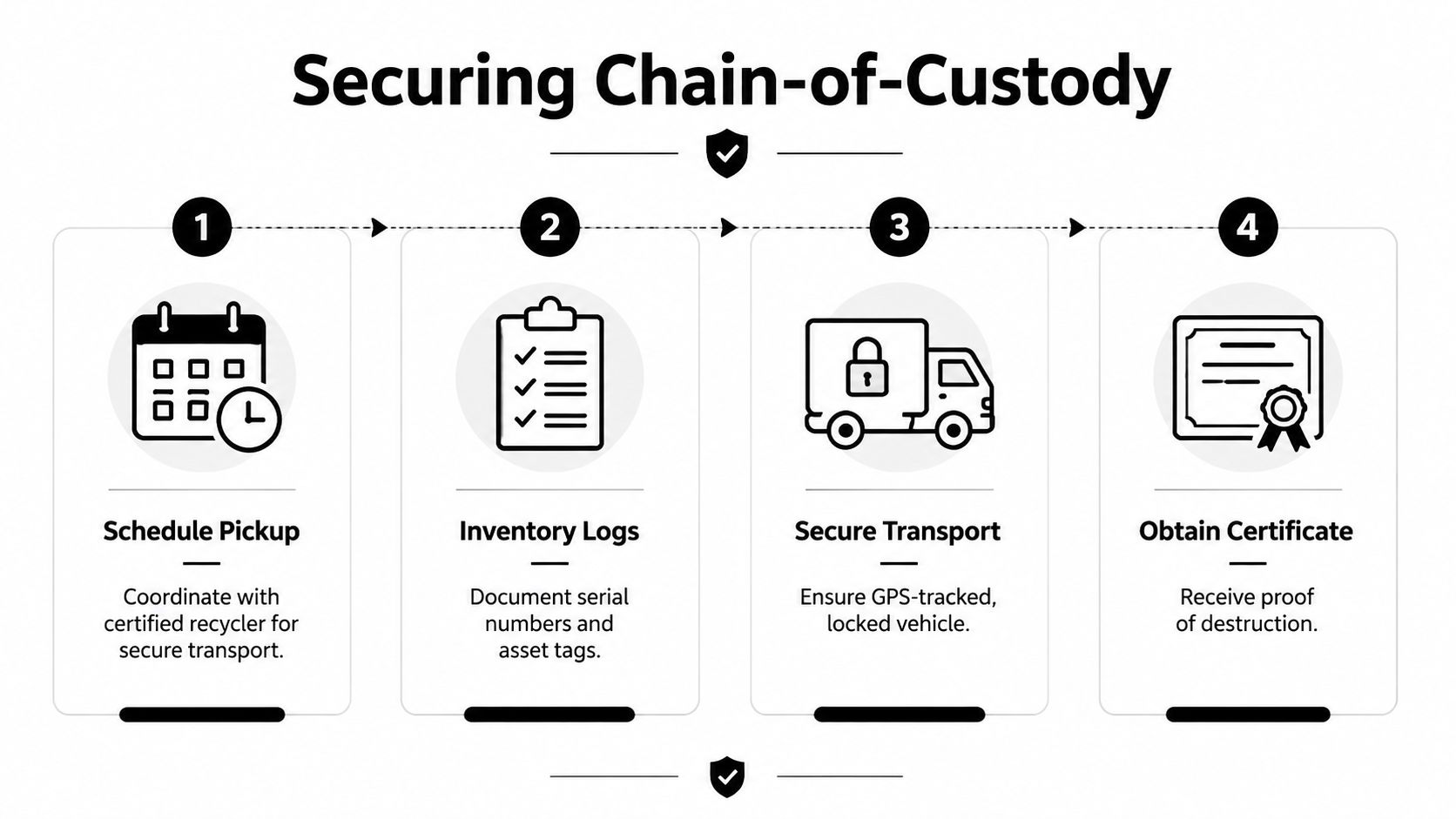
Once the disposition route is approved, control the physical handoff as carefully as the wipe. A secure pickup begins with a prepared manifest, a named contact, an agreed loading area, and clear instructions about which assets are included.
Send the provider an inventory before collection. Include serial numbers, asset tags, quantities, device condition, storage type, and any exception requiring destruction rather than reuse. Keep a copy internally, and reconcile the provider's pickup record against it before equipment leaves the facility.
Control the handoff
Ask the provider specific operational questions rather than accepting a general “secure recycling” statement:
- Pickup method: Will processing occur on site or at a controlled facility?
- Transport control: Who carries the equipment, and how is the load secured during transit?
- Inventory reconciliation: Will the driver or project team verify asset tags and serial numbers at pickup?
- Downstream handling: Are subcontractors, refurbishers, exporters, or material processors involved?
- Proof of outcome: Will you receive certificates for recycling, sanitization, destruction, or both?
- Exceptions: How are unreadable labels, missing drives, failed wipes, and mismatched quantities escalated?
Chain of custody should show each meaningful transfer, from the organization's storage room through transport, processing, and final disposition. A locked vehicle helps, but a locked vehicle without a manifest and receiving confirmation doesn't prove which assets were handled.
Require evidence that survives an audit
A certificate of data destruction should identify the relevant assets and state the method or disposition outcome. A certificate of recycling should document the recycling event and connect it to the collected load or asset list. The exact document names can vary, but vague assurances aren't a substitute for traceable records.
Store certificates with the inventory, purchase or lease records, approval, and exception notes. The chain-of-custody documentation service is a useful reference for building this evidence trail.
Audit question: Could a person who wasn't present reconstruct where each laptop went, what happened to its drive, and which document proves the result?
That standard also exposes downstream risk. A laptop may be resold, exported, refurbished, or dismantled after pickup. Your provider should explain those routes and identify who remains responsible for data destruction and environmental processing at each stage.
Meeting Compliance Requirements and Recovering Asset Value
Secure laptop disposal sits at the intersection of privacy, records management, environmental responsibility, and financial control. The organization isn't finished when a recycler takes possession. It must be able to show that it used reasonable safeguards and followed the approved route.
The U.S. FTC's Disposal Rule became effective on June 1, 2005 and established a compliance milestone for businesses handling consumer report information. The FTC Disposal Rule guidance requires reasonable measures to protect consumer information when businesses discard, sell, donate, or transfer media and computer equipment. It specifically includes destroying or erasing electronic files so they can't be read or reconstructed, and encourages due diligence such as using qualified destruction contractors.
That rule applies when the organization disposes of consumer report information. Other obligations may arise from the nature of the data, the industry, contracts, or state law. Healthcare, financial, government, and education teams should map their laptop retirement procedure to their existing privacy, security, retention, and vendor-management controls rather than treating recycling as a separate administrative event.
Keep jurisdiction and destination in view
Electronics rules can differ by location and by generator type. Pennsylvania's Department of Environmental Protection describes manufacturer recycling programs covering consumer-sold desktop computers, laptops, monitors, peripherals, and televisions. That consumer focus matters to business teams because commercial IT assets may follow different arrangements and shouldn't automatically be treated as resident take-back material.
Indiana provides another example of destination-sensitive rules. As of January 1, 2011, televisions, computer monitors, and computers, including desktops, laptops, and tablets, were prohibited from household, public-school, and small-business disposal under the state's e-waste rules. Indiana also states that e-waste sent for reuse or recycling is excluded from regulation as solid and hazardous waste. Review the Indiana e-waste requirements and the Pennsylvania electronics recycling program information when your facilities or downstream destinations involve those states.
Treat reuse as a controlled value decision
Functional laptops may retain resale, refurbishment, parts, or internal redeployment value. That value recovery can offset disposition costs, but it creates a direct trade-off. A device can't enter a resale channel until the data process is complete and documented, and a higher-value route isn't appropriate if it requires a weaker sanitization method.
Use a provider that can separate functional equipment from end-of-life material while maintaining the same inventory discipline. Beyond Surplus offers business IT asset disposition, secure data wiping and hard-drive shredding, electronics recycling, product destruction, data center de-installation, logistics coordination, and buyback services, with certificates of recycling and data destruction for applicable processing.
The compliance documentation service can help organize the records that support audits and internal approvals. A complete program connects the asset register, data classification, sanitization result, chain-of-custody log, certificate, and financial recovery record.
Commercial principle: Recover value where the risk controls remain strong. Destroy the storage media when the evidence or technology can't support a defensible reuse decision.
Contact Beyond Surplus to coordinate secure laptop pickup, method-matched data destruction, chain-of-custody records, certified electronics recycling, and IT asset value recovery. Request a business disposition plan that ties every serial-numbered laptop to its sanitization or destruction result and final recycling documentation.


