

You're looking at a room that used to be quiet, orderly, and expensive. Then the migration finishes, the lease clock keeps running, and someone finally asks who owns the shutdown sequence for the old racks. That's when teams discover the problem, server rack decommissioning isn't a cleanup job, it's a dependency and custody exercise that starts long before anyone loosens a bolt.
Server Rack Decommissioning Best Practices only work when IT, facilities, security, and the receiving processor all follow the same runbook. Treat every rack like a live change window with evidence attached, or you'll lose drives, strand workloads, and hand auditors a mess you can't defend.
Table of Contents
- Why Rack Decommissioning Is Now a Routine Program
- Choosing On-Site or Off-Site Data Destruction
- Power-Down, Network Isolation, and Physical Removal
- Secure Transport and Chain-of-Custody Controls
- Triage for Resale, Harvest, or Destruction
- Compliance Documentation Across Regulated Industries
- Post-Decommission Verification and Final Reporting
Why Rack Decommissioning Is Now a Routine Program
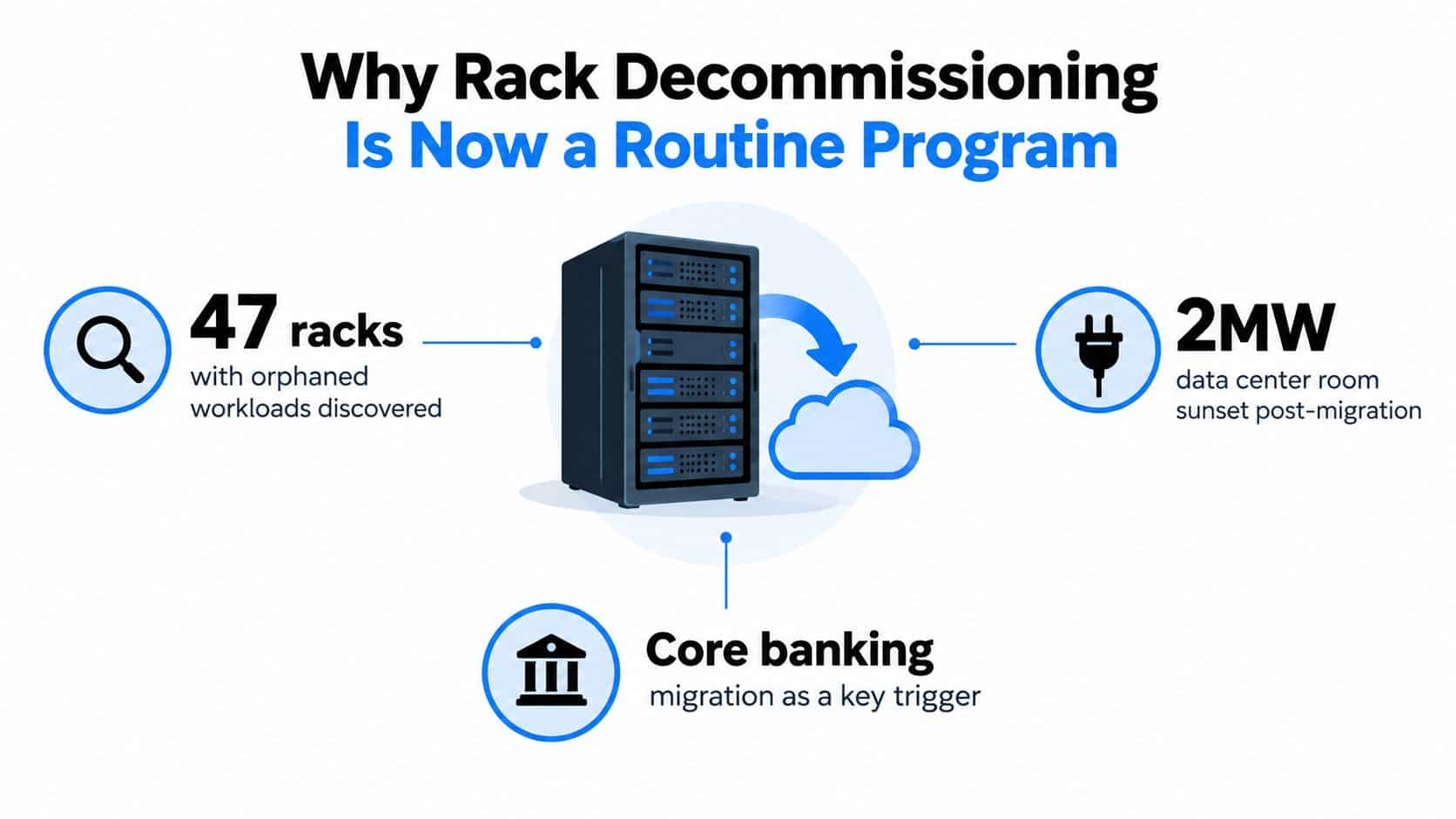
A mid-size financial services team usually treats rack removal as a facilities task until the core banking migration is finished and the lease clock is still running. Then someone opens a door to a 2MW room and finds 47 racks with workloads nobody formally shut down because nobody owned the sequence. That is the failure mode clients keep repeating, because decommissioning gets handled like cleanout instead of IT change management.
The broader shift explains why this keeps showing up. Enterprise on-premises capacity has fallen sharply as migrations, shutdowns, consolidations, and retirements keep moving workloads out of old rooms. Iron Mountain's decommissioning overview ties that decline to the steady turnover of infrastructure, which is why rack decommissioning now needs to run as a standing program, not a one-off project.
Build the inventory before you touch power
Pull the authoritative inventory from the CMDB or DCIM tool, then walk the room and reconcile it rack by rack. Record the asset tag, serial number, owner, rack position, and condition. That is the only way to prove what left the building against what was originally in scope. Park Place Technologies' checklist is clear on the point. Start with a complete inventory or you will lose control of the job.
Practical rule: If a drive, controller, or cable is not on the inventory, assume it will become a problem later.
Do not stop at the visible server. Capture drives behind RAID controllers, unmounted LUNs, dormant backup targets, and anything tagged hot, standby, or unknown. Teams that skip this step usually end up with serial number gaps and missing data-bearing devices, which is how they lose both recovery value and defensible records.
Shut down by dependency, not by aisle
The right order starts with workload ownership, not hardware removal. Drain application traffic, fail over databases, evacuate hypervisors, decommission the network, then do physical verification. That sequence protects data integrity and keeps hidden dependencies, including IPMI, iLO, and BMC cards, from staying live after the host is already dark.
Sequence matters inside the rack too. Remove from leaf to core across compute, storage, and network layers, and do not ignore dormant systems that only appear inactive. Evernex's decommissioning guide makes the same point about dependency mapping, approvals, logs, and a controlled shutdown order.
A rack can look empty and still host a management path, a delayed backup target, or a cable bundle that someone forgot to trace.
If you want fewer vendor change orders and fewer surprises on removal day, turn each rack into an executable change ticket. That means hard owners, verified cutover, firmware and license checks, and tagged cables that follow the asset all the way to its final disposition. A clear ITAD workflow also helps teams keep disposition decisions aligned with the business, not with whatever happens to be easiest in the room. See Beyond Surplus's IT asset disposition overview for the basic framework. This is how decommissioning becomes repeatable instead of chaotic.
Choosing On-Site or Off-Site Data Destruction
The right destruction method depends on what's on the media, how much exposure you can tolerate, and whether you need the certificate before the truck leaves the dock. On-site methods keep custody tight. Off-site methods make sense when volume is high and the data class is lower risk, provided the processor can prove intake, handling, and final output with serial-number-level records.
Match the method to the data class
For regulated data classes, I push for on-site destruction or witnessed sanitization. That includes PHI, PCI cardholder data, and Controlled Unclassified Information, where the cost of a weak custody gap is far higher than the cost of a mobile shred truck or a witnessed cryptographic erase. For lower-risk estates, off-site processing is fine if the processor runs serial-number-tracked intake and gives you a signed destruction file.
Here's the split I use with clients:
| Option | Security Level | Turnaround | Typical Cost | Best For |
|---|---|---|---|---|
| On-site shredding | Highest | Fast | Higher | Regulated media, sensitive refreshes |
| On-site degaussing | High for magnetic media | Fast | Higher | Hard drives that fit policy-based destruction |
| NIST 800-88 Purge or Clear resets | High when properly logged | Fast | Moderate | Reusable devices and self-encrypting drives |
| Off-site shred line | High if custody is intact | Moderate | Lower | Large volumes of lower-classification drives |
Negotiation point: Get the certificate language in writing before the media moves. The report should name the method, identify the serial numbers, and use wording that matches your policy and your auditor's expectations.
The off-site tradeoff is simple. You gain processing efficiency, but you also create a transit window that has to be controlled. Beyond Surplus's onsite versus offsite ITAD guidance aligns with the same practical split, on-site for sensitive material, off-site for controlled, lower-risk volumes.
Power-Down, Network Isolation, and Physical Removal
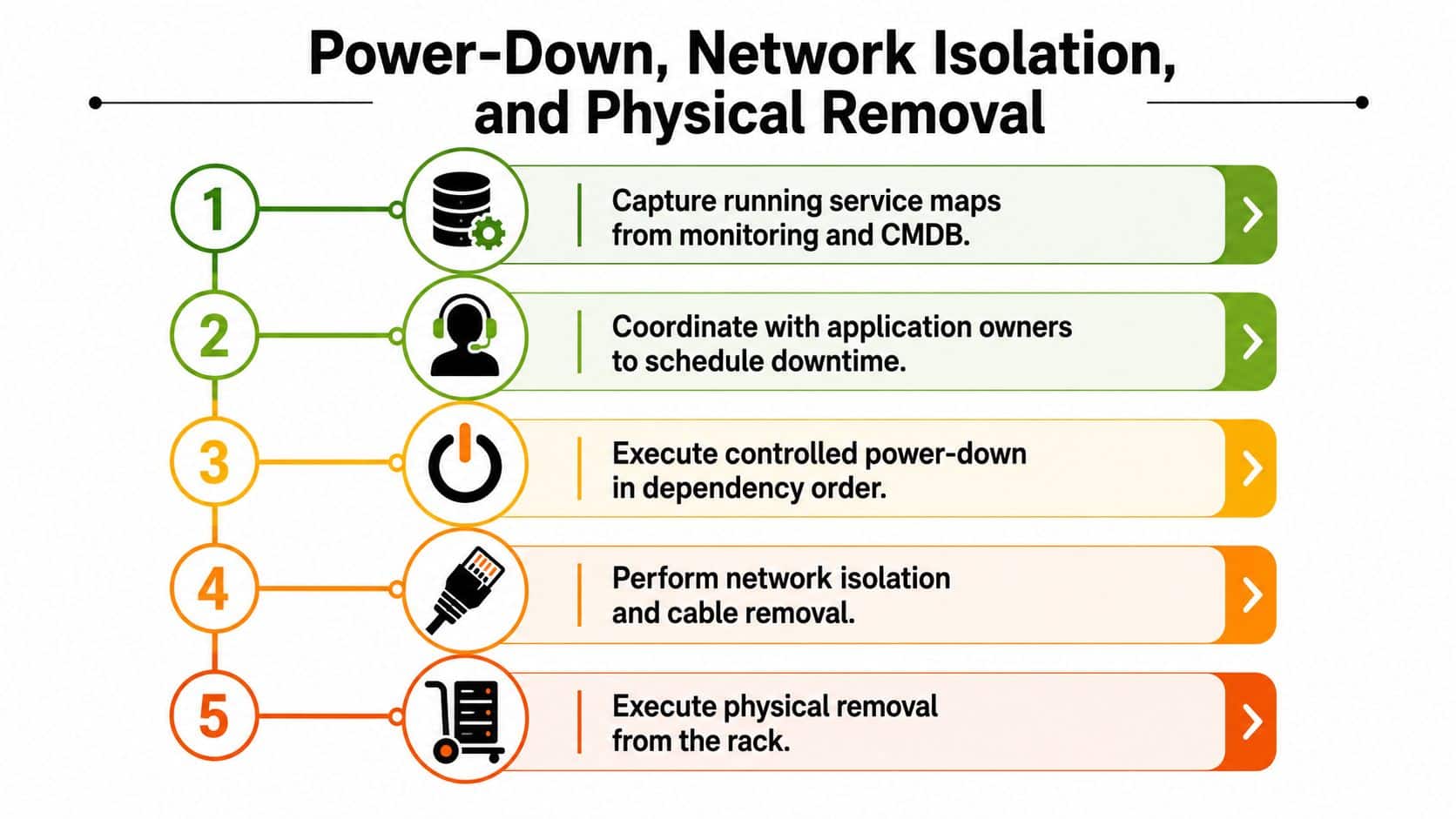
Pull running service maps from the CMDB before anyone reaches for a cable. Confirm the application owner, lock the downtime window, and mark every dependency that still supports a live workload. Rack removal fails when teams treat it as a facilities task instead of a change-control exercise.
Shut software down before you touch hardware
Drain traffic at the load balancer, stop application services, quiesce databases with proper checkpoints, and shut down the operating system cleanly. Then isolate the network in a deliberate sequence, production VLANs first, out-of-band management interfaces last. Remove the wrong layer too early and you strand a system that still has a path home.
Use verification, not guesswork. Check port-flap logs, run ARP scans, and confirm the rack is isolated before you power down PDUs. The decommissioning checklist from Evernex is correct on the order of operations, access revocation and service shutdown come before physical removal. Beyond Surplus's data center logistics page reflects the same practical sequence, get the workload stabilized first, then move the hardware.
Remove hardware like you expect to audit it
Photograph the front and rear of each rack, label every rail kit, cable bundle, and U-space, then unbolt in top-down order. Use colored tape to separate mixed-state hardware, especially failed drives and half-populated chassis. That keeps receiving from guessing later about what was reused, what was harvested, and what was destroyed.
Secure Transport and Chain-of-Custody Controls
Custody can't break between the loading dock and the processor's receiving bay. The only way to keep it intact is to layer controls, sealed vehicles, serial-numbered pickup records, intact seal verification at arrival, and a receiving count that matches the shipping manifest exactly. Reworx Recycling's chain-of-custody guidance is right about the basics, the handoff record has to survive the whole trip.
Control the truck, the seal, and the count
Use sealed, GPS-tracked vehicles, and record the seal number on the chain-of-custody form before the truck leaves site. At the processor, somebody must verify that seal before opening anything. Pre-book the downstream capacity too, because pallets sitting in a warehouse waiting for touch time are where custody discipline gets sloppy.
For high-risk loads, don't consolidate freight. Use dedicated trucks, two-person crews, and direct handoff. Photograph every pallet at loading and again at delivery, then reconcile the serial list within 24 hours. If there's a mismatch, escalate it immediately instead of hiding it inside a monthly disposition report.
Operational rule: One continuous custody record beats a stack of separate forms every time.
Keep the document chain as a single file from rack-out through destruction certificate. Timestamps, signatures, GPS breadcrumbs, and receiving counts should all live in the same evidence pack. If your vendor can't support that standard, the vendor is the weak point, not the paperwork.
For custody controls and serialized records, see Beyond Surplus's chain-of-custody guidance.
Triage for Resale, Harvest, or Destruction
Stop defaulting to shred-everything. You need a disposition matrix, and once you write it down, the decision is usually obvious. Age, data sensitivity, and market value should drive the call, not habit or fear.
Resale is for recoverable, low-risk gear
Resale makes sense for servers that are still commercially useful, especially when the hardware is current enough to support virtualization workloads and the drives can be wiped to a logged NIST 800-88 Clear or Purge standard. If the asset still has buyer demand and the wipe is defensible, you should recover value instead of destroying it.
Harvest is for useful parts inside obsolete chassis
Mid-life hardware often has pieces worth keeping even when the platform itself is tired. PCIe cards, power supplies, heatsinks, and rail kits can still have demand in refurbishment channels. That's not sentimental. It's smart triage, and it keeps functioning parts out of the shred stream.
Destroy the assets that fail the risk test
Failed drives, end-of-life media that can't complete a verified wipe, and anything holding regulated data with sector-level uncertainty belong in the destruction path. If the organization doesn't want an asset leaving the building, that's enough reason too. Beyond Surplus's equipment condition assessment page fits naturally into that decision process because condition and recoverability are part of the triage, not a separate afterthought.
The mistake isn't destroying too little. It's destroying good recovery value because nobody defined the path up front.
Document the decision for each asset so auditors can replay the logic. If someone asks why a given server was resold, harvested, or destroyed, the answer should be in the manifest, not in a hallway memory.
Compliance Documentation Across Regulated Industries
Compliance is the closeout deliverable. If you treat it as paperwork at the end, you will be chasing signatures after the hardware has already left the rack. Tie each asset to the rule that governs it and to the artifact that proves the handling was correct.
Build the inventory before anything moves. Record make, model, serial number, asset tag, rack location, and condition so every later certificate has a clear source record. That baseline is what auditors, legal teams, and security leads will ask for first.
| Industry | Governing Rule | Required Certificate or Attestation |
|---|---|---|
| Financial services | FTC Safeguards Rule, GLBA, SOX | NIST 800-88 purge or destroy certificate, asset retirement documentation |
| Healthcare | HIPAA | NIST 800-88 purge or destroy certificate |
| Card payments | PCI DSS Requirement 9.8 | Serialized chain-of-custody log, destruction attestation |
| ESG reporting | Internal sustainability controls | Certificate of Recycling or Destruction with downstream vendor ID |
Missing engineer signatures, blurred serial numbers, and recycled media without conformant sanitization are the usual failure points. The evidence pack should close those gaps before legal, security, or finance has to ask for a second pass.
A clean rule for mixed environments is simple. Match the certificate to the governing risk, not to the vendor's convenience. If the processor cannot produce the exact artifact your auditor expects, the job is not closed.
Post-Decommission Verification and Final Reporting
Final sign-off requires completed records, retired dependencies, and certificates that match the physical counts. An empty room is not enough. Close the project only after the asset trail, the network cleanup, and the evidence pack all line up.
Run the final reconciliation hard
Reconcile every serial number from the original inventory against the destruction or resale report. Then verify that Certificates of Destruction match the drive counts and that every mismatch has a written explanation. If the chain-of-custody file has gaps, fix them before closure.
Check the surrounding systems as well. Retire badges tied to the removed area, remove VLANs and DNS entries linked to the decommissioned assets from active use, and clear out-of-band management IDs from live directories. Pull three random serials and request photo evidence from the processor. That spot check exposes sloppy handling fast.
Package the report so nobody has to rebuild it later
The final report should include an executive summary, a per-asset disposition table, the certificate appendix, and an exception log for any deviation from the plan. Add the closure attestation signed by both the IT owner and the ITAD partner. Reworx Recycling's closeout guidance points in the right direction here. Final verification is the proof that the job is complete.
Closeout rule: If finance, security, and operations cannot use the same evidence pack, the evidence pack is not good enough.
Schedule a 30-day post-project review so late compliance questions do not surface after records have gone cold. Use that review to catch missing receipts, unresolved exceptions, and anything the audit team may still ask about later.


