A hardware refresh rarely ends when the new laptops arrive. The old laptops, servers, drives, and peripherals still sit in a storeroom while finance asks about recovery value, security asks about data, and facilities asks when the equipment will leave. The right answer isn't to send every asset to a shredder or chase resale value on every device. The practical question is refurbish or recycle, based on value timing, data sensitivity, condition, and documentation.
For business equipment, refurbishment usually preserves more value when a device still has useful performance and a realistic redeployment or resale path. Certified recycling is the lower-risk route for damaged, obsolete, or compliance-sensitive assets that can't be responsibly reused. This guide gives IT, operations, facilities, and procurement leaders a clear way to route each asset without sacrificing security or recovery value.
Table of Contents
- Deciding Between Refurbishing and Recycling Your IT Assets
- What Refurbishing and Recycling Actually Mean for Business Assets
- Refurbish Versus Recycle Side by Side Comparison
- Cost Value and Sustainability Tradeoffs You Should Weigh
- Risk Compliance and Data Security Implications
- How to Assess Your Equipment and Choose the Right Workflow
- Recommended Next Steps for Businesses and Residents
Deciding Between Refurbishing and Recycling Your IT Assets
An office move can reveal the end-of-life problem. A refresh may leave behind laptops, servers, monitors, docks, switches, and hard drives. Some devices still support business work. Others power on with damaged cases, missing parts, failed storage, or an unclear data history.
Route that equipment by value timing and compliance risk, not by whether a power light turns on. Sending usable laptops directly to recycling can erase redeployment or resale value. Sending obsolete servers through an informal resale channel can expose confidential information and leave the organization without dependable downstream records.
Refurbishment captures the most value when a device still has useful performance and a ready redeployment or resale path. Certified recycling is the lower-risk choice when equipment is damaged, obsolete, uneconomical to restore, or subject to strict data-handling requirements.
The timing matters. Premium equipment can move into reuse channels before it becomes a recycler's residual stream. Assurant reported that U.S. consumers received more than $6.4 billion through mobile trade-in programs in 2025, up 42% year over year, while the average age of traded-in iPhones reached 3.76 years in Q4 2025. The reported shift toward earlier smartphone trade-ins supports a clear operational lesson: waiting can destroy value even when a device remains functional.
Practical rule: Evaluate a working device first as an asset. Evaluate a broken device first as a security and material-recovery obligation.
Keep the financial and data decisions separate. A laptop may be suitable for refurbishment only after verified data wiping. A drive from a regulated environment may require physical destruction even when its host server retains resale value. For regional requirements and service-model context, review this overview of ITAD and e-waste recycling differences in Georgia.
Use a consistent intake process: document what the equipment can do, identify the information it held, test whether restoration makes commercial sense, and require documented downstream handling. That approach protects recovery value, sustainability reporting, and compliance.
What Refurbishing and Recycling Actually Mean for Business Assets
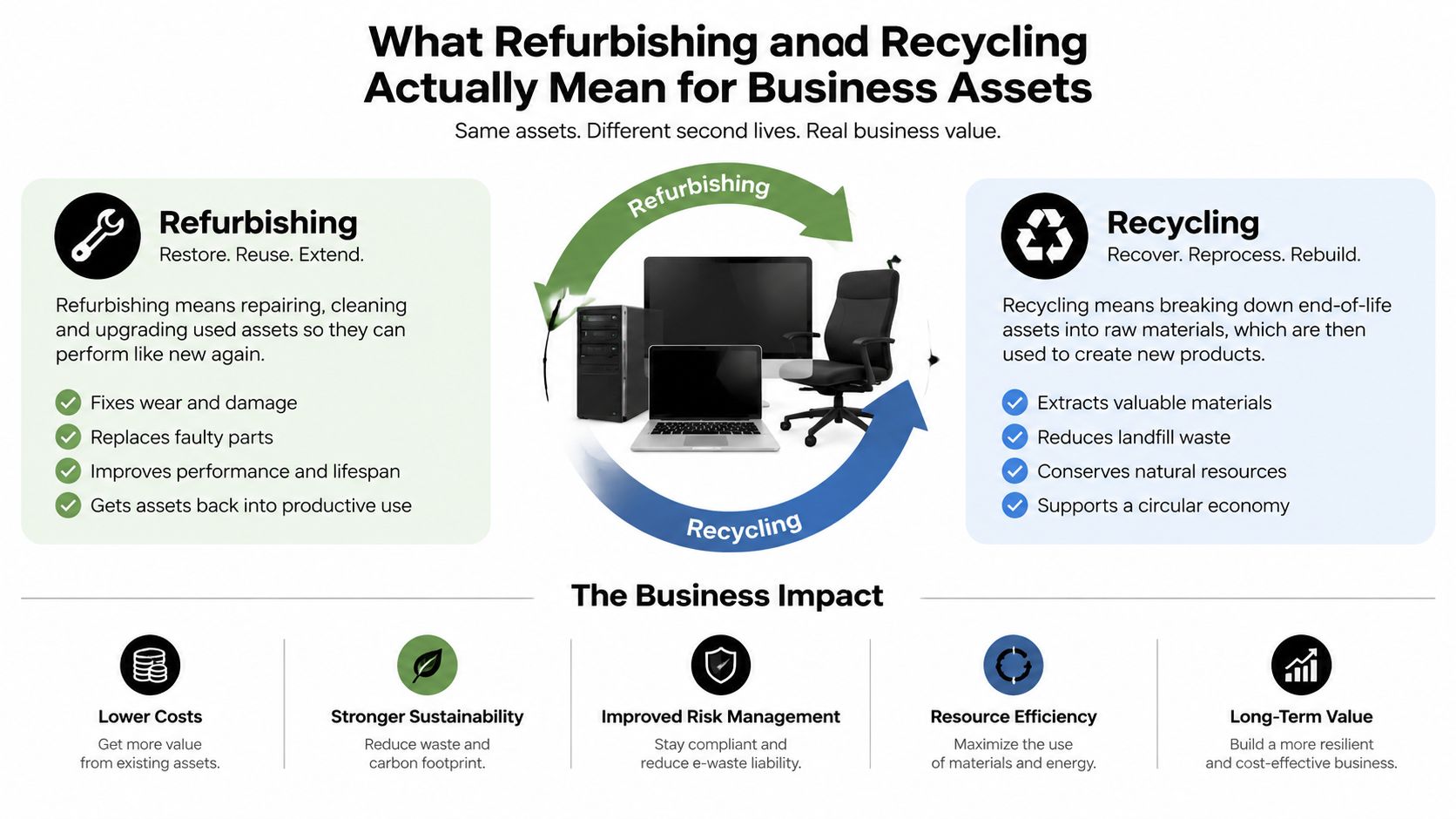
Refurbishment keeps an asset in service. A qualified provider inventories the equipment, tests its components, verifies functionality, removes organizational data, repairs or replaces suitable parts, cleans the unit, and prepares it for redeployment or resale. The result is a usable laptop, server, monitor, or networking device with a new business destination.
Recycling ends the equipment's useful life as equipment. The provider secures the data-bearing media, dismantles the hardware through controlled processes, separates materials, and sends recoverable commodities to appropriate downstream processors. Recycling isn't a shortcut around documentation. A commercial program should still produce inventory records, chain-of-custody evidence, and certificates covering data destruction or recycling.
The refurbishment path
A refurbishment workflow normally includes:
- Inventory control: Record serial numbers, asset tags, models, and accessories before movement.
- Technical testing: Check processors, memory, storage, displays, ports, batteries, power supplies, and network functions.
- Data sanitization: Use verified wiping for eligible media, or remove and physically destroy media that can't be sanitized with confidence.
- Disposition planning: Redeploy internally, sell through an appropriate channel, or harvest usable components.
- Reporting: Match the outcome to each asset so finance and compliance teams can reconcile the result.
Refurbishment preserves the device's functional value. It may also create a buyback credit or recovery payment, but only when the asset's condition, age, configuration, and market demand support that outcome.
The recycling path
Recycling begins with secure custody, not with a conveyor belt. Technicians identify drives and other storage media, apply the approved destruction method, then route the remaining equipment for material recovery. The process keeps usable metals and components in controlled supply chains and avoids unsafe disposal.
The scale makes this distinction important. The world generated 62 million tonnes of e-waste in 2022, and only 22.3% was formally collected and recycled in an environmentally sound manner, according to the 2024 Global E-waste Monitor. A commercial ITAD provider should make the final destination visible instead of treating “recycled” as an unsupported claim. IT asset disposition fundamentals can help teams define the required controls before pickup.
Refurbish Versus Recycle Side by Side Comparison
The two routes serve different outcomes. Refurbishment aims to preserve the asset as a working product. Recycling aims to recover materials after the asset no longer offers dependable or economical service. Neither route should bypass data security or chain-of-custody controls.
| Decision Criteria | Refurbish and Reuse | Recycle and Material Recovery |
|---|---|---|
| Value recovery | Captures functional value through redeployment, resale, or buyback | Captures commodity and component value |
| Sustainability impact | Avoids some demand for new manufacturing by extending useful life | Recovers metals and other materials from end-of-life equipment |
| Data security effort | Requires verified wiping before reuse, with destruction for unsuitable media | Requires secure wiping or physical destruction before dismantling |
| Compliance documentation | Needs asset-level records, sanitization evidence, and transfer documentation | Needs chain-of-custody records, destruction evidence, recycling certificates, and downstream controls |
| Turnaround considerations | May take longer because testing, repair, grading, and resale decisions are involved | Can move directly to destruction and processing when the asset is clearly end of life |
| Best-fit equipment | Business-grade laptops, servers, monitors, networking gear, and parts with reliable performance | Broken, obsolete, incomplete, contaminated, or uneconomical equipment |
| Primary business result | Extends the equipment's life and recovers higher embedded value | Removes disposal liability and recovers material value |
Value recovery
Refurbishment wins when the equipment can support a known use case. A standardized laptop fleet may be redeployed to contractors or used for less demanding roles after testing. Enterprise servers can retain value if their processors, memory, storage chassis, or networking modules remain compatible with an operating environment.
Recycling becomes more sensible when repair costs consume the likely recovery value. A cracked chassis, failed motherboard, missing proprietary power supply, or obsolete interface can make resale unreliable. In those cases, parts harvesting may precede material recovery, but the final route remains recycling.
Sustainability
Reuse generally avoids the need to manufacture an immediate replacement. An impact assessment found that manufacturing represents 79% of a new iPhone's carbon footprint. For a refurbished iPhone 11, the assessment allocated the footprint across usage at 78%, refurbishment at 18%, and transport at 2%. The same refurbished electronics impact report estimates savings of 69% to 91% in CO2 emissions, 60% to 93% in e-waste, and 86% to 97% in water use compared with buying new across refurbished smartphones, tablets, and laptops.
Recycling still matters when reuse isn't credible. It recovers materials and prevents uncontrolled disposal, but it doesn't preserve the full service life of the original product.
Security and compliance
A wipe certificate isn't interchangeable with a recycling certificate. The first documents how data was sanitized. The second documents the equipment's material-processing outcome. Sensitive assets may need both, or physical destruction instead of reuse.
The correct route is the one that preserves value without creating an unacceptable data or compliance exposure.
Cost Value and Sustainability Tradeoffs You Should Weigh
A device can lose commercial value while it remains fully functional. Newer models may offer better performance, operating-system support, battery life, or compatibility, so delaying assessment can turn a resale opportunity into a disposal cost. Set the route early, based on value timing and compliance exposure, rather than storing equipment indefinitely.
Refurbishment makes financial sense when the provider can move quickly from collection through testing, sanitization, grading, and resale or redeployment. Include handling, repair, data processing, transport, storage, and the internal work required for exceptions. A high resale estimate means little if repairs are extensive or the asset remains in storage while its market value falls. Learn more about circular economy principles for enterprise IT equipment when prioritizing reuse.
Use a recovery hierarchy
Route assets in this order:
- Redeploy internally when the device meets a defined business need after secure sanitization.
- Refurbish and resell when internal demand is absent but buyers still support the asset.
- Harvest parts when the complete device is no longer viable but tested components retain value.
- Recycle when repair, resale, or parts recovery no longer justifies the cost or risk.
Reuse should lead when restoration is practical and the asset still has credible residual value. The earlier impact assessment found substantial lifecycle savings for refurbished devices because raw-material extraction and new manufacturing can be avoided. A separate industry review reports refurbished-product emissions savings commonly between 69% and 83%, while accounting for emissions from wiping, reinitialization, refurbishment, and transport. That review of lifecycle findings supports a refurbish-first policy for suitable assets, not an automatic route for every working device.

Include logistics in the decision
Transport can change the economics of low-value equipment. Consolidate loads where practical, choose the appropriate pickup method, and avoid unnecessary transfers between sites. Teams evaluating reducing freight emissions in logistics can apply the same controls to ITAD planning.
Recycling preserves material value when reuse no longer works. The 2024 monitor estimates that e-waste contained about US$91 billion in metals in 2022, while only about US$28 billion was recovered through viable routes. The analysis of the global e-waste material gap explains why controlled parts harvesting and certified recycling should follow assets that cannot be reused.
Use a clear threshold: refurbish when expected recovery and lifecycle benefit exceed restoration cost and risk. Choose certified recycling when condition, age, or compliance requirements make reuse a weak business decision.
Risk Compliance and Data Security Implications
Data security can override recovery value. A server with valuable processors is still a liability if it contains customer records, credentials, research files, payment information, or regulated clinical data. The team making the disposition decision should identify the data category before selecting a route.
The U.S. Federal Trade Commission's Disposal Rule applies to consumer reports and requires reasonable measures to protect information from unauthorized access or use, including secure deletion or proper destruction of records. The FTC Disposal Rule reference gives organizations a concrete basis for requiring documented data wiping and media destruction during IT equipment disposal.

When refurbishment is acceptable
Refurbishment is appropriate when the organization can verify the media, apply an approved sanitization method, and retain evidence tied to the asset record. Certified data wiping can support reuse when the drive is healthy and the data policy permits logical sanitization. The provider should document the device identifier, method, result, and transfer to the next owner.
This route can work for ordinary office laptops, monitors, and servers with clear ownership history. It requires stronger controls for healthcare, finance, education, and government environments because contractual, statutory, or internal rules may demand specific handling.
When destruction is safer
Physical destruction is the safer choice when the media is damaged, encrypted status is unknown, wiping cannot be verified, or policy requires destruction. Hard drive shredding or crushing removes the possibility of reuse, so the organization gives up residual device value. That tradeoff is justified when the cost of a potential disclosure exceeds the recovery opportunity.
The World Health Organization identifies e-waste as one of the fastest-growing solid waste streams and warns that lead can be released when e-waste is recycled, stored, or dumped through informal activities such as open burning. WHO guidance on electronic waste) reinforces the need for controlled processing after destruction.
Require certificates of data destruction, certificates of recycling, inventory reconciliation, and documented chain of custody. Those records won't erase every risk, but they give management, auditors, and customers evidence that the organization controlled the asset from pickup through final disposition. For a deeper risk review, see the consequences of improper computer disposal.
How to Assess Your Equipment and Choose the Right Workflow
Start with an asset-level review, not a pallet-level guess. Separate laptops from servers, storage media from peripherals, and complete systems from loose parts. Then apply the same decision questions to every category.
Five questions to ask
- Age: Check the model year, support status, processor generation, and compatibility with your current software.
- Condition: Inspect cracked housings, liquid damage, missing components, swollen batteries, and failed power supplies.
- Functionality: Test boot behavior, storage health, memory, ports, displays, connectivity, and any specialized functions.
- Data sensitivity: Identify whether the asset held confidential, regulated, proprietary, or personal information.
- Compliance requirements: Confirm retention, destruction, export, environmental, contractual, and audit requirements before shipment.
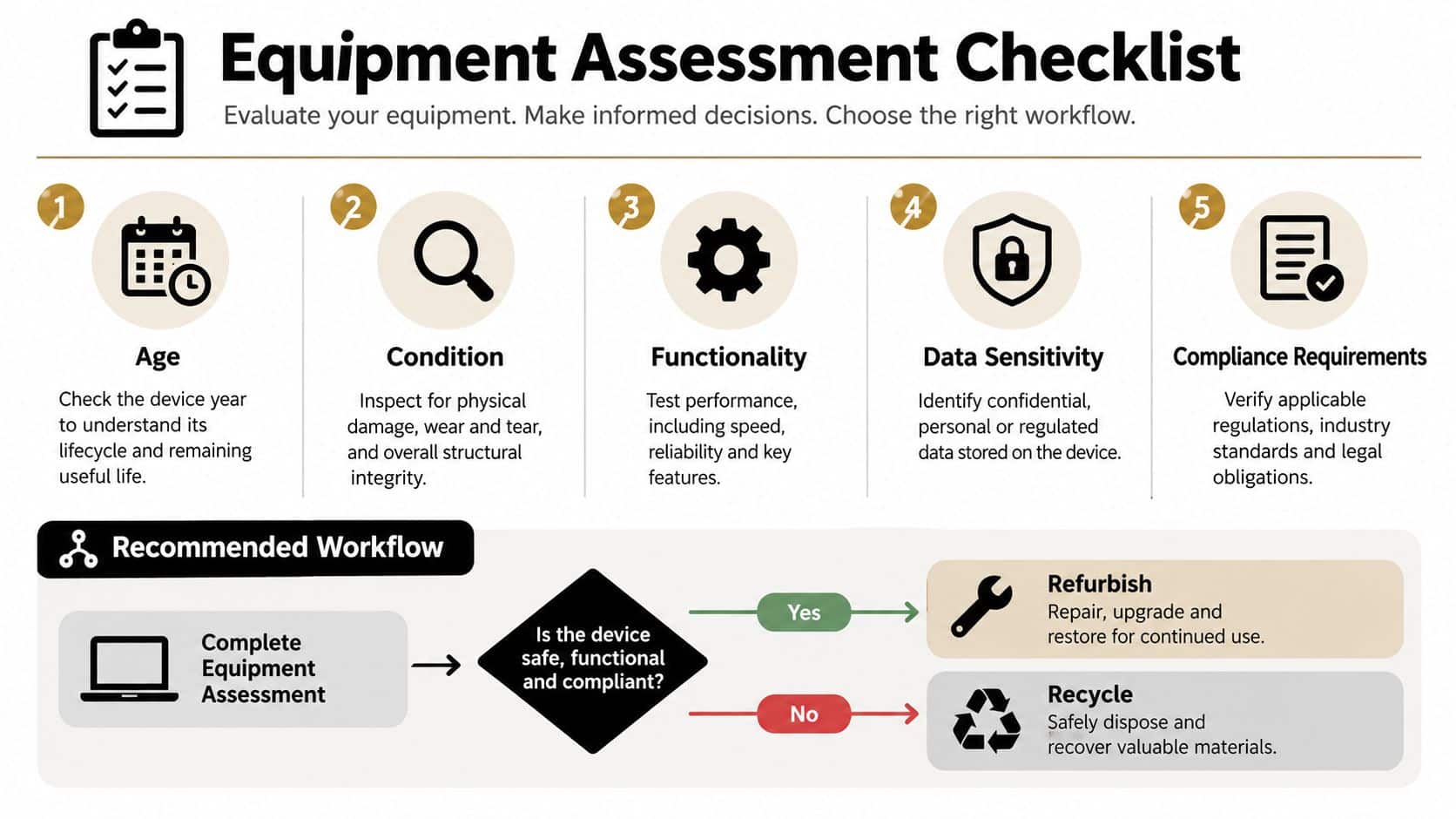
Workflow for reuse and recovery
Tag and photograph the equipment before pickup. The provider should create an inventory, transport the assets under documented custody, test each unit, sanitize eligible media, and report the result as redeployed, refurbished, sold, harvested, or recycled. Finance can then reconcile proceeds or credits against the original asset list.
A condition assessment should distinguish cosmetic wear from functional failure. This equipment condition assessment resource can help teams define consistent intake criteria instead of relying on informal labels such as “old” or “working.”
Workflow for secure destruction
Quarantine data-bearing equipment until the approved process begins. Confirm the destruction method, record serial numbers, maintain custody during transport, and obtain certificates that connect each drive or asset to its final outcome. After destruction, route the remaining equipment through environmentally sound recycling and retain downstream documentation.
For data center decommissioning, add rack maps, cable and component inventories, power-down authorization, staged removals, and site-specific safety controls. Medical, laboratory, and manufacturing equipment may also require attention to batteries, fluids, specialized components, and product destruction requirements.
The practical outcome is a routing file with three decisions: reuse, recycle, or hold for review. Anything in the third category needs a named owner and a deadline, or it will become long-term storage.
Recommended Next Steps for Businesses and Residents
An enterprise refresh should use a refurbish-first evaluation for laptops, desktops, monitors, servers, and networking equipment with clear residual value. Redeploy internally where possible, then consider buyback or resale after documented sanitization. Don't send a complete, serviceable fleet directly to material recovery without reviewing the financial and environmental cost.
A data center de-installation needs a controlled ITAD workflow. Separate reusable infrastructure from failed equipment, preserve serial-level records, secure every storage device, and require certificates that support the closeout file. Healthcare, finance, and government organizations should route assets according to their strictest data and documentation requirements, not their fastest removal schedule.
Small businesses can use the same framework on a smaller scale. Consolidate equipment, identify data-bearing media, request a written recovery or recycling outcome, and avoid leaving old laptops in storage. For residential drop-off or mail-in needs, Beyond Surplus offers facility and mail options for select items, but the commercial workflow remains the right model for business assets that require chain of custody and formal reporting.
The decision is simple once the priorities are ordered. Refurbish equipment that still has dependable utility and measurable residual value. Recycle equipment that is damaged, obsolete, uneconomical, or too risky to reuse. In both cases, choose a documented process that protects data and verifies responsible downstream handling.
Beyond Surplus supports business electronics recycling, IT equipment disposal, secure data wiping, hard drive shredding, IT buyback, product destruction, and data center decommissioning. Visit Beyond Surplus to arrange a documented pickup and choose the right refurbish-or-recycle workflow for your organization.