

Atlanta computer disposal usually starts with a storage room, not a recycling facility. After an office refresh, aging desktops, laptops, servers, and loose hard drives often sit beside boxed equipment with no final inventory, assigned owner, or documented disposition plan. For an Atlanta IT director, that backlog isn't just a facilities problem. It's a data-security, compliance, logistics, and environmental decision that needs a controlled workflow.
The right process separates reusable assets from high-risk media, selects wiping or destruction based on the device and data, controls every custody transfer, and produces records an auditor can follow. This is how businesses should approach Atlanta computer disposal, whether they're clearing one office or coordinating a multi-location IT asset disposition project.
Table of Contents
- Why Old Computers Are a Business Risk You Can't Ignore
- Planning Your Disposal Project Before a Single Machine Moves
- Choosing Between Data Wiping and Hard Drive Shredding
- Chain of Custody and Certificates That Actually Protect You
- Logistics Options for Atlanta Businesses and Multi-State Operations
- Recovering Value and Recycling Responsibly
- Your Computer Disposal Checklist and Timeline
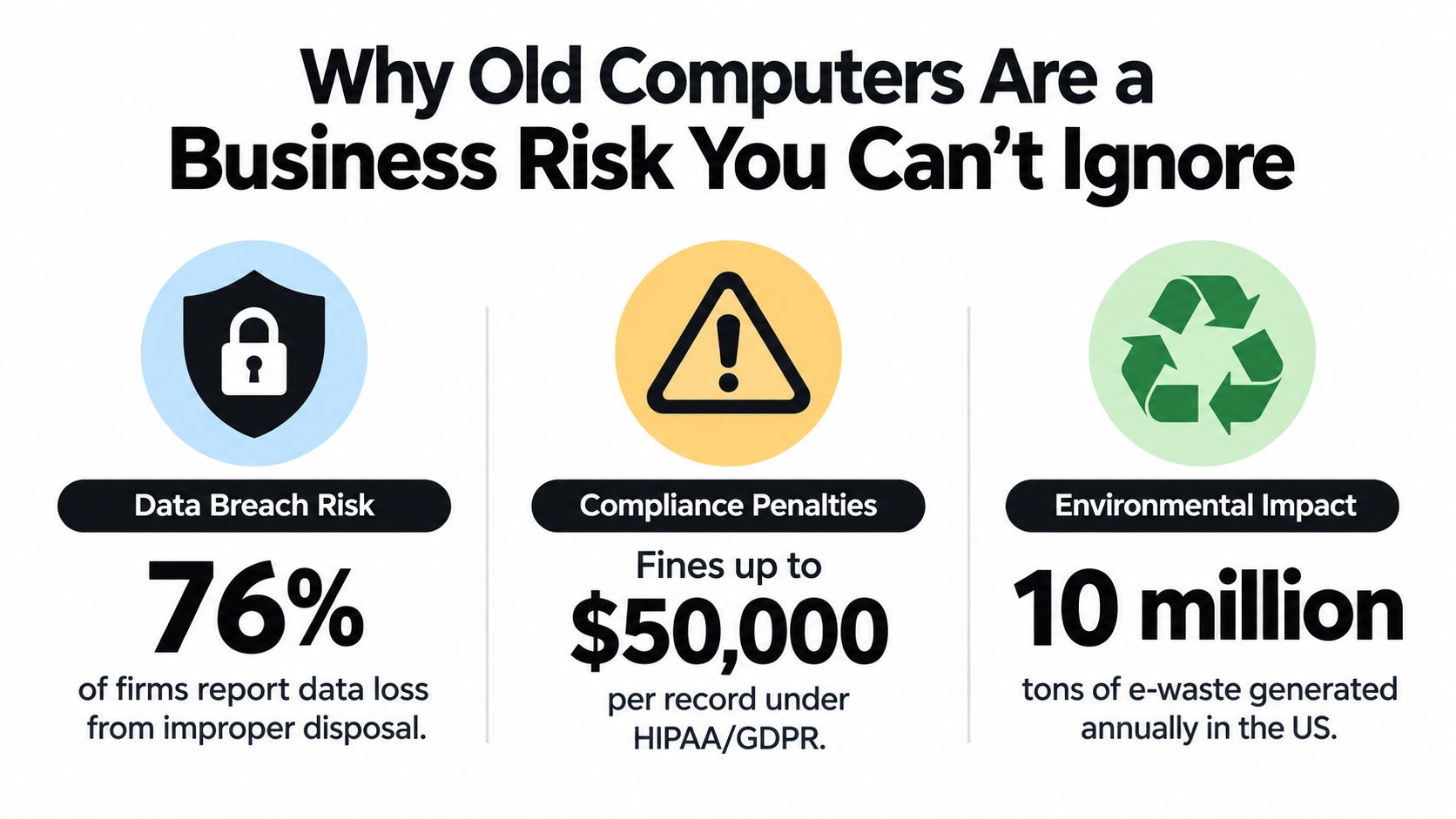
Why Old Computers Are a Business Risk You Can't Ignore
A retired computer may be powered off, boxed, and removed from the network, but its hard drive can still contain employee records, customer information, financial data, credentials, or consumer-report information. Active service has ended. Data responsibility hasn't.
The environmental scale makes casual disposal equally difficult to defend. The Global E-waste Monitor 2024 report states that the world generated 62 million tonnes of e-waste in 2022, up approximately 82% from 34 million tonnes in 2010. Only 22.3% of that 2022 e-waste was documented as formally collected and recycled in an environmentally sound manner.
That gap matters to businesses retiring computers because a general waste stream doesn't provide the same visibility as an asset inventory, verified data disposition, and downstream recycling record. The report projects global e-waste generation to reach 82 million tonnes by 2030, while the formal recycling rate could decline to roughly 20%.
The liability doesn't end at the loading dock
A loose laptop is an asset-control failure before it becomes a recycling issue. If nobody can identify its owner, serial number, drive, or final destination, the business may be unable to prove whether the data was erased, destroyed, or transferred to an approved processor.
Undocumented disposal also creates delayed exposure. An organization may discover the weakness during an internal audit, a vendor review, an insurance questionnaire, or an investigation into a later data incident. The practical response is to treat computer retirement as a workflow with evidence, not a haul-away appointment. Businesses can also review these data security risks of improper computer disposal when updating their internal policy.
Operational rule: If a device contains storage media, its final disposition should be provable without relying on memory or informal assurances.
Planning Your Disposal Project Before a Single Machine Moves
The disposal project should begin with a frozen asset list. Don't let equipment move from desks to a storage room and then become an untracked bulk load. Assign responsibility to one project owner, define the cutoff date, and make the inventory the controlling record for pickup, processing, and reconciliation.
For each device, record:
- Asset identity: Internal asset ID, manufacturer, model, and serial number.
- Storage details: Drive type, drive serial number when available, and whether the device contains removable media.
- Business ownership: Department, location, assigned user, and responsible manager.
- Confidentiality: A practical category such as public, internal, confidential, or restricted.
- Disposition intent: Reuse, resale, physical destruction, or downstream recycling.
Photograph or scan serial numbers before equipment leaves the controlled area. Loose drives deserve their own count and container. Never place an untracked drive into a pallet just because it was found after the main inventory was completed. A clear guide to organising business stock can help facilities and IT teams build better inventory habits before the disposal event.
Create disposition lanes
The inventory should lead to separate processing lanes rather than one universal treatment.
Reusable equipment goes to verified sanitization, functional testing, and potential remarketing. This lane suits a working laptop fleet or newer networking equipment that can be redeployed or sold.
Failed or high-sensitivity media goes to destruction. A failed drive may be impossible to sanitize reliably, while a device from a sensitive data center may have a risk profile that makes physical destruction the more defensible choice.
Non-reusable electronics goes to compliant recycling after all data-bearing components have been reconciled and sanitized or destroyed.
Before pickup, freeze the list and compare the physical room against it. At pickup, record who released the equipment, who accepted it, the time, the vehicle or shipment identifier, and the destination. At receiving, the processor should reconcile the physical count against the manifest. An exception should trigger investigation, not a silent adjustment.
This preparation often prevents more incidents than choosing a different wiping product. The common failure is a missing laptop, a loose drive, or a backup device that never entered the process.
Choosing Between Data Wiping and Hard Drive Shredding
Wiping and shredding solve different business problems. Certified data wiping preserves the device for reuse or resale, but it requires a compatible method, a reliable tool, and verification. Hard drive shredding removes uncertainty by making the storage media unusable, but it eliminates the device's recovery value and requires controlled handling of the resulting material.
NIST SP 800-88 uses three useful terms. Clear applies logical techniques within the normal interface of the media. Purge uses stronger methods intended to make recovery infeasible while allowing the media to remain usable in appropriate cases. Destroy renders the media unusable for storage. The selected method should reflect the data sensitivity, media type, device condition, and intended destination.
Deleting files through Windows or macOS isn't sanitization. Reformatting a drive isn't automatically sufficient either. Overwrite procedures designed for magnetic disks may not address hidden, reserved, remapped, or inaccessible areas on an SSD. A vendor success screen is evidence of a tool result, not independent proof that every relevant area was handled.
The NIST SP 800-88 guidance recommends pseudorandom verification locations distributed across the addressable space because a tool can report success after sanitizing only part of the media. It also advises independent verification by personnel without a stake in the original sanitization action. Teams reviewing broader computer repair shop security tips should apply the same skepticism to disposal workflows.
Match the method to the business outcome
| Decision Factor | Certified Data Wiping | Hard Drive Shredding |
|---|---|---|
| Primary objective | Preserve equipment for reuse or value recovery | Make recovery infeasible and media unusable |
| Best fit | Working, supported drives with an approved reuse path | Failed, encrypted, high-sensitivity, or unverifiable media |
| Main control | Tool, method, result, and independent verification | Physical process, serialized media count, and destruction record |
| Value impact | May preserve resale or redeployment value | Removes storage-media value |
| Location choice | Often suitable at a secure processing facility | On-site mobile shredding can reduce transport exposure |
| Main failure | Treating a success screen as verification | Losing track of drives before destruction |
On-site shredding gives an Atlanta facility more direct control over the moment of destruction. Off-site wiping can be efficient for a larger reusable fleet when the provider maintains secure receiving, serialized processing, and documented verification. The decision should be made per lane, not by forcing every device into the cheapest single method. A practical secure data destruction comparison for Atlanta can support that decision with stakeholders from IT, security, compliance, and procurement.
Chain of Custody and Certificates That Actually Protect You
A certificate is useful only when it connects a specific outcome to a specific asset. “Your equipment was recycled” doesn't answer which serial numbers were processed, what happened to their storage media, who handled them, or where residual materials went.
The chain of custody should start before pickup. Name the employee releasing the equipment and record the date, time, location, manifest, and receiving party. If a vehicle or shipment is involved, record its identifier. At each handoff, obtain a signature or equivalent electronic confirmation. The receiving facility should reconcile the load against the manifest before processing begins.
What the records should show
A defensible file normally contains:
- The source record: Customer or department, location, asset ID, device serial number, drive information, and pre-sanitization confidentiality category.
- The processing record: Selected method, tool or physical process, version where relevant, operator, processing date, and verification method.
- The custody record: Release, transport, receipt, exceptions, and final destination.
- The completion record: Certificate of data destruction, certificate of recycling, resale report, or another document matching the final disposition.
A certificate of data destruction should identify the media and destruction outcome. A certificate of recycling should identify the equipment or material stream and the downstream processing result. Neither document replaces a manifest. Together, they create a record that procurement, security, legal, and an auditor can inspect.
The FTC Disposal Rule requires businesses that use consumer reports, including lenders, insurers, employers, landlords, and government agencies, to take reasonable measures to prevent unauthorized access to that information. The rule includes destroying or erasing electronic media so information can't be read or reconstructed and recognizes due diligence when a destruction contractor is hired.
That makes vendor selection part of the control. Ask for sample certificates, escalation procedures for missing assets, subcontractor disclosures, processing locations, and retention practices. A certificate of data destruction explanation can help non-IT stakeholders understand why a certificate must be tied to serialized equipment rather than issued as a generic receipt.
A processor should be able to answer three questions without delay: what arrived, what happened to each storage device, and where did the remaining material go?
Logistics Options for Atlanta Businesses and Multi-State Operations
A two-pallet office refresh in Atlanta does not require the same logistics plan as a data center decommissioning. Labor, packaging, transport, receiving controls, site access, equipment sensitivity, and internal staffing should determine the model. The plan also changes when equipment comes from offices outside Georgia.
A smaller Atlanta-area business may choose scheduled drop-off at a Smyrna or Atlanta facility if staff can keep control of the equipment and consolidate the load first. This reduces scheduling work, but the business still needs an inventory, separate handling for data-bearing media, and a receipt that matches the delivered assets.
An office-wide refresh usually fits a coordinated business pickup. The provider can work from a frozen manifest, stage equipment by disposition lane, and move boxed or palletized assets through a documented handoff. Internal staff should restrict access to the staging area and keep drives separate from general electronics until the media count is complete.

Extend control through transport
Multi-state organizations reduce branch-level improvisation by setting one manifest format, approval workflow, and reporting standard. Each location should identify the employee releasing the equipment, record local exceptions, and follow the same pickup instructions. Organizations coordinating pickups across multiple sites can use a secure electronics recycling process for multi-location companies to standardize execution.
International movement adds regulatory requirements. The Basel Convention e-waste amendments took effect on January 1, 2025, expanding controls so covered transboundary movements require prior informed consent. Before an international shipment begins, the exporting state must notify the importing and transit states, and written consent must be obtained. The Basel Convention e-waste amendments FAQ outlines those controls.
The exporting state also cannot allow shipment to begin until written confirmation establishes the importing state's consent and a contract between exporter and disposer specifies environmentally sound management. The Convention text on transboundary waste movements addresses movements involving parties and non-parties.
Domestic Atlanta logistics are simpler. The custody record still needs to cover release, transport, receipt, and any exception after the truck leaves the site.
Recovering Value and Recycling Responsibly
Disposal can be a cost-control exercise rather than a pure expense. Working laptops, enterprise servers, networking equipment, and other assets may retain market value, but recovery should follow verified sanitization and functional assessment. A device shouldn't enter a resale lane merely because it powers on. If the storage media can't be sanitized or the data sensitivity is too high, destruction takes priority over resale.
A sound IT asset recovery program separates market value from risk value. A newer laptop may generate a recovery return after processing, while an old server with failed drives may have little resale value but significant security exposure. The inventory should flag both conditions before the equipment moves.
Environmental processing belongs in the same total-cost calculation. EPA reported that U.S. consumers and businesses discarded 2.37 million tons of computers, televisions, phones, and peripherals in 2009, while only about 25% was collected for recycling. EPA also cites an estimate that recycling one million laptops saves energy equivalent to the annual electricity use of more than 3,500 U.S. homes. Those figures are from the EPA material reproduced in NIST publication records.
Measure more than recycled weight
A downstream report showing the weight of recycled electronics doesn't prove that every hard drive was handled correctly. For business reporting, the stronger measures are:
- Asset completeness: Every device and storage medium appears on the manifest.
- Security completion: Each data-bearing device has a verified wipe or destruction outcome.
- Recovery clarity: Reused or sold assets have a documented destination and financial result.
- Environmental traceability: Residual materials move through identified, auditable downstream channels.
Ask prospective vendors where processing occurs, whether subcontractors are used, how exceptions are escalated, and whether the final report separates reuse, destruction, and recycling. A responsible program can support sustainability reporting without turning environmental claims into a substitute for security evidence.
Your Computer Disposal Checklist and Timeline
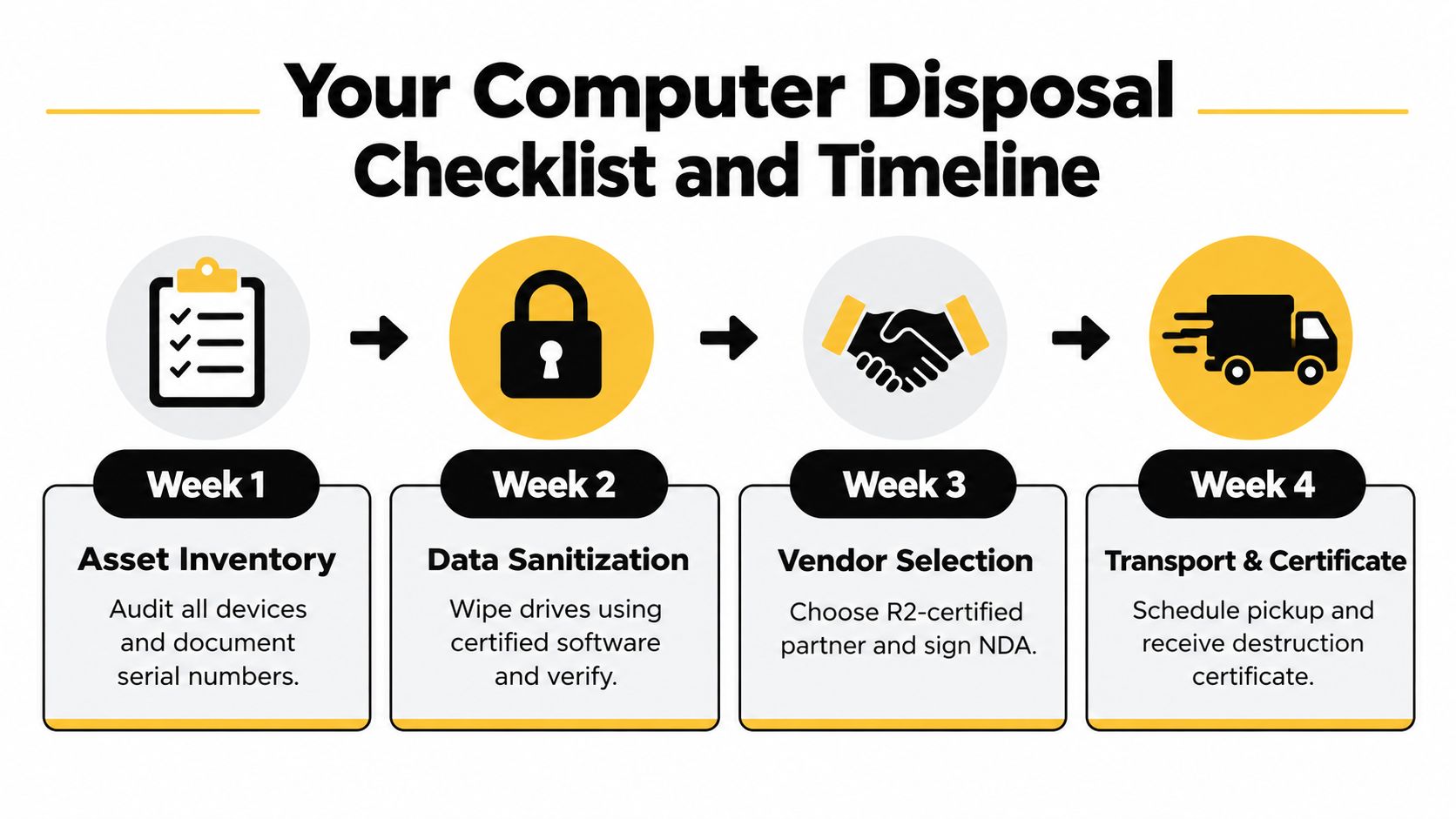
A project ticket should give each participant a clear action and a clear handoff. Use this sequence for a typical office refresh, then adjust it for data center access requirements, internal approvals, and shipment complexity.
Week one
- Inventory: Record asset IDs, serial numbers, drive types, owners, confidentiality categories, and intended disposition.
- Freeze: Stop informal transfers and photograph or scan the staged equipment.
- Classify: Separate reuse, destruction, and recycling lanes.
Week two
- Select methods: Choose Clear, Purge, or Destroy based on data sensitivity, media type, condition, and reuse plans.
- Approve controls: Confirm the tool or physical process, verification approach, certificate format, and custody requirements.
- Flag exceptions: Identify missing serials, loose drives, failed devices, and equipment that can't be technically verified.
Week three
- Choose logistics: Schedule a controlled Atlanta pickup, Smyrna-area drop-off, or coordinated multi-location collection.
- Prepare the site: Restrict access, stage by lane, label containers, and assign the releasing employee.
- Confirm reporting: Use a manifest that the receiving team can reconcile. Webster Moving Co.'s guidance on how to reduce office move downtime is also useful when disposal runs alongside a relocation or refresh.
Week four
- Transfer: Record custody, timestamp, vehicle or shipment identifier, and destination.
- Reconcile: Investigate every count or serial-number exception before closing the project.
- File evidence: Retain the manifest, verification results, certificates, recycling record, resale report, and approved exception notes. This business computer recycling checklist can serve as a final control review.
Final check: Don't close the ticket when the truck leaves. Close it when every storage device has a documented outcome and every exception has an owner and resolution.
Beyond Surplus provides Atlanta businesses with certified electronics recycling, secure data wiping, on-site or off-site hard drive shredding, IT equipment pickup, value recovery, and documented certificates for data destruction and recycling. Visit Beyond Surplus to arrange a controlled computer disposal project for your Atlanta office, data center, or multi-location organization.


