The loading dock is usually where an office cleanout becomes real. Three pallets of laptops, a decommissioned file server, old iPhones, network equipment, and printer hardware are suddenly outside the IT team's normal controls. The truck may be scheduled, but the harder question remains: can you prove what happened to every data-bearing device after it left the building?
An Atlanta office electronics cleanout should be managed as a secure IT asset disposition workflow, not a basic Atlanta e-waste pickup. Inventory accuracy, media-specific sanitization, custody during transport, and final evidence determine whether the project reduces risk or creates a new one.
Table of Contents
- Why an Atlanta Office Cleanout Is Really a Data-Security Project
- Building the Pre-Pickup Inventory and Chain of Custody
- Choosing the Right Data Destruction Method by Media Type
- Transportation, Secure Handoff, and Witnessable Destruction
- Certificates and Compliance Documentation That Hold Up to Audit
- Recovering Value Through IT Buyback vs Pure Recycling
- Planning Checklist and Common Questions for Atlanta Cleanouts
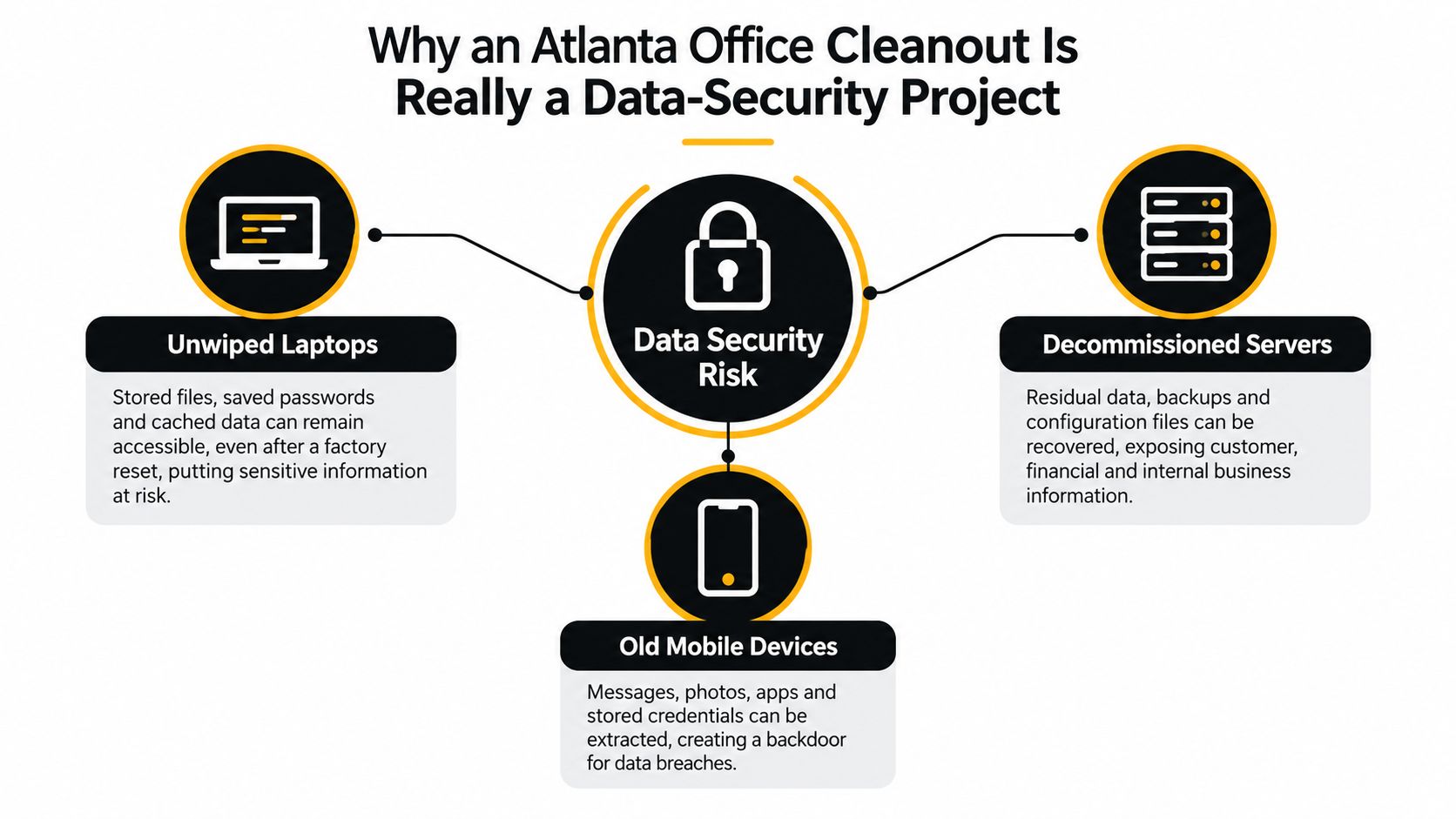
Why an Atlanta Office Cleanout Is Really a Data-Security Project
A cleanout can look finished when the truck leaves the dock, yet the security work may still be incomplete. A recycler might issue a polished certificate while residual PHI, client financial records, employee information, or source code remains on an untracked device. A generic receipt confirms collection. It does not identify which drive was sanitized, which phone was destroyed, or whether a server reached the processing facility.
The exposure affects more than healthcare organizations. Financial institutions, education providers, government contractors, law firms, and technology companies store sensitive records on laptops, servers, mobile devices, copiers, and network appliances. The FTC Disposal Rule guidance requires covered organizations to dispose of consumer report information so it cannot be read or reconstructed, or to use a destruction contractor after appropriate due diligence.
Review these data-security risks of improper computer disposal before evaluating a vendor. The right question is not whether the vendor can remove equipment. It is whether the process accounts for every data-bearing asset, selects a suitable NIST 800-88 method, protects custody during pickup, and produces evidence tied to each serial number.
The four controls that matter
Inventory accuracy establishes the baseline. A missed laptop, loose drive, or network device with retained configuration data makes every later certificate incomplete.
Method selection follows the media. Hard drives, NVMe SSDs, iPhones, copiers, and firewalls require different paths. Crypto-erase may suit supported encrypted storage, while shredding or degaussing may be necessary when reuse is not approved. One generic wipe across a mixed load is not a defensible control.
Custody during transport deserves attention between the locked cage, loading dock, truck, and processing floor. A correctly inventoried device can still become unaccounted for during that handoff.
Post-destruction evidence closes the record. Documentation should connect each serial number with the sanitization or destruction method, date, technician, and disposition. Batch paperwork proves a load was processed, not what happened to a particular drive.
Secure removal also directs equipment into verified reuse or material recovery. The Global E-waste Monitor 2024 reports that global e-waste reached 62 million tonnes in 2022, with only 22.3% documented as formally collected and recycled. Information protection and responsible downstream handling therefore belong in the same Atlanta cleanout workflow.
Building the Pre-Pickup Inventory and Chain of Custody
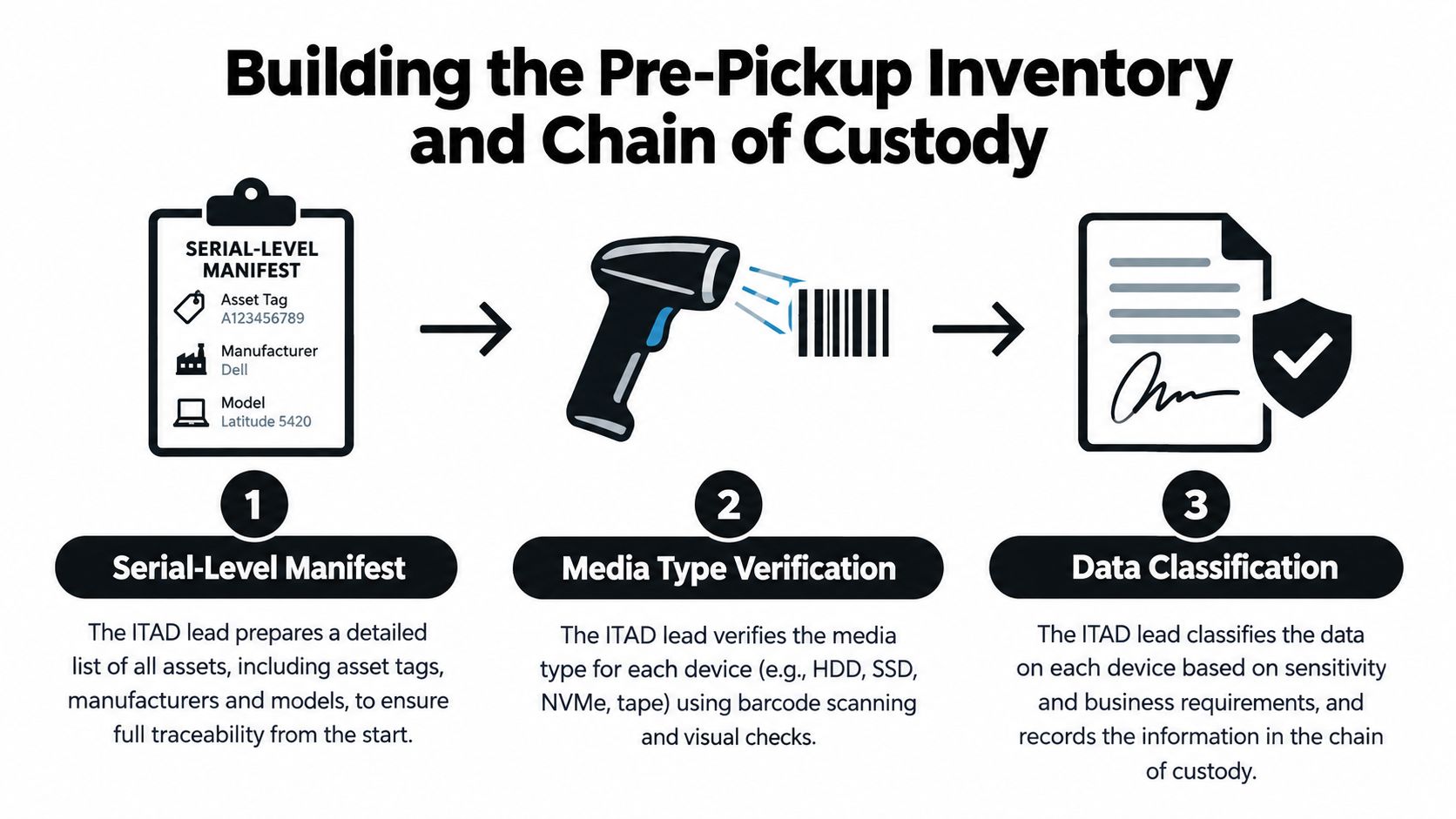
Don't start with the truck. Start with the manifest.
For each asset, record the asset tag, manufacturer, model, service tag or serial number, media type, data classification, physical location, and intended disposition. Capture serials from BIOS screens, barcode scanners, endpoint-management exports, or manufacturer tools. Sticky labels and handwritten lists are useful cross-checks, but they shouldn't be the authoritative record.
Lock the inventory before loading
Separate data-bearing equipment from monitors, keyboards, cables, and other general electronics. Place each drive, laptop, server, phone, storage array, copier, and network appliance in a labeled bag or container. Use tamper-evident seals on drive bays and removable media compartments, then photograph the unit and seal before it moves.
A useful manifest includes:
- Identity: Manufacturer, model, serial number, service tag, and asset tag.
- Storage: HDD, SATA SSD, NVMe SSD, flash storage, tape, NVRAM, or unknown.
- Classification: Public, internal, confidential, regulated, or security-sensitive.
- Location: Office, cage, server room, floor, suite, or storage area.
- Disposition: Reuse, resale, sanitization, physical destruction, or recycling.
- Approval: IT owner, facilities contact, legal or compliance reviewer, and vendor representative.
The chain-of-custody process for IT asset disposal should record every transfer, not just the initial pickup. Use timestamps for release from the office cage, arrival at the loading dock, departure, receipt at the processing facility, and movement into the destruction or reuse area. Log the people involved at each handoff.
Plan the Atlanta building logistics
Buckhead and Midtown pickups need operational planning as well as security planning. Confirm box-truck access on Peachtree or nearby service roads, reserve freight elevators, obtain loading-dock permissions, and choose an after-hours window when hallway exposure is lowest. A secure process can still fail operationally if pallets sit unattended while a crew waits for elevator access.
Before locking the manifest, IT should approve serials and data classifications. Facilities should approve access, staging, elevator, and loading details. Legal or compliance should approve the destruction standard, documentation package, retention location, and any witness requirement. The site contact and courier should sign the final version before equipment leaves.
Practical rule: If a serial number isn't on the manifest, treat the item as unidentified data-bearing media until someone resolves it.
Choosing the Right Data Destruction Method by Media Type
NIST SP 800-88 separates sanitization into Clear, Purge, and Destroy. Clear uses logical techniques intended to protect against ordinary recovery. Purge uses stronger device-level or cryptographic methods. Destroy makes the media unusable through physical destruction.
The correct choice depends on the device, its condition, its data classification, and whether reuse is allowed. The NIST 800-88 data destruction standards provide the framework, but the operator still has to identify the actual media.
Match the method to the hardware
A 2.5-inch SATA or SAS hard disk can often support a verified Clear or Purge process when the drive is healthy and reuse is permitted. Physical shredding is more defensible for regulated data, failed drives, or equipment that won't be reused. Degaussing applies to suitable legacy magnetic media, but it isn't a universal solution.
SSDs require more care. Wear leveling and remapped blocks mean a software overwrite may not reach every physical location. For supported self-encrypting drives, crypto-erase can invalidate the internal encryption key. Vendor secure-erase or purge commands may also be appropriate, but the result must be verified and tied to the serial number. M.2 modules, NVMe drives, and SATA SSDs that fail verification should go to physical destruction, such as a disintegrator or crusher process designed for solid-state media.
| Media Type | Acceptable Methods | Method to Avoid | Notes |
|---|---|---|---|
| SATA or SAS HDD | Verified Clear or Purge, degaussing where appropriate, physical shredding | Casual deletion or formatting | Match the method to reuse, condition, and classification |
| SATA SSD or NVMe SSD | Verified crypto-erase, supported purge, physical destruction | Treating a generic overwrite as sufficient | Remapped blocks can remain outside ordinary software reach |
| Self-encrypting drive | Verified cryptographic erase or physical destruction | Assuming encryption was enabled without checking | Record the erase result and device identity |
| Mobile device | Verified managed wipe, cryptographic reset, or chip-level destruction | Factory reset without verification | Remove the device from MDM and confirm the final state |
| Network appliance | Configuration purge, storage sanitization, NVRAM handling, or destruction | Ignoring flash, logs, or retained credentials | Switches, firewalls, and routers may hold configuration evidence |
Mobile handling also needs a distinction between a factory reset, a remote MDM wipe, and physical chip removal. A reset may be acceptable in a controlled reuse path when encryption and verification support it. A failed or locked phone should be isolated and physically destroyed rather than placed in a resale stream.
Two common failures appear during commercial cleanouts. A drive is pulled early for resale and never reaches the destruction queue, or an SSD is labeled “wiped” even though the tool couldn't address remapped blocks. Both failures begin with poor media identification and end with weak evidence.
Transportation, Secure Handoff, and Witnessable Destruction
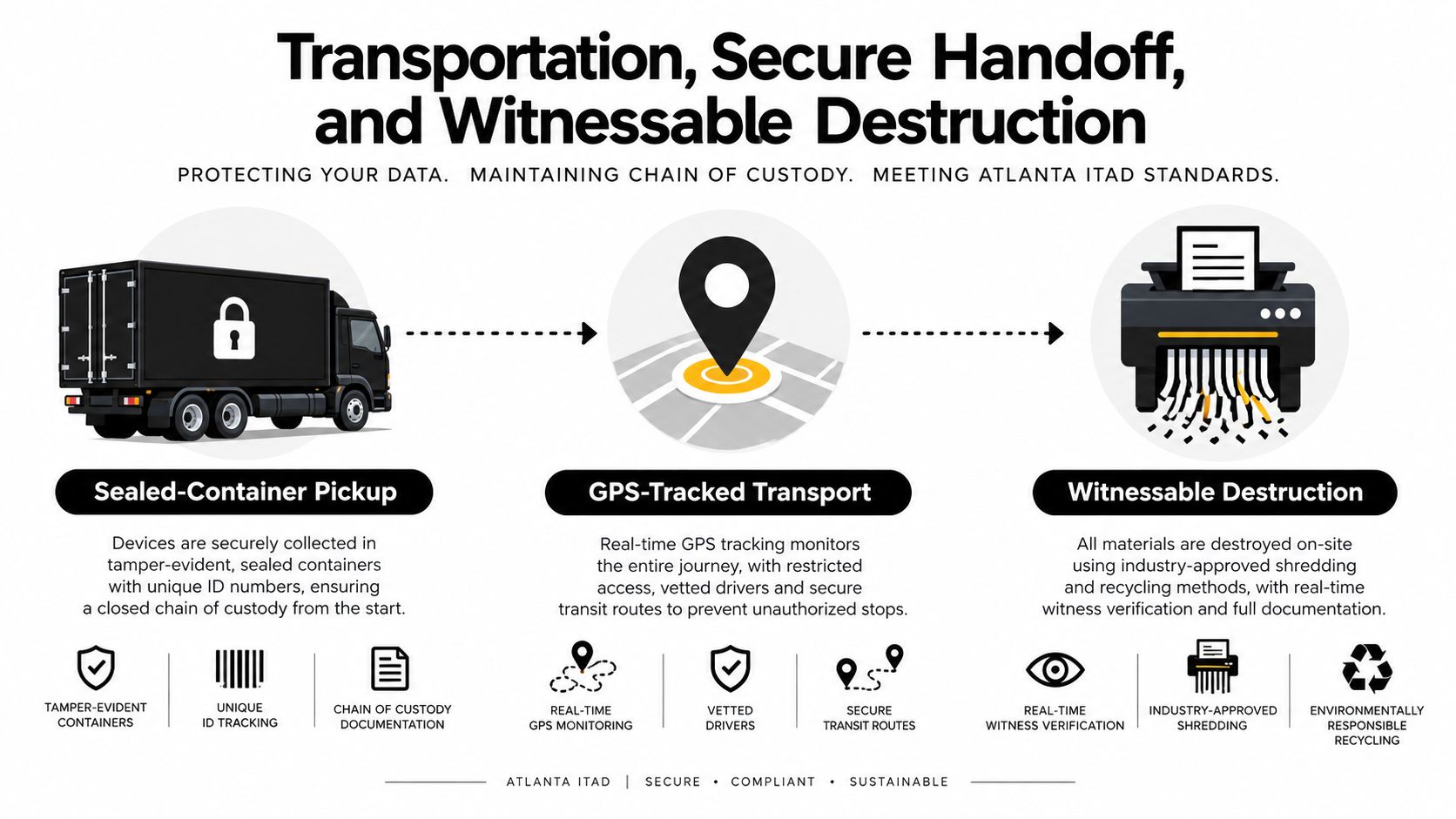
The custody record must remain continuous after the loading dock. Use sealed containers or locked rolling cages, verify the driver's identity, and compare the physical load against the signed manifest before the truck departs. A GPS-tracked vehicle can add location evidence, but GPS doesn't replace serial-level control.
The site contact and courier should sign the handoff after the crew seals the containers. Record the seal numbers, pallet or container count, vehicle identifier, departure time, and receiving destination. Send the manifest and signed handoff to the designated IT and compliance contacts before the truck leaves.
Off-site processing or destruction at the dock
Off-site processing gives the vendor access to dedicated sorting, testing, sanitization, and destruction areas. It works well for mixed office loads, reusable equipment, and projects requiring structured reporting. The trade-off is that transport becomes a critical custody stage.
On-site destruction reduces transport exposure by bringing shredders or degaussing equipment to the office. It can suit high-risk drives or a tightly controlled decommissioning, but the vendor still needs the right equipment for the media and must produce usable serial-level evidence.
For healthcare, finance, legal, and government work, require witnessable destruction when policy or risk classification calls for it. Video records, customer witnesses, and a vendor with NAID AAA certification may be appropriate, subject to your organization's procurement and compliance requirements.
The practical handoff is simple:
- Seal containers and record seal identifiers.
- Weigh or count the load where that supports reconciliation.
- Photograph the sealed pallets or cages.
- Sign the manifest transfer with the site contact and courier.
- Transmit the manifest and custody record to the internal file owner.
That sequence makes a missing pallet, broken seal, or unexplained serial discrepancy visible before final disposition.
Certificates and Compliance Documentation That Hold Up to Audit
A certificate is useful only when it answers the auditor's questions. Which asset was processed? What method was used? When did it happen? Who performed or verified the work? Where is the custody record connecting the device to the final result?
A Certificate of Destruction should identify each device by serial number or asset tag and state the sanitization or destruction method. An aggregated certificate can work when it contains a complete serialized attachment, but a generic statement that “all equipment was destroyed” is weak evidence.
A Certificate of Recycling serves a different purpose. It documents material recovery and downstream handling, ideally identifying the processing chain and relevant certification such as R2v3 or e-Stewards. It doesn't substitute for a data-destruction record.
Build a file an auditor can follow
For a healthcare organization, connect the destruction record to the HIPAA Security Rule media-disposal requirement in 45 CFR 164.310(d)(2)(i). For a financial organization, map procedures to the GLBA Safeguards Rule and retain the vendor due-diligence record. For consumer-report information, use the FTC Disposal Rule under 16 CFR Part 682. FACTA matters where consumer data falls within its scope.
| Document Type | Regulation Satisfied | Retention |
|---|---|---|
| Serialized Certificate of Destruction | HIPAA, FTC Disposal Rule, GLBA, FACTA, internal security policy | Follow the organization's records schedule |
| Chain-of-custody log | Vendor oversight, audit defense, internal control evidence | Follow legal and compliance direction |
| Certificate of Recycling | Environmental program, downstream accountability, sustainability reporting | Retain with the disposition file |
| Vendor certifications and due diligence | FTC Disposal Rule contractor oversight and procurement controls | Retain according to contract and audit policy |
| Witness or video record | High-risk destruction policy and incident-defense evidence | Store under the approved security retention process |
The Certificate of Data Destruction explanation is useful when reviewing sample paperwork, but your legal and compliance teams should set the final retention schedule. Retention commonly follows the organization's regulatory, contractual, and litigation requirements rather than a universal rule.
An auditor in Georgia may ask for the original inventory, pickup authorization, custody transfers, destruction method, serial-level result, vendor certification, and reconciliation showing that every collected item has a disposition. Keep the file in a controlled repository, restrict edits, and preserve the version that was signed at pickup.
Recovering Value Through IT Buyback vs Pure Recycling
Reuse and destruction aren't competing philosophies. They are different disposition paths for different risk profiles.
A working business-class laptop with an intact display, a current processor, and a clean ownership record may be suitable for buyback after verified sanitization. Lenovo ThinkPad, Dell Latitude, and Apple business devices generally have a clearer secondary-market path than old consumer desktops. The resale decision should consider device condition, age, battery health, repair cost, market demand, and data classification.
Pure recycling is the cleaner choice for end-of-life equipment, failed SSDs, damaged screens, obsolete printers, and devices whose handling risk exceeds their recoverable value. Printers and multifunction copiers deserve particular attention because their storage and image logs can be overlooked during a standard office sweep.
Use a simple decision rule
Send equipment toward buyback when it is functional, identifiable, economically testable, and approved for reuse after verified sanitization. Send it toward recycling or destruction when it has failed storage, uncertain media, regulated data that policy requires destroyed, or repair costs that make resale impractical.
| Device Class | Age/Resale Window | Recommended Path |
|---|---|---|
| Business laptop | Recent model with intact display and working board | Sanitization, testing, then buyback or reuse |
| Older business desktop | Limited demand or high shipping and testing burden | Compare recovery quote with direct recycling |
| Server | Usable processors, memory, storage chassis, and documented history | Separate drives, then evaluate chassis and components |
| Failed SSD | No reliable verification or physical damage | Physical destruction and recycling |
| Network appliance | Unknown flash or NVRAM state | Sanitize storage and configuration, then assess reuse |
| Printer or copier | Obsolete, damaged, or storage status unknown | Secure storage review, then recycling or destruction |
Avoid letting a resale quote drive the security decision. The remaining value of a device may offset only part of the cleanout cost, while a weak custody process can create a much larger exposure.
For a commercial program, Beyond Surplus offers IT equipment disposal, certified data destruction, electronics recycling, logistics coordination, and IT buyback services for business pickups. The computer buyback versus recycling comparison can help procurement teams structure the decision, but the final path should follow the asset's media, condition, classification, and approved disposition policy.
Planning Checklist and Common Questions for Atlanta Cleanouts
The week before pickup, a Midtown or Buckhead office manager should be able to answer every question below without opening a new investigation:
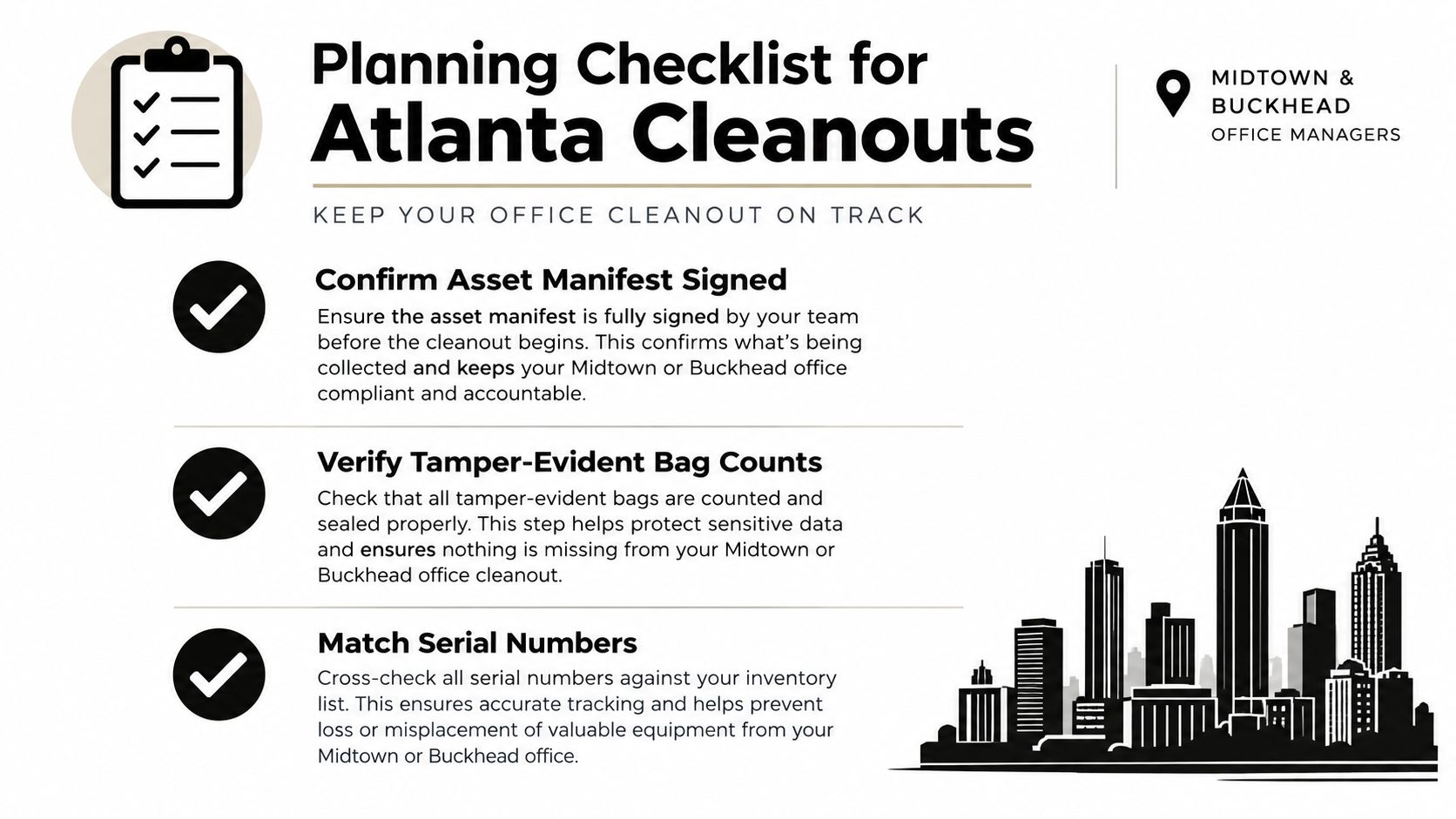
- Confirm the manifest: IT has signed the serial-level inventory and reconciled asset tags, service tags, and physical counts.
- Verify sealed bags: The number of tamper-evident bags, cages, and pallets matches the custody record.
- Assign methods: Each HDD, SSD, mobile device, copier, server, and network appliance has a Clear, Purge, or Destroy decision.
- Review the vendor: Procurement has verified the applicable R2v3 or e-Stewards certification and requested a sample destruction certificate.
- Lock the pickup: Facilities has approved parking, elevator access, loading procedures, and the pickup window.
- Name the couriers: Two authorized contacts are listed for the handoff, with driver identification required at arrival.
- Prepare the file: IT, legal, facilities, and compliance know who receives the signed manifest and final certificates.
Common Atlanta questions
How long does on-site shredding take per pallet?
There isn't a reliable universal time. Pallet density, drive access, equipment capacity, security screening, and whether serials must be reconciled all affect the schedule. Ask the vendor for a site-specific estimate after sharing the media mix and access conditions.
Can crypto-erase work on Samsung PM893 enterprise SSDs?
It may be appropriate when the specific drive supports the required cryptographic function and the operator can verify the result. Confirm the firmware, encryption state, management method, and evidence fields before relying on crypto-erase. If verification fails, route the drive to physical destruction.
What should we do with legacy copiers?
Treat them as potential data-bearing equipment. Identify internal storage, image logs, address books, fax records, and removable media. Remove or sanitize the storage before the copier enters a resale or recycling stream.
What about devices that fail sanitization?
Quarantine them, update the manifest, and change the disposition to physical destruction. Don't return a failed device to general inventory, resale, or mixed e-waste.
Fulton County facility rules and residential drop-off policies aren't a substitute for a commercial chain-of-custody program, so confirm the receiving organization's current terms before planning self-haul. Businesses scheduling a pickup should also account for Atlanta traffic, freight-elevator availability, and access constraints. A MARTA-accessible vendor warehouse may help self-haul clients, but the same inventory and custody standards still apply.
Beyond Surplus coordinates commercial electronics recycling, secure IT equipment removal, data destruction, IT buyback, and office or data-center cleanouts with documented chain of custody. Visit Beyond Surplus to discuss an Atlanta pickup, media-specific sanitization, serialized certificates, and a disposition plan built around your organization's compliance requirements.