

Only 22.3% of global e-waste was formally collected and recycled in 2022, leaving businesses with an urgent need to route retired computers through certified IT asset disposition while protecting data and recovering value. The opportunity is practical: a disciplined recycling program can turn unmanaged equipment into documented, secure, and potentially recoverable assets.
A facility manager usually sees the problem before anyone else does. Laptops occupy a locked cabinet, servers sit on pallets after a data center move, and monitors accumulate in a warehouse corner because nobody knows whether they should be reused, sold, wiped, shredded, or recycled. The cheap option is to call a general hauler, but that decision can create a much larger liability.
Business computer recycling should be treated as an operational control, not a final cleanup task. The right workflow accounts for every device, protects stored information, documents custody, and separates equipment with resale potential from material that must go to downstream recycling.
Table of Contents
- Why Secure Computer Recycling Matters for Your Business
- Step One – Asset Inventory and Tagging
- Choosing Between Certified Wiping and Physical Shredding
- Building a Bulletproof Chain of Custody
- Logistics, Pickup Options, and Vendor Selection
- Maximizing Value Recovery and Sustainability Reporting
Why Secure Computer Recycling Matters for Your Business
At 4 p.m. on collection day, a warehouse may contain laptops, servers, and loose drives with different owners and different risk profiles. A pickup can clear the room quickly, yet leave the IT director unable to prove which serial number went into which shipment, who accepted it, or whether its data was wiped or destroyed. That missing evidence creates work long after the equipment has left the building.
The global figures show why control matters. The world generated 62 billion kilograms of e-waste in 2022, equal to about 7.8 kilograms per person, while only 22.3% was formally collected and recycled in an environmentally sound way, according to the Global E-waste Monitor background data. The same data reports formal collection and recycling of 42.8% in Europe, compared with less than 1% in African countries. Regional infrastructure differs, but a business can still decide whether its own equipment enters a documented recovery channel.
For an IT team, the gap appears as reconciliation work. Missing serials, incomplete manifests, and unclear custody records force staff to match invoices, user assignments, and certificates by hand. A 500-device refresh can expose that documentation gap as 15 to 20 hours of reconciliation when serials are missing from the manifest. The cost is administrative before it becomes a security, environmental, or legal problem.
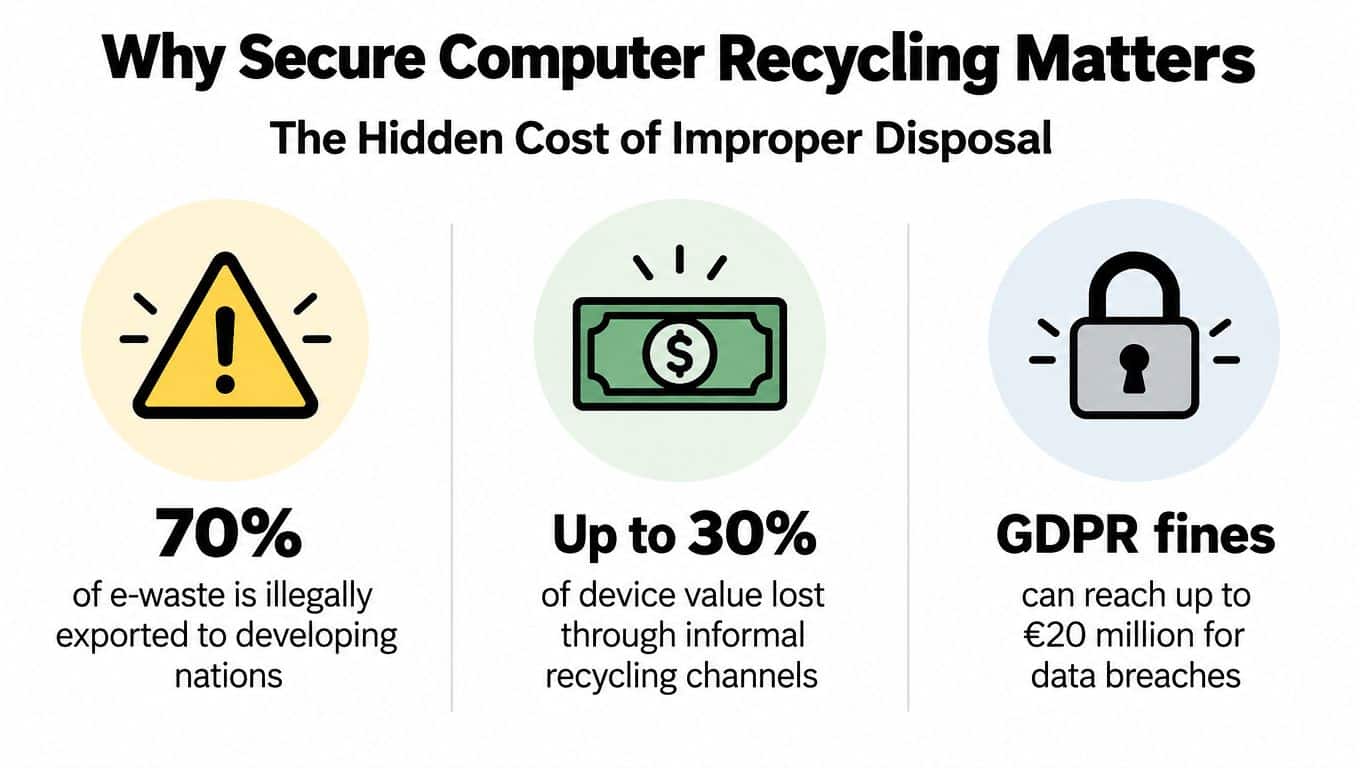
The cost of treating disposal as an afterthought
A documented program also supports a practical wipe-versus-shred decision. Drives in equipment suitable for reuse or resale can be securely wiped, preserving hardware value while producing a record of the method and result. Drives that fail verification, contain highly sensitive data, or cannot be reliably processed should be physically shredded. Using both routes on one project often protects compliance without destroying recoverable equipment unnecessarily.
A low-cost hauler may offer removal without device-level evidence. That leaves procurement unable to validate disposition charges, auditors with incomplete records, and security teams exposed if a retired device later appears in a breach investigation. The data security risks of improper computer disposal explain why removal alone does not control stored information.
Practical rule: If your team cannot identify the device, custodian, sanitization method, and final disposition, the asset is not fully managed.
Step One – Asset Inventory and Tagging
Start before the first laptop leaves the building. An accurate inventory gives the ITAD provider and your internal team a common record, and it prevents a functioning computer from being treated like scrap because nobody documented its configuration.
Build the record at the device level
A useful inventory normally captures:
- Asset identifier: Record the existing company asset tag and the manufacturer serial number. Add a unique tracking label if the original tag is damaged or missing.
- Device description: Note whether the item is a laptop, desktop, server, monitor, storage device, printer, medical device, or laboratory instrument.
- Configuration: Record the manufacturer, model, processor family, memory, storage type, and condition. These details help determine whether reuse or remarketing makes sense.
- Data-bearing components: Identify internal drives, removable media, backup cartridges, and other storage components. A computer's chassis may be low value while its storage media carries the greatest security risk.
- Location and custodian: Record the building, room, department, and responsible employee or team before collection.
- Disposition status: Leave a clear field for pending evaluation, reuse, resale, parts harvesting, destruction, or recycling.
Barcode scanners can accelerate large inventories, but a controlled spreadsheet can work for a smaller project if staff follow a consistent naming convention. The tool matters less than the discipline. Every row should correspond to a physical item, and every physical item should match a row before loading begins.
Reconcile inventory before pickup
A common failure occurs when teams inventory equipment from an old asset register instead of checking what is physically present. Compare the register with the equipment on the floor, investigate duplicate serial numbers, and flag devices that can't be powered on. Photograph unusual equipment or damaged labels so the receiving team can resolve questions without guessing.
The business technology disposal planning guide can help structure the preparation phase around equipment identification, scheduling, and documentation. Keep the final inventory with the pickup record, not in a separate department folder. That connection is what allows a reviewer to follow the asset from internal custody to final disposition.
A complete inventory does more than support compliance. It protects value by showing which devices deserve testing before anyone sends them to recycling.
Don't erase the inventory after the project closes. Retain the final serialized report, disposition outcome, and relevant certificates according to your organization's records policy. The report becomes useful during future refreshes because it reveals recurring equipment types, collection bottlenecks, and departments that need better retirement procedures.
Choosing Between Certified Wiping and Physical Shredding
The right destruction method depends on the asset, the data, and the intended outcome. Treating every drive as scrap can destroy resale value, while treating every drive as reusable can create unacceptable exposure when the media is damaged, encrypted incorrectly, or subject to heightened confidentiality requirements.
Match the method to the asset
Certified software wiping is generally appropriate when the device is functional, the storage media can be reliably processed, and the organization wants to preserve the possibility of reuse or remarketing. The process should produce evidence that the tool completed the required sanitization and that the result was verified.
Physical shredding is appropriate when the storage media is damaged, the device has little recovery value, or the data sensitivity makes reuse unsuitable. Shredding removes the possibility of returning the drive to service, so it should be reserved for assets where that trade-off is justified.
NIST SP 800-88 Rev. 2 identifies three media sanitization methods, clear, purge, and destroy, and recommends a certificate that records the method, tool or technique, verification, and signature for each device, as summarized in this NIST SP 800-88 reference. A generic statement that “all drives were wiped” isn't equivalent to device-level evidence.
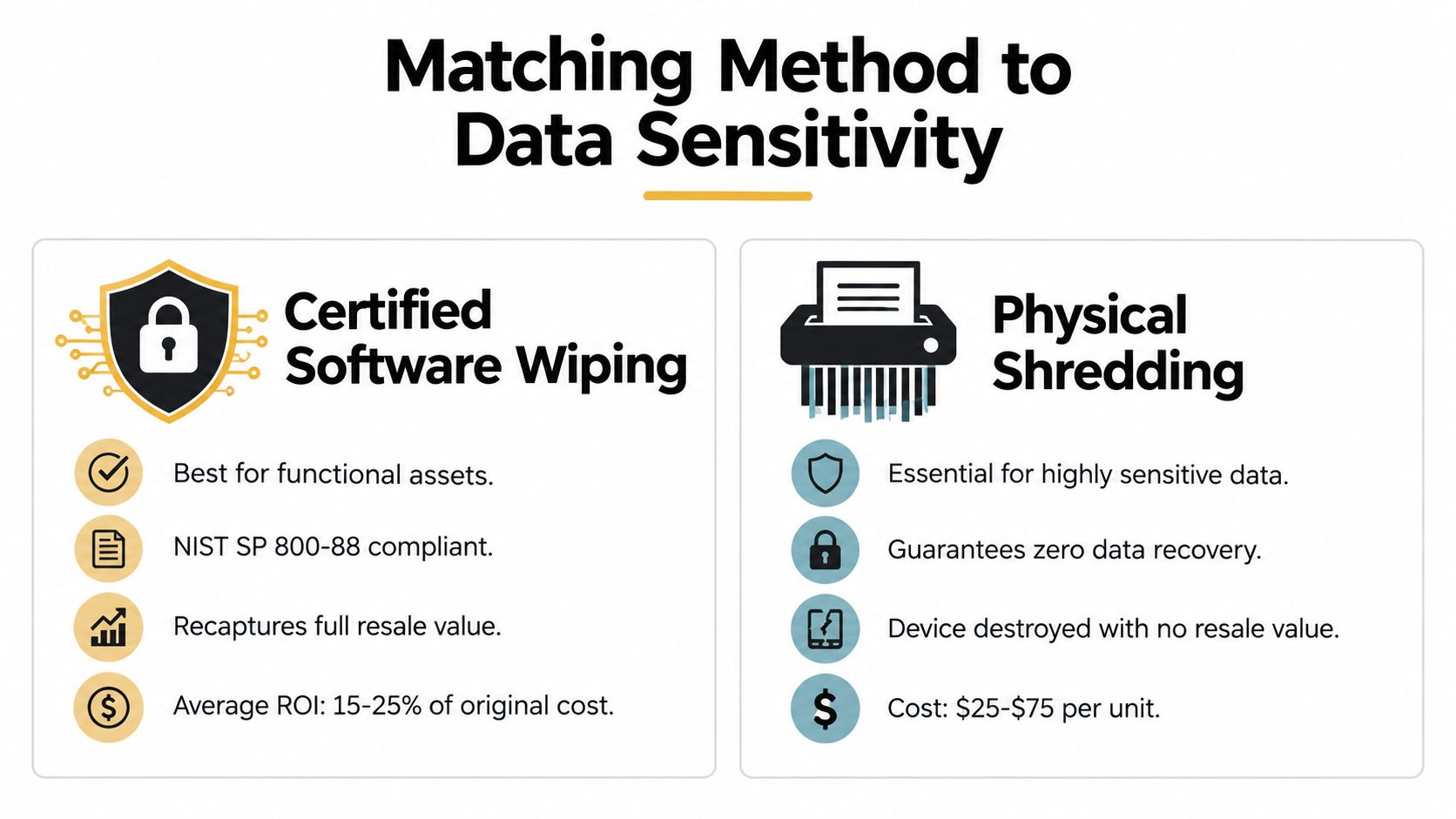
Use a decision matrix instead of a blanket rule
| Asset condition | Data sensitivity | Practical disposition |
|---|---|---|
| Functional laptop or desktop | Standard business data | Certified sanitization, testing, and potential reuse or resale |
| Working server with controlled storage | Sensitive business data | Verified purge where suitable, followed by evaluation |
| Failed drive or unreadable media | Any sensitive data | Physical destruction, with serialized documentation |
| Device subject to contractual or internal destruction requirements | High sensitivity | Physical destruction, even if resale value exists |
| Equipment without storage media | No stored data | Functional testing, parts recovery, or material recycling |
The key trade-off is recoverable value versus certainty of destruction. A working laptop can often move into a second-life channel after certified sanitization, while a shredded drive cannot. Conversely, the resale value of a device never justifies a method that your security policy or contract prohibits.
The comparison of hard-drive shredding and data wiping is useful when defining those rules with security, legal, and finance stakeholders. Include the decision in the work order, not just in an informal email. That record shows why a particular asset was wiped, shredded, or routed for another form of destruction.
Building a Bulletproof Chain of Custody
Chain of custody is the evidence layer of business computer recycling. It connects the device your employee surrendered with the final certificate that states what happened to it. Without that connection, even a reputable downstream process may be difficult for your organization to prove.
Record every handoff
At collection, the manifest should identify the quantity and serialized assets being transferred. The person releasing the equipment and the person accepting it should sign or authenticate the handoff. For a multi-site project, keep separate location records so an issue at one facility doesn't contaminate the entire inventory.
The record should continue through:
- Pickup and loading: Confirm the vehicle, date, site, responsible personnel, and asset count.
- Secure transport: Retain the transport record and note any transfer between the pickup team, carrier, warehouse, and processing facility.
- Receiving inspection: Reconcile the manifest against the received equipment and document discrepancies immediately.
- Data sanitization or destruction: Match the method, tool, verification result, and operator record to each data-bearing device.
- Final disposition: State whether the asset was reused, remarketed, harvested for parts, destroyed, or recycled.
- Certificate production: Store certificates with the serialized report and the original service order.
Make certificates specific
A certificate of recycling confirms that equipment entered an appropriate recycling workflow. A certificate of data destruction confirms that identified media went through a defined sanitization or destruction process. They answer different questions, so a recycling certificate alone shouldn't be treated as proof that data was removed.
The chain-of-custody guidance for IT asset disposal provides a useful framework for keeping those records connected. Ask vendors how they handle exceptions, including missing serial numbers, devices received in excess of the manifest, failed wipe attempts, and equipment diverted to a different downstream processor.
Documentation should be created during the handoff, not reconstructed after an auditor asks for it.
The FTC Disposal Rule and sector-specific obligations such as HIPAA can make evidence particularly important for organizations handling personal, financial, or health information. The exact control set depends on your business and contracts, but the operational principle is consistent: define the required record before collection, then make the vendor produce it as part of the service.
Logistics, Pickup Options, and Vendor Selection
A secure process can still fail if the logistics are improvised. Computers are heavy, fragile, and easy to miscount during a rushed office move. Schedule the pickup around decommissioning milestones, reserve a controlled staging area, and decide who can release equipment before the truck arrives.
Plan the physical move
For a small collection, staff may consolidate laptops and peripherals into labeled cartons. A server room or data center decommissioning project may require palletization, serialized scanning, specialized packing, lift-gate access, and coordination with facilities personnel. Keep storage media separate from non-data-bearing equipment when your policy requires it, and restrict access to the staging area until loading is complete.
Your pickup plan should specify:
- Site access: Loading dock instructions, security requirements, parking constraints, and elevator access.
- Equipment profile: Approximate categories, dimensions, weight, and any unusually large or sensitive items.
- Packaging responsibility: Identify whether the vendor or your team will box, palletize, wrap, and label the equipment.
- Collection evidence: Require a signed manifest and confirmation of the assets loaded.
- Exception handling: Define what happens if equipment is missing, damaged, or not ready at the scheduled time.
Evaluate the provider, not just the quote
A low price can hide weak documentation, unclear downstream routing, or extra labor charges. Ask for the provider's certifications, insurance, data destruction methods, transport controls, and policy for subcontractors. Confirm whether the company can handle laptops, desktops, servers, medical equipment, laboratory equipment, product destruction, and data center de-installations if those categories may appear in your refresh program.
The U.S. electronics recycling industry included 878 businesses in 2026, and the industry grew at a 1.7% compound annual growth rate from 2021 to 2026, according to IBISWorld's electronics recycling industry data. More provider choice doesn't remove the need for due diligence. It makes the evaluation criteria more important.
For commercial collections, verify that the provider can issue certificates of recycling and data destruction, maintain serialized reporting, explain its downstream partners, and coordinate pickups across the contiguous United States when needed. Beyond Surplus provides business ITAD, secure data wiping, hard-drive shredding, equipment pickup, and documented recycling for organizations managing retired technology.
Maximizing Value Recovery and Sustainability Reporting
Recycling decisions shouldn't begin with the assumption that every retired computer is waste. Many business devices are replaced because they no longer fit a user's requirements, not because every component has failed. A hybrid disposition model evaluates residual value while keeping security controls intact.
The workflow should separate equipment into three practical streams:
- Reuse and remarketing: Functional assets receive testing, grading, certified sanitization, and a route to a new user or buyer.
- Parts harvesting: Devices that aren't economical to resell may still contain usable components.
- Downstream recycling: Broken, obsolete, or non-recoverable equipment moves to material processing through a documented channel.
The economic case is substantial at the global level. The 2022 e-waste stream contained approximately US$62 billion in recoverable natural resources that weren't formally captured, according to the United Nations Institute for Training and Research. For an individual business, the practical question isn't how much of that global value it can claim. It's whether its process tests assets before destroying them and records the outcome of each disposition.
Report outcomes stakeholders can verify
Sustainability reporting improves when the ITAD record includes actual disposition categories rather than a single statement that equipment was recycled. Track the number of assets evaluated for reuse, the number remarketed, the number sent to parts recovery, and the number processed as material recycling. Pair those results with certificates and downstream documentation.
The business case is also becoming more immediate because refresh activity is increasing. Independent market research projects that 240 million Windows 10 PCs will be retired in 2025, and projects the ITAD market to grow from USD 24.4 billion in 2025 to USD 39.66 billion by 2031, as reported by Mordor Intelligence. These are market projections, not a guarantee for any individual company, but they reinforce the need to plan warehouse capacity, collection schedules, and processing controls before a refresh wave arrives.
North American ITAD data shows the tension between security and recovery clearly. Data destruction and sanitization represented 38.20% of regional share in 2025, while remarketing and value recovery is projected to grow at a 15.02% compound annual growth rate through 2031, according to North America ITAD market research. The sensible response isn't to choose wiping or shredding for every asset. It's to define the decision criteria, document the choice, and let sensitivity, condition, and residual value guide the route.
For a practical framework connecting recycling operations with ESG reporting, review how businesses can improve ESG through IT recycling. Start your next refresh by freezing the inventory, assigning each device a disposition path, and requiring certificates before the project closes. Visit Beyond Surplus to arrange commercial electronics recycling, secure data wiping or hard-drive shredding, equipment pickup, and documented IT asset disposition for your organization.


