

Old laptops in a storage room rarely look urgent. Then a lease return comes due, a compliance questionnaire lands in your inbox, or someone asks whether the drives in that retired server were ever wiped. That's when disposal stops being a cleanup task and becomes an operations problem.
Many teams don't struggle because they don't care. They struggle because end-of-life equipment sits between departments. IT knows what the devices are. Security cares about the data. Facilities manages space. Procurement may own the vendor relationship. Finance wants records. Without a plan, everyone assumes someone else has it covered.
Table of Contents
- Why Business Technology Disposal Planning Matters Now
- Building Your Disposal Governance and Objectives
- Inventory and Asset Classification That Drives Decisions
- Regulatory Requirements and Secure Data Destruction Standards
- Vendor Selection Chain of Custody and Certificates
- Logistics Value Recovery and Environmental Compliance in Action
- Putting Your Plan Into Practice With Training and a Checklist
Why Business Technology Disposal Planning Matters Now
A common scene looks like this. A company finishes a refresh, stacks monitors and laptops in a locked room, and tells itself it'll schedule recycling later. Weeks pass. Some assets still have tags, some don't. A few systems might have been reassigned before retirement. Nobody is sure which devices contain sensitive data, which still have resale value, and which need physical destruction.

That uncertainty matters because disposal volume is no longer small or occasional. In 2022, the world generated 62 billion kilograms of e-waste, equal to 7.8 kilograms per person, and only 22.3% was formally collected and recycled in an environmentally sound manner according to the Global E-waste Monitor 2024. The same source says annual volume has nearly doubled in 12 years and is projected to reach 82 million tonnes by 2030, a 33% increase from 2022.
Risk starts before the truck arrives
The biggest mistake is treating disposal as the last step. By the time equipment is piled near a loading dock, the hard part should already be decided.
- Data risk: Drives, SSDs, and embedded storage need a known sanitization path.
- Record risk: Auditors and internal reviewers usually care about proof, not assumptions.
- Value risk: Reusable hardware loses value while it sits idle.
- Space and labor risk: Storage rooms become holding areas for unresolved decisions.
Secure disposal is now as much a documentation discipline as a destruction discipline.
A formal Business Technology Disposal Planning Guide gives your team a repeatable process. It should define who approves retirement, how assets are classified, what evidence gets retained, and which vendors can receive equipment. If you've seen data security risks from improper computer disposal, you already know the problem usually isn't one dramatic failure. It's a chain of small gaps.
What a plan actually does
A solid plan turns a messy pile of old equipment into a controlled workflow. Devices move from inventory, to classification, to sanitization, to transport, to final certificates. Nothing leaves your control without a documented decision.
Building Your Disposal Governance and Objectives
A disposal plan usually breaks long before equipment reaches a recycler. It breaks earlier, when no one agreed on who can approve retirement, what evidence must be kept, or which vendor conditions should have been set at purchase.

Disposal governance works best when ownership, permissions, and logs are defined early, much like a building access system. If procurement, IT, security, and operations each make separate decisions, the result is usually a gap in records, a delay in pickup, or uncertainty about whether data-bearing assets followed the right path.
Start at procurement, not retirement
A useful disposal program begins when the device enters service. That is the point where your team can decide how the asset will be tracked, what data risk it may carry, what end-of-life options are acceptable, and what proof a vendor must return. Recent guidance on enterprise IT asset disposal makes the same point: inventory, classification, sanitization, transport, and certificates should be planned across the full asset lifecycle, not after equipment is retired, as noted in this enterprise IT asset disposal 2026 guidance.
This shift is easy to miss. Busy teams often treat disposal as a facilities event because the visible moment is pickup day. In practice, it is a governance process. The truck is only one checkpoint.
Questions to settle early include:
- What type of data is the device likely to handle?
- Is reuse, resale, recycling, or destruction allowed for this asset class?
- What records must exist before the asset leaves service?
- Which vendor controls belong in the purchase terms or disposal agreement?
Assign ownership by function
Shared responsibility only works when each function has a defined job. Otherwise, teams assume someone else is handling the details that auditors later ask to see.
- IT: Maintains asset records, confirms device status, and identifies storage media.
- Security or compliance: Sets sanitization requirements and evidence standards.
- Facilities or operations: Manages staging, site access, and physical movement.
- Procurement or legal: Reviews vendor terms, downstream controls, and certificate requirements.
- Finance: Confirms retirement records and, where relevant, tracks value recovery.
One rule helps avoid confusion. The team that signs off on final disposition should also know where the certificate trail will be stored and how it will be retrieved later.
Define objectives that guide real decisions
Good objectives should help a manager make a decision under time pressure, such as during a refresh, office closure, or data center cleanup. If the policy only sounds formal but does not direct action, people will create workarounds.
Core objectives to write into policy
- Protect sensitive data: Classify every data-bearing asset before release.
- Preserve value where appropriate: Keep reuse and resale available for lower-risk equipment.
- Retain evidence: Store serialized or batch-level records tied to sanitization and disposition.
- Support audits: Organize records so they can be retrieved by date, location, vendor, or project.
A good governance document reads less like a legal memo and more like an operating playbook. It should show who approves each step, what must be documented, how exceptions are handled, and how long records are kept. That is what turns disposal from a one-time cleanup task into lifecycle governance.
Inventory and Asset Classification That Drives Decisions
Inventory is where disposal planning becomes real. If your list only says “old laptops” or “server scrap,” your team can't choose the right downstream path. Good disposal decisions come from specific records.

Classify risk before anything leaves control
A practical disposal plan should classify each retiring device by data sensitivity, then route it either to verified reuse or to destroy-level processing. NIST SP 800-88 Rev. 2 defines Clear, Purge, and Destroy as the three sanitization outcomes, with the practical effect that high-risk media should be physically destroyed while lower-risk devices can be wiped and redeployed with evidence retained in the chain of custody, as summarized in this business guide to NIST-aligned IT disposal.
That means classification isn't just an inventory exercise. It's a routing decision.
What to capture for each asset
Your register should help a manager answer three questions fast: what is it, what risk does it carry, and what should happen next?
- Identity details: Asset tag, serial number, device type, model, and location.
- Data profile: Whether it stores customer, employee, financial, health, or internal business data.
- Media status: HDD, SSD, removable media, embedded storage, or no storage.
- Lifecycle status: Active, spare, damaged, retired, or awaiting pickup.
- Disposition path: Reuse, resale, parts recovery, recycling, or destruction.
Teams using inventory optimization practices usually find disposal planning gets easier because the hard choices were already recorded before decommissioning day.
Separate by path, not by appearance
A clean-looking laptop may still need destroy-level handling. A scratched monitor may still be perfectly suitable for recycling without any data process. Don't sort by cosmetic condition alone.
Assets should leave your building in categories, not in piles.
A simple decision lens
Use this quick logic:
- Devices with high sensitivity data and onboard storage go to destruction-focused handling.
- Devices with lower sensitivity data and recoverable value may be wiped, documented, and redeployed or resold.
- Peripherals with no storage usually move directly into recycling or parts recovery streams.
That classification step prevents the most common disposal error. Treating every retired device the same.
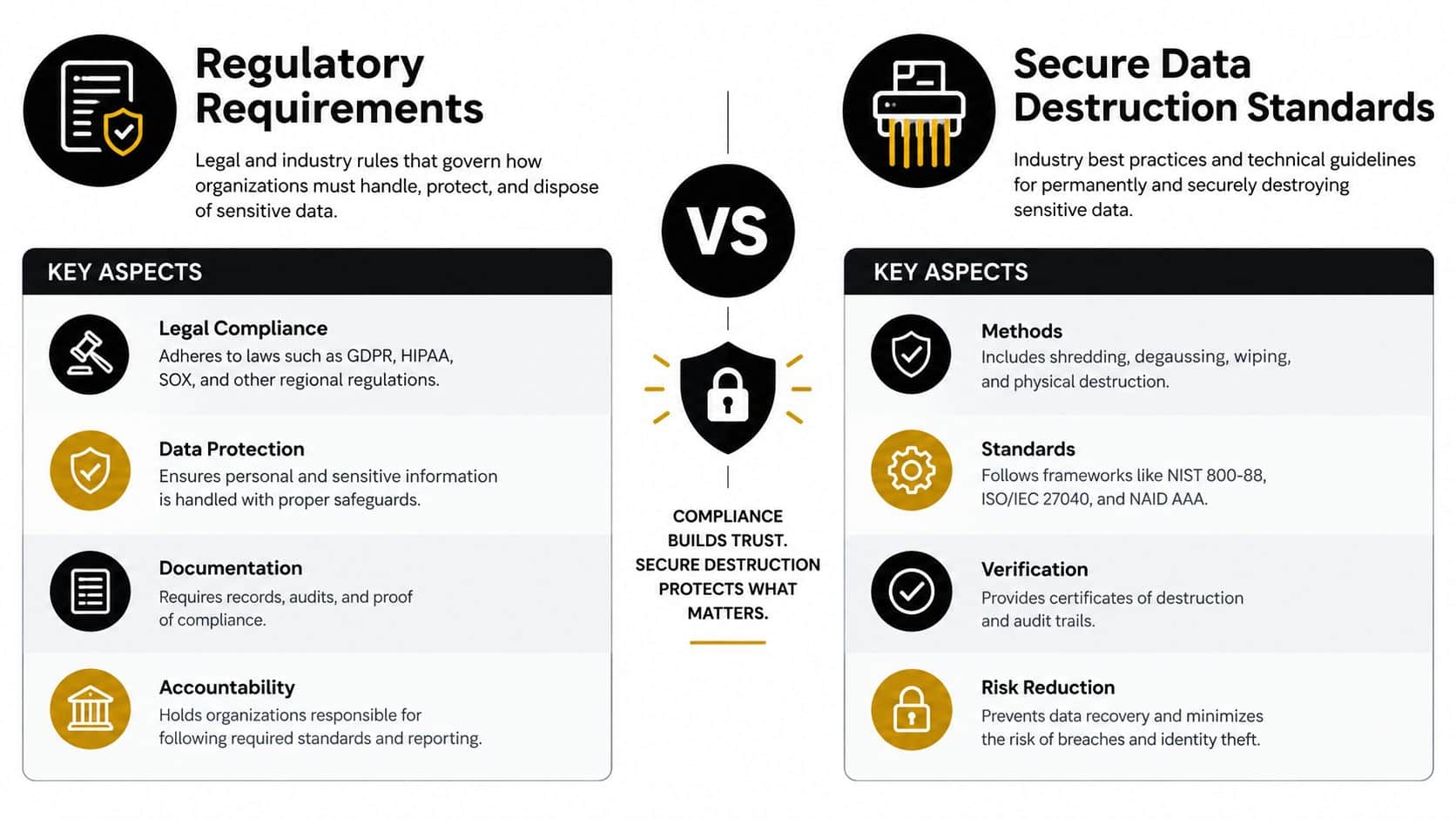
Regulatory Requirements and Secure Data Destruction Standards
Compliance language can make disposal seem more complicated than it is. In practice, most rules ask a straightforward question: could someone read or reconstruct the information after disposal? If the answer might be yes, your method isn't strong enough.
What the rules mean in plain language
The FTC Disposal Rule requires businesses that use consumer reports for a business purpose to take reasonable measures so consumer information cannot be read or reconstructed. That directly supports a disposal workflow with verified wiping or destruction, rather than simple deletion, as explained in this overview of what businesses should know about e-waste laws.
For regulated enterprises, disposal controls also need documented due diligence on the downstream vendor and a serialized certificate trail. The FTC Disposal Rule applies to any business handling consumer report information, requires reasonable measures to protect that data during disposal, and has no small-business exemption, according to this IT asset recovery and US compliance summary.
Clear, Purge, and Destroy compared
NIST gives teams a practical way to match method to risk. If you want a deeper operational breakdown, this guide on NIST 800-88 data destruction standards is useful context.
| Sanitization Level | Best For | Outcome and Evidence |
|---|---|---|
| Clear | Lower-risk devices staying under organizational control or moving to approved reuse | Logical sanitization is performed and recorded so the device can be reused with retained evidence |
| Purge | Higher-risk media that can still be sanitized without physical destruction | Stronger sanitization outcome with method-specific records in the chain of custody |
| Destroy | Media with the highest sensitivity or devices not suitable for sanitized reuse | Physical destruction renders media unusable, supported by serialized or batch documentation |
Wiping versus destroying
Managers often ask whether on-site shredding is always required. It isn't. The better question is whether the chosen method matches the device's risk profile and whether your records can prove that choice was carried out.
- Use wiping or purging when the asset has reuse value and your controls can verify the method.
- Use destruction when policy, data sensitivity, media condition, or chain-of-custody limits make reuse too risky.
- Avoid simple deletion because deletion alone doesn't meet the standard of making information unreadable or unreconstructable.
A defensible method is one you can explain, repeat, and document without guesswork.
Vendor Selection Chain of Custody and Certificates
A vendor choice shapes your disposal risk long before pickup day. If procurement approves a recycler with weak records, your team may not discover the gap until an auditor asks where a specific laptop went, which drives were sanitized, or who signed for the load in transit.
That is why disposal planning starts earlier than the final truck appointment. Chain of custody and certificates are part of lifecycle governance. They should be defined when you set vendor requirements, contract terms, and documentation standards, not after equipment is already stacked at the dock.
What to verify before pickup
Review an ITAD or recycling partner the way you would review any provider handling sensitive business records. The question is simple: can this company prove what happened to each asset after it leaves your control?
Check for these points during vendor review:
- Downstream transparency: The provider should explain where assets go for reuse, recycling, or destruction, including any subcontractors.
- Documentation capability: Records should tie back to serial numbers or controlled batch IDs, based on the scope of the job.
- Transport controls: Pickup, staging, sealing, loading, and transfer steps should be defined in writing.
- Scope fit: A vendor that handles routine office cleanouts may not be equipped for data center de-installation, regulated devices, or multi-site pickups.
- Exception handling: Ask what happens if counts do not match, labels fall off, or a damaged drive is discovered mid-project.
A useful test is to ask the vendor to walk through one asset's paper trail from pickup to final disposition. If the explanation is vague, your records will likely be vague too.
For a practical screening framework, use a vendor due diligence checklist before signing any agreement.
Chain of custody works like a handoff log
Chain of custody is best understood as a handoff log, where responsibility is recorded each time equipment changes hands. The hardware matters, but the documented transfer matters just as much. Without that record, your organization can show that equipment left the building, but not who controlled it next or what happened after.
A sound chain usually includes count verification, asset or batch identification, transfer acknowledgment, transportation records, sanitization records for data-bearing media, and final disposition confirmation. Those records should mirror the actual project. If the shipment included laptops, loose drives, and network switches, the paperwork should show that mix clearly.
This point often causes confusion. Physical destruction alone does not fix a broken chain of custody. A shredded drive with poor documentation can create more audit trouble than a properly sanitized device with clear serialized records.
What certificates should show
Certificates are useful when they answer the questions your internal team, auditor, insurer, or customer will ask later. What was received? How was it processed? When did it happen? How does that record tie back to your project?
Look for certificate content such as:
- Pickup or transfer date
- Asset identifiers or controlled batch references
- Disposition outcome, such as recycled, sanitized for reuse, or destroyed
- Sanitization method detail for data-bearing media
- Provider identity and a matching project or load reference
A certificate should close the loop, not create new questions.
One factual example in the market is Beyond Surplus, which provides documented chain-of-custody handling along with certificates of recycling and data destruction for business IT disposal projects.
Logistics Value Recovery and Environmental Compliance in Action
The physical side of disposal often looks simple from a distance. Pack equipment, schedule pickup, and move it out. In reality, logistics, value recovery, and environmental compliance affect one another.
Treat disposition like a portfolio
A mixed fleet rarely belongs in one bucket. Recent planning materials describe end-of-life handling as a portfolio decision where each asset is assigned to redeployment, resale, parts recovery, recycling, or destruction based on risk, data sensitivity, and residual value, as outlined in this office technology refresh planning guide.
That's a useful shift. It keeps teams from destroying everything by default or trying to resell hardware that should never leave under a reuse model.
Make logistics support the chosen path
Once decisions are made, logistics should preserve them.
- Stage by disposition path: Keep resale candidates separate from destroy-level media.
- Label before transport: Don't rely on memory during pickup day.
- Coordinate de-installation carefully: Server rooms, labs, and clinical environments often need equipment removed in sequence.
- Match paperwork to loads: The physical shipment and the asset record should mirror each other.
The truck should be the last controlled step in a documented process, not the moment decisions finally get made.
Don't ignore cross-border rules
Environmental compliance gets more complicated when assets move across borders. Basel Convention guidance states that, as of January 1, 2025, exports of e-waste for overseas treatment require prior written consent from the importing country and any transit nations, according to the E-waste Statistics Guidelines Third Edition.
That matters for multinational organizations and for any vendor using overseas downstream channels. If your organization wants to focus on resale and reuse, this overview on recovering value from used business IT assets helps frame the operational tradeoff.
Putting Your Plan Into Practice With Training and a Checklist
A disposal plan becomes real when front-line staff can follow it without calling a meeting every time a closet fills up. Training should be short, role-based, and tied to actual events like refresh cycles, relocations, lease returns, and department shutdowns.
Train by role, not by theory
Your desktop team needs to know how to identify storage media and update status records. Facilities needs staging and transfer rules. Managers need approval thresholds and escalation points. Procurement and compliance need the certificate and retention requirements.
Keep the operating checklist simple:
- Before retirement: Confirm asset identity, owner, and data classification.
- Before pickup: Approve disposition path and verify packaging or staging controls.
- At handoff: Match counts, identifiers, and transfer records.
- After processing: Store certificates where audit and security teams can retrieve them.
Review the plan after real projects
The best time to improve a disposal process is right after a live refresh or decommissioning job. Ask where records were delayed, which assets were hard to classify, and whether any devices sat too long between retirement and final disposition.
A Business Technology Disposal Planning Guide works because it gives your team proof. Proof that the device was identified. Proof that the right method was chosen. Proof that the vendor received it. Proof that the final outcome matched policy.
That proof is what turns disposal from a recurring scramble into an auditable control.
Beyond Surplus helps businesses manage secure IT asset disposition with services that include electronics recycling, certified data destruction, product destruction, logistics coordination, and value-recovery options for business equipment. If you need a disposal process that ties inventory, chain of custody, and final certificates together, visit Beyond Surplus to review service options and plan your next pickup or decommissioning project.


