

A remote employee leaves on Friday. HR closes the ticket. IT sends a polite email asking for the laptop back. By the next week, nobody knows whether the device was shipped, whether the charger is missing, or whether the laptop still contains customer data. Two weeks later, a dented box shows up with the wrong asset tag inside.
That scenario isn't a shipping problem. It's a process failure. Businesses that treat laptop returns as an informal offboarding task usually pay for it twice. First in labor and logistics, then again in lost assets, delayed redeployment, compliance exposure, and reduced resale value.
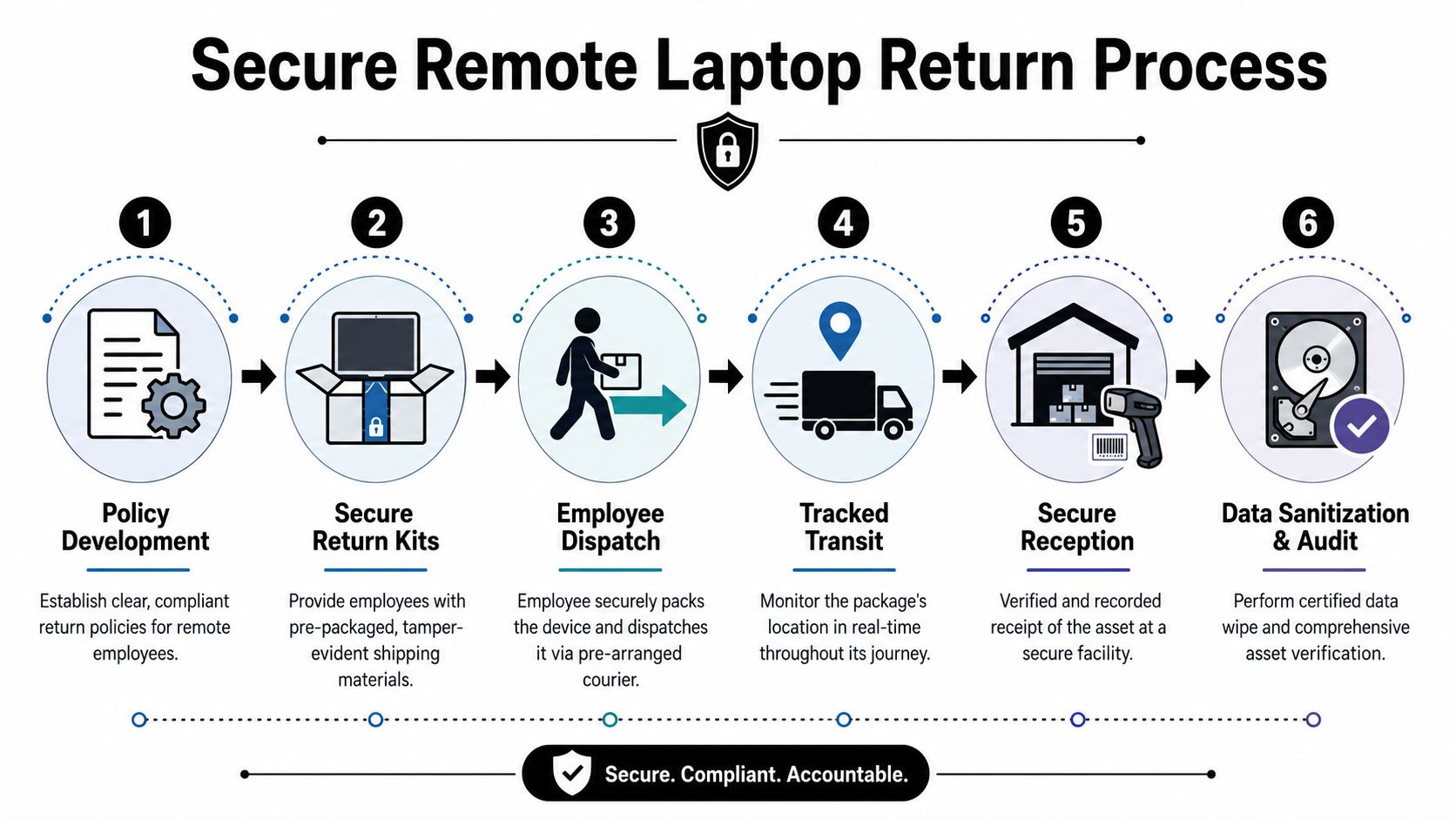
End-to-end remote employee laptop return solutions for businesses work when every handoff is planned in advance. Policy starts the process. Packaging protects value. Tracking documents possession. Sanitization closes liability. Final disposition determines whether the device becomes a redeployment asset, resale inventory, or recycling output.
The High Cost of Unmanaged Laptop Returns
The most expensive laptop return is the one that looks merely annoying.
A manager flags a departing employee. HR assumes IT is handling the return. IT assumes the employee will use the old shipping box. The employee can't find it, waits a few days, and drops the laptop into generic packaging. The box arrives late, the hinge is cracked, and the drive hasn't entered a verified sanitization workflow yet. By then, the organization has already spent time chasing updates across email, HRIS notes, and carrier portals.
The hard cost is easy to underestimate. Organizations without structured laptop return processes for remote employees experience return rates of only 70 to 85 percent, meaning 15 to 30 percent of company devices go missing permanently. The average cost to retrieve a single work-from-home laptop ranges between $197 and $334 per device when all associated labor and logistics are included, according to remote laptop return cost analysis.
What makes that painful is the full lifecycle impact:
- Missing devices erase recovery value because unrecovered hardware can't be redeployed, resold, or processed for certified destruction.
- Manual retrieval burns staff time across HR, IT, procurement, and sometimes legal.
- Transit damage lowers value recovery when a usable laptop becomes a parts-only unit.
- Weak documentation raises security risk if nobody can prove where the device is or who handled it.
Unmanaged returns don't fail in one dramatic moment. They fail through small gaps that stack up.
If you need a direct business case for fixing the problem, this breakdown of unreturned employee laptop costs captures why informal offboarding creates avoidable losses.
Crafting Your Ironclad Laptop Return Policy
A strong return program starts before the employee ever leaves. If the first time someone sees your laptop return rules is during offboarding, you're already negotiating from a weak position.
Put the trigger in writing
The policy should state exactly what events trigger a return workflow. Common triggers include termination, resignation, role change, hardware refresh, extended leave, and contractor end date. Don't leave initiation to memory or goodwill. Tie it to HR and IT workflows so a status change creates an action.
A useful policy also aligns with broader work governance. Teams building formal remote operations often benefit from reviewing guidance on developing remote work policies, because laptop retrieval works better when it's part of a larger accountability model.
Define what the employee must return
Spell out the expected contents. Laptop only is not enough. List the issued items tied to the record, such as:
- Primary device with serial or asset tag reference
- Power adapter and docking accessories if assigned
- Peripheral equipment such as monitors, keyboards, or mobile hotspots when required
- Condition standard based on normal wear versus obvious damage
This avoids the familiar dispute where the laptop comes back but the charger, bag, or security key never does.
Set deadlines and consequences
Good policies remove ambiguity. State the return timeline, the approved method, and what happens if the employee doesn't comply. The language doesn't need to sound punitive, but it should be enforceable.
Practical rule: If a policy can't answer who starts the return, what gets returned, when it's due, and how it's documented, it won't hold up under pressure.
Use plain language in onboarding documents, equipment agreements, and separation checklists. Then keep the operational version inside IT and HR playbooks. For a useful model, review how to build an effective employee equipment return policy.
Make acknowledgment part of issuance
Don't just publish the policy. Have employees acknowledge it when they receive company hardware. That's where accountability becomes much easier later. The best return policies feel boring on purpose. They replace assumptions with instructions.
Streamlining Logistics with Secure Return Kits
A return policy tells people what to do. A secure return kit makes it easy enough that they do it.
When businesses rely on employees to find their own box, padding, label printer, and carrier option, failure rates rise for predictable reasons. People use oversized packaging, skip cushioning, tape over vents, forget accessories, or delay the return because the process feels like homework.
What goes inside the kit
A good return-in-a-box workflow removes decisions. The employee should receive a kit with the exact materials needed to send the device back safely and correctly.
- Right-sized box that fits the device without excess movement
- Protective cushioning to reduce corner and screen damage
- Prepaid, pre-addressed label so the employee doesn't have to book shipment
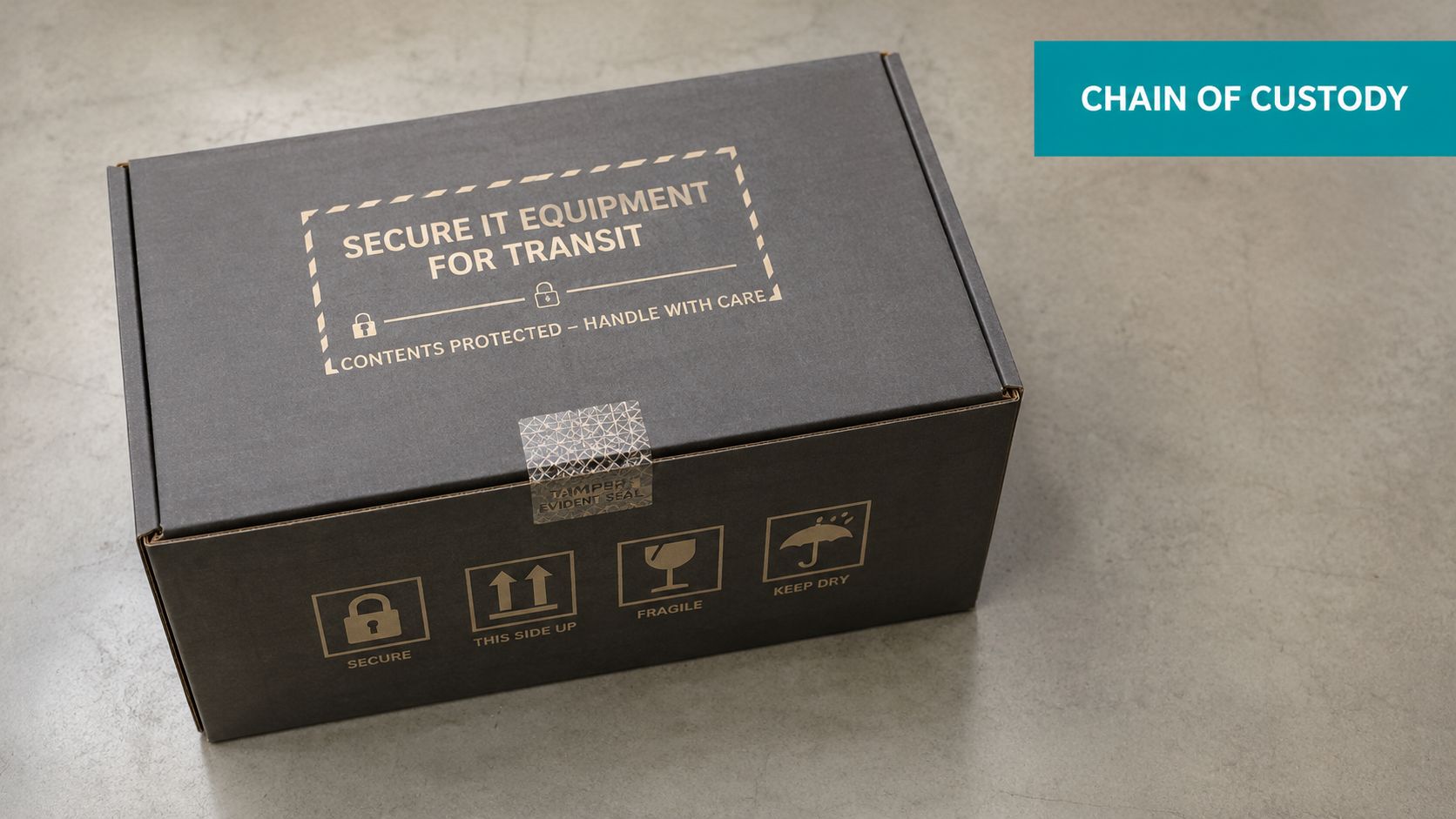
- Tamper-evident sealing to show whether the package was opened in transit
- Printed instructions with a short checklist and support contact
- Asset reference sheet so contents match the return request
Packaging choice has a direct business outcome. Better cushioning lowers transit damage. Lower damage preserves cosmetic and functional grade. Better grade improves redeployment readiness and resale potential.
Reduce friction at the employee side
Most delays happen because the departing worker has unresolved questions. Do they include the charger? Do they need to print anything? Can they use a drop box? What if the laptop is damaged? Good kits answer those questions before they're asked.
One practical approach is a one-page insert with four steps:
- Confirm the listed equipment.
- Pack the laptop exactly as shown.
- Seal the box with provided materials.
- Drop off or schedule pickup using the included label.
That's also where a provider can help. For example, Beyond Surplus offers pre-labeled return kits and packing instructions as part of its business ITAD workflow, which can reduce employee confusion and standardize inbound handling.
Standardize the shipping workflow
The return kit should map to a documented logistics sequence, not a one-off shipment.
| Step | Control point | Business outcome |
|---|---|---|
| Kit dispatch | Asset linked to shipment | Fewer mismatches |
| Employee packing | Standard instructions | Less damage |
| Carrier scan | Tracking activated | Better visibility |
| Facility receipt | Intake verification | Faster processing |
For teams refining this part of the process, best practices for shipping laptops back from remote employees are worth applying at the kit design stage, not after returns start going wrong.
Maintaining an Unbroken Chain of Custody
A shipping label proves a package entered transit. It does not prove which device was inside, whether it arrived intact, or when it moved into secure processing.
That's why chain of custody matters. In remote returns, the key control isn't solely movement. It's documented possession from employee handoff through intake, data handling, and final disposition.
What the audit trail should connect
At minimum, each return should tie together:
- Employee identity tied to the offboarding event
- Asset tag and serial number tied to the issued device
- Tracking ID tied to the outbound kit and inbound shipment
- Facility intake record showing receipt condition and contents
- Final disposition record showing wipe, redeployment, resale, or recycling path
If any of those links are missing, your organization may know that “a box arrived” without proving the company laptop moved through a controlled workflow.
Where most programs break
The common gap is between physical receipt and secure downstream action. Data from remote offboarding cases shows that 42% of returned laptops experience a critical gap of 14+ days between physical receipt and certified data destruction, creating a significant security vulnerability window where unencrypted corporate data is at risk, according to remote laptop return solutions for growing organizations.
That gap matters because returned doesn't mean safe. A laptop sitting in a cage, on a shelf, or in a staging room may still contain credentials, customer data, or intellectual property.
The chain of custody is only as strong as the handoff nobody can explain later.
Build custody into the workflow
Strong programs use intake procedures that verify contents against the asset record on day one. They don't rely on handwritten notes or separate spreadsheets. The shipping record, intake event, and sanitization event need to live in one accountable system or tightly linked systems.
If you're assessing your controls, this overview of ITAD chain of custody is a practical benchmark for what defensible documentation should look like.
Ensuring Compliant Data Destruction and Certification
A returned laptop can still be your highest-risk asset on the loading dock.
Until the data is sanitized and the result is documented against the correct serial number, the business is carrying legal exposure, breach risk, and avoidable value loss. Hold a device too long before processing, and you extend the period where sensitive data still exists. Destroy the wrong drive, and you erase resale value with no compliance benefit.
Wiping versus shredding
The right method depends on the condition of the device, the sensitivity of the data, and the intended disposition path.
| Method | Best fit | Trade-off |
|---|---|---|
| Software wiping | Devices intended for redeployment or resale | Preserves asset value but requires successful verification and documented results |
| Physical shredding | Failed drives, high-risk media, or non-reusable assets | Reduces reuse value but lowers the risk of recoverable data on damaged or exception media |
Software wiping works for functional laptops that can be reused or sold. It supports the financial side of the program because the device can stay in circulation after sanitization. The trade-off is control. The team needs a defined standard, a pass or fail result, and a record tied to the asset tag or serial number.
Physical destruction fits failed drives, encrypted drives that cannot be validated properly, and media covered by stricter internal handling rules. It closes off reuse, so the business gives up resale recovery in exchange for a cleaner risk outcome.
Why certification matters
A certificate of data destruction is part of the control set, not administrative cleanup. It gives legal, compliance, procurement, and security teams a record they can use without rebuilding the event history from warehouse notes or technician emails.
The FTC Disposal Rule applies when businesses dispose of consumer report information, and failures in disposal controls can create regulatory exposure. The practical point is simple. If a company cannot show what happened to the data on a specific returned laptop, it has a documentation problem and a defensibility problem.
Operational advice: Replace vague status labels like “processed” with a required wipe report or destruction certificate linked to the asset record.
That one change usually improves two outcomes at once. It closes audit gaps, and it makes downstream disposition decisions easier because the sanitization status is already verified.
What a defensible process includes
A sanitization process holds up better under audit when each control maps to a clear business result:
- Verified asset identification before sanitization. Prevents mix-ups that can destroy the wrong drive or leave the intended device untreated.
- Media decisioning based on condition and disposition plan. Preserves resale value where reuse is appropriate and routes failed media straight to destruction.
- Documented wipe or destruction results tied to the specific asset. Gives security and legal teams proof that the device was sanitized.
- Certificate issuance and retention in the asset record. Reduces time spent answering customer, regulator, or internal audit questions later.
- Exception handling for failed wipes, missing drives, or unreadable identifiers. Stops edge cases from sitting in limbo outside the normal control path.
For teams formalizing these controls, this certified data destruction checklist for ITAD programs is a useful operational reference.
Maximizing Value from Returned IT Assets
Once the device is secure and sanitized, the question becomes financial. What path produces the best business outcome for this specific laptop?
Too many organizations use one default answer for everything. Some redeploy equipment long after it becomes support-heavy. Others recycle hardware that still had usable market value. Good programs don't choose one path. They classify each asset and route it deliberately.
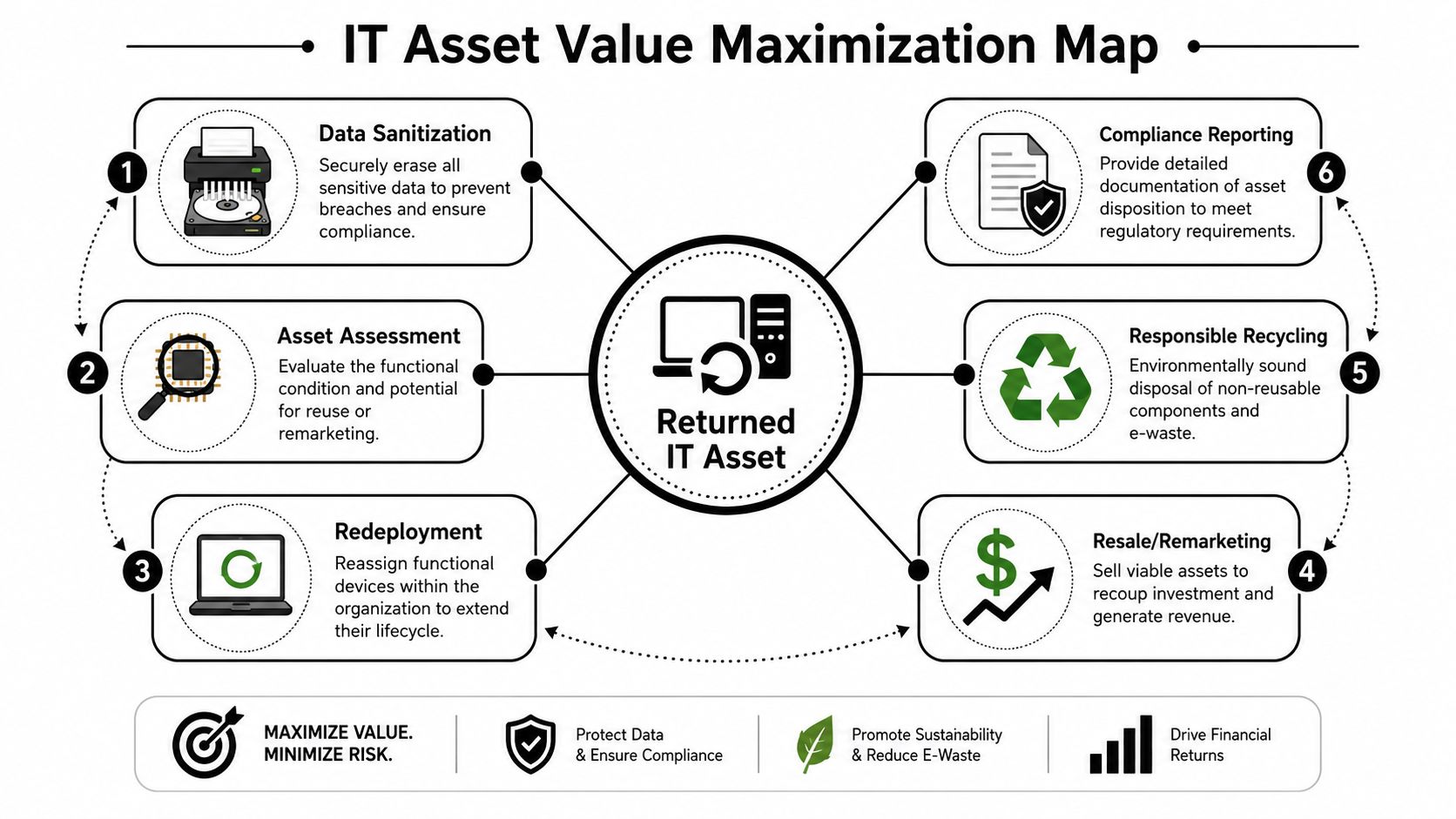
The three disposition paths
The core choices are redeployment, resale, and recycling.
Redeployment works when the laptop is still suitable for internal use. This is often the best option for standard employee refresh pools, loaner inventory, or rapid replacement stock. The benefit is operational. You avoid procurement delays and stretch device life without buying new hardware immediately.
Resale or buyback makes sense when the equipment still has external market value but no longer fits your internal fleet standard. The benefit is financial recovery. The trade-off is that cosmetic condition, battery health, and configuration consistency all affect the return.
Responsible recycling is the right endpoint when the asset is obsolete, damaged, or uneconomical to repair. The benefit is secure, documented end-of-life handling. The trade-off is that value recovery shifts from resale potential to compliance and environmental management.
Match the route to the asset
A simple decision framework helps:
- Choose redeployment when the unit is functional, supportable, and aligned with your standard image or user profile.
- Choose resale when the asset is in good condition but no longer worth carrying in your internal environment.
- Choose recycling when repair cost, age, or condition makes further use impractical.
At this stage, earlier process decisions show up in dollars. Better packaging can preserve screen and chassis condition. Faster intake can shorten idle time. Better custody records can reduce disputes over whether the wrong device arrived. Each one affects whether the laptop lands in a higher-value channel or drops into scrap processing.
Don't ignore hidden operational value
Not every return needs direct resale proceeds to be worthwhile. A cleanly processed laptop that goes back into internal stock can reduce procurement pressure, shorten replacement timelines, and simplify support if it matches your current fleet. That's value even when no sale happens.
The strongest remote return programs treat every inbound device as an asset under evaluation, not just a problem to close out.
Selecting an ITAD Partner and Measuring Program Success
Some organizations run portions of this process in-house. Others outsource most of it. Either way, the selection criteria should be operational, not cosmetic.
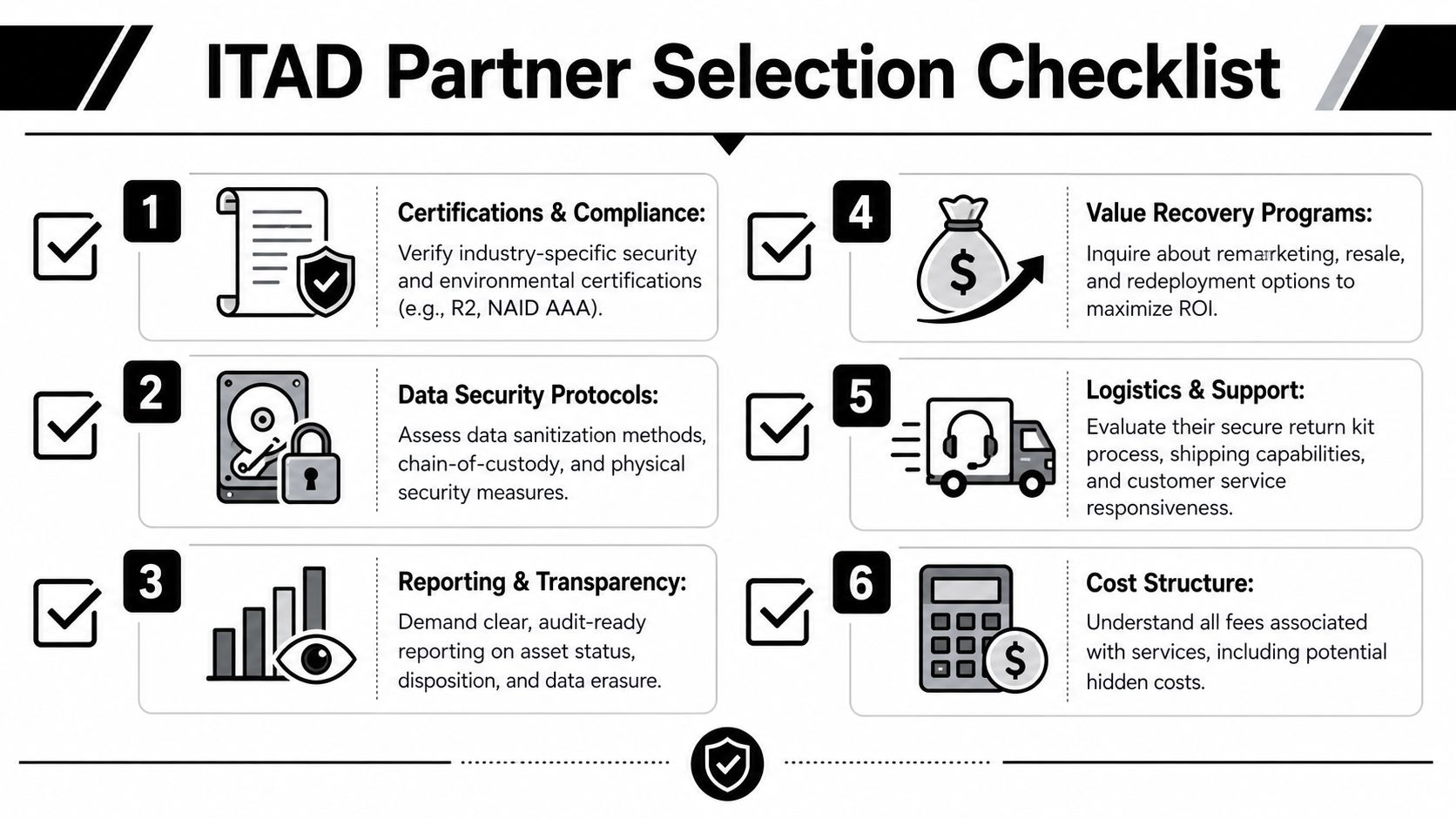
A solid ITAD partner needs to fit your risk profile, reporting requirements, and geographic footprint. If the provider can't support chain of custody, secure receiving, data destruction records, and clear downstream disposition reporting, you'll still end up stitching the process together yourself.
Use a partner checklist that reflects real work
The right vendor questions are practical:
- Can they support secure logistics with return kits, labels, and intake controls for remote employees?
- Can they document chain of custody from shipment through final disposition?
- Can they issue audit-ready certificates for data destruction and recycling?
- Can they separate redeployment, resale, and recycling paths instead of forcing one outcome?
- Can they support your footprint if employees are spread across multiple states?
- Can they explain all fees clearly so retrieval, handling, and destruction costs don't surface later?
Measure outcomes, not activity
A lot of teams track tasks completed. Fewer track whether the program is improving. The useful KPIs are the ones that show control, speed, and financial outcome.
| KPI | What it tells you |
|---|---|
| Return rate | Whether employees actually send assets back |
| Average return time | How long devices remain outside company control |
| Cost per return | Whether your workflow is getting more efficient |
| Processing time | How quickly assets move from receipt to final disposition |
| Value recovery trend | Whether resale and redeployment decisions are working |
Review those metrics by employee type, business unit, and device class. Problems usually cluster. One department may ignore timelines. One laptop model may suffer more shipping damage. One vendor handoff may slow certificate turnaround.
Build the feedback loop
Program maturity comes from using the data. If return time drifts, revise the trigger and reminders. If damage increases, redesign the kit. If intake stalls, tighten receiving procedures. If value recovery falls, recheck grading and routing rules.
Good laptop return programs don't depend on heroic follow-up from IT. They depend on a repeatable system that produces evidence.
If your team needs a business-grade process for secure returns, certified data destruction, IT asset recovery, and electronics recycling, contact Beyond Surplus for certified electronics recycling and secure IT asset disposal.


