

An IT manager inherits a locked closet after a clinic closure. Inside are retired laptops, tablets, backup drives, and phones, all tagged inconsistently. The equipment may be ready for recycling, but the compliance question is harder: Can the organization prove that ePHI is no longer recoverable?
HIPAA-compliant computer disposal isn't a recycling transaction. It's a controlled IT asset disposition process involving media classification, a defensible sanitization decision, secure custody, verification, and records an auditor can follow. NIST's media sanitization framework defines three outcomes, Clear, Purge, and Destroy, and describes sanitization as rendering media unusable for retrieving or reconstructing data. The framework has served as a major U.S. reference point since its publication in 2014, superseding the original 2006 standard. NIST SP 800-88 Rev. 2
The practical rule is simple. Wipe when you can verify the result and preserve asset value. Shred when the media, encryption state, or verification process is uncertain. Both decisions need evidence.
Table of Contents
- The HIPAA Computer Disposal Workflow at a Glance
- Choosing Between Clear, Purge, and Destroy
- On-Site Versus Off-Site Destruction
- Vetting Vendors and Writing the Right Contract
- Chain of Custody From Dock to Certificate
- When Wiping Beats Shredding
- Disposal Day Checklist for Healthcare IT Teams
The HIPAA Computer Disposal Workflow at a Glance
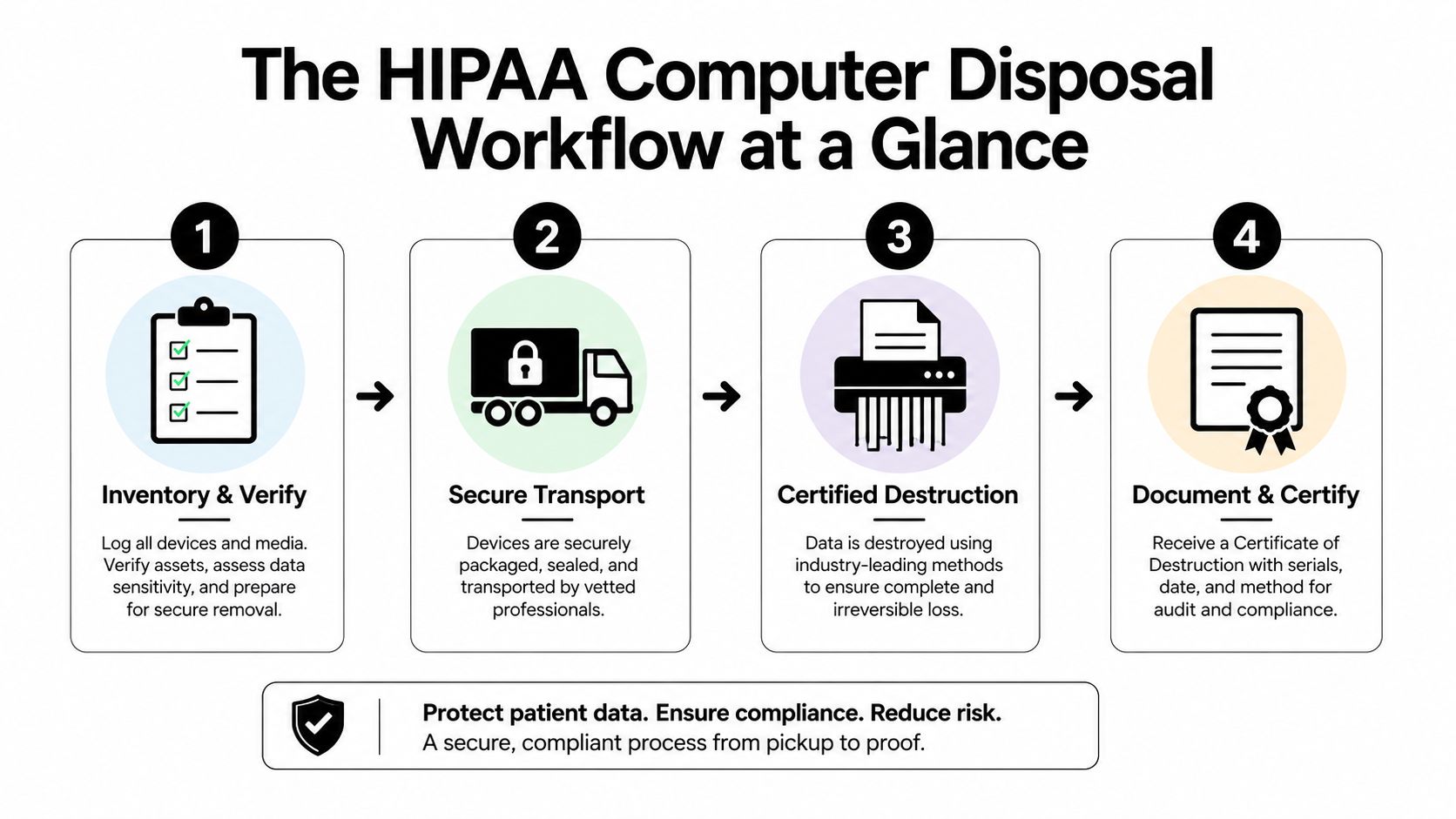
A defensible program starts before a truck arrives. The IT manager should know what each device is, whether it stored ePHI, where it is going, and which sanitization outcome applies.
Four phases from inventory to certification
1. Classify assets and exposure. Pull the asset register, scan serial numbers, identify storage media, and separate laptops, desktops, SSDs, hard disk drives, mobile devices, backup tapes, printers, and other electronics with local memory. HHS requires covered entities to maintain policies and procedures for the final disposition of ePHI and the hardware or media where it's stored. It also requires removal of ePHI before reuse. HHS guidance on disposal and reuse
2. Select the NIST outcome. Choose Clear, Purge, or Destroy based on the medium, intended destination, encryption status, device condition, and verification capability. A device headed for redeployment needs a different decision from a failed drive headed for material recovery.
3. Execute securely. Keep assets under controlled custody, record each handoff, and use serialized tracking. The disposal vendor should document the event, method, date, operator, and any exception.
4. File the evidence. Place certificates, manifests, inventory exports, verification reports, and exception records in the compliance binder or approved ITAD portal. The updated NIST guidance's recommendation for a certificate of media disposition reflects the documentation discipline healthcare organizations need when custody and liability change hands. Read more about IT asset disposition
Advisor's rule: Auditors don't award extra credit for destroying equipment that could have been sanitized. They look for a consistent decision, proof that it was executed, and records tied to the exact assets.
This workflow also belongs beside broader healthcare security controls. Teams building or maintaining clinical applications can use this resource on secure HIPAA software development to connect application safeguards with end-of-life device controls.
Improper disposal remains a real exposure. In 2024, reported breaches involving improper disposal affected 10,309 individuals, with an average breach size of 2,577 records and a median of 906 records, according to the 2024 healthcare data breach report. OCR automatically investigates breaches affecting 500 or more individuals, and its civil penalty structure has four tiers, with maximum annual penalties ranging from $25,000 in the lowest tier to $1.9 million for uncorrected willful neglect. The workflow exists to prevent a closet of forgotten equipment from becoming an incident file.
Choosing Between Clear, Purge, and Destroy
The NIST decision isn't “software wipe versus shred.” It's a media-specific choice based on the desired outcome and the organization's ability to verify it.
Clear for controlled reuse
Clear removes data through standard logical techniques while leaving the media usable. It can fit an encrypted laptop that has a documented, working management process and a verified cryptographic erase capability. A BitLocker-managed Windows laptop or FileVault-managed Mac may be suitable for redeployment when the organization can prove that the encryption state and key handling are reliable.
The auditor will want the asset identifier, storage type, tool or process used, completion record, and verification evidence. A technician's statement that the laptop was “reset” isn't enough.
Purge for stronger media sanitization
Purge uses a technique intended to make recovery infeasible, while the device may remain usable in some circumstances. It can apply to rotational hard drives, backup tapes, and certain mobile devices when the selected process addresses the media correctly. NIST's guidance requires a stepwise workflow, including inventory, method selection, verification, and documentation. For overwrite-based Clear, NIST specifies at least one full pass of fixed data, such as zeros. Verification samples pseudorandom locations across user-addressable and reserved areas. NIST SP 800-88 Rev. 1
Destroy when uncertainty wins
Destroy means physical destruction, such as shredding or crushing, when reuse isn't appropriate or verification can't establish a trustworthy result. Use it for failed media, drives with unknown encryption status, damaged devices that won't complete sanitization, and storage that can't be reliably addressed.
NIST warns that a sanitization tool may cover only part of the media. If the tool can't demonstrate coverage, physical destruction is the responsible escalation.
| Method | Best For | Verification Required | Resale Possible |
|---|---|---|---|
| Clear | Managed, encrypted devices approved for reuse | Completion and documented validation | Usually, if the device passes inspection |
| Purge | Media requiring stronger sanitization while preserving possible utility | Method-specific verification and serialized records | Sometimes, depending on media and condition |
| Destroy | Failed, unknown, damaged, or unverifiable media | Destruction event and certificate | No, the media is removed from reuse |
| Decision signal | Recommended outcome |
|---|---|
| Encryption keys and status are intact and verifiable | Clear may be defensible |
| The device needs stronger sanitization and the process can be validated | Purge |
| The device is broken, unknown, or impossible to verify | Destroy |
Use NIST 800-88 data destruction standards as the reference point for writing your internal procedure. The certificate should identify the actual outcome, not use vague language such as “device processed.”
On-Site Versus Off-Site Destruction
The right location depends on visibility, logistics, custody, and the sensitivity of the retirement project. Neither option is automatically more compliant.
On-site destruction
On-site mobile shredding gives the healthcare team direct visibility. Staff can escort the vendor, reconcile serial numbers at the loading dock, witness destruction, and retain immediate evidence of what happened. This approach is useful for large refreshes, high-sensitivity departments, and assets that may contain financial, behavioral health, or clinical information.
Its weakness is operational. The facility must coordinate dock access, staging, safety, power, space, and witness availability. The organization also retains responsibility for custody until the destruction event or controlled transfer is complete.
Off-site processing
Off-site destruction moves assets to a specialized ITAD facility. The provider can offer serialized intake, controlled processing areas, reuse evaluation, material recovery, and downstream recycling documentation. The organization gives up direct physical visibility, so the contract and chain-of-custody records carry more weight.
During an OCR review, on-site processing may produce witness records, event photographs, and same-day certificates. Off-site processing usually relies on signed manifests, intake reconciliation, custody logs, processing reports, and final certificates.
| Factor | On-Site Destruction | Off-Site Destruction |
|---|---|---|
| Visibility | Staff can witness the event directly | Visibility depends on facility controls and reporting |
| Custody | The organization controls assets until the witnessed event or handoff | Custody transfers through documented transport |
| Cost profile | Often justified for sensitive or concentrated volumes | Often efficient for mixed fleets and facility processing |
| Audit posture | Strong event-level evidence | Strong serialized chain-of-custody evidence |
| Recovery potential | Limited once destruction begins | Easier to separate reusable equipment before destruction |
A hybrid model is the practical default. Shred failed or questionable storage on-site, and send verified, reusable equipment through a controlled off-site ITAD process. The on-site versus off-site ITAD comparison provides a useful framework for evaluating the tradeoffs without treating destruction location as the compliance decision itself.
Vetting Vendors and Writing the Right Contract
Vendor selection is a compliance control. Procurement shouldn't compare prices until the provider has demonstrated how it handles healthcare media.
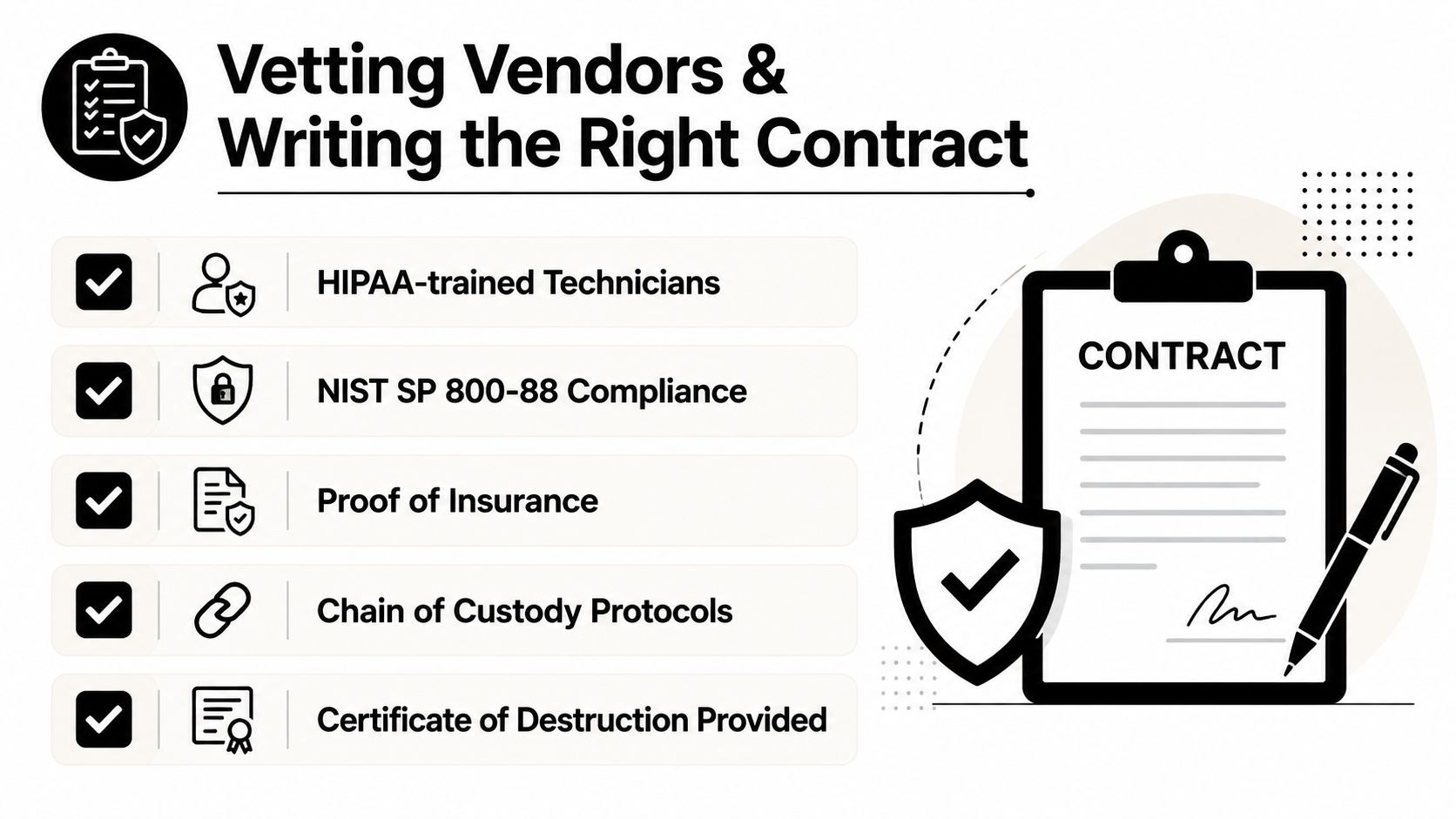
Start with a five-vendor minimum RFI. Require documentation before discussing rates:
- Qualified technicians: Show how technicians are trained for HIPAA-sensitive media handling.
- Written NIST procedure: Provide the sanitization and destruction procedure, including verification.
- Sample certificate: Submit a redacted certificate showing asset identifiers, method, date, and disposition.
- Insurance evidence: Provide proof of $5 million or more in cyber and pollution liability coverage, as required by your organization's risk standard.
- Healthcare references: Supply at least three references from healthcare organizations with comparable requirements.
A provider that can't produce a written sanitization procedure should be removed from consideration.
Eight clauses legal should review
- Defined scope: Tie each service to NIST media sanitization levels and identify included media types.
- Business Associate Agreement: Include downstream liability language where the vendor or subcontractor handles ePHI.
- Subcontractor controls: Name approved subcontractors and restrict undisclosed downstream processing.
- Chain of custody: Require serial-number tracking, signed handoffs, timestamps, and exception handling.
- Certificate format: Specify required fields and delivery within 30 days.
- Indemnification: Address losses, regulatory fines, investigation costs, and breach response.
- Audit rights: Permit inspection of relevant procedures, records, facilities, and processing evidence.
- Insurance terms: Set coverage minimums and require additional insured status where appropriate.
Vendors commonly resist unlimited liability, immediate certificate delivery, and witness rights. Hold those positions when the project involves sensitive healthcare data. Unlimited liability may require reasonable legal boundaries, but the agreement still needs meaningful responsibility for mishandling. Immediate certificates eliminate evidence gaps after destruction. Witness rights give the covered entity a direct control for high-risk assets.
The vendor due diligence checklist can help procurement turn these requirements into a repeatable review rather than an informal vendor conversation.
Chain of Custody From Dock to Certificate
A certificate is only as reliable as the asset trail behind it. If the serial number on the certificate doesn't match the laptop that left the building, the document creates uncertainty instead of closing it.
Capture every controlled handoff
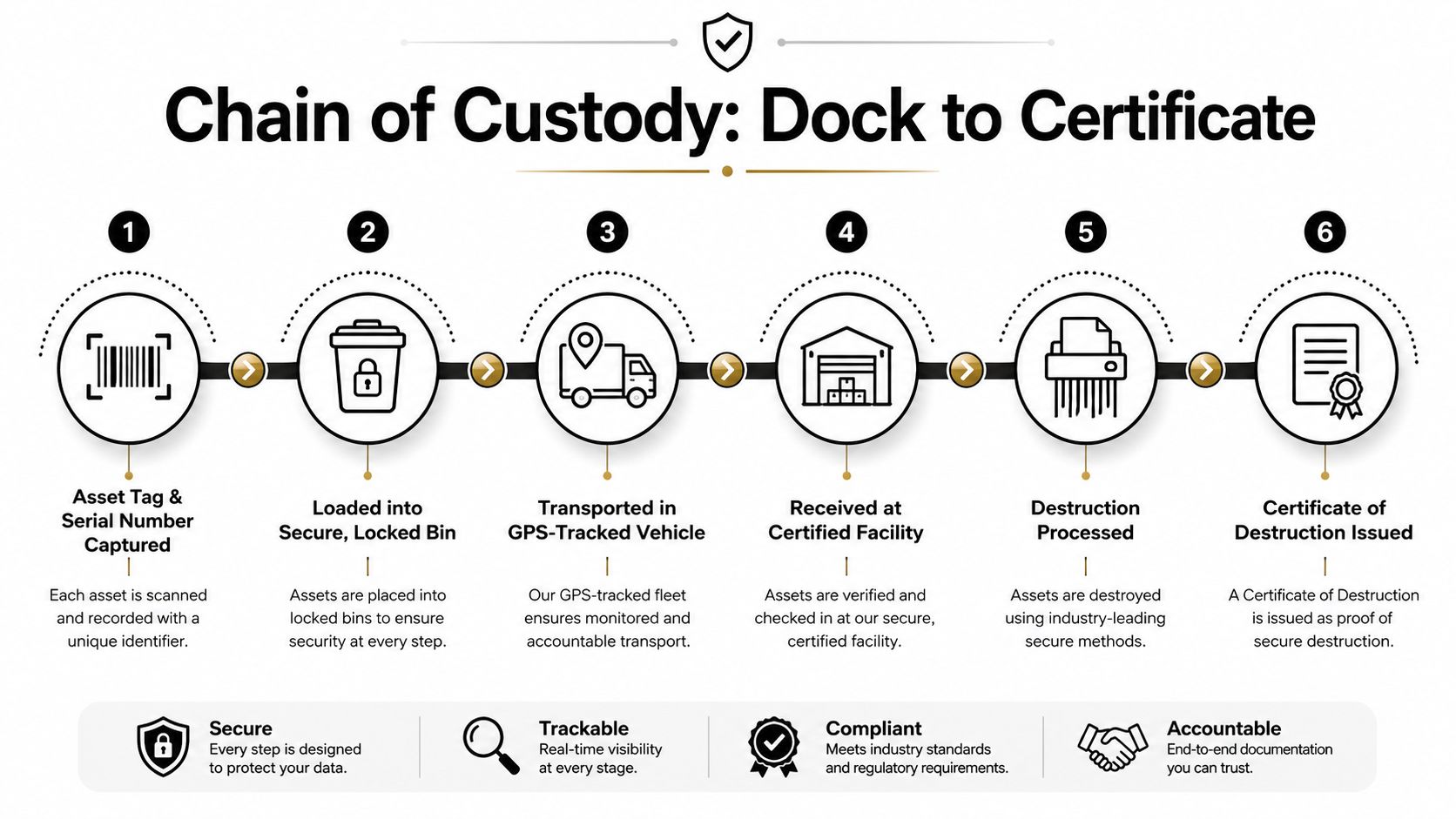
At the dock, the receiving clerk or IT technician should scan the asset tag and serial number, photograph tagged equipment when required, and compare the shipment against the approved inventory. Each device then receives a container, bag, seal, or tracking identifier that links the physical item to the digital record.
The pickup manifest should include the carrier or driver signature. Where available, GPS-tracked transport adds another layer of location evidence. On receipt, the facility should record the seal condition, reconcile the shipment, and document the receiving operator's initials and timestamp.
A workable custody record includes:
- Asset identity: Serial number, asset tag, device category, and shipment reference.
- Container control: Bag, bin, seal, or tracking ID.
- Handoff evidence: Names or initials, signatures, date, and time.
- Transport record: Carrier information and route data where available.
- Processing event: Sanitization or destruction method, operator, and completion time.
- Final disposition: Certificate number tied back to the original inventory.
Store the information in a CSV export, ITAD portal, or approved records system. The format matters less than reconciliation and retrieval.
Broken-seal protocol: Quarantine the affected device, reconcile the serial number, and document the response before processing continues.
If a sealed bag arrives damaged or a serial number doesn't reconcile, don't quietly correct the spreadsheet. Quarantine the device, re-sanitize or destroy it as a precaution, document the incident, and flag the certificate with an exception. Auditors don't expect every shipment to be flawless. They expect the team to recognize and control deviations.
Maintain a documented chain of custody for IT asset disposal from collection through certification. The certificate belongs in the compliance binder only after the original asset list has been reconciled.
When Wiping Beats Shredding
Shredding every drive is a blunt policy. It removes recovery value, increases material waste, and may cost more than a validated sanitization process. HIPAA allows reuse or disposal after ePHI has been cleared or purged, and HHS permits reuse when the required safeguards are completed. HHS disposal guidance
Use three tests.
First, assess value. A modern enterprise laptop may be suitable for remarketing after verified sanitization. Recovery value can offset service costs and support a more sustainable IT asset disposition program.
Second, confirm encryption. A self-encrypting SSD with a known, working OPAL or eDrive implementation may support cryptographic erase. Don't accept an encryption label from an old inventory record. Confirm the device state and the process that removes access to the encryption key.
Third, demand per-device evidence. The vendor must produce a tamper-evident report tied to the shipped serial number and identify the NIST outcome applied. “Data destroyed” is weak certificate language if it doesn't identify whether the device was Cleared, Purged, or Destroyed.
| Decision Factor | Wipe, NIST Purge or Crypto Erase | Shred, Physical Destruction |
|---|---|---|
| Device condition | Functional and addressable | Failed, damaged, or unstable |
| Encryption | Known and verifiable | Unknown or unverifiable |
| Verification | Tool produces asset-level evidence | Destruction event is directly documented |
| Asset recovery | Reuse or resale may remain possible | Recovery is limited to material processing |
| Best use | Managed refresh and value recovery | High uncertainty or unrecoverable media |
If the device has value, encryption is verifiable, and the vendor can tie cryptographic-erase evidence to the serial number, wiping beats shredding. If any of those controls fail, destroy the media. That's the decision discipline auditors can understand.
Disposal Day Checklist for Healthcare IT Teams
Print this checklist and assign each line to a role. The receiving clerk should not be expected to make an encryption decision, and the compliance officer shouldn't discover a missing certificate after the truck has left.
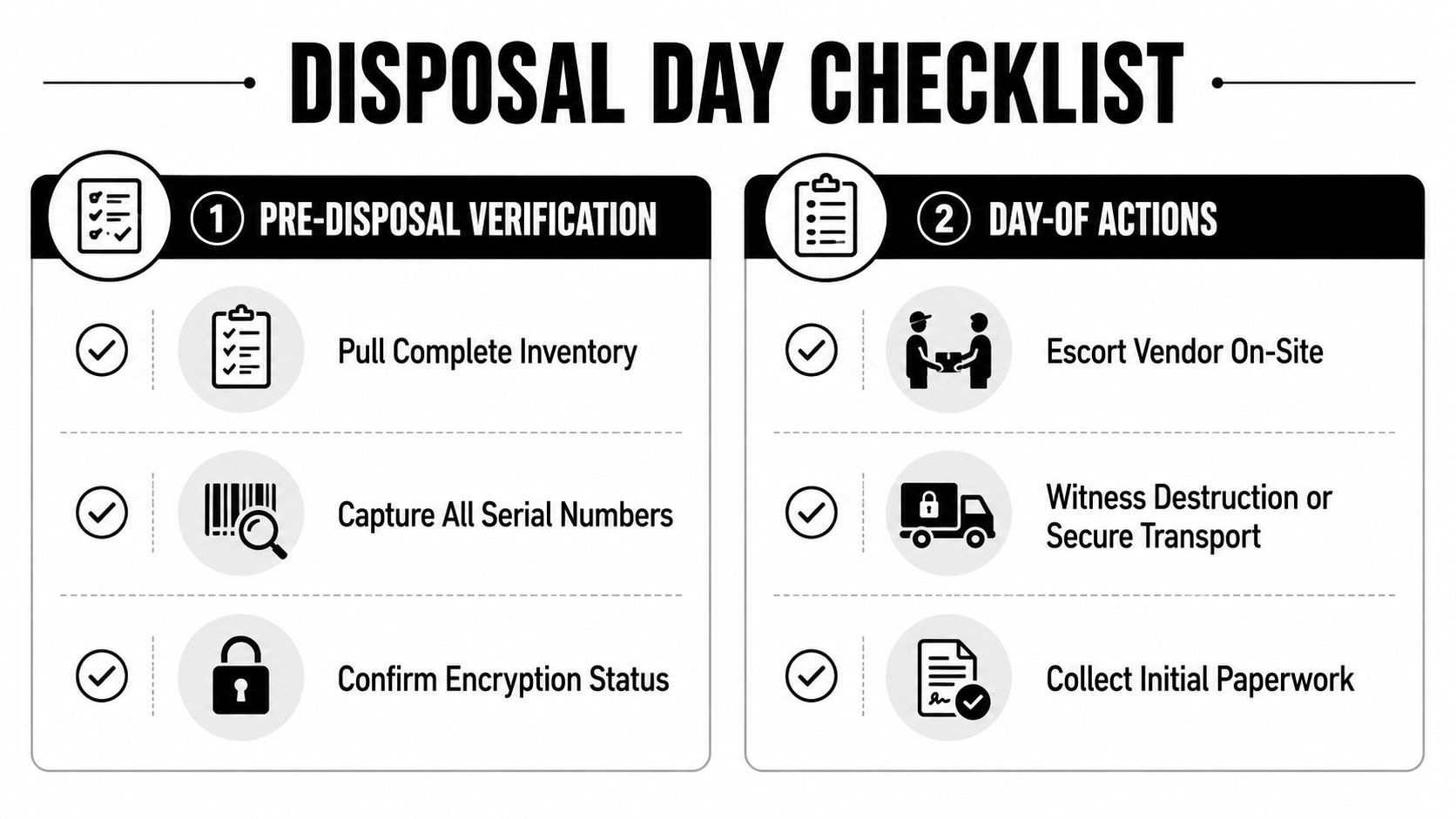
Before the vendor arrives
- IT manager, pull the complete inventory: Export the approved retirement list and identify every device, storage medium, department, and intended disposition.
- IT technician, capture serial numbers: Scan or manually verify each serial number against the physical asset and photograph tags where your procedure requires it.
- Security lead, confirm encryption status: Record whether encryption is active, whether the key state is known, and whether the selected sanitization method can be verified.
- Compliance officer, approve the method: Mark each asset for Clear, Purge, or Destroy and record the reason for any escalation.
- Facilities coordinator, prepare the dock: Reserve controlled staging space, restrict access, and confirm the pickup window and vehicle details.
- Contract owner, verify vendor documents: Confirm the BAA, insurance records, scope, custody process, and certificate requirements are current.
On disposal day
- Facilities staff, escort the vendor: Keep the vendor with an authorized employee from arrival through loading or witnessed destruction.
- IT technician, reconcile the handoff: Compare every loaded asset with the manifest and record missing, added, or substituted equipment.
- Witness, observe destruction when required: Sign the event record and capture approved photographs or video without exposing patient information.
- Driver, sign the manifest: Record the pickup time, container or seal identifiers, vehicle information, and custody transfer.
- Compliance officer, collect initial paperwork: Retain the signed manifest, exception notes, and any same-day destruction record.
After pickup or destruction
- Compliance officer, file the certificate: Match the certificate to the original asset list and store the report in the compliance binder or approved portal.
- IT manager, close the asset register: Mark the final disposition, method, certificate number, and exception status.
- Security lead, review wiped devices: Perform the spot-checks required by your procedure and retain verification reports.
- Contract owner, update the BAA record: Confirm that the agreement and downstream responsibilities still match the service.
- Incident owner, document failures: If the truck breaks down, a drive is missing on arrival, or a certificate lists the wrong serial number, quarantine affected assets, notify the vendor, correct the record, and preserve the exception trail.
A truck breakdown isn't automatically a breach. An unexplained custody gap is a control failure. Treat every discrepancy as an exception that needs an owner, a timestamp, a decision, and a documented resolution.
Beyond Surplus provides commercial IT asset disposition, secure data wiping and hard drive shredding, electronics recycling, product destruction, and data center de-installation services with chain-of-custody records and certificates of data destruction. Visit Beyond Surplus to arrange a documented HIPAA-oriented disposal program for healthcare computers, mobile devices, servers, and mixed IT fleets.


