

Discarded electronics aren't just an environmental problem. They're a balance-sheet problem sitting inside your offboarding process. The U.S. Environmental Protection Agency estimates that approximately 1.9 billion pounds of electronics were discarded in the U.S. in a single year, with only about 15% formally recycled through certified programs according to this EPA-cited summary.
That matters to any IT director managing a distributed fleet. A returned laptop isn't merely retired hardware. It's a device that still holds residual value, still carries data risk, and still affects your sustainability reporting. When companies treat returns as an afterthought, they usually lose on all three fronts.
Recovering and remarketing returned employee laptops is one of the clearest examples of operational discipline creating financial upside. The same workflow that improves chain of custody also protects resale value. The same intake controls that prevent data leakage also make redeployment and remarketing faster. And the same program that keeps devices out of landfill supports procurement efficiency.
The Hidden Value in Your Pile of Returned Laptops
Most organizations look at returned laptops as cleanup work after an employee departure. That framing is expensive. A better view is that each device sits at the intersection of asset recovery, data security, and environmental performance.
Why laptop returns deserve executive attention
A weak process doesn't just create a few missing devices. It produces avoidable write-offs, inconsistent data handling, and messy records when audit questions arrive. The organizations that handle this well don't rely on one final email asking for the laptop back. They build a repeatable system with triggers, shipping controls, intake verification, and disposition rules.
The hidden drag gets worse when teams stop at the laptop itself and ignore the rest of the setup. Chargers, docks, and peripherals disappear more often than the main unit, and that loss is rarely tracked with the same rigor. The result is a partial return that looks complete in the HR system but still reduces redeployment and resale options.
Practical rule: If your process can confirm the serial number of the laptop but not the return of the charger and dock, your recovery program still leaks value.
Value loss starts before the device reaches intake
Unreturned equipment is only part of the issue. Delayed recovery also hurts remarketing outcomes because depreciation doesn't wait for your offboarding queue. The longer a device sits unrecovered, the less flexibility you have to refurbish, redeploy, or resell it while it still has meaningful market appeal.
That's why a laptop recovery program belongs in the same operational conversation as procurement and lifecycle planning. If you want a sense of how quickly losses stack up, Beyond Surplus breaks down the business impact in its guide on how much unreturned employee laptops cost your business.
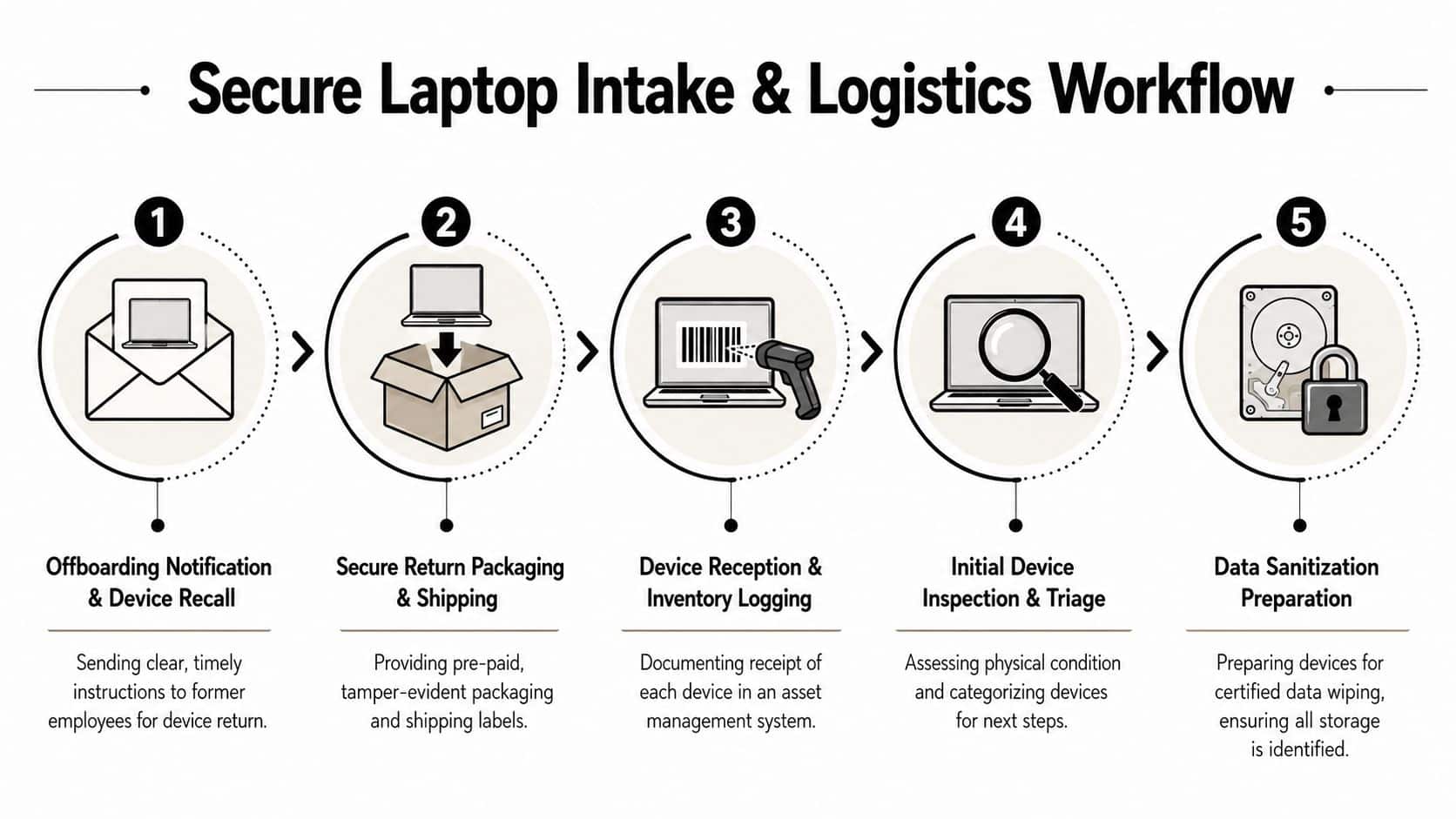
Building Your Secure Laptop Intake and Logistics Workflow
The hard part usually isn't wiping or resale. It's getting the device back in the first place, with the right accessories, in usable condition, and with a clean custody trail.
Organizations lacking a structured laptop recovery process for remote employees typically achieve return rates between 70% and 85%, leaving 15% to 30% unreclaimed according to Beyond Surplus's remote laptop recovery overview. In practice, that gap shows up as missing assets, unsupported legal escalations, and more devices written off than anyone expected.
The workflow that actually gets devices back
The strongest programs reduce effort for the former employee and increase visibility for IT.
- Trigger recovery early. Start when offboarding begins, not after payroll closes or the manager asks where the laptop went.
- Provide tracked return options. Prepaid labels, QR-based shipping, and tamper-evident packaging remove friction and create custody records.
- Send clear packing instructions. Employees often return the laptop but forget the charger or dock unless the instructions show every required item.
- Log receipt against the asset record. Intake should verify serial number, condition, and accessory completeness in one pass.
- Escalate consistently. If a user doesn't return equipment, follow the policy path already approved by HR and legal.
Accessory loss is the quiet profit leak
Laptop programs often fail at the accessory level. Teams mark the laptop as returned and move on, even though the power adapter, dock, or external peripherals are missing. That weakens redeployment and can force replacement of the full setup instead of only the main device.
Research in this area points to a simple fix. Use pre-printed labels and illustrated instructions specifically for accessories, then make accessory verification part of intake instead of an informal note. The same discipline warehouse teams use to manage warehouse inventory applies here. If you don't define the expected kit and reconcile each item at receipt, shrinkage becomes normal.
A laptop return should be treated as a kit return, not a box return.
For distributed fleets, automated logistics also matter. The right process combines reminders, shipping status, and receipt confirmation in one trackable flow. Beyond Surplus outlines that model in its overview of how automated logistics improve remote employee laptop returns.
Ensuring Compliance with Certified Data Sanitization
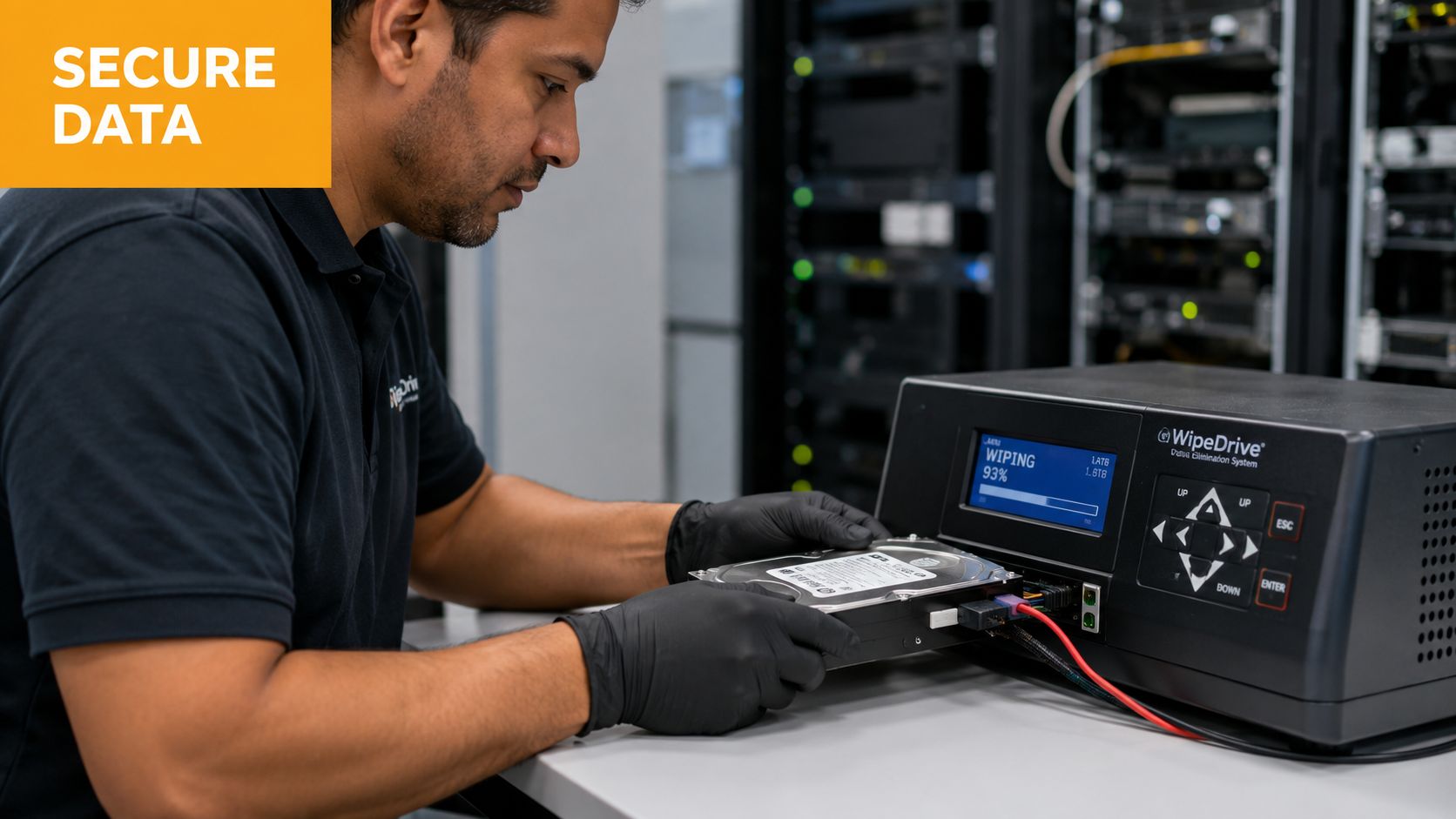
Data sanitization is the point where a recovered laptop either becomes a reusable asset or a compliance liability. If the process is weak, any value recovered through logistics and remarketing can be wiped out by one avoidable security incident, one failed audit, or one missing destruction record.
A factory reset doesn't solve the underlying compliance problem
A factory reset prepares a device for casual handoff. It does not create an auditable record, verify that storage media was sanitized to an accepted standard, or protect your organization if legal, security, or procurement asks for proof later.
That distinction matters. Returned laptops often contain regulated data, cached credentials, internal documents, browser artifacts, and locally stored customer information. If your team cannot tie the serial number to a documented sanitization event, you still own the risk.
A defensible program requires chain-of-custody records, a defined sanitization method, and asset-level reporting that shows what happened to each drive.
When wiping works and when destruction is the better call
Use two disposition paths, based on the media and the intended outcome.
- Certified software wiping fits laptops that still have remarketing or redeployment value and can complete the process successfully.
- Physical destruction fits failed drives, unreadable media, encrypted drives that cannot be validated, or devices covered by stricter internal destruction policies.
This decision should not be subjective. It should be set by policy before intake volumes rise.
For teams building that policy, this overview of NIST SP 800-88 media sanitization guidelines is a practical reference point. The standard gives IT, security, and compliance teams a shared framework for deciding whether to clear, purge, or destroy media.
Compliance takeaway: Match the sanitization method to media condition, data sensitivity, and the planned disposition. Then keep the documentation with the asset record.
That documentation is what protects the program. It also supports value recovery. A laptop with verified sanitization and complete records can move into reuse or resale with far less friction. A laptop with gaps in the record usually gets held, downgraded, or destroyed, even if the hardware still has market value.
Testing Grading and Deciding to Reuse or Recycle
After sanitization, the laptop becomes an asset again. At this point, many programs either recover value or throw it away through rushed triage.
What to test before assigning a disposition path
A solid evaluation doesn't need to be flashy. It needs to be consistent.
Check the screen, keyboard, ports, camera, battery behavior, storage health, chassis condition, and whether the device boots cleanly under test load. Then record what's functional, what's cosmetic, and what requires replacement before the unit can be reused or sold.
A simple grading framework works well:
- Grade A for strong cosmetic condition and clean functional results
- Grade B for normal wear with minor issues that don't block practical use
- Grade C for visible wear, weaker performance, or repair needs that may narrow resale options
Decision Matrix Reuse vs. Recycle
| Asset Condition | Recommended Action | Key Considerations |
|---|---|---|
| Clean, functional, current enough for business use | Reuse internally or remarket | Faster turnaround, better value retention, lower procurement pressure |
| Functional with moderate wear | Refurbish, then remarket or assign to lower-demand internal roles | Assess parts availability, labor effort, and buyer expectations |
| Damaged but repairable | Compare repair effort against expected resale or redeployment benefit | Use consistent grading records so decisions aren't subjective |
| Non-functional, obsolete, or not viable to repair | Recycle through a certified downstream process | Recover materials and maintain full documentation |
Don't let sentiment drive disposition
IT teams sometimes hold onto marginal devices because someone thinks they might still be useful. That creates storage clutter and delays the point where a unit either gets refurbished properly or sent to recycling. The better approach is to decide quickly from documented test results.
If your organization wants a model for extending useful life through controlled reuse, Beyond Surplus outlines the operational logic in its page on technology reuse in Georgia. The broader principle applies anywhere. Reuse is strongest when it's selective, documented, and tied to actual device condition.
Maximizing Returns Through Strategic Remarketing Channels
A graded laptop has potential value. A remarked laptop has realized value. The difference is channel strategy.

Match the channel to the asset, not to habit
Not every returned laptop should go to the same outlet. Some devices fit internal employee purchase programs. Some move better through bulk refurbishers. Others belong in secondary resale channels where configuration, cosmetics, and brand matter more.
The goal is to route each batch where the effort-to-return ratio makes sense.
- Employee sales programs work when devices are familiar, fully tested, and easy to support with clear as-is terms.
- Bulk remarketing reduces internal workload and helps move larger volumes without listing each unit individually.
- Secondary marketplaces can recover more value from sought-after models, but they demand tighter grading and listing discipline.
- Donation fits assets that still work but no longer justify the labor involved in commercial resale.
Sustainability gets stronger when reuse is real
This isn't only a resale discussion. It's also a sustainability decision with measurable operational meaning. Remanufactured laptops generate over 15 times fewer CO₂ emissions compared to new laptops, producing just 6.34% of the carbon footprint, and reusing a single laptop prevents approximately 280 kg of CO₂ emissions according to the Cranfield-linked findings shared here.
That's why reuse should be the default question after secure wiping, not an afterthought after recycling. Recycling still matters for non-viable hardware, but it doesn't preserve embodied manufacturing value the way refurbishment and resale do.
The most sustainable laptop is often the one you keep in use safely for another lifecycle.
What strong remarketing operations do differently
They standardize the basics.
- Use complete listings. Include model, processor class, memory, storage, battery notes, and cosmetic grade.
- Bundle correctly. A laptop with the right charger and matched accessories is easier to redeploy and easier to sell.
- Set channel rules. Don't let every business unit decide where surplus laptops go.
- Track outcomes. Closed-loop records show which models are worth refurbishing and which should bypass resale.
For organizations that want an established resale path, Beyond Surplus describes one such route through its IT equipment resale services in Georgia. The key is less about any single channel and more about running one policy across recovery, grading, and sale.
Partnering with an ITAD Expert for a Scalable Program
An internal team can manage a small trickle of returns. A distributed enterprise program is different. It requires logistics coordination, intake controls, data destruction records, grading discipline, and downstream resale or recycling paths that hold up under audit.
In major business hubs, specialized ITAD vendors process equipment volumes from 50 to 50,000 units per pickup, using their own fleet and national logistics partners to maintain chain of custody for enterprise clients across the U.S., according to Beyond Surplus's ITAD service overview. That kind of scale matters when you're balancing remote offboarding, refresh cycles, and site consolidations at the same time.
What an external partner should remove from your team
A good ITAD partner should take ownership of the operational drag points that usually stall internal programs:
- Return logistics for remote and separated employees
- Documented intake and reconciliation against asset records
- Certified data sanitization and reporting
- Testing, grading, and disposition routing
- Remarketing or certified recycling, depending on condition
Beyond Surplus is one example of a provider that handles those functions, including logistics coordination, secure wiping, and certificates supporting liability transfer. Whether you work with that firm or another vendor, the buying criteria should stay the same.
The vendor test that matters
Ask simple questions. Can they document chain of custody from pickup to final disposition? Can they separate reuse-worthy equipment from true scrap? Can they issue the records your compliance team will ask for later?
If you're evaluating providers, this step-by-step guide to choosing an ITAD vendor in Georgia gives a practical framework. The right relationship turns laptop recovery from a recurring leak into a controlled asset program.
If your organization wants to recover more laptops, protect data, reduce accessory loss, and create a cleaner path to reuse or certified recycling, contact Beyond Surplus for secure IT asset disposition and laptop recovery support.


