

Remote asset recovery usually gets framed as a shipping problem. It isn't. According to Capterra's 2022 Employee Offboarding Survey, 71% of HR professionals reported that at least one departing employee failed to return company equipment (Capterra survey summary via Teqtivity). That number changes the conversation. You're not dealing with a rare exception. You're dealing with a routine control failure that affects security, accounting, compliance, and disposal.
The companies that handle this well treat retrieval as one workflow with three owners: HR starts the trigger, IT locks down access and validates inventory, and operations or an ITAD partner closes the chain of custody through wipe, redeployment, resale, or recycling. That's the difference between a recovered laptop and a documented, compliant end-of-life process.
Why Asset Recovery Is a Critical Security and Financial Issue
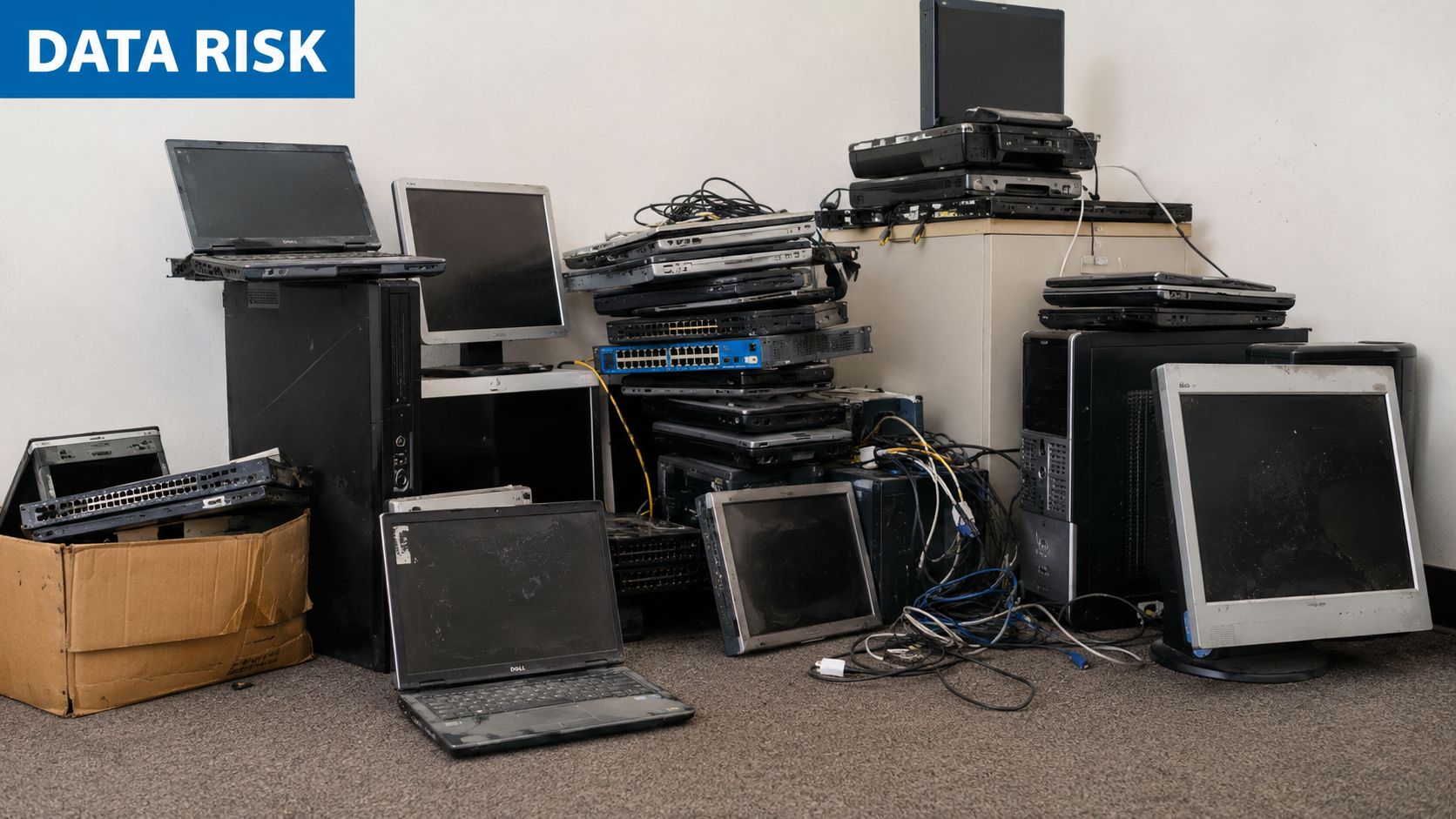
When a remote employee keeps a device, the loss isn't limited to hardware value. The greater risk is that the device may still hold email, cached files, saved credentials, tokens, customer data, or internal documents. A missing monitor is annoying. A missing laptop with business data is a security incident waiting to happen.
The real exposure sits behind the device
Many organizations discover the weakness late. They terminate access, send a label, and assume the rest will sort itself out. That assumption is expensive. A device that never returns creates write-offs, inventory distortion, and audit friction. It also leaves open questions about where the data is and whether the company can prove proper disposal later.
Practical rule: If you can't show where the device is, who touched it last, and how its data was destroyed or wiped, you don't have control of the asset lifecycle.
This is why asset recovery belongs in the same conversation as offboarding security. The retrieval step is part of the control environment, not an admin task. It affects financial records, cyber risk, and compliance obligations at the same time.
Weak recovery processes create downstream problems
Three failures tend to happen together:
- Poor inventory discipline: HR knows someone left, but IT can't quickly confirm every assigned laptop, phone, drive, dock, or license.
- Broken handoffs: The employee gets mixed instructions from HR, IT, and their manager.
- No final disposition plan: Returned devices sit untouched instead of moving into secure wipe, remarketing, or recycling.
If you need a business case for tightening the process, this breakdown of how much unreturned employee laptops cost your business is a useful lens. The hardware loss is only one line item. The harder cost is unmanaged risk.
Building a Bulletproof Asset Return Policy
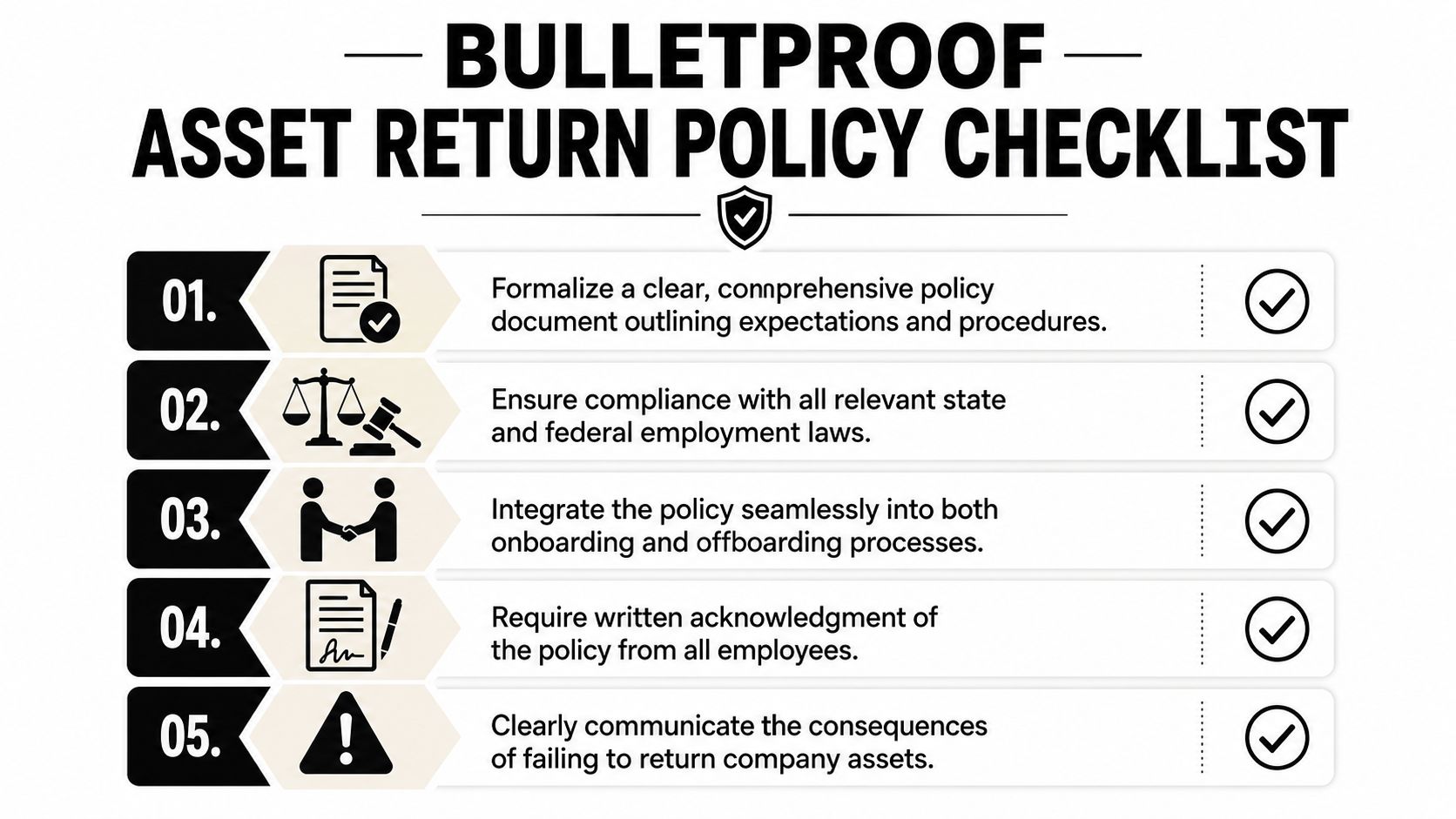
A recovery program usually fails long before offboarding. It fails at hiring, when the company hands over equipment without a clean written acknowledgment of ownership, return obligations, condition standards, and the process that applies at separation.
What the policy must say
Your policy should be plain, short, and enforceable. It should cover:
- Company ownership: State that laptops, phones, peripherals, storage media, badges, and accessories remain company property.
- Return trigger: Tie return obligations to resignation, termination, role change, or device refresh.
- Return timing: Set a clear deadline and explain how the company will provide instructions and shipping materials.
- Condition expectations: Require reasonable care and define what counts as avoidable damage.
- Documentation: Require signed acknowledgment during onboarding and again during offboarding.
A good policy also names who runs the process. If nobody owns it, nobody follows up.
What doesn't work nationwide
The lazy answer is, "We'll deduct it from final pay." That can create more trouble than it solves. The standard deduct-from-pay advice is legally perilous; 20+ states, including California, New York, and Massachusetts, strictly prohibit or limit such deductions without explicit, state-specific written authorization (ASE guidance on company property deductions).
That means a policy built around paycheck deductions is weak for a distributed workforce. It may sound tough, but it often isn't enforceable.
The strongest return policy doesn't rely on wage deductions. It removes friction, documents ownership, and gives Legal a clean record if escalation becomes necessary.
Build for compliance, not for intimidation
A workable policy does four things well:
- It gives employees one unambiguous set of instructions.
- It avoids enforcement tactics that are shaky across state lines.
- It creates a paper trail from assignment through return.
- It supports later action if someone refuses to cooperate.
For teams revising their language, this guide on how to build an effective employee equipment return policy is a practical companion to legal review.
The Offboarding Trigger A Step-by-Step Retrieval Workflow
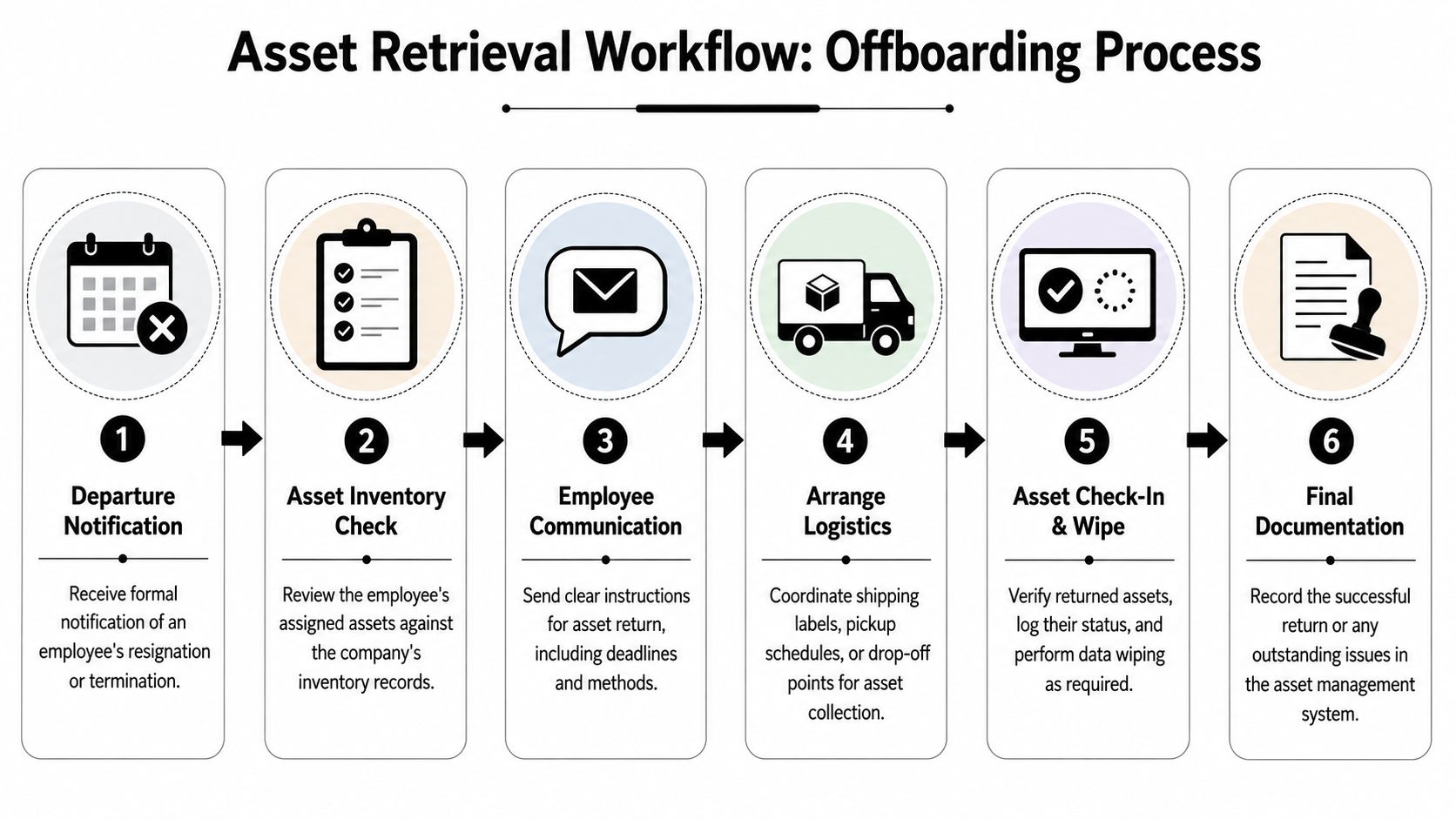
The retrieval clock starts the moment HR confirms a departure. Waiting until after the employee is gone creates confusion, slows recovery, and increases the chance that equipment disappears into a closet, a move, or a personal bag.
Start before the employee exits
Best practice is clear: asset recovery should begin before the employee's final exit, using a centralized IT asset tracking system, disabling all system access, scheduling a return date, and involving HR, IT, and Legal (remote retrieval offboarding workflow).
That sequence matters. If you don't know what was assigned, you can't ask for it back accurately. If you don't revoke access fast enough, the device remains a live risk. If Legal isn't aligned, escalations become improvised.
The operating sequence that works
Use a chronological handoff:
HR opens the case
HR notifies IT and the employee's manager as soon as separation is confirmed. This should happen through a ticket or workflow, not a side email.IT verifies assigned assets
Pull the asset record. Check serials, accessories, peripherals, mobile devices, and any removable media. Include software and cloud access in the same review.Access gets shut down
Revoke login credentials, VPN access, cloud app access, shared passwords, and any admin privileges. Timing depends on the separation type, but this step cannot drift.The employee receives one return notice
Send one message with the return list, deadline, shipping method, and support contact. Mixed instructions create delays.Logistics are scheduled
Issue the prepaid label or arrange pickup. If the employee needs packaging, send it immediately.Returned assets are checked in
On arrival, inspect condition, reconcile serial numbers, update status, and route the device into wipe or destruction.
Workflow warning: Offboarding breaks down when HR tracks the departure, IT tracks the laptop, and nobody tracks the physical return shipment.
Keep the handoffs visible
This doesn't require a fancy platform. It requires discipline. Every separation should produce:
- A departure record tied to the employee
- An asset list pulled from the system of record
- A return deadline with a documented method
- A shipment trail or pickup confirmation
- A final disposition record after receipt
For HR and IT teams that want a cleaner checklist, this remote employee equipment return checklist for HR and IT managers captures the practical handoffs.
Mastering Logistics Choosing Your Nationwide Recovery Method
A national recovery program usually breaks at the logistics layer. The policy may be clear. HR may trigger offboarding on time. Then the return stalls because the employee moved, the box never arrived, the carrier left the package unattended, or nobody can prove what happened in transit.
Choosing the recovery method is an operations decision with security and cost consequences. The wrong method raises labor time, increases loss risk, and weakens your custody record before the device even gets back to your facility. Most guides stop at "send a label." That is only half the job. The recovery method also has to support documented intake, data handling, and final disposition.
The three models most companies use
Most companies rely on one of three approaches. Each can work. Each also fails in predictable ways.
| Method | Cost Pattern | Control Level | Scalability | Best Fit |
|---|---|---|---|---|
| DIY mail-back | Lower vendor cost, higher internal labor | Moderate, depends on packaging, tracking, and follow-up | Moderate | Smaller remote populations with clean records and disciplined ownership |
| Local pickup | Higher per-event cost | Moderate to high, depends on vendor consistency and handoff procedure | Lower at national scale | High-value equipment, multi-item returns, fragile setups, urgent separations |
| Managed ITAD service | Higher direct cost, lower internal coordination burden | High if custody, receipt, and downstream processing are documented | High | Multi-state programs, regulated industries, and teams with recurring offboarding volume |
DIY mail-back is the default because it looks cheap. It works if your asset record is accurate, the employee is cooperative, and one person owns reminder cadence, exception handling, and receipt confirmation. It fails when companies treat shipping like an admin task instead of a control point. A prepaid label does not verify packaging quality, prevent doorstep theft, or document who handled the device before arrival.
Local pickup gives you more control over bulky kits, dual-monitor setups, lab gear, and situations where you do not want the employee deciding how to pack expensive hardware. The trade-off is market variability. A pickup vendor that performs well in one city may not give you the same chain-of-custody discipline in another. That inconsistency matters when you are trying to run one standard across fifty states.
Managed service is usually the cleanest option for repeatable national recovery. Providers such as Beyond Surplus can coordinate return kits, pickup, receipt logging, and ITAD processing under one workflow. That matters if retrieval is tied to legal hold requirements, regulated data, or insurance reporting. It also reduces the internal gap between "device shipped" and "device processed," which is where many recovery programs lose control.
Match the method to the asset and the risk
Use mail-back for standard laptops, phones, and accessories when the user is responsive and your documentation is solid.
Use pickup for heavier equipment, higher-value assets, sensitive departures, or any return where poor packing could destroy the asset value.
Use a managed ITAD model when the return needs to hold up under audit, support certified downstream processing, or scale without building an internal shipping desk.
That distinction saves time. It also prevents false economies. Teams often choose the cheapest shipping option, then spend more in labor chasing tracking updates, replacing damaged assets, and reconciling incomplete records.
Transit risk belongs in the recovery plan
Shipping risk is part of asset recovery risk. If a laptop disappears between the employee's apartment and your receiving dock, you still have a security event, an inventory problem, and a possible insurance claim.
Operations teams shipping equipment across state lines should understand Florida cargo risks and review how policy language treats theft, mishandling, and in-transit loss. The point is broader than one state. Insurance terms, declared value limits, and proof-of-loss requirements affect how painful a failed recovery becomes.
Packing standards matter just as much. Use a documented process for boxes, cushioning, label placement, accessory separation, and signature requirements. This guide on best practices for shipping laptops back from remote employees is a practical baseline for teams that need one repeatable shipping standard nationwide.
Chain of Custody and Secure Disposition The Post-Return Playbook
Many teams celebrate too early. The box arrives, someone signs for it, and the laptop goes on a shelf. That's not completion. That's a new liability state.
Returned devices can become a liability sink
The most overlooked part of recovery is what happens after receipt. Many guides focus on retrieval but miss the need for immediate certified data destruction and chain-of-custody documentation to transfer liability under frameworks such as the FTC Disposal Rule (discussion of the post-return gap).
A returned but unprocessed laptop is still risky. If it still contains company data, it still needs control. If nobody logs the condition, serial, wipe status, or recycler handoff, you may not be able to prove what happened later.
A device isn't truly recovered until its data status and custody trail are documented.
The post-return sequence should be immediate
Once the asset arrives:
- Inspect it on receipt: Confirm serial number, model, condition, and missing accessories.
- Log custody transfer: Record who received it, when it arrived, and where it moved next.
- Decide wipe or destroy: Working assets may be candidates for certified wiping and redeployment. Failed media may require destruction.
- Issue documentation: Preserve certificates and internal records tied to the original employee and asset tag.
- Route to final outcome: Redeploy, remarket, or recycle based on device condition and policy.
Why this closes the risk loop
Through this process, IT, security, compliance, and finance finally reconnect. The organization can show that the employee no longer had custody, the company regained control, the data was handled properly, and the hardware moved into an approved end state.
If your team needs a stronger audit trail, this overview of ITAD chain of custody in Georgia and why it matters explains the documentation mindset well.
How to Achieve a 95% Asset Return Rate
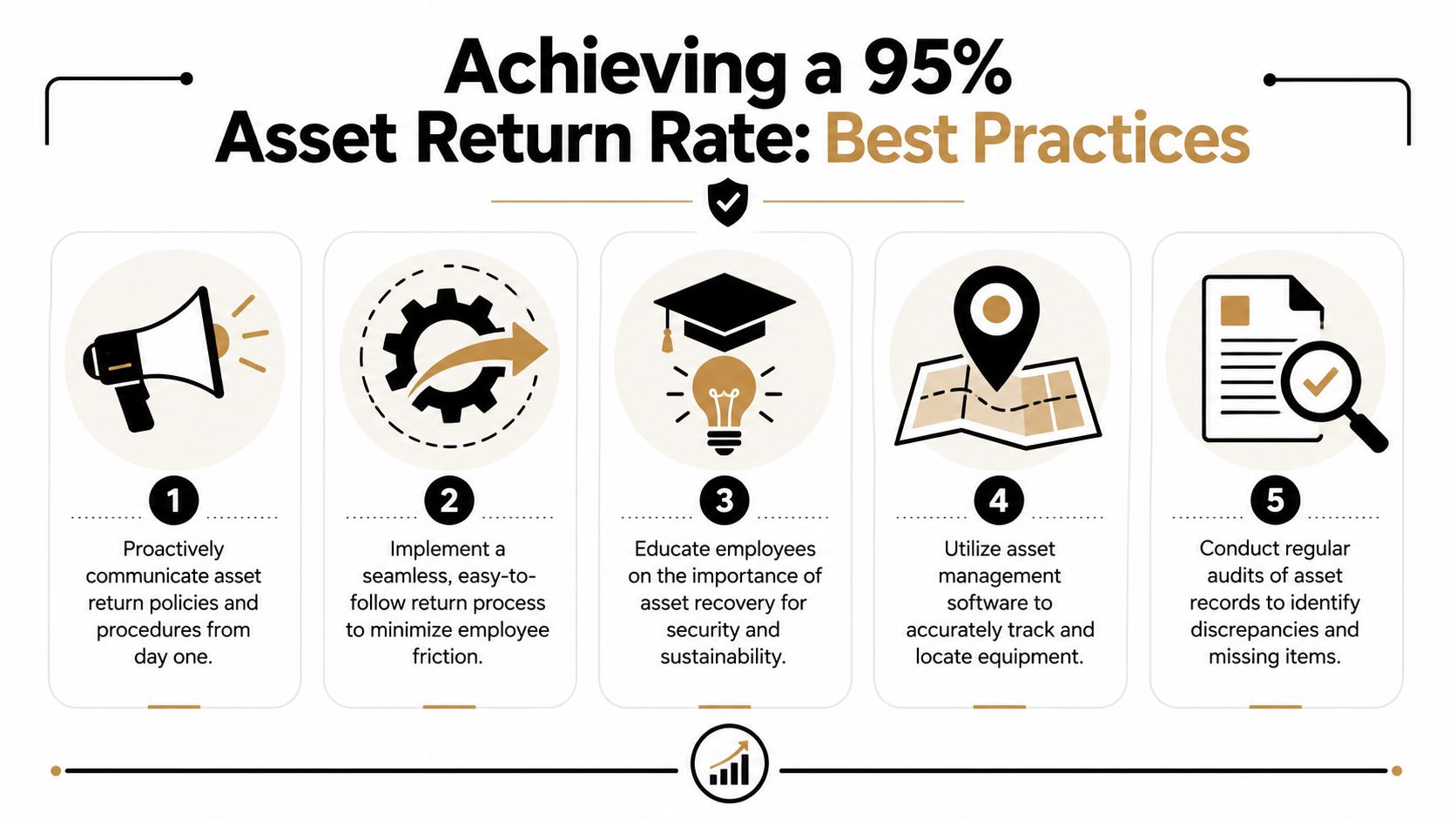
A 95% return rate usually has less to do with pressure and more to do with process design. Teams get there by removing excuses, shortening decision time, and making every handoff easy to document. That matters for more than laptop recovery. The key win is closing legal, security, and financial exposure all the way through final disposition after the device comes back.
High-performing programs tend to share the same operating model. The employee gets one clear path to return the asset. HR, IT, and the recovery vendor work from the same inventory record. Reminders go out on schedule, not when someone remembers. If that sounds basic, it is. Basic controls executed consistently beat aggressive language in a policy document.
The operational habits behind high compliance
Start with simplicity. If a former employee has to source a box, pay upfront, compare shipping options, or guess which accessories belong in the return, delay goes up and response rates fall.
Cadence matters just as much. One email is a request, not a recovery program. People who are changing jobs, moving, or dealing with payroll questions often put equipment return at the bottom of the list. A scheduled reminder sequence keeps the task visible without forcing your team to chase every case manually.
Field note: The easiest return path usually produces the highest recovery rate and the cleanest custody record.
Five moves that improve results
- Send prepaid return materials immediately: Include the label, clear instructions, and packaging options from day one so the employee does not have to improvise.
- Specify every item expected back: List the laptop, charger, dock, monitor, phone, badge, and any other assigned accessories against the asset record.
- Offer convenient drop-off choices: QR code returns and common carrier locations reduce friction, especially for employees without a printer or shipping supplies.
- Automate reminders and escalation: Keep notices going until the shipment is scanned in transit, then hand off exceptions to HR or Legal based on policy.
- Explain the security reason for the return: People respond faster when they understand the device may still contain company data and remains a compliance issue until processed.
One more point gets missed in a lot of recovery guides. Getting the box back is only part of the job. If you want a true 95% success rate, measure the full cycle: asset requested, asset received, custody logged, data handled correctly, and device moved into redeployment, resale, or certified recycling. That is the standard that protects the company when an auditor, insurer, or regulator asks what happened to the equipment after it left the employee's hands.
FAQ Handling Difficult Asset Recovery Scenarios
What if the employee stops responding
Escalate in stages. Start with documented reminders and a final return notice. If silence continues, involve HR and Legal, then move to a formal demand letter if your policy and records support it. Structured programs often include clear deadlines and, where appropriate, legal remedies such as demand letters or small claims actions for equipment value, as noted earlier in the article.
What if the employee lives in another state with strict labor rules
Assume your normal payroll influence may not apply. For a nationwide workforce, state wage deduction rules vary enough that enforcement through final pay is often the wrong first move. Use prepaid, trackable shipping, clear written notices, and a documented escalation path instead of improvising around payroll.
What if the employee already left the country
This is a logistics and legal problem, not just an HR one. First decide whether recovery is commercially and operationally sensible. Then coordinate with Legal and your logistics provider on customs, shipping method, declared contents, and whether local disposition is safer than cross-border return. Cross-border recovery can be slower and harder to document, so define the chain of custody before anything ships.
What if the device comes back damaged
Check the policy, then inspect and document everything at receipt. Separate normal wear from abuse, and make sure the condition log includes photos, serial confirmation, and notes about missing parts. The next decision is operational: certified wipe and recycle, destroy the media, or salvage the remaining value through parts or remarketing if policy allows.
What if the employee returns some items but not all of them
Close the loop item by item, not case by case. Mark each asset status separately. A returned laptop doesn't resolve a missing phone, external drive, or access token. Partial returns are common, and they create false closure if your system only tracks the main device.
If your team needs a cleaner process for retrieval, data destruction, and documented final disposition, contact Beyond Surplus for certified electronics recycling and secure IT asset disposal.


