

A termination hits your inbox. HR wants access shut off now. Finance wants the laptop back. Legal wants a clean record. The former employee is three states away, and nobody can tell you whether the serial number in the ticket matches what was shipped.
That's the offboarding problem. Recovering laptops from terminated remote employees isn't a shipping task. It's a risk-control process that spans HR, IT, security, legal, and final disposition. If one handoff breaks, you don't just lose hardware. You can lose data, chain of custody, and your ability to prove you handled the device properly.
Teams frequently fail because they start too late. They treat recovery like a reaction to termination instead of a workflow that should already exist before anyone leaves.
Building a Proactive Asset Recovery Plan
Reactive recovery usually looks the same. Someone disables accounts, then starts asking where the laptop is. That sequence is backward. The retrieval plan has to exist before termination is processed, or the company ends up negotiating logistics after its advantage is gone.
Gartner data cited by Quip says organizations that integrate HRIS and IT asset management platforms to automate offboarding triggers achieve a significantly higher laptop return rate of 92%, compared to the average on-time return rate of just 30% (Quip on automated laptop retrieval workflows). That gap tells you exactly what works. Automation beats chasing people manually.

Put the policy in writing before you need it
A strong remote offboarding policy should be part of onboarding, not an afterthought. The employee should sign an asset assignment agreement that ties a named person to a serial number, accessories, acceptable use, return obligations, and the company's right to remote lock or wipe the endpoint when employment ends.
Minimum policy components should include:
- Asset assignment records that identify the laptop, charger, dock, and any removable media.
- Return method rules that define whether the company sends a box, schedules pickup, or uses a carrier drop-off.
- Remote security consent covering MDM enrollment, device lock, and data wipe authority.
- Personal data expectations so users know they shouldn't store private files on company equipment.
- Escalation language that routes non-return cases to HR and legal, rather than ad hoc manager follow-up.
Trigger the workflow automatically
The practical model is simple. HR enters the termination. The HRIS triggers an IT asset workflow. IT gets the assigned device list. Security gets the account revocation event. Logistics gets the return kit request.
Practical rule: If the process depends on someone remembering to send an email, the process will fail at scale.
The handoff has to happen fast. Industry best practice in the Gartner-based guidance is to start retrieval within 24 to 48 hours of termination notification, which is another reason manual coordination falls apart under pressure.
A useful template is a formal remote employee equipment return program with named owners, system triggers, and standard evidence requirements.
Build your checklist around risk reduction
Before any termination happens, make sure your environment already has:
- Current inventory data
- MDM enrollment on all laptops
- A preapproved shipping workflow
- A legal-reviewed equipment agreement
- A communication template sent to personal email
- A documented chain-of-custody process
- A defined endpoint for wipe, redeploy, or disposal
That's what separates a controlled recovery from a scramble.
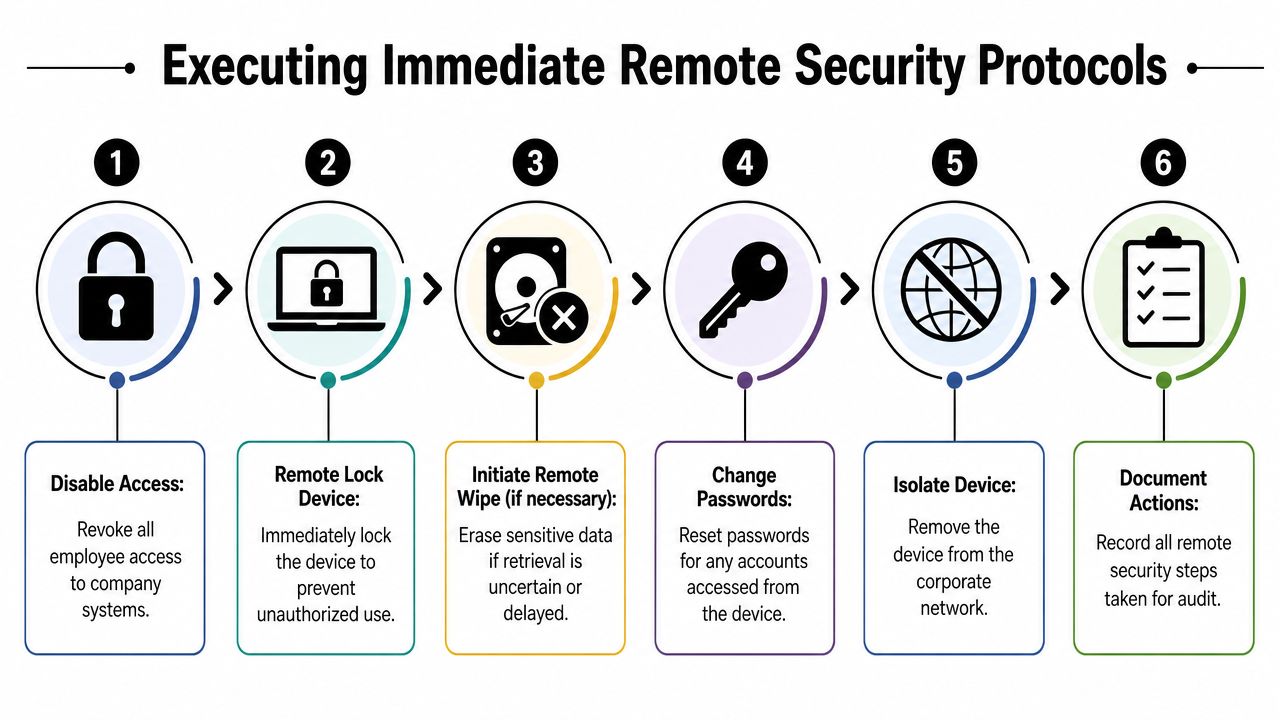
Executing Immediate Remote Security Protocols
The moment termination is final, the laptop becomes a live security issue. It might still have cached credentials, synced files, browser sessions, saved tokens, and local copies of sensitive material. Physical recovery matters, but the first minutes belong to security.
HelloRetriever reports that in 59% of cases involving stolen company equipment with sensitive information, only 55% of organizations were able to completely lock out the device (HelloRetriever on remote device retrieval risks). That's the kind of failure that turns a missing laptop into an incident.
Follow the sequence, not your instincts
When teams improvise, they often wipe too early, or forget a system that still trusts the device. A tighter sequence works better:
- Disable identity access first. Cut off email, VPN, SSO, cloud apps, and internal systems.
- Expire active sessions. Don't rely on password resets alone.
- Issue an MDM lock command. Microsoft Intune, Jamf, Kandji, and similar tools can block normal use immediately.
- Remove device trust where applicable. Revoke certificates, enrolled trust relationships, and conditional access approvals.
- Change shared or local admin credentials tied to that user's workflows.
- Decide whether to wipe now or hold. If recovery is likely, preserve the device for return. If the endpoint is at risk or unresponsive, wipe it.
Know when not to wipe immediately
A remote wipe is powerful, but it can also erase evidence, disrupt chain of custody, or complicate later disputes about what was on the device. In many cases, a lock plus access revocation is the better first move while retrieval is underway.
A locked laptop in transit is inconvenient. An unlocked laptop in the wrong hands is exposure.
That's why teams should document every action taken, by whom, and at what time. This is part security log, part legal record.
For organizations refining their offboarding controls, guidance on online data protection is useful context because device recovery only solves part of the exposure. Accounts, synced services, and data remnants outside the laptop still need attention.
Create an audit trail you can defend
Every termination should produce a short evidence pack:
- Access revocation log
- MDM command history
- Device status at lockout
- Assigned asset record
- Owner approvals for wipe or hold
- Copy of the retrieval notice
Teams that need a stronger process usually benefit from a formal approach to protecting sensitive data during remote laptop returns, especially when multiple systems and custodians are involved.
Coordinating Professional Outreach and Retrieval
Once the device is secured, the tone of the recovery message is more critical than commonly acknowledged. Bad outreach sounds accusatory, arrives with missing instructions, and forces the former employee to solve your logistics problem. Good outreach is specific, calm, and easy to act on.
What bad outreach looks like
A weak message usually says some version of: return company property ASAP.
That creates predictable problems. Which property? Where should it go? Who pays? What if the employee doesn't have a box? Can they use a personal carrier? Does the deadline mean calendar days or business days?
What good outreach looks like
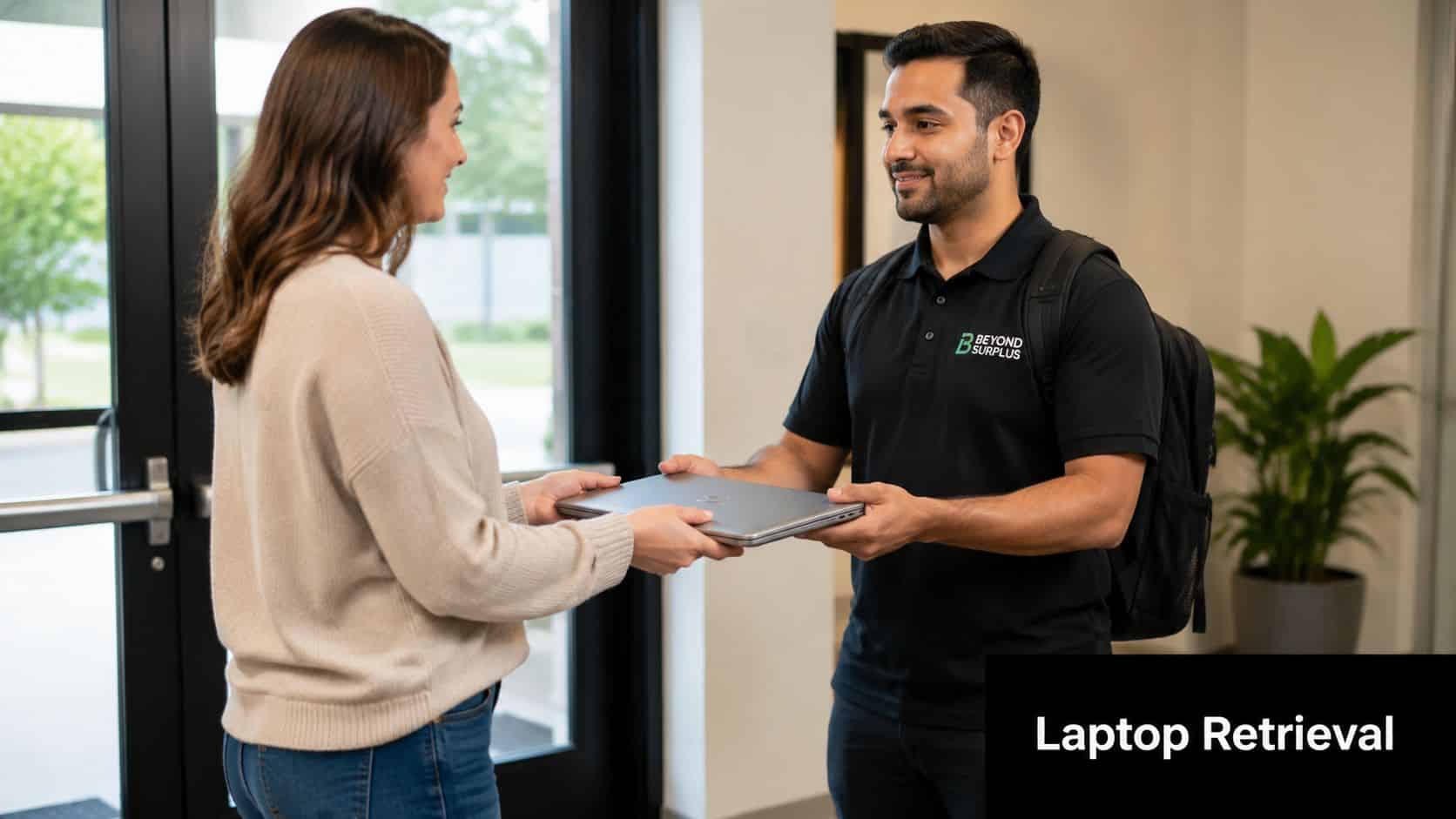
A professional retrieval note does three things. It identifies the device, explains the return method, and gives one clear deadline.
Use plain language such as:
Please return the assigned company laptop and charger using the prepaid label provided in this email. If you need a box and packing materials, reply to this message and we'll send a return kit. Once packed, send photos of the device and label before shipment.
That's direct without turning the interaction into a fight.
Remove friction before it becomes an excuse
The highest-friction part of retrieval is usually packaging, not intent. If you want the device back, don't make the former employee source foam, tape, or a suitable carton.
A practical recovery kit includes:
- Prepaid shipping label
- Durable box sized for the device
- Padding material
- Tamper-evident sealing tape
- Simple packing instructions
- A direct contact for scheduling issues
In tougher separations, have HR send the notice to a personal email address and keep the wording neutral. Managers should stay out of logistics unless there's a specific reason. The more emotional history in the chain, the worse the response rate tends to be.
For teams trying to standardize this work, a process for tracking and managing remote employee asset returns helps keep communication, labels, status, and receipt records in one place.
Managing Packaging and In-Transit Risks
A laptop handed to a carrier is not recovered yet. It's just moved into a different risk category.
Many internal playbooks get sloppy at this stage. They send a label, assume insurance is covered, and wait for delivery. That's not enough. An Iron Mountain case study found that nearly 15% of returned devices reported issues with transit damage or loss, yet most guides don't explain how to verify insurance or document liability transfer effectively.
Don't treat shipping like an admin detail
If the laptop is valuable, contains regulated data, or is difficult to replace, weak packaging controls are a direct financial risk. Carriers don't automatically make you whole, and insurance claims get harder when your records are thin.
Require a pre-shipment evidence set:
- Photo of the laptop powered off
- Photo of the serial number or asset tag
- Photo of accessories being returned
- Photo of the device inside the box before sealing
- Photo of the sealed box with label attached
That record does two jobs. It supports claims when devices arrive damaged, and it makes fraudulent non-return arguments harder to sustain.
Verify coverage before the box moves
Read the carrier terms. Confirm that the label, declared value, and service level cover loss or damage for business electronics. Don't assume the shipping platform's default settings match your policy.
Cheap shipping becomes expensive when the first disputed loss lands on your desk.
If a device goes missing, open the carrier trace immediately, preserve all photos, and freeze any final asset status change until the claim path is clear. If the box arrives damaged, document the condition before unboxing and retain all packaging.
A stronger workflow for shipping laptops back from remote employees should define proof requirements, claim ownership, and who signs off on loss classification.
Documenting Receipt and Secure Disposition
The return isn't complete when the package reaches your dock. It's complete when you can prove what arrived, what condition it was in, what happened to the data, and where liability ended.
Inspect the device against the record
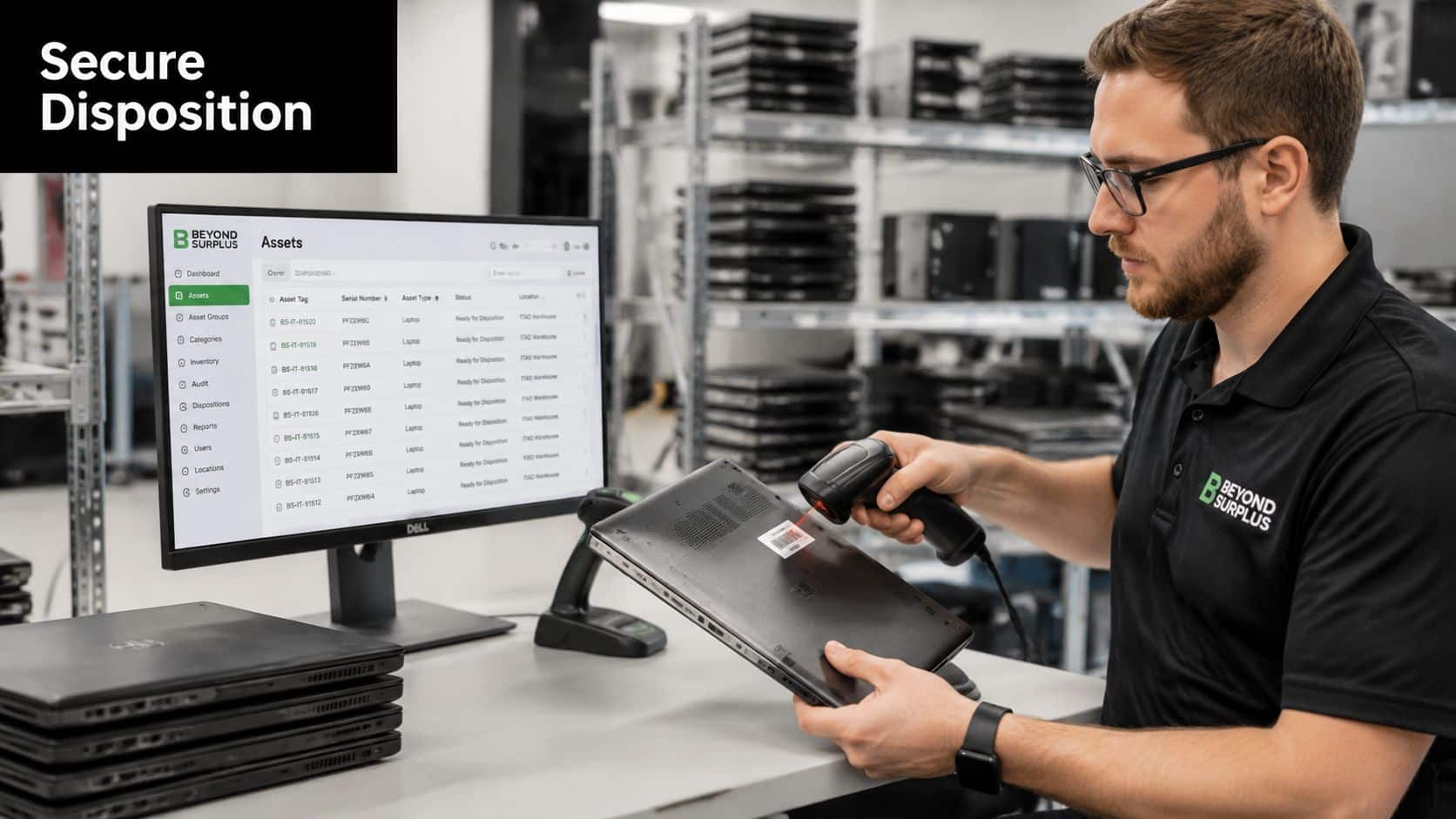
When the shipment arrives, the receiving technician should compare the box and device against the pre-shipment evidence and the original asset assignment. That includes serial number, accessories, visible condition, and any tampering signs.
A clean intake routine should capture:
- Date and time received
- Receiver identity
- Tracking number
- Serial number verification
- Photo of condition on arrival
- Notes on missing or substituted items
If something doesn't line up, flag it before the device moves into the next queue.
Decide the next lifecycle step
Recovered laptops usually fall into one of three lanes.
| Path | Use case | Control needed |
|---|---|---|
| Redeploy | Device is serviceable and worth returning to fleet use | Wipe, reimage, QA, reassign |
| Remarket or recover value | Device still has residual business value | Data destruction record and disposition approval |
| Recycle or destroy | Device is obsolete, damaged, or noncompliant for reuse | Certified data destruction and downstream documentation |
The key point is that physical receipt and secure disposition are one continuous control process, not two unrelated jobs. If your records stop at “laptop returned,” you still have a compliance gap.
Close the loop with documented destruction
For devices leaving active service, use certified wiping where appropriate or physical destruction where required by policy, media type, or risk profile. The evidence that matters most at the end is a Certificate of Data Destruction or equivalent formal record from the destruction workflow or approved vendor.
If you can't show when data was destroyed, you haven't really closed the incident.
That final document proves the endpoint no longer carries recoverable company data and helps transfer responsibility away from the original business user or department.
Navigating Legal and Compliance Guardrails
One of the worst recovery habits is also one of the most common. A company can't just decide to deduct a laptop cost from the final paycheck and call the matter closed.
That advice still circulates because it sounds efficient. In practice, it can create a wage claim on top of an asset loss.
Don't assume paycheck deductions are safe
A 2024 National Employment Law Project report indicated that over 30% of wage theft complaints in the tech sector involve unauthorized deductions for equipment. That's a serious warning. Even where employers have broad property rights, wage rules often restrict what can be withheld, when, and under what written consent structure.
If your equipment agreement doesn't clearly address return obligations and permitted remedies, the legal footing gets weaker fast. If your state limits deductions, even a signed acknowledgment may not be enough without additional review.
Use legal review before the termination event
The right time to solve this issue is during policy drafting. Legal should review:
- Equipment agreements
- State-specific wage deduction rules
- Final pay timing obligations
- Notice language used in offboarding
- Cross-border privacy issues for remote wipe and personal data handling
That matters even more when the separation is disputed. In those cases, a sloppy recovery process can feed a broader employment claim. For HR and counsel dealing with separation risk, guidance on employer wrongful termination claims is useful context because asset recovery communications often end up in the same fact pattern.
Treat data privacy as part of compliance, not just security
Recovered devices can still contain personal data, cached messages, health information, customer records, or regulated business files. Your handling process has to align with privacy obligations and internal retention rules. That means limiting access to the returned device, documenting who handled it, and using a recognized sanitization method before redeployment or disposal.
For technical media sanitization, teams should anchor their process to NIST SP 800-88 guidance on data destruction. It gives the recovery workflow a defensible end state instead of an improvised cleanup step.
Answering Common Laptop Recovery Questions
Edge cases are where weak processes show themselves. The answer usually isn't to improvise harder. It's to apply the same controls consistently.
What if the former employee won't respond
Move from friendly reminders to formal written notice through HR. Send the notice to the personal email on file, preserve timestamps, and stop relying on manager texts or verbal follow-up. If the employee remains nonresponsive, route the matter to legal based on your signed equipment agreement and internal escalation standard.
What if they say the laptop was lost or stolen
Ask for a written statement, date of loss, location, police or incident report if available, and any carrier details if shipment had already started. Then compare that account against your asset records, pre-shipment evidence requirements, and security logs. Don't classify it as unrecoverable until that review is complete.
When should law enforcement be involved
That depends on company policy, the facts of possession, and legal advice. A simple late return usually isn't the same as theft. Escalate when there's credible evidence of intentional retention, fraudulent shipment behavior, or misrepresentation about the device's location.
Should you wipe a laptop that might still come back
If the device presents active exposure, yes. If retrieval is imminent and the endpoint is already locked with access revoked, you may hold the wipe briefly to preserve the chain. The decision should sit with security, not the manager who wants the ticket closed.
What counts as a completed recovery
Not “employee says it was shipped.” Not “tracking shows delivered.” Recovery is complete when the business has possession, intake is documented, and the device has been moved into a controlled redeploy or destruction path.
What if the laptop isn't worth chasing
That can be true financially, but it doesn't erase the data issue. A device with low residual value can still create a high compliance problem. Judge the case on exposure first, hardware second.
Contact Beyond Surplus for certified electronics recycling and secure IT asset disposal, including data destruction, IT asset disposition, and compliant downstream documentation for recovered business laptops and other enterprise equipment.


