

A Fulton County school district has 250 aging Chromebooks stacked in a storage room. A Buckhead law firm has 200 ThinkPads coming out of service after a hardware refresh. In both cases, the difficult question isn't where to put the laptops. It's how to prove what happened to every device, protect the data, and recover value where destruction isn't necessary.
That is the full scope of Laptop Recycling Atlanta: Secure Recycling for Businesses and Schools. A commercial program must connect inventory, data sanitization, transportation, environmental processing, and financial recovery. Global e-waste reached 62 million tonnes in 2022, equal to 7.8 kg per person, while only 22.3% was formally collected and recycled in an environmentally sound manner, according to the Global E-waste Monitor 2024. The same source projects 82 million tonnes by 2030 and estimates that inadequate recycling leaves about US$62 billion in recoverable natural resources unaccounted for each year.
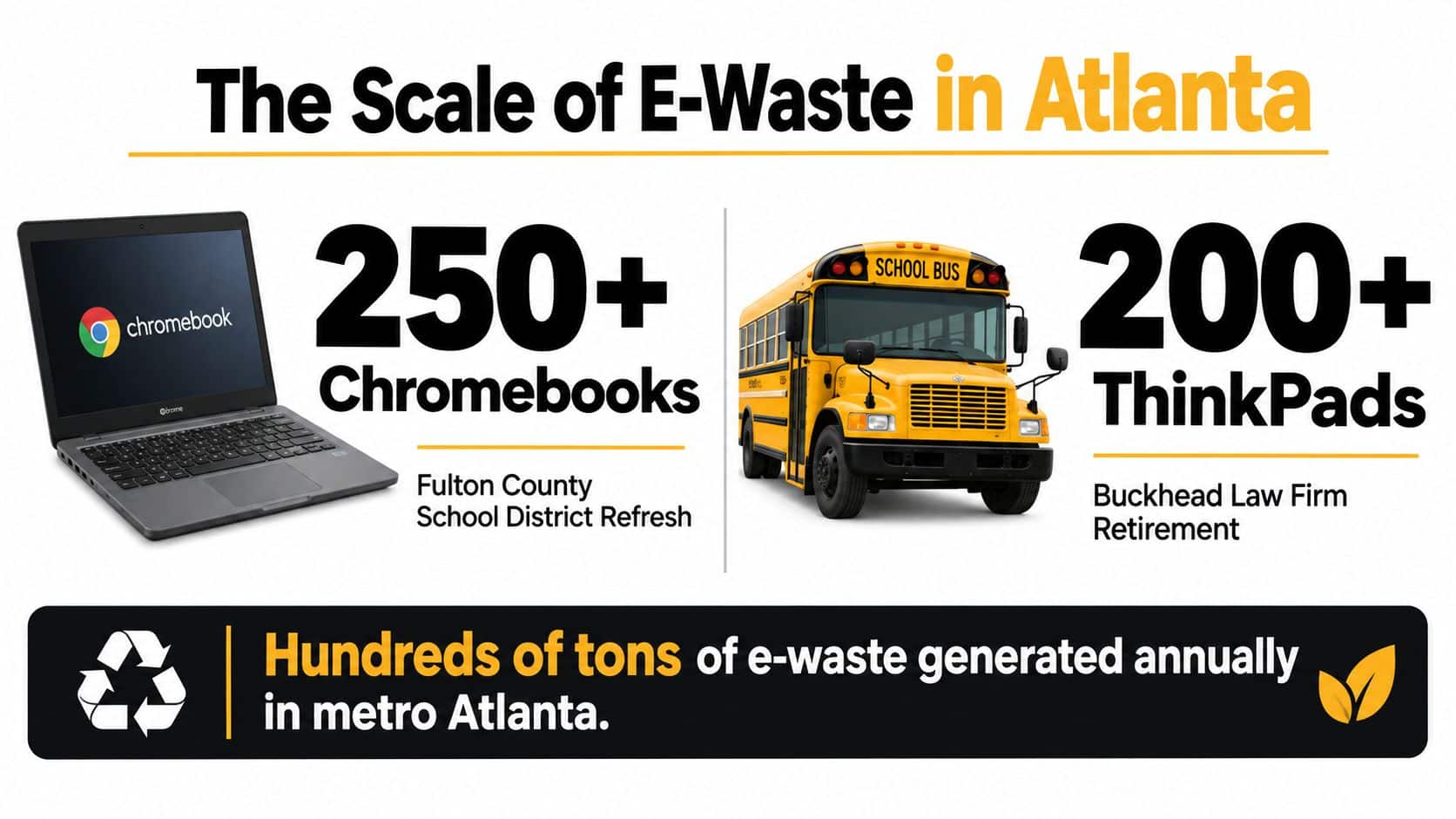
Table of Contents
- Why Atlanta Businesses and Schools Are Rethinking Laptop Recycling
- The Five-Step Secure Recycling Workflow That Actually Holds Up on Audit
- How to Choose Between Data Wiping and Physical Destruction for Your Fleet
- Compliance You Can Document and Hand to Your Auditor
- Atlanta Pickup Logistics and What to Prepare Before the Truck Arrives
- Value Recovery and Why Destruction-Only Is Leaving Money on the Table
- Working With Beyond Surplus and What to Do Next
Why Atlanta Businesses and Schools Are Rethinking Laptop Recycling
A laptop refresh affects four departments at once. IT needs a controlled retirement process, compliance needs records that withstand review, facilities needs a documented pickup, and finance needs a clear answer on asset value. Treating the project as ordinary electronic waste leaves gaps in all four areas.
The right approach starts with an asset decision for every device. Redeploy working laptops, sanitize units suitable for reuse or resale, recover usable parts, and reserve physical destruction for equipment or storage media that cannot be safely reused. The objective is a defensible disposition record, not destruction by default.
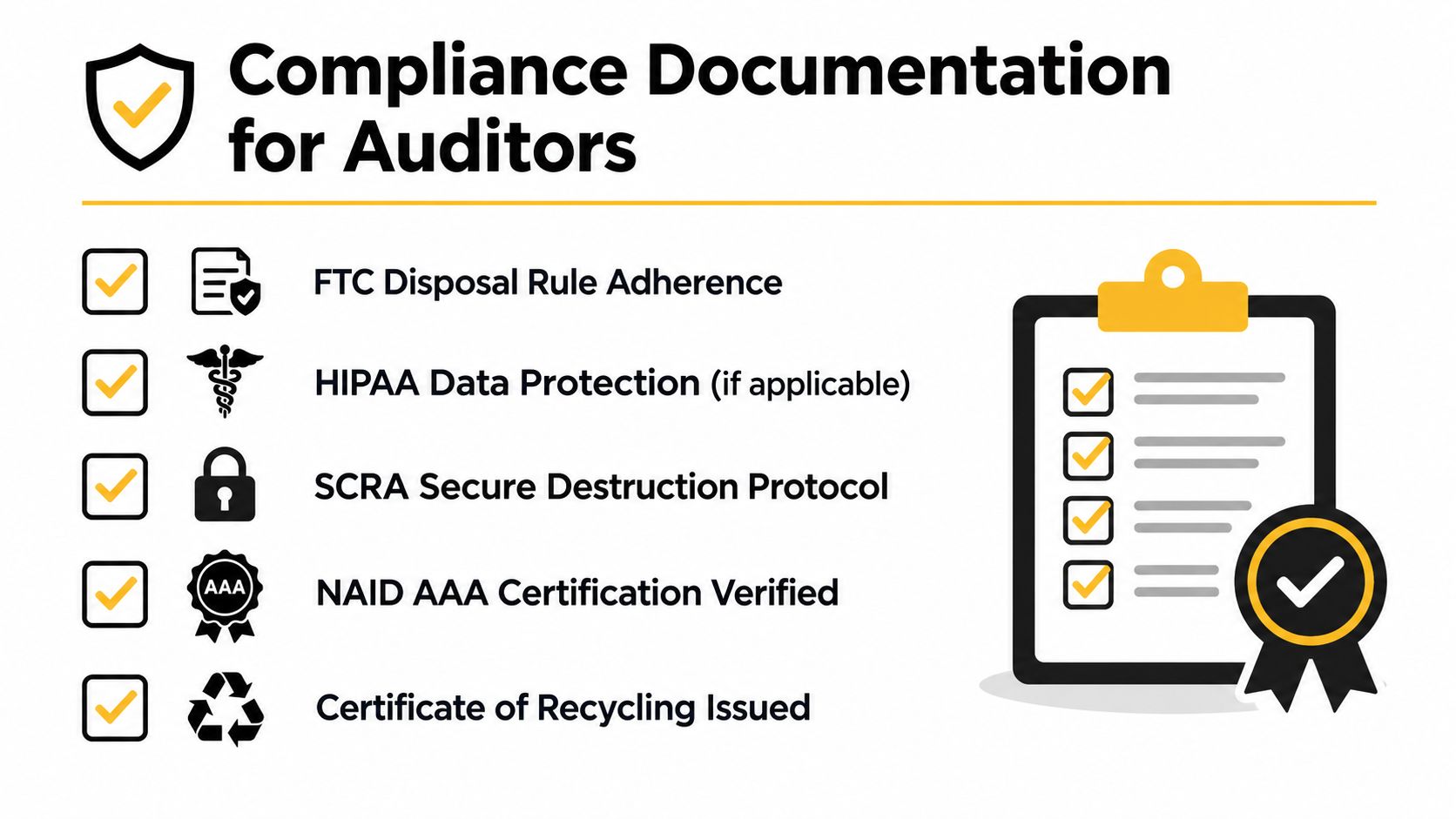
The FTC Disposal Rule requires reasonable measures to prevent consumer information from being read or reconstructed. Its disposal guidance identifies methods including burning, pulverizing, shredding, erasing, or otherwise making electronic files and media unreadable or unreconstructable. Healthcare organizations must align retirement procedures with broader HIPAA safeguards. Schools also need controls for sensitive student information and district retention policies.
The risk is operational, not theoretical
A laptop can leave a facility while the organization remains accountable for its data. Missing serial numbers, unclassified storage, and certificates that cannot be tied to individual assets turn an audit into a reconstruction exercise. The ITAD workflow guidance from Beyond Surplus recommends inventory, a defined disposition path, serialized chain-of-custody records, and certificates for recycling or data destruction.
Atlanta businesses and schools should require a written program that answers five questions:
- What is being retired? Record the serial number, asset tag, model, and storage type.
- What data does it contain? Classify the information held on each device.
- What should happen to it? Choose redeployment, sanitization for reuse or resale, parts recovery, or destruction.
- Who controlled it at each handoff? Keep signed manifests and custody records.
- What proves completion? Require serial-number-level certificates and downstream documentation.
A school district computer recycling guide helps facilities and technology teams set these controls before the refresh begins. Secure laptop recycling in Atlanta is an asset-governance program with an evidence trail, a disposition decision, and a recovery strategy for every unit.
The Five-Step Secure Recycling Workflow That Actually Holds Up on Audit
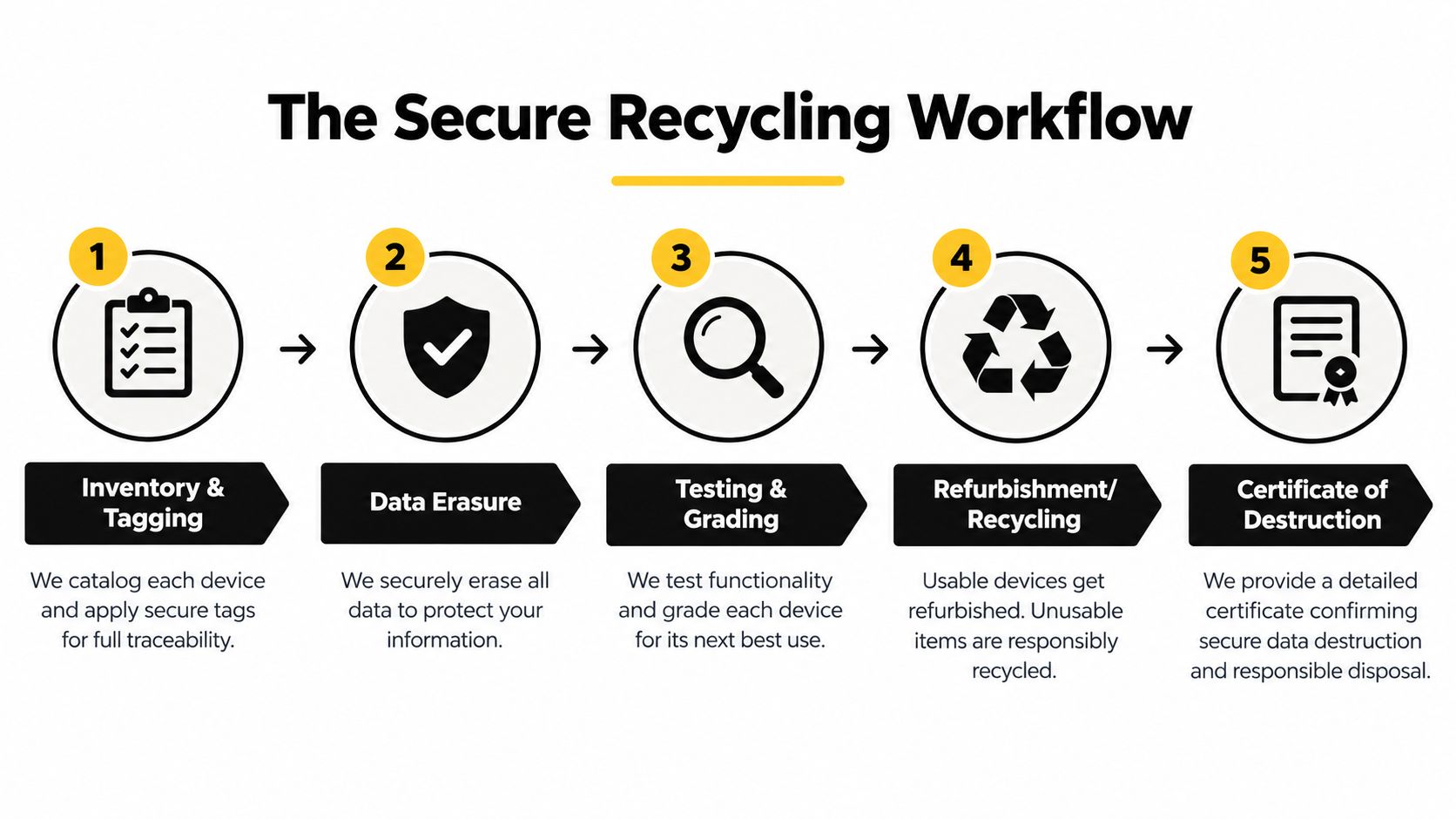
The workflow below is designed for a fleet of 200 laptops, but the control logic works for smaller offices and larger enterprise rollouts. Keep the sequence intact. Devices shouldn't leave your control before the disposition decision and data treatment are recorded.
1. Inventory before moving anything
Export the asset register from your IT service management platform, MDM, or endpoint management system. Add serial numbers, service tags, asset tags, hostname, model, assigned department, and storage type. The deliverable is an inventory CSV that can be reconciled against the pickup manifest.
Don't rely on a carton count. A carton can contain the wrong model, a missing drive, or a device that was never approved for retirement.
2. Classify the device and its data
Separate spinning HDDs, SATA SSDs, NVMe SSDs, and eMMC Chromebook storage. Then identify the data category, such as general business information, PII, PHI, or FERPA-related records. This creates a classification matrix that determines which sanitization or destruction method is acceptable.
Classification also identifies exceptions. A damaged laptop, an encrypted drive with unknown recovery keys, and a device subject to a legal hold shouldn't enter a standard resale batch.
3. Record the disposition decision
Assign one path to every serial number:
- Redeploy: Keep the device in service after verified sanitization and testing.
- Education reuse: Transfer suitable units to another approved school or program.
- Remarket: Wipe, test, grade, and sell through a controlled IT buyback channel.
- Destroy: Send failed, obsolete, or unacceptable media to physical destruction.
The deliverable is a disposition decision log. It prevents a recycler from applying one method to an entire mixed fleet without considering device condition or media type.
4. Sanitize or destroy the data
Use a documented NIST SP 800-88-style Clear, Purge, or Destroy decision. A wipe is appropriate only when the storage media is healthy and the method can be verified. If the process fails, redirect the drive or device to physical destruction rather than issuing a questionable wipe certificate.
5. Preserve the evidence chain
Require the pickup manifest, chain-of-custody log, transportation details, receipt reconciliation, downstream documentation, and a serialized certificate of recycling, destruction, or sanitization. The chain-of-custody documentation guide explains why each handoff must connect back to the original asset record.
Practical rule: If the certificate can't be matched to a serial number, it doesn't close the control gap.
The final deliverable is a certificate pack and reconciliation report. Your auditor or general counsel should be able to select any laptop from the inventory and trace it from pickup through final disposition without relying on memory or unsupported vendor language.
How to Choose Between Data Wiping and Physical Destruction for Your Fleet
Don't choose wiping or shredding by habit. Choose based on media type, device condition, data classification, and residual value.
Older Dell Latitude models commonly contain 2.5-inch SATA HDDs. These drives are generally strong candidates for a verified NIST Clear or Purge process when they function correctly. Working units can then move to redeployment or IT buyback.
Current ThinkPad and EliteBook generations often use SATA or NVMe SSDs. NVMe storage requires particular care because controller behavior and vendor tools vary. Use a documented Secure Erase or cryptographic erase process where it can be verified. If the tool can't demonstrate successful sanitization, physical destruction is the safer path.
Managed Chromebooks frequently use eMMC storage. Google-managed Powerwash can prepare a functioning Chromebook for redeployment, but a retired unit that won't be reused needs a destruction decision appropriate to its storage and risk profile.
| Media Type | Typical Laptop | Recommended Method | Resale Eligible? | Certificate Type |
|---|---|---|---|---|
| 2.5-inch SATA HDD | Older Dell Latitude | Verified NIST Clear or Purge | Often, if functional | Sanitization certificate with tool and verification details |
| SATA SSD | ThinkPad or EliteBook | Vendor-supported Secure Erase or cryptographic erase | Yes, if verified | Sanitization certificate with method and verification record |
| NVMe SSD | Current business laptop | Verified controller-specific erase, or shredding if verification fails | Only after successful verification | Sanitization or destruction certificate tied to serial number |
| eMMC Chromebook storage | Managed Chromebook | Powerwash for approved redeployment, destruction for retirement | Limited and condition-dependent | Sanitization or destruction certificate |
Use the direct rule. If resale value clearly exceeds processing and destruction cost, and the media wipes cleanly, sanitize it. If the device is damaged, the keys are unknown, the asset has little residual value, or the organization won't accept remarketing risk for regulated data, destroy it.
A sanitization certificate should identify the method, tool, firmware revision where applicable, and verification result. A destruction certificate should identify the device or media serial number and document the destruction process. Review the hard-drive shredding versus data wiping comparison before approving a fleet-wide policy.
Compliance You Can Document and Hand to Your Auditor
A defensible recycling program starts with an evidence standard, not a vendor promise. Your organization remains responsible for its records and disposition decisions, even when a recycler performs the processing.
Build the policy around the information on the device
For consumer-report information, require measures that prevent unauthorized access or reconstruction. As noted in the first section, the FTC Disposal Rule recognizes erasure, shredding, pulverizing, burning, or another method that makes files and media unreadable or unreconstructable.
Healthcare organizations should align media retirement with HIPAA Security Rule procedures and business associate agreements. Schools should include student records in their classification process and record whether each laptop was sanitized for reuse or destroyed.
Use a policy checklist that assigns ownership and evidence:
- Data classification: Identify whether devices held PII, PHI, student records, financial information, or general business data.
- Media decision: Record the approved Clear, Purge, or Destroy path for each storage type.
- Vendor controls: Require documented custody, qualified downstream handling, and certificates tied to serial numbers.
- Environmental records: Retain recycling manifests and downstream attestations.
- Contract protection: Address audit rights, breach indemnification, insurance requirements, and subcontractor controls in the MSA.
Keep the records an auditor will request first
Organize the certificate package before issuing a purchase order. Auditors commonly request serialized certificates of destruction, chain-of-custody logs, weigh tickets, recycling manifests, and downstream vendor attestations. Use this compliance documentation resource to define the required records and acceptance criteria.
Atlanta and Georgia organizations should confirm current state and local requirements with counsel and their environmental compliance team. Do not rely on a recycler's general statement about responsible processing. Retain the inventory, approve each disposition method, and preserve evidence that connects every device to its final outcome.
Atlanta Pickup Logistics and What to Prepare Before the Truck Arrives
Pickup day should be the least complicated part of the project. That happens only when the site has prepared the assets, access route, paperwork, and contact person.
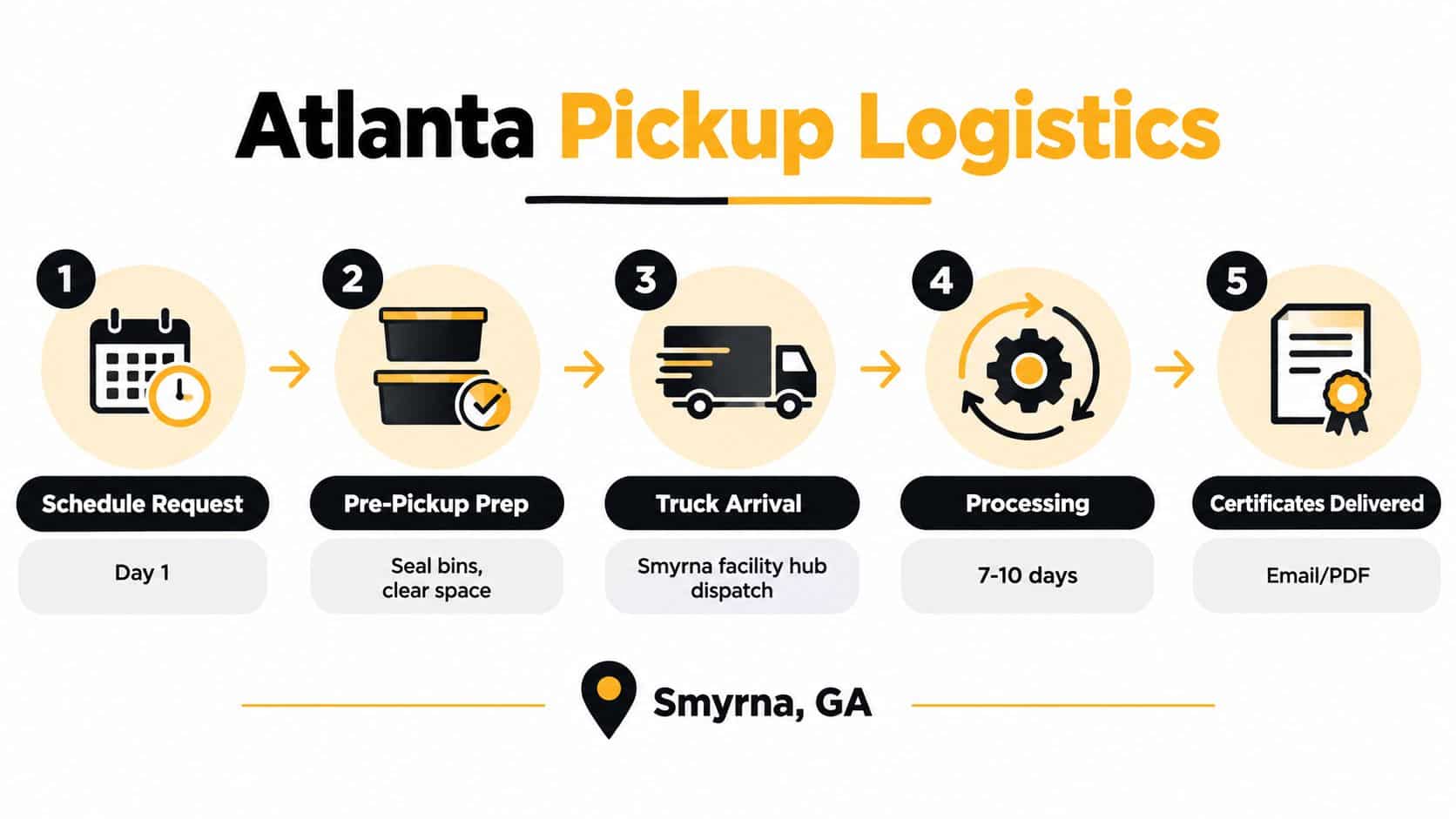
Beyond Surplus operates from a Smyrna-area processing location and coordinates commercial pickups across metro Atlanta. Business-to-business providers in Georgia advertise onsite service for offices, schools, medical facilities, data centers, and other commercial locations through services such as Ecycle Atlanta's business pickup program. Confirm the service area, load requirements, and scheduling window in writing before the truck is dispatched.
Prepare the site and the data
Before pickup, prepare:
- Asset list: Export the MDM or asset system list in CSV format and reconcile it against the physical devices.
- Secure staging: Place laptops in sealed bins or a controlled room, separated by disposition group.
- Powered-off equipment: Shut down encrypted devices and remove them from active user sessions.
- Loading access: Reserve parking, clear the loading path, and confirm elevator or dock access.
- Site authority: Assign one person to verify the manifest and sign the handoff.
Pallets work well for consolidated loads. Cage-van handling may suit mixed equipment or sites where individual asset control matters more than pallet efficiency. The pickup team should record serialized assets, apply or verify tags, secure the load, and leave a signed manifest before departure.
Common delays are predictable. Missing escorts, unsecured storage rooms, devices still logged into active accounts, and an inventory that doesn't match the physical load can push the pickup back. Resolve those issues before the scheduled arrival.
A workable project timeline starts with the intake and scope review, moves to site preparation and pickup, then proceeds through receipt, testing, sanitization, recycling, and certificate generation. Agree on the expected certificate delivery window in the statement of work, and require notice if an exception or failed media item changes the schedule.
Value Recovery and Why Destruction-Only Is Leaving Money on the Table
Shredding every laptop is usually a poor default. It eliminates data risk, but it also eliminates the possibility of redeployment, resale, parts recovery, and a credit against the next refresh.
Start with condition and media status. Working business-grade laptops may still support internal redeployment or controlled resale. Education-grade Chromebooks have a narrower reuse window and need a faster decision. Damaged hardware, failed drives, and devices with unacceptable data risk belong in the destruction path.
Use one chain of custody for every outcome
Value recovery doesn't require a separate, informal process. The same controlled workflow can record the serial number, sanitize the media, test the unit, assign a grade, and route the asset to remarketing, domestic redeployment, or parts recovery. The organization receives a report showing the path and any recovered value.
A 200-device lot of retired ThinkPads can produce a meaningful budget credit when suitable units are wiped, tested, and sold. The same lot produces no recovery when every laptop goes directly to the shred line. The correct financial question isn't whether recycling costs money. It's whether the disposition plan captures the value that remains after security requirements are met.
| Device Class | Age Window | Recommended Path | Typical Recovery |
|---|---|---|---|
| Working business laptop | Mid-life fleet unit | Sanitize, test, grade, and redeploy or remarket | Resale credit or internal replacement |
| Functional Chromebook | Within its practical reuse period | Powerwash where approved, test, and redeploy | Education reuse or limited resale |
| Damaged laptop | Any age | Separate failed media and destroy where required | Parts recovery when feasible |
| Obsolete or low-value unit | End of useful life | Certified recycling and targeted destruction | Material recovery, usually without resale |
| Regulated or high-risk device | Any age | Follow the approved Destroy decision | Risk reduction, not resale |
Destruction-only is correct when the drive fails sanitization, the device is physically compromised, the asset cannot be reconciled, or policy prohibits remarketing. For other units, review a business laptop buyback program guide and require value recovery to remain inside the documented custody process.
Working With Beyond Surplus and What to Do Next
Start with a one-page intake, not a vague request for “computer recycling.” List device counts by model, approximate age, current location, desired pickup window, and the compliance frameworks in scope, such as HIPAA, FERPA, or the FTC Disposal Rule.
That information lets a provider separate redeployment candidates from destruction candidates before pickup. It also supports a written scope of work, a fixed or per-device quote, and a logistics plan for Smyrna and the wider metro Atlanta area.
Have these three items ready
- Asset list: Include serial numbers, models, storage types, and current locations.
- Data classification: Identify which devices held regulated or sensitive information.
- Building contact: Name the person who can authorize access, verify the manifest, and sign the handoff.
The final package should include a serial-number-level Certificate of Destruction or Data Sanitization with the method used, a weight-and-destination recycling manifest, and a summary report suitable for your compliance files. Ask questions before pickup about failed media, downstream processing, value recovery, and the exact information printed on each certificate.
Contact Beyond Surplus through its website to request a quote or schedule a site walk. Give the team the asset list, data classification, and building access contact at the start so the engagement can move directly from inquiry to a controlled pickup.
Beyond Surplus provides commercial electronics recycling, secure data wiping and hard-drive shredding, IT asset disposition, laptop buyback, and documented certificates for business and school fleets. Visit Beyond Surplus to request a quote for secure laptop recycling in Atlanta and plan your next pickup around compliance, custody, and value recovery.


