

A resignation email lands in HR at 8:12 a.m. By 8:30, IT knows the employee still has a company laptop, docking station, headset, and maybe a phone. The problem gets harder when that employee lives across the country, has local files on the device, and isn't walking into an office to hand anything back.
That's where remote employee laptop return and IT asset disposition stop being an admin task and start becoming a risk program. If the laptop comes back late, you lose visibility. If it comes back damaged, redeployment gets harder. If it never comes back, you're left balancing hardware loss, exposed data, and a messy audit trail.
Different departments feel this pressure in pieces. HR focuses on the exit checklist. IT focuses on access revocation. Finance focuses on asset loss. Legal worries about documentation. In practice, those aren't separate problems. They're one operating system for offboarding.
A workable process has to connect policy, logistics, security, value recovery, and proof. That's why remote employee laptop recovery matters for data security far beyond getting hardware back. The strongest programs treat every returned laptop as a controlled event from notice of separation through final disposition.
Introduction The Growing Challenge of Remote IT Offboarding
Remote work changed the physical reality of offboarding. Devices are now scattered across apartments, coworking spaces, client sites, and personal vehicles. The old method, collect badge, collect laptop, close ticket, no longer works.
The immediate risks are familiar. Sensitive files may still sit on the device. Credentials may remain cached locally. The asset itself may disappear into a shipping delay, a closet, or a dispute over who was supposed to send the label.
Why remote offboarding breaks down
Problems usually start with timing. Many organizations wait until the employee's final day to trigger recovery. That leaves almost no room to coordinate shipping, confirm asset inventory, or solve packing issues before communication drops off.
The second failure point is fragmented ownership.
- HR owns the exit notice: but may not know the exact hardware assigned.
- IT owns the endpoint: but may not control payroll, legal notices, or employee communication.
- Procurement owns records: but often isn't involved in separation workflows.
- Finance owns loss exposure: yet usually enters the process after something has already gone wrong.
Practical rule: If one person can't answer “where is the laptop, what data did it hold, and what happens next,” the workflow isn't mature enough.
What a strong program has to do
A real offboarding framework has to answer five questions:
- What must be returned
- By when
- Using which logistics path
- How data will be sanitized
- What documentation proves final disposition
That sounds simple. It isn't. Trade-offs show up quickly, especially when the cheapest return option increases security exposure, or when the most secure destruction path eliminates resale value.
Building a Bulletproof Remote Laptop Return Policy
Policy comes first because logistics without policy create arguments. If expectations only appear after resignation, employees will challenge deadlines, shipping methods, accessory requirements, and responsibility for damage.
A durable policy lives in onboarding documents, acceptable use agreements, and offboarding playbooks. The best ones are short, direct, and operational.
What the policy must define
Start with scope. Don't say “company equipment” and assume everyone interprets it the same way. Name laptops, chargers, monitors, adapters, phones, tablets, security keys, headsets, and any specialty peripherals.
Then define the return window and communication path.
- Return timing: Set a clear deadline tied to separation.
- Notice method: State whether the employee receives instructions by work email, personal email, HR platform, or courier notice.
- Packaging responsibility: Clarify whether the company sends a kit or the employee supplies packaging.
- Condition standard: Require reasonable care, but avoid vague language that triggers unnecessary disputes.
- Non-return handling: Explain escalation, payroll implications where legally permitted, and legal review.
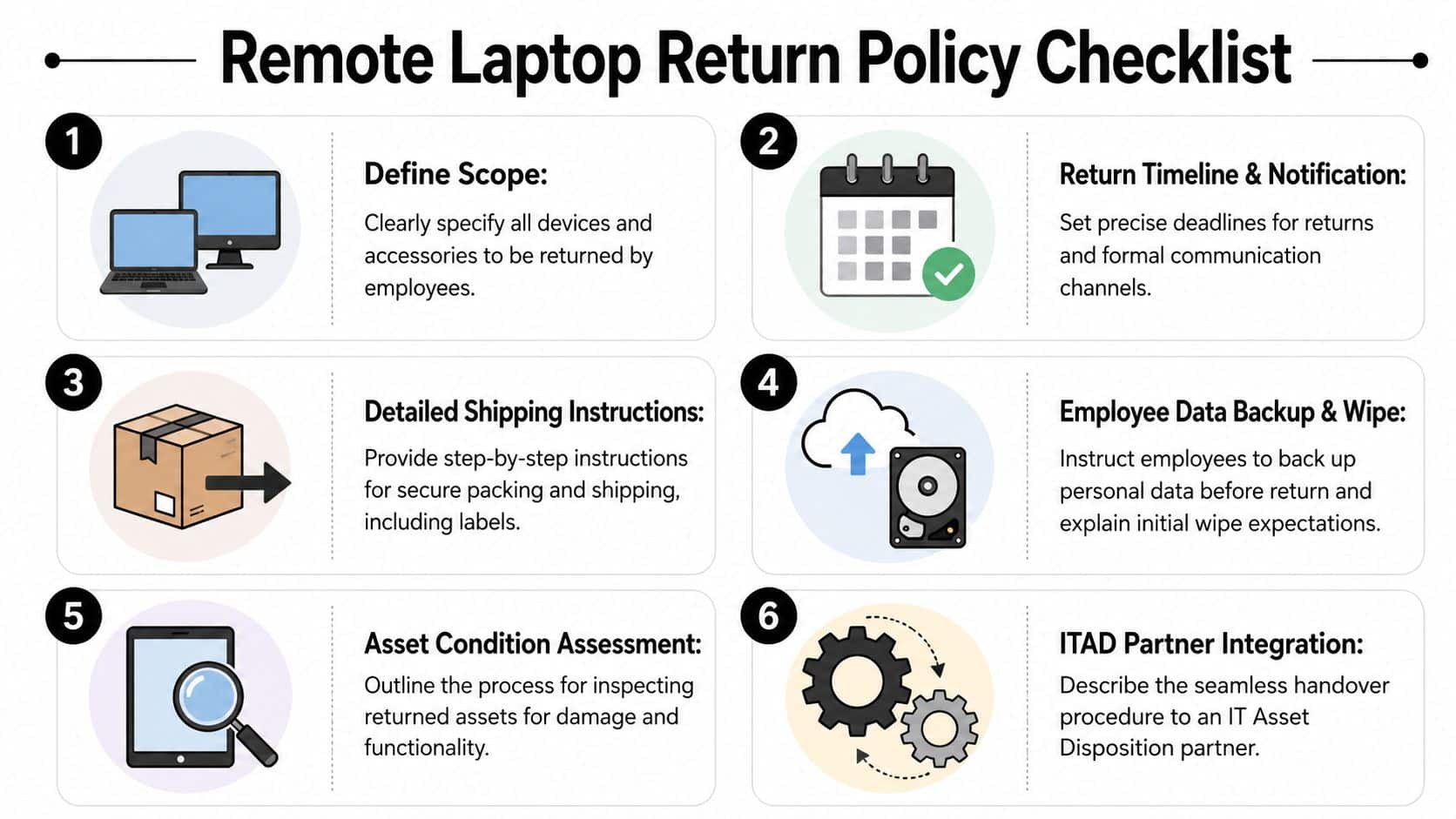
A useful model for drafting is the policy framework in an effective employee equipment return policy. It helps teams move from broad intent to language employees can follow.
What works and what fails in practice
Policies fail when they rely on goodwill. “Please return your laptop promptly” isn't enforceable. “Return all listed company assets using the provided method by the stated deadline” is.
They also fail when they ignore employee reality. Someone who works remotely may not have a printer, shipping tape, or a safe box for a large monitor. If your policy assumes office resources, expect delay.
The easiest policy to enforce is the one employees saw on day one, acknowledged in writing, and can follow without calling IT for basic instructions.
Comparing return options inside the policy
A policy should allow more than one return path, but not unlimited improvisation. Here's the operational trade-off:
| Return method | What works | What doesn't |
|---|---|---|
| Mail-in kit | Efficient for broad remote populations, easy to standardize | Depends on employee follow-through and packing quality |
| Professional pickup | Stronger chain of custody, useful for executives or sensitive assets | Costs more and needs scheduling |
| Drop-off location | Convenient in some metros, reduces packaging mistakes | Inconsistent coverage and weaker fit for fully distributed teams |
The right answer is usually mixed. Standard laptops can use mail-in kits. High-risk roles, data-bearing specialty devices, or contentious separations often justify pickup.
Designing the Return Workflow and Logistics
A good policy tells people what should happen. A workflow makes it happen on time. At this stage, many teams lose control, because return logistics sit between HR timing, endpoint management, and physical transport.
Choose the logistics model by risk, not habit
The cheapest method isn't always the least expensive overall. A low-cost return that produces delays, lost accessories, or broken screens can cost more than a controlled pickup.
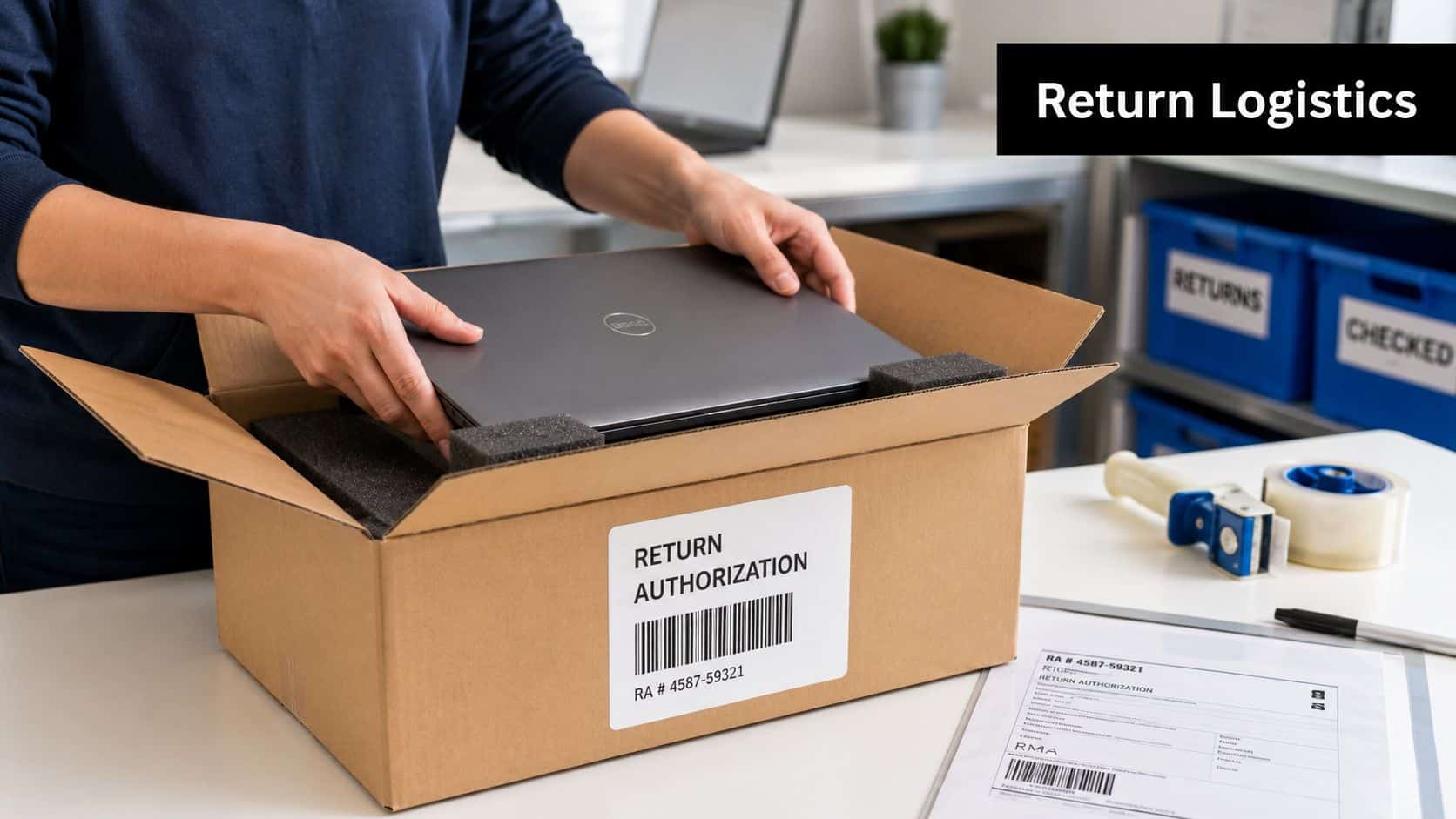
For standard business laptops, shipping can work well if your team follows best practices for shipping laptops back from remote employees. The keyword is standard. Once the asset is unusual, sensitive, damaged, or tied to regulated data, the workflow should tighten.
Build the handoff sequence
The return workflow should be triggered the moment separation is approved, not after access is disabled. I recommend a sequence like this:
- Confirm asset inventory against your ITAM record.
- Freeze the return method before the final working day.
- Send instructions to a non-corporate contact channel as needed.
- Track shipment or pickup until physical receipt.
- Inspect on receipt for serial number match, condition, and missing accessories.
- Route the device to redeployment, wiping, resale review, or destruction.
That sequence reduces exceptions because each handoff has an owner.
Wiping and shredding affect logistics decisions
Logistics planning should account for the endpoint of disposition. If the goal is secure wiping, the device and its storage media must arrive functional enough for processing and verification. If the drive is dead, encrypted beyond recovery needs, or physically damaged, shredding may be the cleaner answer.
Here's the practical framework:
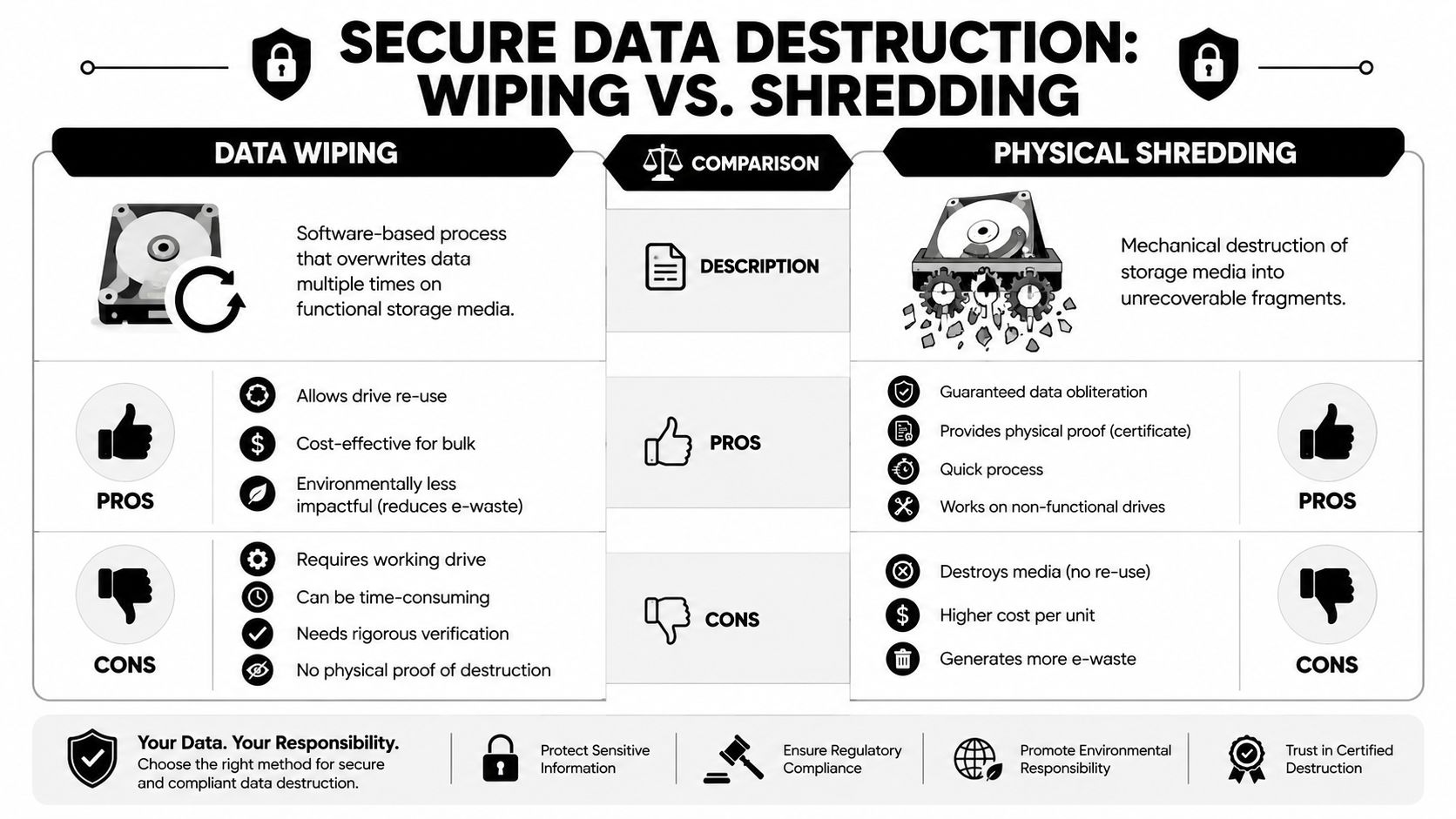
- Use wiping when the device is in serviceable condition, the organization wants remarketing or redeployment, and the storage media can be verified after sanitization.
- Use shredding when the drive is failed, the hardware is physically compromised, or the risk profile demands irreversible destruction.
- Separate the asset from the media decision when needed. A laptop chassis might be reusable even if its storage media goes to destruction.
An ITAD partner can simplify the process. Beyond Surplus coordinates remote equipment return logistics and then routes received devices into wiping, shredding, remarketing, or recycling based on condition and client requirements.
Secure Data Destruction Wiping vs Shredding
Once a laptop is back under control, data destruction becomes the main event. This decision shouldn't be emotional. It should be based on media condition, reuse goals, and risk tolerance.
When wiping is the right choice
Data wiping is a software-based sanitization process for functional storage media. It fits assets that still have reuse value and can complete a verified sanitization workflow. For organizations trying to redeploy or resell newer laptops, wiping preserves the hardware's financial value.
The standard most IT teams use as a reference point is NIST SP 800-88. The point isn't to memorize the publication. The point is to use a recognized sanitization framework and maintain documentation that ties the method to the specific asset.
When shredding is the safer call
Physical shredding destroys the storage media itself. It's the right choice when the drive doesn't function, when the media can't be reliably sanitized, or when policy requires irreversible destruction.
This is often the cleaner choice for failed drives, heavily damaged laptops, or high-sensitivity environments that don't want those specific media leaving destruction status. You give up remarketing potential for the storage component, but you remove ambiguity.
If your team has to argue about whether a damaged drive can probably be wiped, it usually belongs in the destruction stream.
Read the documentation like an auditor would
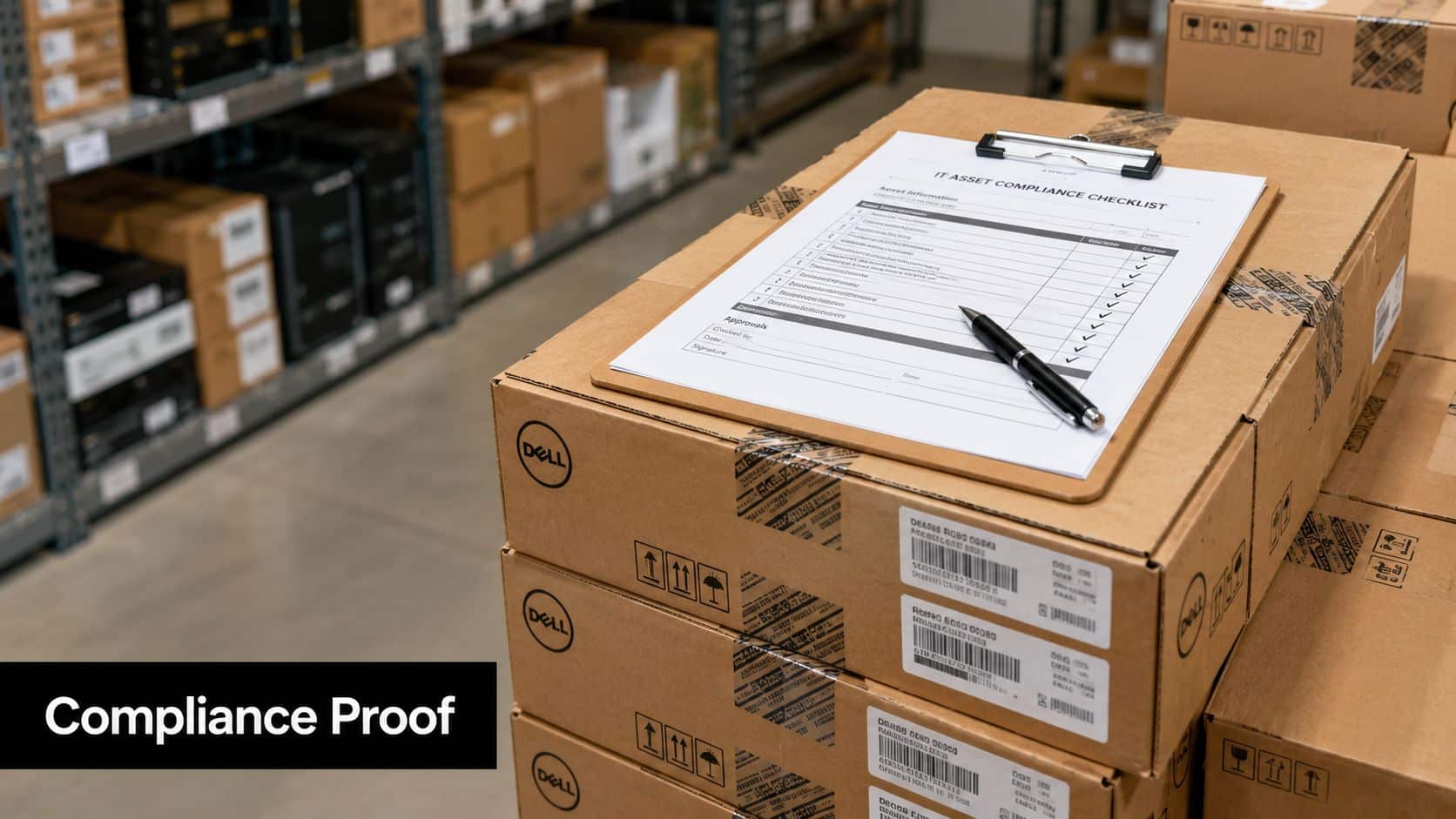
A Certificate of Data Destruction matters because it proves who processed the asset, what happened to it, and how the event ties back to your inventory. Review each certificate for:
- Asset identifiers: Serial number, service tag, or internal asset ID
- Media action: Sanitized, shredded, or otherwise destroyed
- Method reference: The standard or process used
- Processing date: When destruction occurred
- Processor identity: Which facility or provider handled the item
A Certificate of Recycling serves a different purpose. It documents that non-reusable material moved through proper downstream processing rather than informal disposal. For audit purposes, both documents should map back to your original return record.
Ensuring Compliance and Verifying Chain of Custody
Security work that can't be proven is weak compliance. Auditors, counsel, and regulated customers don't just ask whether a laptop was returned and sanitized. They ask for the record set that proves control from the employee's hands to final disposition.
Chain of custody is the control that ties everything together
A proper chain of custody tracks each transfer. That includes employee release, carrier handoff if applicable, receiving confirmation, processing status, and final disposition record. Serial-level reporting matters because batch statements rarely answer real audit questions.
The legal side is straightforward. The FTC's Disposal Rule requires that businesses take reasonable measures to protect against unauthorized access to consumer information, with penalties for non-compliance reaching thousands of dollars per violation. If your organization handles consumer information, offboarding laptops are part of that obligation.
The financial case for a documented program
A structured chain of custody does more than reduce audit pain. It improves financial outcomes because it lets your team sort assets cleanly into reuse, resale, recycling, or destruction. When records are weak, organizations tend to over-destroy usable equipment just to avoid uncertainty.
That's a hidden cost. So is keeping retired gear in storage because nobody wants to sign off on disposition. Controlled intake, serialized reporting, and final certificates reduce that hesitation.
What to require from your records
Your documentation package should let a reviewer answer these questions fast:
- Who had the asset last
- When control transferred back
- Whether the returned serial matched the assigned serial
- Which disposition path was used
- What certificate closed the record
Strong documentation changes ITAD from “trust us” to “here's the file.”
Maximizing Value Recovery Through ITAD Buyback
Too many IT teams treat retired laptops as a disposal line item. That mindset leaves money and planning flexibility on the table. Remote employee laptop return and IT asset disposition can also support value recovery if the program is designed for it.
Buyback starts before the employee leaves
The resale outcome of a returned device is shaped long before offboarding. Devices that come back complete, undamaged, and on schedule are easier to evaluate and move into remarketing. Devices returned late, poorly packed, or missing adapters and drives lose value fast.
That means policy and logistics affect finance directly. If your return process is sloppy, your buyback program will be too.
What improves resale potential
Teams usually get better recovery when they do three things well:
- Maintain equipment standards: Consistent models and configurations simplify grading and resale.
- Refresh on a schedule: Assets returned within a planned lifecycle are more likely to retain market value.
- Protect condition in transit: Packaging quality matters. Cosmetic damage can downgrade an otherwise reusable device.
For organizations building a disposition plan, maximizing value with ITAD services is less about squeezing every possible dollar from each laptop and more about making the whole stream predictable.
The strategic insight most teams miss
Buyback isn't a separate finance program. It's the reward for disciplined offboarding. When policy, return logistics, sanitization choice, and chain of custody all work together, more devices qualify for redeployment or resale.
That changes the conversation internally. ITAD stops looking like a pure cleanup function and starts acting like an operational control with cost offsets.
A simple audit lens helps:
| Area | Weak approach | Strong approach |
|---|---|---|
| Return timing | Ad hoc requests after departure | Triggered at notice of separation |
| Asset handling | Generic return instructions | Device-specific return kits and tracking |
| Data treatment | One-size-fits-all destruction | Wipe or shred based on condition and risk |
| Financial outcome | Disposal only | Redeploy, resale, recycle, destroy |
A Proactive Checklist for Risk and Cost Mitigation
A strong offboarding program should survive turnover, reorganizations, and urgent terminations. If it only works when your best IT manager personally watches every ticket, it isn't a program yet.
Use this checklist to audit what you have now.
Policy checks
- Asset scope is explicit: Does your documentation list every device type and accessory employees must return?
- Deadlines are written: Is there a stated return window tied to separation?
- Acknowledgment exists: Did the employee agree to return obligations during onboarding?
- Escalation is defined: Do HR, legal, and IT know what happens when a return stalls?
Logistics checks
- Return method is assigned: Does each departing employee get a specific path such as kit, pickup, or drop-off?
- Tracking is centralized: Can one system show current status without manual detective work?
- Receipt is verified: Does someone confirm serial number, condition, and completeness on intake?
Security and compliance checks
- Access is revoked on time: Are endpoint and account controls sequenced with the exit event?
- Sanitization method fits the asset: Are teams choosing wiping or shredding based on media condition and risk?
- Certificates close the record: Can you retrieve destruction or recycling proof by serial number?
Finance checks
- Returned assets are graded quickly: Does equipment move promptly into redeploy, resale, recycle, or destroy decisions?
- Transit damage is minimized: Are packaging standards protecting resale potential?
- Program results are visible: Can finance see which losses came from process failure versus normal end of life?
The companies that handle remote offboarding well don't rely on reminders and improvisation. They design a controlled system that connects people, paperwork, transport, data destruction, and value recovery into one operational flow.
For organizations that need a structured process, Beyond Surplus provides business-focused IT asset disposition, secure data destruction, electronics recycling, and nationwide coordination for remote laptop returns. Contact Beyond Surplus for certified electronics recycling and secure IT asset disposal.


