

A remote employee leaves on Friday. HR closes the file, IT disables access, and by Monday one company laptop is still sitting in a spare bedroom somewhere out of state. The employee says they'll send it back. Then they stop replying. What looked like a routine offboarding task turns into a security issue, a compliance issue, and a budget issue at the same time.
That's the reality many IT managers are dealing with now. A distributed workforce gives companies flexibility, but it also spreads high-value assets across hundreds or thousands of locations. Recovering those laptops takes more than a polite reminder email. It takes a process that starts before the employee disengages, controls the handoff, documents the shipment, secures the data, and decides whether the device should be reused, sold, or recycled.
The Challenge of Recovering Remote Employee Laptops
Organizations don't typically lose control of remote laptop returns due to a lack of effort. Instead, they lose control because they rely on ad hoc steps. One manager sends a box. Another asks the employee to use their own packaging. A third waits until after the final day to start the process. That inconsistency is where devices disappear.
The baseline numbers are already a warning sign. Organizations without a structured laptop recovery process typically achieve return rates between 70% and 85%, leaving 15% to 30% of issued devices unreturned by remote employees, according to Beyond Surplus's remote equipment return checklist. For an enterprise fleet, that isn't a minor leakage problem. It's accumulated hardware loss plus unmanaged data exposure.
A missing laptop rarely stays a simple logistics problem. It creates open questions that auditors and security teams care about immediately.
- Where is the device now if the employee has been terminated and access has already been revoked?
- Who had custody last if the return was arranged informally through a basic parcel drop-off?
- What data remains on the drive if the machine hasn't reached a controlled intake environment?
- What happens next if the device is too old for redeployment but still contains regulated information?
Operational reality: The return process needs to behave like a controlled asset recovery workflow, not a favor the former employee may or may not complete.
That's why formal programs outperform improvised ones. The difference isn't just better reminders. It's policy timing, packaging, chain-of-custody controls, intake verification, sanitization records, and a clear disposition path. Companies building that kind of process usually start with a documented framework like this formal remote employee equipment return process.
Streamlining Nationwide Logistics and Secure Pickup
The first physical step is where many recovery efforts fail. If the employee has to find a box, buy padding, print a label, and arrange shipping on their own, return compliance drops fast. Friction is the enemy.
According to Gartner, only about 30% of company devices are returned by remote employees on time, and the true cost to recover a single device ranges from $80 to $200 depending on shipping distance and device type, as noted in Beyond Surplus's guidance on shipping laptops back from remote employees. That makes the retrieval model matter. If your process wastes time and generates exceptions, cost rises while control falls.
Shipping kits work when simplicity matters
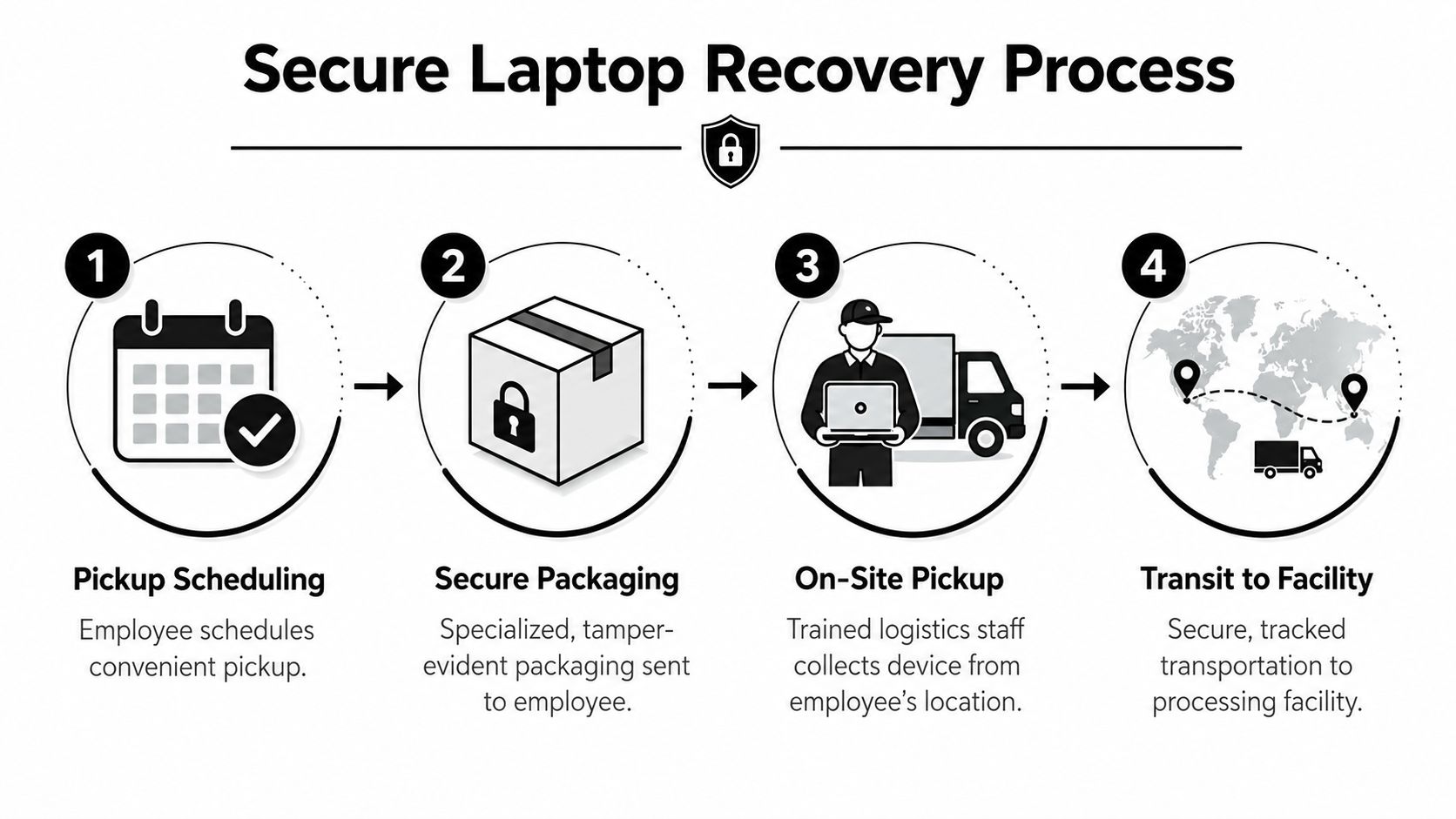
A pre-assembled return kit is often the cleanest option for standard laptop recovery. It removes avoidable decisions from the employee and standardizes the handoff for IT.
A solid kit usually includes the fitted box, protective material, prepaid tracked label, and simple return instructions. The employee doesn't have to source anything. They just place the laptop and accessories into the package and follow a defined return step.
That sounds basic, but it solves a very common operational problem. Employees delay returns when the process feels like extra work. A prepared kit turns the task into a short checklist instead of an errand.
Courier pickup works when custody matters more than convenience
Some organizations can't rely on self-drop shipping. Healthcare, finance, legal, and government teams often want tighter handling from the moment the device leaves the employee's hands.
In those cases, direct pickup makes more sense. The pickup can be scheduled around the employee's availability, the package can be secured in front of them, and the handoff starts a documented transit record immediately. That matters when the laptop may contain regulated data or when the separation was contentious.
A mature logistics program also benefits from planning tools that reduce routing waste and improve scheduling discipline. For teams evaluating how transportation workflows get coordinated at scale, this overview of route optimization software is useful background.
Keep the employee task short. Every extra action you assign to a departing worker becomes one more opportunity for delay, damage, or non-compliance.
What actually works in practice
A strong recovery workflow usually follows this sequence:
- Trigger early so retrieval starts before the final working day window closes.
- Choose the pickup model based on risk level, not habit.
- Use tracked packaging that supports receipt confirmation.
- Verify the return contents against the issued asset record at intake.
Teams looking to reduce manual coordination usually move toward automated logistics for remote employee laptop returns, because email chains and spreadsheet follow-ups don't scale well across a national workforce.
Maintaining an Unbroken and Defensible Chain of Custody
The weak point in many laptop recovery programs is not pickup. It's the period after pickup and before intake. That shipping window is where responsibility becomes blurry if the process wasn't designed carefully.
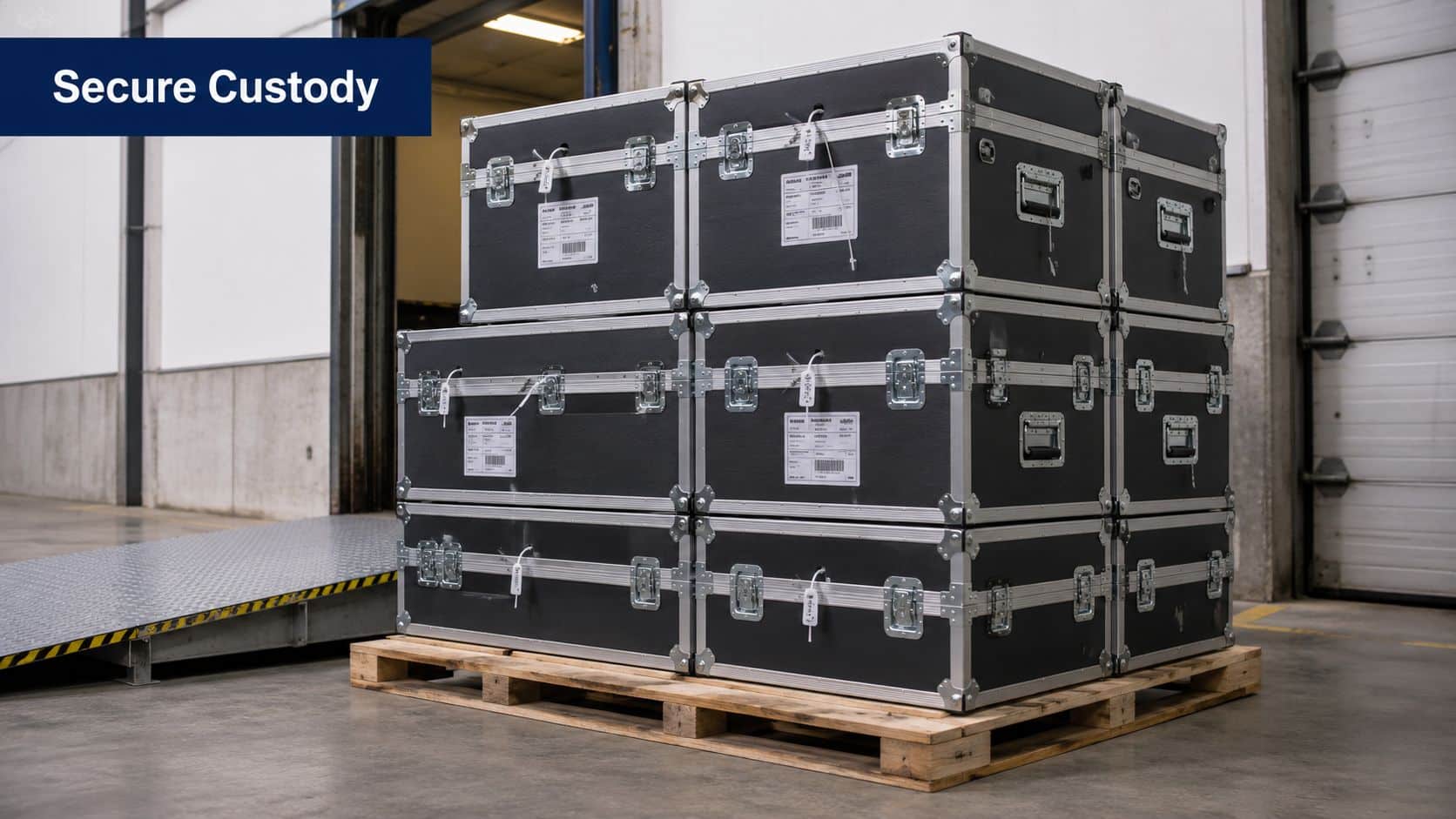
Most guidance in the market talks about labels, wipe protocols, and final certificates. Far less attention goes to a harder question. When does liability begin to shift once the device is in transit? That gap is exactly why Beyond Surplus's analysis of remote laptop recovery highlights the underserved issue of liability transfer timing during the shipping window.
The shipping window is a legal and security event
If a laptop is lost after the employee hands it over but before the processor receives it, the company needs more than a tracking number. It needs evidence that the handoff was controlled, the package was tamper-evident, and custody records identify each transition point.
That's what separates a normal parcel return from a defensible enterprise recovery process. The chain of custody should begin at the employee doorstep or pickup point, not at the warehouse dock.
What a defensible record looks like
A useful chain-of-custody record includes several layers of proof:
| Control point | Why it matters |
|---|---|
| Serialized asset identification | Confirms the returned unit matches the company record |
| Tamper-evident packaging | Shows whether the package was opened during transit |
| Tracked transportation | Preserves location and movement history |
| Release documentation | Records who surrendered the equipment and when |
| Intake verification | Confirms receipt condition before sanitization starts |
Organizations often underestimate exposure, assuming responsibility only changes once the device arrives at a recycling or ITAD facility. In practice, the transit record is part of the control framework auditors and counsel will ask for if something goes wrong.
Practical rule: If you can't document each custody handoff, you can't confidently defend the recovery process.
For compliance-driven teams, the issue isn't theoretical. They need a record that connects packaging, transit, receipt, and processing into one continuous audit trail. That's why chain-of-custody procedures deserve the same level of scrutiny as wipe standards. This overview of ITAD chain of custody in Georgia and why it matters explains the same principle in a broader disposal context.
Executing Certified Data Destruction and Sanitization
A laptop can be fully accounted for in transit and still create exposure if the sanitization decision is vague, delayed, or poorly documented. Liability risk drops only when the organization can show exactly how data was destroyed or erased, which asset received that treatment, and when that work was completed after intake.
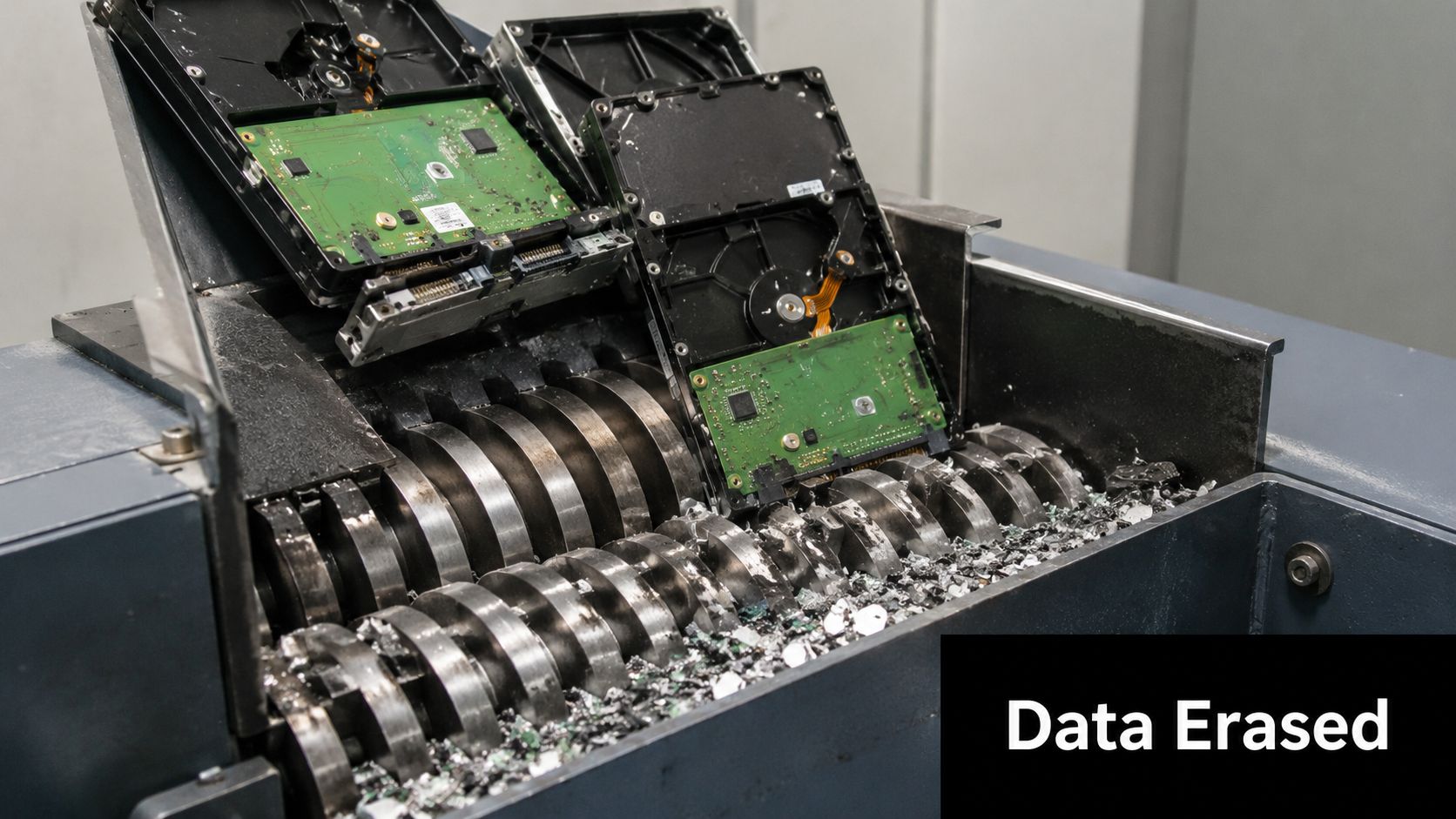
The first decision is straightforward. Use software erasure when the laptop is suitable for reuse or resale and the storage media is healthy. Use physical destruction when the drive is damaged, the data profile is more sensitive, or internal policy requires destruction instead of reuse.
Software wiping works well for devices with remaining value, but only if the process is repeatable and tied to the serial number or other asset identifier. A completed wipe without verification does not satisfy audit, legal, or security review. Teams need a record of the method used, the result, and the technician or system that completed it.
Physical destruction fits a different risk profile. It is often the right call for failed drives, encrypted devices that cannot be processed cleanly, laptops used in regulated roles, or assets that the business does not want returning to the secondary market. Serialized shredding paired with a Certificate of Destruction removes ambiguity about recoverability and closes the file faster for high-risk categories.
In practice, strong sanitization controls usually include:
- Intake verification tied to the returned asset record
- Media assessment to determine wipe versus destruction
- Documented sanitization method recorded by asset
- Exception handling for failed, locked, or damaged drives
- Certificate retention for audit, legal, and compliance requests
The timing matters. The shipping window is where custody risk is highest. The sanitization stage is where that risk is formally resolved. If a device leaves an employee's hands on Monday and is wiped on Thursday, the business needs records that show what happened in between and what happened at the moment data destruction was completed.
That is why certificates carry real weight. They convert a technical process into defensible proof.
For teams aligning internal standards with recognized media sanitization guidance, NIST SP 800-88 media sanitization guidance is a useful reference for policy design, vendor review, and audit preparation.
Maximizing Asset Value with ITAD Buyback and Remarketing
Recovered laptops shouldn't automatically be treated as scrap. That's one of the most expensive habits in enterprise IT disposal. A device can be a security risk at the moment of return and still become a value-recovery asset once it has passed intake, sanitization, and testing.
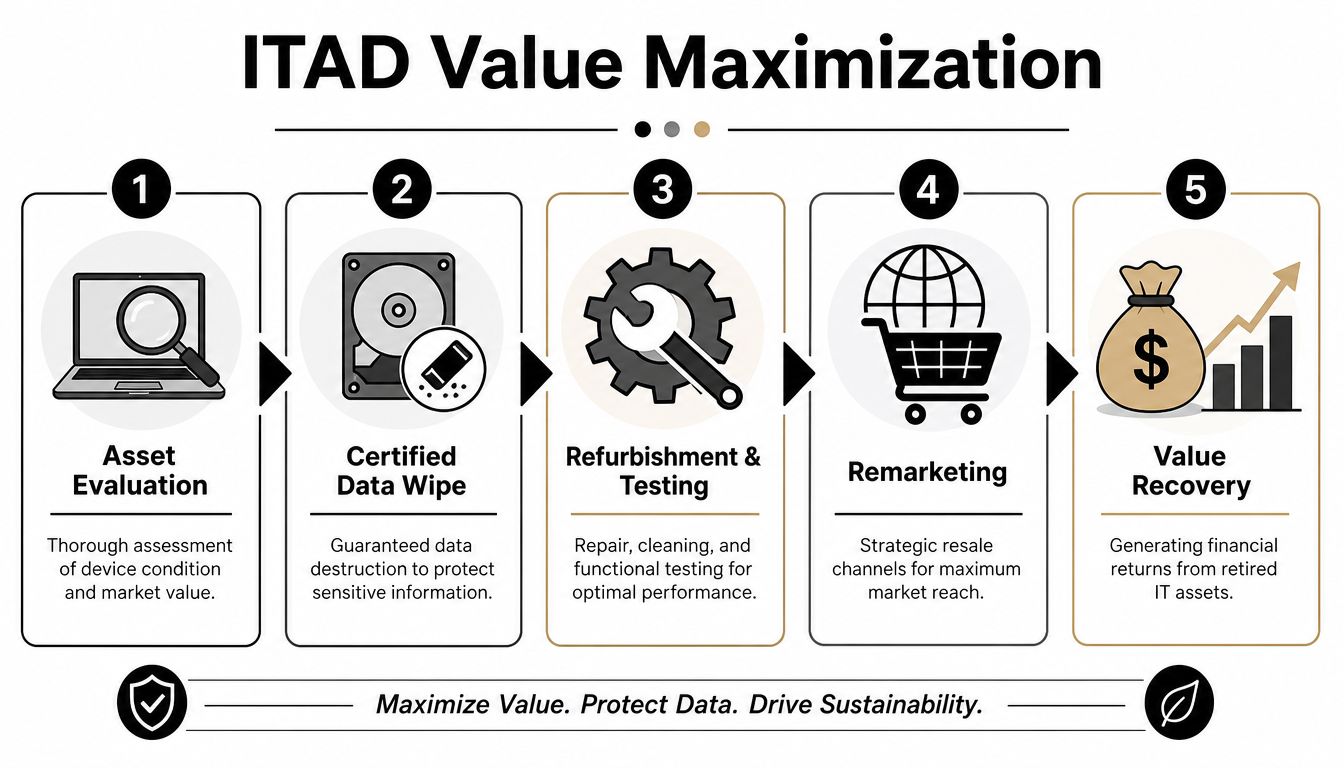
The business case for remarketing is straightforward. According to the Global Electronics Council, 85% of enterprise hardware contains components that can be safely reused or refurbished, making IT buyback and product recovery a practical option for organizations seeking value recovery, as cited in this Beyond Surplus social post referencing Global Electronics Council data.
Why disposal-first thinking leaves money on the table
Many internal programs stop at secure return. They recover the laptop, wipe it, and then move it out of sight. That closes the ticket, but it doesn't always serve the budget.
A better approach grades the asset after sanitization. Working units can be reimaged for internal reuse. Others may fit a resale channel. Devices with low market value can still contribute through parts harvesting or compliant recycling.
The commercial logic behind ITAD recovery
Value recovery depends on matching the disposition path to the asset's actual condition.
- Reusable units can support redeployment and reduce future purchasing pressure.
- Marketable devices can be refurbished, tested, and remarketed through approved channels.
- End-of-life equipment can move to certified recycling after data controls are completed.
How Beyond Surplus Helps Businesses Recover Remote Employee Laptops is more than a retrieval story. The strongest programs connect recovery with ITAD decision-making so every returned unit has a defined commercial or compliant endpoint.
Returned hardware shouldn't enter a black hole. It should enter a decision tree.
That shift matters operationally. Once teams see remote recovery as the front end of asset disposition, they stop measuring success only by return speed. They start measuring by secured return, documented processing, and retained value.
Ensuring Compliance with FTC, HIPAA, and Other Regulations
Compliance teams don't want vague assurances. They want records. If a company handles consumer, patient, financial, student, or employee data, the burden isn't just to dispose of devices responsibly. It's to prove that disposal was controlled, documented, and appropriate to the risk.
That's where recovery programs often get exposed. A laptop may be returned eventually, but if the organization can't show who handled it, how the data was sanitized, and what final disposition occurred, the process is weak from a regulatory standpoint.
Documentation is the compliance layer
The FTC Disposal Rule mandates that businesses implementing reasonable measures to protect consumer information must provide documented proof of data destruction, a requirement certified ITAD providers address by issuing certificates of recycling and data destruction for every processed unit, as noted on Beyond Surplus's LinkedIn company page.
That documentation supports more than one rule set. It also helps organizations demonstrate due diligence under internal security policies and sector-specific obligations such as HIPAA. For auditors, the issue is rarely the existence of a policy alone. It's whether the policy produced verifiable evidence in day-to-day operations.
What auditors usually want to see
A sound documentation package typically supports these questions:
- Asset identity was the exact device tied to an inventory record?
- Custody record can the company show the chain from employee handoff through processing?
- Sanitization evidence is there a record of wipe or destruction activity?
- Final disposition was the unit reused, remarketed, or recycled in a documented way?
That's why unreturned devices create so much pressure for legal and compliance teams. The problem isn't only missing hardware. It's missing proof. Companies reviewing that exposure often start with this explanation of why unreturned company laptops create compliance risks.
Compliance doesn't fail because a team lacked good intentions. It fails when evidence is incomplete.
For regulated industries, a remote laptop recovery program needs to satisfy operations, security, and governance at once. If one of those three is missing, the process won't hold up under scrutiny.
Your Next Steps for a Seamless Laptop Recovery Program
If your current process depends on manual reminders, one-off labels, and end-of-employment follow-up, it's time to tighten it up. Remote laptop recovery gets easier when the decisions are made before the next offboarding event, not during it.
Start with policy and workflow. Make sure HR, IT, security, and procurement agree on when retrieval begins, who authorizes it, what gets returned, and what deadline applies. If those teams use different rules, the employee sees the confusion immediately.
Then move into execution. A practical rollout usually looks like this:
- Review your offboarding trigger and make sure retrieval starts before access is shut down.
- Segment assets by risk so standard laptops, regulated devices, and damaged equipment don't all follow the same return path.
- Standardize packaging and pickup instead of leaving shipping choices to former employees.
- Require intake verification for serial numbers, chargers, and receipt condition.
- Define sanitization rules for reuse candidates versus destroy-only assets.
- Map the disposition path so each recovered unit goes to redeployment, remarketing, or certified recycling.
- Store the documentation set where HR, IT, legal, and audit teams can retrieve it without chasing emails.
The strongest programs also assign ownership clearly. HR should trigger the workflow. IT should validate the asset record. Security or compliance should define documentation requirements. Procurement or finance should care about residual value, not just replacement cost.
If you're evaluating service partners, ask practical questions. How does custody begin at pickup? What documentation is created before intake? How are wipe records linked to asset IDs? What happens to reusable equipment after sanitization? Those answers will tell you more than a generic service brochure will.
A solid program doesn't just recover laptops. It closes the security loop, supports compliance, and turns returned hardware into a managed asset stream instead of a recurring exception queue.
Contact Beyond Surplus for certified electronics recycling and secure IT asset disposal. If your organization needs a structured remote laptop recovery program with documented chain of custody, data destruction records, and clear disposition options, start with a review of your current offboarding workflow and request a business-ready recovery plan.


